by Felicien | Sep 18, 2017 | Education
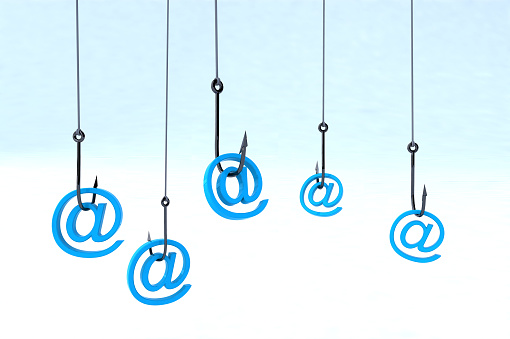
Phishing scams like this one are more common than ever – without the right cybersecurity services in {city}, your business will be left vulnerable.
You and I know that effective communication with co-workers and clients is crucial, but are you sure your employees are practicing safe email and messaging conduct? If you don’t already have the best cybersecurity services in {city}, your answer is probably,
“I’m not sure”, right?
Cybercriminals are smart – they adapt quickly and continually come up with new ways to take advantage of businesses like yours. A popular tactic among hackers today is “phishing”, a method in which they send fraudulent emails that appear to be from reputable sources in order to get recipients to reveal sensitive information and execute significant financial transfers. With only a surprisingly small amount of information, cybercriminals can convincingly pose as business members and superiors in order to persuade employees to give them money, data or crucial information.
At this point, phishing attempts are nothing new, but without the right cybersecurity services in {city}, you can still fall victim to a common phishing scam. A new scam has just been brought to our attention, so we’re sharing the specifics with you so that you and your team can avoid it.
Researchers from Malwarebytes have recently discovered a number of fraudulent messages coming from hacked Premium LinkedIn accounts that ask the recipient to enter their email credentials on phishing site for their respective email provider. The deceptive link may not appear as such, given that the messages abuse the popular link shortening service ow.ly to send message recipients to the phishing page.
Once the user’s email, password, and other information have been entered into the fraudulent website, the damage is done. The hacker can then take the information and do even more damage with it. It’s the new and constantly evolving cybercrime threats like these that make cybersecurity services in {city} so vital.
The key to phishing methodology is that it doesn’t rely on digital security vulnerabilities or cutting edge hacking technology; phishing targets the user, who, without the right training, will always be a security risk, regardless of the IT measures set in place. The reality is that small and medium-sized businesses like yours are put at great risk if you don’t have cybersecurity services in {city}.
So what’s the answer? What can the average business member do to keep themselves and their company safe when criminals are employing such deceitful methods? In addition to equipping your business with the best cybersecurity services in {city}, you should also:
Never give out private information: The trusted institutions with which you do business will not ask you for your private information. They already have your account numbers, social security number, and your passwords. They won’t have any good reason to ask for it again, right? If an email from a superior or external contact asks for that info, it is likely a scam, so be sure to confirm the request by phone or in person.
Never click on a link before you hover over it with your mouse: If you hover over a link with your mouse, your computer will show you where that link is actually taking you. Many times, criminals will give you what looks like the right link (such as www.YourBank.com) but when you hover over the link with your mouse it actually will show something different (such as www.YourBank/2340937fvt5.com). If the link is not as advertised, then don’t click.
Always check up on unexpected email attachments. If you get an email from someone you know with an attachment that you weren’t expecting, give them a call or send them an email to confirm that the attachment is from them and is legitimate before you open it.
The fact is that phishing attacks continue to happen on a regular basis; new variations on the same old trick that pop up over and over again points to a bigger problem than the scams themselves. Cybercriminals keep doing the same old thing because users keep falling for the exact same tactics without ever seeming to learn from the experience. That’s what makes ongoing cybersecurity training, and further support that comes from cybersecurity services in {city} such a crucial part of business today.
Waiting for another major cyberattack to start making the rounds is not the time to start looking at training your staff. Making cybersecurity education a routine for your entire team – management included – is the most effective way to stop a phishing attempt. Allow {company} to help – we’ve been providing cybersecurity services in {city} to a number of businesses like yours for years, and we will do the same for you.
Want to learn more about the steps you can take to protect your business against phishing? Contact {company} at {email} or {phone} for proven cybersecurity services in {city}.

by Felicien | Sep 18, 2017 | Education
It’s true – and it’s a whole lot easier than you probably think!
Most of us are visual learners. Our brains process visuals more effectively than written words. Plus, we also retain more information from images—Days later we can easily recall a visual form versus words on a page.
Diagrams make it easy to convey “big- picture” ideas and bring those details to life. This is essential in the world of business, which depends heavily on employees working together on projects.
These concepts are some of the many reasons why Visio’s new Data Visualizer feature is so useful. With Visio Pro for Office 365, you can process and map data from Microsoft Excel and bring it to life in the form of stunning data-driven diagrams. The Visio Data Visualizer reduces the number of steps required to do this and gives you the option to create diagrams based on data parameters.
Visio’s Data Visualizer: Breaking It Down
Business analysts often use tables in Microsoft Excel to display complicated processes and metadata. Now, thanks to Visio’s Data Visualizer feature, they can convert this information into a fully visualized diagram with just a few clicks of their mouse.
There are two options to choose from: You can use a pre-made Excel template or an existing spreadsheet of your own design. The pre-made templates provide for both basic and cross-functional tables containing a wide range of criteria like:
Process step numbers
Phases
Descriptions
Functions
Dependencies
Owners, and much more
Once an Excel table has been populated, all you have to do is launch the Visio Data Visualizer wizard to help you complete the remaining steps. The wizard is designed to walk you through the process, ensuring the diagram is created with minimal fuss, and without losing essential information.
Regardless of whether you choose to use the pre-made templates or create one of your own, the Data Visualizer wizard will help you map flowchart parts like swim lanes and connectors – Before now, this would have to be done manually.
Here’s the best part of all—The resulting diagram in Data Visualizer is linked back to that original Excel table. If the data is modified or changed in any way, the diagram automatically updates accordingly.
This means that Data Visualizer is a process you only have to run once, and from that point on, any other changes you make in Excel are visualized instantly.
Shape modifications in Visio are still preserved if the Excel data is changed. This ensures everyone stays on the same page when working on major projects, prevents confusion, and increases the ability of people to collaborate and share information.
Thanks to the new Data Visualizer feature, you can save both your Visio diagrams and associated Excel mapping tables in a single package for easy sharing. This is perfect when the file has been completed, and no further changes will be made. All you have to do is employ the “Export as a Template Package” feature and your designs are preserved for all time.
And, thanks to the flexibility of the associated file format, these packages can then be shared with others, or even reused on future projects. This totally removes the need to create the same diagram time and again from scratch.
Not only will this make the lives of both Excel and Visio users easier than ever before, but it also encourages total process consistency and maximum visibility across an entire organization. When sharing files like these across a business, many people worry about variations on files, old versions, and outdated data.
Perhaps the best news of all is that the underlying Excel data travels with the Visio Data Visualizer file wherever it goes, guaranteeing all team members have access to the most recent version of a diagram at all times.
While solutions like Visio and Microsoft Excel are undoubtedly valuable, their true power is unlocked when combining them to reach common goals. The volumes of mission-critical data your business creates on a daily basis shouldn’t exist in a silo. Visio’s Data Visualizer goes a long way towards breaking down those silos.
If your business is in {city}, and you have any questions about using Excel data to create process diagrams in Visio—Or, if you have questions about other essential IT-related topics, please don’t delay—Contact {company} at {phone} or {email}. We’re always here to help.

by Felicien | Sep 18, 2017 | Education
The best way to protect your business from a natural disaster is with a Business-Continuity Plan. However, what steps should you take if you don’t have one in place? These tips and practical resources will help get your business back online after natural disasters, such as hurricanes.
Natural disasters can have a devastating effect on your business, and if your small business was impacted by Hurricane Harvey or Irma, you may still be in shock, and not sure how to bring your business back online. Whether your building was physically underwater, or you’re simply suffering from extended power outages, taking first steps towards IT disaster recovery is critical. Businesses with a robust business-continuity plan are already several steps ahead. But, even without a pre-determined strategy in place, your technology team can quickly start the road to recovery.
Assess the Damage
The most important thing to know during a disaster is that you’re likely in good company—Less than 25 percent of businesses in the U.S. have a comprehensive disaster-recovery and business-continuity strategy in place. Hopefully, the majority of your data and software were stored offsite, in which case it’s merely a case of ensuring your team can gain access to it.
Focus on getting these critical digital functions online even while floodwaters are high and winds are still blowing. (Once your family and staff are safe, of course.) You may find yourself in a situation where you have remote access to your data, but no idea if your office is still standing, or whether hard-copy records, machinery, and stock were damaged.
Establish a Temporary Home and Take Advantage of Loans.
Finding a temporary place that you can declare home base for your business is a critical first step towards rebuilding. If your building is uninhabitable or inaccessible, any location will do in a pinch. If you can’t reopen in your current location, there are plenty of low-interest loans available to help you get your business back up and running. Here are a few options to explore:
Apply for Small Business Administration or USDA disaster loans (depending on your type of business).
Create a GoFundMe or other fundraising account.
Apply for federal disaster assistance with FEMA.
While you may not want to add debt to your organization during this challenging time, the most important thing to do is to return to something resembling normal operating levels as quickly as possible. This is one of the best ways to ensure the long-term viability of your business.
Even if employees have to work remotely in a fast-food dining room to have power and access to the Internet, they need a way to contact key customers and suppliers. These loans can help you re-establish operations, purchase inventory, start cleanup efforts, rent a temporary space, and get back online quickly.
Accept Assistance.
The U.S. government provides a variety of assistance options, from crisis counseling services like the Crisis Counseling and Assistance and Training Program (CCP), to tax relief for businesses struggling after a recent natural disaster. Ask to receive expedited refunds, or even delay your tax filings—This is especially important if your pertinent physical records were destroyed by water, fire, smoke or mud.
Find our about various tax-relief options on www.IRS.gov. Free legal services are also available from FEMA to assist with landlord agreements, insurance claims, and more. Want to learn about all of your options in one place? Check out this free online questionnaire that provides targeted recommendations for services that will best support your organization.
Consider Your Options.
Perhaps there are changes you’ve been planning to make to your business such as discontinuing services or making a shift in strategy—As difficult as it may be, this may be the ideal time to reassess operations and use federal funds to rebuild a more streamlined and cloud-based infrastructure for your business.
This could mean anything from a new telephone system that follows your employees regardless of their physical location, to moving on-premise backup services to the cloud. It may be time to invest in a business advisor or reach out to peers in different parts of the country who can provide support with advice or recommendations for moving forward.
Before You Return
Coming back to an office setting that was devastated by a hurricane or tropical storm can be very emotional. Water can cause exceptional damage in an extremely short period of time— And, at the very least, you’re likely to face a rebuilding of your current physical location.
Be sure you and your employees take all appropriate precautions by following the CDC guidelines for safety after a flood. The EPA also publishes guidelines to assist in times of transition, with practical tips such as ensuring that generators are placed in well-ventilated areas and to limit contact with flood water, which can carry sewage or other hazardous materials. Mold is another serious health hazard that can form in less than 2 days after items are wet.
A natural disaster such as a hurricane can bring on a feeling of despair. However, well-prepared organizations only need to put their business- continuity and disaster-recovery plans into action. When you’re working with an IT Managed Services Provider, your team will have someone to support you every step of the way. Once you have your business back up and running, contact {company} at {phone} or via email at {email} to learn how to develop a comprehensive business-continuity plan that ensures you can keep operating during and after a disaster.

by Felicien | Sep 18, 2017 | Education
Apple’s latest release party included a new iPhone 8, 8 Plus and X. Get the details on new features such as augmented reality, wireless charging, and facial recognition.
Ready for your closeup? Apple is betting that millions of Americans are willing to shell out a whopping $999.00 for the iPhone X, which comes standard with image unlock so you’ll never have to enter a passcode again. This is only one of the several announcements at the recent Apple unveiling that included the upcoming iOS 11, a 4K Apple TV, an LTE Watch and the iPhone 8 and 8 Plus.
While there were some “Wow!” moments onstage, the biggest moments may be the wireless charging of the iPhone 8 and X models, and the insider view of the futuristic-looking new Apple Campus that includes the Steve Jobs Theater.
Apple’s Love of Media
Apple has a long history announcing new products, redesigns, and upgrades in September. Apple’s marketing teams create a buzz that leads up to the “big reveal” in a way that encourages speculation and free media attention that most organizations would love to have. From the initial announcement of the iPhone in 2007 to the iPhone X announcement in 2017, these annual announcements are now live-streamed and widely anticipated by Apple fanboys and girls around the globe.
The iPhone 8 and 8 Plus
You might think that the iPhone X would seriously overshadow any other new release, but the iPhone 8 and 8 Plus are solid offerings in their own right. The incremental improvements made to the iPhone 7 included an improved Retina Display that provided a wider range of viewing angles, and True Tone technology that automatically balances the white portions of an image based on your surroundings. These subtle changes aren’t the real news–The screaming fast processor speed is what stopped the (virtual) presses.
The new generation of iPhones is expected to take handheld gaming to a new level with 3D elements rendering in real time. One other interesting tidbit is something that Apple fans have been waiting for: wireless charging. The Qi standard for charging pads was adopted by Apple, which was a good move considering the number of Qi charging units already deployed around the world.
The Apple Watch—Series 3
Apple Watch aficionados have long been frustrated with the need to maintain a link between their Watch and iPhone. However, all this goes away with the reveal of Apple’s new Watch with cellular capability. The new device will have built-in LTE functionality that’s compatible with all major carriers: AT&T, Sprint, Verizon and T-Mobile in the U.S.—And will carry an affordable add-on cost to your current connectivity plan.
Upgrades include the ability to hear Siri directly through the speakers, a water-resistant mechanism for swim tracking, and an onboard GPS. A barometric altimeter allows for step tracking, something that exercise enthusiasts found lacking in previous versions of the Watch. Fortunately, these upgrades have been built into a form factor that’s not significantly larger than the current version. Updates to the WatchOS are anticipated with version 4 in the coming months that will bring additional functionality tweaks and some new watch faces.
Original Content: 4K Apple TV
Apple TV continues to gain mainstream adoption as consumers make the switch from traditional cable television to on-demand options. The new 4K Apple TV provides a speedier interface that allows for streaming of high-density content. However, it’s important to note that users will only be able to see 4K if their viewing device is outfitted for that type of display.
This update helps Apple get ready for a new era of original content creation, and delivery meant to directly compete with Netflix and other online viewing services. The Apple team’s $1 billion pledge towards producing and procuring original content in 2018, means it will be an exciting year for viewers.
Augmented Reality
One of the most exciting new announcements was the augmented reality functionality that’s coming with the iPhone 8, 8 Plus and X. A range of demos provided engaging viewing at the event, with everything from sports to gaming – and with high-quality virtual graphics overlaid on images of the real world.
The new ARKit aims to encourage developers to take full advantage of the new augmented-reality features—And game houses and others are jumping on board to open portals into virtual worlds. The revolutionary part of this announcement is that it will take augmented reality out of the world of the few (think Google Glass), and into the hands of anyone with a recent version of the iPhone.
Want to learn more about how you can leverage new technology at your business? Contact {company} by calling {phone} or via email at {email}. Our friendly advisors will work with you on BYOD strategies, security and IT-optimization techniques.

by Felicien | Sep 17, 2017 | Education
Nonprofits need tech solutions that work: Here’s how the market is helping out.
Technology and NPOs have always had an interesting relationship: Nonprofits tend to be less impressed customer-focused marketing, and less willing to invest in new long-term technology unless the ROI is visible, preferably with a few industry examples to back it up. However, a technology used correctly can be an advantageous source of savings and efficiency for NPOs, often targeting the very problems they want to get rid of.
The key is finding the latest tech solutions that are having a provable impact on organizations beyond the hype for “the most recent thing.” Let’s take a look at the top trends that impress us the most.
The Cloud Continues to Revolutionize Structure
Cloud data means less dependence on hardware and the enablement of flexible, fast organizations that don’t have to rely on traditional structures when their important data can be anywhere, at any time. This has proven particularly beneficial for NPOs, which tend to prefer more adaptability and more flexible work arrangements including remote work, working from home, scheduling trading, and more. In other words, your data is better off if it can be accessed from the cloud.
The key, however, is finding cloud services that you can trust. It is not a good idea to change your organizational structure based on cloud services without proper encryption and verification. The good news is that professional options like OneDrive and Google Storage have proven to been reliable storage options, and are available free or with discounts for NPOs.
The New Age of Digital Payments
NPOs love digital payments, and for a good reason: They enable immediate payment based on appropriate calls to action that can be connected compelling content or messages, giving donors something to do with their emotions while bringing in funds more reliably. But today’s digital payment options go far beyond the normal PayPal link: Facebook now has an option that allows people to donate while they are still on the social network. YouTube has donation cards that can carry viewers away to an online payment option. Twitter and Snapchat are experimenting with $Cashtags and Snapcash for instant methods of giving away money. Even Gmail has an automatic money transfer option for those you exchange emails with. It’s an exciting time for digital payments, and a good idea to review the latest technology services for nonprofits to see how they are changing.
Chatbots for More Than Just Selling
Chatbots are finally coming into their own, and that includes a lot of interesting applications for non-profits that sometimes have trouble communicating their full mission. For those who haven’t encountered many before, a chatbot is a system that pops open a chat window on a website and offers information or services for visitors. These are automated systems with AI capabilities, so a real person doesn’t need to manage them – they can explain things all on their own, and well-crafted chatbots are skilled at making conversations look as normal as possible.
These days, chatbots are a popular marketing topic and are likely to become ubiquitous as time goes on. You can craft them in Facebook, buy them for your website, and program them for your Skype software. For nonprofits, this means the bot can pop up ready to have a conversation with any visitors about what the nonprofit is, how it works, and what connections it has to local events or news. Since chatbots are already being used to sell products within the app, we also expect to see donation options that the bot can offer interested visitors, increasing funding as well as awareness.
CRM for Donors
Today’s customer relationship management solutions are diverse and, thankfully, much more modular than in the past, allowing organizations to pick out the services they need with the guarantee they are all designed to work together across the same platform. And these vendors have no trouble working with NPOs – after all, a customer and a donor share most things in common when it comes to managing and using data. So a good CRM system can help reach more donors, utilize information more effectively, and create more powerful sales funnel.
One way we’re seeing this benefit today’s donors is via email: While it’s trendy to think of email as an “old” method of communication, it’s actually doing very well on the marketing front – indeed, when it comes to results, good old fashioned emails keep on improving, especially in the mobile sector: Social media remains popular for personal use, but many people just prefer to conduct more professional matters, including donations, through email.. If you don’t have a CRM system set up to take advantage of email messaging, it’s time to consider one.
More Applications for the IoT
The Internet of Things, in abstract, is pretty easy to understanding: A bunch of smart devices send data to their respective services, and we learn more about things while also gaining greater control over the technology around. However, finding specific ways this impacts NPOs is a bit more challenging: However, there’s a ton of potential in the IoT and the ideas currently being tested here are exciting.
Roughly, smart devices for non-profits fall into two different groups. The first is infrastructure: When smart devices can tell you how well concrete pillars are holding up, how much heat buildings are retaining, and how efficiently energy or water are used, then nonprofits become very interested in accessing that data for their reports and fundraising. The second group are sensors that can be used in marketing. For example, we are entirely making up: “Thanks to our new partnership with GeoTesla, every time your car passes a local city park you can choose to automatically donate $1 to our land improvement project!”
App Partnerships
One of the greatest advantages of today’s apps is that they can be created by even small organizations, and they are adaptable enough that any NPO can find a way to use apps. Not sure where they may fit in with your goals or partnerships? Check out some of the more innovative uses of non-profit apps currently at work for ideas. However, app creation requires a lot of cost-benefit analysis and asks quite a lot of donors (when was the last time you wanted to download another app on your phone?). Remember to stay creative!
For more information on our non-profit managed services and other IT services for nonprofits (including consultations on what you need), contact {company} at {email} or {phone}! We can help {city} nonprofits like yours.

by Felicien | Sep 15, 2017 | Education
Make sure you are!
OCR’s new enforcement head is watching you more closely, and changes are coming in 2018!
Federal HIPAA administrators are ready for action: they’re on the lookout for organizations that aren’t staying up to date with changing regulations. Learn what it takes to stay safe and compliant.
Have you ever had a teacher or boss who went out of their way to make an example of someone? –Catching them in the act of something what was wrong or against the rules?
That’s exactly what the new head of the Office of Civil Rights is doing in his search for a “big, juicy, egregious” breach case. He’s out to make an example of one unlucky organization! This means it’s incredibly important for you to review your HIPAA compliance procedures.
The Increasing Complexity of HIPAA Regulations
Healthcare entities are always focused on patient-centered care, but now they’re increasingly distracted by ever-changing HIPAA regulations and compliance.
The life-saving treatment of patients is being helped with new technologies, but with a renewed focus on keeping patient data private, healthcare providers are more overwhelmed than ever. And, it’s the smaller practices that are staggering under the administrative burden of rules and regulations imposed by the federal government.
Costly and complicated IT systems are required to keep pace with the HIPAA information requirements, and interoperability of data standards continue to be serious barriers to full compliance.
The Continually Changing Requirements
Even though the Health Insurance Portability and Accountability Act was enacted on August 21, 1996, there continue to be changed to the requirements added on a regular basis. Major regulatory changes are coming in 2018 that will fundamentally change the way you can record a patient’s medical condition. This will likely lead to many incorrect filings and compliance issues.
There’s been a 700% increase in the number of codes that must be used to record and report medical procedures, and it’s causing a spike in compliance issues as doctors attempt to make sense of the new conditions. The sheer volume of rules and regulations now exceeds the IRS codes, and are many times more complicated.
The Importance of HIPAA Compliance
All that said, HIPAA is an important part of keeping patient data secure, including PHI (Protected Health Information). Handling of this personally-identifiable information is dictated by a HIPAA rule that allows for release of relevant information to health care professionals tasked with the patient care, while providing higher level of security, data integrity and confidentiality.
Standards are applied to three different types of entities under HIPAA: health care providers, health plans and health care clearinghouses. Protected health information can be in writing, oral or electronic format – All three data types are covered under compliance guidelines.
If HIPAA standards and guidelines aren’t followed, there’s a strong possibility that your healthcare practice or organization will be found in default of government policies and required to pay a stiff fine and could incur additional penalties.
Evolving Threats
The Office of Civil Rights (OCR) is the enforcement agency for HIPAA compliance, and Roger Severino was named director of the regulatory agency in March 2017.
Severino has stated publicly that he is focused on finding new ways to safeguard patient health information that could be released via leaks such as ransomware, physical security breaches or cybersecurity lapses. He’s not being forthcoming about where his search for an egregious error will begin, simply that he will be reviewing all avenues where problems could occur.
With enforcement actions in 2017 exceeding $2.5 million to date due to a stolen laptop computer, it’s unlikely that he will have to look very far or very hard to find a case of sufficient magnitude for his needs.
Organizational Impact
Data breaches themselves can be incredibly expensive due to the requirements for notification of affected individuals. When you add in any damage to consumer trust, the cost of creating a remedy for the breach and compliance costs, the impact can be significant on any size organization.
The OCR is not simply looking for large offenders, they are also actively targeting smaller businesses and practices that may not have the benefit of support from a large technology or office staff to maintain compliance.
The growing threats in the cybersecurity landscape have caused enforcement agencies to continuously look for ways to encourage compliance.
If you have concerns about whether your organization is fully compliant with HIPAA standards, contact {company} at {phone} or via email to {email}. We specialize in creating standardized practices and procedures that will help you maintain conformity with federal guidelines such as HIPAA.
