
by Felicien | Oct 19, 2018 | Education
Read the following alert before charging your phone tonight and from this day forward. According to the Newton, New Hampshire, fire department’s PSA message posted on social media; it seems as though charging a phone in bed poses a serious health risk and lethal safety concerns for you and your loved ones. Now it is imperative you think twice before charging your tablet or smartphone in bed ever again.
What the Newton fire department shared is quite literally a wake-up call
The Newton Fire Department, in Newton, New Hampshire shared this photo. You will notice burned sheets and pillows next to a device charger’s cord. If the picture seems scary, you now have your proof. Without warning, if a child or teenager is sleeping next to their phone while it’s charging, this could happen to them, putting them in grave danger.
According to the fire department, a home fire is reported in the U.S. every 86 seconds. They also uncovered some recent research which indicates over 50 percent of children and teenagers charge their tablet or phone under their pillows. When you consider that everyday habit, you must ask yourself, “where does the heat go if the phone is covered up?”
We all know if the heat from that charger can’t evaporate you’re going to have a cord, charger, and device that’s hotter and to difficult to touch. If the charger and phone are under the pillow, then that pillow, mattress, and the entire bed could catch fire, and the whole house could go up in flames, putting all the family members in danger.
Should we be concerned, isn’t this an isolated situation?
Unfortunately, it isn’t. It continues happening.
It wasn’t that long ago a 10-year-old boy, in Northern Ireland woke up in shock. He was charging his new phone in his bedroom overnight. What awakened him was the smell of smoke, as his iPhone sat burning on his bed. The phone got overheated and severely singed. Fortunately, there was no fire outbreak.
Then there’s the incident where a family of a 15-year-old girl from Wales had to flee their home. They were not as lucky. The girl’s iPhone overheated while resting on the bedding. Next thing they know the bed quickly caught fire and engulfed the home. Fortunately, no one was hurt. But it took six months before the family could return to their home, due to the extensive fire damage.
But we can’t just look at children and teenagers who leave their tablets or phones charging overnight. Take the Alabama man, in his 30s that nearly lost his life getting electrocuted, after he fell asleep with his cell phone charging right next to him in bed.
As he slept, the charger disconnected from the phone. But in the morning he rolled over, and his military dog-tags around his neck got caught on the exposed prongs of the plugged-in phone charger. What happened next, nearly took his life. The dog-tags acted as a conductor so, the electricity traveled straight to his neck. Strips of flesh and skin were missing from his neck and his shirt got singed, where the metal dog-tag necklace had burned his throat.
What should you know moving forward?
It was pointed out in a 2017 Hartford Home Fire Index; there is a “high risk” when charging your phone on your bed overnight. They compared it to leaving a candle burning unattended or when your stove doesn’t get turned off after cooking.
There was more extensive research published by the American Medical Association (AMA), in their JAMA Pediatrics monthly peer-reviewed medical journal that shows roughly 89 percent of teens and 72 percent of children use, on average at least one device, tablet or phone, in their “sleep environment.” And quite often it’s used just before bedtime.
“The distinctly possible result is that the pillow or bed or both will catch fire,” the Newton fire department added. “This places the child or teen, as well as everyone else in the home in grave danger.”
What should you start doing today?
To quote Stuart Millington, senior Fire Safety Manager, of the New Wales Police department, “Turn chargers off. Unplug them before you go to bed,” His warning came after a similar incident where a phone caught fire while charging under a pillow of a North Wales family home. “Never leave items unattended or charging for long periods of time.”
If you are a parent or grandparent, warn your kids and grandchildren. Bring it to their attention to the dangers of sleeping next to a charging tablet or phone. Also, look to see where device charges are plugged in, and if not suitable recommend a designated charging zone in your home for all devices.
Did you find this article informative? If you liked this one, check out our other content we think you’ll find interesting.

by Felicien | Oct 18, 2018 | Education
Perhaps the space is not large enough for your expanding partnership. Maybe, it’s antiquated and no longer feels appropriate. Whatever reason an office chooses to move to a new building, relocating is a large undertaking. Unfortunately, in many offices, the IT-related aspects of the move are overlooked until the last minute. This can be disastrous.
Improper planning can result in lost data or broken equipment. It could cause interruptions in service. This might mean lost clients, which of course would equal lost money.
Fortunately, it is not difficult to do this right. It does, however, take adequate notice. This is often longer than one would anticipate. Usually, it requires at least 60 days. It also helps to have a good plan and consistently follow through. Here are a few other things to consider before relocating.
How Should an Office Plan for the Move?
The first step would be to determine who will act as the internal manager of the relocation. This should include someone on the staff who is familiar with the office. In a small business, he or she might coordinate the entire project alone.
For larger establishments, however, it would be wise to hire a professional Managed Services Provider. They are more experienced with delicate relocations and can help lead the internal manager in the process.
Generally, the first step is to inform all Internet and telecom providers of the coming move. It is often in the service agreement that they receive a certain amount of notice. This also ensures there will be no interruption in service.
When Is an IT Evaluation of the New Space Conducted?
Ideally, IT needs would be considered when initially choosing the location. This is not always realistic. In an office, there are many aspects to consider when selecting a new office space. A few of these include demographics of the area, accessibility, image, and the history of the site, etc. IT needs are often an important afterthought.
Typically, an evaluation of the new space will be conducted during the planning phase of the actual move. It would be done with or by the project manager or Managed Services Provider. If the office has one, the head of the IT department should be involved as well.
There are several things that should be evaluated to ensure the move goes as smoothly as possible. These include, but are not limited to, the following:
Cabling for computers, telephones, and security cameras
Power outlets of adequate number and in optimal locations
Wireless networking capability
Each room should be checked. Any of the above that are subpar will need to be addressed. This would ideally occur before the move itself.
How Should an Inventory Be Done?
The IT needs of most offices are evolving. Before moving it all, it would be advisable to take an inventory and evaluate the existing equipment. Begin by determining what is no longer needed. It is better to responsibly recycle it than move it to the new location.
Next check the condition of each remaining piece of equipment. Make a list of anything that is worn or outdated. Decide how to dispose of them rather than pack them. Order replacements so there is no interruption once the move has been made.
As the business world continues to embrace IT, this is the perfect time to assess current trends. It is also a good idea to look to the future and ensure any new equipment purchased is flexible enough to adapt.
Make a hardcopy list of every piece of equipment being moved to the new office space.
Have Disaster Recovery and Business Continuity Plans Been Developed?
Failure to have a Disaster Recovery Plan and a Business Continuity Plan in place before a move could, in fact, be devastating to your business. Further, it is an essential step to make several backups of everything important. This includes files, as well as data systems, security systems, and servers. Keep these separate and in a safe place during the move. If you’re already working with a managed IT services provider, they will take care of this for you. They can also handle much of the move as far as your IT infrastructure goes.
Lists should be made of the important information required for the successful implementation of the Business Continuity Plan. A few items to include are:
Business priorities
Inventory of all equipment
Emergency contact information for IT vendors
Plan for switching phone lines and internet connections
This improves the likelihood that the office will be able to resume business with as little delay as possible. If you have a good relationship with a managed IT service provider, they may be able to move your networking and computing equipment and get everything back up and running a day or so.
In Conclusion
When it comes to the day of the move, everything should have already been planned. This ensures the smoothest transition. For offices that do not have an onsite IT team, hiring a professional IT-relocation company would be a good idea. The internal manager or Managed Services Provider would be responsible for making important decisions. With proper planning, the actual move to the new location should be much easier.

by Felicien | Oct 18, 2018 | Education
A recent report has revealed that there are many US weapons systems that are susceptible to hackers. This news is disturbing on many levels, including the attitude exhibited by Department of Defense officials. What does the report reveal, and how serious is the threat?
GAO Report
The US Government Accountability Office (GAO) just released a report that reveals that almost all weapons that were tested by the Department of Defense (DoD) between 2012 and 2017 have serious vulnerabilities that make them very open to cyber attack. These vulnerabilities have been labeled mission critical, which makes this news all the more serious. The report had been requested by the Senate Armed Services Committee in connection with expected DoD spending in excess of $1 trillion in order to develop weapons systems.
Examples of Weaknesses Detected
The vulnerabilities were discovered by penetration tests performed by employees of the DoD. In one example, a penetration tester was able to partially shut down a weapons systems by merely scanning it. In another test, it only took nine seconds for DoD testers to guess the admin level password on a weapons system. Failure to make changes to default passwords connected with open source third-party software installed on systems resulted in several instances of vulnerability.
Those performing these tests were not making any efforts to hide their presence, but the systems they tested had a difficult time detecting their presence. These systems should have been able to detect the presence of intruders and alert those in charge. A few of the automated systems did detect the presence of the penetration testers and alerted those monitoring the systems. However, in an even more disturbing turn, the individuals monitoring the systems didn’t seem to understand what the intrusion alert meant and thus did not take any action.
Failure to Take Basic Cybersecurity Precautions
What makes this report distressing is that many of these potential open doors exist in part because of a failure to follow basic cybersecurity rules. Guidelines such as the use of encryption, robust passwords, and basic employee training are foundational to a security system. Because such guidelines have been neglected, hackers equipped with even simple techniques and tools would be able to not only take control of key systems associated with these weapons but do so almost undetected. What could a skilled hacker with the latest tools accomplish inside such a poorly secured system?
Is There a Valid Reason for the Lack of Concern?
The subtitle of this GAO report was “DoD Just Beginning to Grapple with Scale of Vulnerabilities.” Surprisingly, those in charge of such systems do not seem very concerned about these susceptibilities, perhaps because they feel the GAO is exaggerating the seriousness of the problems discovered. For example, the report does remind readers that some of the findings may no longer be a problem once a system is deployed in the field.
In addition, these officials have indicated that in the past they believe the systems were well-secured. The authors of the report, however, strongly imply that there’s a disconnect between what these officials may believe and what the reality is.
Another possible cause of the DoD’s lack of concern is the belief that the types of tests that were run would be practically impossible for any system to pass. The GAO, however, insists that the tests were not extreme and represented realistic threats to these critical systems.
The DoD may also be resting on its laurels: it received praise last year for a bug-bounty program that led to many different bugs being patched. On the other hand, the GAO report points out that only one of 20 vulnerabilities discovered in previous risk assessments had been fixed by the time the report was written.
Implications of the Report
One of the implications of the report is that a number of US weapons systems could be susceptible to a disabling cyber attack. Considering that so many adversaries of the United States have established reputations for extremely talented hackers, this is all the more disconcerting. And hackers are not subject to the same constraints as DoD penetration testers. Malicious actors may well have access to funding, state-of-the-art equipment, and would intentionally keep their activities hidden.
Another implication of the GAO report is that their testing merely revealed the proverbial “tip of the iceberg” when it comes to vulnerabilities that exist in US weapons systems. The penetration tests performed were far from exhaustive. For example, categories that were not tested included potential weaknesses related to counterfeit parts or industrial control systems.
Conclusion
The incidence of cyber attacks are on the rise, and the techniques and tools available to malicious actors are continuously evolving. It makes sense that the security of a nation’s existing weapons systems should be a very high priority. The revelations of the GAO’s report are disturbing, yet there is hope that the DoD will respond to the vulnerabilities discovered.

by Felicien | Oct 17, 2018 | Education
On November 1, updates to the Personal Information Protection and Electronic Documents Act (PIPEDA) will be in effect. Included in these updates are rules involving mandatory notification of Office of the Privacy Commissioner of Canada (and affected individuals) if certain types of security breaches of personal information occur. Considering the repercussions, including fines and legal fees that may be involved with a failure to report, Canadian companies would be wise to address issues related to data security as soon as possible.
Personal Information Protection and Electronic Documents Act
The Canadian government is cracking down on negligent practices with an individual’s personal information. And any breaches of personal data that involve a risk of financial loss, humiliation, identity theft, harm to relationships, or loss of reputation must be reported. Notifications must be made not only to the Office of Privacy Commissioner of Canada but to the individuals affected by the breach. These rules are going to be enforced, and Canadian organizations need to be well acquainted with the guidelines involved.
Breaches Are on the Rise – But So Is
Considering that data breaches, hacking, and other types of cyber crimes are on the rise, organizations should be paying closer attention than ever to their privacy practices. When large corporations like LinkedIn, Facebook, and Equifax suffer from breaches, one would think that companies would be even more diligent about their cybersecurity. However, it seems that the effect has been the opposite.
Recent surveys by the Privacy Commissioner’s Office indicate that far too many businesses are simply not concerned enough with preventing and responding to breaches. Companies seem to have grown more complacent, content with poor password policies, with employees falling victim to social engineering, and having their servers compromised by malware. Phishing emails, drive-by downloads, ransomware, and data theft are all serious problems, but organizations don’t seem to be extremely concerned.
Every organization that uses personal information is at serious risk, though. There are already billions of passwords that have been stolen across the world. Many of them are up for sale along with other private information, on the Dark Web. Cybercrime is reaching epidemic levels, and it makes sense for companies to be much more vigilant.
And the targets are not just large, well-known companies. More and more small to medium businesses are becoming victims of attacks, including ransomware, data theft, and even industrial espionage. In short, no organization is safe from security breaches – and the federal regulations regarding these breaches are the same for both small and large businesses.
Breach Response Plans
These plans are something that exists before the breach ever happens, not after one has occurred. Breach response plans must be developed to comply with federal privacy practices, including mandatory notifications for personal data that has been compromised. In addition, these plans must be updated as regulations are updated. It not only takes time to develop a robust breach response plan, but it also requires experience.
Breach Detection
Breaches must be detected quickly to minimize damage. However, detection of such breaches requires systems and tools to intelligently sort through logs and events. It takes special security skills to be able to effectively investigate an alert and perform damage control. Tracking down how a breach happens involves forensic skills.
Timeliness
Detection and response are far more than a report or a system check that is run once a week – it is a continuous process that runs 24/7. Breaches must be detected as soon as possible and the response plan must be enacted immediately after a breach has been confirmed. This is even reflected in the wording about private data breach reporting, which states that the Office of Privacy Commissioner must be notified “as soon as feasible.”
However, the average IT department (and even the typical IT service provider) will not have the kinds of resources and tools to adequately address all the threats that can develop.
Don’t Be Overwhelmed
When major companies, that have powerful security systems and analysts at their disposal, still fall victim to hackers, it can make privacy practices seem overwhelming to small companies. However, things can get worse: The Office of the Privacy Commissioner is also seeking new powers, including the right to enter an organization and confirm that federal privacy practices are in use even if a violation is not suspected. If that happens, will your organization be prepared?
Conclusion
Fortunately, there are solutions in the form of third-party experts who combine key skills such as digital forensics, breach mitigation, and response plan development. They also have access to the tools needed to help your company ensure that it is PIPEDA compliant while reducing the risk of a devastating data breach. Don’t allow your company or organization to become complacent – reach out for the help needed to become PIPEDA compliant.

by Felicien | Oct 17, 2018 | Education
What Are You Doing for Spreadsheet Day?
Spreadsheets: some people love them, some people hate them, and some people are a little afraid of them. No matter which category you may currently fall into, you probably know that spreadsheets are vital to the inner workings of organizations ranging in size from massive Fortune 500 companies to small, locally owned businesses. At this very moment, millions of spreadsheets are probably open all across the world – and it seems fitting that there is a day to celebrate the birth of the modern digital spreadsheet.
VisiCalc, the First Spreadsheet Program
October was chosen for the month in which Spreadsheet Day would occur for a very simple reason that not many people are aware of: it was October 17 of 1979 when the first spreadsheet program was released. It was called VisiCalc, for those of you who may not have been alive then, and it ran on the Apple II computer. With the release of this software, the often overwhelming task of organizing massive amounts of numerical data not only became streamlined but, for some of us, actually became enjoyable.
VisiCalc (whose name means Visible Calculator) was the brainchild of Dan Bricklin of Software Arts. It functioned much like a paper spreadsheet, hence its classification as a spreadsheet program. But unlike a paper spreadsheet, you didn’t need a pencil or an eraser. And the calculations could be performed automatically and with incredible accuracy.
By running on the Apple II computer, the power of spreadsheets became accessible not just to corporations and large organizations but too small businesses and homeowners, too. There are other things that set VisiCalc apart from previous attempts to develop electronic spreadsheets, such as the instant recalculation of values when the value in a dependent cell was changed, or it’s interactive WYSIWYG interface that still resembles what we use today. In short, VisiCalc was the starting point for the modern spreadsheet that we know today.
The Ubiquity of the Spreadsheet
You might be surprised at the multitude of applications there are for spreadsheets. We know spreadsheets are used for tasks such as accounting, sales, business intelligence, and finance. Professors, instructors, and teachers use spreadsheets to track class performance and assign grades. Engineers and scientist alike use them to perform simulations, create complex models, and analyze massive sets of data. Homeowners use them to track expenses and set up budgets. Small business owners use them to keep track of inventory and sales. Large companies use hundreds of different spreadsheets for just about everything imaginable — from simple tasks that require a small portion of a worksheet to massive workbooks with thousands of calculations and complex visualizations.
When it comes to data, spreadsheets can model, manipulate, sort, organize, visualize, and process large sets of both numerical and non-numerical data. Spreadsheets can be used to perform what-if analysis, make predictions based on existing data, inform decisions, and perform extremely complex calculations. They can be used for optimization, curve fitting, and solving simultaneous equations. And one of the benefits of spreadsheets, to quote an old professor of the author’s, is that if you can do it once, and do it right, you may never have to do it again.
Modern Spreadsheet Packages
We aren’t limited to VisiCalc in modern times, however. We’ve got a wide variety of options when it comes to spreadsheet packages, including:
Microsoft Office Excel (which is available both as desktop software and online)
Google Sheets
Corel Quattro Pro
LibreOffice Calc
OpenOffice.org Calc
iWork Numbers
There other less well-known options available, too, but Excel is what most people think of when someone says “spreadsheet.”
Modern packages offer numerous types of formulas and functions, including those for finance, accounting, mathematics, statistics, probability, and string manipulation, just to name a few. And the visualization capabilities of spreadsheets are constantly evolving to enable users to give even more context and meaning to data. How spreadsheets process massive sets of calculations is also growing, with some packages supporting multi-threaded processing. The types of data that can be processed within a spreadsheet are rapidly expanding beyond floating point numbers and characters, and some packages such as Excel are including aspects of artificial intelligence among new capabilities.
How Can You Celebrate Spreadsheet Day?
There are quite a few ways to celebrate Spreadsheet Day. One of the best ways is to expand your knowledge of spreadsheets. It’s always a good idea to increase your skill set when it comes to computer applications, but especially so when it comes to spreadsheets. Spreadsheets can make your work much easier if you learn how to make the best use of them. Take our word for it – spreadsheets can do so much more than you realize.
That’s why we think the very best way to celebrate the birthday of the modern spreadsheet is to register for free online Excel training at SpreadsheetsTraining.com. Sharpen your existing skills, learn something new, and find out new ways to put spreadsheets to work for you!
by Felicien | Oct 16, 2018 | Education
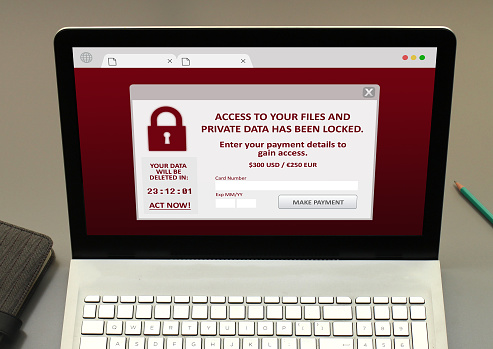
Technology has unlocked a world of potential for businesses everywhere. But with these advances comes a new set of problems, like malware. While it’s common knowledge that computers are susceptible to viruses, today’s breed of hackers are more creative than ever. They’re utilizing new, innovative techniques to infiltrate systems of businesses big and small.
Not all malware is created equal. Just like infectious disease, there are different strains of malware, many with the potential to wreak havoc on your business network. In today’s business landscape, tech departments are faced with the task of not only stopping these attacks before they happen, but with quickly repairing networks in the event that an attack has hit.
The Problem With LoJax
One recent attack has IT departments up in arms. A Russian hacking group created the Rootkit, named “LoJax”. According to ESET, a leader in IT security, the campaign delivering LoJax targeted certain organizations in the Balkans and other countries throughout Central and Eastern Europe.
The problem with LoJax is that it isn’t just any ordinary malware. It’s used to gain persistent access to a computer, and with its reputation for being hard to detect, it’s causing quite the problem for users. Much to the horror of IT professionals, this hacking technique is so complex that it can withstand a variety of common fixes. Some of these include a reformat, a complete OS reinstall and a hard-disk swap.
This unique type of malware lives in a system’s flash RAM, meaning the only way to clear it is to over-write the infected machine’s flash storage. This presents its own set of challenges, and isn’t even a guaranteed fix unless you’re armed with the right code.
What Is Spectre?
Spectre is the name of an underlying vulnerability affecting the vast majority of computer chips manufactured within the last two decades. If this vulnerability is exploited within a system, it could enable attackers to gain access to data that was previously deemed protected. Lojax directly leverages this vulnerability, making it all the more difficult to detect before it hits.
If attackers are successful, they can they utilize LoJax to access systems remotely, and on a constant basis. This allows them to inject it with additional malware. This type of malware can also be utilized to track a particular system’s location, and potentially the owner’s location.
What’s At Risk?
UEFIs are particularly at risk. UEFI, Unified Extensible Firmware Interface, is a specification for the interface between a computer’s operating system and its firmware. It runs pre-boot apps and is responsible for booting the OS. By re-writing the rootkit, the malware is able to stay hidden within the computer’s flash memory, making it difficult to repair.
How To Protect Your Network
Businesses can implement a series of additional security measures to minimize the risk of a cyber attack on their network, especially one as severe and unpredictable as LoJax.
One of the single biggest mistakes businesses are making is running their operations on old, outdated equipment. Not only can this hinder productivity, but it can also leave businesses more susceptible to a cyber attack. Investing in new equipment that runs the latest and most improved hardware means security measures are often built in.
Keeping equipment up-to-date can become costly, but it can also minimize the chances of an even costlier network revamp in the event that a catastrophic cyber attack takes place and compromises everything a company has worked so hard to build.
Exercise Caution With Emails
Malware can gain access to your system through one of several ways. One of the most common methods is e-mail. It’s wise to take a cautionary approach to e-mail when utilizing your work network. Be wary of e-mails from strange e-mail addresses and also be cautious of what websites you are visiting, taking care to only visit safe, reliable sites.
Implement A Secure Boot
While malware like LoJax are especially hard to combat, IT departments can take comfort in the fact that not all hope is lost. One method of prevention is Secure Boot. This mechanism ensures that only securely signed firmware are able to boot up and run on a particular system. With signature verification required, Secure Boot makes it possible to prevent uniquely complex malware like LoJax from successfully infecting a system. Businesses are encouraged to review the Secure Boot configuration throughout the entirety of their hardware.
Malware Cleaning
Once you suspect a computer within your network is infected, it’s important to take action immediately. Be sure to back up your files before you attempt any type of intensive cleaning. Also, don’t attempt to repair complex computer issues alone. Your IT department can help you create a comprehensive game plan to address the problem and prevent similar incidents in the future.
Your system can come under attack when you least expect. Given that phishing is still a go-to strategy for hackers to penetrate systems, security awareness is more important than ever. Create a solid line of defense, and an effective response strategy, to ensure an attack doesn’t compromise your business. Security awareness training can serve an important role in helping your organization stay protected from hackers.
