
by Felicien | Jun 4, 2019 | Education
How to build an effective Hurricane Survival Plan
Now is the time to double check your supply inventories, invest in protective measures for your business, and make sure you have an actionable Hurricane Survival Plan in place.
The 2019 hurricane season is almost here – are you ready for it?
According to Moody’s Analytics, the 2018 hurricane season caused up to $50 billion in damages. Can you afford to be a part of however large that number becomes this year?
All of this is to say – we know when the hurricane season begins, and we can take steps to protect ourselves, our families, our homes and our businesses.
Without effective hurricane preparedness planning, your business can suffer devastating consequences during an emergency. Property damage and data loss can affect your resources, continuity and more, leading to loss of business, and lower return on investment in these resources.
What does effective planning for a hurricane really look like?
Key aspects of a Hurricane Survival Plan include:
Developing a Plan
As with most endeavors, the first step is to create a workable plan. Your business’ hurricane plan should be carefully constructed and written down for reference and review.
Remember, many companies are required to maintain an Emergency Action Plan by OSHA so this can be considered part of that process.
Your plan should put forth policies and procedures regarding employee safety, business continuity, and contingencies that can be activated if your business’ facilities are damaged.
There are three steps to an effective Hurricane Preparedness Plan:
Protect your property.
While so much of disaster recovery these days is focused on data continuity, it’s important to remember that your facilities are a resource as well, and they should be protected.
Make sure your windows have proper shutters or are boarded up with plywood to keep them safe from airborne debris.
Inspect your roof prior to each hurricane season to make sure it’s in good shape.
Assess whether there are any aging branches or trees that could fall and cause damage during a storm. If you’re unsure, have an arborist check it out for you.
Bring sandbags to areas that could be affected by flooding.
Secure heavier objects, including bookcases, shelves, filing cabinets, computers, etc.
Secure utilities, and raise them off the ground if necessary to avoid flood damage. Prior to the hurricane reaching your area, make sure they’re all turned off.
Relocate any fragile or valuable items to less dangerous areas, if possible.
Protect your documents.
Once all your physical assets are taken care of, don’t forget about your business documentation.
Make sure you have a backup of info on important business contacts.
Backup documents that are not easy to reproduce or acquire in the event of water damage – insurance and legal contracts, tax files, etc.
Keep as much of your documentation as possible in waterproof containers.
Maintain a checklist of survival resources.
Lastly, you’ll want to make sure you have an inventory of all the hurricane-specific resources you’ll need.
These are the types of items you won’t be using otherwise year-round, and so, when you do require them, you don’t want to realize you’ve forgotten something.
Independently powered radio/TV
Three-day supply of non-perishable food for as many employees as you have onsite (including 1 gallon of water per person per day)
Blankets, pillows, cots, and chairs
First Aid supplies
Flashlights (and additional batteries)
Toolkit
Whistles and/or signal flares
Tarps, plastic bags, and duct tape
Cleaning supplies
Smoke alarms and fire extinguishers
Electric generator
A backup supply of gas and additional jerry cans
Cash, credit cards and ID
Emergency contact info
Defining Procedures and Assigning Roles
Determine the critical staff that will need to be on-site or on-call during an emergency. It’s important to define who will be needed to keep your business running, and who should be responsible for any emergency response tasks. Remember that safety comes first and that your plan must focus on keeping your employees out of danger.
Coordination
A comprehensive plan should prepare your business to coordinate with others during an emergency. How are nearby businesses going to operate during a hurricane? How will police, fire, and medical response be affected? These questions are best answered before the storm hits.
Briefing Your Employees
Your hurricane plan should not be written and then left on a shelf. Every employee should be familiar with your procedures and plans to handle any future emergencies. Hold a meeting where your plan is reviewed, roles are assigned, and your staff can ask questions.
Reviewing and Updating Your Plans Annually
Changes in your business or the community in which you operate can have a major effect on your disaster plan. Be sure to review your plan at least once a year and make any necessary revisions to keep it current and effective.
What’s the bottom line of Hurricane Preparedness?
Effective hurricane preparedness keeps you safe and protects your assets, simple as that.
In addition to protecting yourself and your employees, proper business continuity planning should assess your individual requirements by estimating your current data retention needs and expected growth. You can then determine what systems are critical to your business and assess what recovery mechanisms are currently in place.
Based on this comprehensive analysis, you’re then able to build a hurricane preparedness plan that works best for your organization.
Remember – without comprehensive disaster recovery planning, you’re left vulnerable to any and all emergency situations, whether it’s a major meteorological event like a hurricane, or common — and still unpredictable — power outages. Consequences include:
Permanent data loss as onsite copies of your data are destroyed
Severe downtime as your business scrambles to replace hardware and get up and running again
Major financial damages, from the cost of lost business to the cost of replacement hardware and more.
So, the question is: will you wait until after you get hit with a hurricane to start thinking about how you’ll recover?
Or will you do what’s right for your business, and start planning for the worst-case scenario today?

by Felicien | Jun 4, 2019 | Education
Organizational structure is something that is hotly debated at businesses around the world, but one of the biggest mysteries is where it makes sense to have the technology teams. IT has both a strategic thread as well as a day-to-day operational focus, making it a solid fit for the office of the CEO or the COO — yet IT often lands with the CFO, especially if there isn’t a CIO in existence. Businesses tend to organize around the functional strengths of their leaders and their business operations. If you are researching where IT makes sense in the structure of your business, see why organizations around the world continue to closely align IT with the finance department.
“We’ve Always Done It That Way”
Historically, IT has been aligned with finance due to the original reason technology was introduced to businesses: to aid in digitizing accounting functions. The highly detailed work that is performed by both finance and technology teams worked in lockstep, as finance executives leaned on IT for financial computing initiatives that would help make the organization more efficient and effective in their financial interactions. Over time, the original need for digitizing accounting morphed — yet the reporting structure still made sense. CFOs needed to have a tight handle on the burgeoning budgets that the technology teams needed to support the needs of the business. Many businesses find themselves locked into this aging structure for one of the worst reasons of all: “We’ve always done it this way”.
Aligning Departments Around Business Functions
At first blush, IT may seem to have more in common with operations than with finance. There are plenty of moving parts in both operations and technology, but that is where the parallels break down. Maintaining the daily execution of tasks is quite operational in nature, but the far-reaching strategic nature of IT is where the power truly lies for the organization. Hiding IT within the office of the COO could reduce the overall effectiveness of IT and may also lead to the team being a target when there is a need for budget cuts. Without a strong seat at the table for technology as it relates to the future of the business, both finance and operations Chiefs may reduce spending without seeing the longer-term impact of their decision.
Shifting Business Strategy
As more CEOs consider IT initiatives as strategic imperatives, the structure of organizations will continue to shift. CIOs — although they are “Chiefs” — have not always had a place reporting directly to the CEO of the organization as other chief officers do. Instead, they are relegated to second-string status by reporting to the CFO or COO, especially if there is a perception that the CIO is not comfortable enough working through complex business problems as well as providing technology solutions. The shifting business strategies that are caused by exceptional levels of innovation and competition in terms of technology make it more likely than ever that CIOs will be raised to the level of the CMO and CFO in terms of organizational structure.
There are no perfect or “right” structures for your organization. As technology leaders continue to expand their knowledge outside the scope of the technical realm, they are less likely to be reporting to the CFO and COO and more likely to be able to earn representation at the highest levels of the organization. This evolution of IT may feel uncomfortable for some organizations, but will ultimately help boost the visibility of technology projects that are often core to the success of the business.
by Felicien | Jun 4, 2019 | Education
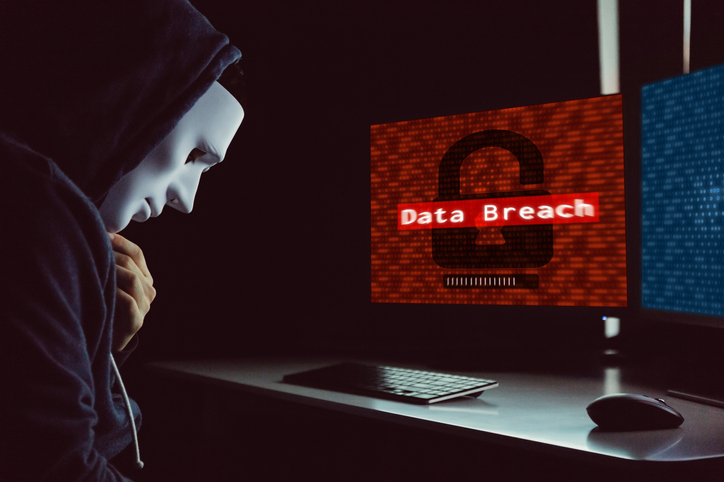
Are You One Of Many Affected By The Quest Diagnostics Breach?
Financial & Medical Information of 12 Million Exposed
Quest Diagnostics reports that almost 12 million people could have been affected by a data breach.
On Monday, June 3, 2019, Quest Diagnostics said that American Medical Collection Agency (AMCA), a billing collections provider they work with, informed them that an unauthorized user had managed to obtain access to AMCA systems.
Quest Diagnostics is one of the largest blood-testing providers in the U.S.
Anyone who has ever been a patient at a Quest Diagnostics medical lab could be affected by the breach.
AMCA provides billing collection services to Optum360, which is a Quest contractor. AMCA first notified Quest about the breach on May 14th. Quest reports said that they are no longer using AMCA and that they are notifying affected patients about the data exposure.
The information included in the breached system includes:
Bank account information
Medical information
Credit card information
Social Security Numbers
Other personal information
In its filing, Quest reported:
“Quest Diagnostics takes this matter very seriously and is committed to the privacy and security of patients’ personal, medical and financial information.”
What Should You Do?
Anyone who was affected by the data leak should freeze their credit report to prevent criminals from opening credit card accounts in their name. They should also be concerned that their Social Security numbers were exposed.
If you believe that your information has been leaked, you can contact Quest Diagnostics’ customer service at 1 (866) 697-8378 or on their contact page.

by Felicien | Jun 4, 2019 | Education
In today’s digital economy, cybersecurity is just as important as traditional, physical security. Many small businesses that wouldn’t dream of leaving their stores or offices unlocked and unguarded give little time or effort to a cybersecurity strategy. That’s in spite of 2018 research from Hiscox revealing that nearly half of small businesses suffered a cyber attack in the year prior to the study. Clearly, the notion that hackers won’t bother with the “little guy” is mistaken.
Other reasons that small businesses ignore cybersecurity include lack of resources and understanding. Physical security can be felt and seen. Locked doors, security cameras, and security guards are visible deterrent features.
Cybersecurity is different. It’s mostly invisible, and your average user won’t notice it. That said, cybersecurity isn’t as difficult to implement as some imagine. Here is how to cyber secure your company in 60 minutes or less.
1. Audit Your Existing Cybersecurity Measures
If your company has any cybersecurity measures in place, the first step is to review these. Look for holes or vulnerabilities in your plan. Review your internal IT policies, looking for weaknesses that a disgruntled employee or even a bad actor could exploit.
If no one in your company is in a position to perform this audit, or if you aren’t sure whether you have any cybersecurity measures in place, you need to bring in a consultant to perform this task. If you’re working with a managed service provider (MSP) already, check to see whether cybersecurity is a service they offer.
2. Train Staff on Phishing Techniques and Other Email Scams
Remember that notion that master hackers probably aren’t interested in coming after your small business because you’re the little guy? There’s actually an element of truth there. The likelihood of some shadowy group of elite European hackers employing TV-show-level hacking skills to break into your computer systems is pretty low.
That doesn’t mean you’re safe from all cybersecurity threats, though. Most of the time, hackers will get into your system by phishing.
Phishing Explained
Phishing schemes can take on a number of forms. Generally, they involve a realistic-looking email that’s made to look like it comes from a trusted organization (say, Microsoft) or from a trusted and important individual (say, your CEO or another executive).
Organization-based (or credential-based) phishing campaigns may include a link to a convincing but fake login page. Users enter their credentials, which go straight to the hackers who set up the scheme. Those hackers now have credentials necessary to log onto your company’s systems.
Personality-based phishing campaigns usually involve some social engineering. The “CEO” tries to convince a low-level user to do something that’s a breach in policy, and the user complies, hoping to impress the CEO. Instead, he or she gives away the store.
Training Is Key
Phishing schemes are not that complicated, and most users can identify them easily with even 60 minutes or less of training. Invest in this training to keep your business safer.
3. Set up Two-Factor Authentication
Two-factor authentication (2FA) is an added layer of security that can be enabled on many types of accounts. With 2FA, users enter their username and password as normal, but there’s an additional step. Users will also need to enter a randomly generated code (usually sent via text message). 2FA should be enabled wherever possible in your organization. Taking this step alone will cripple most credential-based phishing attacks.
4. Review and Strengthen Your Password Policy
Lastly, set up a password policy that forces users to create complex passwords and change them regularly. You’ll reduce your exposure to threats of stolen credentials and thus tighten up your cybersecurity strategy.
Conclusion
These 4 steps can help you improve your organization’s cybersecurity, but they aren’t a comprehensive strategy. We can work with you to form a cybersecurity strategy that’s comprehensive and customized to your business. Are you ready? Contact us today.

by Felicien | Jun 3, 2019 | Education
Here’s an honest truth: managed IT services cost money. With any business expenditure, it’s a good idea to understand the value that the expenditure will bring to the organization. We believe businesses can improve on many fronts by implementing managed IT services. One of the biggest areas of benefit is financial. Here are 6 ways that implementing managed IT services helps your bottom line.
Increase Productivity
Equipment downtime can be a huge detriment in any business setting. In the “break it fix it” model, businesses operate normally until something breaks, then work stops. If it’s IT equipment, the in-house IT team descends and attempts to fix. If, after some amount of time has passed, IT decides the problem is beyond them, they call in outside help. Then they wait. And wait. And wait some more. Work isn’t getting done while that piece of equipment is down. Waiting for an outside specialist can cost your company in a big way.
With managed IT, your managed service provider (MSP) is the outside specialist. As soon as something goes down, the MSP is on it, bringing their skills and specialties to bear on the problem. Use managed IT to get your business back up and running faster than the traditional model can.
Stabilize Monthly Spending
With the “break it fix it” model, your IT spend can spike wildly from time to time. When a high-value piece of your IT infrastructure goes down or even just needs replacing due to age, your costs soar. Companies self-managing their IT services also face sudden spikes in software upgrade costs.
Managed IT can stabilize your monthly IT spend. In this model, you pay a stable monthly rate for service regardless of how much or how little help you need in a given month. Software upgrades (or, more likely, subscription and licenses) are rolled into this monthly fee as well, removing those software spikes from your budget. Your finance team will appreciate this predictable expense.
Lower Your Initial Investment
Along the same lines, you can lower your initial IT infrastructure investment through managed IT. Depending on the terms of your agreement, some amount of your equipment may be owned by the MSP. The less equipment you have to purchase yourself, the lower your initial IT infrastructure investment.
Every MSP agreement is different, customized to the needs of the client business. If up-front costs are an obstacle for your business, be sure to craft a service agreement that lowers these costs.
Lower Overall IT Infrastructure Costs
Even if your MSP isn’t providing all your hardware as part of your plan, you’ll still lower your overall IT infrastructure costs in many MSP arrangements. For example, if hosting, storage, and backup are part of your MSP agreement, you eliminate some of your need for on-site servers. You’ll save money on hardware, power, and even real estate — since you won’t need space to house those servers.
The same principle applies to a number of other functions, including network monitoring and security. You won’t need to devote systems and system resources to functions that you offload to a managed IT provider.
Free Your IT Staff
Partnering with a managed IT services firm frees your IT staff to do what matters most. Contrary to what many assume, the goal of implementing managed IT isn’t necessarily reducing staffing levels. Sure, some larger businesses may benefit from reducing a bloated, inefficient in-house team, but the real value in managed IT service is freeing up your in-house team.
Your existing IT staff adds value to your company by wholeheartedly pursuing whatever high-value IT interests your business has—or, at least, it should. Many times, though, IT employees are too busy troubleshooting PCs and malfunctioning equipment to focus on the IT elements that are truly core to your business. Enlist a good MSP to handle the day-to-day IT troubles (among other things), and you’ll enable your IT staff to focus in and add value in the areas that are truly critical to your business.
Scale Your Business
It’s great to be a part of a growing business, but the growing pains are real. Scaling your business can cause IT headaches: new equipment is needed for each new employee, not to mention all the behind-the-scenes tech infrastructure, like server space, bandwidth, and software licensing.
Managed IT is the solution here, too. Your MSP has far more capacity than you need, so they can handle scaling issues during periods of growth or reduction.
Conclusion
By now it’s clear: that managed IT can help your bottom line. If you’re ready to begin the conversation about how we can help you, contact us today.
