(866) 251-4459 support@compnetsys.com
WannaCry Virus Spreading Widely

WannaCry Virus Spreading Widely

On May 12, 2017 a new strain of the Ransom.CryptXXX (WannaCry) strain of ransomware began spreading widely impacting a large number of organizations, particularly in Europe. This virus specifically targets Microsoft Windows computers.

A hacking tool known as Eternal Blue, developed by US CIA has been enhanced by the hackers to super-charge an existing form of ransomware known as WannaCry, three senior cyber security analysts said.

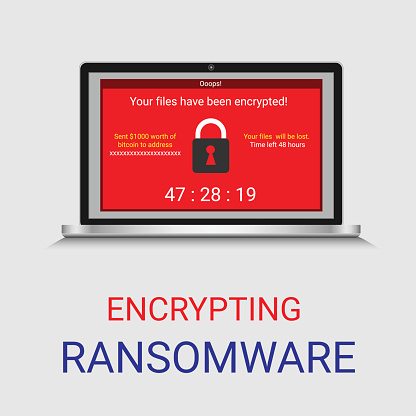
Wcry is demanding a ransom of $300 to $600 in Bitcoin to be paid by May 15, or, in the event that deadline is missed, a higher fee by May 19. The messages left on the screen say files will remain encrypted. It’s not yet clear if there are flaws in the encryption scheme that might allow the victims to restore the files without paying the ransom.

If you have yet to install the Microsoft fix—MS17-010— you should do so immediately. You should also be extremely suspicious of all e-mails you receive, particularly those that ask the recipient to open attached documents or click on Web links.

If you are an existing client of ours on our Managed Services Platform, you would have already received the fix through your weekly patching cycle, If not please check with your IT and or Security provider to ensure you are covered

Read Reuters Article : http://www.reuters.com/article/us-britain-security-hospitals-idUSKBN18820S


Are Local Businesses Ready For GDPR?

Are Local Businesses Ready For GDPR?

As of May 25th, 2018, if local businesses aren’t ensuring the highest possible level of data privacy, they’re risking serious financial consequences. The General Data Protection Regulation (GDPR) is coming into effect. What does this mean? All local businesses MUST be...

5 Great Reasons to Move to Microsoft Bookings

5 Great Reasons to Move to Microsoft Bookings

Let your customers schedule and manage appointments online with Microsoft Bookings.

If your business involves scheduling appointments with customers, you need to give the Microsoft Bookings service a serious look. This online service, which is part of Office 365, simplifies the process of setting and managing appointments with customers. It’s ideal for businesses such as medical offices, law firms, consultants, advisors, auto shops, hair salons, or anyone who provides services on an appointment basis. Customers can set appointments themselves or you can do it for them.

Bookings has 3 primary components:

  • An online bookings page where your customers can schedule appointments with specific staff members. This page can be used as a stand-alone page or embedded in your website and works on desktop and mobile devices.
  • An online backend where you can view and manage appointments, set a staff list and schedules, specify your services and pricing, record customer preferences, and customize how the service works.
  • A mobile app you can use to view and manage bookings and access customer information from anywhere you can get an internet connection.

With Bookings, you can efficiently:

  • Bring in Business 24/7 – You get a customizable public web page your customers can use to book appointments around the clock.
  • Put an End to Phone Tag – Customers can view available times online and book the slot that’s most convenient for them. Customers who prefer to call can do so, and you can enter their information manually. Either way, confirmations are sent immediately and automatically.
  • Reduce No-Shows – Send automated appointment reminders to customers, on the schedule you define, with date, time, and directions. You can set the system up to remind staff members automatically too.
  • Offer Self-service Rescheduling and Cancellations – It’s easy for customers to change or cancel an appointment. All they have to do is click the link contained in the appointment confirmation email. You can control how much advance notice is required for cancellations.
  • Manage Bookings on the Go – With the mobile app, you can add or view appointments and access or change staff and scheduling info when you’re away from the office. You can also view customer information and call or text customers directly from your mobile device.

How it Works

Bookings appointments can be made two different ways: customers can schedule an appointment themselves using the online booking page or staff can manually enter appointments. To make an appointment, the customer first selects the service they want. Then, based on the availability schedule you created, they can choose a day and time and enter their contact information to book the appointment.

As soon as the appointment is submitted, the customer is sent an email confirmation notice. The notice contains details of the appointment and a link for directions. It also includes a link the customer can use to change or cancel the appointment.

At the same time, the date is automatically added to your calendar or your staff’s calendar. Bookings work with Outlook calendar and Google calendar. Your customers won’t see your linked business calendars; they’ll only see the Bookings calendar you publish online.

The configuration is highly customizable and easy to configure. To set it up, you simply:

  1. Enter your business information.
  2. Set your scheduling policies, such as length of appointments, acceptable cancellation times, and automatic notifications.
  3. Define your service offerings, including service name, description, location, and pricing. You can also add internal notes about the service.
  4. Create your staff list.
  5. Set employee working hours.
  6. Schedule business closures for vacations or other reasons.
  7. Publish your booking page.

Bookings is available to Microsoft customers who have an Office 365 Business Premium subscription. The Microsoft Bookings mobile app is available in the Itunes and Google Play app stores.

For more information on Microsoft Bookings or help getting started, contact Computer Network Systems today at 1.866.205.8123 or support.staff@compnetsys.com

Your best source for tips, tricks, and hacks

Computer Network Systems (CompNetSys),is your best source for tips, tricks, and hacks as well as news relating to the latest advances in technology to help you work smarter, not harder.

Call us @ 866.205.8123 or send us an email @ support.staff@compnetsys.com

Test08

[vc_row row_type=”row” use_row_as_full_screen_section=”no” type=”grid” angled_section=”no” text_align=”left” background_image_as_pattern=”without_pattern” css_animation=”” box_shadow_on_row=”no” el_class=”cost-calculator”][vc_column][bt_cost_calculator time_start=”08:00″ time_end=”16:00″ m_name=”Mandatory” m_email=”Mandatory” m_phone=”Mandatory” subject=”Website quote” currency=”£” show_contact=”yes” accent_color=”#53b538″ paypal_currency=”GBP”][bt_cc_group eval=”var val1 = $1;
var val2 = $2;
var return_value = 0;
if (val2 !=0) return_value = val1 / val2;
return return_value”][bt_cc_item name=”Val1″ value=”1″ images=”2002,2005,2004,2001″ img_height=”50″][bt_cc_item name=”Val2″ value=”1″ img_height=”50″][/bt_cc_group][bt_cc_item name=”Val3″ value=”1″][/bt_cost_calculator][/vc_column][/vc_row]

Did you know spam has been around since 1864?

Did you know spam has been around since 1864?

More recently, people consider the first spam email coming out of Digital Equipment in 1978 which went to a total of 393 people promoting their latest computer model. You can thank a Monty Python sketch based on a cafe that only served the canned spiced ham SPAM for the origin of the name. Another early spammer was the lawyers Canter and Siegel posting their “Green Card Lottery” message to USENET, a shared messaging system.

What does all this have to do with today? You don’t want to be known as a spammer. There are three ways to attack the spam problem. First off, you don’t want your marketing emails to be classified as spam. Secondly, you don’t want your mail server to be abused where someone sends spam through your hardware. While this wasn’t sent to you directly, your hardware could be blacklisted, thus affecting your own emails. Lastly, you don’t want your employees to respond to spam. There are ways to filter this at the mail server to prevent them from seeing the messages, or at least classify messages as fishy before their opened. Our company {company} can help you to protect your business from being labeled a bad apple in the email business.

Starting with the most important avenue, ensuring your marketing messages get through, there are some best practices to know about. For starters, don’t just send emails directly to your clients. Putting everyone’s email in the “To:” field of a message is bound to cause problems when someone does a reply-all. If you absolutely have to send a message to LOTS of people, it is better to use the BCC (for blind carbon copy) field of a message. Better yet, rely on a mailing list management package like that offered by Constant Contact. Typically, you don’t want to add people to the mailing list yourself. Instead, people should opt-in. More importantly, with each message you send, there should be unsubscribed instructions.

Protecting your mail server is not an easy task. There are some simple steps you can do like requiring that users are authenticated before sending a message, but someone can just spoof the email headers to make it appear messages came through your server. To best protect your server, in 2012 DMARC, or Domain-based Message Authentication, Reporting, and Conformance was introduced. Combined with the earlier introduced SPF, Sender Policy Framework, this makes sure that any messages appearing to come from your mail server actually came from your mail server. {company} can help you keep up with the latest ways to protect your email servers and thus getting your marketing messages through.

Lastly, it is important to look at the inbound side of spam. With all the talk of Russians hacking servers and the release of inappropriate celebrity photos, most of these attempts are triggered by phishing attacks of targets. You still need to worry about viruses being sent through email, but phishing involves fraudsters sending what look like real emails in the attempt to reveal personal information like passwords and bank account info. You don’t want your employees giving away the farm so that others can then get into your company network or your employees worried about identity theft. Computer Network Systems (CompNetSys) can help protect your mail servers from letting these unsolicited emails through.

Your best source for tips, tricks, and hacks

Computer Network Systems (CompNetSys),is your best source for tips, tricks, and hacks as well as news relating to the latest advances in technology to help you work smarter, not harder.

Call us @ 866.205.8123 or send us an email @ support.staff@compnetsys.com

Don’t Let The Dark Side Get A Hold Of Your Data

Do you know what today is?

It’s Password Day. It also happens to be Star Wars Day!

And seeing how the event that kicked off one of the greatest stories of all time was the theft of some very sensitive data, today seemed like a good day to pass on a little advice on the subject.

Learn from Vader’s misfortune, and keep your business safe from those who prefer the dark side of the Force. If you want to keep your data from being traded for credits at the Mos Eisley spaceport, you’re going to want to follow these tips:

  • Never use the same password for multiple accounts
  • Never use something easy to guess, like your home system or squadron name
  • Never share your password with a co-worker – you never know who might be an Imperial spy!

Easy enough, right? Well, don’t get cocky. These tips won’t help you against Sith mind tricks, but they’ll keep the average Trooper out of your systems and accounts as long as you’re careful.

Looking for more guidance? I’m no Obi-Wan, but if you give me a call at {phone} or shoot me an email at {email}, I’d be happy to share what I’ve learned.

May The Fourth Be With You!

Melvin Felicien
President
Computer Network Systems (CompNetSys)
1.866.205.8123