
by Felicien | Sep 19, 2017 | Education
Are you looking for new ways to cut your business expenses? Have you thought about how using AI to lower your labor costs? Maybe you should.
In today’s economy, business owners need to find new ways to cut their expenses. Labor costs account for a growing percentage of the ongoing monthly expenses for many companies. Therefore, it makes sense for businesses to save money by eliminating unnecessary positions. Luckily, there are many computer applications that can streamline everyday tasks and automate the grunt work that used to require multiple workers.
Here are five applications that may lower labor costs for your small business.
Reduce Hiring Costs with Recruitment Software.
Recruiting software simplifies the entire hiring process including posting job listings on the most popular recruiting sites, managing multiple resumes, automating the selection process, scheduling interviews, and much more.
Studies show that a third of all job openings in the U.S. remain open for at least three months, and cost over $160 billion in productivity losses every year. Besides the expense of lost productivity, the process of finding and hiring the right person for a job is expensive. Businesses spend an average of between 30 and 400 percent of the position’s annual salary during the hiring process.
But when businesses use a dedicated recruitment software package, like Zoho Recruit, they can significantly reduce hiring costs by handling everything in-house, without the need to hire outside recruiters.
Cull Your Support Staff with a Chatbot
80% of businesses say they provide superior support service to their customers. However, only 8 percent of customers agree. Customers value quick and competent service. Yet in 2011, 86 % of U.S. consumers stopped doing business with at least one company due to dissatisfaction with its support team.
Small businesses can reduce the size of their support staff, and please their customers by taking advantage of chatbots to answer the most common questions. A chatbot is a computer program that can interact through text and voice. The use of chatbots in the U.S. is growing, and they’re widely used in Asia.
Chatbots can handle many customer service needs via social media, email, telephone, and websites. A company can reap the benefits of using chatbots even if it no one in the business is a technical wizard. Companies like ChattyPeople offer platforms for businesses to build their own chatbots without programming knowledge.
Let Tech Take Care of Your Social Media
Social media is huge when it comes to marketing. Hubspot revealed that 92 percent of marketers say social media marketing is an important part of their promotional campaigns. To stay competitive, small businesses must have a strong presence on social media like Instagram, Twitter, and Facebook. The problem is that content creation, its distribution, and engaging the public takes time. In fact, most companies spend a minimum of 6 hours a week dealing with their social media accounts. This forces companies to either hire more employees or pull current staff off other projects to ensure social media accounts stay up-to-date.
When companies use AI to manage the day-to-day activities of their social media accounts, they can continue to enjoy the benefits of promotion without breaking the budget. Small businesses that use Twitter should check out Meshfire which bills itself as the only AI for Twitter. Meshfire provides customers with an automated analysis of their accounts and suggests new users and meaningful content to share. Meshfire delves deep into the Twitter-sphere to uncover the next trending topics to keep a business one step ahead of the competition.
Big Data Offers Big Savings on Repair Bills.
Every time a machine breaks down, it winds up costing a company money. It’s not only the cost to repair the machinery, but the income lost from decreased productivity. To prevent unexpected breakages, most companies run preventative servicing programs. This can prevent machines from requiring unexpected repairs. Plus, using big data to analyze and predict when a piece of machinery requires service can save businesses money.
Companies like Augury offer businesses cost-cutting predictive maintenance tools. These tools can cut maintenance costs up to 30 percent, eliminate almost half of unexpected breakdowns, and helps to get machines back online in 1/4th the time. Businesses using it save an average of 8 to 12 percent of their operating budget.
Let AI Handle the Paperwork.
Businesses have tons of data stuck inside their servers, and getting it out of the network and onto a page used to require an employee. It doesn’t anymore. Instead of wasting time analyzing data and then writing a report, employees can now let modern technology do it for them.
Software like Quill from Narrative Science can help a business unlock the full potential of their data. Quill does this by not only conducting the analysis of enormous amounts of information, but by using its built-in Natural Language Generation program to create highly readable, focused, and natural-sounding language (or what Quill calls Intelligent Narratives).
Companies from a wide variety of industries will benefit from using this technology to automate time-consuming and tedious tasks.
Although we’re a long way from technology taking over and running a business, it’s clear that this is where we may end up one day. We recommend that our clients look for ways to control labor costs with AI solutions.
Would you like more information or assistance with AI solutions? Contact the IT Experts at {company} at {phone} or {email}. We’ll be happy to pay a visit to your business in {city}.

by Felicien | Sep 18, 2017 | Education, General
As an MSP in the Tampa Area, we know how the disastrous effects of a hurricane can set you back. We were here during Hurricane Katrina—And, we’ve learned how to spin up quickly as a result.
We’d like to offer either remote support, or “boots on the ground” recovery efforts to help you get back up to speed—Americans just helping other Americans.
Let us know. You can contact us at:
support@compnetsys.com
1.866.205.8123
Contact Us
by Felicien | Sep 18, 2017 | Education
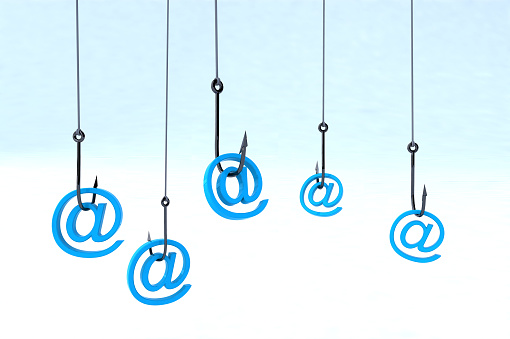
Phishing scams like this one are more common than ever – without the right cybersecurity services in {city}, your business will be left vulnerable.
You and I know that effective communication with co-workers and clients is crucial, but are you sure your employees are practicing safe email and messaging conduct? If you don’t already have the best cybersecurity services in {city}, your answer is probably,
“I’m not sure”, right?
Cybercriminals are smart – they adapt quickly and continually come up with new ways to take advantage of businesses like yours. A popular tactic among hackers today is “phishing”, a method in which they send fraudulent emails that appear to be from reputable sources in order to get recipients to reveal sensitive information and execute significant financial transfers. With only a surprisingly small amount of information, cybercriminals can convincingly pose as business members and superiors in order to persuade employees to give them money, data or crucial information.
At this point, phishing attempts are nothing new, but without the right cybersecurity services in {city}, you can still fall victim to a common phishing scam. A new scam has just been brought to our attention, so we’re sharing the specifics with you so that you and your team can avoid it.
Researchers from Malwarebytes have recently discovered a number of fraudulent messages coming from hacked Premium LinkedIn accounts that ask the recipient to enter their email credentials on phishing site for their respective email provider. The deceptive link may not appear as such, given that the messages abuse the popular link shortening service ow.ly to send message recipients to the phishing page.
Once the user’s email, password, and other information have been entered into the fraudulent website, the damage is done. The hacker can then take the information and do even more damage with it. It’s the new and constantly evolving cybercrime threats like these that make cybersecurity services in {city} so vital.
The key to phishing methodology is that it doesn’t rely on digital security vulnerabilities or cutting edge hacking technology; phishing targets the user, who, without the right training, will always be a security risk, regardless of the IT measures set in place. The reality is that small and medium-sized businesses like yours are put at great risk if you don’t have cybersecurity services in {city}.
So what’s the answer? What can the average business member do to keep themselves and their company safe when criminals are employing such deceitful methods? In addition to equipping your business with the best cybersecurity services in {city}, you should also:
Never give out private information: The trusted institutions with which you do business will not ask you for your private information. They already have your account numbers, social security number, and your passwords. They won’t have any good reason to ask for it again, right? If an email from a superior or external contact asks for that info, it is likely a scam, so be sure to confirm the request by phone or in person.
Never click on a link before you hover over it with your mouse: If you hover over a link with your mouse, your computer will show you where that link is actually taking you. Many times, criminals will give you what looks like the right link (such as www.YourBank.com) but when you hover over the link with your mouse it actually will show something different (such as www.YourBank/2340937fvt5.com). If the link is not as advertised, then don’t click.
Always check up on unexpected email attachments. If you get an email from someone you know with an attachment that you weren’t expecting, give them a call or send them an email to confirm that the attachment is from them and is legitimate before you open it.
The fact is that phishing attacks continue to happen on a regular basis; new variations on the same old trick that pop up over and over again points to a bigger problem than the scams themselves. Cybercriminals keep doing the same old thing because users keep falling for the exact same tactics without ever seeming to learn from the experience. That’s what makes ongoing cybersecurity training, and further support that comes from cybersecurity services in {city} such a crucial part of business today.
Waiting for another major cyberattack to start making the rounds is not the time to start looking at training your staff. Making cybersecurity education a routine for your entire team – management included – is the most effective way to stop a phishing attempt. Allow {company} to help – we’ve been providing cybersecurity services in {city} to a number of businesses like yours for years, and we will do the same for you.
Want to learn more about the steps you can take to protect your business against phishing? Contact {company} at {email} or {phone} for proven cybersecurity services in {city}.

by Felicien | Sep 18, 2017 | Education
It’s true – and it’s a whole lot easier than you probably think!
Most of us are visual learners. Our brains process visuals more effectively than written words. Plus, we also retain more information from images—Days later we can easily recall a visual form versus words on a page.
Diagrams make it easy to convey “big- picture” ideas and bring those details to life. This is essential in the world of business, which depends heavily on employees working together on projects.
These concepts are some of the many reasons why Visio’s new Data Visualizer feature is so useful. With Visio Pro for Office 365, you can process and map data from Microsoft Excel and bring it to life in the form of stunning data-driven diagrams. The Visio Data Visualizer reduces the number of steps required to do this and gives you the option to create diagrams based on data parameters.
Visio’s Data Visualizer: Breaking It Down
Business analysts often use tables in Microsoft Excel to display complicated processes and metadata. Now, thanks to Visio’s Data Visualizer feature, they can convert this information into a fully visualized diagram with just a few clicks of their mouse.
There are two options to choose from: You can use a pre-made Excel template or an existing spreadsheet of your own design. The pre-made templates provide for both basic and cross-functional tables containing a wide range of criteria like:
Process step numbers
Phases
Descriptions
Functions
Dependencies
Owners, and much more
Once an Excel table has been populated, all you have to do is launch the Visio Data Visualizer wizard to help you complete the remaining steps. The wizard is designed to walk you through the process, ensuring the diagram is created with minimal fuss, and without losing essential information.
Regardless of whether you choose to use the pre-made templates or create one of your own, the Data Visualizer wizard will help you map flowchart parts like swim lanes and connectors – Before now, this would have to be done manually.
Here’s the best part of all—The resulting diagram in Data Visualizer is linked back to that original Excel table. If the data is modified or changed in any way, the diagram automatically updates accordingly.
This means that Data Visualizer is a process you only have to run once, and from that point on, any other changes you make in Excel are visualized instantly.
Shape modifications in Visio are still preserved if the Excel data is changed. This ensures everyone stays on the same page when working on major projects, prevents confusion, and increases the ability of people to collaborate and share information.
Thanks to the new Data Visualizer feature, you can save both your Visio diagrams and associated Excel mapping tables in a single package for easy sharing. This is perfect when the file has been completed, and no further changes will be made. All you have to do is employ the “Export as a Template Package” feature and your designs are preserved for all time.
And, thanks to the flexibility of the associated file format, these packages can then be shared with others, or even reused on future projects. This totally removes the need to create the same diagram time and again from scratch.
Not only will this make the lives of both Excel and Visio users easier than ever before, but it also encourages total process consistency and maximum visibility across an entire organization. When sharing files like these across a business, many people worry about variations on files, old versions, and outdated data.
Perhaps the best news of all is that the underlying Excel data travels with the Visio Data Visualizer file wherever it goes, guaranteeing all team members have access to the most recent version of a diagram at all times.
While solutions like Visio and Microsoft Excel are undoubtedly valuable, their true power is unlocked when combining them to reach common goals. The volumes of mission-critical data your business creates on a daily basis shouldn’t exist in a silo. Visio’s Data Visualizer goes a long way towards breaking down those silos.
If your business is in {city}, and you have any questions about using Excel data to create process diagrams in Visio—Or, if you have questions about other essential IT-related topics, please don’t delay—Contact {company} at {phone} or {email}. We’re always here to help.

by Felicien | Sep 18, 2017 | Education
The best way to protect your business from a natural disaster is with a Business-Continuity Plan. However, what steps should you take if you don’t have one in place? These tips and practical resources will help get your business back online after natural disasters, such as hurricanes.
Natural disasters can have a devastating effect on your business, and if your small business was impacted by Hurricane Harvey or Irma, you may still be in shock, and not sure how to bring your business back online. Whether your building was physically underwater, or you’re simply suffering from extended power outages, taking first steps towards IT disaster recovery is critical. Businesses with a robust business-continuity plan are already several steps ahead. But, even without a pre-determined strategy in place, your technology team can quickly start the road to recovery.
Assess the Damage
The most important thing to know during a disaster is that you’re likely in good company—Less than 25 percent of businesses in the U.S. have a comprehensive disaster-recovery and business-continuity strategy in place. Hopefully, the majority of your data and software were stored offsite, in which case it’s merely a case of ensuring your team can gain access to it.
Focus on getting these critical digital functions online even while floodwaters are high and winds are still blowing. (Once your family and staff are safe, of course.) You may find yourself in a situation where you have remote access to your data, but no idea if your office is still standing, or whether hard-copy records, machinery, and stock were damaged.
Establish a Temporary Home and Take Advantage of Loans.
Finding a temporary place that you can declare home base for your business is a critical first step towards rebuilding. If your building is uninhabitable or inaccessible, any location will do in a pinch. If you can’t reopen in your current location, there are plenty of low-interest loans available to help you get your business back up and running. Here are a few options to explore:
Apply for Small Business Administration or USDA disaster loans (depending on your type of business).
Create a GoFundMe or other fundraising account.
Apply for federal disaster assistance with FEMA.
While you may not want to add debt to your organization during this challenging time, the most important thing to do is to return to something resembling normal operating levels as quickly as possible. This is one of the best ways to ensure the long-term viability of your business.
Even if employees have to work remotely in a fast-food dining room to have power and access to the Internet, they need a way to contact key customers and suppliers. These loans can help you re-establish operations, purchase inventory, start cleanup efforts, rent a temporary space, and get back online quickly.
Accept Assistance.
The U.S. government provides a variety of assistance options, from crisis counseling services like the Crisis Counseling and Assistance and Training Program (CCP), to tax relief for businesses struggling after a recent natural disaster. Ask to receive expedited refunds, or even delay your tax filings—This is especially important if your pertinent physical records were destroyed by water, fire, smoke or mud.
Find our about various tax-relief options on www.IRS.gov. Free legal services are also available from FEMA to assist with landlord agreements, insurance claims, and more. Want to learn about all of your options in one place? Check out this free online questionnaire that provides targeted recommendations for services that will best support your organization.
Consider Your Options.
Perhaps there are changes you’ve been planning to make to your business such as discontinuing services or making a shift in strategy—As difficult as it may be, this may be the ideal time to reassess operations and use federal funds to rebuild a more streamlined and cloud-based infrastructure for your business.
This could mean anything from a new telephone system that follows your employees regardless of their physical location, to moving on-premise backup services to the cloud. It may be time to invest in a business advisor or reach out to peers in different parts of the country who can provide support with advice or recommendations for moving forward.
Before You Return
Coming back to an office setting that was devastated by a hurricane or tropical storm can be very emotional. Water can cause exceptional damage in an extremely short period of time— And, at the very least, you’re likely to face a rebuilding of your current physical location.
Be sure you and your employees take all appropriate precautions by following the CDC guidelines for safety after a flood. The EPA also publishes guidelines to assist in times of transition, with practical tips such as ensuring that generators are placed in well-ventilated areas and to limit contact with flood water, which can carry sewage or other hazardous materials. Mold is another serious health hazard that can form in less than 2 days after items are wet.
A natural disaster such as a hurricane can bring on a feeling of despair. However, well-prepared organizations only need to put their business- continuity and disaster-recovery plans into action. When you’re working with an IT Managed Services Provider, your team will have someone to support you every step of the way. Once you have your business back up and running, contact {company} at {phone} or via email at {email} to learn how to develop a comprehensive business-continuity plan that ensures you can keep operating during and after a disaster.
