
by Felicien | Jan 28, 2018 | Education
January 28th, 2018 is Data Privacy Day, an international effort led by the National Cyber Security Alliance (NCSA) annually for the purpose of raising awareness about the importance of safeguarding data. Data Privacy Day commemorates the signing of Convention 108, which took place on January 28th, 1981 as the first legally binding international treaty regarding data protection.
Your data is your most important business asset, and when it’s lost or stolen, your company faces serious direct financial losses – from legal fines to decreased productivity to lost sales and a damaged reputation. You simply can’t afford to leave your data vulnerable to the sophisticated cybercriminals out there patiently waiting to get their hands on it. {company} has always put data security first and foremost – helping our clients stay as secure as possible.
Data security is becoming more important than ever before as we bank, shop, and communicate online…
That’s why we’ve compiled 6 great tips to help you better protect the privacy of your data online:
Encrypt as much and as often as possible: Encryption acts as an extra layer of security; scrambling sensitive information so it’s unreadable to anyone who doesn’t have the authorization to read it. There are tons of tools available to encrypt your sensitive information at rest and in transit.
Keep your operating system up-to-date: You’ll hear this tip time and time again because it’s so important. Those operating system and software updates might be annoying, but they’re absolutely vital to ensure you have the latest security updates and vulnerability patches installed.
Run anti-virus software periodically: There’s a wide range of dangerous threats out there waiting to attack your system at any given moment. As a result, it’s crucial for you to install a reliable anti-virus software and make sure you’re performing scans on a periodic basis.
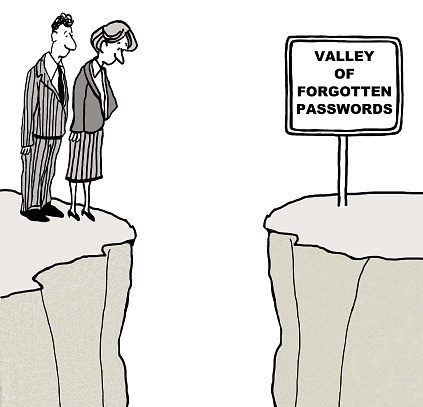
Use unique, complex passwords for accounts: Reusing passwords on accounts and/or services is a huge risk. You need to ensure you’re using a unique, complex password for every account and/or service you own. Your passwords need a mix of letters, numbers, and special characters for optimal protection.
Keep up with managing your privacy settings: While it’s daunting to look into the privacy settings of every application and account you have, it’s important to ensure you’re not providing anyone with access to sensitive information you’d rather keep private.
Avoid using free Wi-Fi networks: Almost every restaurant or shopping center offers free Wi-Fi access nowadays, but it’s not entirely safe, especially when you’re doing online banking. At an absolute minimum, never check your bank account on a free Wi-Fi network, but it’s preferable to avoid them altogether.
Need help implementing the 6 tips listed above? {company} is your trusted team of IT security experts in {city}. We put data security first and foremost on our priority list – helping our clients stay as secure as possible. Call {phone} or email us at {email}.
by Felicien | Jan 28, 2018 | Education
If you’re not doing everything in your power to protect your data, you’re leaving your most valuable business asset open to cybercriminals!
January 28th, 2018 is Data Privacy Day, an international effort led by the National Cyber Security Alliance (NCSA) annually for the purpose of raising awareness about the importance of safeguarding data. Data Privacy Day commemorates the signing of Convention 108, which took place on January 28th, 1981 as the first legally binding international treaty regarding data protection.
Are You Keeping Your Customer’s Sensitive Information Private?
As your company continues to grow, you’re creating and storing more information than ever before – and a lot of that information happens to be incredibly confidential, such as financial account numbers, home addresses, and credit card numbers. Are you keeping your customer’s sensitive information private? What about your business’s sensitive information?
{company} helps our clients protect confidential information of all types because we know it’s vital in today’s increasingly unsafe business environment. We make sure our clients are able to:
Handle departing employees appropriately: Unfortunately, departing employees pose a huge risk to your organization. That’s why it’s important to ensure proper access control measures are in place to keep track of who’s able to access that information. It’s also important to perform a complete wipe of all data on corporate-owned devices after they’ve left the company.
Keep hackers out of the network: We all know hackers are getting more and more sophisticated by the day. Installing the proper firewalls and anti-virus software is vital to keeping malicious programs away from your network. Educating your staff members is also crucial so they’re aware of the latest threats.
Properly maintain hardware and software: If your hardware and software aren’t properly up-to-date with the latest patches, it’s easy for cybercriminals to attack vulnerabilities or weak points waiting to be exploited. That’s why properly maintaining hardware and software in a proactive manner is necessary.
If you’re not confident that whoever handles your information technology is handling departing employees appropriately, keeping hackers out of your network, or properly maintaining your hardware and software, get in touch with us. We’ll perform an in-depth review to make sure you’re protecting your data properly.
In the meantime, feel free to download our handy data security tip sheet! It’s filled with simple, easy-to-follow tips that will help you AND your staff start protecting your data.
In honor of Data Privacy Day this year, why not take charge of protecting your data? Call {phone} or email us at {email} to talk about what {company} can do for you.

by Felicien | Jan 26, 2018 | Education
With every New Year comes the chance to reset priorities. Unfortunately, when the topic of implementing a data recovery plan comes up, the comment we most often hear is “I know I should, but I haven’t gotten around to it yet…”
So…what if the pilot on the next flight you’re on announces right after takeoff, “I know we should have run through our preflight checklist, but we haven’t gotten around to it yet…”???
Without a solid backup and recovery plan in place, just one mission-critical file that gets lost or stolen could put your company in a world of serious hurt. When you compare the high cost of replacement, repair, and recovery to the relatively trivial price of keeping good backups, the choice is an absolute no-brainer.
Why Disaster Recovery Planning Matters More Than You Think
Let’s face it; data is the nucleus of your business. That means that a single ransomware attack could wipe you out in a matter of minutes. Today’s cybercriminals are raking in literally billions of dollars (yes, billions) preying on the unwary, the poorly protected, and those who “haven’t gotten around to it yet”.
Let’s consider the facts… Ninety-seven percent of IT services providers surveyed by Datto, a data protection company, report that ransomware attacks on small businesses are becoming more frequent, and they expect that trend to continue. These attacks are taking place despite anti-virus and anti-malware measures in effect at the time of the attack.
Windows operating systems are most often infected, followed by MacOS. Cloud-based applications, particularly Dropbox, Office 365, and Google Apps, are also being targeted.
Ransom demands typically run between $500 and $2,000. About 10% of those, however, exceed $5,000. And even at that, paying a ransom demand is no guarantee that encrypted files will be released. For a typical SMB, downtime from ransomware can cost around $8,500 per hour and will take an average of 18.5 hours of the company’s time. That’s a hit to your bottom line somewhere in the neighborhood of $157,250. Yet in many cases, the ultimate cost has reached multiple hundreds of thousands of dollars.
In a recent survey of 6,000 IT professionals by the Ponemon Institute, 86% of companies had one or more incidents causing downtime in the past 12 months. Typical downtime was 2.2 days, with an average cost of $366,363. And that’s just the average. Could your company survive that kind of hit? It’s no wonder that 81% of smaller businesses suffering such an attack close their doors within three years.
What’s behind these costly incidents? Here’s the breakdown of contributing factors:
Human error: 60%
Unexpected updates and patches: 56%
Fire, explosion or Natural Disaster: 36%
Power outages: 29%
Note that human error accounts for 60% of the breaches. It’s no wonder then that ransomware attacks are on the rise since they can be triggered by just one employee inadvertently clicking a bad link in an e-mail or on a social media site. Human behavior is hard to control. However, the #1 antidote for a ransomware attack is having a secure backup ready and waiting to replace encrypted files.
And when you scan through the rest of the list above, it becomes clear that, while you need to implement a comprehensive set of data security measures, having a solid and reliable data recovery plan in place and ready to go the moment disaster strikes is still your best defense.
Protect Your Company From A Knockout Blow In 2018
Cyber threats are proliferating, and are expected to grow throughout 2018 and beyond. Will this be the year you finally get your data backup and recovery plan DONE?
The choice is yours—exposure to a devastating loss… or rock-solid security. Let us help. Call us at {phone} or email {email} and let’s schedule a thorough Backup And Recovery Plan Audit for your company.
Do NOT wait until disaster strikes. Let’s make 2018 the year you finally get this DONE. Contact me TODAY so we can keep your company’s story from becoming yet another unfortunate statistic.

by Felicien | Jan 26, 2018 | Education
With Mardi Gras fast approaching, there will be a million people in New Orleans all looking for fun times, and good Internet connections. (Okay, maybe not all one million of them — but enough to keep you on your toes.) Using public WiFi safely during Mardi Gras will require using your common sense and following some basic rules.
Here are the top 5 ways to use public Wi-Fi safely during Mardi Gras festivities in New Orleans:
1. Turn Off Wi-Fi When Not in Use
This is a must. Don’t stay connected to a network if you don’t need to. Turn off your Wi-Fi after completing your online activities. This is especially important when accessing public Wi-Fi. This includes your smartphone as well. Another plus? It will save your battery life.
2. Install Privacy-Protecting Browser Extensions
Secure your browser with tools designed to safeguard your privacy. Using antimalware only protects you from the items you download and execute. An adblocker like uBlock Origin can be customized to give you control over what you block, and when. Disconnect is another option to consider. This will protect you from same-network attacks like session hijacking and clickjacking. These have the potential to give cybercriminals access to things like your Facebook or Amazon accounts, even when you’re using a secure browser.
3. Use HTTPS Whenever Possible
You should only access sites that begin with HTTPS. This is a secure version of HTTP.
When you connect to secure sites, you can prevent people from looking at your communications and retrieving your confidential information.
4. Use a VPN (Virtual Private Network)
The best way to bypass untrusted networks is to only access encrypted ones. This means using a VPN when you’re out and about. Using one makes sure that all your data is encrypted between you and the service provider, locking out anyone using the same network as you who might be snooping around.
5. Bring Your Own Wi-Fi Instead
The “best” protection? – Never use an untrusted network. Access your private mobile hotspot, tethering to your smartphone via your wireless carrier’s data. These options ensure your browsing remains private.
So, there you have it. These are the top 5 ways to safely use public Wi-Fi during Mardi Gras we came up with. Stay safe out there, and have fun!
by Felicien | Jan 26, 2018 | Education
With the rising number of cyber thefts in the US, numerous lawsuits have been filed against businesses and organizations. In general, the public expects that their bank will take sufficient action to stop data theft. We expect this of the federal government, credit card companies and retail stores as well. Citizens believe that most of the large companies we all do business with will take every precaution to protect our personal and financial data.
It’s only natural that the many serious data breaches at places like Experian and JP Morgan Chase have rattled the public’s trust. Even law firms haven’t been completely exempted from these attacks. In 2015, Law360 reported that one in four law firms had experienced some type of security breach. Though this represents a serious threat in terms of the legal and financial implications, almost half of all law firms surveyed that same year said they didn’t have a data breach response plan in place.
The High Cost of Breaches
In the last few years, data breaches have become so prevalent that it’s almost commonplace to hear that a favorite department store has been breached. In the healthcare industry, it’s estimated that a data breach in America costs more than 2 1/2 times the global average. At $380 per record, healthcare data breaches threaten us all in more ways than we know. The same is true in the legal industry.
A lawyer has a great deal of personal and private information about each client. This might even include information that could lead to the client’s arrest. In America, whatever you say to your doctor, lawyer or priest is still protected under the law. But what if those confidential documents end up being placed online by cyber thieves? Information like this can ruin someone’s life, their business, or their marriage—And it can be painfully embarrassing to the law firm that allowed the breach to occur.
An annual report sponsored by IBM and completed by the Ponemon Institute measures the impact of data breaches. Their report concludes that having a sound data-breach response plan in place can reduce the overall cost by as much as 28 percent. Though this is good news, the legal industry must measure costs other than financial. Their reputation is compromised once a data breach occurs. People need to trust their lawyer. If you hear that a law firm you’ve done business with has recently experienced a cyber breach, how likely are you to continue doing business with this firm?
Other Effects of Cyber Breaches
Learning that all your personal information is in the hands of thieves on the other side of the world causes a significant change in the behavior of consumers. One study found that consumers who learned of a data breach at their favorite retail store cut back on purchases from that retailer. With over 1,500 data breaches taking place in 2017, consumers responded in this way:
84 percent said they might not consider doing business with a retailer who had experienced a data breach.
57 percent of holiday shoppers felt that identity theft and data breaches would be a significant threat during the holiday season.
Four in 10 consumers said they believe businesses aren’t doing the best they can to protect us.
38 percent said they weren’t sure all companies were doing everything possible to stop data breaches.
These numbers show the true belief of consumers. Most simply don’t believe that businesses are doing all they can and that if they continue to shop at certain stores, there’s a higher probability of having their private information stolen by thieves. This is a strong reason for a consumer to stop shopping at a store, and many have.
Law Suits Against Lawyers
Due to the growing number of cyber thefts, consumers are taking their favorite stores, law firms, hospitals, banks and others to court. They believe these entities were negligent and didn’t provide strong enough security measures to prevent the breach. In some cases, they are right. These lawsuits prove that Americans are tired of waking up and finding that their personal information was stolen again by cyber thieves. They’re ready to take action. So how do you make things right again with customers who have had their personal info stolen from your database?
Cybersecurity experts can put together a full security plan for your law firm or business that will outline the issues you need to address and offer several different solutions. They begin by investigating whether you have indeed lost documents to thieves. Next, they find out how the breach took place. Then, they begin to collect evidence surrounding the breach. The more they can learn about what happened, the easier they can prevent a breach like this from occurring again. Every vulnerability is explored, and determinations are made about the best ways to shut these vulnerabilities down so they cannot be exploited again.
Once the experts have all this information about what happened, they will recommend specific security measures that you should take at once. They will also recommend enhancements to all your IT systems and networks. Lastly, security experts will put in place much stronger measures to stop cyber thieves from breaking back in.
Why Do Breaches Keep Happening?
A growing number of cybersecurity experts are finding that breaches occur because employees aren’t properly trained in how to spot a suspicious email. One lawyer said he gets emails almost daily from hackers who are trying to break into his system. All they need him to do is click on a link. Companies are spending more money now to have security experts come to their business and teach their employees what to look for and how to spot suspicious emails. Every employee must be trained, and training should include annual refresher courses.
John Hutchins of LeClairRyan’s Technology and Innovations recently commented about this: “There’s evidence to suggest that users are getting suckered by fake messages more and more every year. In fact, 30% of phishing messages were opened by their intended targets, and about 12% of recipients then went on to click malicious attachments or links.”
Jennifer Stueckler at LegalShield states that the average cost of a data breach is $3.5 million. Below, is the breakdown of the spend:
Restoring brand reputation: 29%
Lost productivity: 21%
Revenue losses: 19%
Digital forensics: 12%
Technical support: 10%
Compliance & Regulatory: 8%
Her company did its own survey about cyber breaches, and this is what they found:
39% of those surveyed said they would stop shopping at the store until the problem was resolved. 10% said they would never shop at the store again. Attitudes like this can have a significant impact on a store’s revenue. Future sales might not be as strong simply due to consumer mistrust.
New Regulations
Today, regulatory and compliance requirements are being changed. The requirement to maintain and secure your network database will include large financial penalties for those who don’t follow the guidelines. For organizations like law firms, financial institutions, and the government, these guidelines will be even tougher. The public expects this. And they expect that someone will oversee these new programs to make sure that everything possible is being done to protect the confidential data of patients, clients, and shoppers.
