
by Felicien | Jun 8, 2018 | Education
Local government agencies are concerned by the lack of cybersecurity awareness among government employees and end users. This was a shocking discovery learned from a poll conducted by the Public Technology Institute back in September 2017. The poll found that there were two major factors that were working as obstacles to better cybersecurity. The number one issue was training employees and end users. The number two problem was financial constraints. The survey targeted Public Technology Institute’s city and county government membership as respondents.
The quick poll which was titled, How Secure is Your Local Government?[1] found that:
42% of the respondents have not performed a network security audit within the past 12 months.
62% do not have a formal breach response policy.
48% do not provide comprehensive security and awareness training to end users/government employees.
54% of the responding organizations do not have cyber liability or data breach insurance.
Only 55% have an enterprise-wide cybersecurity plan.
71% have a staff person responsible for managing their cybersecurity efforts.
Good news and bad news
Though some of these statistics are alarming, some do show that the government is beginning to take cybersecurity seriously. They understand the importance of protecting the personal information of the public.
The topic of cybersecurity has been ranking as a top of priority in other forums, such as the National Association of State Chief Information Officers (NASCIO). In their “State CIO Ten Priorities for 2017” report[2], security and risk issues were ranked as major concerns.
Nick Wilding, head of cyber resilience and best practice at AXELOS, argued that “Staff should be a business’ most effective security control, but are typically one of their greatest vulnerabilities.”
He warned that “Organizations need to be more certain that they are engaging their people effectively.” He went on to say that the person or entity with the most to lose in case of a security breach should bear the majority of the responsibility for sound security procedures. This can be achieved by training and equipping the stakeholders with important knowledge and the tools they need to deal with the threats that loom on the horizon.
Relevance of training
Cybersecurity is dynamic in the sense that it can be likened to a deadly virus that keeps changing in form and improving its own composition against attacks from antidotes. As soon as the cure is found, it has already changed itself and the new cure is no longer sufficient to kill it completely. That is why employees and end users must be better equipped with the ability to anticipate the ever-changing methods used by hackers. Training employees and end users must be completed at regular intervals. It will not work if it’s only conducted once or twice. This is the most effective way to ensure that cyber breaches will end someday.
Best practices
The awareness training provided should be directly related to the job description of the recipient trainee with consideration to the information security risks they face. Users should be aware of threats such as phishing and social engineering. They should also be taught the importance of having strong password protection. Too many people still use easy-to-discern passwords and/or the same passwords across multiple accounts. They must be taught new techniques for creating passwords that are difficult to crack. This can only be achieved by conducting the training periodically.
Financial Resources
Most local governments have adopted their cybersecurity framework from the National Institute of Standards and Technology and that of the FBI’S Criminal Justice Information Services. These agencies offer important security guidelines.
However, local and federal governments have suffered massive data breaches in the past, which have led to the erosion of public trust. Though government agencies have learned a great deal from these experiences, the general public may still not trust that the government has it all together when it comes to cyber threats. In their defense, the government is working continuously on programs and procedures that will anticipate attacks in advance. They’re using the best technology to find and close loopholes in their security grid. And lastly, they are starting to train employees on cyber security best practices.
Conclusion
Human error has been responsible for some the worst data breaches, but local governments are still seen as the culprit when it comes to the mishandling of important data. The public has a right to expect its government to work harder and do more to protect the personal information of citizens. Consumers believe that the government has unlimited resources when it comes to solving problems like this, so there’s no excuse for them to stumble. Of course, the issues are much more complicated than that, but the sooner every organization has the best cyber security available on the planet, the sooner we can all go back to buying and selling online without worry.
[1] http://www.pti.org/news/
[2] https://www.nascio.org/Publications/ArtMID/485/ArticleID/441/State-CIO-Top-Ten-Policy-and-Technology-Priorities-for-2017
by Felicien | Jun 8, 2018 | Education
Tune into our complimentary GDPR training online.
Watch our GDPR Training Video here.
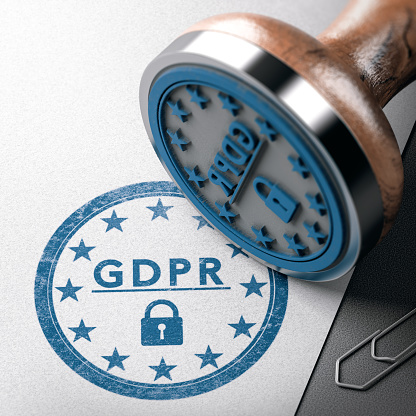
The rise of cybercrime has led to the increasing need for protecting data from these criminals. Countries all over the world are working incessantly towards finding a lasting solution to cybercrime. In this regard, the EU has enacted a new directive, the General Data Protection Regulation (GDPR) which governs member countries on data protection. These regulations also promote privacy for persons in the European Union and address export of data from outside the European Union. The main aim of these regulations is to give power to individuals over their data, thus to ensure the protection of personal data to the extent agreeable to individuals. Adopted in 2016, the deadline for compliance with this regulation is 25th May 2018.
The Statistics
Various organizations dealing with data are hurriedly working to comply. To date, there may be as many as 90% of these organizations that are just not ready. In fact, a majority of these organizations have not put in place the required protocols to ensure the smooth transition into compliance.
What you need to know about GDPR
These regulations apply, basically, to all organizations which have access to the internet and which provide data services to members of the European Union. It also applies to persons and organizations that reside outside the European Union if they collect and process the personal data of those residing within the European Union.
What this means in simple terms is that if someone from a European Union nation visits your website and fills out the contact form, then you must follow these regulations when processing their personal information.
Member States of the European Union are also required, pursuant to these rules to establish an independent supervisory authority, which will be mandated to hear and investigate complaints and to sanction administrative offenses.
In accordance with these regulations, in certain circumstances, data can be lawfully processed. Lawful processing of data occurs when:
An individual has given consent to have their personal data processed for one or more specific reasons.
Processing of data must be done in order to fulfill a contract or in circumstances where the data must be processed before a contract can be entered into.
There is a legal obligation to process the data.
Processing must be carried out in order to protect the interests of a person or entity.
Processing must be carried out in order to protect public interests or the official authority vested in the controller.
Processing is necessary to achieve the fundamental rights and freedoms of an individual, especially a child.
Requirements for compliance
In requiring compliance with the GDPR, large corporations are the main targets. This does not, however, mean that small businesses that deal with and process data can easily get away with non-compliance.
To ensure the implementation of these regulations, rather severe penalties have been adopted. With such significant penalties, businesses should work hard to be in full compliance.
Compliance and business size
The bulk of businesses which will be affected by these regulations are the big corporations that process a great deal of information each day. Though small businesses must also comply, they are not seen as primary targets or at as much risk of having to pay the penalties for non-compliance. Small businesses should not be too comfortable as to wait for the deadline before beginning the process since compliance may be somewhat complicated, especially when it comes to putting in place the necessary protocols for compliance. Though some experts see large organizations more as targets for GDPR watch groups, small businesses can also be fined for non-compliance.
Getting ready
Before one can attempt to comply with these regulations, one must completely understand them. People affected by these regulations are required to understand their scope and particularly, the type of data protected. The data covered includes identity, web, health and genetic info, biometric data, mental, cultural, economic, and social and political identities.
Goal of GDPR
Over the years, and with the advancement in technology, the need for data protection has increased. Cybercriminals are constantly creating new ways of breaching confidentiality and stealing and manipulating data. Affected countries are therefore put to task to ensure that these practices are prevented. This is the goal of the GDPR. Its main purpose is to protect the data of individuals. This need was advanced by the Cambridge Analytica scandal. Following the revelations of this group, the need to protect data became much more real. Lack of appropriate measures ensuring cybersecurity can have dire effects to individuals and to nations.
Final thoughts
With the deadline for compliance already passed, it is important that all those affected by these regulations do comply. These regulations are meant to protect individuals, businesses, organization, and even governments from cyber theft and data manipulation. Having considered the penalties for non-compliance, it is imperative that organizations avoid the last minute rush and put in place measures now to ensure their full compliance.

by Felicien | Jun 7, 2018 | Education
Is Your Organization Prepared?
Today’s networked medical devices can be a lifesaver for many. Both wired and wireless technology allows healthcare workers to access the information they need to provide improved therapies and ensure patient compliance.
The Internet of Things (IoT) is one giant step forward in this regard. It can eliminate the use of antiquated methods that still rely on paper-based processes for of hospitals and clinics. This new technology makes diagnoses and treatment much easier and improves accuracy—errors can be prevented as well. It also provides a vehicle for the transfer of accurate medical records that can mean the difference between life and death.
The IoT Allows For The Transmission Of Accurate Data In Real Time
IoT medical devices allow health data to be transmitted in real time to trained health care attendants. Once the healthcare worker examines these records, he can call for emergency services if needed. This is a good way to learn whether a patient should be admitted to the emergency room. Patients no longer need to guess if their blood pressure or heartbeat reading requires immediate attention.
Networked thermometers send readings directly to IT systems that add the data to a patient record, and alert attendants if a reading is out of the expected range. Even drug dispensing can be automated to reduce the chance of overdoses or lack of patient compliance with a prescribed treatment plan. All of this provides peace of mind for both patients and caregivers.
The IoT Can Improve Business Processes For Healthcare Organizations
Detecting warning signs of a serious illness early on is of benefit not only to patients but to healthcare organizations. It’s a proven fact that early intervention can make it less expensive to treat an illness. But it can also save someone’s life. If their cancer is caught in time, there are some very effective means of treatment and some patients go into complete remission. All with the use of IoT technology.
Today, IoT in healthcare enables healthcare organizations to provide outpatient care in patients’ homes or in lower-cost clinics. This has the potential to free up hospital beds for patients with more intensive care needs. Patients enjoy being able to heal in the comfort of their own home. It’s often a much better environment than a hospital room.
In addition to patient care benefits, IoT networked medical devices provide opportunities that can improve business processes for health organizations. The more data they accumulate, the more information they have for operational planning.
These devices can be used to:
Incorporate patient medical readings with electronic health records.
Detect any issues that may impact medical equipment operability.
Send software updates to devices over a network.
Manage and track medical IT assets to see if they’re being used for optimal ROI.
Big Data Is On The Rise
However, with the increased use of the IoT devices, comes the requirement to manage and store massive amounts of data – big data. And, unless an organization stays on top of this, they could face challenges regarding network connectivity, data storage, data processing, and IT security.
Fiscal concerns are driving the demand for big-data applications. Payors are entering the field with their own requirements and agreements for healthcare organizations. Rising healthcare costs require deeper analysis and data integration for organizations to deliver care more cost effectively than ever before.
Where physicians traditionally used their best judgment when making treatment decisions, now they’re moving towards evidence-based medicine which involves systematically reviewing massive amounts of clinical data. Compiling individual sets of data into big-data algorithms provides a more robust set of values and, in most cases, better and more cost-effective treatment decisions.
4 Important Things To Know When Setting Up a Healthcare IT Infrastructure That Utilizes Big Data:
Processing, storing, and managing big data is not the same as with traditional data. It requires special consideration when developing IT infrastructures to handle it. You need flexible and open interfaces because you must plan and prepare for new forms of data that may emerge. So, don’t assume you can use traditional data modeling solutions when using big data.
Big data infrastructures must focus on the core operations and purpose of your healthcare organization. It’s essential to identify how big data will be used, and model that data in your planning.
When considering big data methodologies, technology teams should be able to build data models that match your unique requirements. Big data requires an entire system rather than a database structure like that for traditional data. The components of big data should contain corporate governance for security and accessibility, requirements for business information, storage requirements, open interfaces, and integration for various types of data.
Identify and deliver only quality data. Concentrate on applying sound definitions through metadata that describes the data, where it came from and what its purpose is. The more closely you can identify the data, the better it will support your purpose.
To date, the healthcare sector has lagged behind sectors like retail and banking in the utilization of big data. Some of the reasons for this are due to concerns over patient confidentiality. However, out of the need for more cost-effective results and improved management of care, the IoT and big data are catching on in the world of healthcare. The question remains, is your healthcare organization prepared for this revolutionary change?

by Felicien | Jun 7, 2018 | Education
Accounting, just like every other profession, is affected by our ever-changing world. The increase in technological advances alone can leave your head spinning. Though technology endeavors to make work easier for everyone, it requires your full attention to keep up.
However, technology is responsible for numerous positive changes in every field or industry. An accounting firm can get a lot more done each day with the professional software programs now available. Many boring, repetitive jobs are accomplished with these programs and this allows accounting professionals to utilize their time on more important tasks.
Today’s technology can make it much easier for you to find new employees for your accounting firm, qualified personnel who have already been vetted. Most of today’s accounting firms have embraced the changes that are occurring in our technology-driven world. And yet, many are undergoing dramatic changes that affect their business from various angles.
From cyber threats to rising costs, the accounting industry is facing its share of tough problems. Savvy business owners overcome these challenges and move forward. They turn these problems into stepping stones that lead to new opportunities. Still, these issues can slow down the workflow and require too much attention. The struggle can be tiresome and never-ending.
Below are our top five tough problems that accounting firms face today.
- Retiring Baby Boomers
Each year, approximately 4 million baby boomers retire. This trend is expected to continue for the next 19 years. These people represent years of training and experience. Every industry is being affected by this, including accounting. As CPA firms across the country lose these knowledgeable employees, they reach out to secure the top talent available. But this trend has created a very competitive environment where an accounting firm must be able to offer more to get those well-trained college graduates. This problem reaches across all industries today and as noted above, it will continue on for another two decades. CPA firms are trying to balance their need for the best employees with budgetary restrictions.
- Winning the Talent War
While winning the talent war is no easy battle, there are a few options that accounting firms can employ. One of the suggestions that has worked for many firms involves enhancing your company’s brand. Highly skilled workers want to be associated with a good company that has an outstanding reputation. As accounting firms are struggling to get the best talent available, they’re realizing how important their brand is. There are numerous ways to elevate your brand and in some cases, it will benefit accountants to hire consultants who specialize in this area.
Below, are just a few ways to improve your reputation and attract those talented college graduates you need to move your business to the next level:
Get your CPA firm involved in community activities. For instance, volunteer once a month at a soup kitchen, children’s hospital, or orphanage. Nothing speaks louder than a group of professionals willing to give their time and talents to help the poor and needy.Improve your culture. Many companies have greatly benefited by improving their company culture. That’s the secret behind the huge successes of Google, Microsoft, and Disney. Employees love where they work. They’re proud to say they work there.Create High-Profile Events. This can be as simple or complex as you like. Some business owners write a book and then create book-signing events on a regular basis. Others do webinars each month. For instance, in the accounting field, you could create a webinar each month to show business owners how to save on taxes.
Post Good Photos of Events. Now that your company is involved in volunteering, in conferences, webinars, and other events like this, be sure to take good photos. Post them online regularly so the public can see what your company is up to.
- Pressure to Reduce Prices
One of the first things that companies think of when faced with an increase in their expenses is to simply go up on the cost of their services. As all accountants know, the budget has to work out so that it fits within a reasonable margin. Now that you’re having to hire new talent, fresh out of college, where will the money come from to pay those salaries? At the same time, new accounting firms are popping up all over the place offering lower prices than yours. Increased competition almost always drives prices down.One of the most successful strategies that companies have used involves making your Brand more valuable. Of course, there are multiple ways to accomplish this. Get connected to industry specialists who already have good public visibility. Work at getting selected for local radio or TV programs where you talk about any number of accounting-related topics. As you boost your visibility in the marketplace, you set yourself up to command higher billing rates.
- Stand Out
In this day and age, people tend to lump all accounting firms (legal firms, etc.) together. But, you’ve worked your whole life to set your business apart from the others. This means that you may have to work consistently at making your differentiators well known in your community. Why are your services worth more? Why is your accounting firm the best one to work at? These are all questions you should immediately know the answers to.
- Advancing Technology
The last and perhaps most important challenge that accounting firms face is the constant need to update their technology. You want to have the latest and greatest software programs and network services, but all this can be expensive. To make matters worse, technology is constantly evolving. Today’s smartphones contain advanced features you couldn’t get a year ago.
For many small businesses, the best way to alleviate this concern is to find a great managed IT service provider and allow them to handle the technical aspects of your accounting firm. Make sure your contract with them includes regular updates to the latest network and computer technology. It should also include 24/7 service and unlimited service calls. This can cut your overall costs and give you the same technology solutions as an accounting firm twice your size.

by Felicien | Jun 7, 2018 | Education
Communication is definitely made more accessible as a result of technology. Unlike previous years where people placed heavy reliance on letters and messengers, currently, people can communicate at the tap of a button. Communication is essential in any business. For people to know what is required of them in the business environment, for suppliers to know the exact quantity of products that they are required to supply, and when the supply is necessary, people need to communicate. The most successful businesses place considerable reliance on communication.
Small businesses and especially, those that have just begun, often feel the need to use more affordable means of communication. With the availability of the internet, this is no longer a problem. The number of computers that a business purchases is directly influenced by the size and the income of the business. In this regard, therefore, small businesses may find themselves unable to purchase as many computers as they need. This is where smartphones come in.
Currently, almost everyone in the world owns a smartphone. Smartphones have made life more comfortable. They allow people to access information everywhere and at any time due to their portability. These devices are a gem to small businesses. First of all, almost every owner and employee in small companies own smartphones. People can access their emails when traveling or out working on a job.
For successful and efficient use of smartphones to access emails, small businesses must depend on reliable, practical, and affordable email applications. There are numerous applications which allow people to access their emails through mobile phones. The functionality of these applications is similar though they may provide different features. Depending on the smartphone used and the needs of the small business, smartphone users, and especially those who use iPhones, often develop preferences to specific apps over others.
Google
This is definitely one of the most used applications. Google provides a range of services that small businesses may find attractive. The google app allowing for access to emails called Gmail. Firstly, this app is easy to use. Gmail can be used by even novices without much training. Secondly, it is fast, compared to other apps. A particularly helpful feature of the Google email service is that if you send an email by mistake, you have the option of undoing send. This definitely saves businesses embarrassment if an incorrect email is sent by mistake. The Google application is available online at the Apple store and can be downloaded free of charge.
Microsoft Outlook
This application is particularly loved by iOS users. While allowing the user to access email at his or her convenience, this app enables immediate access to emails from frequent contacts without subjecting the user to looking through other unimportant emails. It sorts out these emails for you. The app allows users access to their calendar, enabling them to mark essential days and reminders. You can set up meetings right from your phone or even attend a meeting. Like the Google app, this app is available in the Apple App store.
Airmail
Though initially meant for Mac, this app is available for iPhone and iPad users. It integrates with Gmail, MS Exchange, IMAP, Yahoo!, AOL, Live.com, and Outlook. This app has exciting features including full inbox sync, interactive push notification, and snooze. It is an Apple Design Award winner.
Spark
Though not as popular as Google, Spark is a great email app for small businesses. This app group emails automatically thus enabling the user to identify the urgent emails immediately. The app is easy to use and faster than most email apps. This app may be downloaded from the App Store.
Edison Mail
This is one of the fastest email apps. It supports most email accounts including Yahoo and Hotmail and is available free in the App Store.
Triage
The primary purpose of this app is to clean up email clutter thus simplifying the process of emailing. You can download this vital app from the App Store.
Inky
Unlike other email apps, this app uses hashtags to organize emails and sort out the important ones from the less important ones. Basically, it applies hashtags as labels to messages. It also signs emails automatically. Get this efficient app from the App Store.
Zero
This app works similarly as Tinder. It allows you to sort out your emails easily by merely swiping right to keep them and left to delete them. It also sorts emails such as newsletters for you. This app is available for free in the App Store.
Newton
This app is available in the App Store. Unlike other services, it is not free but is subscription based. Its main feature is the send later which allows you to draft emails and send them to the recipient later on. It costs $50.
Astro
Controlled by an AI assistant, this app provides both email and calendar services. The Astro assistant can be asked questions and responds to numerous commands. If your business uses Slack, you can integrate with that program to send and share Slack messages. It is available free from App Store.
