
by Felicien | Dec 6, 2018 | Education
ECommerce platforms are one of the fastest growing trends in business. They allow you to create an online presence where you can display your products, interact with the consumer, handle transactions, and finalize sales all on one convenient platform. You don’t have to maintain a storefront or purchase a building. You simply set up your virtual store and go to work.
Shopify
Shopify combines social media and online shopping giving you access to a broader audience with much less effort. For $9 a month, you can easily integrate your Shopify store with your FaceBook page giving you the best of both worlds and allowing you to attract customers who prefer social shopping on a secure platform. Shopify means customers can view your shop without disrupting their connection to social media.
YoKart
YoKart allows for multiple vendors to be used within one system. Designed to benefit small and medium-sized businesses, YoKart offers several payment options and even has a multi-lingual platform. This makes it easy to communicate with buyers and even more accessible for buyers to pay for their purchases.
Big Commerce
Big Commerce allows you the option to integrate many different storefronts into one, easy to use online shopping experience. You can include eBay, Amazon, and Facebook shops in one convenient location and also include multiple options for managing how customers pay for their items, how the products are shipped, and creating an automated inventory that updates itself as items are sold.
Magento
Magento is designed to grow as your business grows. It offers flexible features that are designed to adapt right along with your company’s continued growth. This includes automated inventory, payment platforms, and cloud solutions that encourage growth instead of restricting it. The company gives you access to a network of professionals who have experience in many areas including, IT gurus, marketing professionals, and seasoned business owners.
Squarespace
Squarespace functions in much the same way as WordPress and allows you to create the type of website that will best suit your needs. The focus rests primarily on building your brand and helps you to sell yourself. There are not a lot of filters or other bells and whistles that can cause frustration and confusion. It is easy to use and doesn’t require an excessive amount of tech savvy to produce a quality website.
VTEX
VTEX is a platform best suited to larger businesses that have outgrown or expanded farther than the limitations of a smaller platform will allow. It uses an on-demand pricing platform that uses revenue sharing as a base. Its overall design is best suited for large chain or retail outlets due to its higher than average cost. It works exceptionally well for franchise operations that generate over a million in sales each year.
The size of your business and its potential for growth will determine which of the eCommerce trends for 2019 is the best option for you. There are several platforms available to choose from once you understand your business’s overall potential for growth during the coming year.

by Felicien | Dec 6, 2018 | Education
In late 2018, the Federal Trade Commission (FTC) issued a stark warning about a massive data breach at a Marriott chain that exposed the records of 500 million people.
The latest major corporate breach reinforces the need for companies to invest in multilayered security protocols that protect networks, devices and users.
What Happened at Marriott?
Marriott International reported that a breach of its Starwood guest reservation system exposed personal information on millions of people, Hackers gained access to highly sensitive data, including names, physical addresses, email addresses, phone numbers, gender, and loyalty program data. Among the most potentially damaging information taken were passport numbers, dates of birth and payment card numbers and expiration dates. While the payment card data was encrypted, the company did not know if the hackers had also stolen the technology needed to decrypt that information.
The breach began in 2014 and could affect anyone who made a reservation on or before September 10, 2018, at any of the Starwood brands, which comprise Le Meridien Hotels and Resorts, Sheraton Hotels and Resorts, St. Regis, W Hotels and Westin Hotels and Resorts.
How Did Marriott and the FTC Respond?
Marriott sent an email to warn those who may have been affected by the breach. However, the company ran into some criticism in its response, too.
The emails came from a third party and not the chain itself. The domain, email-marriott.com, doesn’t load or have an HTTPS identifying the certificate. That could lead other hackers to spoof the email and pretend they’re Marriott, duping consumers out of more personal information.
The company has offered a year’s worth of free internet site monitoring that generates an alert if evidence of a consumer’s personal information is found. However, the service is not available in all countries. U.S. consumers also can obtain free fraud consulting and reimbursement coverage.
The FTC encouraged consumers to check their credit reports and credit card statements for accounts or activity that’s not recognized. The agency also suggested placing a fraud alert or freeze on their credit reports.
What Can Companies Do To Prevent These Issues?
To ensure that your systems and networks are protected adequately from such intrusions, it’s wise to invest in a comprehensive assessment of your existing security defenses. An experienced IT services provider can assist with this assessment and recommend improvements to shore up areas that are lacking.
Today’s companies need a blanket of protections on several levels, including:
Network Perimeters. Advanced firewalls block your network’s perimeter and issue alerts when suspicious activity is detected. With 24/7 automated monitoring in place, companies can be confident that unusual behavior is identified, contained and addressed before significant harm can be done.
Devices. Every device on your network needs to be protected with advanced anti-virus, anti-spam and anti-phishing detection systems. These applications should run continuously in the background and be updated automatically to address emergent threats. By quarantining suspicious emails, these tools help prevent users from unwittingly providing access to bad actors.
Authentication. Companies are increasingly using multi-factor authentication protocols to safeguard access. Multi-factor authentication, for example, may involve completing additional steps after entering a password, such as typing in a code texted to a registered mobile device or clicking on an email link. While these protections may be a minor annoyance to some users, if a device is stolen or lost, the procedures can keep access protected.
Cloud Backups. Storing data and applications in the cloud helps keep your critical information protected. Cloud providers and managed IT services companies use both digital and physical safeguards to make sure that data is encrypted and accessible in a moment of need.
Business Continuity. When a natural disaster or hack occurs, your operations can be offline for days or weeks unless you’ve planned ahead. Business continuity planning allows your company to develop the protocols and procedures that will be deployed during and after a disaster. This planning involves identifying the people and responsibilities to manage these events, developing risk assessments, testing the responses and making adjustments as necessary.
This broad approach to security helps minimize the likelihood of a Marriott-level incident damaging your company’s business and reputation.
by Felicien | Dec 6, 2018 | Education
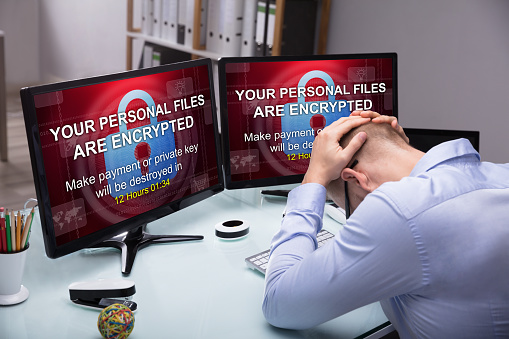
SamSam Ransomware is becoming a massive problem for multiple industries across the United States. In fact, the problem is so big that The Department of Homeland Security, (DHS), National Cybersecurity and Communications Integration Center, (NCCIC), and the Federal Bureau of Investigation, (FBI), have all recently issued a US-CERT alert due to the SamSam ransomware. Like other types of ransomware, files and networks are infected. In exchange for uninfected the system, hackers want a ransom, that typically costs thousands upon thousands of dollars. Every company that runs a network needs to be aware of SamSam ransomware. Here is what you need to know about this topic.
What is SamSam Ransomware?
SamSam ransomware is a type of ransomware that is designed to exploit Windows servers to gain access to your network. Once it is in the network, it uses the JexBoss Exploit Kit to access your JBoss applications. This type of ransomware is also able to use Remote Desktop Protocol to access your network. The virus is difficult to detect, due to the path it takes to access your system. Once the virus has made its way inside, hackers are able to get administrators rights, putting their malware on your server and basically hijacking your network. They do not release their hold on their network until you pay them the ransom they are asking.
What Can You Do to Decrease Your Chances of Getting SamSam Ransomware?
It is extremely important that you take the correct precautions to decrease your chances of getting infected with SamSam ransomware.
One of the steps you can take is to enable strong passwords and an account lockout policy. If you have strong passwords and a good lockout policy in place, it makes it much harder for the software to hack into your system and infect it. Enabling multi-factor authentication can also help. Before any new software can be installed, before software can be wiped or before changes can be made to your network, authentication is needed. The more authentication levels you have, the harder it will be for any ransomware to infect your system.
Unfortunately, while you can decrease your chances of getting infected with SamSam ransomware, there is no way to prevent infection altogether. As such, it is essential that you regularly install system and software updates and maintain a great backup system for all of your data and systems. This way, if you do get infected, you have a recent back-up for all of your system and data. You can wipe your current, infected system and start fresh from your backup point, without losing much at all.
How Can You Learn More About SamSam Ransomware?
If you are looking to learn more about SamSam ransomware, including the technical details surrounding it. It is highly recommended that you read through the SamSam Malware Analysis Reports that have been released by the US-CERT. A list of the reports, including links, are included here:
MAR-10219351.r1.v2 – SamSam1
MAR-10166283.r1.v1 – SamSam2
MAR-10158513.r1.v1 – SamSam3
MAR-10164494.r1.v1 – SamSam4
SamSam Ransomware is infecting computer systems and networks in multiple industries all across America. It is important that you learn what this ransomware is and how to protect yourself against it. Taking the right action can help to minimize the chances of your network being held ransom by SamSam ransomware.

by Felicien | Dec 5, 2018 | Education
In late September, Apple released the latest version of its Macintosh operating system—MacOS 10.14. Known as Mojave, the update includes a variety of useful tools designed to delight casual and fanatic Apple users alike. Here are the top five new features to look for in MacOS Mojave.
What Do I Need to Know About Security Changes in Mojave?
Apple is primarily known for having robust security features and this update is no exception, as it allows greater control over your personal information. Applications now ask your permission before accessing the camera or microphone. You’ll also receive a prompt for approval anytime an app attempts to access your message history or mail database.
Additionally, MacOS Mojave comes with an updated version of Safari, which includes an Enhanced Tracking Prevention feature. This tool puts a high emphasis at keeping your personal information private, including safeguarding against social media like, share, and comment widgets that track you without permission.
What Changes Happened to Quick Look in MacOS Mojave?
Although Quick Look has been around for a long time, MacOS Mojave makes it easier than ever to view photos and files without having to open them in an app. Now, you can utilize a selection of markup tools to add notations, shapes, or highlight important information with only a few mouse clicks. You can rotate or crop photos, and there are even a few tools to allow video editing without having to open QuickTime.
You may also use Quick Look to electronically sign a document with your digital signatures. This is especially handy for PDFs and scanned documents, where going through the process to open an application for a such a simple step is time-consuming.
How Have Screen Capture Functions Changed in Mojave?
Another exciting change in MacOS Mojave is the screen capture feature. In the past, users could only take a quick snapshot of their screens without needing additional software. Many users were fine with using QuickTime or other apps to get the job done, but Apple took note and decided to include updated functionality with the latest update.
Mojave’s built-in screen capture option now allows you take screen recording videos and set timers for when you want the feature to work. There are even special markup tools that will enable you to highlight certain elements you find most important.
How Do You Use Group FaceTime Calling in the Latest MacOS?
Perhaps the most anticipated feature of MacOS Mojave is the ability to FaceTime several individuals in a simultaneous group conversation. While it wasn’t initially included in the release of the operating system, Apple included it in version 14.10.1.
Group FaceTime supports up to 32 callers in a single call, which is especially handy for business users who want to add a particular element to video conferences or just those times when you want to get the family together virtually to share important news.
What’s the Stacks Feature in MacOS Mojave and How Does It Help Productivity?
If you’re like most people, your desktop organization skills need a little help. From old documents that you no longer need to icons that are just taking up space, it is easy to get overwhelmed by the digital clutter. That’s where the Stacks feature really comes in handy.
With a simple mouse click, Mojave’s handiest feature groups similar files together and “stacks” them on top of each other. Users have a choice on how this happens, for example by date last used, file type, or different classification categories. This add-on makes it easy to tackle your digital file keeping while giving you the appearance of a nice and clean desktop.
And Apple didn’t just stop there with these five features. A special dark mode feature provides a darker color scheme that’s less harsh on the eyes after a long day of work. For those who enjoy expressing themselves, an additional 70 more emoji now make it easier than ever. And a redesign of the app process is paving the way for a future ability to run your favorite iOS programs on your laptop or desktop.
These new features in MacOS 10.14 Mojave make everyone’s life just a little easier. Which one do you want to try out first?

by Felicien | Dec 5, 2018 | Education
As technology continues to evolve, a growing number of healthcare organizations are deciding to go paperless. There are several important reasons why the healthcare industry is increasingly turning to digital record keeping.
1. Improve Accessibility
Continually keeping paper records filed and organized so they are easily accessible can be an overwhelming task. When a staff member needs a file it is important that it can be found quickly and easily. Going through potentially dozens of filing cabinets to look for records is unacceptable in a healthcare facility. Once an organization has gone digital, the problem of accessibility will be virtually eliminated. With a few keystrokes, information for thousands of patients can quickly be found and brought up. When files are digital employees, have the option of accessing them through the cloud or a remote desktop system.
2. Cut Costs
Containing costs is a critical issue for almost every healthcare organization. Several specific ways going paperless can save money for a healthcare facility.
Employee Costs – The amount of manpower it takes to file and keep paper documents organized can be staggering.
Office Space – Cabinets and shelves to store paper documents are often expensive and require more space in a building.
Supply and Machine Expenses – Everything from paper and ink to copy machine maintenance can be avoided when going paperless.
3. Improve Security
Paperwork in a healthcare facility may go through several hands from the time the patient finishes it to the time it’s filed. Many employees in a hospital or healthcare facility sometimes have access to records they shouldn’t see. When an organization goes digital, only those who have previously been given access will have the passwords to access the information. Digital records can be encrypted, making them unreadable to anyone who doesn’t have clearance. When going digital, a healthcare organization may want to consider working with a managed IT service to keep their data organized as well as safe. An IT service can implement a variety of safety mechanisms including malware protection, improved firewalls, and offsite storage.
4. Save Time
Easy accessibility is only one way that going paperless will save time. Going paperless reduces redundant systems that are often time-consuming. With document management software, not only is paper eliminated but information can be downloaded into just one or two databases instead of several. There are several items in a healthcare facility that can be converted to digital files to save time.
Patient Records – Most facilities will accumulate thousands of patient records. Digital records are much easier to find than searching cabinets and files.
Human Resource Files – Employee files and records can be digitized as easily as patient records.
Medical Billing – Electronic invoices can save an organization an incredible amount of time while making billing easier for their patients. Making it easier for patients to pay their bills may also reduce delinquency.
X-Rays and EKGs – Digital radiography can provide numerous benefits. A few advantages include improved image quality and fewer files to store.
It is recommended to start converting the previous files one group at a time. Once all the files are converted and stored accurately, everything from patient files to x-ray records will be easy to find. This is perhaps one of the biggest time-savers of going digital. Staff can waste an enormous amount of time searching for paper files.
5. Reduce Errors
Human error is one of the primary reasons for mistakes in nearly every industry and organization. Patients filling out paperwork in a healthcare setting are often sick or in a hurry. It is not only patients that can make mistakes when filling out forms. Misplaced or lost files are a huge problem for medical facilities. Keeping stacks of papers and files on a desk is a recipe for confusion and lost items. Inability to read handwriting by both health professionals and patients is another way errors can be made. Finally, when there is only one access point for patient records, there is less chance that mistakes will be made. When a variety of administrative staff, nurses, and physicians each keep copies of their own records, each will likely end up with records that aren’t updated and complete.
6. Remain Patient Focused
The time it takes to fill out, file, and maintain paperwork takes an enormous amount of time from other tasks. From employees who check in and register patients to nurses and doctors, the staff in a healthcare facility will have more time to focus on each individual patient. There are several specific ways a paperless healthcare organization benefits patients.
Quicker Access to Files – Digital files can easily be transmitted between various departments. This means there is less time wasted when a patient is transferred from one department to another. Physicians will be able to bring up patient files with mobile devices from virtually any location.
Integrated Healthcare – Many patients will see several doctors and specialists during treatment. A paperless system will make it easier for each healthcare professional to instantly access a patient’s file.
Safer Radiology – Digital x-rays can dramatically reduce exposure to radiation and works without chemical developers. Physicians can also enhance images on demand. This means there is a greater ability to detect diseases and changes in a patient’s condition.
Improve Insurance Process – What insurance companies will and will not cover plays a part in what course of treatment a patient will take. Having quick access to this information will help both patients and physicians make informed decisions quickly.
7. Environmentally Friendly
Going paperless is an obvious and effective way to become an environmentally friendly organization. Several direct and indirect ways going paperless can help the environment. Not only does going digital save paper, but it also reduces the number of folders and binders that would be needed to keep all the necessary paper files. The need to dispose of ink cartridges can almost entirely be eliminated. Entire buildings can be designed with smaller offices because of the need for less overall space.
To stay competitive while providing the highest quality of patient care, it is necessary for every healthcare organization to consider going paperless. Even going semi-paperless can provide numerous benefits. Reducing or completely eliminating paper is not just a popular trend. Maintaining a paperless organization, whether it is in the healthcare field or any number of industries, is the future of doing business.
