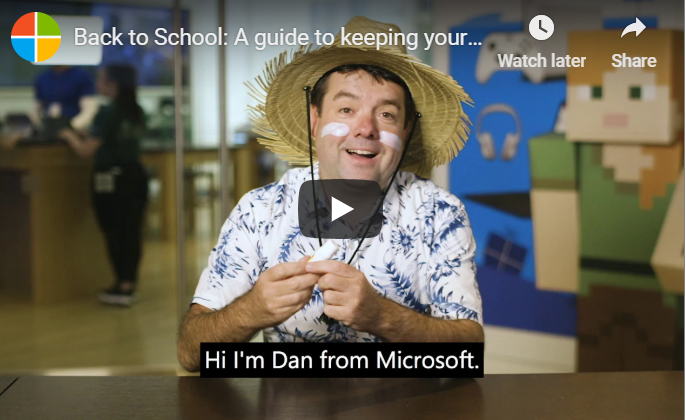
by Felicien | Dec 21, 2018 | Education
It’s almost time for kids to go back to school. In addition to buying new clothes and shoes, have you also thought about ways to keep kids safe online?
If they have computers with Windows 10, Xbox One devices, or Android phones running Microsoft Launcher, families can take advantage of a Microsoft family group account.
This free service can give them peace of mind and allow their kids to have some independence and opportunity to make decisions about how they use their devices.
You can share the following information with your friends, co-workers, and clients to help families get the most out of technology and stay safe when they’re online. (If a family has iOS devices, see Screen Time for iOS Devices below.)
How to get started
To set up a family group account, go to account.microsoft.com/family, choose Create a family group, and invite your family to join. Next, you can do things like setting up a shared family calendar to plan events so everyone is on the same page for school activities, sports, and more. You can also set limits on how much time your kids spend online and what types of websites they can visit.
In addition to content filters and time limits, the best way to help children stay safe online and make the right choices is keeping an open line of communication so you can talk with them about using devices and going online.
Here are five simple steps to help families use the Internet safely:
1. Trust: Set up devices with the security settings to match the level of parental controls and security you want. Log into your Microsoft Account and select Family to get started. You can use parental controls to manage the types of websites your kids can access when using the Microsoft Edge browser, what they can buy, and the type of content they can see based on their age. If you have an Xbox One, you can control the content and features your kids can access. Go to Xbox settings, and then Privacy and Online Safety to set up child accounts under your parental account.
2. Talk: Take time to discuss your kid’s online activities and agree on boundaries to build a shared sense of trust. For example, you can agree on an amount of money to put into your child’s account instead of linking to a credit card, which could result in a lot of charges. You can also enable “Ask a parent” to get alerts before your child can purchase a program or game so you can talk about whether or not it’s appropriate for them. You can also limit downloads to free apps and programs, or you even disable downloads altogether.
Another useful option is getting weekly activity reports listing the websites your kids visit and how often, apps and games they use, and a breakdown of how long each child has spent on all of your Microsoft devices. By having this information, you can decide if you need to have a discussion with your child about their online activity.
3. Teach: Be a teacher and a learner to open the door to good communication. There are great resources to help spark conversations with your kids and teach them how to recognise and manage risk. For example, Think U Know, which is sponsored by the Australian Federal Police, is a good source of information about cybersecurity and safety guides for kids and parents.
Think U Know encourages young people to think about what they say, see, and do online:
Say: Kids should be respectful to others when posting comments, sending messages, and chatting with others.
See: Young people need to aware of inappropriate content and cyberbullying by others and what they can do avoid these negative influences.
Do: When technology is used appropriately, it can be fun whether kids are playing games, using apps, or interacting on social media.
One way to encourage a discussion with your child about safe online use is Think U Know’s Family Online Safety Contract. It clearly outlines what is expected when a young person uses a smartphone, tablet, computer and devices.
It’s also important to show your kids that you want to learn from them. Be curious about how they use apps, visit websites, and play games.
4. Time: How much time kids spend with their devices is a big concern. It’s about striking the right balance that will work for your family. Have your children agree to certain boundaries of how long they use a device and at what times of the day and night. If it’s necessary, you can set screen limits and schedules in Windows 10 and Xbox using the Microsoft family features. This way your kids will only get access within the times and limits you’ve agreed to.
If your child uses an Android device with Microsoft Launcher, you can also check their location. This is especially handy when you want to make sure your child got home safely after school or where they’re hanging out at with their friends.
5. Teamwork: While most kids don’t want to share all of their online experiences, there are still some simple steps you can take to prevent them from feeling isolated. Try to build a “team” atmosphere by thinking about where their devices are allowed and put them in a shared family space if you can. Play online games with them. It’s a great way to understand their interests and have fun together as a family.
With online gaming, you can use Microsoft’s family group account to control which group of friends interact with your kids – rather than random strangers online. This can be a great comfort to know who your child is spending time when playing games and what they’re being exposed to.
Screen Time for iOS Devices
If a family uses iOS devices such as an iPhone or iPad, Apple offers a variety of options and settings to help parents give their children the appropriate level of online access. For example, iOS 12 has a new feature called Screen Time to block or limit the use of certain apps on a child’s device.
To get started, go to Settings and Screen Time. You can set up your child’s device by choosing This is My Child’s and following the steps. Some of the options include:
Preventing a child from installing or deleting apps and making purchases.
Blocking music or videos with explicit content.
Filtering website content when using the Safari browser.
By taking the time to set up online controls and talking with your kids, you can help them to make the right choices on their own. After all, the best filter is a good conscience that your child develops with your guidance and support.

by Felicien | Dec 20, 2018 | Education
In July 2018, an article published by Naked Security stated that SamSam, one of the latest ransomware threats, has been one of the most costly and dangerous attacks in history. SamSam leeched at least $6 million from unwitting victims, some of which were well-known businesses and government operations.
SamSam ended up costing the Colorado Department of Transportation upwards of $1.5 million as of April 2018, according to the Denver Post. The FBI and Department of Homeland Security (DHS) agencies have stepped in with recommendations to help business owners keep themselves and their data protected from not just SamSam, but other malware as well.
1. Make changes to systems that rely on RDP remote communication.
If you don’t use the RDP service, disable it. If you do rely on remote communication, work with an IT consulting agency to implement upgraded patches that conform to current system operations.
2. Use firewalls to protect open RDP ports.
If your system utilizes open RDP ports and public IP addresses, make sure these are rightly protected with a firewall. Virtual private networks should be used to access these ports, so make sure all users understand how to access the systems even once they are protected.
3. Beef up system passwords and lockouts.
One of the easiest ways to defend against brute-force attacks is to beef up your passwords and lockouts that are in use. USA Today says passwords should be a random collection of characters (upper and lower case), at least eight characters long, and that you should use a different password for each application. Use strong passwords among shared devices just the same as you would on the internet.
4. Utilize two-factor authentication processes.
Two-factor authentication processes offer an extra layer of security for applications that have it available. Many business owners skip doing two-factor authentication because it saves time, but this is an easy way to make systems more secure.
5. Pay attention to system updates as they become available.
System and software updates are hugely important, whether they are manually implemented or automatically added. These updates are frequently released as new threats emerge to the surface that would otherwise compromise an existing system. Never turn off automatic system updates and have a business security expert check your system for updates on occasion.
6. Implement a reliable backup strategy.
If something happens and your system is compromised by a SamSam ransomware attack, you need to have a backup plan already in place. Therefore, it is critical to implement a reliable backup access strategy so your system and your data can remain accessible.
7. Enable system logs and keep them for at least 90 days.
System logs will record every login attempt through RDP ports and other applications. In the event of an attack, IT analysts will be able to pinpoint the exact time that the system was infiltrated, which can be really helpful to solve the problem.
8. Follow guidelines for accessing cloud-hosted services.
If you do have cloud-hosted data that you frequently access, follow that provider’s rules for accessing your data and do not ignore their guidelines. These rules are specifically in place to keep your information protected. If you are using third-party services that require RDP access ports, make sure the service is following the latest safety practices.
9. Keep network exposure at a minimum for critical hardware.
In other words, if you have a hardware system that can function without being interconnected to all other devices on the network, then operate it as a standalone component. Just because you can connect everything in the modern technology setting, it does not always mean that you should. If SamSam or another ransomware attacks, hardware that is not connected can be safe. Likewise, it is good if you turn off sharing between printers and other devices unless it is absolutely necessary.
10. Restrict users from running software and opening emails.
There should only be trusted people within your business who are allowed the privilege of running software on any system. Therefore, make sure all users have a clear set of outlined access permissions and restrictions. It is also essential that email attachments are carefully handled, which means not every user should be allowed to open, access, or view email attachments.
Even though protecting your business from SamSam ransomware and other business cybersecurity threats can be time-consuming, it is these lines of protection that will save you from an expensive attack. Reach out to a cybersecurity expert for more information about adequately protecting your business network.

by Felicien | Dec 20, 2018 | Education
Is Amazon Getting Into Healthcare?
Amazon has already gotten into healthcare. The world’s largest internet company and third-largest retailer announced in January that it was forming an independent healthcare company for its own employees and the employees of other finance and multinational business giants: JP Morgan Chase and Berkshire Hathaway. Often overlooked in news reports, JP Morgan Chase CEO Jamie Dimon said that the new company could eventually “be expanded to benefit all Americans.”
Some experts have wondered if Amazon and its partners just wanted to negotiate lower healthcare costs for their own employees. Others, looking at Amazon’s acquisition of Whole Foods and its disruption of retail groceries, speculated that Amazon’s goals with the partnership were much broader.
The answer came June 28: Amazon has broader goals to disrupt the healthcare industry. The tech giant acquired New Hampshire-based PillPack, a mail-order pharmacy that delivers prescriptions directly to consumers on a bi-weekly basis.
Amazon paid slightly less than $1 billion for PillPack, which had a valuation of about $361 million when the offer was made. Its competitor for PillPack was the world’s largest retailer: WalMart.
What Could Amazon’s Disruption of Consumer Pharma Look Like?
Pharmaceutical sales are the first sector in healthcare that Amazon plans to enter. Traditional pharmacies have already taken a hit, with CVS, Rite Aid, and Walgreens losing more than $14.6 billion in share value after the announcement of Amazon’s purchase of PillPack.
It turns out that Amazon probably bought PillPack because it has been trying to enter the $400 billion U.S. pharmacy business for years, but encountered barriers to selling retail pharmaceuticals via its online platform. PillPack was already licensed to ship prescriptions to patients in every state. Analysts think that Amazon’s retail and IT background will quickly enable it to reduce prescription drug prices using PillPack’s platform.
What Other Aspects of the Healthcare Industry Could Amazon Disrupt?
Amazon seems likely to work toward disrupting traditional healthcare billing and payment. The tech giant’s joint healthcare venture with JP Morgan Chase and Berkshire Hathaway is led by celebrity surgeon and author Atul Gawande. Although critics say Gawande lacks management experience, he cofounded an innovative healthcare partnership between Harvard and Brigham and Women’s Hospital in 2012.
Gawande told an Aspen Institute audience in June, “we’re going to drive better outcomes, better satisfaction with care and better cost efficiency with new models that can be incubated for all.” Gawande has also said, “we pay doctors for quantity, not quality.”
Amazon also brought Martin Levine onto its healthcare team. Levine is a former practicing physician and clinic director for Iora Health, a Boston-based patient-focused and team-oriented healthcare provider which is expanding rapidly throughout several states, including Arizona, Georgia, and Washington. Amazon’s new healthcare models are likely to be based on patient health outcomes and satisfaction, not quantity or type of care provided.
Healthcare Logistics
Hospitals and clinics have begun to use Amazon Business to improve their supply chains. One Washington clinic provider uses Amazon’s “dash” buttons to fill 90% of its supply and ordering needs. Amazon is licensed to sell medical supplies in 47 of 50 states and the District of Columbia.
Big Data and Individualized Care
Amazon’s ability to use big data to improve retail customer care and outcomes might be adapted to improve health care provision. Amazon created a team to focus on adapting Alexa to help people with managing chronic illness. As an example, the voice assistant could easily be instructed to remind users to take medication at prescribed times.
Some analysts see Amazon as also having the potential to become any one of the following:
Patient engagement platform/remote/telemedicine
Transparency or provider rating tool
Insurance broker
EHR provider
Healthcare insiders have been skeptical about Amazon’s ability to make change or disrupt the healthcare sector because Microsoft and Google both failed with their prior attempts. Google Health ended in 2012, while Microsoft’s HealthVault ceased operations in January 2018. Google and Microsoft’s healthcare industry projects were consumer-facing and had limited to no revenue streams.
Amazon has already built a revenue stream and acquired a direct-delivery pharmacy with PillPack and it has brought several healthcare industry disruptors onboard, starting with Atul Gawande. Amazon’s partnership with JP Morgan Chase and Berkshire Hathaway brings the finance and multinational investment sectors together in a way that previous private industry failures to negotiate lower healthcare costs lacked. Amazon is also a big data company that has the potential to improve health outcomes for patients through the use of its voice assistant Alexa. Analysts have talked about how Amazon wants to “cut out the middleman” in healthcare. Amazon’s Jeff Bezos hasn’t commented in detail about his company’s healthcare venture, but Jamie Dimon, CEO of JP Morgan Chase, said the venture is likely to start out small, like Amazon did with books during its early years. “We may spend a bunch of time getting one piece of it right and testing things to see what works,” Dimon said in July.

by Felicien | Dec 19, 2018 | Education
When you are choosing the best IT consulting for your business, it is critical that you find a company that is extremely focused on all of the elements of security that can be a threat. Many of the best IT consulting companies go the extra mile for their clients by acting as a Managed Security Services Provider (MSSP), which allows all aspects of consultation to involve attention to security details.
Understanding Why Security Focus Is Critical
Cybersecurity threats are a significant problem for all business owners and corporations, whether they are small with only a few computers or massive with on-site servers and a lot of systems. A lot of big names have been targeted in recent years, including companies like Yahoo and Facebook, which shows that even companies with millions to invest in cybersecurity can face issues.
While security threats affect businesses of all sizes, smaller companies can suffer the hardest hits because they often do not have the funding to recover. The National Security Alliance says that about 50 percent of small businesses have faced an attack and about 60 percent of small and medium-sized businesses go under as soon as six months after an attack.
Many Businesses Lack the Security Protocols Needed
One of the most significant problems that allow businesses to be vulnerable to an attack is there is not enough integrated security protection. It is not uncommon for smaller business owners do not have the funding in place from the time a business is developed to pay close enough attention to building the most secure data setup. Many of these companies rely on a primary operating system that only boasts a typical firewall or antivirus program, but much more is necessary for absolute protection. If a hacker with ill intent manages to get through a basic firewall or antivirus program, they can get into the entire system.
The best cybersecurity protection is an all-encompassing thing; built along with the entire system and weaved through all the programs and operating functions of the system’s components. Therefore, having a good business IT security consultant to work with you from start to finish is always for the best of your business. The most efficient and protected business will have around-the-clock protection from a qualified IT consultant or cyber security expert, and sometimes both.
Protection Provided by a Security-Focused IT Consulting Service
The overall role of a security-focused IT consulting service will be to protect your data, your hardware, and your business operation. Certain things like frequent security scans of the entire system, consistent upgrades to security firmware, and ongoing attention to the latest security threats will be an integral part of the services offered by an IT consulting company with an intrinsic focus on cybersecurity threats.
Beyond the typical measures to keep your data and hardware protected, the company will offer things like:
Utilizing intrusion detection and protection methods to make sure the IT team is aptly alerted when there are the smallest signs of malicious activity.
Monitoring network traffic and staying alert to any drastic changes that could be due to a compromise of your system.
Building multi-layer firewall protection systems that are hard to penetrate completely.
Incorporating efficient and up-to-date antivirus programs designed to scan, contain, and remove any fragment of malicious files.
Providing immediate response to cybersecurity threats and attacks when the timing is the most critical to protect your data.
Making sure your employees have the training materials needed, so they know how to recognize threats and suspicious activity.
Offering off-site storage for data to protect your information in the event of a significant compromise.
Giving your business IT systems the necessary attention and upgrades to comply with the most recent standards in security.
Informing you off cybersecurity insurance products to help protect your business in the event of an attack.
Testing for the vulnerability of your system on a regular basis to track down any weak points in your system setup.
How to Find the Best Security-Focused IT Service
Not every IT consulting company is going to offer the exact same level of care when it comes to security. Therefore, as a business owner or executive in charge of overseeing IT needs, it is vital that you know how to find the best company that will keep your security held as important. Look for an IT service provider who acts doubly as a Managed Security Services Provider (MSSP). These companies will have a complete dedication to keeping all aspects of your systems secure.

by Felicien | Dec 19, 2018 | Education
“Tis the season, and you’re looking forward to spending the holidays with your family. During this festive time of year, you and your family are making memories to last a lifetime. By taking a few precautions, you can increase the odds that the holidays are a safe and happy time for everyone involved.
Holiday Outings with Kids
There are so many activities going on during the holiday season, and you want to enjoy them with your children. Many of these outings involve crowds, and you don’t want to become separated accidentally from your child. Put bright clothes on your children so you can see them easily. If you have a toddler, consider using a harness if they tend to run off. Many available toddler harnesses are designed to look like a lion’s tail or similar cute appendage, so your little one may find wearing the harness sort of like a costume.
Don’t let small children use a restroom by themselves, and wait outside when opposite sex older children use the facilities. Public bathrooms are among the places child molesters often lurk.
If your child does get lost, tell them to approach a security guard to help find you, or, failing that, a woman. While that is a sexist approach, potential child molesters are more likely male than female. Also tell your child to call out your first names, rather than just Mum or Dad, so you if nearby you can immediately identify your child over a hubbub of “Mummies” and “Daddies.”
Holiday Travel and Kids
For many families, holidays involve a considerable amount of travel. Whether it’s to the beach, grandmother’s house, or a special holiday destination, Australians are on the go at Christmas. That means more risk on the roads, due to additional traffic volume, more people driving in unfamiliar places and, sad to say, more people driving while under the influence of alcohol. Protect yourself and your family by carefully planning your trip, and not driving when you are tired. Check your vehicle thoroughly before embarking, so that tyre tread and pressure, engine fluids, lights and brakes are all in good working order. If you have any doubts, take your car to the mechanic before setting out. If your holiday trip involves camping, make sure all the attachments for your caravan or trailer are in good order and secure.
A well-planned trip doesn’t necessarily involve taking the fastest route, but the safest. Try to take a break at least every two hours while on a long road trip. Keep your kids well-fortified with snacks, games and/or videos they can watch en route. Always wear your seat belt and check to see that your children are either buckled in or are secure in their car seats.
While you’re away, make sure your house is safe. Unfortunately, the holiday season is also prime burglary season, as thieves keep note of houses appearing unoccupied. Devise ways to make it look as if someone is home, via using timers or your devices to turn lights off and on, and keep the radio or TV on low volume. Ask a neighbor to collect your mail, or contact the post office to have it held for you. If you another car, leave it in the driveway to give the impression someone is home.
Holiday Decorations and Safety
Nothing says Christmas like a beautifully trimmed tree and holiday decorations, but some seasonal decorations can pose a safety threat. If you celebrate with a real tree, make sure to water it regularly, at least every other day. Without proper watering, the needles may dry out, and this poses a fire hazard. It also means you’ll have unattractive brown needles scattered in the vicinity of the tree and possibly tracked throughout the house.
When it comes to tree decoration, keep the ages of your kids in mind. If you have small children, who may put objects in their mouths, put safe, non-toxic ornaments near the bottom of the tree. Save the breakable ornaments, or those with metal hooks, for the higher parts of the tree where little hands can’t reach them.
As a parent, you know you must take special care when it comes to holiday candles. For best results, avoid lit candles if your kids are young. If your children are older and unlikely to accidentally knock over or pull down a candle, keep candles lit only when people are home and make sure they are extinguished before going to bed. Keep lit candles a minimum of 1 foot from any flammable object.
Outside, use only lights and extension cords approved for outdoor use. Keep bulbs away from any easily ignited material. Indoors and outdoors, replace any Christmas lights with broken cords or loose bulbs. As you know, Christmas and bushfire season are synonymous, so take extra safety precautions by trimming tree branches near the house, keep combustible material far from your dwelling, and clear up any potential fuel around your home and yard.
Toys and Games
When you think back on your childhood, your Christmas memories may prove among your strongest. You want to create great memories for your children by providing them with the toys and games they desire, but it’s critical to ensure that these items are age appropriate. Before buying a toy or game, read the information about it to make sure it is a suitable gift for your child’s current abilities.
If you have little children, it’s important to keep them away from choking hazards that small game pieces or other tiny objects may become. While you wouldn’t purchase a game or toy containing such hazards for that child, you may have an older child who wants such an object. Once your older child opens that gift, instruct them to keep it out of the way of younger siblings, and explain why.
A Day at the Beach
Many families celebrate Christmas or Boxing Day at the beach with a barbie. While you must protect your kids the same way, you would on any other beach day, the holiday brings more distractions. Clean and check your barbecue grill beforehand, and inspect gas hoses to see if they are leaking. Keep young children away from the barbecue or any hot, discarded coals. While everyone should wear sunscreen to protect themselves from the sun’s rays, it’s especially important for the delicate skin of babies, toddlers and young children. Severe sunburns early in life can lead to skin cancer later on.
New Year’s Eve Celebrations
Ring in 2019 responsibly. That means avoiding too much alcohol consumption, and using a designated driver if you are out on the town. Another option is celebrating at a club or restaurant with a hotel nearby, so you don’t have to worry about driving home. If you’re hosting a New Year’s Eve celebration at home, it’s likely the kids are in bed by the time the party gets started, but after your guests leave, throw out any leftover drinks so there’s no chance an early rising child can sample an alcoholic beverage.
