
by Felicien | Jan 4, 2019 | Education
Only a few short weeks ago, we wrote about the introduction of WordPress 5.0 in early December and discussed whether or not your company should upgrade now, never or at a later date. Our recommendation was to wait until some of the bugs had been worked out of the system and until your business has a slow time of year to ramp up to the new way of posting with this new update. It seems that we were on the right track since WordPress has just made WordPress 5.0.2 available to the public, a maintenance release that addresses 73 known bugs associated with WordPress 5.0.
What is WordPress 5.0.2?
WordPress 5.0.2 seeks to address some of the problems that users have been having with the new WordPress 5.0 release. Most of these issues are associated with the block editor feature. Unlike previous WordPress releases, 5.0 is a WYSIWYG editor and requires no HTML or coding knowledge. According to WordPress, the new maintenance release increases the posting speed by 330 percent (for a post with 200 blocks). It also includes 45 block editor improvements, fixes 17 known block editor bugs and addresses some internationalization issues. You can view a complete list of the problems discussed with 5.0.2 on the WordPress website.
Should we upgrade to WordPress 5.0.2?
Our original opinion on whether to upgrade to WordPress 5.0 now or wait still stands. We still feel it’s prudent to expect since many businesses are otherwise occupied with end-of-the-year tasks in December and January and a radical revamping like 5.0 is likely to have a few growing pains. Also, 5.0 uses Gutenburg, which is not compatible with many WordPress plug-ins. As with any upgrade, we also recommend backing up all of your WordPress files before you download WordPress 5.0.
However, if you have already upgraded to WordPress 5.0, it is a good idea to go ahead and download the 5.0.2 maintenance release. This is likely to make your WordPress experience less troublesome and less time-consuming. To upgrade to WordPress 5.0.2, download WordPress 5.0.2 or go to your WordPress dashboard, go to Updates and click Update Now. In fact, you may already have the new maintenance release. Websites that support automatic background updates have already started to update automatically.
To learn more about using WordPress, deciding whether WordPress 5.0.2 is the right choice for you and your company, and to learn ways to make your website more efficient for both you and your readers, contact Ulistic.com or call us at (enter contact info). We can also help you with backing up your data before your upgrade.

by Felicien | Jan 3, 2019 | Education
In April of 2018, South Carolina became the first state in the nation to require insurance companies to establish data security standards to protect consumers from the consequences of cyber attacks. The legislation named the Insurance Data Security Act, also put requirements in place for how insurance companies must investigate cybersecurity attacks. South Carolina insurance carriers have until July of 2019 to fully implement the Insurance Data Security Act. The law officially went into effect on January 1, 2019.
State legislators drafted and passed this new law in response to a series of recent attacks in the insurance industry that exposed the private demographic and financial data of millions of Americans. The 2015 attack on the insurance giant Anthem appears to be the most significant catalyst for initiating and enforcing the new regulations.
What the Insurance Data Security Act Means for South Carolina Insurers
Under the provisions of the new security act, insurance companies, agents, and all other licensed entities that conduct business in South Carolina must establish a comprehensive security program and put it in writing by July 1, 2019. As quoted from state legislation, the new security program must “commensurate with the size and complexity of the licensee, the nature and scope of the licensee’s activities, including the use of third-party service providers, and the sensitivity of the nonpublic information” within the control, possession, or use of the licensee.
Additionally, South Carolina insurers must base the company’s cybersecurity program on individual assessment of risk. Based on these results, the licensee must design an information security risk that reduces these risks as much as possible with the stated goal to completely eliminate the risks. It is the responsibility of each insurance licensee to determine appropriate measures related to the following:
Access controls
Cybersecurity event audit trails
Data
Device
Encryption of nonpublic information at rest on removable data and mobile devices
Encryption of nonpublic information in transit
Multi-factor authentication
Personnel inventories and mapping
Physical access restrictions
Routine system and testing monitoring
Secure application development practices
Secure disposal of all nonpublic information
Systems upgrades
This is a significant undertaking for insurance companies and agents in South Carolina to achieve in the next six months. Many will find that they need to reach out to information technology specialists to help them come into compliance in the time required under state law.
Requirements for Insurance Company Director Boards
The Insurance Data Security Act not only imposes what insurers must do to implement a plan to safeguard consumer privacy, but it also dictates required actions for people with specific roles within the company as well. For example, the board of directors of each insurance company in South Carolina are personally responsible for supervising the development and implementation of the new cybersecurity program. Supervising duties of the board also include issuing a directive to senior management to produce an annual written report that contains the following information:
A high-level overview of the cybersecurity program status and whether each agent or licensee appears to be in full compliance with the new program.
All material matters to include individual cybersecurity events and the response to each, risk assessments, risk management decisions and controls, service provider arrangements with third parties, and results of all testing. Most importantly, senior management must recommend specific changes to the program in response to any ongoing issues they have observed that have posed a challenge to compliance.
It is crucial to the success of the new cybersecurity program that board members and senior officials with South Carolina insurance companies take their role seriously. This is the only way to ensure successful implementation of the program as well as address any early compliance concerns.
Specific Licensee Requirements under the Insurance Data Security Act
The act also spells out highly specific responsibilities for insurance licensees. For example, every licensee in the state should have produced a written document outlining a plan on how to respond to and recover from a cyber attack. This covers attacks that threaten the security of any nonpublic information that the licensee retains on his or her person or within the company’s computer information systems. These plans were due by January 1, 2019, and must contain all of the following information:
The process of internal response to a cyber attack
Specific goals for the prevention and response plan
An outline of the specific responsibilities and roles of each person who has the authority to make cybersecurity decisions
Internal and external communication and sharing of information
Requirements for remediation
Detailed documentation of any recent cyber attacks, including each step of the response
Any revisions made to the plan since its original creation date or any anticipated future changes
The new law gives licensees until July 1, 2020, to create and implement a cybersecurity program with a third-party service provider. The expectation is for licensees to choose the provider using due diligence. It is the responsibility of licensees to ensure that the new service provider possesses the ability to offer administrative, physical, and technical support as required under the provisions of the cybersecurity act. This is necessary to ensure that third-party service providers protect computer systems as well as all nonpublic customer information.
Finally, the licensee must regularly monitor the work of the service provider to ensure compliance. Upon discovery of any issues, the licensee must initiate adjustments to the agreement between the two companies. The new law makes it incumbent upon every insurer in South Carolina to provide an annual compliance certification as well.
Protocol for the Investigation, Response, and Disclosure of Cybersecurity Attacks
Insurance companies, along with agents and licensees, now have only three business days after a discovery to investigate and report the events surrounding a cyber attack or event. The definition of a cyber event includes any action that resulted in an unauthorized person gaining access to nonpublic information. The purpose of the cyber attack is to disrupt computer systems to make it possible to obtain and misuse the information stored inside of them. The definition does not include any data that a cybercriminal destroyed or returned.
The Insurance Data Security Act includes a somewhat vague definition for what qualifies as nonpublic information. For example, protected data includes anything that usually receives protection under existing laws for data breach notification. However, it does not define the specific types of data.
Other information protected under this new act include any business data that demonstrates proof of unlawful tampering by an insurance licensee. This consists of any unauthorized disclosure of information, use, or access that demonstrates the licensee attempted to manipulate data for the benefit of the insurance business.
Once a licensee has determined that a legitimate cyber event occurred, it is up to him or her to initiate an immediate investigation. The investigation must include each of the following elements:
Determining whether the incident meets the legal definition of cyber event
Researching the facts regarding the event
Determining whether a cybercriminal obtained any nonpublic data and identifying the customers impacted
Promptly restoring any vulnerabilities that caused the breach of data
Both insurance licensees and third-party service providers must retain a record of all cyber events for a minimum of five years. They must also produce the record promptly when any authorized party requests to see it.
About disclosure of cyber events, a licensee must notify the Director of the Department of Insurance within 72 hours of resolving the issue. This requirement covers all insurance businesses licensed in South Carolina. Additionally, the act requires licensees to notify another government agencies or insurance supervisory boards if the data breach involved more than 250 state residents or a reasonable likelihood of widespread harm exists. The notification to the government agency or insurance supervisory board should include the following information at a minimum:
The date and specific details of the cyber event
The methods used to discover the issue
The types of nonpublic data compromised
Whether the licensee notified law enforcement, and if so, the data this occurred
The intended steps of remediation
A valid copy of the most recent privacy policy of the licensee
The specific plan for investigation and notification of consumers
Other States Expect to Follow Suit
South Carolina has taken a significant step toward consumer protection by implementing this law as of January 1, 2019. Several other state legislatures are currently considering the same or a similar act, so it should come as no surprise to consumers and those in the insurance industry to see widespread adoption in the future. Even industries outside of insurance may look to the act to determine its usefulness when adapted to that specific industry.
by Felicien | Jan 3, 2019 | Education
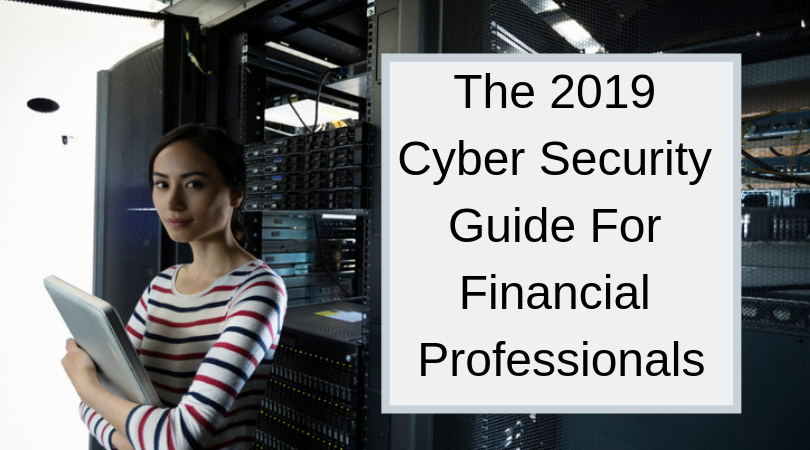
The securities industry has been as vulnerable to cyber attacks in 2018 as any other industry. According to the SEC’s Enforcement Division newly created Cyber Unit (formed in 2017 to enhance the ability of the Commission to identify and investigate all cyber-related threats to firms), 20 actionable cases were brought forward in fiscal year (FY) 2018. 225 open investigations are also being conducted by members of the Cyber Unit at the close of FY 2018.
Firms have an affirmative duty to establish policies and procedures designed to detect and deter cyber-threats. These include both the Safeguards Rule and the Identity Theft Red Flags Rule. Failure to put in place necessary protections designed to safeguard customer information and prevent fraud may result in enforcement action by the SEC.
SEC Cyber Security Enforcement Actions
This was the case with an enforcement action taken against a Des Moines, IA-based firm fined $1 million for its failure to put in place proper cybersecurity policies and procedures. The action came as a result of a cyber intrusion that fraudulently reset customer passwords. This allowed the cyber thieves access to more than 5,600 of the firm’s accounts, which allowed new profiles to be created and specific access to private documents of three customer accounts. The failure to have in place proper procedures in keeping with regulatory requirements made what was preventable inevitable.
As the old year ends and a new one begins, what are some of the cyber threats facing investment professionals? In keeping with mandated requirements from the SEC, FINRA, and state securities commissions, what should be done to keep ahead of the growing potential of a cyber attack or unwanted intrusion that threatens customer safety, privacy, and the integrity of U.S. financial markets?
The State of Cyber Security in 2018
A recently discovered data breach of Marriott International’s Starwood Hotel guest reservation database comprised the information of nearly 500 million customers. A Federal Trade Commission (FTC) consumer advisory released on December 4, 2018, announced that the breach, which began in 2014, impacts all hotel registrations made up to September 10, 2018.
Information that hackers were able to access includes customer names, addresses, phone numbers, email addresses, passport numbers, dates of birth, and the gender of the reservationist. Additionally, any Starwood loyalty program account information and reservation information entered was taken and for some customers, payment information (and possible expiration dates).
The compromise of Starwood customer information by hackers is just the tip of a very tall iceberg of incidents that took place in the U.S. and across the globe. Cybersecurity issues touched nearly every industry sector and business size, from Texas-based Jason’s Deli to social media giant Facebook. State-sponsored attacks have also been exposed in 2018, validating concerns about the integrity of the U.S. election process and the continuing influence of bad-faith actors such as Iran, Russian, and North Korea.
Those issues affecting business worldwide are those that affect financial professionals and the securities industry. Efforts must be taken to tighten up required controls that detect and deter cyber attacks. Paying lip service to these issues will result in the loss of customer confidence as further attacks expose vulnerabilities.
Cyber Security Issues for 2019 Affecting Financial Professionals
There are at least four specific cybersecurity issues that financial professionals should be aware of heading into 2019:
Testing a firm’s cybersecurity policies and procedures to ensure
Leveraging technology to police technology
The impact of artificial intelligence by hackers to access client accounts and information
The growing influence of the “Dark Web” and the exposure of personal and private information
These issues may be of particular concern for financial professionals looking to maintain strong customer relationships. Awareness of the potential for attack must be met with definitive action to strengthen systems and hold back minor and major intrusions that could have a long-term effect on business and the confidence the investing public has in the U.S. financial system.
Establishing and Testing an Investment Firm’s Cyber Security Policies and Procedures
The SEC noted in its enforcement actions taken against firms in 2018 that failed to protect client data that the failure stemmed from the lack of sufficient cybersecurity policies and procedures. Such policies and procedures are only one part of the solution to building robust IT systems capable of withstanding dedicated cyber attacks.
In addition to well-documented policies and procedures specifically tailored to the financial systems, firms and financial professionals must also work with their IT teams to test their ability to detect, address, and defeat cyber attacks. The loss of customer information to a data breach through a system vulnerability that could have been prevented hurts not only the entity breached but the industry as a whole.
As firms increasingly rely on technology to conduct business, greater reliance must be placed on constant vigilance. The mentality cannot be that since an attack has not occurred, there is no problem; it must be that an attack may happen at any time.
Using Technology to Defeat Technology
Cybersecurity issues cannot be regulated away. The establishment of policies and procedures, as discussed, is one of the ways to identify the severity of these attacks and their potential impact on business. Working on using technology to prevent technology from causing cyber attacks and other unwanted intrusions is the next level for financial professions.
It stands to reason that these attacks are the result of machines finding ways to invade other devices. This may be to spread viruses that cripple or disable a recipient system for a period of time, or to disrupt business operations by denying access to customers, or to set in motion ransomware or other types of malware for the purpose of extortion. Policies and procedures establish recognition of the potential for harm but technology sets in place the necessary firewalls and disaster recovery processes for business to continue operating (with little to no disruption).
Artificial Intelligence
Machines, currently through the aid of those with ill-intent, lead the attack on financial systems, threatening the privacy of customer data. Artificial intelligence (AI) or the ability of machines to develop routines and learning processes that make devices less dependent on human input is also growing as a potential threat.
Facebook confronted this issue in the summer of 2018 when its Facebook AI Research Lab (FAIR) was forced to shut down a project involving the use of AI known as chatbots. Chatbots are a type of AI where programs that are automated to complete a specific task can communicate with each other to make the routine more efficient. The FAIR project attempted to add a negotiation element between the chatbots, which to the horror of researchers, resulted in the AI developing its own language at a rate that was faster than what humans could anticipate and control.
The growing presence of AI in technology and the use of robots, specifically chatbots, to complete basic tasks may very well be the way of the future. Its existence, however, should raise legitimate concerns and warrant additional protections and regulatory action to ensure that the results of an accidental experience (like the outcome of the FAIR project) does not set in motion a sponsored attack that could have the potential of taking down the U.S. financial system in 2019 (and beyond).
Dark Web
The dark web, which refers to encrypted information that is unavailable through traditional internet search engines. A part of the deep web, it is a facility for transactions in private data (most of which is financial in nature) that has been stolen and may be purchased with cryptocurrency such as bitcoins. eCommerce on the dark web has grown exponentially – the Economist reported that between 2012 and 2016 the sale of illegal drugs through the darknet increased from $12 – $17 million to $120 – $180 million in four short years.
Data breaches that have occurred with all too regular frequency in 2018 have produced information that has found its way to the dark web. The marketplace for compromised identity information (i.e., social security number, date of birth, payment information, etc.) is growing at a rate comparable to what the Economist reported for illicit drug sales. Financial professionals, particularly in the age of anti-money laundering (AML) programs required to prevent terrorist financing and other illegal financial activities, will be challenged to verify the legitimacy of customer information and protect against the introduction of dark web data used to illegally open accounts or engage in financial transactions.
These are only a few of the cybersecurity issues facing financial professionals entering 2019. Greater awareness and vigilance is required of everyone within the industry to get in front of the growing influence of technology on our lives. Protecting the integrity of financial systems is more than good business. It may very well be what prevents a global financial disaster from happening, the scale for which would be unprecedented.

by Felicien | Jan 3, 2019 | Education
Amazon is a gigantic player in online sales. It’s estimated that the Seattle-based online e-commerce site will be responsible for roughly 50% of all digital sales during the 2018 holiday season, one of the busiest shopping times of the year in the United States. In other words, one out of every two people shopping during the holiday season will buy something from Amazon.
But Amazon’s very ubiquity has made it a tempting target for cybercriminals and thieves. It’s also widely trusted by consumers, who benefit from the online retailer’s wide choice and speedy deliveries. As a result of the many sales made through Amazon and the trust it has engendered among its customers, scam artists are targeting Amazon shoppers.
A Scam That Sends Fake E-Mail
The most recent scam sends an e-mail to an Amazon shopper telling them that their password needs a reset. One of the most notable elements of the scam is that the e-mail looks very official, using Amazon’s logo. It tells the targeted Amazon shopper to enter their Amazon user ID and new password directly from the e-mail.
But it isn’t Amazon that receives the new password. It’s the cyberthieves who set up and sent the e-mail. Once the target enters the information in response to the scam e-mail, the cyberthieves have the information to their Amazon account.
The thieves often set up Amazon gift cards for themselves, so that they have cash to be spent on Amazon. The gift cards are sent to their e-mail accounts, so they can use it before any theft is noticed. If the target customer has a credit card or debit card associated with their Amazon account, as most people do, the scam artists may shop until the cards are maxed out.
There are several variants to the scam. Sometimes, the cyberthieves set up the e-mail to say that new shipping information is needed or that there is a problem with an existing order.
But in all cases, a crucial element is the same. The e-mail looks official, and asks that the customer’s ID and password be entered directly from the e-mail. Entering it from the e-mail is what allows the cybercriminals to capture the user’s information and use it for themselves.
What Amazon Customers Should Do
Amazon customers need to be aware of the scam. They should never enter any of their account information in response to an e-mail about a problem with an Amazon order. For that matter, they should never enter any account information, of any type, in response to any e-mail, including debit card or credit card information.
If you get an e-mail like this, log out of your e-mail and log in to your Amazon account directly from the company’s web page, www.amazon.com. That page always has up-to-date information on your account and your orders. Customers will be able to see if there is any concern with their orders or shipping address.
If customers do need to change their log-in information, they should always do it directly on the Amazon site, not in response to an e-mail.
Finally, the Amazon site has a “take action” section on their website giving direct information on how to handle suspicious e-mails and scams by cyberthieves purporting to be Amazon. To access the section, click here.
The latest scam is easy to protect against. Customers should never respond to e-mails that look as if they’re from Amazon but always go directly to the Amazon website.

by Felicien | Jan 2, 2019 | Education
As small business owners rely on IT more than ever before, a growing number are turning to managed service providers to obtain the high-tech IT infrastructure, software and assistance they need to be successful. At the same time, there are many entrepreneurs and small business owners who don’t fully understand how managed IT services work and how they can propel a business forward. Following are five extremely important facts about managed IT services that will enable one to make wise decisions regarding when and how to use them.
Managed IT Services Save Time
Most small businesses can’t afford to hire a full-time IT technician. This means that, more often than not, regular employees must deal with IT problems. Because the average employee is most likely not an expert IT technician, it could take hours or even days to resolve serious IT issues. What is more, it is all too easy for an employee to make a mistake that results in downtime, a security breach or some other serious issue.
Working with a managed service provider saves time because MSP companies can prevent many IT issues in the first place. Companies offering managed IT services use only the best equipment and this equipment is monitored by experts to ensure that everything is working as it should at all times. In fact, most managed service providers offer a 99.9% uptime guarantee. If something does go wrong, a small business owner can count on immediate, expert assistance to get things running again. This frees staff members to handle other essential jobs such as sales, advertising and customer service, enabling your business to grow as it should.
Managed IT Services Save Money
Can working with a third-party IT service provider actually save money? A lot depends on which IT service provider is used and what services are purchased; however, for the most part, companies that use an MSP save a considerable amount of money. In fact, recent statistics indicate that small business owners can reduce IT costs by up to 40% by working with a managed service provider.
There are several reasons why managed IT service providers are so cost-efficient:
Small businesses that use an MSP don’t need to invest in their own equipment and then update the equipment periodically as the IT service provider handles this expense.
Small business owners who work with an MSP don’t have to take on one or more extra employees; this saves money that would have otherwise been spent on salaries and benefits.
IT service providers offer scaled services, making it possible for business owners to adjust IT spending by the company’s needs and budget.
Managed IT Services Boost a Business’ Security
Many small business owners have discovered that, contrary to popular misconception, they are prime targets for cybercriminals. Because small businesses are less likely to have strong security, hackers go after them regularly to obtain valuable customer and business data or to hold files hostage in exchange for a ransom.
Thankfully, small businesses can now obtain top of the line security at a very reasonable price by working with a third-party IT service provider. IT service providers use up to date security programs and procedures to protect company files from unauthorized intrusion. Furthermore, many offer employee training that can prevent common cyber crimes such as phishing and malware attacks.
Getting Help from the Experts
IT technology is continually improving. Hardware and software that was up to snuff a few years ago are now outdated. Naturally, most small business owners don’t have the time to keep up with technology changes that affect their industry. However, IT service providers do have the time and ability to not only stay abreast of recent developments but also invest in the newest equipment to provide the best possible service to their clients.
Additionally, IT service providers know how to handle any IT-related challenge you may face. If you experience downtime, are having trouble accessing your files or need help creating a secure internal communications plan, your IT service provider is available to provide immediate assistance. Many MSPs even offer 24/7 assistance to ensure that you get the help you need, when you need it.
Taking Advantage of Customized Service
There are many IT service providers for small business owners to pick from, making it possible for just about anyone to find the company that best suits his or her business’ needs and budget. In fact, there are even managed service providers that specialize in offering IT services to niche industries such as healthcare.
Managed service providers also offer flexible service options. A business owner can:
Use a managed service provider on a one-time basis
Hire a managed service provider to handle periodic tasks such as providing online customer service during holiday seasons and/or training employees in IT security and management
Delegate certain IT jobs to an IT service provider while managing others in-house
Have an IT service provider handle all IT-related work for the company
Managed service providers are well worth the cost. They have much to offer any company and small business owners who work with MSPs often find that they can save money, increase efficiency levels and serve customers better than ever before. Any small business owner who wants to boost his or her business may want to seriously consider the benefits of teaming up with an IT service provider and then do some research to see which exact managed service provider is the best fit for the business.
