
by Felicien | May 24, 2019 | Education
If you’ve heard the terms “NextGen Malware and Antivirus Protection”, you might think they were made up by a marketer who had a few too many lattes — but this type of security truly takes it up a notch from more familiar offerings. Today’s cybercriminals are becoming increasingly savvy and are finding ways to short-circuit or completely bypass traditional protective measures. These well-organized criminals understand white hat security procedures. They are tracking the activity of your key business leaders online or on social media. They are developing malware and viruses that can mutate to avoid detection. And make no mistake: these hackers can bring your business to a halt in a matter of hours by limiting access to your important business data or trashing crucial systems. Here’s what you need to know about the next generation of tools that cybersecurity professionals are developing to combat this escalating threat to America’s businesses.
Cyberthreats Were Created to Evade Your Current Security Systems
What are these dangerous and slippery lines of code? They’re developed specifically to circumvent or defeat your security processes and procedures and are becoming extremely effective at doing their job. Traditional antiviruses are often blocked before they are able to cause a great deal of mischief, but this new generation of threats requires some next-level tools for protection. Ilan Sredni of Palindrome Consulting shares: “Advanced threat protection has changed its nature. Using artificial intelligence tools that can understand any type of malware will be the standard and the only way to stay ahead, if not current, with the threats”. Early on, threat actors figured out ways to leverage the most basic of business software, such as Microsoft Excel and Word, in order to deliver their nefarious payloads. Software engineers and security professionals grew savvy to these tactics — causing a new wave of threats to come to the forefront. As the threats continue to evolve, cybersecurity professionals will need to remain diligent if they want to protect their organizations. As endpoints become more amorphous, cyber attacks increasingly take advantage of the slipperiness of maintaining security on mobile phones, WiFi locations and other potentially risky endpoints.
What Makes Antivirus Protection “NextGen”?
While it’s difficult to tie down a single definition for “NextGen” in terms of antivirus protection, this term is often used to describe strategies and products that provide a more comprehensive and scalable approach to preventing this type of attack. This system-centric approach often leverages machine learning to improve protection capabilities, uses cloud-based computing to scan for threats and unusual actions, immediately begins resolution without requiring direct input and provides a more comprehensive set of data that can be analyzed to determine the duration and extent of a breach or hack. These forensics are particularly important as organizations seek to shore up any holes in their security grid to prevent other attacks in the future. Traditional antivirus protection is proactive to some extent, in that it is continually scanning for known signatures and performing heuristic analysis. The next generation of malware is quite crafty in the way it interacts with your systems.
What’s the Difference Between Metamorphic and Polymorphic Malware?
According to Don Baham, President and CEO of Kraft Technology Group, “Polymorphic and metamorphic attributes of malware are harder to detect and prevent, and more dark web marketplaces are providing access to malware code. Together, this has resulted in a greater number of hard-to-detect malware variants attacking our enterprises”. Defining the difference between metamorphic and polymorphic malware starts with understanding the root of the terms: “Metamorphic viruses are considered to be more advanced threats then polymorphic malware because the internal code and signature patterns are changing with each with iteration, making metamorphic malware impossible to be detected with signature-based endpoint tools,” Sredni shares. Protecting against this type of malware requires reaching beyond a simple monitoring program and defining endpoint security solutions that will monitor for abnormal activity, analyze what rogue programs are attempting to do and either halt the activity or actively alert an admin. “Since this type of attack can happen rapidly, it’s crucial that your solution is able to report this newly learned behavior to other endpoints in the enterprise to help mitigate the spread of the malware,” notes Baham.
Protecting Against Next-Generation Threats
For information on protecting against this type of advanced threat, we turn to Keith Marchiano, Director of Operations for Kyocera Intelligence. “Your first step is to implement a password policy to have your end user passwords changed every 90 days. Having your server and network passwords changed as frequently is challenging. Second, implementing 2-factor authentication for anybody trying to log into your server or network is recommended. Third, implement a multi-layer plan for security- antivirus, malware/spyware/ransomware protection, and cloud DNS security to protect the network. Fourth, implement mandatory security training for all employees. Finally, have a disaster recovery/business continuity solution that will detect ransomware attacks and allow your network administrator to restore the network to the time prior to the attack. Taking this approach will improve your security and ensure if you are attacked, that you can restore without loss to your data or major damage to your company’s reputation. All of these steps can be implemented rather quickly without interruption to your business”.
Creating a holistic approach to security starts with a firm understanding of the threat landscape, something that you simply cannot gain overnight without assistance. Your business is depending on you to reduce the risk around malware and viruses — are your solutions and technology team ready to rise to the occasion?

by Felicien | May 23, 2019 | Education
What’s your favorite: red or blue? Sometimes there are no wrong answers to a question, and that may be the case when you consider the various infrastructure options of SD-WAN vs. MPLS. Can one be truly considered “better” than the other? It depends on the goals and requirements of your organization as well as the existing infrastructure that you are working with. Let’s unpack whether SD-WAN or MPLS is the winner when it comes to selecting a protocol for your network traffic. With the growth of SaaS platforms and cloud-based storage and computing, this question is looming large in the mind of IT leaders throughout the world.
Understanding SD-WAN: The Frisky Upstart
Wide Area Networking (WAN) has been around for decades, with a centralized bandwidth controller that is used to direct traffic within your organization. Policies and procedures are fed into traditional branch routers that then find the most efficient method for providing your application with the connectivity that you need. Expanding WAN can be expensive and configuration can be fiddly, which makes SD-WAN all the more attractive due to its flexibility for deployment. With SD-WAN (Software-Defined networking in a WAN), virtualization is leveraged to reduce the physical footprint and reduce the overall complexity of your networking practices. To keep it simple, you are much more likely to meet the expectations of your employees and customers with SD-WAN because you’re relying on a more flexible method of delivery for your business networking rules.
Understanding MPLS: The Hardened Contender
Multiprotocol Label Switching (MPLS) has been driving the business of doing business for many years and is a stable system for carrying data in high-performing networks. While it’s traditionally been used in telecommunications, there are plenty of organizations using MPLS to direct internet traffic, too. Where MPLS really shines is in applications such as VoIP, video conferencing or virtual desktops due to the high packet availability and low loss of quality. Sound and video quality are exceptional, and the protocol is highly predictable in nature. There are some key disadvantages such as bandwidth cost and the potential that lower-rated applications or services could be slower or have slightly degraded quality due to de-prioritization by the “traffic cop”. This protocol was great in a time when there were fewer demands on overall bandwidth, but today’s hungry cloud-based applications can quickly eat through your monthly allotments.
Advantages and Disadvantages of MPLS and SD-WAN
Without a full understanding of the particular needs of your business, it would be difficult to pick a winner between these two contenders for Top Protocol. SD-WAN offers the global availability, scalability and control that you need at a more reasonable price point, while MPLS allows you to boost the priority for crucial traffic moving through your network. MPLS practically guarantees a higher level of quality for the most important traffic within your business, while SD-WAN offers an added layer of security that might be a big selling point for organizations in today’s climate of rampant cybercrime. SD-WAN is generally considered to be more cost-effective and scalable — even though it is slightly less reliable than MPLS implementations.
Which Is Better for Your Business?
There is no clear and true winner in this battle, but you might be interested to know that Gartner released a recent whitepaper entitled: SD-WAN is Killing MPLS, So Prepare to Replace It Now. That seems like a pretty strong statement, especially considering that the research firm also notes that MPLS still far outstrips SD-WAN in terms of usage. Hybrid and internet-only WANs are on the rise as infrastructure leaders continue to look for ways to boost network efficiency and speed while reducing the possibility of a devastating security event. SD-WAN allows for an additional measure of control when it comes to security, which may be one of the reasons that IT leaders are moving in this direction.
There are no perfect answers that will fit the needs of every organization, but SD-WAN comes out on top in terms of price and scalability, while MPLS edges out the competition when it comes to overall reliability and reduced packet loss. One thing is for sure: this conversation will continue!
by Felicien | May 23, 2019 | Education
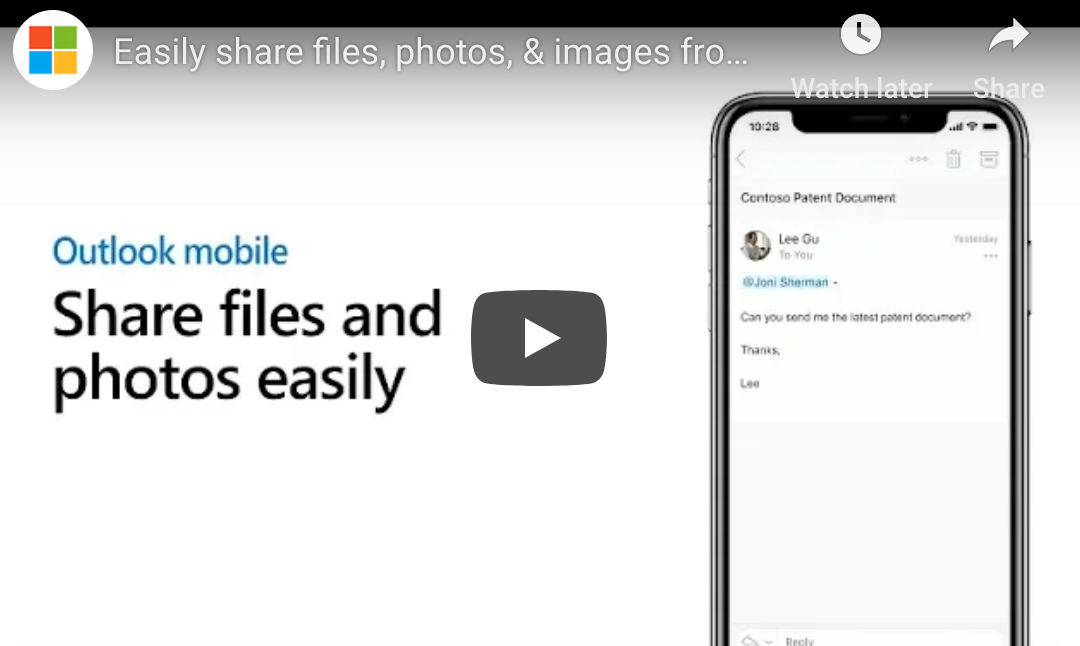
Microsoft’s mobile email solution, Outlook Mobile, is a powerful alternative to your phone’s native mail client. We’re offering some tips and tricks for those accustomed to another mail client. Today’s tip is how to share files from online storage using Outlook Mobile.
Step One: Create Message
To share files using Outlook Mobile, you’ll be sharing them within emails. First things first, you need to create the message that you want to use to send the file. Either create a new message or reply to an existing email by clicking “reply”.
Step 2: Click the Paperclip
Just below the area where you’d type your message, you should see a paper clip symbol. Click this, and on iOS you’ll see three options: “Attach file”, “Use last photo taken”, and “choose photo from library”. The latter two options allow you to send photos on your device, but that’s not what we’re learning about today. Click the first option, “Attach file”.
Step 3a: Add the Services You Need
(Note: If the online storage service where your file is located is already connected, you can skip this step.)
When you click “Attach file”, a list of services pops up. If the service you’re using is listed as “Add…” (such as “Add Google Drive…”), click that button and follow the login prompts.
Step 3b: Find Your Service and Your File
Once you’ve connected the services you use, you’ll see them listed in the “Attach files” menu. Scroll to the service you need. Outlook Mobile suggests recent files that you might need. Select the one you need, or if you don’t see it, click “see all”. Find your file and click on it.
Step 4: Choose How to Send
You now need to choose how to send your file. If you send it as an attachment, you’re creating a copy of the file. Your recipient can use the file as he or she sees fit, but you won’t see any changes that he or she makes until the file is returned to you. In many cases, the better choice is clicking “Insert OneDrive for Business link”. Doing so sends a link to the online version of the file. Changes your recipients make save in the online file, eliminating the possibility of duplicate files.
Other Things You Can Do
Outlook Mobile offers you additional ways to collaborate. Click the camera button in your email draft to quickly take a snapshot, perhaps of the whiteboard in your meeting room. You can even mark up the photo using markup tools, available in the upper right corner of the photo interface.
Got additional questions about Outlook Mobile? Call us today! We’re here to help.
by Felicien | May 23, 2019 | Education
Outlook Mobile is a powerful mobile version of Microsoft’s popular Outlook application. Microsoft has provided users a standalone email app that’s packed with a real depth of features. Today we’re looking at how to quickly RSVP to meeting invites using Outlook Mobile. The best and quickest way to do this uses an Outlook Mobile feature called Quick Action, so we’ll start by explaining what Quick Actions are and how to do them.
Understanding Quick Actions
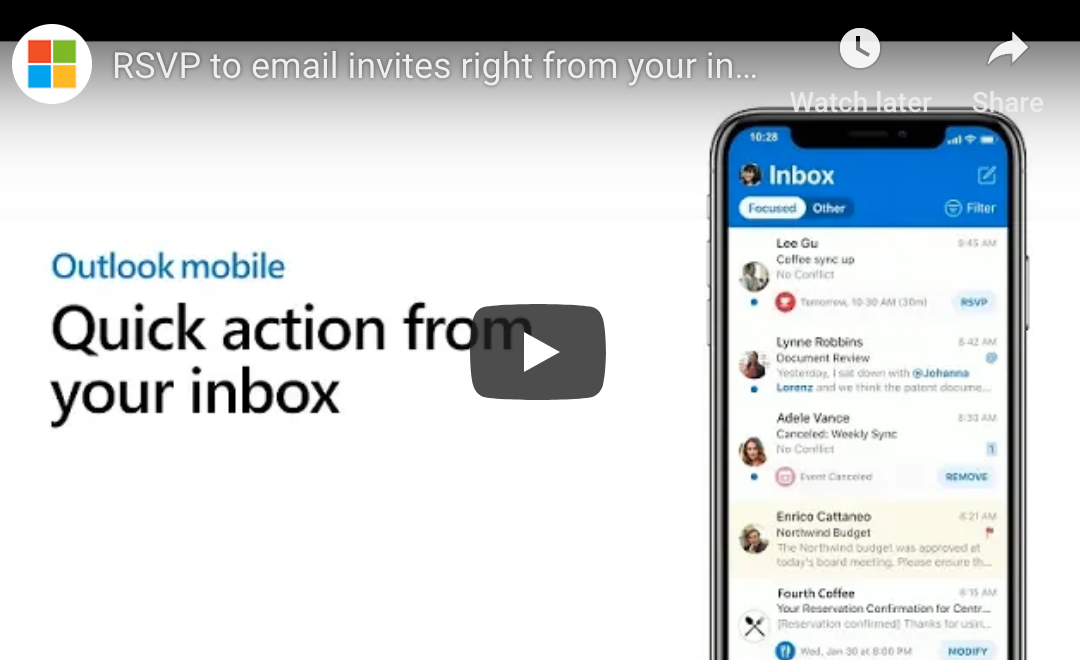
In Outlook Mobile, Quick Actions are those actions you can take from the main email screen without taking the time to open the corresponding messages. Outlook Mobile intelligently understands the nature of certain types of messages (like calendar requests). The app will offer you a quick action that it thinks may be appropriate based on the context of the message. RSVP, Remove, and Modify are a few of the quick actions you may encounter.
In the current version of the Outlook Mobile app, Quick Actions appear as a lightly shaded bubble directly underneath an item. The lightly shaded bubble displays a summary, and on the right side, there is a blue button with the suggested Quick Action.
Using Quick Action to RSVP to Invites
To use Quick Action to RSVP to an Outlook invite, find an invite in your Outlook Mobile inbox that shows you a quick action as described above. Tap on the blue bubble that says “RSVP”. Doing so pops up a window with quick-response actions.
In this window, you’ll see a snapshot of your Outlook calendar, reminding you whether you’re free. Add a message to the organizer if you like. This is especially useful if you need to explain why you’re tentative or declining the meeting outright. Next, tap one of the three available options: “Accept”, “Tentative”, or “Decline”.
Tapping this option will drop you suddenly back to the main app window, but don’t fear. The meeting organizer received your notification, and the meeting is now on your calendar. Not sure if it worked? Navigate over to the calendar tab and double check. You should see the meeting listed there along with all attendees and their responses (if you have the rights to see them).
Other Quick Action Scenarios
There are two other Quick Actions worth mentioning. First, Remove: If someone cancels a meeting that you were scheduled to attend, that cancellation comes through as an email calendar update. Outlook Mobile recognizes this kind of message and offers a “Remove” quick action. Clicking this quick action removes the entry from your calendar without having to fully open the message.
The other Quick Action is Modify, which may show up on certain types of messages, such as dinner reservation confirmations.
Conclusion
Quick Actions are speedy, powerful ways to interact with certain messages in Outlook Mobile, but they are just the tip of the iceberg. Contact us today to learn more about maximizing your use of Outlook Mobile.

by Felicien | May 23, 2019 | Education
Choosing a managed IT services firm to handle your business’s IT is the right choice for many businesses.
Here are our top 5 reasons why.
1. Focus on Your Business’s Core Competencies
Here’s the bottom line: unless you are a managed IT services firm, your core competency isn’t IT services. It’s something else. Every resource you devote in-house to IT services is a resource you’re not devoting to what makes you unique and competitive.
Even if you have a highly skilled in-house IT department, keeping all your IT services in-house can destroy your focus. Are your managers or even C-level officers regularly devoting time to IT-related concerns? Offloading your IT services to a managed IT services provider doesn’t completely eliminate the need for oversight, of course, but it does reduce the day-to-day involvement that comes with managing IT in-house.
2. Do More IT Faster and Better
If you work at or lead an SMB, offloading your IT services to a managed services firm connects you to a larger team with a wider depth of experience than you could ever hire in-house. You can only have so many in-house IT personnel, and as an SMB your company won’t reach the breadth or depth of a firm that focuses solely on providing managed IT services.
Using managed IT services is the way to expand your capability and do more with IT, faster and better than you could on your own. You’ll have access to providers who hold the latest certifications and who are skilled enough to work for a firm with this kind of sole focus.
3. Rein In Chaotic IT Spending
There’s a reason the relationship between the CFO and the CIO is often strained. IT budgets can be unwieldy, even chaotic. The costs of planned equipment replacement can be budgeted for, but surprise failures of costly IT equipment can lead to budget headaches. The costs for any service that’s beyond your in-house IT team’s ability can be extravagant, too.
With managed IT services, you can get control of these costs. Most managed service providers offer a set monthly rate, allowing you to better plan and budget. This monthly rate covers the typical repair and maintenance needs businesses encounter. By and large, you’ll no longer have to call in those expensive specialists, because you now have access to them through your managed service provider.
A good managed IT services firm can help you normalize your IT spend in a few other ways, too. They can help you create an equipment replacement plan (if you don’t have one). They can also recommend cloud- or subscription-based software solutions that will eliminate those pesky software upgrade spikes every time a new version rolls along.
4. Protect Yourself by Staying Compliant
Whatever your business, you have some forms of IT or privacy compliance that likely keep you up at night. Some industries, such as health care, have specific, government-mandated privacy and security procedures, such as HIPAA. All companies with a web presence and users in Europe are now subject to GPDR. Financial firms have their own sets of regulations.
Here’s a blunt question: if you still have an entirely in-house IT team, how deeply do you trust them to keep you compliant? Are they keeping up on the latest developments in security and compliance? If you’re an SMB, your IT folks are probably too busy troubleshooting workstations to keep up like they need to. Unless you have the resources to devote an entire department to security and compliance, you’re better off relying on outside experts to serve this critical function.
5. Protect Yourself by Staying Secure
Along the lines of the previous point: how well do you trust your in-house IT team’s security capabilities? Do you have the resources to devote an entire team to network and data security, or are the same few people that cover everything else trying to cover this, too? It’s not uncommon for hackers to go after SMBs as the low-hanging fruit: sure, the payoff of breaching Microsoft is higher, but doing so is astronomically more difficult. Hacking a business with 50 to 100 employees that’s trying to handle its own security is likely pretty easy.
A good managed IT services firm employs professionals who stay on the cutting edge of network and data security. They can implement strategies to keep you safer.
Conclusion
For all these reasons, choosing managed IT services is the right choice for your business. If you’re ready to begin the conversation about switching, contact us today.
