
by Felicien | Jul 18, 2017 | Education
Help protect yourself from identity theft online by asking yourself these six questions.
I feel safe in assuming that if you met a stranger on the street who wanted you to disclose your personal banking information, you would tell him to go take a long walk off a short pier or keep you would keep your mouth shut at least. Then why do so many otherwise intelligent business owners fall for scams online?
When I speak to my clients about phishing scams and protecting their identity online, they nod their heads and assure me they would never fall for a Nigerian banking scam or open an attachment from an unknown person. Yet, every month, successful business owners contact me to ask for help reclaiming their lives after cyber criminals steal their identities.
The hard truth is recovering from identity theft is a long, painful process. It is much easier and way less expensive to prevent identity crimes from occurring in the first place by protecting yourself from an identity scam.
Protecting Your Identity Online
Help keep your identity more secure online by asking yourself these six questions to help prevent yourself from becoming another victim of identity scammers.
Are you expecting to hear from the person or business contacting you? Unless you have an ongoing relationship with the sender of an email or message, any inquiry for personal information you receive is most likely an attempt to defraud you. Even if you have business with the company supposedly contacting you, is there a legitimate reason for the business to communicate with you now?
It is now common for a fraudster to choose the name of a large company like PayPal, Amazon or local utility company which most people use. So just because you are a customer of a company, doesn’t mean the email is real. If you are ever in doubt about whether a request from a company is legitimate or not, open a new web browser and visit the company’s website by typing the full domain name directly into the address bar. Never click on any links from the email which may take you to a copy of the company’s site.
Does the email look professional? Carefully examine any email you receive which asks for sensitive information. Compare the questionable email to other emails which you have received in the past from the same company and know are legitimate. Look at details like the logo, the salutation, and the way the email is written. The majority of phishing scams originate outside the United States in countries where English is not the official language. Many scam emails contain multiple spelling and grammar mistakes.
When an email contains language which encourages a quick response to prevent being locked out of your account or losing your benefits it is most often a red flag.
Do I really know who sent you that? Online scammers are great at making their emails and social messages appear to be coming from a friend or associate you know. Manipulating the source of a message, or the header is ‘spoofing.’ Spoofing causes US businesses to lose billions of dollars in fraud.
Before you respond to an unexpected message requesting by sending any form of personal information, always double check that the sender’s email matches the person or company you think sent the message. If the sender is using an email address which is different, don’t respond. The safest approach is calling and speaking with the sender by telephone to verify the legitimacy of the request.
Why is the person asking for that particular information from me? Many scammers use a spoof email to ask users to confirm personal information relating to the individual’s account. Most of the time, the information these scammers ask for is something which a real business would not need to confirm a user’s identity.
Banks and financial institutions never request users to confirm passwords or user names through email. A legitimate business won’t ask for you to send sensitive information over an unsecured server.
Is the payment page secure? The majority of purchases in the US are made online. But before you input your credit card information, you need to make sure you are not about to send your credit card information to a scammer. Help keep your bank account safe by always checking that the payment page is secure and authentic.
Never access a payment page directly from an off-site link. It is common for a cyber criminal to send a spoof email which contains an embedded link to a special offer. But when you click on the link, it redirects you to a copy of the site designed by the scammer to steal your credit card information. Never pay on a page which doesn’t have a “https://” before the domain name and look for an icon of a padlock in the address bar. If you are unsure about the security of a site’s payment page, don’t make a purchase.
Am I revealing too much personal information on social media? A profile on a social media service like Facebook, Instagram, LinkedIn, and Twitter is a treasure trove for identity thieves. Many users of these social media services do not understand just how much of the information they publicly share can help scammers to gain access to their accounts. Avoid sharing sensitive information such as birth dates, anniversary dates, names of children, pets, friends, and spouses. Don’t post pictures scammers can use to create fake accounts. Never reveal your home or work address.
Always use the highest level of privacy available from a social media service and never accept strangers as friends.
Regrettably, it is impossible to guarantee you will never be a victim of online identity theft, but when you remember to ask yourself these questions, you will lower the chances you will.

by Felicien | Jul 14, 2017 | Education
What’s your ransomware and phishing risk? If you have employees, you won’t know, unless you test your team to see exactly how they react when faced with a suspicious emai or voicemail.
Ransomware and malware make headlines every day, with massive data losses and high costs. Everyone from the FBI to the IRS issue regular warnings to both individuals and business about the dangers of phishing and how hackers use phishing to deliver the malware that puts you at risk. While regular security updates and other measures can help protect you, your loyal, hardworking employees are actually your biggest risk when it comes to phishing.
A full 91% of business data breaches all start the same way – an employee falls for a spear-phishing attack and the resulting malware rapidly spreads through the entire company network. Why do so many employees fall for phishing scams – and how can you tell if your business is at risk? Employee education and threat detection testing are key to preventing an outbreak of ransomware or data loss in your organization. Learning more about phishing, including the latest spear-phishing methods, and using simulated phishing testing can help you discover where your own risk lies and allows you to take prompt action to protect your business.
The Spear-Phishing Crisis
In July, the IRS and other Federal agencies issued an alert to tax professionals and other key industries warning of a rising risk of spear phishing. Spear-phishing is commonly used by cybercriminals to target businesses and organizations; a spear phishing email will generally target a wide group of users within an organization, hoping to snare a victim. Posing as prospective clients, trusted entities and familiar connections, the criminals hope that victims will assume the email is from a legitimate source.
IN most cases, the victim is asked to download a bit of information, open a document to review a prospects files or even click a link to access data. Once the bait is taken, the malware is downloaded and the criminal can seize control of the user’s machine or steal their data.
How your Employees Put you at Risk
Employees boost your risk of becoming a victim in several ways:
Lack of awareness: Employees may simply lack the skill to detect a spear-phishing email or not even be aware of risk. Once they click that bad link, a piece of malware could rapidly spread through your network.
Poor password hygiene: Posting passwords in a physical location, like the top desk drawer, or worse, on the actual computer monitor can invite a criminal right into your network.
NO idea what to do next: Once an employee discovers they’ve made a mistake, they should know what to do – if they don’t quarantine their device immediately and seek help, your entire organization could be in jeopardy.
Falling for a delivery scam: One-way criminals try to get your team to click on bad links or download malware is by sending a realistic looking shipping notification from a big brand like FedEx; your employee clicks and the next thing you know, you’re infected.
Trying to impress a new client: Opening attachments from anyone, including a prospective client, is a bad idea. Hackers have figured out that employees that are not terribly tech savvy can be social engineered into opening a bad link in the name of customer service or closing a deal.
Reveal your True Risk
Your employees could put you at risk in any or all the above ways – and probably some ways you haven’t even considered yet. There is just no way to know – unless you test them to see just how savvy they are. The more employees you have that are truly Phish-Prone, the better off you’ll be. Smart, aware and in the know employees are your best defense from spear-phishing, and once you know where you stand, you’ll be able to take steps to mitigate your risk and exposure.
How Spear-Phishing Testing Works
Cyber attackers are more sophisticated than ever before, so your employees need to gain more knowledge than they ever had to have in the past. From identifying social engineering attempts to spotting (and avoiding) spear-phishing and ransomware attacks, {company} can help. By identifying those users that are most vulnerable and gullible, you can properly equip those employees with the skills they need to help protect your business.
Setting up a spear-phishing test is fast and easy and you can customize the test to most suit your business and environment. You can even choose the landing page your employees see if they fail the test and click the link. For educational purposes, your team can see what red flags they missed or a shocking 404 page with a message. Most people learn well by doing, and failing a phishing test is a memorable and shocking event that will help the message resonate with your team.
After you run your test, you’ll get a comprehensive report detailing how well your team did and what percent of users failed the test. The answers are usually eye-opening and surprising! Even your computer savvy team members could fall for the right type of attack; the ones that successfully pass the spear-phishing test could be caught unaware when tested with other methods. The {company} “Vishing” test is designed for these more sophisticated users and will allow you to test how social engineering savvy your team members are with simulated voice mail attacks.
Reduce your Risk with a Free Spear-Phishing Test
It’s not only fast and easy to discover just how much risk your team is exposing you to – it’s free, too! At {company}, we’re committed to helping you identify and reduce risk, and our free phishing testing will help you get started. To begin your free phishing test, contact us at {email} or {phone} to ensure your team gets all the support and training they need to protect your organization.

by Felicien | Jul 14, 2017 | Education
From improving efficiency and productivity to making it easier than ever for your team to process orders and complete projects rapidly.
Automation is already having a significant impact on how businesses handle orders, complete projects and serve customers. From machine learning to creating software robots that perform the kinds of repetitive tasks that most humans avoid. Robots are not only capable replacements for people for these types of jobs; they can perform data entry and simple processing more quickly too. Best of all, when you incorporate automation into your workflow, your employees end up with more time to work effectively and can perform their jobs more efficiently as well.
When you add machine learning into the mix, those automated features and functions can perform tasks that require logic and learn as they do so. Each time a robot completes a task, it remembers what steps and changes were needed to make the next project or process even more streamlined. An automated robot can also learn to spot problematic orders or interactions and alert a human operator to intervene or quarantine the order or data until it can, but it also enhances.
Machines and automation excel at logic and defined tasks but are not ideal candidates for creative projects or those requiring creative thinking to resolve. Automation can recognize and flag projects or processes that require human intervention, but can’t come up with any “outside the box” solutions.
What Does the Growing Interest in Automation Mean for Employees and Employers?
Automation changes the way we work and could eliminate some jobs and even fields in the coming years. Some industries will be impacted more than others, but automation reduces the need for people to handle rote tasks – and increases the need for individuals with critical thinking and creative problem-solving skills. Every industry is different, and some will be impacted more than others:
Healthcare: Automation and robotics are already in use for everything from surgery to training and the handling of patient data and records. Automation will continue to be useful for the processing of insurance claims to the patient intake process; actual patient care requires empathy, experience, and even creativity and is unlikely to be altered much soon.
Entertainment Computers dominate the actual processes involved in making everything from video games to movies and television programs, and automation can be used to perform critical tasks – but it is not creative or forward thinking. Expect to see humans using tech to produce entertainment, not the other way around.
Service Industries: Machines can and do complete tasks and services, but a real human is still best of the social and emotional side of things. Automation can be used to enter customer data, engage clients and even ensure that prospects get the correct documents and information when they are shopping around; the human element is still needed to pull everything together.
Insurance: The insurance industry has already begun to embrace automation for claims intake, and processing and automated robots could start to edge out their human counterparts in some areas or positions. Data entry and similar roles are easily filled by automated robots, but actual decisions on claims will still require human involvement.
Accounting Perhaps the heaviest hit industry by automation – bookkeepers, and CPAs are already being replaced by automated programs and solutions. Automation is changing this industry and the way we attend to our taxes and personal finances.
How Can Automation Benefit your Business?
Improved Efficiency
Automation streamlines your processes without sacrificing accuracy or quality. When your team can access the accurate data they need to perform their jobs, efficiency naturally goes up.
Heightened Productivity
The best tasks for automation are those that are repetitive and boring for human workers. Automated robots don’t get bored – and can make rapid work of multiple pages or reams of data that could take a human worker day to get through. If you have a workflow process that starts with client and customer data, you’ll experience delays at the start of projects if there is too much initial information to enter.
A human operator will naturally take a longer amount of time to get everything inputted and handle any processing or early stage tasks that need to be done. By automating these tasks, you can improve the speed of your entire workflow and make it easy for your team to tackle more projects per year.
Boosted Accuracy
Automated systems are a natural match for any process that require entirely accurate information and figures. Robots don’t get fatigued or bored and won’t misread a word. Your 1,000th entry will be as precise and reliable as your first. The accuracy of an automated system not only helps when it comes to having confidence in your data, it enhances the customer experience, reduces frustration and even allows your team to process workflow more efficiently than ever before.
Easier Collaboration and Tracking of Progress and Changes
Without automation, your employees need to accurately input information, complete tasks and then remember to alert other workers to move the project along or complete essential duties. Once you automate critical tasks, they can be completed swiftly and then the proper teams or groups can be notified. An automated system doesn’t need to be prompted to update or track progress, will never forget to move a project along and can keep track of both progress and changes. Real-time alerts allow you to have a birds’ eye view of the process and your progress so you can allocate more or fewer resources as needed.
Your employees will be better able to collaborate when they can instantly access a project or file and know it has everything it needs and that all data is correct. Your team can proceed with confidence, knowing that they are working with the latest and most accurate information about the project or the client. At its best, automation does not replace human workers, it enhanced their roles and made their jobs easier and more efficient.
Enhanced Flexibility
Automation is not a one-size-fits-all solution; you can pick and choose how you integrate the latest innovations in automation so they most benefit your business and workflow. Careful consideration of which tasks in your different procedures and methods are the best candidates for automation can help you make the most of the technology.
When you decide which tasks can be automated, look for those that are mundane, repetitive and that require a large degree of accuracy without a lot of creative thought. From data entry to simple processing and even tracking of your documents, automation works best when you have given careful thought to the best places to incorporate it.
Make the most of the age of automation by learning more about what this dynamic and innovative solution can do for you. At {company}, we’re committed to not only keeping up but staying ahead of trends and securing the latest innovations for our clients. Contact us at {phone} or {email} to learn just how big of a difference automation can make for your organization.
by Felicien | Jul 14, 2017 | Education
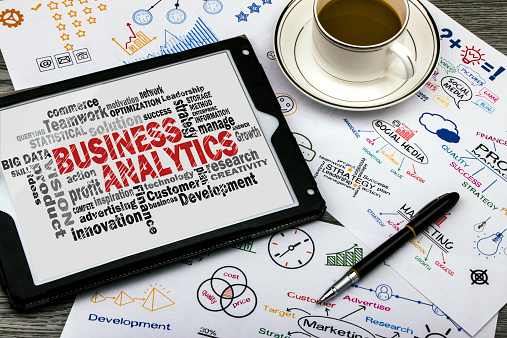
This article talks about predictive analytics in detail. It also discusses how it can be used to help an organization succeed.
In most companies, the sales team is always at war with the marketing department. The sales team claims it is unable to do its work because of ineffective marketing. On the other hand, the marketing department claims that it cannot be effective since it does not have enough data.
Most companies have become quite good at collecting data from their customers. However, the data is only as good as how the company is able to exploit it. Most businesses today only collect huge amounts of data, but they fail at making use of it to grow revenues. To make use of big data, a big part of it relies on predictive analytics. This type of analysis allows companies to glean more information about their customers.
What Is Predictive Analytics?
Predictive analytics is the process of using data, machine learning, and statistical analysis to assess the chances of certain future events taking place. These algorithms used in this analysis come up with a predictive score based on the past.
The scores are numerical, and they represent the probability of a customer having a certain interaction with the company. For instance, it predicts their chances of making their next purchase at a certain time. This data is then used to inform the organization’s actions in relation to that of a customer. It is the insight from the patterns of customer behavior that can be used to grow sales. However, it is important to note that predictive analytics cannot define the exact behavior of a customer. Instead, it only predicts the chances that it is what they will do.
Predictive analytics gives you an Edge.
Although the use of predictive analytics has tripled in recent years, only a third of all businesses even consider using it. Thus, if you do decide to make use of it, you will be having an edge on the competition.
This advantage can vary by industry. For an e-commerce site, the use of predictive analytics can play a crucial role in pricing over time. It can also be used to show the right promotional material to the right target customers.
It is not just used to show what people will buy. It is also used in determining how effective you will be at their job. In the US military, it is now used to determine how likely it is that a person will be effective in their role. This analysis is based on analyzing data of people who have been successful in the past.
Even banks and other financial institutions have not been left out. It is thought that the use of predictive analytics has cut the decision making time by about 13 percent compared to companies that do not use predictive analytics. This type of science has proven invaluable to financial experts in the areas of fraud mitigation, collateral management, and risk.
Best Practices for Using Predictive Analytics.
When coming up with a system for utilizing predictive analytics, some best practices will help you succeed. These practices work well no matter the industry in which you intend to use predictive analytics.
Have Clear Objectives.
You will need to define the outcomes that you want to predict. Whether they are equipment repairs, sales, or other metrics, a clear understanding of the metrics will help you get to your objective in an efficient manner.
Have the Physical Infrastructure in Place.
Predictive analytics works better the more data there is. That means your entire organization will need to have proper interconnectivity. This helps to avoid the problem of having important data isolated in one department of your organization. There is also need to ensure that the communication tools used in different departments are effective.
Define Your Measure of Success.
For you to tell whether your predictive analytics is working, you will need to define what success is. This way, you can tell if you are making good use of resources or if it is a huge waste of time and money.
Use Proof of Concepts.
Before you begin predicting data, make a prediction using data that you have. If the predictions come out as you expected, you can proceed to demonstrate that the technology works.
Take good Care of Your Data.
Getting the process started is quite easy. However, your system will be bombarded with a lot of garbage over time. It is important for you to have the right tools in place to sift garbage from real data.
Make use of the Predictions.
Predictive analytics will no doubt use some of your company’s resources. It will be a waste of money if you do not take advantage of the data to grow profits. Hire the right experts who can assist you take advantage of any outcomes.
How you can Use Predictive Analytics.
1. Provide you with Insight into your Customers.
Sometimes, you may think you understand your customers from a few samples. However, there is also a higher chance that you are wrong. Without an accurate idea of your customers, including their age, gender, income, it is difficult to make predictions that help you grow profits.
Predictive analytics will provide you with insight into what drives your customers. You will also be able to understand what their motivation is for making a purchase. With such nuggets of wisdom, you can market to them more effectively.
2. Use it to Streamline Email Marketing Strategies.
If you have an email program, there is a good chance that it collects data for you. However, you may find it hard to make good use of the data. With predictive analytics, you are able to use the data to come up with a marketing strategy that is cost effective.
3. You are Able to Perfect the Inventory Process.
Predictive analysis can help you cut losses by preventing being out of stock. When you are able to predict how much customers will buy from you, you can make orders with that in mind. That will also help you avoid issues such as expired inventory.
4. You Can Plan for Expansion.
Predictive analysis can help you plan your expansion with a high degree of success. For instance, if you are planning to expand retail, you can make use of predictive analytics. You may find that a huge segment of your customers travels a long distance just to access your services. By utilizing data, you are able to identify the optional location where you should build your new retail outlet.
Conclusion.
Predictive analytics uses past data to build models that are likely to succeed. However, there is still need for an effective marketing team to interpret and make use of this data.

by Felicien | Jul 14, 2017 | Education
There are three types of technologies that every business needs if they want to transform, grow, and achieve new levels of success.
Technology has been at the forefront of business development for decades. However, as technology has begun to advance more rapidly, so too has the need for nearly instantaneous business transformations. Across the globe, enterprises are using technology to enhance productivity, improve innovation, draw closer to customers, and create new business models. However, as technology advances so too does its complexity, which means that enterprises must choose wisely if they want to successfully edge out their competition by transforming.
What Technologies Are Increasing?
It is true that technology as a whole has numerous benefits, and yet certain technologies are advancing more quickly than others. A recent economic report showed that technologies associated with the cloud, Internet of Things, and mobility were on the rise. The report went on to note that there is an ever-growing need to outpace existing and new competitors, which has led to the rapid adoption of new, innovative technologies. In fact, if you want to enhance job satisfaction, improve productivity levels, reduce inefficiencies, and more effectively “achieve the bottom line,” then you need to carefully choose the right types of business technologies by remembering the following insights:
Innovation in technology is highly likely to drive business transformation over the next few years. In particular, SaaS, PaaS, and IaaS, mobile, apps, Internet of Things, biotech, and health care will lead the way in innovative technologies.
The consumer markets, healthcare industry, automotive, transportation, and manufacturing sector are most likely to be affected by technology changes in the next few years.
The top barriers that must be overcome if technological innovation is to continue to occur are security, complexity, and customer adoption.
Businesses will increasingly look to technologies to assist with cost reductions, faster innovation cycles, increased business efficiencies, and enhanced customer loyalty.
What Technologies Can Help To Transform Your Business?
Transforming your business is a task that should not be approached lightly. In fact, choosing the right technologies is not only a financial decision, but it is also marketing, brand recognition, and company shaping the decision. With these high stakes in mind, here are a few must-have technologies that will help your business continue to grow, develop, and achieve industry success.
Achieving Mass Growth Means Using Mobile Technology. — As of the start of 2107 more than six billion people throughout the globe used at least one mobile device. Combine this knowledge with the fact that approximately 56 percent of consumer traffic for the top U.S. websites was generated on mobile devices. The moral of the story is clear, any business that wants to transform the way it does business, while simultaneously creating the platform needed for massive growth, needs to leverage the power of mobile technologies. In fact, mobile should be incorporated in a multitude of avenues, including website design, apps, and to improve the customer experience.
Marketing Automation Technologies Should Be Used To Increase Efficiencies. — Did you know that marketing automation software can be used to more easily conduct marketing activities? That’s right, through automation technologies you can increase the efficiency with which you complete your vital marketing tasks. One popular software / CRM is Microsoft Dynamics 365, which can do the “heavy lifting” that previously would have been achieved via a time-consuming manual process. Now, with the right CRM, you can bridge the gap between your marketing and sales departments, obtain a 360-degree view of each current, future, or prospective customer, and implement the processes needed for trigger specific responses that lead to enhanced business relationships, higher conversions, and increased sales.
Don’t Make Your Remote Workforce Feel Out Of The Loop. — A recent study showed that by 2022 an estimated 60 percent of office-based workers will regularly work from home rather than making the trek to a designated company office. The increase in the remote workforce means that businesses need to find practical technological solutions to remain connected. One such solution is to leverage the power of Microsoft Teams, which makes it easier for teams to efficiently collaborate. Through digital chats, video conference, and remote communication platforms, teams can now complete their tasks from anywhere in the world. If you want to reduce overhead, while simultaneously improving your management techniques for remote workers, then you need to use collaborative technologies, such as Skype for business, that will help your employees stay connected whether they are working from home, a local coffee shop, or your central office’s board room.
The Bottom Line: The Right Technologies Will Depend On Your Business Goals
Determining the specific technologies that you need to transform your business will depend on your current and future goals. By understanding where you want your business to go, you can choose the technologies that you need to support innovation, growth, and success. With this in mind, no matter your business goals, you will want to ensure that you leverage the power of mobile, automation, and collaboration technologies to streamline efficiencies, increase productivity, reduce costs, and promote business transformations. To discover the specific technologies that you need to transform your business, contact {company} located in {city} via {email} or {phone}.

by Felicien | Jul 13, 2017 | Education
Here are the real benefits to using managed data services at your growing company – see what’s right for you!
When companies start advertising managed IT and data services, they tend to trot out all the same claims: Lower costs! Speed up your business! Find peace of mind! Those are some nice generalities, but they don’t really tell you much about the specific ways your company could benefit from outsourcing the right data services to an expert. We want to dig deeper into the advantages you may not know about – particularly, the benefits for smaller companies that are ready to start growing or make significant operation decisions. Beyond the fluffy promises, here’s what you can really get help with.
1. Making Room for Operational Ramp-Up
It’s easy to assume that only larger corporations have enough resources to outsource data services to other firms, and several years ago when the industry was much younger, this may have been true. Today, however, more reliable services offer some of the greatest benefits to start-ups and young companies – businesses that are ready to rapidly expand output as needed but need to be very careful about where they place their resources. Managed services provide a way to deftly control costs through transparent fee structures while focusing in-house talent and resources on what matters most to the company. Start-ups risk a lot when spreading themselves too thin through expansion: Outsourcing the right data services (payroll, IT, etc.) can help lower these risks.
2. Acquiring the Necessary Data Security
The key word here is necessary: Many industries have compliance standards that even small businesses must meet when storing and sharing sensitive data. Fail to meet these requirements, and hefty fines can quickly shut down a growing organization. Even if regulations don’t come with these imposing costs, a data attack (costing an average of around $4 million) and the resulting loss of business is typically enough to permanently shutter any small company. Outsourcing security to experts who know what needs to be done and how services must be secured can remove this problem for organizations that may not know exactly what is necessary. Don’t make the mistake of thinking that you aren’t at risk: Hackers are increasingly targeting small and mid-sized companies, expecting that they will have inadequate security. Don’t prove them right.
3. Meeting the Latest Tax Requirements
Compliance isn’t just about security, it’s also about the most recent tax regulations. This isn’t all bad news: One of the advantages of outsourcing services and adopting new automation features is that many companies with less experience end up avoiding tax penalties that they would otherwise incur, and even find new tax incentives that they didn’t know about. If there is any paperwork, especially financial or payroll forms, that your company doesn’t have much experience in, it may be worth at least a consultation with an expert to see if you can benefit from outsourcing some of the projects.
4. Making Early Structural Decisions
Another issue frequently raised when discussing managed services is “flexibility” which often refers to a workforce that can be deployed in different ways and augmented as necessary. The gig economy, home or remote work situations, more flexible schedules – they are all drivers for adopting more cloud services and outsourcing office work. This is particularly important for growing companies ready to make decisions about how flat they want their organizations to be, and what sort of hiring and scheduling practices to depend on as they expand their workforce. Structural changes are challenging to make later on in development, so having a clear road map and the necessary is an important first step.
5. Setting Up Remote Work the Safe Way
Speaking of remote work situations, here’s an aspect that many companies don’t think about until late in the process: How are you going to protect data both at work and at other work locations? Data security in the office is one thing, but you won’t have direct control over what happens to devices or what wireless networks are used when people work on the go or at home. So what happens to collaboration and shared data? It stays protected – if you use the right services that include encryption, threat management, and virtualization where needed. Embracing remote work situations is great, but you need to have a data plan that makes it safe!
6. Offering Better Benefits
One roadblock smaller companies have to offer substantial benefits packages is that it’s just too difficult for them to get started and manage with the current workforce. But outsourcing specific HR and payroll functions, when done correctly, gives these companies better access to health coverage plans, retirement benefits, FSAs, wellness programs, and more (in addition to making it easier for employees to fill out the paperwork). Putting together a strong benefits package is particularly important early on since it allows companies to attract talent at just the right time for growth.
7. Cleaning Up Administration
Administrative functions are on the fast track to automation these days – as long as you can get everyone on the same page. From voice assistants and email clients to integrated data centers like SharePoint, it’s important to know your options and set a strategy for scheduling and sharing information. The good news is that when that is completed, administrative costs tend to go down and companies can get rid of a lot of bloat. A data services expert can help you get there if you’re tired of administrative duties being a little too scattered.
8. Keeping Updated on New Features and Tech
Managed services providers do something else, too – they keep track of the latest capabilities, and know about solutions that you may have missed. That includes RMM tools (remote monitoring and management), new features added by Microsoft or Apple, communication innovations like chatbots, and much more. Not sure if you can use any of these services? That’s why going outside the company and asking an expert is a good idea!
Do you have more questions about available services in {city} and just what they can do for you? Contact {company} today! You can reach us at {phone} or {email} to find more information about our services and plans.
