by Felicien | Nov 7, 2017 | Education
Every business has some sort of system for reserving company equipment and booking rooms for company meetings and events. However, these systems are usually disorganized and leave employees groaning. Whether the system involves an on-paper sign out sheet or basic word-of-mouth reserve requests, an unorganized approach can lead to wasted business hours and miscommunications over company resources and office space.
Often, employers are looking for a better and easier way for team members to access equipment or book office space for important meetings or training events. Like with other areas of business optimization, many business owners are looking to technology to help streamline these processes to drive productivity and increased management capacity.
Bye-Bye Booking Nightmares: Setting Up Room Mailboxes for Meeting Optimization
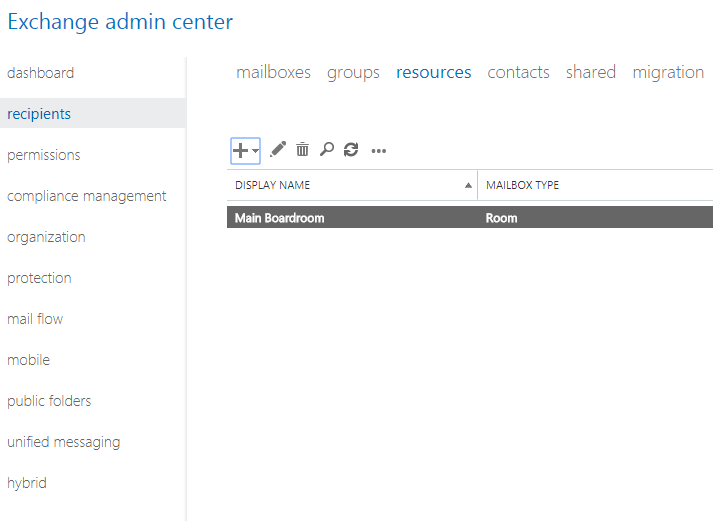
In Microsoft Outlook, a room mailbox is a resource mailbox that can be assigned to a specific physical location in a company’s office. This could include presentation spaces like auditoriums, conference and meeting rooms or rooms designated for training and employee education.
The room mailbox feature in Outlook allows users to easily reserve and organize the use of these rooms by including room mailboxes in meeting requests and event invites. When the feature is used, options can be configured to decide whether invites should be accepted or denied.
Furthermore, certain employees can be granted access to a room mailbox so they’re able to directly manage its calendar. This makes it easier than ever for administrators to make room for last-minute executive meetings and keep track of what rooms are being used and for what purpose.
Resource Management Optimized: Setting Up Equipment Mailboxes for Fool-Proof Device & Equipment Sharing
Like the room mailbox feature, an equipment mailbox helps to streamline company resources and drive organizational efficiency. An equipment mailbox is a resource mailbox that can be assigned to a company resource that is not location specific. This could include portable computers and tablets, audio-visual equipment like projectors and microphones or even company vehicles.
Once an administrator has created an equipment mailbox, users are able to easily and efficiently reserve various company equipment by including the corresponding equipment mailboxes in a meeting request. This makes it easier than ever to keep track of company resources, connect employees with the things they need and avoid double-booking of critical devices and equipment.
Business Implementation: A Step-by-Step Guide for Setting Up Equipment & Room Mailboxes
Setting up Room and Equipment mailboxes is available for all Outlook users including Office for Business and Office 365 Small Business among others. This makes it possible for users to take advantage of room and equipment mailboxes in Outlook platforms on and off the Cloud.
For cloud-based Office 365 platforms, room and equipment mailboxes are set up in the Office 365 Admin Center. Keep in mind, that to create the mailboxes, users must be granted administrative privileges. Check out the step-by-step process below for creating and managing room & equipment mailboxes:
Sign in to Office 365 with your business account.
Access the Office 365 Admin Center.
Use the search feature to locate rooms or equipment or navigate Outlook to find Resources > Rooms & equipment.
Click Add.
Fill out the room or equipment fields:
Select Room or Equipment: set the type of mailbox you’d like to create.
Give the Mailbox a Name: give the mailbox a relevant name or even a short description.
Set a Mailbox Email: set the email alias of the room or equipment. This is necessary to send a meeting request for the room or equipment.
Outline Mailbox Capacity: set the number of people who can fit in the room or use the equipment at the same time.
Location: list the room number or location of the room in a building or region. For equipment, list where the equipment is stored.
Phone number: for room mailboxes list the number of the room itself. For equipment that has an associated number, list it here as well. Note that this is different from the meeting phone number generated when using Skype for Business.
Choose Add.
Choose View details to see the room or equipment mailbox you’ve created.
Set scheduling options to change the allowed meeting times, booking windows, and so on.
Then, Save and Close.
Other important process points to keep in mind:
To create and manage resource mailboxes, users need administrative privileges and must be a member of the Organization Management or Recipient Management role groups in Outlook. Individual access permissions can be granted by following the steps in the Manage Permissions for Recipients feature in Outlook.
Once a user has been granted permissions to access a room mailbox, they can then open and organize the mailbox as needed. Full details and user instructions can be found under the Open and Use a Shared Mailbox tab in Outlook versions 2013-2016.
For server-based outlook and exchange programs, creating, managing and modifying equipment mailboxes can be done easily using the Exchange Admin Center feature in Outlook. To learn about the different types of recipient privileges for room mailboxes that are available in Exchange 2016, check out the Recipients tab.
Optimization in Every Industry: Let Outlook Drive Efficiency and Optimization in Your Office
No matter what industry you’re in, using the tech tools built into Microsoft Outlook to make your employee’s lives easier is a no-brainer. Even better? Using room and equipment mailboxes makes it easier for you, as a business leader, to keep track of company time and resources. In a competitive, fast-paced business world, there’s nothing better than having fail-proof ways to manage resources and streamlining opportunities for connection.
Outlook is jam-packed with hidden gems that are designed specifically to help a business run smoother and more efficiently. Understanding how to best implement such a large tool-kit of resources can be overwhelming for the busiest of business leaders. Reach out to local tech experts if you need guidance and make sure your company is making the most out of Microsoft tech tools.
by Felicien | Nov 7, 2017 | Education
Mandated by Presidents Obama and Trump alongside the National Institute of Standards Technology (NIST), The Cybersecurity Framework is required for all Federal organizations and is becoming the baseline security standard for commercial organizations at all levels.
Background & Basics: What Is the Cybersecurity Framework?
The NIST Cybersecurity Framework is a policy framework of computer security guidelines for private sector organizations. The Cybersecurity Framework allows organizations to assess and improve their ability to prevent, detect and respond to cyber attacks.
The policy provides high-level analysis tools for cybersecurity outcomes and a procedure to best examine and manage those outcomes. Version 1.0 of the Cybersecurity Framework was published by NIST in 2014, originally directed toward operators of critical infrastructure.
The Cybersecurity Framework is currently used by a wide range of business organizations to assist them in proactivity, risk management, and overall cybersecurity strategy. The Framework was designed to help business leaders better examine the risks they face to guide the use of cybersecurity tools in a cost-effective way.
Breaking Down the Cybersecurity Framework: Core, Tiers, and Profile
The Framework was initially designed for federal organizations that are part of the nation’s critical infrastructure. However, NIST strongly encourages other business organizations to review and consider the Framework as a helpful tool for managing cyber risks. The Framework was developed strategically, for use by organizations that span enterprise conglomerates to the smallest of SMBs.
The Cybersecurity Framework is divided into three parts: Core, Tiers, and Profile
CORE
The Framework Core includes a multitude of activities, outcomes, and references that analyze approaches cybersecurity events and help business leaders make more strategic decisions and implementations regarding tech security.
TIERS
The Framework Implementation Tiers are included to help organizations clarify perceptions of specific internal and external cyber security risks. Additionally, the tiers offer standards of sophistication for developing cybersecurity strategies.
PROFILE
The Framework Profile is a list of outcomes that allows an organization to select specific cybersecurity categories and subcategories, based on its unique security needs and individual risk assessments.
The Framework Profile is also broken into two parts:
Organizations typically begin using the framework to develop a current profile that describes the organization’s current cybersecurity activities and what outcomes it is hoping to achieve.
Once that is determined, the organization can then establish a target profile, or adopt a baseline profile, that is customized to more accurately match its critical infrastructure.
After both profiles have been developed, the organization can then take steps to close the gaps between its current profile and its target profile.
Constantly Evolving: The 2017 Cybersecurity Framework Update
NIST’s Cybersecurity Framework was initially developed and released in 2014 under the Obama administration. Early this year, however, NIST issued a draft update to the Cybersecurity Framework. The update included new details on managing cyber supply chain risks, clarifying key terms, and introducing strategic measurement methods for cybersecurity.
The updated Cybersecurity Framework aims to optimize NIST guidance and help organizations continually reduce cyber risks. The Cybersecurity Framework update incorporates user-feedback and integrates comments from countless user organizations from the past few years.
The 2017 update specifically optimizes tools for cyber supply chain risk management.
For example, a small business selecting a cloud service provider may want guidance to make a strategic decision. With the Cybersecurity Framework update, the renamed and revised “Identity Management and Access Control” category, clarifies and expands upon the definitions of the terms “authentication” and “authorization.”
NIST also added and defines the related concept of “identity proofing.” All of these tools are designed specifically to help businesses make smarter cybersecurity decisions, across their service base, based on industry best-practices.
Reaping the Benefits: How Can Organizations Access and Best Use the Cybersecurity Framework
So, how can a business like yours take advantage of this strategic and nationwide Cybersecurity Framework? It’s simple. You can access the complete and updated Framework and all its supporting documentation here: www.nist.gov/cyberframework.
You might also be wondering some of the key requirements of the Cybersecurity Framework that help organizations stay vigilant, strategic and protected. Check out some of the central requirements of the Framework below:
Cybersecurity Framework Risk Assessment and Gap Assessment
As part of the Cybersecurity Framework, organizations are required to have a formal risk assessment completed, from a qualified 3rd party firm to ensure nothing has been overlooked.
Cybersecurity Framework Penetration Test
The Framework also requires organizations undergo regular advanced penetration testing services for all web applications, databases and internal infrastructures needed to protect sensitive cardholder data.
Cybersecurity Framework Vendor Management Compliance
The Cybersecurity Framework outlines the critical importance of communicating cybersecurity standards and policies to all external service providers in the service supply chain.
No matter what business you’re in, the Cybersecurity Framework from NIST serves as an organized and effective backdrop for improving your organization’s approach to cybersecurity. The cybercrime climate is only going to get worse, and having a framework of industry best-practices that can be used and applied nationwide is a huge asset for business leaders in all industries.
Having trouble getting through the 41-page Cybersecurity Framework? Does the policy talk leave your head spinning? Don’t miss out on taking advantage of the Cybersecurity Framework because you’re feeling overwhelmed.
Reach out to a team of local IT experts. They can help your team break down the Framework and determine the best steps for implementation. The Cybersecurity Framework is quickly becoming the national standard – don’t fall behind the pack.

by Felicien | Nov 6, 2017 | Education
We are issuing a warning to businesses that there is a major internet outage being reported across the United States today. The issue is being reported by several major outlets including Comcast, Verizon, and AT&T. Comcast is calling it an “external network issue”.
This comes shortly after the one-year anniversary of a major DDOS attack on Dyn last year that crippled the internet for an entire day back in October 2016. There are no firm reports of a cause as of yet. According to DownDetector, a site that tracks outages, Comcast customers are experiencing problems in “Mountain View, Denver, Portland, Chicago, Seattle, New York, San Francisco, Houston, Minneapolis, and Boston.”
The story remains ongoing.
It is vital that we properly educate our clients on how to handle outages and provide the right tools to minimize the serious risk at hand.
While antivirus and firewalls are incredibly effective in reducing risk from ransomware and hackers, but you need a more robust security solution in place to defend against the increasingly dangerous threat landscape. To be fully protected, companies will need a proper, reliable backup and disaster recovery (BDR) solution with online and offline backup solutions as the ultimate failsafe against successful attacks.
by Felicien | Nov 6, 2017 | Education
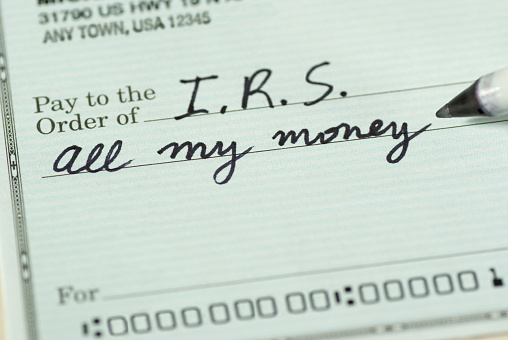
Equifax has been all over the news lately. Earlier this year, news of the massive hacking of the credit reporting agency has left the company scrambling to try and make sure client data is secured. However, the IRS has issued a recent warning to consumers that tax refund dollars face an increased chance of being stolen thanks to the recent Equifax breach.
The Equifax hack revealed the Social Security Numbers of approximately 143 million Americans, which, according to the IRS, makes them extremely vulnerable to being the victims of tax fraud in the upcoming tax season. This could result in Americans not getting their tax return check at all, with the average return amount cited as roughly $3120. Without a doubt, the cost of the hack will be astronomical.
What’s the Next Step? Beefing Up IRS Security to Reduce Chances of Tax Fraud
Tom Schatz, President of Citizens Against Government Waste recently wrote to the Treasury about the issue. He stressed the fact that the Equifax hacking scandal leaves millions of American’s hard earned dollars up for grabs. Additionally, he urged the IRS to strengthen their lines of defense to prevent fraud proactively.
“During the 2017 tax season, these individuals will be at an increased risk of having their tax returns stolen,” writes Schatz. “And the IRS’s outdated legacy IT systems will only heighten the threat.”
Citizens Against Government Waste is dedicated to driving technological innovation and heightened security within government institutions. The group is a key driver in urging administrations to stop wasting government dollars on outdated IT systems that do not adequately protect client data.
Schatz went on to cite that IRS technology spending needs a complete overhaul, noting that the current system missed 54,175 fraudulent returns totaling in a staggering $313 million American taxpayer dollars.
IRS Stirs the Pot: Announces Multi-Million Dollar Security Contract with Equifax
In early October, amidst warnings of tax fraud and calls for higher security, the IRS made a bold move. The agency announced a $7.25 million contract with Equifax for the sharing of personal information. That’s right, the US International Revenue Service struck a multi-million-dollar personal information sharing deal with the company at the center of the biggest breach of personal data in recent history.
In the contract, the IRS states that Equifax was the only company capable of providing what it deemed a “critical” service. The sharing of personal information between Equifax and the IRS would apparently help verify tax-payer identities to prevent fraud. The critical service contract apparently couldn’t wait and had to implement immediately, despite security concerns.
Government representatives from across the floor we’re quick to condemn the proposed contract.
“In the wake of one of the most massive data breaches in a decade, it’s irresponsible for the IRS to turn over millions in taxpayer dollars to a company that has yet to offer a succinct answer on how at least 145 million Americans had personally identifiable information exposed,” said Senate Finance Chairman Orrin Hatch in a statement to POLITICO.
“The Finance Committee will be looking into why Equifax was the only company to apply for and be rewarded with this contract,” added Senator Ron Wyden. “I will continue to take every measure possible to prevent taxpayer data from being compromised as this arrangement moves forward.”
IRS Suspends Contract: Newest Equifax Breach Leaves IRS Backpedaling
As you might guess, it didn’t take long for the IRS to change their tune. Mere weeks after announcing this multi-million-dollar info-sharing contract with Equifax, the IRS had second thoughts. While the initial massive security breach might not have shaken their confidence, a second breach of the Equifax website in mid-October left the IRS with no choice but to can the contract.
After noticing that a third-party vendor was running malicious code on their webpage, Equifax quickly shut down the site. This most recent attack involved bogus pop-up windows on the Equifax web page that could trick visitors into installing software that automatically displays advertising material. Following this security concern, it didn’t take long for the IRS to put a hold on their plans to strike the $7.25 million deal with the credit reporting agency.
“The IRS notified us that they have issued a stop-work order under our Transaction Support for Identity Management contract,” an Equifax spokesperson said on Friday.
“We remain confident that we are the best party to perform the services required in this contract and we are engaging IRS officials to review the facts and clarify available options.”
The IRS was quick to explain the suspension as well:
“During this suspension, the IRS will continue its review of Equifax systems and security,” said a spokesperson for the IRS. “There was no indication that any of the IRS data shared with Equifax under the contract had been compromised.”
The contract suspension means that the IRS will temporarily be unable to create new accounts for taxpayers using its Secure Access portal, which supports applications including online accounts and transcripts. According to the IRS, users who already had Secure Access accounts established will not be affected.
What Now? Critics Rejoice and Prepare for Further Investigation
Critics of the $7.25 million contract with Equifax we’re pleased to learn that the IRS had finally decided to put the kibosh on the project.
“From its initial announcement, the timing and nature of this IRS-Equifax contract raised some serious red flags,” said Republican Representatives Greg Walden and Robert Latta in a joint statement. “We are pleased to see the IRS suspend its contract with Equifax. Our focus now remains on protecting consumers and getting answers for the millions of Americans impacted by the original and massive breach.”
For Equifax however, no celebration is in order. Government contracts in areas such as healthcare, law enforcement, social services, and tax and revenue, are major sources of revenue for Equifax. In fact, in 2016, government services made up 5 percent of Equifax’s overall $3.1 billion in revenue, accounting for 10 percent of its workforce solutions revenues, 3 percent of its U.S. information solutions revenues, and 7 percent of its international revenues, according to a regulatory financial filing.
Even worse? The Justice Department has opened a criminal investigation into three Equifax executives who sold almost $1.8 million of their company stock before the original breach was publicly disclosed, according to Bloomberg media.
What Can Taxpayers Do to Stay Protected?
So, as government officials cast shame upon the IRS and Equifax, many American tax payers are left wondering: if my data is unprotected, what can I do myself to make sure I don’t get robbed during tax season? There’s no fool-proof plan or cut and dry solution, but there are some things that consumers can do to stay alert.
Here are a few strategies for keeping a finger on the pulse of what’s happening:
Stay in the know
First and foremost, make sure you’re staying up-to-date on any news related to Equifax and IRS security. Knowledge is power, the more you know about what’s going on, the more strategically you can protect yourself.
File early but prepare to wait
In light of all these security concerns, the IRS will be navigating tax season very carefully. Get your tax documents organized ahead of time and file your claim as early as possible. However, keep in mind that because the IRS will be moving carefully, you’re likely to wait longer than usual for your return.
Get to know the limits of the credit freeze process
Many consumers have already taken action to protect their data and money by implementing credit freezes. However, consumers should be aware that credit freeze tools or other monitoring mechanisms are not fail-proof and even with these systems in place, tax fraud still happens.
Review your most recent tax returns
Take a look at last year’s tax return and study it closely. This will give you a frame of reference and an idea of what to expect this year. Knowing what your tax return usually looks like is a great tool for detecting fraud immediately.
Monitor tax records in real time
The IRS has an online portal that allows taxpayers to see the details of their tax return and other information at any time. However, make sure you remember that signing up for this portal is time intensive and requires handing over a lot of personal information. In light of recent security concerns, holding off on this strategy this year may be wise.
Consider getting a tax PIN
This strategy is only for individuals who have already been victims of tax fraud. However, it’s good to keep in mind in the case that you are impacted by a scam. The IRS offers and IP PIN service, and those who sign up for a PIN are required to use it every tax season moving forward.
Be wary of other scams
It may seem like you have enough security concerns to be thinking about, but consumers must keep in mind that cyber scams happen more frequently every day. Never assume that your data and money are completely safe, because unfortunately, that’s not the case. Be vigilant in detecting phone, email and direct mail scams that claim to come from the IRS. Always think twice before giving out any data.
If you’re looking for ways to better understand cybercrime and how the increased number of hacks and scams is putting your own data and money at risk, reach out to a local team of IT experts for a full run down. Wrapping your brain around cybersecurity can be a headache, but it’s critical in our tech-based world.
by Felicien | Nov 6, 2017 | Education
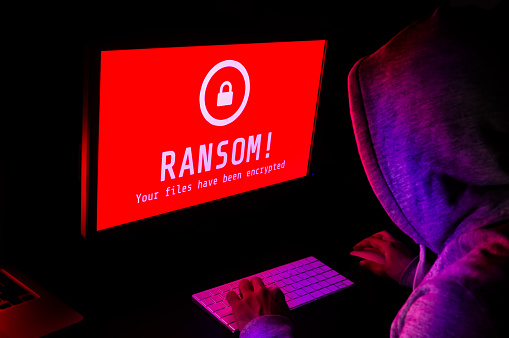
The latest strain of ransomware — GIBON — is making the rounds; make sure your business knows how to protect against it.
Ransomware is now a household name, and there’s no going back. Even though cybercriminals have been using ransomware for years now, it wasn’t until the global Wanna Cry attack earlier this year that awareness reached critical mass – but that was just the beginning.
A new ransomware strain known as “GIBON” was discovered last week as a part of otherwise conventional phishing campaigns. Hidden in emails, GIBON is distributed via macros that are downloaded and executed on the victim’s computer. Named for a particular user string that it uses when connecting to the target’s command-and-control server, GIBON targets and encrypts every file on the computer regardless of extension. Once complete, all files are left encrypted unless the victim pays the ransom.
Even more worrying, some suspect that this strain of ransomware may be Russian-made, given that its logo is based on that of a Russian television company, and that Russian email addresses are to be used to make the ransom payment. At the moment, it is not known how much the ransom is.
However, as with any strain of ransomware, there are a few key steps you and your employees can take to protect your business:
Be suspicious of emails and attachments from people or companies that you don’t do business with, as most ransomware infections arrive via infected word/xls/zip/exe files.
Backup your data on-site and off-site, and test your backups regularly.
Create a plan for getting infected, and regularly test your plan.
Consult with trusted cybersecurity and IT professionals.
Remember – you don’t have to do this alone. {company} will help you set up robust backup solutions, develop cybersecurity response strategies, and help you protect against threats like GIBON.
For more information about GIBON and how to protect against it, contact the {company} team at {phone} or {email}.
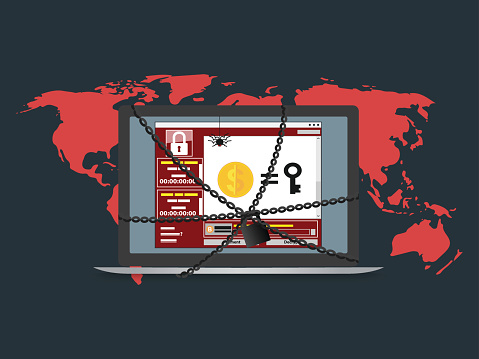
by Felicien | Nov 6, 2017 | Education
GIBON is a new type of ransomware that first emerged on the scene last week and has since been utilized in a wide range of cyber-attacks. The main way this GIBON-variant is spread is by malspam with an attached malicious document, which contain macros that will download and install the ransomware on a computer. This means that through phishing emails, users are tricked or induced into opening a file containing the ransomware, called GIBON after a phrase that appears several times in the code. If the user follows through and opens the attached file, the ransomware then takes over.
We are still working to discover all the details on how GIBON is distributed, we do know that when it is first started, it will connect to the Command and Control Server for the ransomware register a new victim by sending a base64 encoding string with the timestamp, the register string, the version of Windows. Basically, this means it is telling Command Central that your computer is a new victim and has not been infected before.
Once it has locked into your system, it begins to encrypt all your files, regardless of extension. Only the Windows folder is safe. For each file that is encrypted, it will make a READ_ME_NOW.txt file, providing instructions for what you should do and how to get your files back. It instructs the victim to send emails to bomboms123@mail.ru or subsidiary: yourfood20@mail.ru for instructions on payment.
The good news is that there is a decryptor available from BleepingComputer.com to counter this version of ransomware. You still want to be vigilant in protecting yourself and your data on a daily basis. Some things to remember are:
Backup that data. You can never backup too often.
If you don’t who is sending an attachment, don’t open it.
If it appears to be from someone you know, verify that they sent you one before opening.
Install Windows updates as soon as you see them available. They are there for a reason.
Make sure you are using passwords and don’t use the same password on multiple sites or more than once.
Unfortunately, no matter how strong the security solutions, attacks will continue to slip through the cracks. Therefore, MSPs and MSSPs who are looking to fully-protect their clients must implement a proper, reliable backup and disaster recovery (BDR) solution with online and offline backup solutions as the ultimate failsafe against successful attacks. Your data is important, don’t let some hacker take it away.
