
by Felicien | Dec 8, 2017 | Education
The case for abandoning break-fix, volunteer-based IT support
Elementary schools are very busy places with a variety of moving parts and different departments. Administrators face a big task in making sure the needs of students, families, teachers and support staff are met. Considering this long list of responsibilities, IT support often takes a back seat to other critical tasks.
In fact, there is a growing trend in the education industry that is seeing elementary schools rely on casual, volunteer-based IT support. Instead of laying out a deliberate plan and partnering with a managed IT service provider, educational administrators are simply using break-fix, as-needed models of support, provided by volunteers or tech-savvy team members.
“Bill Can Probably Fix That” – Why Casual IT Support Doesn’t Make Sense
We get it. For busy elementary schools, IT simply isn’t the top priority – and it shouldn’t have to be. School administrators have more important things to be worrying about than making sure email is up-and-running and library computers are working. So, they get in a habit of only dealing with tech issues as they arise. Volunteers are called in on an SOS basis to address problems as they happen.
However, looking at the big picture, this approach can actually result in more work and stress for school administrators. Setting up a proactive plan with a team of strategic IT professionals can keep school networks secure and functional while making the lives of administrators easier.
It must be noted that tech volunteers can be extremely qualified professionals. It’s not at all to say that volunteers aren’t reliable or don’t know what they’re doing – it’s just that they can’t provide the same consistency and robust support that a managed service provider can. So, even though volunteers may be pretty good at answering your SOS calls, it just makes more sense to be proactive – especially in an increasingly digital world.
Let’s look at the leading ways schools can benefit from abandoning volunteer-based, break-fix IT support:
Security & Peace of Mind
The cyber climate is more dangerous than ever and it’s evolving by the day. As cybercriminals get more sophisticated, it’s critical that organizations get more vigilant. While your school may have anti-virus and firewall solutions in place, and volunteer support may be able to mitigate minor threats, there’s something to be said for a robust and layered security strategy.
Managed service providers rely on industry best practices to implement proactive cybersecurity strategies and strategic monitoring tools. This kind of security strategy takes pressure off administrators and avoids potentially disastrous situations when volunteers are unavailable. Having a constant eye on the school’s network provides unparalleled peace of mind for busy administrators.
Consistency & Predictability
Some of the concern around abandoning volunteer IT support is the potential impact on the budget. Education budgets are already stretched thin and there are rarely surplus funds to finance elaborate technical support. However, partnering with a fair and valuable IT service provider is actually cost-effective in the long run.
First, with managed IT services, schools avoid the downtime associated with tech failures or waiting on volunteer support. With a team of tech experts on standby, problems will be handled more quickly and employees in every department will remain productive.
Second, partnering with a managed service provider offers huge cost predictability potential. Administrators work with providers to determine what’s needed and then they have a predictable monthly cost, which ensures systems stay consistently secure and functional. No surprising tech costs or guesswork when pricing out equipment – an IT partner works to support organizational budgets.
Strategic Optimization
Partnering with an MSP provides more than security and support. Teams of IT professionals have extensive experience optimizing tech resources to meet the unique needs of any organization. By examining how a school operates and understanding department workflows, IT providers can help administrators streamline processes and increase efficiency.
For example, email platforms can be optimized to streamline communication between office and teaching staff. Calendar integration tools can help administrators and educators organize meetings and events and keep track of important deadlines and dates. Cloud platforms can help schools organize data, collaborate on projects and reach out to students and families. The possibilities for optimization are truly endless, and having a strategic IT partner to drive that optimization makes all the difference.
Continual Development
Finally, in a constantly evolving world of technology, it’s critical to acknowledge that things move fast. In order to keep up, schools need to embrace new resources for learning and educational administration. Partnering with a managed IT service provider is a way of keeping a finger on the pulse of tech development.
A strategic IT partner can continually consult with school administrators to re-evaluate tech strategies and ensure the latest tech capabilities are being utilized to support educational goals. From smart-boards to learning software, having a technology partner on standby helps schools stay consistently connected with technological development.
Making the Switch: How to Transition from Volunteer IT Support to Proactive Managed Services
Understanding the benefits is one thing, but making the transition is an entirely different beast. Many school administrators have understandable concerns about finding a reliable service provider who will meet their needs without overselling. However, there are a few simple strategies that can help administrative teams make informed decisions when it comes to more formal IT support.
Really, it’s is all about creating a ‘needs inventory.’ What does the current infrastructure look like and what does the school need in terms of technology resources? Is there already a reliable network infrastructure or is there a need to start from scratch? Are there dynamic software solutions in place for employees or is there a more casual and scattered approach? Once a school determines what they need from technology, choosing the right provider and resources will be much easier.
However, for administrators who are completely lost on where to start, it’s a great idea to reach out to local IT service providers to get their input on how to best optimize IT for the school setting. Consulting with experts is a great initial way to set a framework for what’s required and strategies for implementation.

by Felicien | Dec 7, 2017 | Education
We like tech, it’s what we do. As the holiday shopping season kicks into overdrive, we are bringing you 12 of the most requested, most wanted tech gifts for 2017. Check back each business day between now and December 19th for another must-have tech item and why you should check it out.
Digital photography is becoming easier to do with your smartphone, some phone cameras even rivaling some of the lower end cameras. But for those purists out there, it’s tough to beat the value you get with the Sony Alpha 6000. The camera is a mirrorless design with interchangeable lenses and takes photos at 24 megapixels, that’s double what the iPhone X offers.
The body design is the perfect size for the average human, not too small nor too large. It fits just right in your hand. It offers fast, continuous shooting (up to 11 frames per second) all while maintaining autofocus and auto exposure, and is sports a quicker autofocus than the leading DSLR camera. The A6000 also shoots video in 1080p and comes equipped with HDMI output.
A great camera for the price, you can snag one with a 16-50mm lens for around $550. More lenses are available but will quickly run up the price.
Happy Holidays and good luck on the tech hunt from all of us here at {company}!
by Felicien | Dec 7, 2017 | Education
The Ultimate Software Showdown
Examining the limitations and benefits of Microsoft’s Office 365 and Google’s G Suite
There’s a lot of talk lately about the comparison between Microsoft’s Office 365 and Google’s G Suite as software platforms for business. Both platforms allow businesses to be more productive and centralize company data for easy and customizable access.
However, our clients ask us all the time – what’s the real difference? Is one platform more valuable than the other? While both platforms have similar features, they were built from completely different backgrounds. So, we’ve created a fool-proof guide to help you decided which platform is best for your business.
The Big Picture: An Overview of Each Platform
When we say that these platforms come from different backgrounds, we’re not kidding. Office 365 is the latest in a long legacy of Microsoft products. The Microsoft Office apps have been around for a long time, in various fashions. They’re very familiar to business users because they’ve been around since nearly the beginning of personal computing.
Google, on the other hand, maybe a household name, but their foray into software platforms for business has only just begun. They started years ago by creating the infamous Google search engine, and over time they’ve increased user capability adding apps like Google Docs and Gmail. They eventually combined their growing group of applications into one bundle – first titled Google Apps, then Google for Work and now, the latest version has been dubbed G Suite.
Before we get into the specifics, here’s a brief rundown on each platform:
Office 365
Built for power.
Offered for web and desktop (although, the web version has limited features compared to desktop version).
Accessible via Window’s Mac OS and all mobile platforms.
G Suite
Built for collaboration.
Offered for web only. Offline use via a Chrome browser is possible when file syncing is enabled, but there are no native desktop versions for G Suite apps.
Accessible via Windows, MacOS, iOS, and Android.
It should be noted that there are pros and cons to the web vs. server options. Web versions are focused on speed, stability, and access, which is great. However, the real meat and potatoes – namely, the more dynamic and rich feature sets are more powerful on desktop versions, like that offered through Office 365.
The Big Three: Business Documents, Spreadsheets & Presentations
Alright, let’s start getting down to the specifics. First and foremost, it’s important to break down how each platform allows businesses to create and share documents, spreadsheets, and presentations. While G Suite has a collection of apps that mirror Microsoft’s Word, Excel, and PowerPoint, let’s take a look at how the G Suite versions measure up to the familiar versions in Office 365.
Word Vs. Docs
Microsoft Word is fully featured, familiar, designed for power and has had years on the market to iron out bugs and optimize features. Even better? The most recent versions of Word have added collaborative capacities that keep up with G Suite. And, with native, server versions of the app, there are additional layers of security to protect data.
Google Docs is more minimalist, designed with collaboration in mind. While it’s similar to Word, the interface isn’t as familiar and doesn’t operate as seamlessly. Also, since Docs has no native version, there’s the increased risk to lose data integrity when moving between the on-server versions of Word and the web-based Docs app.
Excel vs. Sheets
When it comes to creating intelligent business spreadsheets, Excel is the most robust and complete option. Excel has advanced formatting and scripting features are great for analyzing macros and has the ability to run programs that are more complex directly from the Excel platform. This dynamic feature set, built for business intelligence, just isn’t available on Google Sheets.
Sheets is a barebones spreadsheet application. It’s great for keeping track of contacts and doing basic math equations. The app also has a built-in chat window to discuss spreadsheet changes and collaborate in real time. But when it comes to investigative data, pivot tables, and business intelligence, Sheets offers much less functionality.
PowerPoint vs. Slides
PowerPoint is the dynamic and familiar presentation software widely used in the business community. PowerPoint offers formatting and style features that are varied and dynamic, with many attractive and built-in templates. PowerPoint also offers robust media integration with YouTube, Facebook, and Twitter. Once video files are added to the presentation, you can take and use them in offline presentations.
Slides are similar to PowerPoint but don’t offer the same variety of templates and features. The app is easy to use and format, but limited features don’t allow the same creative capacity as PowerPoint. Slides do have native YouTube integration, however, a network connection is required to create and show presentations with embedded web videos.
The Email Showdown: Weighing the Pros and Cons of Outlook and Gmail
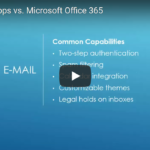
Alright, this is a question we get from our clients all the time – how does Gmail measure up to Outlook and what sets the two apart? The fact of the matter is, both email platforms have a lot of similar capabilities. However, there are some key differences between the Google and Microsoft approach to email optimization. Let’s explore the similarities and differences below.
Similar Capabilities:
Deployment of company branded email addresses.
Two-step authentication functions.
Dynamic spam filtering.
Advanced malware detection that allows for real-time link scanning and notifications about potentially unsafe links.
Calendar integration
Customizable themes to change the color, font or format of user inboxes.
Ability to put legal holds on inboxes to prevent disgruntled employees from misusing sensitive client data.
Outlook
Outlook is fully integrated with the web but also includes a native version bundled with Office 365 on the enterprise pricing level. This offers business users the full product suite, both on and offline. This means users can access all of their email account data offline, so long as it has been saved locally.
Outlook has a built-in, highly intuitive folder organization system with a familiar look and strategic routing options. Additionally, the Outlook platform can be highly customized based on user preferences. If users want to reduce visual clutter they can close sidebars and choose a single or double pane view.
Outlook also offers provides user-experience customization tools, specifically the ability to set rules and quick steps. These features are very robust and thorough which maximizes productivity for business users.
Increased security capacity – Outlook used to lack two-step verification, but the feature was introduced this year for all Office 365 apps. This means business users can feel safe in the modern online climate, where email security is a huge concern.
Finally, Outlook offers seamless native email-calendar integration and the ability to cross-integrate calendars as well. Additionally, Outlook calendars have a lot of resource management options, tying in different types of remote meeting options as well as integration with a variety of meeting apps including Skype for Business, Hangouts, Go-to-Meeting, and others.
G Mail
Gmail can be used and accessed online only unless using a third-party software. Gmail can be deployed using native versions of Outlook among other offline third-party platforms.
Gmail users are able to use Chrome and Safari to access Gmail offline – however, it needs to be set up individually in each browser via a Gmail extension. However, the interface is clunky and only features the most recent month of email data.
Gmail comes equipped with built-in default smart sorting categories – when a user first opens a Gmail account, priority levels will be assigned to different emails as they begin filtering in. This filtering is automatic, but limited to the Google’s default categories – users can’t customize at all. You can remove categories and add tags for searching and organization, but it’s not as robust and customizable as Outlook.
Finally, Gmail offers no features for setting rules or routing preferences and the view customizations are also limited. While users can change the look and feel of their inbox, there’s no ability to change the number of panes to reduce visual clutter.
Communication & Collaboration: How Each Platform Keeps Business Teams Connected
Alright, so email is one thing – but in a modern world, business users need more instant and dynamic ways to connect with clients and colleagues across the globe. So, let’s take a look at the communication and collaboration tools that both Office 365 and G Suite offer.
OFFICE 365
Skype for Business
Big user base available – 250 maximum participants.
New, and fantastic user experience. The user interface is very clean and easy to navigate – capable of integrated enterprise-class telephone replacement – so if businesses wanted to set up Skype for Business to be your enterprise phone system that is an option with the full Office 365 product suite.
Fully-functional integration features. Scheduling meetings and sharing files right from the platform is incredibly easy. User customization is endless to provide for highly optimized communication.
G SUITE
Google Hangouts
More limited user base – maximum participants is 25. This means the platform isn’t a great solution for big business meetings or hosting webinars.
Ability to sync Hangouts conversations across all devices.
Hangouts are built into G Suite applications – however, the solution is very much a standalone platform. The integration features simply don’t measure up to Microsoft.
Using Office 365 and G Suite for Content Management: SharePoint vs. Sites
Another important feature for business users is the ability to manage company content and streamline the organization and access to resources and data. Both Office 365 and G Suite have specific applications for content management – let’s outline the 411 for each solution below.
Office 365 SharePoint
Dynamic, built-in, metadata tagging which offers the ability to link to references within SharePoint sites but also links to files across enterprise servers.
Huge collaboration capacity with built-in check-in and check-out features to prevent simultaneous changes.
Dynamic records management tools and version histories that allow users to notice changes and easily compare related documents.
Allows for access to anything within the enterprise server. For example, an excel spreadsheet that is uploaded to the Office 365 Cloud platform, can be accessed through SharePoint. This streamlines processes and saves time – no additional uploading is required, users just have to search for what they’re looking for.
Automated workflow processes and high quality, built-in business intelligence tools.
G Suite Sites
Quick and simple deployment with a basic and clean interface.
More user-friendly than SharePoint, but much smaller feature base.
Very much resembles the Wikipedia site design – it references other pages within Google Sites via links much like a wiki page does.
Limited customization – users cannot alter the HTML in the site itself so users are limited to Google defaults and branding capabilities aren’t available.
Search capabilities are limited to individual sites – so if you have data uploaded to a site, you can access it within Sites. However, if you want to reference a spreadsheet that has not been linked to the site – you won’t see it.
Random Extras: The Leftover Nuts and Bolts to Compare
So far, we’ve covered documents, email, collaboration and content management. Now let’s take a peek at the leftover platform features to compare. First, we’ll explain the difference between each platform’s note-keeping apps. Then, we’ll touch on a few extra features that are offered in Office 365 only.
NOTE-KEEPING
Office 365 OneNote:
Robust, indexed notes and notebooks.
Functions like a three-ring-binder – collect all the notes users take and offer features for indexing, sharing, and organization.
Dynamic calendar integration that allows for the syncing of notes to specific calendar areas.
G Suite Keep:
Simple, individual standalone notes.
Function very much like onscreen Post-It notes.
Can be shared and edited collaboratively.
FEATURES UNIQUE TO OFFICE 365
Delve
Delve looks at Office 365 user trends and shows users what’s most important. Recent files are brought to the forefront and email use is optimized based on user trends and preferences. A very intuitive application that serves as a great place for an ‘at a glance’ view of all the most important ongoing projects from apps across the Office 365 suite.
Flow
Flow is a built-in workflow organizer for Office 365. The application creates dynamic and intelligent flowcharts that can be fully integrated with all Office 365 apps.
Bookings
Bookings act as a built-in Office 365 receptionist. The app keeps track of meetings and offers dynamic external integration. Users can link to websites and allow clients to schedule meetings and appointments via web.
Pricing and Value: When it Comes Down to it, Which Platform Offers the Most Value?
Now that we’ve nailed down all the features, let’s get to the important stuff – pricing and value. When it comes down to it, businesses want to know they’re making a smart investment, that is catered to their specific business needs.
While both Microsoft and Google offer a variety of tiered pricing options for the business, we’re going to compare the two most widely used pricing models for each platform. These two pricing models are the ones that meet the variety of needs that most businesses have and are the most comparable models between the two platforms.
Office 365 Enterprise 3 – $20 per user, per month.
Web and desktop apps included.
Unlimited cloud storage.
50GB of email storage.
Unlimited user base.
24/7 web and phone support.
G Suite Business – $10 per user, per month.
The product suite is online only.
Unlimited Cloud storage – which includes Gmail. However, if a company has less than five users, they’ll be limited to 1 TB of storage.
Unlimited user base.
24/7 web and phone support.
FINAL VERDICT: Office 365 Takes the Crown Based on Power Alone
After that exhaustive review of features and capabilities – you’re probably wondering, what’s the final verdict? Is Office 365 or G Suite the better option for your business. When it comes down to it, it depends on the unique needs of each company – but if we’re being honest, Office 365 is the undisputed champion.
G Suite is a nicely designed, clean and serviceable platform. It’s easy to use and has similar features to those offered in Office 365. However, it’s very basic. For companies looking for the most robust, feature-rich, professional and customizable software suite on the market, Office 365 is the hands-down winner.
Very simply, it can’t be beaten. It’s the most familiar and most popular platform on the market – and it’s the market leader for a reason. Microsoft holds up its legacy with continual Office 365 optimization and the bottom line is the customization and integration capacities can’t be beaten.
If you’re looking to invest in a software platform for business and have questions about choices or strategies for deployment, reach out to our team of IT experts anytime. Your company’s software platform serves as the digital headquarters for business operations. Taking the time to consult with professionals will help ensure your software deployment is optimized to meet your unique business demands.

by Felicien | Dec 7, 2017 | Education
Weighing the pros and cons of software subscription and perpetual license models
With a big name, traditionally boxed products like Microsoft Office 365 being offered via new subscription licensing models and online subscription platforms like G Suite we, as IT pros, have decided to consider the subscription model and determine if and when it is right for businesses. Many of our clients rely on software platforms to get work done and have been asking us questions about subscription vs. purchase options.
In some cases, like with Microsoft Office, businesses have the choice to buy boxed products, volume license deals, or subscription licenses. This is very flexible and allows us a variety of alternative options. G Suite, however, doesn’t offer the physical purchase version – online subscription licensing is the only option. As the business environment continues to evolve, subscription models of all kinds will be a growing trend – something that the tech industry must face and understand.
Why Subscribe? The Top Reasons Software Subscription Licensing is Becoming More Popular
First, let’s outline some of the basic pros and cons of the subscription and purchase models. Many people, especially in IT, assume that subscriptions are designed to extract higher fees from customers. However, at its core, subscription pricing is simply a licensing approach and it doesn’t necessarily mean an increase in cost. In fact, in some cases, subscription models may result in a cost decrease.
Finance Benefits: Budget-Friendly with Big Value
Very simply, a move to subscription licensing means businesses are able to move from capital expenses to operational expenses which are generally regarded as a smart business move. However, the subscription model offers far more value than that. Subscription pricing gives businesses huge control when it comes to cost predictability.
Using a subscription model for software needs allows businesses to more accurately predict their costs over time, with very few unexpected surprises. In the traditional purchase approach, software updates are manual and often forgotten, meaning some users would require old platforms to be updated. This would then result in expensive renewal invoices with seemingly no warning. Even worse, these costs are often followed by a spike in training costs, to help users quickly adapt to big gaps in software versions.
Subscription pricing is more budget-friendly because costs normally fluctuate fluidly with employee count. This provides optimal scalability potential. As new employees are hired, businesses can predict exactly how much they will cost. Furthermore, when employees leave, subscriptions can be discontinued and cost can be reduced. The only software that is truly used is purchased. The need to overbuy in the name of predicted growth is no longer an issue with the subscription model. Subscription licensing also provides huge flexibility and supports business growth by allowing businesses to pay only for what they use, as they use it.
IT Benefits: How the Subscription Model Helps Tech Departments Work Smarter Not Harder
Now that we know it makes financial sense, let’s take a look at the IT benefits gained by adopting the subscription model pricing. First and foremost, IT efforts are streamlined because relationships with finance and human resources are optimized using the subscription model. This eliminates redundancies and helps make all components of business work in support of one another. But the subscription model offers far more IT benefits than that.
Let’s outline some of the specific ways that the subscription model optimizes business IT:
Best Practices and Automatic Updates
Business IT is enriched thanks to the effective enforcement of best practices through the subscription licensing model. Businesses are often on the fence when it comes to investing in new software versions, which often results in support issues, unnecessary complexity, and frustrated users. With subscription pricing, IT is constantly supplied with the latest updates for users, which strongly enriches functionality and user experience. Simply put, the subscription model makes software optimization relatively automatic.
Optimized License Management
Speaking of automatic, the subscription model also enriches overall IT efforts by optimizing licensing management. The subscription model makes it far easier to determine license availability and need. Internal audits are unnecessary because the licensing process is generally handled via an authentication mechanism with the vendor. This means unless some drastic and specific effort is taken to violate licensing protocols – like cracking software or some other extreme measure – licensing accidents are very rare and easy to mediate.
Customization and User Control
The subscription model also offers a huge boost when it comes to customization and user controls. Some employees require a more dynamic feature set than others. In the traditional, license purchase model, complex processes would be required to designate user permissions and customize account controls. With the subscription model, licenses can be purchased at the minimum level and upgraded as needed. The model offers the ability to easily customize per user, over time, based on a variety of different needs. This makes it easier than ever for administrators to customize access and optimize user experience
Okay, The Subscription Model is Great – But Should You Go Microsoft or Google?
Understanding the benefits of the subscription model is just the first part. While there are many providers on the market, the clear leaders are Microsoft’s Office 365 and Google’s G Suite. While both models offer their service through a subscription pricing model, there are some key things to consider when choosing a provider to subscribe to. When it comes down to it, we’re team Microsoft. To understand why let’s break down the benefits and limitations of each platform:
Microsoft Office 365
POWER
Office 365 is the market champion when it comes to business software. It’s familiar, integrated and has a legacy all its own. Under the subscription model, users can subscribe to on-server versions, Cloud versions or both – making anytime work a constant possibility. Additionally, since Microsoft has been on the market so long, they’ve worked out bugs and created a truly optimized package of integrated apps.
CUSTOMIZATION
Customization and user control runs at optimal levels in Office 365. Licenses can be customized to set user permissions and integration with other apps. Microsoft’s feature-rich and comprehensive approach makes Office 365 a value-packed platform, that can be scaled to meet changing business demands over time.
PRICE
The subscription pricing model for Microsoft has a variety of different tiers for business, depending on the extent of services required:
Enterprise 1
$9.70 per user, per month.
Enterprise 3
$25.30 per user, per month.
Enterprise 5
$44.20 per user, per month.
While most of Microsoft’s subscription price-points are slightly higher than those for G Suite, the value offered in Microsoft software packages outweighs those in the G Suite package. Further, since Microsoft still has its non-subscription version on the market, subscription customers can keep tabs on purchase price options to ensure software pricing isn’t being arbitrarily increased.
Google G Suite
POWER
G Suite is a great Cloud platform that offers a very similar set of applications to mirror Office 365. However, the suite is much more basic that Microsoft’s well-honed platform. G Suite offers a sleek interface and applications to match Microsoft favorites like Word, Excel, and PowerPoint.
However, when it comes to overall operational power, G Suite doesn’t have the same powerhouse status that Microsoft has earned thanks to years on the market. Furthermore, since Google doesn’t have native versions of their web-based apps, the ability to work offline is far from optimized.
CUSTOMIZATION
Certain G Suite packages allow for some customization and integration with other business apps – including Office 365. Furthermore, G Suite does offer a variety of customization features when it comes to user control and experience, but these features simply don’t live up to the customizing power offered by Office 365. G Suite is better suited for businesses who need relatively simple access to a basic platform.
PRICE
G Suite subscription pricing is very affordable for businesses looking for a basic and relatively easy to use the platform. The pricing tiers for business – based on different levels of service – are outlined as follows:
BASIC
G Suite: $5 per user, per month.
BUSINESS
G Suite Business: $10 per user, per month
ENTERPRISE
G Suite Enterprise: $25 per user, per month.
While at face value the G Suite pricing plan may look more appealing thanks to lower price tags, there must be a consideration made for value. G Suite doesn’t offer the same amount of power or customization capabilities that Office 365 does.
Finally, since Google doesn’t have a purchase licensing option, customers have no way to compare prices or hold Google accountable for pricing decisions or increases.
Making Informed Decisions: Balancing Needs with Strategy
When it comes to business operations, software isn’t something that needs to be owned. The reality is, software is just another tool for getting work done more efficiently and it should be implemented in a way that makes operational and financial sense. That’s why the subscription model is likely to become the new normal.
Overall, we’re all for the subscription model. They help business owners make more informed technology decisions and they make it easier for elements of the business to flow more naturally as business needs change. However, we also understand that making the switch to a new pricing model after using the traditional one for years isn’t easy.
Furthermore, it’s even more difficult to try and decide between different vendors.

by Felicien | Dec 7, 2017 | Education
Keeping your personal data safe and secure while maintaining an online presence can be tricky without a little expert guidance.
The recent rash of high-profile data security breaches impacting customers of companies like Uber and Equifax have shined a spotlight on digital privacy concerns. Businesses and individuals alike are growing more aware of the risks to their sensitive information in an online world, worrying that they could be among the next round of victims.
Taking steps to protect yourself from cyber threats both at home and at the office has never been more important. As these threats continue to become more sophisticated, users need to be aware of the impact their behaviour can have on their online security. Protecting yourself and your personal data is equal parts security safeguards and smart Internet use habits.
The Edmonton Examiner recently reached out to the team of cybersecurity experts at Ekota Central for an interview and spoke with Jae Steen and Shawn Ayotte, who shared some great security tips with Examiner readers. Take a few minutes to check out the original article on the Examiner’s website, and see what they had to say.
Over Sharing Is The Biggest Danger To Your Personal Data
It goes without saying that cybersecurity safeguards like firewalls, spam filters, and antivirus software are necessary precautions for you to have in place whenever you find yourself online. Especially when you online activities include your banking or credit card information, or any other piece of information that could be used to steal your identity.
Aside from the need to be sure that the websites you’re visiting are legitimate and the connection you’re using is secure, you need to be smart about password management. Those other safeguards can only protect your personal data if a hacker has no other way of getting their hands on your information. A strong password protects the information stored in the account it’s securing, but protecting that password is up to the user.
This means not just choosing a password that isn’t easy to guess, but avoiding sharing that password with anyone, avoiding writing down your password, and never using the same password for multiple accounts. A secure password manager can make all of this much easier by keeping track of all of your unique passwords for you and offering the added bonus of letting you create complex passwords that you otherwise would have a hard time remembering.
That being said, passwords alone are not enough anymore. Two-Factor Authentication is a growing trend in the business world that is quickly becoming popular for personal cybersecurity as well. Social media sites like Facebook are using Two-Factor Authentication to prevent unauthorized logins by requiring users to provide a second piece of information in addition to their password. Facebook uses a temporary code generator to give users a number they need to provide each time they log into their account, but codes sent via text message are another popular Two-Factor Authentication option. More advanced options use things like biometric data.
A quick look at the security settings of your online accounts will tell you if there is a built-in Two-Factor Authentication option available for you to activate in order to protect your personal data. It’s often possible to use a tool like Google Authenticator to generate a Two-Factor Authentication code that adds an extra layer of security to certain websites and apps that support Two-Factor Authentication.
And while we’re on the topic of social media, it’s more than just your password you need to be concerned about.
Social engineering is a favourite tactic of cybercriminals, and one of the easiest ways for them to steal your identity or gain access to your personal data is by using the information you’ve readily provided to them. You social media profiles contain a ton of information that can be used to power a phishing scam, with disastrous results.
Phishing scams work best when the cybercriminal behind them knows just enough about you and your habits to fake correspondence from the right bank, or pose as a favourite online retailer in order to get passwords or other personal data out of you without raising suspicion. A public social media profile makes getting this type of information much easier than you’d think.
And it’s not just the safety of your personal data you need to be concerned about when it comes to oversharing on social media. Your physical safety can be compromised if the wrong person sees the wrong information. All of those fun vacation photos let a burglar know you’re far from home, making your home an ideal target. Using the location tagging feature on apps like Facebook or Instagram gives real-time information about your location and activities, which can potentially put your personal safety in jeopardy as well.
At the end of the day, cybersecurity comes down to common sense and caution. Listen to the advice offered by cybersecurity professionals, and you can cross worrying about your personal data off of your to-do list.
Want to learn more about the steps you can take to protect yourself and your business against cybercrime? Contact Ekota Central at {email} or {phone} today. We’re the cybersecurity professionals businesses in Edmonton trust.

by Felicien | Dec 6, 2017 | Education
Cybersecurity is something many of us are not entirely familiar with. It seems like something we do not need to worry about unless we work in the tech industry, because who ever heard of an individual being targeted on the web? As seemingly unlikely as it may seem there are cyber-attacks issued on individuals every day. This means that not only do large industries such as the banking and healthcare industry need to worry about cyber-attacks, but everyone including the average Joe should be aware of this potential threat. The sad truth is that if you are using the internet you have the potential to be targeted by hackers.
Why Cybersecurity Matters
Cybersecurity is essential in ensuring that private or sensitive information does not fall into the wrong hands. This is becoming increasingly difficult as the number of harmful material- such as malware- that is being launched daily has risen to nearly 230,000 samples. It can be difficult for people to determine what is safe and what is not safe on the internet these days with the rising number of hacking attempts. Already cybersecurity crimes are costing $100 billion dollars a year globally. This number is only expected to increase, and an estimated $1 trillion will be spent on cybersecurity between 2017 and 2021.
When hackers and cyber terrorists are making these attempts, there are usually sinister motives behind them. This is usually an attempt to steal information so that they may be able to commit fraud, harassment, or identity theft. If they are successful in their attempts hackers can do more than ruin your day, it could have lasting effects on you and your company.
Who is Affected by Cyber Crimes
Most of us know that large industries such as government, retail, and tech are at elevated risk for cyber-attacks if they do not take the proper precautions. In fact, 95% of breached records came from these three industries in 2016. This makes sense, as these are industries that hold a lot of information and are profitable, making the information they have desirable to hackers. Furthermore, malware has infected 75% of the healthcare industry over the last year. And since 2013 over 300,000 records have been stolen each day. This makes for an average of 44 records being stolen every second. This is confidential information that both companies and individuals work to keep secure. If these records are stolen it not only has an impact on the company but also on the individual. Because of this, it is important to remember that individuals must be aware of their own cybersecurity as well as that of businesses and companies. Small businesses face the threat of cyberattacks as well. 43% of cyber-attacks are aimed at small businesses, and 64% have experienced some form of web-based attack.
It is important for anyone who uses the internet to be aware of their online presence. There is an attempted cyber-attack every 39 seconds and one in three of these attempts will affect Americans. These attempts are not only aimed at large corporations like banks and government industries, but they can also impact individual internet users. Largely the place cyber-attacks are more likely to occur is on individuals using mobile devices. There was a 31.7% increase in mobile device attacks between 2011 and 2012 and with the increasing number of mobile devices the likeliness of an attack only rises. Currently, it is estimated that there are 25 connected devices- including mobile devices such as phones, tablets and the like- per 100 people in the United States. This number is expected to rise to between 50 to 200 billion devices by 2020. It is important for individuals to protect themselves and their devices from attempted cybercrimes.
How the Cybersecurity Industry is Growing and Why
The Cybersecurity industry is expected to have grown from a $106.3 billion-dollar industry to a $170.2 billion-dollar industry by 2020 in a matter of 5 years. The cause of this growth stems largely from the increased number of attacks being issued each day, and companies and individuals desire to keep their information secure. Currently, there are 209,000 cybersecurity jobs that are open, and more cybersecurity job opportunities are posted every day. By 2019 it is expected that there will be 1.5 million unfilled positions in the cybersecurity industry.
There is an increased demand for cybersecurity that is effective, as in the past it seems as if there has just been numerous attempts at securing companies and individuals online only to have the same headlines about cyber-attacks and their success appear on the news. The cybersecurity industry is growing, and specialists are joining the efforts to prevent cybercrimes every day. With only 38% of individuals claiming that they and their business are prepared in the case of an attempted cyber-attack, it is more important than ever to be aware of cybersecurity measures that can be taken to prevent the loss of valuable information.
