by Felicien | Dec 11, 2017 | Education
Examining the limitations and benefits of Microsoft’s Office 365 and Google’s G Suite
There’s a lot of talks lately about the comparison between Microsoft’s Office 365 and Google’s G Suite as software platforms for business. Both platforms allow businesses to be more productive and centralize company data for easy and customizable access.
However, our clients ask us all the time – what’s the real difference? Is one platform more valuable than the other? While both platforms have similar features, they were built from completely different backgrounds. So, we’ve created a fool-proof guide to help you decided which platform is best for your business.
The Big Picture: An Overview of Each Platform
When we say that these platforms come from different backgrounds, we’re not kidding. Office 365 is the latest in a long legacy of Microsoft products. The Microsoft Office apps have been around for a long time, in various fashions. They’re very familiar to business users because they’ve been around since nearly the beginning of personal computing.
Google, on the other hand, maybe a household name, but their foray into software platforms for business has only just begun. They started years ago by creating the infamous Google search engine, and over time they’ve increased user capability adding apps like Google Docs and Gmail. They eventually combined their growing group of applications into one bundle – first titled Google Apps, then Google for Work and now, the latest version has been dubbed G Suite.
Before we get into the specifics, here’s a brief rundown on each platform:
Office 365
Built for power.
Offered for web and desktop (although, the web version has limited features compared to desktop version).
Accessible via Window’s Mac OS and all mobile platforms.
G Suite
Built for collaboration.
Offered for web only. Offline use via a Chrome browser is possible when file syncing is enabled, but there are no native desktop versions for G Suite apps.
Accessible via Windows, MacOS, iOS, and Android.
It should be noted that there are pros and cons to the web vs. server options. Web versions are focused on speed, stability, and access, which is great. However, the real meat and potatoes – namely, the more dynamic and rich feature sets are more powerful on desktop versions, like that offered through Office 365.
The Big Three: Business Documents, Spreadsheets & Presentations
Alright, let’s start getting down to the specifics. First and foremost, it’s important to break down how each platform allows businesses to create and share documents, spreadsheets, and presentations. While G Suite has a collection of apps that mirror Microsoft’s Word, Excel, and PowerPoint, let’s take a look at how the G Suite versions measure up to the familiar versions in Office 365.
Word Vs. Docs
Microsoft Word is fully featured, familiar, designed for power and has had years on the market to iron out bugs and optimize features. Even better? The most recent versions of Word have added collaborative capacities that keep up with G Suite. And, with native, server versions of the app, there are additional layers of security to protect data.
Google Docs is more minimalist, designed with collaboration in mind. While it’s similar to Word, the interface isn’t as familiar and doesn’t operate as seamlessly. Also, since Docs has no native version, there’s the increased risk to lose data integrity when moving between the on-server versions of Word and the web-based Docs app.
Excel vs. Sheets
When it comes to creating intelligent business spreadsheets, Excel is the most robust and complete option. Excel has advanced formatting and scripting features are great for analyzing macros and has the ability to run programs that are more complex directly from the Excel platform. This dynamic feature set, built for business intelligence, just isn’t available in Google Sheets.
Sheets is a barebones spreadsheet application. It’s great for keeping track of contacts and doing basic math equations. The app also has a built-in chat window to discuss spreadsheet changes and collaborate in real time. But when it comes to investigative data, pivot tables, and business intelligence, Sheets offers much less functionality.
PowerPoint vs. Slides
PowerPoint is the dynamic and familiar presentation software widely used in the business community. PowerPoint offers formatting and style features that are varied and dynamic, with many attractive and built-in templates. PowerPoint also offers robust media integration with YouTube, Facebook, and Twitter. Once video files are added to the presentation, you can take and use them in offline presentations.
Slides are similar to PowerPoint but don’t offer the same variety of templates and features. The app is easy to use and format, but limited features don’t allow the same creative capacity as PowerPoint. Slides do have native YouTube integration, however, a network connection is required to create and show presentations with embedded web videos.
The Email Showdown: Weighing the Pros and Cons of Outlook and Gmail
Alright, this is a question we get from our clients all the time – how does Gmail measure up to Outlook and what sets the two apart? The fact of the matter is, both email platforms have a lot of similar capabilities. However, there are some key differences between the Google and Microsoft approach to email optimization. Let’s explore the similarities and differences below.
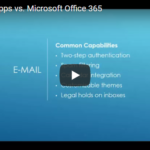
Similar Capabilities:
Deployment of company branded email addresses.
Two-step authentication functions.
Dynamic spam filtering.
Advanced malware detection that allows for real-time link scanning and notifications about potentially unsafe links.
Calendar integration
Customizable themes to change the color, font or format of user inboxes.
Ability to put legal holds on inboxes to prevent disgruntled employees from misusing sensitive client data.
Outlook
Outlook is fully integrated with the web but also includes a native version bundled with Office 365 on the enterprise pricing level. This offers business users the full product suite, both on and offline. This means users can access all of their email account data offline, so long as it has been saved locally.
Outlook has a built-in, highly intuitive folder organization system with a familiar look and strategic routing options. Additionally, the Outlook platform can be highly customized based on user preferences. If users want to reduce visual clutter they can close sidebars and choose a single or double pane view.
Outlook also offers provides user-experience customization tools, specifically the ability to set rules and quick steps. These features are very robust and thorough which maximizes productivity for business users.
Increased security capacity – Outlook used to lack two-step verification, but the feature was introduced this year for all Office 365 apps. This means business users can feel safe in the modern online climate, where email security is a huge concern.
Finally, Outlook offers seamless native email-calendar integration and the ability to cross-integrate calendars as well. Additionally, Outlook calendars have a lot of resource management options, tying in different types of remote meeting options as well as integration with a variety of meeting apps including Skype for Business, Hangouts, Go-to-Meeting, and others.
G Mail
Gmail can be used and accessed online only unless using a third-party software. Gmail can be deployed using native versions of Outlook among other offline third-party platforms.
Gmail users are able to use Chrome and Safari to access Gmail offline – however, it needs to be set up individually in each browser via a Gmail extension. However, the interface is clunky and only features the most recent month of email data.
Gmail comes equipped with built-in default smart sorting categories – when a user first opens a Gmail account, priority levels will be assigned to different emails as they begin filtering in. This filtering is automatic, but limited to the Google’s default categories – users can’t customize at all. You can remove categories and add tags for searching and organization, but it’s not as robust and customizable as Outlook.
Finally, Gmail offers no features for setting rules or routing preferences and the view customizations are also limited. While users can change the look and feel of their inbox, there’s no ability to change the number of panes to reduce visual clutter.
Communication & Collaboration: How Each Platform Keeps Business Teams Connected
Alright, so email is one thing – but in a modern world, business users need more instant and dynamic ways to connect with clients and colleagues across the globe. So, let’s take a look at the communication and collaboration tools that both Office 365 and G Suite offer.
OFFICE 365
Skype for Business
Big user base available – 250 maximum participants.
New, and fantastic user experience. The user interface is very clean and easy to navigate – capable of integrated enterprise-class telephone replacement – so if businesses wanted to set up Skype for Business to be your enterprise phone system that is an option with the full Office 365 product suite.
Fully-functional integration features. Scheduling meetings and sharing files right from the platform is incredibly easy. User customization is endless to provide for highly optimized communication.
G SUITE
Google Hangouts
More limited user base – maximum participants is 25. This means the platform isn’t a great solution for big business meetings or hosting webinars.
Ability to sync Hangouts conversations across all devices.
Hangouts are built into G Suite applications – however, the solution is very much a standalone platform. The integration features simply don’t measure up to Microsoft.
Using Office 365 and G Suite for Content Management: SharePoint vs. Sites
Another important feature for business users is the ability to manage company content and streamline the organization and access of resources and data. Both Office 365 and G Suite have specific applications for content management – let’s outline the 411 for each solution below.
Office 365 SharePoint
Dynamic, built-in, metadata tagging which offers the ability to link to references within SharePoint sites but also links to files across enterprise servers.
Huge collaboration capacity with built-in check-in and check-out features to prevent simultaneous changes.
Dynamic records management tools and version histories that allow users to notice changes and easily compare related documents.
Allows for access to anything within the enterprise server. For example, an excel spreadsheet that is uploaded to the Office 365 Cloud platform, can be accessed through SharePoint. This streamlines processes and saves time – no additional uploading is required, users just have to search for what they’re looking for.
Automated workflow processes and high quality, built-in business intelligence tools.
G Suite Sites
Quick and simple deployment with a basic and clean interface.
More user-friendly than SharePoint, but much smaller feature base.
Very much resembles the Wikipedia site design – it references other pages within Google Sites via links much like a wiki page does.
Limited customization – users cannot alter the HTML in the site itself so users are limited to Google defaults and branding capabilities aren’t available.
Search capabilities are limited to individual sites – so if you have data uploaded to a site, you can access it within Sites. However, if you want to reference a spreadsheet that has not been linked to the site – you won’t see it.
Random Extras: The Leftover Nuts and Bolts to Compare
So far, we’ve covered documents, email, collaboration and content management. Now let’s take a peek at the leftover platform features to compare. First, we’ll explain the difference between each platform’s note-keeping apps. Then, we’ll touch on a few extra features that are offered in Office 365 only.
NOTE-KEEPING
Office 365 OneNote:
Robust, indexed notes and notebooks.
Functions like a three-ring-binder – collect all the notes users take and offer features for indexing, sharing, and organization.
Dynamic calendar integration that allows for the syncing of notes to specific calendar areas.
G Suite Keep:
Simple, individual standalone notes.
Function very much like onscreen Post-It notes.
Can be shared and edited collaboratively.
FEATURES UNIQUE TO OFFICE 365
Delve
Delve looks at Office 365 user trends and shows users what’s most important. Recent files are brought to the forefront and email use is optimized based on user trends and preferences. A very intuitive application that serves as a great place for an ‘at a glance’ view of all the most important ongoing projects from apps across the Office 365 suite.
Flow
Flow is a built-in workflow organizer for Office 365. The application creates dynamic and intelligent flowcharts that can be fully integrated with all Office 365 apps.
Bookings
Bookings act as a built-in Office 365 receptionist. The app keeps track of meetings and offers dynamic external integration. Users can link to websites and allow clients to schedule meetings and appointments via web.
Pricing and Value: When it Comes Down to it, Which Platform Offers the Most Value?
Now that we’ve nailed down all the features, let’s get to the important stuff – pricing and value. When it comes down to it, businesses want to know they’re making a smart investment, that is catered to their specific business needs.
While both Microsoft and Google offer a variety of tiered pricing options for the business, we’re going to compare the two most widely used pricing models for each platform. These two pricing models are the ones that meet the variety of needs that most businesses have and are the most comparable models between the two platforms.
Office 365 Enterprise 3 – $20 per user, per month.
Web and desktop apps included.
Unlimited cloud storage.
50GB of email storage.
Unlimited user base.
24/7 web and phone support.
G Suite Business – $10 per user, per month.
The product suite is online only.
Unlimited Cloud storage – which includes Gmail. However, if a company has less than five users, they’ll be limited to 1 TB of storage.
24/7 web and phone support.
Unlimited user base
FINAL VERDICT: Office 365 Takes the Crown Based on Power Alone
After that exhaustive review of features and capabilities – you’re probably wondering, what’s the final verdict? Is Office 365 or G Suite the better option for your business. When it comes down to it, it depends on the unique needs of each company – but if we’re being honest, Office 365 is the undisputed champion.
G Suite is a nicely designed, clean and serviceable platform. It’s easy to use and has similar features to those offered in Office 365. However, it’s very basic. For companies looking for the most robust, feature-rich, professional and customizable software suite on the market, Office 365 is the hands-down winner.
Very simply, it can’t be beaten. It’s the most familiar and most popular platform on the market – and it’s the market leader for a reason. Microsoft holds up its legacy with continual Office 365 optimization and the bottom line is the customization and integration capacities can’t be beat.
If you’re looking to invest in a software platform for business and have questions about choices or strategies for deployment, reach out to our team of IT experts anytime. Your company’s software platform serves as the digital headquarters for business operations. Taking the time to consult with professionals will help ensure your software deployment is optimized to meet your unique business demands.

by Felicien | Dec 11, 2017 | Education
Excel vs. Sheets – which spreadsheet software takes the cake?
Spreadsheets are used by nearly every modern business. Whether used to calculate financial details or organize company data, spreadsheets can help business owners stay productive, optimize work-flow and stay on track.
Since the beginning of technology for business, Microsoft Excel has been the obvious and reliable choice for business spreadsheet needs. However, as software solutions continue to become more Cloud-based, Google Sheets has hit the market as a worthy opponent to the long-held Microsoft favorite.
Common Capabilities: The Basic Ways Google Sheets Holds Up to Microsoft Excel
While they’re definitely not entirely the same, Excel and Sheets can be used in similar ways. We’ve created a guide to help us crown a winner once and for all. However, first, let’s take a look at the key ways Excel and Sheets are similar.
Both spreadsheet solutions can be used for:
Digital equations and calculations,
Storing, sorting, analyzing and filtering structured data,
List making and generating keywords and code,
Creating strategic standard operating procedures (SOPs).
When at face value, the apps seem so similar, many are probably thinking – why does it matter which one I use? However, there are some key differences between the capabilities of each app that business users should consider.
We’ve decided to dig right in and explore the main differences between each app so our clients – and other business professionals – can make an informed decision when it comes to selecting a spreadsheet solution. Read on to see how Google Sheets measures up to Microsoft Excel when it comes to functionality, value, and security.
Round 1 – Functionality, Usability & Features
As noted, for a long time Microsoft Excel was really the only option when it came to a dynamic spreadsheet solution. However, more recently Google Sheets has become popular because it was the first spreadsheet program that enabled users to collaborate in real-time. We take this function for granted now, but before Sheets, working on spreadsheets as a group was a huge pain.
When Sheets first hit the scene, some people chose it over Excel because of this collaborative power. While Excel’s native app was more powerful, Sheets made it easier to work on spreadsheets as a group. However, since then, Microsoft has released a Cloud version of Excel that offers the same – if not better – collaborative features. So, let’s explore some of the other areas of functionality to see if Sheets is still a worthy competitor.
Google Sheets:
As we know, Sheets was designed with collaboration, productivity, and ease-of-use in mind. However, because it’s so easy to use, it doesn’t have anywhere near as many features that Excel offers, including advanced scripting and formatting options and dynamic graph and picture creation options. Additionally, Sheets doesn’t offer the ability to trace dependents or upload to other clients. However, that’s not to say that Sheets is totally basic – it does have some key functionality features that measure up to Microsoft.
Not only does Sheets allow users to collaborate on spreadsheets in real-time, it also comes with a built-in instant chat platform. The chat window allows users to discuss changes and offer feedback among project team members in real-time. Additionally – and in true Google fashion – Sheets has built-in auto-fill formulas that maximize productivity.
In terms of compatibility, Sheets is fully integrated with Android, iOS, Windows and Mac OS X. Additionally, Sheets is integrated with other Google solutions, making it easy for business users to take advantage of a variety of useful applications. For instance, users can use formulas to connect with Google Translate or Google Finance directly from the Sheets platform. This makes it easy to take advantage of free Google tools without leaving your spreadsheet.
Microsoft Excel:
It’s no secret that users can do pretty much anything with Microsoft Excel. It’s not limited to spreadsheet making either – users can even use Excel to automate and manage critical workflows and projects. Furthermore, Excel offers users the ability to create charts of any kind including bar graphs, flow charts, pie charts, Gantt charts, line graphs, stock charts and more.
The customization options are also endless. Excel allows users to totally customize charts by changing the names of the x and y-axis, formatting the data cells and maximizing color-coding tools. Excel offers so much creative control and attention to detail, some have even used the app to get downright artistic.
However, it should be noted that because Excel is so feature-rich, some users are overwhelmed trying to master the use of all these dynamic tools. Some consider taking an Excel workshop or some reach out to tech professionals for guidance. While the learning curve can seem daunting, in the long run, it’s totally worth it.
As Google hit the market with the basic and easy-to-use Sheets app, Microsoft caught wind of the ‘less-is-more’ attitude that was prevalent among some business users. So, in true Microsoft fashion, they upped their game. Not long after Sheets became popular, Microsoft released the Cloud version of Excel, dubbed Excel Online, designed to be compatible with Android, iOS, Windows and Mac OS X.
With Excel Online, the app is connected with the rest of the Office 365 suite and spreadsheet files are stored on OneDrive. Much like Sheets, Excel Online offers a simple, easy-to-use toolbar, dynamic collaboration tools, and seamless sharing capabilities. Users do have the ability to upload spreadsheets from the desktop version onto the cloud version, but some advanced formatting might get lost.
However, it should be noted that Excel Online is not as dynamic or feature-rich as the native, desktop version. Basically, Excel Online is Microsoft’s answer to Google Sheets and provides a basic and reliable Cloud-based spreadsheet solution for users who don’t need the versatility that the server version of Excel provides.
Round 2 – Storage, Value & Pricing
When it comes down to it, price options are a huge deciding factor when choosing software to invest in. When it comes to choosing the software platform a company will rely on, business owners are forced to balance value with the budget.
In the past, in order to get Excel, businesses would need to subscribe to the entire Microsoft Office Suite just to get their hands on the spreadsheet solution. However, users can now purchase the standalone, native version for around $100.
Even better? The more basic and Cloud-based, Excel Online can be used for free – just like Google Sheets. However, the free versions of both apps have storage limits and offer pricing based on different subscription tiers. So, it’s helpful to compare the pricing plans for each to determine who’s offering the best deal.
Google Sheets:
Using and paying for Google Sheets is all about determining how much space you need. Depending on the total amount of storage a business will require, administrators can choose from a variety of different usage prices.
Here’s the basic subscription pricing model for Google Sheets:
15 GB total storage à FREE
100 GB total storage à $1.99 per month
1 TB total storage à $9.99 per month
10 TB total storage à $99.99 per month
20 TB total storage à $199.99 per month
30 TB total storage à $299.99 per month
In addition to these Sheets subscription prices, Google also offers a business plan. Business users can get unlimited storage for just $10 per month, which includes access to all G Suite apps. However, to take advantage of the business plan, subscribers must have a verified business domain name.
Additionally, it must be noted that when it comes to storage, no matter how much space is purchased, Cloud apps simply can’t efficiently process the same amount of data as native solutions. For business users working on huge spreadsheet projects, Cloud versions can slow you down and lag behind native solutions.
Microsoft Excel:
The most recent price for the standalone, native Microsoft Excel app is $109.99. As a native app, Excel doesn’t have any storage limitations and it won’t lag or crash the way comparable Cloud solutions might. It’s custom-built to handle heavy data loads and is jam-packed with dynamic features.
However, for users who don’t need the functionality and features of the desktop version, they can use Excel Online and subscribe to OneDrive based on storage requirements.
Here’s the basic subscription pricing tiers for Microsoft:
5 GB total storage à FREE
50 GB total storage à $1.99 per month
1 TB per user à $6.99 per month
1 TB per five users à $9.99 per month
While Excel prices aren’t much different than those offered by Google Sheets, there is way more versatility when it comes to Microsoft business pricing plans. Users can subscribe to a variety of Enterprise price plans that include access to the entire Office 365 suite as well as other features like Email and Calendar integration tools. The Enterprise price packages vary but can be customized based on business needs.
Spreadsheet Showdown Round 3 – Security & Control
For companies in the modern business environment, data security is no joke. In fact, in most industries, professionals are legally obligated to keep client data private. A security breach can cause huge damage to reputation and can make it impossible for a business to carry on. Needless to say, when it comes to choosing software solutions, security can never be taken for granted.
Throughout its lifecycle, Excel has had some security challenges. When you’re the most popular solution on the market, you’re bound to be a huge target for cybercriminals. Similarly, Google has experienced some severe security breaches over the past few years that have caused the company to take a second look at its security measures. So, in a climate where all software providers are looking to heighten security, let’s explore whose doing it best.
Google Sheets:
Google Drive offers users a central platform to access all their stored documents, and recently the platform has upgraded from HTTP to HTTPS. This is a smart security move as this server type is the one used by banks and online retail vendors. With HTTPS, all communication between the website and a user’s browser is encrypted. This ensures no prying eyes can peek at your online Google Sheets documents.
However, when data is stored in the Google Cloud, it’s encrypted but it’s not impossible to hack. If a cybercriminal managed to hack a Google Drive account, they’d have access to everything stored on the platform. In an effort to keep user data a bit more secure, Google has recently released two-step verification for Google Drive. This provides an additional layer of authentication security for users storing data on the Google Cloud.
Microsoft Excel:
As noted, Excel workbook files have gained a notorious reputation for being easy to hack. However, a lot of this reputation was due to the fact that old Excel versions were password protected with an outdated algorithm that was easy to crack. The 2016 version of Excel is better but still isn’t hack-proof. No matter what solution a business uses, using additional security measures is a good idea when sending and storing spreadsheet data.
When it comes to the Cloud version of Excel, security features go above and beyond. Excel has always used the HTTPS server, so all OneDrive data in transit is encrypted. Microsoft also offers additional layers of security – including two-step verification – for users who want to be especially careful. Finally, on the Microsoft business plans, users also have the option to deploy per-file encryption at rest. This means, even if one file is compromised, all other data would remain intact.
Additionally, it must be noted that since Microsoft has so much experience on the market – and in a constantly evolving cyber climate – they’re the trusted veterans when it comes to keeping data safe and adapting to threats. Like any other platform, they’ve experienced stumbles, but their ability to bounce back with tighter, more strategic security, has stood the test of time.
Calling a Winner: Microsoft Excel Is the Undisputed Champ
When it comes to the most dynamic and valuable spreadsheet solution, the hands-down winner is Microsoft Excel. While Google Sheets offers many similar features and some of the functionalities that Excel offers, the app has a long way to go in terms of power and versatility.
The on-server Excel application is equipped to do literally anything business owners might require. The automation, customization and creation capabilities that Excel offers simply can’t be beaten. Further, the infrastructure is designed to handle big data, which means users can collect, store, organize and analyze huge amounts of data without system lags or crashes. Google simply doesn’t have a native app to compete with Excel.
While collaborative power drew some users from Excel to the Cloud-based Google Sheets, Excel Online blows the Sheets app out of the water. Not only does Excel Online offer many of the same capabilities as Sheets, it has more dynamic security options, better integration, and fewer storage limitations, meaning Excel wins in the Cloud battle as well.
Has your business been thinking about spreadsheet optimization lately? Wondering how G Suite apps measure up to Microsoft Office versions? Before you make any investments, reach out to our team of IT professionals for consultation.
We help clients optimize software for business every day and we can help your team weigh the pros and cons. Whether you operate on the Cloud or on a server, our team can help ensure your software solutions are implemented to support your unique business needs.

by Felicien | Dec 11, 2017 | Education
Learning to tell the difference between myth and reality when it comes to Cloud Computing
Cloud computing continues to dominate the business environment. It seems like every other day we have a client asking about how the Cloud can help them optimize business. The Cloud is an amazing resource for businesses in any industry – it helps professionals stay productive, competitive and profitable in the modern business environment.
However, one question constantly nags at the conscience of our clients – is the Cloud secure? Business owners need to know if their data will be safe when switching to a Cloud model. Furthermore, professionals who to need to adhere to industry standards, want assurance that the Cloud will help them stay compliant.
There are countless myths about security and compliance when it comes to Cloud computing. However, we’re out to set the record straight. When it comes to Cloud security, what’s the reality?
Bad News Overload: Being Media-Literate in a Dangerous Cyber Climate
Stories of big-name companies getting hit by devastating breaches have become a common trend. Earlier this year, Equifax was hit by a hack that saw the sensitive financial data of over 140 million Americans stolen.
In the wake of the attack, many Equifax executives resigned, but the company is still working to bounce back from the attack. The breach was caused because the Equifax IT team had failed to deploy the proper system updates. The failure to complete the updates created a wide-open window for attackers to gain full access to client data.
However, with many stories like this popping up in the news – it’s important to understand the specifics.
The Equifax hack occurred on an on-premise, legacy corporate data center – it did not occur in the Cloud. So, when you hear about these large-scale breaches, try not to automatically assume the attack occurred because of weak Cloud security. It’s not to say that cyber attacks don’t happen in the Cloud, but, there are some persisting myths that give business users the wrong impression about Cloud security.
MythBusters: Getting to The Bottom of Cloud Compliance and Security Concerns
In this guide, we’re hoping to reassure our clients and other business professionals that Cloud computing and virtualization isn’t as scary and vulnerable as its made out to be. The reality is, the Cloud is a dynamic and strategic computing environment that is well suited to protect company data and uphold compliance – so long as the right safeguards are implemented properly.
So, let’s break down the top three myths about security & compliance in the Cloud:
Cloud Myth #1 – On-Premise Data Servers are More Secure than the Cloud
This is probably the most persistent myth about Cloud computing. We hear this all the time – “I don’t want to switch to the Cloud because my data is safer on a physical server.” While we understand the hesitation about migrating to the web to store company data, the idea that on-premise servers provide business owners with tighter security just isn’t true.
The New York Times recently published an editorial that sets the record straight. The article notes that Cloud data is likely protected by even higher security controls than data stored on a physical server. The article goes on to stress that because Cloud computing is continuing to evolve and becoming more popular, leading computer scientists are working to ensure that Cloud platforms are as impenetrable as possible.
However, many professionals are stubborn in their belief that Cloud computing simply doesn’t have strong enough mechanisms in place to protect business data and uphold compliance standards. However, TechTarget recently published an article that specifically urges business owners to be even more cautious about data stored on native servers. Tech expert David Linthicum assessed traditional and Cloud systems side-by-side and found that Cloud solutions were actually more secure than on-premise servers.
Gartner echoed Linthicum’s findings and recently issued a report that puts Cloud security concerns to rest.
“The security posture of major Cloud providers is as good as or better than most enterprise data centers and security should no longer be considered a primary inhibitor to the adoption of public cloud services,” Gartner execs stated in the report.
When it comes down to it, Cloud platforms that are built carefully, credibly and with the most robust, state-of-the-art tools, offer more security and compliance potential than a legacy data center. In fact, the Gartner report went on to note that that the number of breaches experienced by Cloud users will be at least 60% lower than those of on-premise server users by 2020.
Cloud Myth #2 – Industry Regulators are Anti-Cloud
Another common myth surrounding Cloud computing for business is that industry regulators – namely, the professional bodies that set industry compliance standards – are generally anti-Cloud. The belief is that regulators don’t trust the Cloud environment as an effective means of upholding compliance standards. But the reality is, professional standards bodies and the federal government are both becoming more and more receptive to the idea of virtualization and Cloud computing.
As the Cloud continues to become a more popular option for business owners, industry regulators are beginning to acknowledge the Cloud as a legitimate, viable and reliable form of compliant technology. In fact, many have started issuing specified guidelines for compliance in the Cloud, including the PCI Security Standards Council who recently issued its own set of guidelines for Cloud computing.
Even governmental bodies – like the Department of Health and Human Services (HHS) – has created guidance manuals for staying compliant in the Cloud. HHS – the governing body that issues HIPAA regulations for healthcare organizations – recently released a comprehensive guide to help providers stay compliant in a Cloud environment. This is especially telling because it means that with the right safeguards and controls in place, the Cloud is suited to meet even the strictest privacy and security requirements set out by federal law.
The HHS guideline explicitly acknowledges the Cloud an acceptable means to protect extremely sensitive, legally protected patient data so long as organizations deploying Cloud solutions have signed a business associate agreement with their Cloud provider. Furthermore, the HHS notes that public, private, and hybrid Cloud platforms are all acceptable so long as all HIPAA compliance requirements are met.
Cloud Myth # 3 – Cloud Virtualization Means Poor Compliance
When it comes down to it, the Cloud is technically a big virtual machine. And the commonly held conception is that a virtual machine is less secure and not equipped to maintain compliance standards. However, as with most myths surrounding Cloud computing, this one doesn’t hold up either.
Organizations using virtualized platforms can be fully compliant so long as you meet the specific standards set out in virtual environments. The PCI Security Standards Council even has a comprehensive guide for PCI DSS Virtualization standards. This helps companies ensure their virtual environment is designed with security in mind from the very beginning.
The guide helps professionals make key considerations when it comes to security and virtualization. For instance, it stresses the importance of paying special attention to the hypervisor, since this is the most common spot for attacks in a virtual environment. The guide also provides tips on setting different security and access controls for different users in a virtual environment. Above all, the guideline offers concrete ways to ensure a company’s virtual environment meets all the same security and compliance standards that a physical server would.
Two-Way Street: Remembering that Compliance in the Cloud is a Dual Responsibility
Now that we’ve busted some leading Cloud security myths, it’s critical to remember that no matter what technology platform you use, security and compliance is a two-way street. Business owners cannot and should not get in the habit of assuming that their computing environment will take care of security and compliance top-to-bottom.
Compliance and data security is a complex task. Companies should be sure to thoroughly and properly vet all vendors and ensure that strategic and reliable safeguards are always in place. This includes making considerations for encryption, authentication controls, and backup solutions. Additionally, professionals should make sure there is a clear understanding of security processes and responsibilities and should execute clear protocols for compliance accountability.
Finally, professionals and Cloud service providers need to develop a strong and transparent working relationship. Clear policies and procedural guidelines should be in place and both the Cloud provider and the company should have a solid understanding of both.
Security and compliance requirements should be clear and each party should know what they’re responsible for managing and reporting. That’s why the HHS implements the use of business associate agreements under HIPAA. These agreements are essential to understanding and outlining the roles and responsibilities of all involved.
The bottom line is that the Cloud is being used in countless organizational settings and can be designed to uphold compliance and data security. Its popularity is echoed by tech industry thought leaders, many of whom have gone on record to state that the Cloud is game-ready for any organization – even those with compliance standards to consider.
However, making the switch can still be a daunting task for business owners who are trying to focus on profit, not procedure. That’s why reaching out to a team of tech professionals is the best way to ensure Cloud implementation happens securely and strategically.
If you’re thinking of making the switch, or if you think your current Cloud deployment could be more secure, reach out to our team anytime for a consultation. We’re here to optimize business technology to suit your needs – never hesitate to get in touch.

by Felicien | Dec 8, 2017 | Education
It happens every December 8 and reminds us of the many technology transformations that have occurred over the years. Its official name is Pretend to Be a Time Traveler Day, and it gives us a chance to pretend that we’re H.G. Wells and we can hop in a time machine and experience the revolutionary technology breakthroughs that happened in other eras.
Short of a time machine, we can use our minds and imaginations to travel to other time periods, when, for instance, the steam train or airplane or automobile were new on the scene. Or, how about going back to the 17th Century when the first wristwatches appeared? What if we could take all our devices and go back to the 1400s and show some blacksmith or the King of England himself an iPad or iPhone?
The effect of such an occurrence would cause quite a stir, no doubt.
Time travel has also been brought up in the Talmud and early Japanese tales. A bit more recently, Charles Dickens’ “A Christmas Carol” tells us about how the main character, Ebenezer Scrooge, is transported back and forth through time to witness various events, leading to his eventual change of heart towards mankind and those closest to him. And even more recently, the popular Back to the Future Trilogy depicts the adventures of American teen Marty McFly as he travels both into the future and the past to right wrongs. The point being, time travel has fascinated mankind for millennia.
Einstein’s Theory of Relativity bowled over many people when his theory proposed that one could travel the space-time continuum for decades, and return to Earth at relatively the same age, while those close to them would have aged decades and/or passed away. Einstein allowed us to feel we were much closer to being able to travel in time.
A History of Pretend to Be a Time Traveler Day
Created in 2007 by the Koala Wallop online community, Pretend to Be a Time Traveler Day was dedicated to the idea of the human race one day being able to travel through time. The first known mention of such a concept is in ancient Hindu mythology, where, in one of the stories, the King Revati travels far away to meet the Creator, Brahma. Upon returning to his kingdom, he is shocked to find that many ages have passed during his relatively short absence.
A Celebration of Travel Through Time
As its name suggests, Pretend to Be a Time Traveler Day allows us to forget our contemporary constraints and let our imaginations run wild. Perhaps the best way to celebrate this day is to read a book like H.G. Wells’ The Time Machine or watch a movie that gives us the time-travel experience like Back to the Future. Or, you could dress up in period costumes and act out your own scene of, say, someone from the time of King Louis XIV landing in our time-period to exclaim, “Mon Dieu!” at the sight of several people wandering into traffic while playing Pokemon Go.
However you decide to celebrate Pretend to Be a Time Traveler Day this year, you can also reflect on the massive changes we’ve undergone technologically just in this century alone. Certainly, the IT services and support industry would have to be a standout amongst those breathtaking changes!
Do You Need a Comprehensive IT Consultation and Network Evaluation?
By the way, fellow travelers of the 21st Century, is your IT network health and welfare where it should be, or do you need expert IT consulting to render you an in-depth evaluation? Whatever your IT concerns are (security, compliance, data management, server monitoring, etc.) we can help get you to where you need to be.
Call one of our friendly {company} strategic IT consulting experts at {phone} or email us at {email} for more info on how we can return (or send) you to a simpler, headache-free time period in IT networking.

by Felicien | Dec 8, 2017 | Education
We’ve all heard the words “net neutrality” bouncing around for the past few months. Many of us have no idea what this term means, even though we benefit from them every day. Here is what you need to know about this important topic.
When you go on the internet you are first brought to your home page of your chosen search engine. For some people this home page is Bing, for others, Yahoo, for still others it is Google. From this starting point, you can go anywhere. If you are looking for a particular site, all you must do is type the address in and away you go. If you are looking for certain information, but don’t know exactly where to find it, all you must do is type in what you want to know more about and your search engine will bring you all results about that topic. Your internet service provider can’t decide which results to give you, so you end up being able to see all results available on the web. With the ending of net neutrality, this internet as we know it may come to an end.
What is Net Neutrality?
The phrase “net neutrality” basically means that all websites on the internet are treated the same by your internet service provider. They can’t discriminate against sites based on popularity, type, or any other factor. Meaning if you have CenturyLink as a provider, they are not allowed to block any sites from you or allowed to slow down services to certain sites. All websites get the same treatment across the board, regardless of their content or popularity.
For example, my internet service provider loads YouTube at the same speed that it loads Netflix. It doesn’t discriminate on the site in any way.
How does this affect me?
This is important because if internet service providers can change the way their service is provided to different sites this could mean your monthly billing would be set up similarly to a cable TV package. Certain packages could charge more for certain sites based on popularity (i.e. Facebook, Instagram, Snap Chat, YouTube).
Another possibility is packages could be set up based on the type of website. For example, one Internet service company in Portugal has packages for social media (Facebook, Instagram, LinkedIn, messenger, Tumblr, Pinterest, Snap Chat, and Twitter), for video (YouTube, Netflix), for music (Pandora, Sound Cloud) for email and cloud services (Gmail, google drive, Yahoo, Hotmail, Dropbox), and for messaging (Skype, kik, video messaging, and other internet-based texting services). Each of these packages costs €4.99 or about $5.91.
This means that if I, an average internet user, wanted to access all the websites that I typically do every month I would have to pay for each of these packages because I use websites from all of them on a regular basis.
Why is This Only Now Becoming an Issue?
The Federal Communications Commission are the ones responsible for pushing the vote, which is set for December 14th of this year. Thus, the media is covering more and more of the story closer to the vote. It is very possible that the media would never have covered the story if it weren’t for the huge public outcry over the issue. A group of 28 senators headed by Senator Maggie Hanssen has written the FCC a letter asking for them to delay the vote until they can properly examine the document and gain a full understanding of the vote.
Who Benefits?
The short answer is internet service providers such as Comcast, Verizon, and CenturyLink stand to gain the most because under the new rules they would be permitted to charge their customers more for different internet packages.
What Other Countries Don’t Have Net Neutrality?
Many countries lack net neutrality. One example is Portugal. Their model could be like what would happen here in the U.S., with different packages and extra data costing more. If you want social media, it would cost a fee. If you want video streaming, that would cost another fee. This could happen with every type of application or website and end up costing quite a bit if you use multiple types of sites. Other countries without net neutrality include China, Turkey, Russia, Saudi Arabia, Pakistan, Uzbekistan, Iran, Syria, Kazakhstan, Sudan, Egypt, Venezuela, Ukraine, Ethiopia, Myanmar, Thailand, and Vietnam. The degree of restriction varies from country to country. Some places, like China, have government blocks on many popular websites such as YouTube, Gmail, Instagram, Pinterest, and more. China also has a very extensive government presence on what websites are not blocked to monitor public opinion current events. There are also many more countries that have partial net neutrality, or very minor regulations on their internet, Such as India.
Conclusion
The internet is hands-down humanity’s best invention. What makes it great is that all content and information is treated equally. It is the only source in the world that allows you to access any information from anywhere at any time. The ending of net neutrality would end the open internet as we know it. To mar the best invention humanity has ever created with more regulation and pay-for-services would be a great detriment to society.

by Felicien | Dec 8, 2017 | Education
We like tech, it’s what we do. As the holiday shopping season kicks into overdrive, we are bringing you 12 of the most requested, most wanted tech gifts for 2017. Check back each business day between now and December 19th for another must-have tech item and why you should check it out.
–
Google has been hitting the market over the past year with their own devices to rival their competition in the tech market. One of these innovations is the Google Home Mini. The Mini is considerably smaller than their standard Google Home device and sports a smaller price tag accordingly. The Mini is built with families in mind and works in conjunction with Chromecast to control your TV, stream movies, and send music to your speakers. You can also have the Google Mini play from the device itself.
It recognizes your voice, so multiple users can access their own playlists, calendars, and more with just their voice. It also features hands-free calling for those times when too busy to hold a phone to your ear. The mini can control your lights, thermostat, and more with a voice command, but those require external devices and/or apps.
Overall, for only $79.99 it does a solid job of bringing your entertainment into the next generation without depleting your rainy-day fund.
Happy Holidays and good luck on the tech hunt from all of us here at {company}!
