by Felicien | Mar 30, 2018 | Education
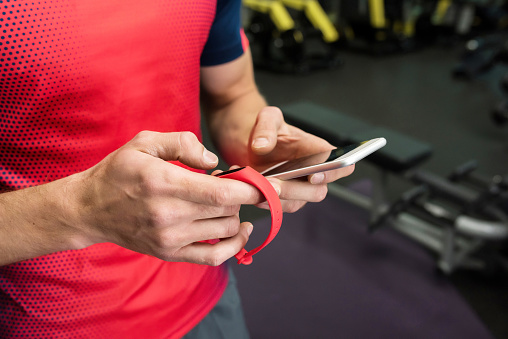
Do you have a device or app that you enter personal information in so you can track what you eat, what you do for exercise, how much you weigh, where you live, and when you leave your home every day to go workout? Well, if you use MyFitnessPal you may be 1 of 150 million users whose data may have been compromised.
Baltimore’s Under Armour announced Thursday evening (March 29th), that they experienced a data breach exposing usernames, email addresses, and hashed passwords of 150 million users of the popular MyFitnessPal app:
“Under Armour is working with leading data security firms to assist in its investigation, and is also coordinating with law enforcement authorities,” the company said in a statement. “The investigation indicates that the affected information included usernames, email addresses, and hashed passwords — the majority used the hashing function called bcrypt used to secure passwords.”
Under Armour will require all users to change their passwords and is “urging users to do so immediately.” They are also encouraging their users to keep an eye out for suspicious activity within their accounts.
What should you do?
If you receive an email that claims your personal MyFitnessPal information has been hacked, and that you need to click on links to change your password or open attachments to find out how to protect yourself, be very careful:
Don’t click on links,
Don’t open attachments, and
If there’s a reference to a website with more information, type the web address into your browser. Don’t click the link.
Most importantly, change your password not only in your MyFitnessPal application but anywhere else you use that password or even a variation of that password.
Don’t let your quest to live a healthier lifestyle be the opening for a hacker to ruin your life.
The Lesson You Should Learn From This
That is how hackers get by all the expensive security that banks and financial institutions have; by getting your password from a less secure source!
Read more here
by Felicien | Mar 30, 2018 | Education
Microsoft is your ultimate cheerleader – which might be a pun on their product, Microsoft Teams! But really, the app is named for the collaborative environment that caters to teamwork.
Microsoft Teams is a collaborative workspace included in subscription-based Office 365 and a hub for workgroups with teams of staff. Microsoft Teams offers a secure environment and guarantees Team members access to the information a Team needs to work together. Connectivity and communication are clean and organized and offer Teams the chance to chat, call, meet, and store shared files within channels.
Why We Know You’ll Love Microsoft Teams
Microsoft Teams is customizable for each Team and integrates with other productivity apps, including the full Office suite. Switching between Teams is easy, allowing for multiple accounts under one user should there be a need. Teams can be seen as Microsoft’s new iteration of Skype for Business – but with improvements!
Mobile calling and video conferencing are built-in offerings for Microsoft Teams, as are private and group chat capabilities. Chat messages are threaded, a popular option among collaborative platform users. Microsoft Teams also supports integration with email, and apps like SharePoint, Power BI, OneNote, and more. Users can schedule meetings and initiate notifications from within Teams. Users can search Microsoft Teams for people, files, and chat messages, and opt-in to notifications using connectors.
Cloud service connectivity is supported for a highly-customizable user experience, and users can increase productivity even further by automating tasks by adding bots to your Team. Tailor channels to your Team’s specific needs no matter what the nature of the Team is.
How different divisions use Microsoft Teams:
Sales: Customize pitches, celebrate wins, tailor leads and messaging, and share product or service updates
Marketing: Coordinate campaigns, plan events, share feedback, brainstorm tactics, and generate reports
Project Management: Project planning and communication tools, share status updates and coordinate tasks, schedule and share deliverables, and organize project details
Technical: Discuss requirements, and with the ability to integrate with tools like Jira, seamless and transparent communication is simple
Where You’ll Use Microsoft Teams
The development team at Microsoft knows that connectivity doesn’t rely on geographical location, and that modern teams can be distributed or global. Connecting via desktop computer, laptop computer, tablet, smartphone, or mobile device is easy as Microsoft Teams was designed with an interface for all options.
Who Will Use Microsoft Teams
Depending on if you choose private or public is what will decide if your Team is open to new members by invitation only, or anyone can join. Anyone can join Teams that are available to be discovered in the Suggested Teams.
Things to remember:
About Teams:
If you already have a Group in Office 365, activate Microsoft Teams on your existing Group rather than creating a new Group, to avoid duplicates. The Group will have a shared Outlook inbox and calendar, SharePoint site and document library. Redundant Groups lend to confusion over which is the official or “right” Group, and this goes against the purpose of Microsoft Teams.
Teams can have up to 2,500 members, and each Team can be led by as many as 100 owners.
Team owners can add new members to the Team, make other members Owners, and edit, rename, or delete the Team settings.
About Channels:
Channels organize Team conversations by topic. All Teams have a “General” Channel by default, to help a Team initiate communication within the Channel.
Following a Channel will give users an alert for all activity within a Channel.
Selecting the star to the right of the Channel name marks the Channel as a Favorite, and this Channel stays visible.
When a Channel needs to be removed, it’s wise to archive rather than to delete, because the content in a deleted Channel is lost.
A neat trick allows users to send an email from Outlook or Gmail or another integrated email service into the Channel, and the email will be forwarded in for all members of the Team to see within the Channel. This feature is particularly helpful with Teams that generate long email chains involving many recipients. Emailing communications like these into a Channel also helps centralize the communication and maintain continuity of the conversation, supporting the purpose of Microsoft Teams.
Team members can schedule meetings within a Channel, or members can opt to “Meet Now” in a cool feature that allows any Team members available to hold an impromptu meeting over the phone or via video.
About Tabs:
Tabs are helpful in that tabs support a multi-faceted approach to sharing and communicating. The nature of Microsoft Teams is a collaborative environment and allowing Team members to utilize Channels to share more than just basic messages facilitates open dialogue.
Conversations: conversations with members of your Team
Files: Upload, share, and view files with other members of your Team. Documents seen here are placed in your Team’s SharePoint document library.
Files can be edited right in the user interface.
Users have access to their OneDrive folders, as well, thanks to Microsoft’s fully-integrated environment.
Wiki: An interactive notes experience for Team members to take notes, tag Team members to notify them in real time, and draft or edit content in real time
Custom: Add a tab from the available integrated app gallery into a Channel
Everything in Office, like Excel, Word, OneNote, and more, as well non-Office apps like Adobe and SurveyMonkey
About Connectors and Bots:
Connectors are how Microsoft Teams pushes content into the Channel from connected applications and feeds, upon initiation by the user.
Connectors add a service for users directly into Teams, like for a Twitter feed, an RSS feed, GitHub or Trello, and many others.
Content delivered via Connector can be customized, as well.
Intelligent automation Bots are built into Microsoft Teams and are designed to be interactive with Team members. Tag the bot for activation and offer simple commands for responsiveness.
Microsoft Teams offers tremendous flexibility and an amazingly intuitive interface for users. Teams is a wonderful collaborative workspace and communication hub. Like with any new technology or platform, adoption is dependent entirely on the collective using the application or service for widespread and continued use. It’s also compliant with regulations from HIPAA to ISO standards.
The magic of Microsoft Teams is in its flexibility, its transparency, and its simplicity. Try it today using these tips, and enjoy a successful Teams launch!

by Felicien | Mar 30, 2018 | Education
Do you wish you knew more tech tricks to help you make your gadgets work smarter for you and save you time? See how to use your iPad as a second laptop screen, how to set time limits for using a Chrome browser, how to schedule an email to send at a certain time in Gmail, and more!
Technology exists to improve our lives. The fundamental purpose behind technology was man being driven to find new ways to do things to make life easier for mankind. The first form of technology recorded? What would you think – black and white television? The telegraph allowing expedited long-distance communication? Think back even further – much, much further. If the fundamental principle of technology is to make life easier for man, are the earliest examples of technology manmade weapons and fire?
Obviously, we’ve come a long way since stone weapons and fire, all the way to robotics and artificial intelligence, and then some – though we’re still waiting for the day when we all have flying cars like the Jetsons. Think about the ways you use technology every day. Do you listen to music in the car, on the bus or train, or while jogging? Do you brew coffee or tea in a Keurig? Are you reading this on a computer or mobile device? Do you use an alarm clock?!
We take tech for granted. It’s just. . . there. Think back to when the remote control became mainstream, and how that one chunky plastic box – the “clicker” – not only changed the world but revolutionized households. No longer did kids fight over whose turn it was to get up and change the channel. The first vehicle keyfob is widely considered to be introduced by the French in 1982 for the Renault Fuego just after Ford debuted the keyless entry system – by keypad – in 1980. Not only do the vast majority of passenger cars come standard with remote keyless entry devices now, but more are being equipped with push-button start capabilities – or even remote-controlled start-up, from the comfort of inside your home, office, or from a distance on a very hot or cold day.
Now that we’ve got you thinking about how you use technology each day, shift your thoughts to how you can “up your game”. You’re barely scratching the surface of what your tech can do for you.
Incredible iPad Trick
Are you in the camp that never has enough screen space? A few dozen tabs open in your web browser window, email, plus a few documents and spreadsheets for work clutter your screen space – and make your computer run slower. And if you’re on a laptop, you have even less screen real estate to start with! But what if you could use your iPad as a second screen for your laptop?
You can! Don’t believe us? Try downloading the Duet Display app and voila! Connect your iPad to your laptop using the sync/charging cable, and you’re all set.
Smartphone Scanner
Now this one is a doozy! Did you know your smartphone can work like a scanner? No, we don’t mean by taking one picture of a document. There are free apps out there, like Adobe Scan or Evernote Scannable, that allow you to turn your smartphone into a scanner to scan documents like forms, receipts, business cards, and more by using the camera on your phone.
Productivity Over Procrastination
Ah, Google. You know people too well…
And sometimes it’s downright creepy. But this handy little helper is pretty cool! There is an extension for Google’s Chrome browser, called StayFocusd, that allows you to set a time to let your mind wander and get lost in the darkest corners of the Internet – or at least surf aimlessly for a pre-set interval. The default setting is 10 minutes, but you can change this depending on your needs. Once your mental break is over, Chrome basically locks you out and disables access forcing you to resume being productive.
Scheduled Sends
You know the email message you want to type, but now isn’t the right time to send it. Email marketing platforms are great for this type of structured send, but the focus of these solutions is to send to email lists rather than from a single sender to a single recipient. There is an add-on for Gmail called Boomerang that facilitates scheduled sending for email.
Time Management
Ever wonder how you’re spending your time? Are you making the most of your day? Eternity Time Log is a time-tracking app to see how you’re spending your time, broken out by personal time, time spent devoted to professional productivity, and sees where interruptions occur – all in the name of organization.
Solar Power
The ancient Egyptian god of the sun, Ra, was believed to have created all forms of life and ruled over all parts of the created world: the sky, the earth, and the underworld. Man was believed to have been created from Ra’s sweat, and Ra represented light, growth, and warmth.
After reading this, it’s the understatement of the year to say that the sun is a good source of power…but it’s literally a great source of solar power. The SolPro Charger can soak up the sun’s rays and fully charge a smartphone with 90 minutes of exposure. Bonus: the charger can send power to your smartphone battery even as the SolPro is itself absorbing solar power.
If you had magical powers to stop time, how would you use it? Would you catch up on email correspondence? Would you read that best-seller you’ve been meaning to read for months now? Would you have a Netflix marathon? Would you catch up on a decade of sleep? Would you find the best way to organize your email inbox, filing cabinet, contact lists, or any number of other items that you’ve neglected for months?
Or would you – and here’s the genius move – use those powers to invent a device that could do all of this for you using the most advanced technology available, and make your own life easier? I think we know the answer.
Also, flying cars.

by Felicien | Mar 29, 2018 | Education
The healthcare sector fell victim to more than 330 data breaches in 2017 – nearly one per day. Will you be next?
Large-scale ransomware attacks like WannaCry (which hit 112 countries) struck the industry with a scary new reality: Hackers will find a way in and – regardless of safeguards taken — hospitals will get hit.
And there’s more bad news – the fines for noncompliance with HIPAA regulations have reached new heights! HHS recently increased the penalties for HIPAA violations:
No Knowledge (Covered Entity did not know about violation): $112 to $55,910 per violation
Reasonable Cause (Lesser than Willful Neglect): $1,118 – $ 55,910 per violation
Willful Neglect (Violation Corrected): $11,182 – $55,910 per violation
Willful Neglect (Violation not Corrected): The Minimum penalty is $55,910 per violation with no maximum.
And, in addition to civil penalties for noncompliance, you could be liable for criminal penalties that include fines, imprisonment or both!
These fines are expected to continue to increase. Have you recently reviewed your HIPAA data-protection policies and procedures? If not, you should.
The really sad news is that these data breaches could have been prevented.
One of these offenders didn’t even take the time to undergo a Vulnerability Assessment to determine if there were any gaps in their IT security posture.
And they said they couldn’t show that they did everything that could have reasonably been done to protect their patients’ private data.
This is unforgivable.
Would you trust your family’s electronic Protected Health Information (ePHI) to a clinic that didn’t take precautions to protect it? — I doubt that you would.
When this happens, word gets around and patients simply move on to another medical professional.
Keep reading because we’re going to tell you about some of the worst data breaches over the past year. Plus, we’ll tell you what regulators are looking for and how to prevent non-compliance.
HHS/HIPAA #1 Offender – MedStar Health Maryland
MedStar Health is the 2nd biggest healthcare system in Maryland. Wouldn’t you think they’d know better than to leave their patients’ protected information at risk?
Unfortunately, they weren’t well prepared. They were hit with a ransomware attack where their data was held ransom and under the control of criminals.
As a result, their 30,000 employees and 6,000 physician affiliates couldn’t access their electronic health records (EHRs) and much needed patient information. They also couldn’t use their computers. Instead, they had to resort to using paper and pencils! As a result, some patients were turned away.
Would you go to MedStar or one of their affiliates now? I wouldn’t. There are many other providers in the DC Metro Area, Maryland and Virginia that I could take my business to.
The hackers demanded a ransom payment in bitcoins at an equivalent of $1,250 per patient record, or $18,500 to unlock them all. And worse, the criminal’s demand didn’t clearly state that they also wanted a separate 45-bitcoin payment to unlock each affected MedStar network!
HHS/HIPAA #2 Offender – Banner Health Phoenix, Arizona
Banner Health is a major hospital system. Its payment processing network was penetrated by hackers in their food stations. And, because these computers were connected to the rest of Banner’s IT network, the hackers gained access to more than 4 million patient records! This included patients’ names, birthdates, addresses, claims information, medical information, and Social Security Numbers! In other words, “the works!”
What a disaster!
And guess what hackers do with this data? They sell it! A record that contains a name, address and Social Security number can sell for $1 to $3 on the black market. And, a detailed medical record (ePHI) with unique patient identifying numbers can fetch up to $100!
Imagine the negative publicity Banner got. Not to mention the effect on their insurance rates–if they can even get insurance now!
HHS/HIPAA #3 Offender–Advocate Health Care Network
Advocate Health in Illinois, one of the nation’s biggest health-care systems, had to pay a fine to HHS for $5.55 million due to a breach that compromised the electronic data of 4 million patients.
To date, this is the single largest penalty levied against a single entity for a HIPAA violation.
According to HHS, the compromised patient records included people’s names, addresses, dates of birth, credit card numbers with expiration dates, demographic information, clinical information and health insurance information!
The HHS investigation also revealed that Advocate Health Care failed to:
Conduct an accurate and thorough assessment of the potential risks and vulnerabilities to all of its ePHI.
Implement policies and procedures and facility access controls to limit physical access to the electronic information systems housed within a large data support center.
Obtain satisfactory assurances in the form of a written business associate contract that its business associate would appropriately safeguard in all ePHI in its possession.
Reasonably safeguard an unencrypted laptop when left in an unlocked vehicle overnight.
Are you following these 4 requirements? If not, you could be fined as well.
Is Your Healthcare Organization HIPAA Compliant?
Being HIPAA compliant doesn’t necessarily mean that your data is secure. Hackers’ tactics are more sophisticated than ever before. This is a big business, and it’s easy for criminals to get into the hacking game.
Cybercriminals have new and more effective ways of stealing your data, and they try new techniques every day.
HIPAA law, although updated, just can’t keep up with all of these new attack vectors. It’s up to you to stay abreast of the cyber threat landscape and protect your health organization.
You must ensure your ePHI privacy, protect it from anticipated cyber threats, and employ security measures to protect against the latest threats.
At a minimum, you must comply with § 164.306 – Security standards: General rules.
(a) General requirements. Covered entities and business associates must do the following:
(1) Ensure the confidentiality, integrity, and availability of all electronic protected health information you or your business associate creates, receives, maintains, or transmits.
(2) Protect against any reasonably anticipated threats or hazards to the security or integrity of such information.
(3) Protect against any reasonably anticipated uses or disclosures of such information that are not permitted or required under subpart E of this part.
(4) Ensure compliance with this subpart by its workforce.
(b) Flexibility of approach.
(1) Covered entities and business associates may use any security measures that allow the covered entity or business associate to reasonably and appropriately implement the standards and implementation specifications as specified in this subpart.
(2) In deciding which security measures to use, a covered entity or business associate must take into account the following factors:
(i) The size, complexity, and capabilities of the covered entity or business associate.
(ii) The covered entity’s or the business associate’s technical infrastructure, hardware, and software security capabilities.
(iii) The costs of security measures.
(iv) The probability and criticality of potential risks to electronic protected health information.
Do you agree that these rules leave some room for interpretation? The HIPAA language is written this way for this reason, and it can be difficult to know where you stand.
That’s why it’s essential that you either have a HIPAA IT Professional on your staff, or contract with an IT Managed Service Provider (MSP) in your area who has this expertise.
To make matters worse, you also have to worry about the HITECH Act and its 4 tiers of increasing penalties.
The Health Information Technology for Economic and Clinical Health (HITECH) Act was signed into law on February 17, 2009, to promote the adoption and meaningful use of health information technology.
Subtitle D of the HITECH Act addresses the privacy and security concerns associated with the electronic transmission of health information, in part, through several provisions that strengthen the civil and criminal enforcement of the HIPAA rules.
Section 13410(d) of the HITECH Act, which became effective on February 18, 2009, revised section 1176(a) of the Social Security Act (the Act) by establishing:
Four categories of violations that reflect increasing levels of culpability;
Unknowing. The covered entity or business associated did not know and reasonably should not have known of the violation.
Reasonable Cause. The covered entity or business associate knew, or by exercising reasonable diligence would have known, that the act or omission was a violation, but the covered entity or business associate did not act with willful neglect.
Willful Neglect. (corrected)The violation was the result of conscious, intentional failure or reckless indifference to fulfill the obligation to comply with HIPAA. However, the covered entity or business associate corrected the violation within 30 days of discovery.
Willful Neglect. (uncorrected) The violation was the result of conscious, intentional failure or reckless indifference to fulfill the obligation to comply with HIPAA, and the covered entity or business associate did not correct the violation within 30 days of discovery.
Four corresponding tiers of penalty amounts that significantly increase the minimum penalty amount for each violation; and
A maximum penalty amount of $1.5 million for all violations of an identical provision.
It also amended section 1176(b) of the Act by:
Striking the previous bar on the imposition of penalties if the covered entity did not know and with the exercise of reasonable diligence would not have known of the violation (such violations are now punishable under the lowest tier of penalties); and
Providing a prohibition on the imposition of penalties for any violation that is corrected within a 30-day time period, as long as the violation was not due to willful neglect.
We need a lawyer to interpret all of this!
How are you supposed to see your patients and interpret/comply with these strictly enforced rules?
You can’t. You need the advice of an IT Expert who understands HIPAA and HITECH regulations. One who can help you not only comply but ensure your ePHI is safe and secure 24/7.
Don’t take chances with federal regulators or risk a HIPAA audit. Seek the counsel of your local HIPAA IT Expert/ IT Managed Services Provider.

by Felicien | Mar 29, 2018 | Education
Sure, yoga teaches the flexibility that is key to adapting to your surroundings. But in practicing daily self-awareness, the saying “A team is only as good as its weakest player” is rarely truer than in the world of cybersecurity. How does your team stack up?
Target knows. Sony knows. Ashley Madison definitely knows. That’s the bad thing – an organization may only realize how strong — or weak — their cybersecurity position is once there is a successful cyberattack. The nature of the attack doesn’t matter, nor does the overall effect. The damage is done, and the organization goes into clean-up mode. In the days immediately following, the phrase heard most is “How did this happen” when the real question should be “How can we prevent this from happening again”?
Subtlety isn’t the goal of a hacker, nor is it their strongest attribute. The modus operandi of any hacker is singular: find a cybersecurity vulnerability and exploit to their advantage. The rest doesn’t matter. You likely disagree, but we think you’ll realize this is exactly the case. After all, we want to help you beef up your security and prevent a vulnerability rather than shift into defensive mode upon clean-up from an attack. The latter is going to shift your focus for up to a year of reactivity, while a little extra focus now will prolong your proactive position. An ounce of prevention is worth a pound of cure, especially in this type of situation.
At the most basic level, your organization’s cybersecurity is based on your team’s awareness level – which can easily be assessed and addressed in training. Data breaches caused by hackers are one thing, but the simplest way for a hacker to gain access is by finding a weak link – a human operator – and using sneaky tricks to exploit weakness from that angle. A hacker can use pretty low-tech approaches in this way, like phishing.
Does your cybersecurity awareness training still include exercises and tips on old-fashioned tricks like phishing? It’s amazing the simple tactics some of these hackers will resort to – but the reason is that these tricks still work on us. A 2017 study by Google reported that phishing was still one of the most effective tactics used for hacking a user account.
Phishing is the practice of sending emails pretending to be from a reputable company, like Google or Apple, to get recipients to reveal personal information like passwords to the sender.
Perhaps it’s because we don’t see ourselves as targets anymore, thinking hackers only target the “big fish” for the bigger reward – a unique tactic called “whaling” – but the reality is that everyone is a target There are no exceptions. Any computer user can be an access point for a cyberattacker because any computer can serve a greater purpose for a cybercriminal.
Why does phishing still work? Because we let it. We start to shift our focus to the newer or more sophisticated methods hackers use, and we don’t maintain vigilance on the basic approaches in cybersecurity awareness training.
One click is sometimes all it takes to turn a user into a victim – and for a hacker to wreak havoc on a network. One click can lead to a malware installation, identity theft, or worse, ransomware. That click could cost an organization into the millions of dollars.
Ransomware is like a virus, where a hacker accesses a computer or network and places a file or code that blocks user access, and requires the user to pay money – a ransom – to the cyberattacker to regain access to the computer or network.
Remember when we said all it takes is one click? It’s true. In 2017, hackers sent emails to staff at Chipotle and managed to trick someone into one click, compromising the point-of-sale (POS) machines at locations that enabled the hackers to gain access to the credit card data of millions of customers. The worst part is that even end users who are in the tech industry have been tricked; Google and Facebook have both been affected to the tune of $100 million each because of successful phishing attempts.
Did you know that some companies hire former (“rehabilitated”) cybercriminals as cybersecurity specialists – true experts – to help mold technology teams in charge of cybersecurity and oversee cybersecurity awareness training programs? These are probably among the most solid and effective programs in existence!
One way organizations have used to test the awareness of their team is by executing an internal phishing campaign. This is a campaign where the company has total control of the phishing attempt but tests the staff to see where the weaknesses are. The results only help improve overall training and cybersecurity.
This approach is wildly successful in getting an accurate picture of your team’s awareness. Who fails the test? How far will some employees allow a hacker to get before realizing they are being phished? Where does your training lack focus that the attempt was successful?
A few things to keep in mind with this approach:
While internal phishing campaigns are helpful, don’t shift your training focus to only weaknesses discovered in this process.
Be careful not to call out any one particular team member or access point; the goal isn’t to embarrass team members but to improve your team’s awareness overall.
Don’t aim for only those team members you consider to be the weakest when it comes to cybersecurity knowledge; you’d be surprised at where an organization may discover vulnerabilities
On this note, it’s helpful to provide one-on-one level training catering to these team members, but you can still do so as a company by offering exercises aimed at specific weaknesses without placing blame.
Keep the phishing exercise as realistic as possible, so the teachable moments that result are valid and credible
When your exercises and training give you enough insight to update your training, keep the training outline simple with a few target areas that are comprehensive enough to be thorough but straightforward enough to be digestible:
Form a baseline for where your team is currently, regarding cybersecurity awareness.
Devise goals for where your team should be, and target dates to achieve these goals.
Outline a plan to meet these deadlines.
Develop a maintenance process for ongoing support.
Organizations can also take steps to protect themselves internally, too. Limit access to all computer equipment to authorized personnel only, install up-to-date antivirus software at each workstation and update all programs on a regular basis – especially security updates. Having a contingency plan in place for any vulnerabilities might seem like overkill, but it never hurts to be prepared.
Self-awareness is just the first step in achieving the ultimate level of cybersecurity protection – don’t wait until an attack happens before you start defending yourself and your organization!

by Felicien | Mar 28, 2018 | Education
It happens to all of us at some point – you’re sitting by someone who whips out this über cool gadget, and you can’t take your eyes off of it. You have to know what it does… and where you can buy one! Read on for eye candy just like this.
We’ve all been there: Gadget Envy. We want the smartest phone, the thinnest tablet, the fastest Internet speeds, the strongest network connection, the battery that never dies – the list goes on. Part of this is due to our busy lifestyles, and part of this is from our never-ending quest to get more done in less time. The best gadgets combine advanced technological features with enhanced productivity.
The options are endless, but we’ve narrowed our list down to 5 categories with the top tech that today’s savvy CEO will have – along with the envy of everyone nearby!
Sound
We know you get perturbed with the pathetic volume coming from your laptop speakers. Amplification is impossible in atmospheres where white noise is loud, like airports, and while the settings on newer laptops and tablets are growing in sophistication, they still lack in sound quality. Here are a couple of solutions to help.
The ICE Harmony Floating Bluetooth Speaker packs powerful sound in a colossally cool package. The spinning speaker floats above the base with concealed (read, secret) magnets to maintain the floating position. The design results in a 3D sound effect and can be used separately from its base giving the user portable and potent sound, connecting to smartphones or tablets via Bluetooth.
Simple-to-use Startech USB Stereo Audio Adapter helps your laptop with the addition of SPDIF digital output. Designed for Windows-based machines (sorry, Mac lovers), functions as though users add a 5.1 sound card, and is quite compact but also has a set of two headphone jacks.
Secure Storage
So, you need to bring files along for the ride, but live in fear of losing your thumb drive? We have a couple of cool ideas for you.
The Aegis Secure Key 3Z is a super-tough USB storage device made from sturdy metal and uses top-of-the-line technology for encryption plus a physical keypad for which the user can set a custom PIN for secure entry.
PIN-protected storage is a popular choice these days. DiskAshur Pro is another option to secure up to 500GB of data with a customizable PIN, between seven and 15 characters.
Aegis makes this list with not one, but two options, with its Apricorn Secure Key USB 3.0 480GB Flash Drive. Using a 10-key alphanumeric keypad with a dust-proof and waterproof enclosure, this storage solution means business. This one is on the list has received accolades from NIST, the National Institute of Standards and Technology, a U.S.-based entity that oversees government IT security.
Power
The perennial power problem: your power capability does not match your mobile lifestyle or needs. In other words, your battery dies faster than the mother in a Disney movie and you need a backup solution.
Have you checked out the Orico SC28 Mobile Power Bank? With promises to power you all day, this one is designed for laptops instead of smartphones – for which power banks are everywhere. Recharging via USB or the old standby (wall plug-in), up to three devices at once can benefit from this baby.
The Jackery Titan S is a stylish portable battery charger whose claim to fame is its flexibility: it is also friendly to the MacBook.
The feature-filled Sandberg Laptop Powerbank charges quickly, supports (and automatically detects) multiple voltages, and comes with a dozen charge tips.
Mobile Hotspots
Our addiction to data is endless, and with the growing number of wireless providers offering unlimited data, we find ourselves using our smartphones as hotspots. Our ultimate battle is the need to connect versus the need to preserve smartphone battery life. Enter the mobile hotspot device!
The KnowRoaming Global Hotspot aims to provide seamless and simplified global connection in more than 140 countries, with unlimited data in more than 90, but only to corporate accounts at this time. The daily flat fee service is especially a bonus for those who travel to countries like Japan where connectivity is just ridiculously expensive for foreign travelers. About the size of a matchbox, the device battery lasts for up to 20 hours and supports 3G although LTE is pending.
Boasting speed and simplicity, the TP-Link M7650 Mobile Wi-Fi Hotspot claims to be the fastest Wi-Fi router ever made, capable of streaming video to a user’s laptop or tablet and can support up to 32 devices at once – enough for an entire small office.
Just Cool Stuff
Here’s where things get really awesome! These items didn’t fit into any of the categories above, but couldn’t be left off this list. Just trust us and read on.
A notebook that you put in the microwave to erase everything you wrote (or doodled)? Yep! Well, using a Pilot FriXion pen, but still the Rocketbook Wave is a pretty incredible gadget. Not only can the microwave erase all your writing when you’re ready to start fresh, but you mark an icon to represent where you want your notes sent, and everything you write is then stored in your account on Google Drive, Dropbox, OneDrive, Slack, iMessage, email, and so much more. Using your smartphone and the Rocketbook mobile app, you scan your notes and voila! The Rocketbook Everlast erases with a dampened cloth instead and can be reused in the same way.
Moleskine, the cult favorite notebook maker, brings you the Smart Writing Set. This set includes the smart Pen+ tool that sends your writing to the Bluetooth-connected phone or tablet to display using the Moleskine Notes app, and your notes are editable within the app (highlights, scribbles, etc.).
Want to wow your crowd in a presentation? Logitech makes a Spotlight Presentation Remote that looks super cool when in use, including the ability to magnify and highlight selections on-screen, with Bluetooth connectivity. There is also a cool built-in timer that shows (only you) how long you’ve been talking and can give a subtle vibration at a pre-set timed interval.
Try the Gyration Air Mouse Voice with your presentation, which can act as a standard wireless mouse but also has built-in microphones to work with voice recognition as you get through slides. Voice commands can zoom, open web browsers, etc., with the push of a button.
This is just the tip of the tech iceberg; we know – but we’re pretty sure you’ll be as fascinated with the items on this list as we are. One thing we know for certain? You can’t wait to try them out and be the envy of someone else!
