
by Felicien | Sep 18, 2018 | Education
New grants from Health and Human Services are aimed at boosting the health information technology for smaller hospitals.
The United States Health Resources and Services Administration (HRSA) is awarding $125 million in grants to community health centers to, among other functions, improve their use of health IT in primary care.
Healthcare By The Numbers
Community Health Centers (CHC), usually invisible to those with private insurance or Medicare, provide basic health care to one in twelve US residents. For certain populations, the percentage is far higher – one in three people in poverty, one in five rural residents, and one in seven children 17 or younger. There are 1,400 CHCs in the US, which together operate more than 11,000 point-of-care sites and serve 27 million Americans. 1.4 million of those served are homeless, while 355,000 are veterans.
The quality of care provided in CHCs is demonstrably good. 67% of diabetics treated at community health centers achieved a glycosylated hemoglobin (A1C) level of 9% or less, compared with 57% of patients overall. 63% of those treated for high blood pressure achieved control, compared with 56 percent of patients overall. 90 percent of CHCs provide mental health care. 70% provide addiction treatment, including medication-assisted treatment.
Coordinated delivery of primary care services by CHCs is cost-effective. Overall, their cost per patient is 24 percent less than for patients overall. Their patients have 25 percent lower admissions than the overall population and, when admitted, have 27 percent lower costs. With healthcare costs rising at alarming rates, this is a pretty big deal.
The CHC patient population faces the challenges of poverty, locations distant from care sources such as tertiary care centers, possible disability, obesity, homelessness, and substance abuse. It is a challenging population to treat. The use of electronic health records (EHRs) helps with continuity of care and avoidance of unnecessary and duplicative testing and prescribing, driving service costs even lower.
Healthcare Services Available For Everyone
CHCs serve all comers. Even in Massachusetts, which has achieved rates of insurance coverage as high as 97% after the start of MassHealth (which was one of the inspirations for the Affordable Care Act (ACA), 36% of those seeking family planning services at CHCs in Massachusetts were uninsured. (Of course, if the patient has insurance, the CHC bills it.)
CHCs have demonstrated a positive impact on mortality. After the start of the CHC program in 1965, mortality among those over 50 fell by between 7 and 13 percent. This reduction is between 20 and 40 percent of the poor/non-poor morality gap, even when the simultaneous start of the Medicare program is considered. Why would a drop of this magnitude be seen in a population that was, courtesy of Medicare, suddenly insured? Part of the answer lies in the fact that CHCs penetrated rural areas where primary care had simply not been accessible before they arrived.
Targeting Major Health Risk Groups
One of the major health issues for the CHC population is smoking Although smoking has fallen to 16% of US adults, rural and poverty populations – the population largely served by CHCs – remains high. Use of EHRs to target smokers for intervention by CHCs has been effective. A study in New York City, where 18.9% of those with Medicaid were smokers, found that using EHRs to flag smokers for intervention by their primary care providers increased the number of interventions from 27% to 54%. The residual question is why, if all smokers were flagged and providers were notified to provide interventions, only slightly more than half responded.
The rates of smoking varied widely among the 19 CHCs involved, ranging from a low of 19% to 75%. The CHCs were paid an additional $20 for visits with an intervention documented in the EHR. Perhaps this payment was just too low to function as an incentive. One of the fruitful areas for research is how much pay is needed to produce improvement in provider performance in pay-for-performance programs.
Alternatives To Opioids
The experience in New York City with smoking interventions can serve as a model for other campaigns: obviously, opioid use is low-hanging fruit. Interventions using EHRs can be devised for providers to review the care of their patients with chronic pain and consider modalities other than opioids. These options might include drugs like gabapentinoids, physical therapy, and injections by a pain management specialist. Alcohol use is another target. So is obesity. Alcohol abuse accounts for 88,000 deaths per year and up to $224 billion in economic costs. The cost of obesity is estimated at $190.2 billion in health care expenditures alone – around 21% of annual medical spending. The CHC population is a ripe target for obesity-related interventions.
Conclusion
Increasing penetration of EHRs in CHCs and the use of EHRs to target interventions for the challenges the patient population of CHCs face is a potentially productive area. It will serve to demonstrate the power of electronic health information to improve both individual and public health, saving the nation billions in the process. This should also help Americans improve their overall health.

by Felicien | Sep 18, 2018 | Education
Gone are the days of hanging out a shingle and waiting for clients. With the advent of the Internet, lawyers only advertise in the yellow pages if they want to. Nearly everyone goes to their computer—or another digital device—when they are searching for anything. Looking for an attorney is no different.
Search Engine Optimization (SEO), marketing has never been easier, or more complex. Just as soon as one becomes acquainted with Google’s algorithm, it changes. Aside from paying an online marketing website like LawLytics, what can you do? Fortunately, there are clear guidelines to what works and what does not, if you know where to look.
Which SEO Actions Are Generally Unsuccessful?
When online marketing, or any marketing for that matter, has been attempted and failed, it is easy to wonder, “why?”. Unfortunately, the answer is seldom clear. If you knew what you were doing wrong, you most likely would not be doing it.
One aspect that could be causing the SEO marketing strategy to flounder is if the wrong “expert” has been hired. This could mean that he or she is not qualified for the job. Perhaps their skills or experience-level were misrepresented. Maybe their expertise is in a field other than SEO for law offices. They may be using outdated techniques, breaking search engine guidelines, or even outsourcing their work.
Although this may improve their bottom line, it does nothing to forward your practice. A few of the other reasons your SEO may not be working include the following:
Buying AdWords (pay-per-click)
Distributing unwarranted press-releases
Fabricating or embellishing performance reports
You have not devoted enough time to learning proven SEO strategies
Paying for guest blogs or links on prestigious legal publications
Reusing content, whether yours or someone else’s
Using a “one-size-fits-all” or and “SEO for Dummies” approach
Perhaps, your SEO efforts were paying off and suddenly, you discover your online presence has disappeared. Alternatively, your marketing strategies may have been working and then merely stopped. Often this is because of the nature of SEO and Google. In other words, Google’s algorithm has been updated and what used to work, no longer does.
What Are Easy, Successful SEO Actions?
There are several steps that a law firm can take that are easy and effective. Most of them require very little time out of your busy day. In fact, a few only need to be done once to reap the benefits.
First, make sure that your local directory listings are correct. Go to Google My Business and claim ownership of your business. Then, go to “duplicate locations” and remove any copies of your business to avoid confusing prospective clients. Do the same on YELP, etc. This makes it easier for people to find you.
Next, request and post positive online reviews. This helps you maintain existing clients and convert potential ones. It is important to manage this strategy yourself. To use powerful, SEO-friendly words, someone without a legal background may inadvertently alter the meaning. This could not only reflect poorly on your business, but may also cause trouble with Google.
Finally, you want to cultivate a proactive social media presence. This is intended to support your law firm’s high-quality website, which is the official introduction to the company. Having accounts set up in Facebook, LinkedIn, and Twitter allow you to interact with potential clients. It also provides free advertising.
How Long Does It Take to See SEO Benefits?
How quickly SEO works depends on quite a few elements. Additionally, following a good SEO strategy to the letter does not guarantee success. It does, however, drastically improve one’s chances. The time it takes for a firm to see SEO benefits depends on the following:
The amount, quality, and uniqueness of website and social media content
The formatting of the website and social media pages
The size of the market
The size of the niche clientele
Another aspect that negatively affects how quickly SEO works is how complicated the website is. Generally, if the design of the website has a fancy design, it detracts from the message. Complex images and fonts make navigating the website difficult. This drives people off the website and to other more straightforward options.
What Should a Law Firm Ask Before Hiring an SEO Company?
For more complex marketing strategies, many law firms choose to hire outside experts. Unfortunately, the SEO field is rife with charlatans exaggerating their skills and experience.
Before beginning the search, Google suggests reading Webmaster Guidelines. Then, ask prospective companies the following questions:
How long have you been in business?
Do you have an office, or do you work from home?
How many full-time employees do you have?
Do you outsource any of the work?
Do you follow Google’s Webmaster Guidelines?
What is your legal background?
Do you understand legal ethics?
Follow up on any answer that sounds suspicious, or discard the notion of working with that company right away. Lastly, ask them for a full list of everything they intend to do or provide to your firm. They should know their business well enough to supply you with a detailed outline of a strategy tailored for your company.
In Conclusion
There are many ways of using SEO attracts clients. You can easily do the basic steps yourself. For a more comprehensive strategy, an all-in-one website system for lawyers, such as LawLytics, can be helpful. It uses cutting-edge practices and SEO-friendly pages to communicate with search engines. It showcases attorney bios, testimonials, and case results. This enables lawyers to spend their free time polishing content, and less time stressing about strategy.

by Felicien | Sep 18, 2018 | Education
Earlier this year, Intel introduced their new 8th Gen Intel Core vPro processors. Marketed as the way to help businesses of all shapes and sizes make the digital transformation, Intel compels customers to “Leave Inefficiency Behind.” With the new upgrade, Intel boasts that it will optimize productivity with Windows 10, help guard company assets, and also manage company costs.
With more than 100 new 8th Gen Intel Core processor-based business PC designs to choose from, Intel believes this upgrade will revolutionize computing. Both consumers and businesses today want and need to work faster with fewer problems, and the new processor will deliver that and more.
What Exactly Is So Great About the 8th Gen Intel Core Processor?
One would expect the new generation of Intel CPUs to be markedly faster than the Intel Core 7 processor. According to most reviews, the performance gap between the newest, 8th Gen “Kaby Lake Refresh” chips and the old 7th Gen “Kaby Lake” can be experienced from the time the user pushes the power button.
Intel doubled the number of cores from two to four, increased the clock speed and optimized video capabilities. This upgrade results in (depending on what task the user is performing) up to 90 percent faster. Let’s look at a breakdown of the 8th Gen Core by various tasks.
Synthetic Testing
Synthetic testing is a method of comprehending a user’s experiences with a software application by forecasting its behavior. According to Geekbench 4, a scoring system that separates single-core and multi-core performance and measures GPU performance in areas such as image processing and computer vision, the 8th Gen Core is vastly improved. Comparing the differences between a 7th Gen Core i7-7500U and an 8th Gen Core i7-8550U processor, Geekbench 4 indicated a 60 to 90 percent improvement, depending on the laptop device.
Spreadsheet Testing
Testing large spreadsheets with Excel, the 8th Gen Core showed it is worth the upgrade. When running a macro that matches 65,000 names with their addresses, most 7th Gen-powered processors finished between 2 and 3 minutes. The 8th Gen finished the same task between 1:08 and 1:32, depending on the laptop. The spreadsheet test showed a 55 to 70 percent jump.
Single-threaded app results were not as remarkable. When running a macro that matched 20,000 names and addresses in OpenOffice Calc, using only a single thread, the 8th Gen Core was just around 10 to 11 percent faster than the 7th Gen models.
Graphics
Overall, laptops with 8th Gen Core processors demonstrated improved performance in the graphics department. The integrated GPUs are still not good enough for playing top-end games though. Not as easy to assess, most test scores are showing an improvement ranging from 17 to 39 percent, contingent on the device and app used.
App Loading
The 8th Gen Core processor will cause your apps to load faster as well. Varying on the device and the app, most test results showed a 50 to 55 percent jump over the 7th Gen processor.
Video Transcoding
Probably where the 8th Gen processors score improved the most is seen in transcoding film clips. The 7th Gen-powered processor took an average of 30 minutes to contract a 4K video down to 1080p resolution, using the transcoding tool, Handbrake. When using the 8th Gen Core processor, the same task was completed in just 19:37 minutes. Being profoundly optimized for video, the 8th Gen shows a 53-percent improvement. This will no doubt be a big bonus for users who enjoy streaming videos.
Summary
The performance advantages of 8th Gen Core processors differ by the task and device. That said, it shows a marked improvement especially when working on multi-threaded assignments. Businesses and consumers who need to improve their work experience should definitely consider upgrading to a model with the 8th Gen Core processor. The user experience will be greatly enhanced and you can get important tasks completed faster.
As with all big breakthroughs in computing and Information Technology, the price will be higher right after the new processor hits the market. Within a few years, prices should level off so that the laptops sporting the 8th Gen Core processor are more affordable.
Depending on your budget, here are some devices you might consider purchasing:
Lenovo ThinkPad X280 – 12.5″ – Core i5 8250U – 8 GB RAM – 128 GB SSD
Dell Latitude 5591 – 15.6″ – Core i5 8400H – 8 GB RAM – 256 GB SSD
Lenovo ThinkPad X1 Yoga – 14″ – Core i5 8250U – 8 GB RAM – 256 GB SSD
HP EliteBook 1050 G1 – 15.6″ – Core i5 8300H – 8 GB RAM – 256 GB SSD – US
HP ZBook 17 G5 Mobile Workstation – 17.3″ – Core i7 8750H – 16 GB RAM – 512 GB SSD – US
Acer Aspire 5 Laptop – A515-51-89UP
Acer Spin 5 Laptop – SP513-52N-85DC

by Felicien | Sep 18, 2018 | Education
5 Ways to Reclaim Your Time
There are hardly any jobs in the modern world that permit you to work completely apart from other tasks. Getting stuff done today demands concentrated levels of teamwork and communication with your coworkers, your friends, and your clients.
As a matter of fact, a recent report showed that the combined intensity of work has increased 50 percent in just 10 years. The large strain on our time and energy at work, leads to a reduction in our ability to perform creative work. The study reveals that the average worker can spend up to 85 percent or more of their time each week on email, on the phone, and in long meetings.
Researchers are discovering that making incremental adjustments in your behavior can help. In fact, just a few small tweaks will give you immediate results in the work place and your personal life. By making a sequence of subtle changes in your behavior, you can clear the hassle of time-wasting off your radar.
What Can I Do to Reclaim My Time?
We usually have way more control over our time than most of us think. The power of saying “no” and drawing clear and defined boundaries can be tough, especially for a “yes” person. However, these are key steps in time management that will help you be the master of your schedule.
5 Ways to Recover Your Time at Work
1. Create an agenda for every meeting under your control.
By adding a few bullet points in an email prior to the meeting, your team will have a heads up as to why you are calling the meeting in the first place. Reading the bullet points ahead of the meeting will allow them to be prepared to discuss the important information. It’s also essential to give everyone plenty of time to review the agenda beforehand to formulate their ideas and questions.
2. Set a clear time limit for meetings and conference calls.
Walking into a meeting without determining and declaring a time limit, can lead to needless small talk. Add to that people showing up late to the meeting, and a rudderless meeting can quickly get lost at sea. If you are specific about the start time on the front end and a limit on the back end, you will send a message to your team that showing up on time, being prepared, and being direct is important for success. This will prevent meetings and phone conversations from dragging on for too long. It’s easy for people to not understand a time limit and even easier for them to lose track of time in the midst of a meeting. Therefore, set a well-defined time limit for every meeting, declare it at the start of the meeting, and add a couple of quick reminders during the meeting.
3. Set Clear Job Objectives for yourself.
It’s too easy to become overwhelmed with conflicting priorities at work. Posting your objectives in front of you will be a reminder of why you were hired in the first place. If you have trouble knowing your objectives, that is usually a problem to talk through with your boss. If you don’t have clear job objectives, it is often due to poor management and lack of vision from your employers. Emphasize to them your need for objectives that will lead to you being more productive. Without clear objectives, you may tend to take on too much of the responsibility at work that should be someone else’s.
4. Create a way to fly under the radar when you can’t be bothered.
Impromptu meetings, calls from a chatty customer, troubling emails from a boss or client, and getting caught up in small talk in the break room seem to always pop up when you are under pressure at work. These distractions drain your time that should be concentrated on creating, leading, or whatever is core to your job. If you discover that your work environment is full of these distractions, find a way to “fly under the radar.” Locate a permissible space where nobody can bother you. Perhaps you can find an unoccupied meeting room in your office, or if work allows, maybe you can find a coffee shop close to work. Switch your phone to “airplane mode” and spend some targeted time getting the important things done.
5. Figure out a way to implement the most powerful word in the time management vocabulary: The word, “NO.”
Saying “no” can be really hard, especially if you enjoy helping people solve problems and pride yourself on being known as the “go-to person” around the office. Nevertheless, saying “no” is absolutely crucial to reclaiming power over your limited time.
If saying “no” causes you to break out in a cold sweat, come up with a way to say “no” without having to say the word itself. For example, if a team member sticks their head in your office and asks you to help them with a problem, should you welcome them in or ask them to schedule a time tomorrow? Ask briefly what the topic is about and then try to decide whether this is something that could easily lead you down a rabbit hole of wasted time.
Another way that works is to post your schedule in your office, then when people stop in and ask to stay, just point to your schedule, apologize, then get up and leave. Politely ask them to come back tomorrow at 3 (or whenever you’re free).
Adding these time-management steps will enable you to get back up to 18-20 percent of your time and make your job less stressful and more productive.
by Felicien | Sep 17, 2018 | Education
Windows 7 Is Being Sunset Within The Next 2 Years
(Questions & Answers)
Microsoft announced they are stopping mainstream support for Windows 7. Windows 7 is a popular operating system. So, this creates concern for many. Over time, the reliability and security of your computer will fade if you keep using Windows 7.
So What Now?
We’ll cover some important facts here that you need to know about Windows 7.
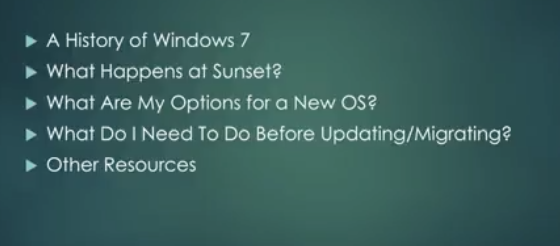
A History Of Windows 7
Windows 7 made its debut in 2009. It was initially planned as an incremental upgrade to the operating system – it was to address the poor reception of Windows Vista. Windows 7 was praised for its increased performance and intuitive interface with the new taskbar and other improvements.
More than 100 million copies of Windows 7 were sold in its first 6 months. By mid-2012, there were more than 630 million copies sold. It was the most popular Windows variant up until 2018.
In 2014 Microsoft stopped selling Windows 7 in anticipation of its end of life. In 2015 mainstream support ended. Extended support will end on January 2020, sunsetting Windows 7 for good.
Now is the time to migrate to the next Windows operating system.
What Happens At Windows 7 Sunset?
All support for Windows 7 will end on January 14, 2020. This means no more bug fixes or security updates. Over time, the usability of Windows 7 will degrade. There will be a loss of usability and increased vulnerability.
Will Internet Explorer Still Be Supported On Windows 7 After Sunset?
Per Microsoft, support for Internet Explorer on a Windows 7 device will also be discontinued on January 14, 2020. As a component of Windows, Internet Explorer follows the support lifecycle of the Windows operating system, it’s installed on. See Lifecycle FAQ – Internet Explorer for more information.
Does This Apply To Windows 7 Enterprise As Well?
If you are using Windows as part of a work environment, we recommend you check first with your IT department or see Windows 10 deployment support to learn more.
What Does Loss Of Usability Mean?
Applications may no longer receive updates.
Features may become incompatible.
Utilities may become unsupported.
New devices may not connect.
What Does Increased Vulnerability Mean?
Software bug fixes may no longer be issued.
Your PC could be infected by malware.
Antivirus programs may no longer be updated.
Online banking transaction systems may expire.
Your financial data could be vulnerable to theft.
So What Now? Is It Time To Upgrade To A New Operating System?
Yes, you should upgrade to either Windows 10 or Mac OS High Sierra. You probably shouldn’t go from a Windows-based system to a Mac OS unless you’re in design or video production. Most small businesses do best with Windows operating systems.
If you do switch to Mac, you’ll want to perform a cost analysis. You’ll need to change all the software you use, and this could get pricey. Plus, Apple devices are more expensive. However, they do tend to be more reliable and less costly to maintain.
What Do I Need To Do Before Updating/Migrating?
To make sure your hardware is ready for the next software environment, you should perform a series of inventories.
Software Inventory: Go through your start menu, programs folder and any other locations on your PC and make a note of all the applications and utilities you have.
Categorize them into 3 groups:
1. Required
2. Optional
3. Unwanted
Check your required software versions against the most current versions on the market to determine if you need to upgrade them. If so, make a note of the cost to do this.
Software Wishlist: Decide what you need, how soon, and do similar upgrade and cost determination.
Hardware Requirements: Make sure your current hardware is compatible with the most current Windows Operating System (Windows 10). This means checking:
The space on your solid-state drive or hard drive.
The RAM or memory requirements.
Any CPU or Processor.
If they don’t meet the requirements, it may be best to purchase a new machine with Windows 10 installed. Then you can reinstall any current applications that you require.
Should We Consider Purchasing A New Computer?
If your computer is 7 or 8 years old, and running Windows 7, it makes sense to get a new one, or a new Mac and operating system.
For most Windows 7 users, moving to a new device with a Windows 10 operating system is the best path forward. Today’s PCs are faster, lighter in weight, more powerful, and provide increased security.
The average price is considerably less than that of the average PC was eight years ago. This Guide from Microsoft can help you choose a new PC in just a few easy steps.
When you’re ready to upgrade to Windows 10, visit and spend some time on:
https://support.microsoft.com/en-us/help/12435/windows-10-upgrade-faq
Do You Have Any Questions?
Contact us. We’re always here to help.

by Felicien | Sep 17, 2018 | Education
How Do We Choose An IT Service Provider?
10 Critical Things To Look For
If your IT company doesn’t return your phone calls, their prices are too high, or they run in to “fix” things only to run out before you find what was done, you need to choose another IT Service Provider.
But what should you look for?
With the rapid changes in technology, how are you supposed to know which IT company is best for your business needs?
We’ll tell you here…
Have you ever heard the term Managed Service Provider (MSP)?
It’s important that your IT company is and MSP… meaning that they provide what’s called Managed IT Services.
What Are Managed IT Services?
Managed IT Services allow you to offload all of your IT services and solutions to a service provider (an MSP). Your MSP assumes all the responsibility for 24-hour monitoring and maintenance of your IT system.
Why Is Using An MSP So Important?
Using Managed IT Services is critical to the success of small to mid-sized businesses today. Most don’t have the resources to hire a team of tech experts and keep them on-call 24/7.
Your Managed Service Provider will act as your outsourced IT department. It’s a much more affordable way to access the comprehensive IT systems that larger business enjoy.
This also ensures that your technology and data will always be accessible, reliable and secure.
And, with the services your MSP provides, your company will be set up to better compete against other businesses like yours.
Sounds like a dream come true, right?
But… you must find the right IT MSP company for your organization.
Which brings me to the main topic here…
What Should You Look For In A Managed IT Service Provider?
Not all IT companies are the same…
Here are 10 things to look for…
Make sure that your IT Service Provider:
1. Responds quickly to your calls. Every company has different processes, and response times vary. Ask for their guaranteed response times:
How long does it take for them to respond?
How fast are issues typically resolved?
How long will it take if you require onsite support?
Make sure they back up their answers with facts and metrics.
2. Is an IT Advisor and not just a repair service. Look for a subject matter expert in the industry you serve. If you run a healthcare practice, make sure they are versed in EHRs, HIPAA and practice management software.
Look for an MSP who can act as a consultant and craft a customized solution to meet your unique requirements. They should explain everything they do in plain language that you and your employees can understand, and how it will impact your business operations.
3. Offers access to a team of highly trained and experienced technicians who provide on-call service 24/7/365. They should ensure that your IT infrastructure is available when and where you need it…And that you have access to specialists who can ensure you are following IT best practices.
4. Provides a guaranteed Service Level Agreement. They should monitor your network 24 hours a day to act on any issues before they cause IT interruptions or downtime that can disrupt your staff’s productivity.
5. Helps you budget for the IT services you require. A good IT service provider will offer services that you can predictably budget for, and solutions that you can write off as operating expenses rather than capital ones. Your MSP should offer a customized package of services for a fixed monthly fee that you can count on.
6. Ensures that you’ll have a highly secure IT environment so you won’t have to worry about viruses, malware, and hackers stealing your confidential data. They should use best-of-breed technologies that block data intrusions and eliminate them before they enter your network. They should also help you maintain IT security compliance for industry and government regulations.
7. Sets up Business Continuity and Disaster Recovery Solutions with both onsite and offsite cloud backups to ensure you can always access your IT even if your office is closed due to a storm or other disaster. Plus they should provide continuous backups and testing to ensure your data is easily recoverable.
8. Ensures that proactive support is ongoing so you can have the peace of mind that your IT network will run as it should. This way you can focus on your core competencies rather than worry about technology issues.
9. Offers many different services and solutions you can choose from. This includes things like hosted cloud services, VoIP business phones, mobile device management, wireless services, virtual CIO services and more. Only with a variety of services can they provide the customized information technology solutions that best fit your needs.
10. Makes your success their priority. They must get to know your business and your goals. How can you tell if they’ll do this? Ask them about their clients and the success rate they experienced by using the services they provide. Any company that’s provided success for their customers will gladly be willing to share their stories and references.
There’s no doubt that finding the right IT Service Provider can be a daunting task. But armed with this information you should be able to find the right fit for your business.
