by Felicien | Nov 26, 2018 | Education
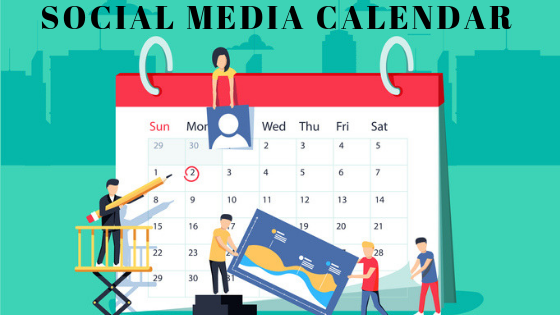
We all know that social media can play a significant role in marketing your product. In the world today, more people are getting hooked up to social media meaning that the market is shifting in that direction. Social media calendar is, therefore, able to help you understand your audience’s preference. As a business person, you can interact with your followers and get their say concerning your product.
This is how the calendar helps.
Achievement of Goals
An organization is driven by its goal; both long term and short term. This is the main reason for the calendar. This step should be realized even before you find out how to create the social media calendar.
The goals set on the social media calendar are realistic and achievable. With everything set on the platform, you can easily track the record of your performance and do away with what holding you back. At the end of the day, you’d have met your goals of the said timeframe.
Consistent Results
Apart from meeting the achieved goals, social media calendar is responsible for positive results you set in your business. Organizing and setting of responsibilities bring the feeling of working in the business sector. At the end of the day, results are yielded since everyone wants to accomplish his/her set goals before time.
It’s Convenient and easy to Operate
The main idea behind Microsoft Excel social media calendar is to turn data into insights. Also, it enhances collaboration in the business as you are able to share what each one of you has, to come up with one perfect organized calendar.
What to Note while Creating a Social Media Calendar that’d Yield Results
Why are social media calendars so important?
As a business, your primary goal is to reach many customers that leads to more sales hence more profit. To make this happen, your social media calendar should?
Be Audited
Everyone dreads this word but you shouldn’t be worried. Social media audits are essential and it yields results to your business.
During the process, you are able to realize the content that is shooting high regarding engagement and which one isn’t. What follows is the measures that increase the performance of the least and how to optimize the whole content.
Tracked on the days you Share content
After creating the calendar, you apparently have planned what you’d be sharing daily or weekly. To ensure there is effectiveness on your content, track what you’ve shared, when and where. Spreadsheets will ideally help you here.
Promoting your content is helpful and this assisted by the spreadsheet. Also, you should add descriptions and text for each post.
Meet your Content Mix
Everyone in social media is sharing their preferred type of content. However, you should be careful to create content on the calendar that is specific to your niche or industry to avoid confusion for your audience.
The Takeaway
With the calendar, you can achieve a lot in your business. This only happens when it well organized and result oriented though. In conclusion, excel social media calendar is integrated to bring together increase productivity and safeguard your business.

by Felicien | Nov 25, 2018 | Education
Understanding your past financial data is essential to forecasting for the future. Without analysing the data, your emotions or your opinion of what you’d like to happen with your business in the future are likely to colour your forecast. One easy way to use your past data to predict your business future is to build a financial prediction using Microsoft Excel.
How to make an economic forecast using Microsoft Excel
1. Select your past sales data in Excel. The first step in creating your financial business forecast is to select the previous sales data that you wish to use. In most cases, you’ll choose the past three to five years. However, if a singular event, like the Stanley Cup Finals or the Winter Olympics being in town, dramatically impacted your sales and is likely to repeat in the future, your forecast will be more accurate if you leave that year (or at least that period) out of the data you use for your projections.
2. Click on Forecast Sheet on the Data tab. The next step is to click on “forecast sheet” located on the tab marked “data”. It’s located at the top of the page on the left side.
3. Enter the required information and hit Create. Next, you’ll need to enter the necessary information, such as the time period you’d like to forecast and, finally, hit create. You’ll have a forecast report projecting the sales and/or income into the period you selected.
How to use your forecast report to make smart business decisions
What can your forecast report be used for? If you know what your sales and income are likely to be for the next quarter or next year, you can make sure that you have the inventory, raw materials, staff and marketing that you need to support that level of sales. You can also use this report to discuss funding with your bank or another lender.
by Felicien | Nov 24, 2018 | Education
Data breaches never fail to stay at the top of news headlines, and these are news headlines that should be highly regarded if you are a business owner. According to the ID Theft Center, there were at least 1,579 breaches, which was a 44.7 percent increase from the year before.
A Look at Early November 2018 Data Breaches
The astounding uptick in data breaches is expected to continue as a trend for 2018, and the first half of November 2018 has already shown multiple problems. Take a look at some of the breaches that have occurred already in November for 2018.
Ontario Cannabis Store/Canada Post
The legalization of cannabis across the country in Canada brought about a lot of prickly, unfamiliar situations for consumers and business owners. However, to worsen matters, their new and booming industry took a hard hit because of a massive data breach during the first part of November. The data breach was in the form of a hacker who managed to get into Canada Post’s delivery tracking tool.
Customers who had purchased cannabis for mail delivery from Ontario’s Cannabis Store had their information exposed. This data risk is considered severe because those in the up-and-coming cannabis business in the country could face concerns with consumers about the privacy of their personal information. This data breach affected as many as 4,500 customers.
HSBC Bank USA
Domestically, a significant data breach with one of the top names in banking left financial institutions and consumers alike a bit fearful. HSBC Bank had multiple customer accounts compromised. To date, the number of accounts compromised and customers affected has not been disclosed. Nevertheless, this has been considered a severe data breach because the data taken can be severely damaging to consumers who hold accounts at the institution.
The risk to related businesses because of this kind of breach is pretty massive. Banking customers place money in their accounts because they trust the institution will keep it secure. This kind of data breach with one of the world largest banks does not fare well in the minds of consumers; it only lessens their overall faith in banking systems as a whole. So far this year, financial institutions have taken a hard hit.
Other Data Breach News Around the Globe for November
Pakistan had an epic fail in November with hackers managing to get the account information of at least 8,000 banking customers. This data breach didn’t just affect one bank; it actually affected customers from ten different banks across the country. The stolen data has already shown up on the Dark Web as records for sale for prices between $100 to $160 per record. So far, the cybercrime division in Pakistan has found more than 11,000 records.
Noteworthy Data Breaches So Far in 2018
The new November 2018 data breaches are added to a growing list of breaches that have already occurred for the year. Facebook was perhaps one of the most publicized data breaches for the year. In April of 2018, at least 87 million records were breached, and it’s most probable that there were far more. Orbitz also had a considerable catastrophe when travel booking accounts were hacked, leaving something like 880,000 customers’ payment cards exposed.
Data Breaches in 2017
Numerous businesses in the past have had problems with data being compromised, especially in 2017. There were at least 16 data breaches for major retailers, according to Business Insider, including Macy’s and Adidas, to name a few. Sears even had a data breach in April that affected at least 100,000 customers who had their credit card information compromised. Restaurants were also hit with data breaches in 2017. Sonic and Panera Bread were two of the most noteworthy.
So far this year, the numbers of data breaches have exceeded those in 2017 by a long shot, which just shows how much of a risk data breaches are continuing to be in spite of considerable efforts to stop them. All business owners should amp up their security efforts and keep a close eye on data, so it is rightly protected.

by Felicien | Nov 23, 2018 | Education
When the Windows 10 Anniversary Update came out, Microsoft continued the process to improve connectivity between devices, including a new feature, Project to this PC. Though it’s similar to a remote desktop, it allows the remote device to establish the connection through the Connect app. This allows you to project your phone or remote PC to your computer either through the use of Miracast technology or using a local network without having to bother with usernames and passwords. Here’s a look at how to use Project to this PC to keep up with your business.
How to Use the Windows 10 Anniversary Update to Get Access From Anywhere
Setting Up Your Devices for Project to this PC
Setting up your devices is a simple process. You’ll need to open Settings, click on the System option and then select Projecting to this PC. However, you’ll also need to make the device you’re viewing on discoverable by the device you’re attempting to project. This requires customizing a specific option, “Some Windows and Android devices can project to this PC when you say it’s OK”. You have the option of choosing Always Off, Available anywhere or Available anywhere on secure networks. You’ll also be able to select whether to “Ask to project to this PC” for First time only or for Every time a connection is requested. You can use an option to Require PIN for pairing to provide additional security, but if it isn’t enabled, you can simply connect without any additional steps taken. To save power, you can also make your laptop discoverable only when plugged in. Some users find that renaming their PC makes discovery easier on a remote host.
How to Use Project to this PC with Your Devices
After you’ve adapted your settings, you simply need to open the Connect app on the device you’re projecting. On the remote device, you’ll need to open the Action Center, hit the Connect button, then select the name of the device that you’re projecting. You’ll need to check the box for Allow Input from a keyboard or mouse connected to this display if needed. You’ll then be able to control the remote screen, but your experience may vary based on the device being used and network speeds.
Other Options for Project to this PC
One area that not a lot of techs are talking about is the ability to use your computer as a second monitor for another PC. If you’re working on a project that takes up a lot of real estate, this allows you to quickly add a second monitor. When you connect, you can use the Change projection mode for a range of Windows Project options, such as Disconnect, Duplicate, Extend and Second Screen solely. The Extend option allows you to treat the projected screen as a secondary monitor.
Projecting to this PC is being pushed as a business feature to help share documents with a group, but it can serve almost any purpose. Devices used with the Connect app don’t have to be using the Anniversary update, provided that it’s been updated during or after November 2015. It can also work with Windows 10 mobile devices with the Continuum experience.

by Felicien | Nov 23, 2018 | Education
How Managed IT Services can Improve Cyber Security
According to BusinessWire, 4.5 billion records were compromised during the first part of 2018. Every type of organization from healthcare to banking is susceptible to a security breach. Even small businesses are no longer immune from the threat of hackers or malware. Cybersecurity is a priority for nearly every organization and finding ways to reduce the risk can be both time consuming and costly. There are several ways a managed IT service can improve a company’s cybersecurity and lessen the chance of a significant breach.
Conduct Regular Assessments
An outsourced IT team can conduct an initial assessment to see where there are any weaknesses in the system. Until a professional evaluation is done, a company won’t know where their shortcomings may be. After the initial assessment, regular checks can be made to keep all computers and devices working as effectively as possible. Ongoing vulnerability scans will keep a company aware of their weak points and one step ahead of security threats.
Monitor and Secure Networks
Most businesses have a firewall to protect their networks. This is just a first step and isn’t enough to keep a company safe. To keep the networks as secure as possible ongoing monitoring is necessary. Keeping a network secure involves monitoring several specific aspects of a system.
Malware Protection – An IT team can provide the most up-to-date software and security tools to reduce or eliminate malware.
Endpoint Protection – This means that every access point on a network, including phones, tablets, and laptops, is kept secure.
Real-Time Alerts – A managed IT service can give a business around the clock alerts regarding the health of their hardware and software.
Maintain Compliance
Keeping all data secure and meeting compliance standards is crucial when running a business. Staying compliant means following all government regulations as well as state and federal laws that specifically affect the company. An outside source will often have expertise regarding the many compliance issues that pertain to technology. Not staying compliant can often mean paying hefty fines. Many businesses have even faced bankruptcy when failing to abide by federal and state laws.
Provide Skilled Staff
Too many businesses rely on an IT person who is the “computer whiz” in the company. No matter how skilled this individual or group of individuals may be, they almost certainly won’t have the experience that an IT services company can bring to the table. A managed services team can provide technical expertise and high-quality support for any type of company that relies on computers and the internet to do business.
Provide Backup and Recovery Services
No matter how secure a system is, disasters do occur. Everything from power outages to computer crashes can mean lost data and potentially long periods of downtime. If a company happened to lose data due to a computer crash or a security breach, an outsourced IT team would have the expertise to recover all the lost data as quickly and efficiently as possible. Managed services can provide an offsite storage solution for all of a company’s data. Offsite cloud storage not only can improve security but is cost-effective and offers easy accessibility.
Constant Email Monitoring
The average employee receives hundreds of emails each week. A business that isn’t providing extensive scanning for all emails is putting itself at risk. A managed IT service can provide the sophisticated tools to adequately monitor emails. An experienced team of professionals can offer a company spam filtering, email encryption, and archiving.
Available 24/7
A computer system is vulnerable around the clock to hackers, viruses, and malware. To prevent a security breach a business needs a professional IT team that can monitor and protect their system without any downtime. Having 24-hour IT service also means the company can immediately contact a professional when anything suspicious occurs. Waiting for the IT person to come into work might mean the difference between solving a potential problem quickly and suffering a significant security breach.
A managed IT service can offer a company everything from malware protection and email monitoring to backup and recovery services. As breaches and data loss continue to be critical concerns for business leaders, professional IT providers can offer a company comprehensive service to improve cybersecurity.

by Felicien | Nov 23, 2018 | Education
You would never open a restaurant without investing in the proper insurance policies. Before you ever light the grill, you’d make sure that you had every bit of liability coverage you could imagine. Before hiring your first employee, you’d make sure that your policy would protect your business’s interests in the event of an injury or accident. You would never allow a customer to sit down and enjoy a meal without knowing that you were covered, should the worst happen.
Regardless of the type of industry that you are working in, the first step is always self-preservation. Before you take two steps forward with your business, you do what you need to ensure that you won’t have to take three giant steps back. Insurance and liability coverage is more than fundamental—it is the expectation. In many parts of the world, it is even mandated. But for some reason, this basic concept of protecting your business interests, as fundamental as it may be in other aspects of your corporate venture, isn’t nearly as standard when it comes to protecting digital interests.
Every company utilizes some level of digital software, whether it is for internal processing, staffing purposes, or financial purposes. While a restaurant may run based on the goods in the kitchen and the friendly service of the staff, the business itself is only able to operate when everything behind the scenes—from inventory management to payroll—is functioning correctly. A ransomware attack on any company can have drastic negative consequences. Take for example the recent experience of a prominent Canadian restaurant chain, who after suffering a ransomware attack experienced a partial network outage and had to actually close several locations until the issue was resolved.
Protecting your company from accidents that may happen day to day is important. But malware isn’t an accident—it is malicious and intentional, and it can happen to anyone. You will never realize that you are a target until it is too late, and if you aren’t careful, you could end up with the attacker gaining access to incredibly sensitive information about your finances and business plans.
It is time to make digital protection a fundamental aspect of protecting your company. A simple malware protection software can alert you if anything suspicious is downloaded onto your computer, and will act as the first line of defense in keeping dangerous software and viruses off of your hard drive and away from your personal information.
When the malware attack shut down the offices of more than half a dozen prominent restaurant chains in Canada, including Harvey’s, Swiss Chalet, and Montana’s, it led to significant disruptions in service and profit margins. Phone calls had to go unanswered, the doors had to remain locked, and employees were sent home without paychecks. This is a massive disruption and one that can be entirely prevented with minimal effort thanks to advanced ransomware protection services.
Don’t take any unnecessary risks with your corporate interests. Talk with an expert about the best malware protection services available that can help keep your restaurant’s doors open and your profit margins healthy.
