
by Felicien | Mar 7, 2019 | Education
Business executives, business owners, C level executives, and business managers share Blockchain information. One of the outstanding leaders of IT service companies across the globe is known as Infiniwiz. Our IT service strives to educate and train professionals in the business arena who seeks knowledge of the newest, most up-to-date trending IT technologies.
Through the combined efforts of our team of professionals, companies across the globe realize a significant increase in profitability. Infiniwiz increases the efficiency of companies; thus they see a vast improvement in staff morale. The businesses we cater to report improved communication between business owner and employees. This higher technology is improving all levels of customer satisfaction. The outcomes we see are essential to business owners, CEOs, presidents, and technology decision makers.
The Blockchain, Changing Technologies
Our computer technology is forever changing and with these changes come more elaborate digital technologies to learn and adapt to. Business owners must keep up with current and trending digital changes to keep their businesses profitable. Even though the public arena adopted Blockchain in or around 2008, many novice computer users never heard of this form of encrypted records storage. This article targets business executives, business professionals, industry specialists, or executives of any company with a 10-250 employee base who seek knowledge about a relatively new and vital step towards the storing of essential digital data. There is now a mass collaboration over the same network on a global level.
A Bit of History
This highly technological concept came into being through the work of someone known only as his alias Satoshi Nakamoto, in 2008. The original consensus was that blockchain was to serve in the function of a ledger for the bitcoin cryptocurrency. This technology came into being with one focus in mind; to solve the problem of spending without the need for trust in another individual or a central server. The design of the bitcoin prompted the invention of other applications that could be widely used and easily read by the public using cryptocurrencies. In the beginning, the blockchain, developed for business use only, is not commonly used in the public domain but fast gaining momentum due to its incorruptible design. Cryptology is the process by which an ordinary text converts into unintelligible text and vice versa or the digital technology of the Blockchain
The Definition of The Blockchain
In the simplest of terms, the Blockchain is a growing list of digital records that link together, using cryptography that contains three elements; cryptographic hash, timestamp, and the transaction data. According to Don and Alex Tapscott of Blockchain Revolution, the Blockchain is just a chain of blocks forming digital information in each block and data stored in a digital chain; the Blockchain offers as an incorruptible digital ledger of economic transitions. According to reports from Blockchain Revolution, the Blockchain is programmed to record not just financial transactions but everything of value. The Blockchain allows senders to transfer information from a plain text to an encrypted document to the receiver with a single shared key. The Blockchain is a decentralized and distributed public ledger. There are no retroactive alterations; it’s an independent form of verification, with autonomous management.
The Blockchain, for instance, has a network with no centralized point and operates within that network. Imagine thousands of computers in the same network system receiving the same spreadsheet with the same daily updated information. This information comes as shared encrypted data over many computers in the same network with one single point of storage for the data. A Blockchain is merely a chain of blocks containing digital information in each block. Transition information, participant information and distinguishing information comprises the Blocks in a chain.
This Technology Offers Heightened Security
This data is for public use and easily verified. The great thing about this is that hackers cannot hack into the information because there is no centralized point, as millions of people share the host computer.
Blockchain has a decentralized network.
No one person controls the information in the chain.
There is no single point of failure.
Everyone in a network is accountable.
No one can miss a transaction.
There is no such thing as a machine error.
This system verifies transactions through the recording of that transaction on a main shared ledger.
This process is secured.
This technology offers transparency.
This technology offers automatic ten-minute checks by the system.
This system is self-auditing
Information is uninterruptible, non-altering, in which data cannot be manipulated or overridden inside or outside the network.
This new technology offers a more accurate way in which to verify transactions using an encryption technology versus the traditional username and password that is so vulnerable to hacker attack.
This technology is incorruptible.
Offers no infinite reproducibility
Single transfer confirmation
Maintains title rights
Compels offer and acceptance
How does Blockchain Work?
There must be a transaction that occurs. That transaction must be verified and stored, and the block must have a hash. The advent of a blockchain used extensively in the financial industry on a global level demands the education and training of more developers for this technology. Soon, we shall see the ability to decentralize sensitive and personal identity information. Sensitive data currently held in a central location is at risk for hackers. However, the blockchain eliminates those risks because there are no centralized locations. Confidential information before the Blockchain remains vulnerable to hacker attack due in part to substantial security problems.
How Does One Access Their Blockchain?
A Public Key
This system allows for public and private keys of entry. A key is a random group of numbers automatically generated for the individual. This group of numbers becomes one’s address within the blockchain. These numbers identify each recipient as the owner.
A Private Key
This system requires a private key to gain access to personal digital information. When individuals store sensitive information in the blockchain, hackers cannot gain access. The block protects all the digital data and assets such as stored bitcoins, safeguarding the information with your private key. This storage is known as a paper wallet.
The Future of The Blockchain
2017 was the year that saw a massive launch of blockchain technology for large-scale use, dispelling a considerable amount of public skepticism. This technology increased to nearly 650 percent since 2015! Advancements and strides continue in this field every day; even though this technology is in its early stages and so far shows new concepts changing the way the world does business. There are many other options that blockchain offers private citizens and companies. The following list is just a very few ideas that utilize the Blockchain.
Sharing sensitive documents
Crowd-funding
Auditing
Predictions of markets
Intellectual property
Identity management
Smart contracts
Data management
Stock trading
Sharing economy
Government entities possibly starting at the voter booths
Smart contracts
Crowdfunding
Supply chain auditing
File storage, decentralizing traditional file storage
A new incorruptible, safe, hack-free network
A total internet made up of only decentralized websites
Securely protected intellectual properties
Now the Disadvantages of The Blockchain
Contact Infiniwiz of Chicago to become your quality IT service provider. We have a staff of genius high-technology professionals working hard, 24/7 for businesses across the globe.

by Felicien | Mar 7, 2019 | Education
Why Do Local Small Businesses Need IT Services?
Many small business owners are entrepreneurial and want to do as much as possible on their own. However, specific tasks require technical expertise that would distract owners from operating their businesses. IT support services are a perfect example of the type of task that small businesses owners would do better to outsource to reasonably priced local firms. Having a business of any size is tough without proper IT functionality, so it’s well worth the investment overall.
How Does Outsourcing IT Services Result in Substantial Savings?
Businesses hire outside firms to take care of their various IT needs because it’s more cost-effective. Hiring in-house IT resources can be prohibitively expensive. Also, you may not require full-time support for most of your IT needs, so it doesn’t make sense to hire two to two dozen people to build out a proper IT team when a local IT firm already has the staff to meet your intermittent needs without breaking the bank. It also saves you the hassle of hiring, managing and processing payroll for these resources.
How Do IT Firms Provide Fast Access to Assistance?
When you contract with local IT companies, you often have 24/7 access to help during an emergency. If you need the same support for salaried or hourly in-house resources, you can expect to pay for overtime hours or compensate employees with time off for working after hours. Also, a team of experts who deal with a variety of systems and clients is likely to find and resolve your issues more quickly. Most IT firms assign an account manager to each small business so that you can build a relationship and have a single point of contact for emergencies. The expenses of this concierge-style offering are much lower than the cost of paying an entire team of IT employees to work in shifts. This is especially important for businesses with extended hours, who may need regular support after normal business hours.
What Benefits Do IT Service Firms Offer for Safety And Security?
Small business owners are so busy with day-to-day tasks they often don’t have time to think about data security. Hackers and cybercriminals take advantage of this to hack into networks to steal data or hold your customer database for ransom. Since privacy is becoming a bigger issue than ever, data security and safety are a huge component of your company’s reputation. Outsourcing firms have security specialists on staff who keep up with the latest advances in the industry. Proactive professionals in the security field are passionate about what they do. They often suggest changes to your network that help protect your employees, customers and the business as a whole. This is crucial because best practices change with the advent of new technologies, so having experts monitoring your systems significantly reduces your overall security risks.
Can an IT Services Firm Increase Your Productivity?
Small companies have a tendency to assign IT responsibilities to employees with any type of IT knowledge. This leads to mixed results. If you hire someone with the capability to learn new technology quickly, they still need time to master the systems in place at your company. Engaging an outside IT firm means that they will assign professionals with the required skill sets to complete the tasks required to run your systems optimally. This lets you concentrate your hiring and mentoring efforts on employees who can help you grow your business. Since IT is outsourced, you can simply call your IT services firm and get back to work while they take care of the issue. This saves time and frustration and increases your productivity.
What Are Some Additional Advantage To Hiring IT Service Firms?
Technology, by its very nature, is constantly evolving. Hiring in-house staff brings with it some additional expenses to keep them up-to-date. This includes travel and educational expenses for training on existing systems and certification and training on new technology, such as cloud solutions. Disaster recovery strategies, mobility expertise and many other specializations can quickly explode your IT budget. Instead, hire a team of trained specialists with a single phone call to your local IT services provider.
Can Outsourcing IT Service Bring You Peace Of Mind?
If all the risks associated with data breaches, system outages and other IT problems can keep you awake at night, it stands to reason that an affordable partnership with reliable IT experts can bring you peace of mind. Be clear in your expectations and make sure you understand the contract you sign, so there are no unpleasant surprises down the road. Do your homework and check with other companies that have worked with the firm you want to hire. Knowing that a qualified team of professionals is ready and waiting when you pick up the phone goes beyond giving you peace of mind. It lets you focus on growing your enterprise without worrying about how the technology can stand in your way.

by Felicien | Mar 5, 2019 | Education
With the ever-increasing rate of digital interconnectedness and accessibility, IT systems are more at risk of attack by hackers and spies than ever before. Yet, many companies still haven’t seriously addressed the issue of cybersecurity in their organizations. If you have concerns about the preparedness of your business, now is the time to start taking steps to protect your data.
A Growing Threat
The last few years have seen the largest data breaches in computer history. Billions of people have been affected by having their personal and financial information exposed and in many cases, used in criminal activities. The Equifax breach in the fall of 2017 compromised the data of over 143 million Americans. Attacks skyrocketed in the first half of 2018, with 765 million occurring from April to June alone. Many other large breaches have been reported since then. Almost every individual has been affected in one way or another, and businesses have lost hundreds of millions of dollars to cybercrime. It’s become so common that people have become complacent and fatalistic about it, accepting that their information is out there somewhere, or soon will be. Nevertheless, despite such a high risk, in 2017, a major survey revealed that more than 58% of companies failed to effectively measure their vulnerability to cyberattacks. Businesses simply can’t afford to be so indifferent.
Addressing The Risk, Finding Solutions
Decision-makers and leaders in the top echelons of every organization need to make identifying and addressing their cybersecurity needs a top priority. You can begin by starting a conversation between your IT team and managers and employees at all levels of your company about information security and how best to protect sensitive data, but you need to know the right questions to ask. Here are four questions to ask to get the discussion started and moving in the right direction.
4 Questions Every CEO Needs To Ask About Cybersecurity
How informed is your team about the vulnerability to and potential impact of cyber attacks on your company?
It’s important to assess the current awareness of everyone in your organization about cyber threats and the potential damage from data breaches. It’s likely that everyone has heard of the many well-publicized breaches that have occurred over the last several years, but possibly haven’t considered them within the context of their own organization. This is the first step to developing an educational initiative to get everyone up to speed on the problem and identifying the at-risk areas in your system. After that, you can begin to develop a chain of communication to take immediate action in case of a breach and set protocols and expectations for response times. A fast and effective response is critical to limiting data exposure.
What are the specific risks to your infrastructure and what are the best steps to take to address them?
Have your IT team prepare a comprehensive risk assessment at all levels of your organization and prioritize the most urgent areas. Remember that the threat isn’t limited to just hackers. Many breaches occur because lower-level employees click on a link in a phishing email, leave a password lying around where it’s easily seen, or by unknowingly becoming a victim of a social engineering scam by giving it to someone over the phone who is impersonating a company employee. Then they can begin to identify the resources needed to protect your data, including third-party security software and updated equipment. Simply informing your employees of the threat of such low-tech risks can greatly increase your cybersecurity. If you don’t already have one, you should assign a dedicated security manager within your IT department.
How many security incidents are detected in your systems in a normal month or week, what type are they, and how we’re others informed about them?
You should have a system in place to detect, monitor, analyze, and record any type of potential security incident no matter how small or seemingly insignificant, and disseminate that information to the appropriate personnel, or perhaps to all employees to raise awareness. You should discuss hiring a managed services provider or buying software to do this, and identify which ones would best serve your needs. You should also consider a cloud-based solution.
Does your company have an incident response plan? How effective is it, and how often do you test it?
The only way you can quickly react to prevent or limit the damage from a breach is to have a clearly defined response plan in place. It should document how every pertinent department in your company should react in the event of an emergency from the top down, including your public relations team and your attorneys. This plan should be available to all employees. It should be tested on a regular basis, at least once each quarter, and updated whenever significant changes are made to your IT infrastructure.
Cyberattacks are just a fact of life these days, and that’s not going to change anytime soon. But by asking your team the right questions, starting a dialogue about how to address the threat, raising awareness and implementing training, and having a response plan in place, although you’ll never completely eliminate them, you can reduce your risks significantly.

by Felicien | Mar 5, 2019 | Education
The sudden development of IT problems can quickly throw your team’s workday off track. Even simple login issues can prevent you and your employees from getting any work done until you can fix the problem. To do so on your own, you may have to spend hours troubleshooting, sometimes without getting anywhere. If you have managed IT services, however, resolving the issue could only take a quick phone call to a team of dedicated professionals on standby.
The rapid resolution of IT issues is worth its weight in gold alone, but there are many other benefits of managed service arrangements. With their ability to handle everything IT, from preventing issues in the first place to dramatically increase your network security, managed service providers bring immense value to the table.
To get the most out of this type of service, you will need to select the managed service options that support your daily operations best. Here’s what you need to know.
Range of Managed Service Options
Managed service companies offer a full range of services to support business operations of all kinds. You can acquire everything from basic help desk support to data recovery services from these professionals. They can also handle network security, system backups, computer maintenance and IT planning for your company. Managed IT providers can also help with the creation of custom software solutions and the management of your local servers.
You will need to reflect on your business needs to find the best level of service to acquire. With an understanding of your business operations and tech requirements, your managed IT provider can help you build a plan that will help you achieve great results.
Benefits of Acquiring Comprehensive Managed Services
When you elect to work with a managed IT service provider, you can boost the efficiency of your operations while decreasing expenses. Your team will have the support they need to stay on track with their daily tasks. Explore these benefits of acquiring managed services to see why this is a great option for businesses of all sizes.
IT Issue Prevention
With oversight from skilled computer techs, you can actively prevent IT problems from developing. These experts utilize protective software and techniques to keep IT issues from disrupting your workday. They may use ghost imaging, for example, to restore a fresh version of your operating system on every PC each day. With this approach, you do not have to worry about slowdown and data corruption that can occur otherwise.
Decrease in Expenses
Depending on the level of service you select, you may be able to minimize your expenses by acquiring just the services you need, when you need them. You can build your tailormade service plans by selecting only the services that pertain to your company. If you do not have local servers in need of management, for example, you can leave that service out of your plan. With this arrangement, you do not need to attract, acquire and retain a full team of IT professionals of your own. You can save on the costs of talent acquisition, benefit plans and other human resources tasks needed to build and maintain a team of skilled IT experts.
Data Security Improvements
When you have a managed IT service plan, you can keep your data safe by utilizing the newest technologies as efficiently as possible. Using high-tech security tools and practices, your IT team can protect your network from attacks and preserve the integrity of your data. You can also receive the assistance you need to remain in compliance with any data security regulations in your industry.
Potential Impact of Unresolved IT Issues on Your Business Operations
When computer and network issues keep your team from working, your company starts to lose money. Each minute your systems stay down could end up costing hundreds to thousands of dollars, depending on your company size and operations, if you cannot source a swift resolution.
Unresolved IT issues can cost even more if they allow security breaches that compromise your data. You have to stay on top of the latest software updates and hardware upgrades to keep your data secure and uncorrupted, for example. Data security breaches that leave you out of compliance with the regulations in your industry have the potential to be even more devastating.
Thankfully, by partnering with a managed IT service provider, you can keep computer and network problems from affecting your company’s bottom line.
How to Find a Skilled Managed Service Provider
You can find a skilled managed service provider to partner with by looking toward the thought leaders in the industry. The professionals that share their industry knowledge and expertise online give you an idea of their service quality and approach. You can narrow down your options by looking at the websites and blogs of the top companies on your list. Although you can check that their services match your company’s needs, it is usually a lot more helpful to speak to someone directly about that.
Once you find your ideal managed IT service provider, you can schedule a consultation and discuss your company’s exact needs. You can have a custom service plan built to your specifications to ensure your company receives the support it needs. With this level of service, you can rest assured that time-consuming or outright unsolvable IT problems will be a thing of the past for your organization.

by Felicien | Mar 4, 2019 | Education
Each year, around 61% of small businesses become the victims of a malware attack. While many small businesses may think no one would ever come after them because of their size, know that over half of the total global attacks hit small businesses and, for thieves, getting access to your systems is becoming increasingly lucrative.
We’re collecting more about customers than ever before: medical history, financial records, consumer preferences, payment information, and other confidential information. Some of this information could be used in malicious ways to either harm your business or directly harm the customers, so we all understand that we must protect it from cyberattacks.
Creating a human firewall is the best way to keep your system and data safe, but what exactly is a human firewall, why do you need one, and how can you build one? Let’s take a look!
What is a Human Firewall?
You already know about a “normal“ firewall that acts as a technology shield, protecting your primary systems and sensitive customer data from outside threats like viruses, malware, ransomware, and the like. Protecting your systems with a technology firewall is an important major step to protect your business and customers, but even the most advanced firewalls can be breached because people you trust, your employees, need access to that data in some capacity, putting customer data at risk.
For a timely example, we can look the public relations nightmare that Facebook has endured over the past two years with scandal after scandal related to how they protect the massive amounts of data they collect on users. In some cases, the data breaches have been related to flaws in the technology; in other cases, people who were in positions to legally access that data made what some consider poor decisions that put Facebook user data at risk.
A human firewall addresses the second part of this. It focuses on risk awareness, training, and monitoring among employees. It ensures that people and technology effectively work together to safeguard critical systems and consumer data.
How Do Humans Increase Your Risk?
If you have a firewall, you may be wondering, how can your employees put data protected by a firewall at risk? Several types of malicious hackers exploit the weakest link in these scenarios and the weakest link, in this case, is the human. They employ strategies that innocuously coax employees into helping them breach your firewall.
How do they do it? Let’s look at six common strategies.
Scenario One: Basic Phishing Scam
You get an email that appears to be from your boss’ boss and it sounds urgent. They say that your boss is not available to help them and they ask you to click on a link and log into a work program that gives you access to customer information. You click the link and it takes you to a page that looks exactly like your workstation login page.
An employee is caught between a rock and a hard place. It sounds urgent and they could be fired if they don’t help their boss’ boss. Because they’ve been told their own boss is not available, they can’t check this out. How many of your employees do you think would comply to avoid getting in trouble? That’s exactly why this scheme or something similar to it is so effective.
Scenario Two: Spear Phishing Scam
You get an email that says, “Hi, {your name}, here’s the file I promised I’d send you earlier this month. I know you’ll find these reports invaluable as a {Job Title}. Let me know how they work for you.“. It comes from someone who appears to work in your company or a company that your department often works with, making the email seem valid and trustworthy.
Do you open the file? If you decided to open the file, it just downloaded malicious key-tracking software onto your computer which can now see everything you type, including all of your passwords or it may go further, infecting your computer and those of your co-workers, overtaking your network and stealing data.
Scenario Three: Ransomware
A malicious entity used one of these or thousands of other strategies to leverage human error in order to breach your system. They’ve locked down all of your servers through encryption so that you can’t access any customer data.
They tell you via a message on the computer screen that you have three hours to pay them $1000 in cryptocurrency or they will completely wipe out all of your customer data. Not unsurprisingly, many businesses choose to pay the relatively low ransom rather than lose priceless customer information. This fuels the prevalence of these attacks and increases the chance that a business that previously paid will get hit again. They may or may not regain access after paying.
Scenario Four: 3rd Party Software
An employee unknowingly installs 3rd party software that promises to make program X that they use for work easier to use by auto-populating certain fields. They give the software access to the system. Not all 3rd party software is malicious but any 3rd party software can put your data at risk. An expert should review all such software before anything is installed.
Scenario Five: Delayed Update
Companies like Microsoft, Google, and other big names are constantly being attacked as thieves who look for vulnerabilities in their software that they can use to attack the millions of people who use these softwares. When a company becomes aware of a new breach in their software, they create and send a patch to all of their subscribers, but often each user must download the patch to become protected. The normal human tendency to put things off can leave patches uninstalled for months, leaving you at risk longer than you should have been.
Scenario Six: Password Sharing
You have an employee who has trouble remembering passwords (That’s most people!), so they use the same password everywhere, including low-security websites they visit at home. How difficult do you think it would be for a malicious entity to figure out what password they use for your work systems?
You can tell people all day long not to share passwords, but because it’s hard for you to monitor, they’re on the “honor system“. How many employees really feel invested enough to always follow security rules when they think no one is watching? Well, let’s take a look by exploring just how successful attacks like these continue to be.
Why Do You Need a Human Firewall?
The average phishing scheme costs a mid-size business $1.6 million in damages. 76% of businesses say they were targeted with at least one phishing attempt last year. A Verizon study found that 30% of phishing emails get opened by employees and 12% of those employees click the link.
A single Ransomware attack costs a business $2500 per attack on average. If you’re a large corporation you can expect that amount to go up exponentially. This may not seem like much, but if you pay, you better believe they’ll keep coming after you again and again until you put a stop to it. And if the thief has even fewer scruples, they could take the money and then not un-encrypt customer data. That would cost the average business much more and if that information isn’t backed up a business could lose everything.
Recently, a Ransomware called “WannaCry“ completely shut down the single health system in the UK plus a major transportation company in the U.S. as it infected 200,000 computers in 150 countries. While many people refused to pay, the thieves walked away with $130,000. The damages incurred by those attacked by this one event are believed to have exceeded $4 billion when you factor in lost customers, delays, lost sales, and inability to service existing customers.
Ransomware attacks have proven very profitable for the thieves and have therefore increased worldwide by 350%. We have to protect our data and the human component must be part of that solution. Let’s explore the anatomy of a human firewall.
How to Build a Human Firewall Step by Step
A human firewall consists of five parts. No single part can stand alone. Only by taking an integrative and comprehensive approach can you protect your business and your customers.
1. Make Employees Feel Personally Invested in Security
Get people engaged in active security by helping them understand not just what the threats are but why security is so important and what an attack could cost the company, employees and customers.
For example:
Customers could be victims of identity theft
The company could become no longer financially viable (go bankrupt)
The reputation of the company may not recover
People may lose their jobs
Share these risks in ways that they don’t seem over-sensationalized as that could have the opposite intended effect. Encourage employees to stay alert to possible threats to protect customer data, each other and the company. Often positive peer pressure can psychologically help employees stay more engaged so look for ways to publicly, positively reinforce the right behaviors.
2. Inform & Educate
First, realize that there is no such thing as common sense. If an employee has never been exposed to a certain type of threat you can’t expect them to know that there is a threat so education that goes into specifics about types of threats is critical.
Create a security handbook for employees and update it at least annually. Cover your human security protocols thoroughly, but keep it short and use visuals as much as possible. People often remember pictures and graphics more than words.
Hold at least an annual security training. Remind employees about what’s in the manual and reiterate why it’s important.
Use online trainings, videos, quizzes, group games, or other more interactive tools to make security protocol more memorable and even fun.
Fast learning can also mean fast forgetting, so spread training and information throughout the year to enhance retention. This helps security stay top-of-mind all year long and with the interactive, personalized, and user-driven tutorials that you have available to you today, training can always take place at the best times and in the shortest amount of time to reduce its impact on productivity.
3. Build and Maintain an IT Infrastructure
Today more than ever humans and technology work together to get things done, so make sure that technology supports your human firewall in any way it can. If your employees feel that the technology that you put in place or leave in place makes it harder to do their jobs, they will create workarounds that put data at risk. Build and maintain an infrastructure that puts usability at the forefront and facilitates compliant activity.
4. Measure & Monitor
Any human firewall is only as effective as your ability to systematically measure its success. Put systems in place to:
Track compliance with password changes, installing patches, completing training, not posting sensitive data on public forums, not using private email of company business, etc.
Assess risk
Get feedback from employees on unknown risks
Evaluate employee retention of what they’ve learned
Measure employee perception of security measures, which can help you understand how invested they are in security and how well technology balances security and usability
Identify malicious or careless activity among employees
5. Adapt to New Threats
While many threats persist year after year, thieves are constantly looking for new ways to get into your systems. It’s important to stay informed and/or work with people who are very informed about these threats and know how to build, implement and monitor both the technology and the human side of your firewall.
The Anatomy of the Human Firewall
By applying these techniques you can build a human firewall that protects your business and customers. Don’t just assume that your employees are invested in security or know what you do. Build a human firewall today.
by Felicien | Mar 4, 2019 | Education
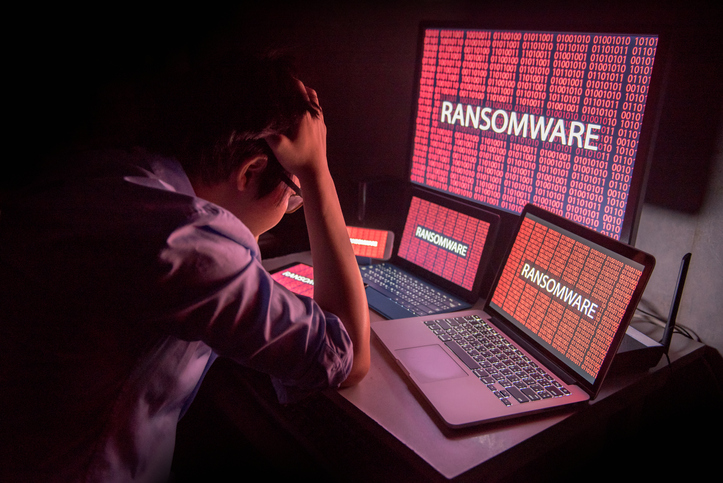
Your employee innocently clicks a link within an email or visits a sketchy website and the next thing you know your digital assets are being held hostage by a cyber attacker. It only takes a few keystrokes to cause potentially irrevocable damage to your systems, and hackers are always looking for new victims. With ransomware, you may be able to regain full access to your files and other digital assets — but at what cost to your business? No size of business is immune to cybersecurity assaults, and ransomware is on the rise in small businesses. In this Ultimate Small Business Owner’s Guide to Ransomware, you’ll learn more about the threat, tips to protect your business and suggestions on how to recover after your business has been infiltrated.
What is Ransomware?
Ransomware is a specific type of malware that results in you losing access to your digital assets until a ransom is paid to the attacker. The assumption is that as soon as you have paid the cybercriminal, you’ll regain access to your information — but there is no guarantee that hackers will unlock your files after payment. The loss of access to your information and business systems can be crippling for your business, sending productivity into a downward spiral and frustrating customers and vendors alike. The faster you or your IT security provider are able to react, the more you will be able to limit the damage done to your organization and reputation due to ransomware. The three primary types of ransomware are:
Data encryption or fundamentally changing the format of your files
Programs that hijack your desktop files and require payment to unlock them
Mobile ransomware that prompts you with payment instructions
Each type of ransomware presents particular challenges for your organization.
Dangers of Ransomware
Aside from losing access to your files, your business may effectively be at a standstill with a widespread ransomware attack. Computer and phone systems, your website, your email servers — all are interconnected and can be vulnerable to this type of aggressive malware. Today’s data and technology platforms are often tied tightly together which expands the reach of a particularly malevolent attack. The effects can be far-reaching, from an inability of customers to place orders or check order status to causing your automated production lines to grind to a halt. Until you are able to regain access to your data and files, your business may be relying only on printed information. This is particularly damaging when you consider how many of today’s offices are going paperless.
How is Ransomware Spread?
Ransomware is spread in a variety of ways, but the most common is through someone clicking a link within an email or visiting an infected website. These back doors to your systems provide hackers with easy access to business-critical systems and information, allowing them to virtually lock the door to your digital assets. Social engineering is another way that unsuspecting staff members are tempted to provide the keys to the virtual kingdom. Hackers are becoming extremely deft at using information stored on social networks to create ads or messages that seem to be from trusted colleagues — yet lead to malware.
Are Small Businesses Vulnerable to Ransomware?
You may think that only larger businesses with deep coffers would be tempting to cybercriminals, but small businesses are considered quite vulnerable and may be ideal targets for a quick attack. Small business owners are often lulled into having a false sense of security thinking that they are too small to be a target. A 2018 data security report by Verizon shows that 58% of malware attack victims were small businesses. Stealing your customer information can be the work of a few hours for a hacker, and these data points are extremely valuable on the dark web. It’s relatively easy for individuals to gain access to the tools that are required to break through basic security measures. It’s crucial for small businesses to stay informed and enhance their security profile in order to protect sensitive competitive and customer information.
How Can I Protect My Small Business from Cyber Attacks?
Protecting your small business from cyber attacks begins with assuming a more aggressive security posture. It’s no longer a matter of simply scanning emails for viruses and adding a firewall. The increasing scope of data breaches means you will need to either invest in internal security infrastructure or work with qualified professionals who specialize in cybersecurity. Protecting your business from ransomware and other cyber attacks requires a range of protective measures, including:
Staff training on creating adequate passwords and the importance of never sharing passwords
Limiting data and systems access for unauthorized users
Thorough review of endpoints, including secure employee and guest WiFi access
Close monitoring and review of when and how contractors are allowed access to systems
Maintenance of government regulations and compliance mandates
Advanced antivirus software, preferably with active monitoring
Regularly reviewing and enhancing backup and recovery strategies
Applying software patches and updates in a timely manner
Each of these strategies will take time and effort to implement, and they all work together to help protect your organization from being the target of a ransomware or other type of malware attack.
Recovering After a Ransomware Attack
Understanding the type of ransomware that has been added to your system is the first step in recovery. This will help you or your technology service provider determine the next steps for restoring full system usage. If you planned ahead and have a solid backup and recovery program, this is likely when you’ll begin taking those steps. IT security professionals recommend taking these steps to recover from a ransomware attack:
Disconnect everything to limit infiltration to unaffected systems
Take pictures or screen captures of the ransomware screen, including the payment requirements and information
Begin taking steps for recovery
Learn more about the specific type of ransomware that is affecting your system
Determine whether you are able to completely restore your systems from backups
Finally, create a crisis communication strategy that will allow you to provide customers and employees with the information they need to continue working after the attack.
The best option for your business to survive a ransomware attack is to avoid it — but that’s not always possible. Become educated on the dangers of this particular type of malware and how you can prevent it, or you risk becoming yet another statistic in the ongoing fight against cybercriminals.
