
by Felicien | Jul 16, 2019 | Education
Your MacOS Is Under Attack: 2019’s Biggest Malware Threats
The Mac operating system (MacOs) has frequently been hailed as one of the best systems for its resiliency to malware and typical viruses. But the days of MacOs standing strong and tall with no worries have really always been a misconception. Mac systems are just as vulnerable to the beefed-up, intelligent malware threats that are out there today.
SentinelOne published a lengthy review of the MacOs malware at the end of 2018, but in a new release, SentinelOne also stated that there has actually been an uptick in the numbers of new types out there attacking users. Here is a look at some of 2019’s biggest MacOs malware threats that every Mac-reliant business owner should know.
1. OSX.Siggen: A Malware Download from a Malicious Domain
Masquerading as a helpful app called WhatsApp, OSX.Siggen is actually a latched-on malware that slips in during a regular app download. WhatsApp is a fake social media platform, and the download looks super enticing when users come across it. However, once added to MacOs, the app runs with a backdoor designed to take administrative control over the system.
2. KeyStealDaemon: Password Hijacker
This dirty malware showed up in February of 2019, but by June it was still running strong. Apple allowed a patch several years ago designed for another purpose, but KeyStealDaemon can create administrative privileges for itself by slipping through. Unfortunately, this malware allows the person behind the scenes to get into the system and steal pretty much any password you have stored. The good news is, if you have properly updated your system, KeyStealDaemon can be booted out because it cannot break through.
3. CookieMiner Slips In and Steals Credentials
Toward the end of January 2019, a cryptominer showed up with its own installed backdoor to induce a threatening combination of technologies to steal cryptocurrency exchange cookies and passwords for Google Chrome. The worrisome thing about CookieMiner is this: experts believe that the malware could potentially have the rare ability to bypass things like authentication processes that involve multiple factors. If CookieMiner is capable of gathering enough cookies and credentials, cryptocurrency wallets can be virtually pickpocketed right in plain sight.
4. Mokes.B Puts On a Good Act
Persistence agents running amuck on your MacOs with familiar names may never be spotted, especially if they are calling themselves things like Firefox, Skype, or Chrome. This is precisely how Mokes.B avoids suspicion when it latches onto the operating system in application support folders and tracking files. Mokes.B is super-scary because it can gain the ability to take actual screenshots whole you are on pertinent screens, but it can also record keystrokes to steal date you are keying in.
5. A Variant of OSX.Pirrit Has Shown Up
OSX.Pirrit caused a lot of problems a few years ago, but this malware never really disappeared altogether. Instead, new family members under the old parent app are still being found on MacOs, and they are not being detected as they would otherwise be when acting as OSX.Pirrit. The aim of this malware is to make money from redirect actions that occur as a result of a browser infection, but there are rumors that PIRRIT is potentially capable of stealing data as well.
6. OSX.Dok Reroutes User Traffic
OSX.Dok gets into a system and installs a securely tucked-away Tor version location on a Mac system. User traffic hitting a site gets sent to an onion server instead of where it should be, which is a major problem for business owners needing to protect sensitive customer actions when they think they are on an e-commerce website. One of the scariest things about OSX.Dok is the fact that it can steal even SSL encrypted internet traffic maneuvers. Older versions of this software were thought to be banished, but new versions continually pop up.
Even though there are so many Mac users who think they are covered by some unseen immunity from malicious software, these risks are there and the growing list of 2019 proves that fact. Attackers deploying these software programs are targeting those easy-to-break barriers, so something like an improperly updated computer or even an unsuspecting employee can leave a business computer wide-open for an attack.

by Felicien | Jul 15, 2019 | Education
How to Stop Your CEO from Becoming a Phishing Target
Business fraud affects businesses of all types and sizes, and there are no individuals within your business that are truly immune from the possibility of a targeted attack. However, there are some people who are more prone to an attack, simply because of the high value of their knowledge or access to the information within the business. Accountants, finance leads and your CEO are some of the most commonly-targeted individuals when it comes to business email compromise (BEC) attacks, more commonly known as phishing attacks. Knowledge is power, and these tips will help keep your CEO from becoming the next victim of these vicious attacks.
What’s the Difference Between Phishing, Spear Phishing and Whaling attacks?
While phishing is the most common term that you may hear, there are two additional terms that are often used when it comes to upper executives or more targeted attacks: spear phishing or executive whaling. These more specialized attacks go beyond the broadscale spam of phishing attacks that are meant to net any type of “fish” who is willing to click a link. In a spear phishing or whaling attack, the hacker has researched your business and knows enough from either social media or your corporate website to target specific individuals. Cybercriminals spend the time and effort to find any key vendors for your business or some personal details that will inspire confidence in your executives. The assailants then leverage this information to create a highly specific and tempting message that feels more like a personal email from a known vendor partner or internal asset in an attempt to gain control of your systems or to get access to sensitive information. The term spear phishing generally refers to tactics that are specific to a few mid-level individuals in your payroll or accounting department while executive whaling is targeted directly at your CEOs and other C-suite leaders.
What’s the Potential Payoff for Cybercriminals?
This investment by the cybercriminal is expected to have a high-dollar payoff and there’s only one chance at success — so the hacker has a vested interest in taking the time to do it right the first time. Each subsequent request increases the potential of being discovered and reduces the possibility of a return on their investment of time. The fraudulent emails are often requesting that the recipient transfer a large number of funds, pay a massive invoice or otherwise release information to what the target thinks is a “trusted” party. The FBI estimates that a single targeted whaling attack can release upwards of $150,000 in funds to a cybercriminal, making this an extremely lucrative pastime for these malicious actors.
Your CEO Should Be Wary of These Tactics
Coaching your CEO to stay out of the way of cybercriminals starts with an ongoing dose of education. In this case, attackers tend to follow a pattern of sorts that is relatively easy to isolate as long as you’re actively looking for this type of interaction. Receiving an email from vendors that have already invoiced you for the month, or requesting a different payment method that they have not used in the past (such as a direct funds transfer) should be a big red flag for your senior executives. Be cautious of emails that come in from trusted individuals with a slightly different email address; e.g. “@Micros0ft.com” instead of “@Microsoft.com”, as hackers are now spoofing entire mail domains in an attempt to release funds and data from your organization. Funds aren’t the only things that are requested by these organizations — personal information such as tax records also command a high rate on the dark web. This quick flowchart from KnowBe4.com may be a helpful graphic to share with your executive team.
Protecting your organization from the tactics of cybercriminals is not a one-time problem or solution, but requires an ongoing and dedicated effort to foil the efforts of these actors. Keeping your finance teams and senior executives safe can save your organization hundreds of thousands of dollars in remediation and notification costs, not to mention the frustration and difficulties associated with handling a significant breach.
by Felicien | Jul 15, 2019 | Education
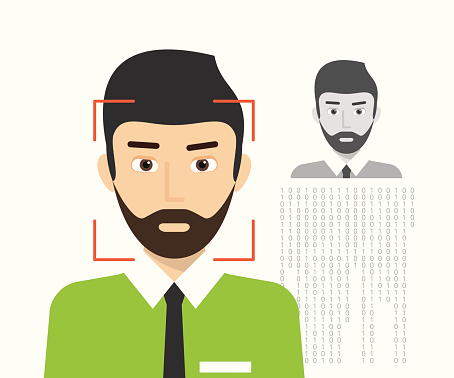
How Are Face and Touch Recognition Changing iCloud Access?
Apple may be testing new security procedures for iCloud.com with its next OS release. 9to5mac has reported that the beta for iPadOS 13, iOS 13, and macOS Catalina can use Touch ID and Face ID to secure and access their devices.
When Will the Change Take Place?
Beta users can already access the features on beta.icloud.com or a beta device or their regular desktop. A popup asks if users want to use Face ID or Touch ID. Many consider this logical and convenient since both systems are already available to lock and unlock devices and or to authorize Apple Pay transactions.
These features could end up in the company’s Sign in with Apple tool. With this tool, users can utilize one sign-on button to access websites — this resembles Google and Facebook partnerships with companies across the internet, where users can log in to certain sites with their Facebook or Google credentials. Apple believes itself to be a bastion of privacy for its users. By positioning Touch ID and Face ID as reliable tools, the company could be making a strategic move. This is especially critical following a major breach on iCloud a few years ago.
What is Touch ID?
You can use fingerprint recognition as a security feature with Touch ID. Apple designed and implemented the system, which unlocks and locks Apple devices. Apple users can also make iTunes and App Store purchases using their fingerprint as a credential.
What is Face ID?
With Face ID, facial recognition is used instead of a fingerprint to lock and unlock devices. This tool is also the brainchild of Apple Inc. and a feature of iPhone and iPad Pro devices. Biometric authentication can also be used to make payments, access personal data and endow Animoji’s with realistic facial expressions.
How Does it Work?
If you’re a beta tester for iPadOS 13, iOS 13 or macOS Catalina, you can help Apple test the new iCloud sign-in process. This gives you access to Touch ID and Face ID. Users also encounter the technology in iCloud when using Safari devices equipped with iPadOS, iOS or macOS or beta versions.
For those visiting iCloud.com on a beta device, the system will redirect you to beta.icloud.com. Even if you aren’t re-routed, you can go to beta.icloud.com manually to take the new feature for a test run. Make sure you are running a compatible operating system — iPadOS 13, iOS 13 or macOS Catalina. Otherwise, you won’t get the new sign-in option or two-factor authentication.
This feature protects users from compromised data and privacy concerns if their device is lost or stolen. Any measure users can take to proactively protect themselves online is a welcome addition. Apple is expected to make the Sign in tools available ahead of the feature’s launch in September.
Touch ID and Face ID on iCloud.com make signing in easy and more secure than typing in sign-in information. Plus, the experience will be familiar to those who’ve used it in the App Store or iTunes.
How Secure Are These Technologies?
Face ID and Touch ID are secure. According to Apple, there’s a 1 in 50,000 risk that someone else’s fingerprint will unlock your devices and 1 in 1,000,000 risk someone else’s face will grant them access to your device.

by Felicien | Jul 15, 2019 | Education
How Can You Insert a Text Box in Google Docs?
There are two simple ways to add a text box into your Google Doc. Each lets you set apart text that stands out. Both methods allow you to copy-paste or move the text box between documents. The methods include inserting a textbox into a table and inserting a text box in a drawing. This article covers inserting text into a table.
How Can You Create a Table Text Box in iOS, Android or in Google Docs?
You can create a Google text box on iOS or Android devices in Google Docs by inserting a table. The app lets you edit the table text box on any device. The default table dimensions are three rows by three columns. The trick is modifying the table to display one row and one column. This results in a single cell, where you can add text.
Here’s how to do that in a Google Doc on iOS and Android:
Select + (add).
Select Table.
Select the down arrow to the right of Columns and reduce the number to 1.
Select the down arrow to the right of Rows and reduce the number to 1.
Select Insert Table.
Your table is created and displays a single cell, which servers are a textbox.
What if I Use Desktop Chrome?
You still use a single-cell table, but the process is a bit different.
Here’s how to do that in a Google Doc on desktop Chrome:
Select + (add).
Select Table.
Adjust Columns and Rows by selecting a single cell. (1×1 will display).
Select Insert Table.
Enter your text into the table cell.
What Should I Know About Entering Text in the Text Box?
In both cases above, you can enter any appropriate text. You can change the font size, font and color just like regular text. If you’re working on a mobile device, select your text and look for and select the text format icon. It’s near the top of your screen and looks like an A with four horizontal lines to the right.
For Chrome Google Docs on the web, highlight the cell text and make format changes using the font controls available on the menu bar. You can also use Format | Text Options to make your changes.
These fast, easy methods give you more control of your content on a variety of platforms.

by Felicien | Jul 15, 2019 | Education
Data Security is Vital to Reducing Business Risk
Traditional business risk has fallen into a few different buckets with the economy and competitors being two of the major forces under consideration. The tides change, and businesses today must add some additional items to that list and one of the most important is the issue of data security.
From protecting the information that is being stored within your organization to creating a positive way to support the transfer of data between your clients, your business and third-party partners, data security and compliance are becoming hot-button topics in technology and business circles. Protecting your organization from the potential multi-million dollar problems that come along with a data breach is a critical component of IT leadership in the modern world.
What Are the Dangers of Poor Data Security?
You don’t have to look too closely in the world news to see the dangers inherent with poor data security: Facebook, Marriott and even Equifax are recent survivors of serious data breaches. Each time a seemingly-indestructible company falls prey to a hacker, the business world holds its collective breath to see what will happen. Unfortunately, what’s happening is that these organizations are facing hundreds of millions or even billions of dollars in notification costs, lost productivity, poor consumer perception and remediation to ensure that their data stays more secure in the future. Even so, there are no guarantees that these businesses will not be hit again as they have already proven to be vulnerable from this type of attack. Major corporations are not the only ones being targeted, however. Small and mid-size businesses are also being targeted for attacks because there’s a perception that they do not invest heavily enough in cybersecurity and secure infrastructure.
How Can I Improve Data Security in My Business?
Improving your business’s data security often starts with an audit of your current situation. This could include where your organization stores data, the type of information that is being stored, the individuals who are able to access your data and how that access occurs, the privacy and security policies of third-party partners and the various integrations that your business systems have with sensitive data. Businesses that are storing personal information (PI) that includes first and last names, passwords or passcodes, health or financial information need to pay particular care as this type of information is extremely sought-after by hackers who are interested in selling it for top dollar on the dark web. Once an audit has been completed, it’s time to start improving the security of your overall systems and storage.
Does Moving Data to the Cloud Help Improve Data Security?
Just as with many questions in technology, there isn’t a cut and dried answer: it depends on the current situation with your data, the type of data that’s being stored and several other factors as well. The best option is to work with a proactive IT solutions provider who has a deep understanding of data security and has helped secure other organizations that are similar in size and storage needs to yours. This allows you to leverage industry best practices to help keep your data safe and nudge you towards the right decisions both now and in the future. In general, moving to the cloud may help improve your security, especially if you have a limited number of internal IT staff members who are able to maintain your systems and data infrastructure. Cloud-based data storage and applications work together fluidly and often without the requirements for ongoing updates as these are applied at the data center level. This can take some of the pressure off of internal IT staff to provide proactive maintenance and allow these individuals to focus on improving the overall security posture of your organization.
As we enter the second half of 2019 and into 2020, CEOs and other top executives are increasing their focus on cybersecurity as a strategic initiative. This provides an added impetus for organizations to thoroughly review their data storage and use strategies and create a cohesive solution for data in transit and at rest that will help reduce the overall risk to your business. Reviewing your data security on a regular basis can help alleviate concerns about your storage procedures and ensure that your organization stays up-to-date with the latest recommendations from security professionals.
