
by Felicien | Sep 19, 2019 | Education
Delaying Windows 10 Upgrade: What Could Happen?
Are your departments still working on Windows 7, which came out over 10 years ago? Find out the pressing reasons to upgrade to Windows 10 now and wait no longer.
Launched in 2015, the latest iteration of the Windows operating system, Windows 10, offers some sensational productivity features that the modern workplace needs to perform in a competitive marketplace. If you’re still running Windows 7, you may not know what you’re missing out on. We could talk all day about the advantages of upgrading now. But increased productivity aside, there are other very important reasons you shouldn’t put this off any longer.
You’ll find not one, but 4 impactful reasons not to delay your Windows 10 upgrade for another year. Here’s what business leaders like you need to know.
1. Windows 7 Soon Won’t be Supported
Windows 7 transformed office operations in leaps and bounds with intuitive new features built around the practical and often complex needs of the 21st Century workplace. Chances are that when Windows 8 came out, you decided to wait on upgrading for some smart reasons:
Rolling out upgrades can interrupt business operations
Upgrades cost money
Training on new features may be necessary
Upgrading obviously isn’t without disruption. You probably made the right decision at the time. But something big is about to change the paradigm.
Microsoft has announced that they will no longer support Windows 7, their 2009 software.
This means no more updates, patches or fixes. And while that may not seem like much, it could spell disaster in the office, which leads us to the second reason to upgrade to Windows 10 now.
2. Lost Business Operations
Lack of upgrades means that over a short period, the 3rd-party applications and programs your employees use with the operating system may stop working. This may include everything from CRMs to phone systems to inventory to logistics to data analytics.
A strategically-planned upgrade rollout will cause minimal business operations disruptions, no doubt. But it’s nothing like the crisis businesses experience when they come into the office to find out a major application no longer works.
Being proactive by upgrading to Windows 10 before these critical systems stop keeps your workplace running smoothly.
3. Trouble Accessing Data
Imagine getting a call in the middle of the night. Your teams can no longer access the essential data they need to do their jobs. Customers are waiting. Chaos ensues.
It sounds like Y2K-level fear-mongering. But this isn’t an unlikely scenario when Microsoft stops supporting an operating system. The updates you get from the company now keep complex systems working together optimally. When that support is cut off, any number of challenges may arise, and they won’t be fixed by Microsoft.
A major loss of data would bring just about any company to its knees. But in some industries like retail, wholesale, healthcare and financial this could threaten the very existence of a company.
Fortunately, there’s a very easy fix and that’s not continuing to work on a 10-year-old operating system and upgrading to Windows 10.
4. Increased Risk of Cyberattacks
We saved this one for last. It’s huge. And because some cyber attackers cast such a broad net, it’s likely one of the first things that will happen, although it may be months before you know.
Cyberattackers are constantly looking for new vulnerabilities that they can exploit in operating systems. Each time they find a new one, Microsoft jumps into action, creating a patch and pushing it out to users in the form of an update. When Microsoft says it will no longer support 7, that means it’s no longer monitoring for these attacks or pushing out patches.
The longer you wait to upgrade, the more attacks you become vulnerable to. You might have the best firewall and antivirus on the market, but if your operating system–the foundation of all of your systems–is vulnerable, everything is vulnerable.
Did you know?
Over 42 cybercriminals are on the FBI’s Most Wanted List, taking their place among organized crime bosses, major drug traffickers and serial murders. Cybercriminals aren’t some lone wolves in a dark basement. They’re organized criminals who work together to exploit businesses.
Cybercrime is a $1.5B industry
Nearly half of all cyber attackers choose to attack the US.
43% of cyberattack victims are small businesses, yet, on average, a small business invests less than $500/year to protect themselves.
It takes a business an average of 49.6 days to discover that they’ve been breached. During that time, everything from payment information to sensitive communications are being stolen by criminals.
Some attacks are instantaneous. While Ransomware is declining as cryptocurrency loses value and improved security creates a diminishing returns scenario, criminals still encrypt customer data and demand a ransom for its release, devastating businesses large and small.
There are many productivity-related reasons to upgrade to Windows 10. But there are also some very pressing reasons that the time is now. Start planning your upgrade today.
by Felicien | Sep 19, 2019 | Education
Should You Buy a Copier or Lease It?
Trying to decide whether to lease a copier or buy a copier? Find out the pros and cons. See when buying or leasing may be the best option for your business.
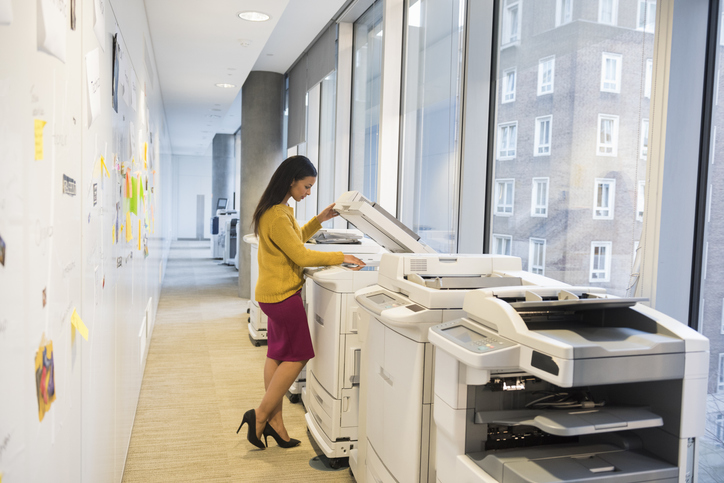
No single piece of equipment in the office takes more of a beating than the floor-standing copier.
Day in and day out it endures transitions between high heat and frigid office temps, paper jam tug-of-war, lid slamming and endless pieces of paper traveling at lightning speed across its rollers. All of this demanding work takes a toll on the device, giving it an average lifespan of just five years in a busy office.
Eventually, you’ll find yourself needing to find a replacement and the question arises: should you lease or buy a copier? There’s no one-size-fits-all answer to that question. These pros and cons will help you make the right choice for you and your business.
Why Buy a Copier?
When you’re playing the long game, buying a copier is usually the less expensive option–when it comes to the cost of the copier. You’ll avoid finance charges and other fees. You’ll also avoid a hard credit check, which may impact your credit score. If you’re a smaller or growing business, you like to keep your credit as clean as possible.
And even if you did have to put it on credit, the printer is yours after you finish paying for it. Some high-quality floor copiers can last up to 10 years, especially if you’re not a high-volume office. So that may be a very good deal.
Okay. So it sounds like buying is the way to go. But wait! There are some cons to consider.
When Buying a Copier Isn’t Your Best Option
Since the dawn of time, technology has never stood still. And the rate of change is only getting faster. A bought printer may have everything you need today. But no one really knows what businesses may need in 10 years. That could put you at a competitive disadvantage against newer companies in the future with the latest technology.
If you needed to resell that printer because you weren’t using it like you thought or needed to free up cash, you might recoup 50% if you sold it immediately, but in 5 years, it would probably cost more for someone to move it than they’d pay for the copier.
Not unlike a car, it’s not going to hold its value.
If your rainy day fund is tapped out and you’d have to put buying a copier on credit, interest charges may make the copier cost a lot more than you think you’re saving by buying over leasing a copier.
Finally, an aging printer will also begin to require more maintenance to keep it running smoothly. And you might find yourself feeling like you have to keep it past its prime to get your money’s worth. That may cost you in employee productivity and lost wages.
Why Lease a Copier?
Leasing a copier does make sense if you need to have clear terms from month-to-month. You know upfront how much you pay each month and for how long. That’s often easier on the budget. If cash flow is tight and you’d have to finance a bought printer anyway, leasing may actually end up saving you money.
When your term ends, you’re not stuck with a printer that may now be outdated or breaking down. You can upgrade when you renew your lease. Or, depending on the lease terms, you may be able to buy the copier at the end of the lease for a minimal cost if it’s still working for you.
A newer copier needs less maintenance and functions more efficiently, increasing workplace productivity and reducing worker frustration around inadequate technology. If the leased copier needs maintenance or stops working entirely, that’s likely the responsibility of the leasing company.
That’s not an emergency expense you have to worry about.
When Leasing a Copier Isn’t Your Best Option
You will pay more for the leased copier than you otherwise would. Those pros of leasing listed above come at a price. It’s important to realize that those are what you’re paying for, not just the copier. In a way leasing is another way to manage risk. Not unlike buying insurance, you’re paying the leasing company to take on what would otherwise be your risk.
Every business has a certain amount of risk they’re comfortable managing and planning for. Leasing a copier may not make sense for you if you’re in a position where you can effectively manage more risk. That copier may last you 15 years or five. You just don’t know because lifespan is so strongly affected by how your office uses it.
Ultimately, deciding whether to lease or buy a copier is a very company-specific decision. So weigh these pros and cons and you’ll make the right choice for your business.

by Felicien | Sep 18, 2019 | Education
Why the Office Printer Keeps Jamming
Is a jamming printer or copier a common complaint? What’s that downtime costing you? Find out why the printer keeps jamming and how to prevent jams proactively.
Paper jams in a busy office aren’t just frustrating for employees, earning endless mentions in team meetings. They kill productivity. On average, each employee in an office wastes about 22 minutes a day on IT issues, which include things like malfunctioning printers, having to reboot computers, software that won’t load and more. Multiply that by 10, 50 or 250 employees. That really tears into the bottom line.
Fortunately, being proactive can go a long way into trimming this wasted time, allowing you to reclaim that lost labor attributed to workplace copier jams. Here are 5 reasons why the printer keeps jamming and what you can do about it.
1. Inferior Paper in Your Copier
Like so many things in life, you get what you pay for. Printer/Copier paper comes in various weights and thicknesses. Some paper is designed for older, slower copiers. While other paper is designed to handle the swift movement of a modern printer. You don’t have to break the bank on copy paper. But if you’re paying rock bottom prices for paper, it may be time to rethink what that’s really costing you.
2. Incorrect Paper Settings
These days, printers are multi-function. The modern office needs this versatility to get more done without multiple pieces of equipment. But with versatility and advanced function comes complexity in menus. It’s not hard for someone in the office to change a setting to photo paper, transparency, double-sided or stapled and forget to change it back. Or someone new in the office could have accidentally hit a setting.
If you’re wondering why the printer keeps jamming, it’s time to look at those settings and consider a quick training session on how to use the printer.
3. Poorly set paper guides
The employee who loads the paper manually moves the guides during insertion. If the guides are too tight or too loose, your staff may be fixing printer jams all day long. Guides should gently touch the edges of the paper and be checked if the printer keeps jamming.
4. They’re Inserting the Paper Upside Down
This may seem like a no-brainer to someone who constantly prints. But in an office, you usually have many people printing and some will be more familiar with the do’s and don’t’s.
Yes, copy paper does have and intended printing surface.
You’d be surprised how many printers keep jamming because of this simple mistake. The paper packaging will indicate the printing side with an arrow. But what if you’ve already removed the paper from the packaging?
Perform a simple test.
Grab a substantial amount of paper (the whole ream ideally), bend the paper in the middle in one direction, then the other. The direction that curves the most is your printing side.
5. Doing a Variety of Jobs on an Old Copier
That printer-copier that you purchased 10 years ago says that it can perform these many tasks. But the truth is, as printers get older, it becomes harder to switch between types of tasks. Gears, guides and surfaces wear out. Ink, dust or paper residue build up in places.
If the team only performs one type of print job, the printer may last longer. But, eventually, it too will begin to struggle with even basic jobs. Years of tugging jammed paper out and trying to run a printer while jammed wear out sensitive components.
Sometimes cleaning and adjusting by a professional can extend its lifecycle. And you can lengthen the life of a new copier by proactively addressing workplace copier jams, as we’ve discussed. But, over time, the workplace copier jams impact on productivity outweigh the cost of buying or leasing a new one. And that’s when it’s time to do a cost-benefit analysis and make an informed repair or replace decision.

by Felicien | Sep 17, 2019 | Education
FaceApp, the AI-powered photo editing app, went viral for quite a while until various experts expressed concerns about cybersecurity. In light of these concerns, we’ve put together a quick factsheet on mobile applications and cybersecurity.
Here are a few tried and true ways to protect yourself:
Download applications from trusted sources only and do your research before hitting install.
Keep your mobile phone’s operating system up-to-date at all times with the latest upgrades and patches.
Take a look at the application’s permissions and privacy policy before you decide to download.
Check out reviews online for each application you download to make sure there are no noted issues.
Update applications you’re using on a regular basis and delete those you’re not using anymore.
Look for warning signs, such as excessive permissions, pop-up ads, and in-app purchases.
As a last note for parents, make sure you’re checking what your children are downloading, or better yet, make sure they can’t download anything without your permission!

by Felicien | Sep 16, 2019 | Education
When chosen carefully, technology can make your work life (and your employees’) a lot more efficient. But without the help of an expert IT company, how can you be sure you even have the right technology in the first place?
IT should not just be an afterthought.
Just like your staff, technology is a resource in which you invest. You wouldn’t hire someone to work for you without finding out what they can do, and figuring out where best they would fit in the organization, right?
It should work the same way with your technology.
It’s critical that you align technology to your organizational goals so that you’re not wasting money or technology you’ve already bought. Some have their IT company handle this, and some try to tackle it on their own.
1. Embrace Technology & The Digital Transformation
Digital transformation is one of the biggest buzz phrases going around the business community right now. In fact, two-thirds of CEOs plan to focus on digital transformation by the end of this year alone.
Are you onboard?
It’s simply the way the world is moving, and for good reason. The business workplace is being drastically altered by technology as each year goes by – if you don’t embrace it, then you’ll be left behind.
What Is Digital Transformation?
At its simplest, it’s the initiative to use technology for better business outcomes. That’s rather general though, isn’t it?
To understand it, it may be more effective to look at the way technology is changing the workplace, such as that…
80% of the workforce operates at least in part from outside the office.
A vast majority (up to 80%) of IT budgets are directed towards “business as usual”.
The fact is that, whether you embrace technology or not, the people you interact with (your customers and employees) will expect you to. If you don’t, they’ll work with someone else who does.
Don’t believe it?
75% of consumers say they’re more likely to buy from you if you know their name, purchase history and can recommend products/services based on that info.
38% of millennial staff members state that outdated collaboration tools have a negative effect on innovation.
That’s why you need to make an effort to understand how technology can affect positive change in the work that you do. From customer experience to workflow optimization, technology is playing a big role in the way businesses operate.
2. Make The Most Of The Cloud
The cloud may still feel like new technology – but in reality, it’s been around for more than 10 years now.
Does that make you feel old?
Let’s be clear about something – the cloud is here to stay. In recent years you may have still heard the occasional “industry insider” suggest that the world may be moving too quickly to an untested and unsure platform in cloud computing, but no more. The cloud is now an integral part of daily life for private consumer and business users alike.
Public Cloud: Ideal for small businesses that may have trouble budgeting for any other type of cloud deployment, a public cloud is simple and cost-effective. Your data is stored in a “communal” data center, which, while not offering the best possible security or compliance guarantees, is often sufficient enough for organizations that aren’t required to maintain regulated compliance.
Private Cloud: A secure, dedicated environment to ensure maximum performance, security, and functionality for your business applications and employees. This is usually deployed for complaint-driven businesses such as healthcare and finance.
A Hybrid Cloud: This is like a dedicated cloud computing resource on Office 365 and Azure Stack with an extension to on-premise resources for maximum performance, control, security, and functionality. This is for businesses that require maximum control and scalability.
Instead of entrusting your legacy solutions to a public or private cloud, many businesses are opting for a hybrid cloud. They use a mix of on-premise, private and third-party public cloud services because this provides an infrastructure where one or many touchpoints exist between the environments.
Using a hybrid cloud gives you the freedom to choose which applications and resources you want to keep in the data center and which ones you want to store in the Cloud.
How Is The Cloud Delivered?
SaaS (Software as a Service): Software as a Service (SaaS) applications are being adopted at a much faster pace today than in the past. These are productivity applications like Microsoft Office 365, cloud-based practice management solutions, accounting programs, and more. Your SaaS provider helps you identify and select line of business applications that will run well in the cloud. They can migrate your data and integrate it with software platforms in your current premise or cloud technology stack, or help you implement new ones.
PaaS (Platform as a Service): This is whole cloth delivery of web applications that are based in the cloud, all via a comprehensive platform. The idea is that, in accessing this platform, you can utilize, develop and even deliver applications based on resources that you don’t need to maintain on-site.
IaaS (Infrastructure as a Service): Infrastructure as a Service (IaaS) delivers IT infrastructure on an outsourced basis and provides hardware, storage, servers, data center space, and software if needed. It’s used on-demand, rather than requiring you to purchase their own equipment. That means you don’t have to expend the capital to invest in new hardware.
Why Should You Use The Cloud?
For the same reasons that thousands of other businesses around the world have already adopted cloud computing:
Computing Power: The cloud has the ability to activate tens of thousands of CPUs. This unparalleled power can quickly perform deep analytics of your data, and process nearly any ad-hoc queries that you require.
Reliable Costs: The cloud services subscription model offers the strategic advantage of low-cost, low-risk opt-in combined with a simple, predictable monthly fee.
Easy Scalability: Cloud services have the unique strategic characteristic of being able to stretch or shrink to suit your current level of demand. This is especially useful for businesses of scale or companies that go through seasons of activity.
Real-Time Collaboration: With cloud technology, your staff doesn’t have to wait for each other to be done with their part of the document or project in order to tackle their own aspect. They can all work on the same project at the same time to maximize productivity.
Remote Work Capability: This cloud feature allows you and your employees to work remotely as need be, which will give your business members the flexibility they desire to have a more balanced home/work life.
3. Don’t Overlook Email
Email is perhaps the most ubiquitous technology used in the business world today – possibly even more so than the phone. It’s instantaneous, can deliver important files, and doesn’t require the immediate attention that a phone call does.
That’s why you need it – it’s a non-negotiable. And, if you’re currently using some free, no-name email client, you may want to consider an upgrade. When it comes to some as universal as email, paying for a better option is undoubtedly worth the money.
A good choice would be Microsoft Outlook, which has been the email program of choice for businesses for many years, and with good reason. With an abundance of great features and endless options for customization, it’s the perfect solution for those trying to communicate effectively in the business setting.
4. Stay Mobile
Did you know that 80% of the workforce operates at least in part from outside the office?
That’s thanks to a combination of the cloud and the mobile devices that each and every person you work with carries around in their pocket. By 2020, the number of smartphone users worldwide is expected to reach 2.87 billion.
Mobility has delivered a number of advantages to organizations that are willing to embrace new technology, including:
Cost-Effect: Having your staff use their own personal devices for work means that you don’t have to pay for the technology they’d be using otherwise. Depending on the size of your practice, that could mean potential savings of thousands of dollars that would have been necessary to pay for tablets and work phones.
Convenience & User Experience: Allowing your staff to use their technology also means there’s no pesky learning curve to overcome with new devices. Instead of having to ensure your staff knows how to use the hardware at work, they can simply use the phone, tablet and/or laptop they’re already familiar with.
Productivity: Being able to use a mobile device, managing and executing tasks using the devices they’re familiar with can greatly boost productivity – in some cases, up to 53%.
Implement A Mobile Device Management Policy
This type of comprehensive policy dictates how your employees can use their personal devices for work purposes, dictating which security apps should be installed, and what best practices need to be followed.
An effective MDM policy should also instill safe and secure practices for employees that use personal devices for business purposes. Key considerations include:
Decide when and how mobile devices will be used. Integrated into your internal network, these devices can be used to access, store, transmit, and receive business data. You’ll need to have policies in place to regulate how employees use their devices to interact with sensitive data. Take the time to consider the risks associated with mobile device use, such as the potential for devices containing business data to be lost or stolen, infected with malware, or the potential for accidental disclosure of confidential information through sharing a device with a family member or connecting to an unsecured wireless network.
Consider how mobile device use can pose risks to your data. A risk analysis will help you identify vulnerabilities in your security infrastructure, and help you determine the safeguards, policies, and procedures you’ll need to have in place. Whether the devices in question are personal devices or provided by your IT company, you will still need to have a clear idea of how they’re being used to communicate with your internal network and systems. Assessments should be conducted periodically, especially after a new device is granted access, a device is lost or stolen, or a security breach is suspected.
Develop, document, and implement mobile device usage policies and procedures. Policies that are designed for mobile devices will help you manage risks and vulnerabilities specific to these devices. These policies should include processes for identifying all devices being used to access business data, routinely checking that all devices have the correct security and configuration settings in place, whether or not staff can use mobile devices to access internal systems, whether staff can take work devices home with them, and how you will go about deactivating or revoking the access of staff members who are no longer employed.
5. Help Your Team Collaborate
You and I know that the way you do work is changing.
Employees are no longer simply stuck behind desks, completing tasks on PCs and working within the same office. Workforces are mobile, getting work done from wherever it’s most convenient. This requires the capability to share files securely and conveniently.
Businesses are hiring more and more remote workers – in fact, it’s the way half the country works every day. So many staff members that work from home, outside of the business’ city of operation, and even much further away.
Why would so many businesses be transitioning to this workplace model? Isn’t it undeniably better to have everyone in one place, under one roof?
Not necessarily.
Why Do People Prefer To Work Remotely?
More than anything else, it’s convenient:
Remote workers don’t have to spend time commuting to and from work each day, the extent of which can often be a deal-breaker for potential hires when considering a job.
Employers don’t have to invest in the space or resources for their entire staff – that means saving money on office space, hardware, break room amenities and more.
Businesses get access to a skillset and personnel base far outside of what you could call the “commute radius”; whether it’s 30 minutes from the office or two hours, at a certain point you wouldn’t be able to hire someone you’d like to because they live too far away for it to be feasible.
You could try Microsoft SharePoint, which is designed to allow you to share files, collaborate, edit, and more with anywhere from a single coworker to an entire team. Files in SharePoint aren’t owned or associated with one specific person – everyone on the team has read and write access.
Files that you store in a given Microsoft Team Site can be accessed by all team members, allowing everyone to collaborate by creating lists and libraries in which to store content. SharePoint offers a range of other features as well to help enrich the experience, including metadata, workflows, custom views and more.
SharePoint is where you keep the files that you want your team members to access, update, edit, etc. Try using SharePoint for your next team project and see how effective it really is.
Invest In Your Future
In the end, modernizing your office doesn’t have to be a massive restructuring of the way you do business. Step by step you can affect these changes, either by talking to your staff about mobile device use for work or consulting with your IT company about how to automate more of your daily tasks.
The key? You have to be willing to start.
