
by Felicien | May 23, 2017 | Education
The Internet of Things (IoT) and cloud technology offers manufacturing plants the data necessary to improve organizational processes and increase profitability.
Leaders of enterprises spanning every industry are continuously looking for ways to improve organizational processes, reduce spending, deliver quality goods and services, and increase profits. While every business stands to gain from achieving these goals, manufacturers who miss the mark have the most to lose. Every second of downtime puts the entire plant behind schedule, leaving the workforce scrambling to make up the difference. For many, developing a preventative maintenance strategy is the answer to minimizing downtime and optimizing maintenance costs.
The Internet of Things (IoT) and cloud technology is at the heart of this solution, making it possible for manufacturers to monitor assets and equipment, develop a routine maintenance plan, and identify issues before they force a halt in production.
Cloud technology and the Internet of Things are making it possible to remotely monitor and diagnose equipment, assess existing scenarios, fix equipment before it fails, and reduce overall maintenance costs.
Harnessing the Power of Data
IoT devices, partnered with facilities management software tailored to meet organizational needs, collects and analyzes data from manufacturing equipment. This information is then used to ensure a higher level of control over the manufacturer’s costs and facility conditions. In fact, a recently published report by McKinsey & Company estimates that the Internet of Things stands to save enterprises more than $4 trillion by 2025.
Manufacturers who invest in these business tools stand to benefit in three ways:
1) Reducing Downtime
A manufacturing plant is comprised of a series of complex machines. There are thousands of moving parts, each adding value to the entire production. If one piece of the puzzle, large or small, fails, production in the entire plant could be halted. This downtime reduces workforce engagement and costs the business both time and money.
Business tools like IoT sensors monitor every moving part, identifying weaknesses and deficiencies early on. Monitoring technicians can plan ahead, fixing the issue swiftly and during slower plant production times. Organizations also have the advantage of developing an automated preventative maintenance plan, scheduling routine maintenance before weaknesses arise. Since reactive maintenance accounts for more than 85% of an organization’s total maintenance spending, investing in a preventative maintenance strategy stands to significantly reduce facility management spending.
2) Increasing Organizational Efficiency
IoT tools can also help manufacturers better understand how the facility is performing and identify any opportunities to improve efficiency. For example, if a portion of the building is only used a few hours a day, is there really a need to keep the lights on all day? Or perhaps the HVAC runs colder in certain areas? IoT temperature and light sensors collect this data, offering management teams real-time analytics for each section of the plant. Once these issues are identified, plant managers can redefine processes, offering a more efficient working environment, at a fraction of the cost.
3) Increased Collaboration and Visibility
Historically, manufacturing plants have relied on IT systems tailored to a specific need. Each system worked separately from the other, making it impossible for the plant to truly run like a well-oiled machine. The Internet of Things integrates and connects each moving part, while still allowing them to perform their distinct, required job. This open line of communication offers management increased visibility and a better understanding of the big picture.
Before the arrival of IoT, organizations had a surplus of data, with no defined way of using it. With the implementation of the right business tools, manufacturers now have access to real-time, relevant data that assists them in making better decisions. Gaining a better understanding of their assets, resources, and facility ensures increased productivity and, ultimately, profits.

by Felicien | May 23, 2017 | Education
WannaCry’s ransomware attack is mostly over – here are the lessons businesses must learn from the experience.
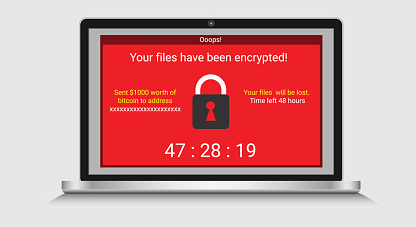
WannaCry was a particularly nasty bit of ransomware that infected Windows systems via network connections and encrypted important files to hold them as a ransom for bitcoins. The first wave of WannaCry is over, and we can learn a lot of important lessons from its rise and fall.
1. Operating Systems Change for a Reason
This is probably the number one lesson from WannaCry: The disappointing thing is that is a very familiar lesson that every security experts know well. You have to keep updating your operating system, not just to keep up with the times, but also to protect your business data.
This advice is so common that the real problem is probably something more insidious: Business leaders refuse to take responsibility for the platforms and operating systems they are using. WannaCry is the consequence for that leadership failure, and the sooner organizations recognize that, the better they will be able to plan for the future. Windows XP was particularly vulnerable to WannaCry – that’s an operating system that’s 1)12 years old, 2)surpassed by 4 newer versions of the operating systems with far more advanced tools and integration, and 3)an OS that hasn’t had any support at all from Microsoft (outside of this emergency patch) for nearly three years.
The very common excuse that business makes here is that, “We can’t update because of this regulation, or that compliance issue, or the need to maintain services to our customers.” First, these are incredibly weak excuses. A full upgrade will always take time, resources, and careful planning to meet necessary regulations. That’s part of the process, not an excuse to avoid it. Second, many organizations don’t even realize these are poor excuses because they haven’t actually asked experts. The first thing an organization should do if they are worried about upgrading an older operating system is to bring in an IT expert that has experience in these types of upgrades and ask for a consultation, advice, and ultimately a game plan for the best possible outcome.
2. Patches Don’t Just Get in the Way – They Protect Against Threats
Close behind the lesson about upgrading to new versions of your operating system is the importance of patching. Let’s divided this into two steps. First, your company must be aware of available patches, as they come out, and what they do. This is really easy, even if you aren’t in IT. New patches are heralded by blogs, emails, tweets and many other sources of information explaining what they are and what they accomplish.
Second, give top priority to any patches that are designed to fix vulnerabilities and increase security. Require all employees to download that patch on all machines, that day. Period. You don’t even have to turn on automatic updates, just make sure those patches are downloaded. WannaCry was patched back in March, but guess what? A lot of organizations have no patch plan or requirements, so it didn’t matter.
3. Lack of Awareness is a Vulnerability
Combine both our first lessons, and you get a reminder worth noting – companies cannot claim ignorance here. We have to be aware of the current security dangers, and how to deal with them. That means paying attention to what IT says, understanding how the business systems work, and knowing when a new malware or virus attack hits. These days, no manager can say, “Well, it’s not my problem.” It is.
4. A Single Good Practice Can’t Protect You From All Malware
In the past, most ransomware like WannaCry was spread primarily through phishing emails, and strong anti-phishing strategy was very effective at dealing with the threat. But guess what? Things changes. Cyberattacks regularly evolve and find different, more insidious ways to locate new victims. You cannot count on a single strategy to prevent any particular threat.
5. Network Segmentation May Be Growing More Important
Network segmentation refers to devices that avoid connecting to the business network or connect only briefly in closely monitored situations to avoid data vulnerabilities and malware. Especially after WannaCry, this is looking like a good strategy for companies that handle a lot of sensitive information.
6. The Consequences Will Always Be Worse Than Necessary Preparation
Some of the organizations affected by WannaCry include the UK National Health Service, the South Korean and Chinese governments, and organizations in more than 150 countries. Emergency health services were canceled, governments were unable to offer services, factories were suddenly shut down, and much more. This led to tremendous losses, and will probably lead yet again to a whole lot of fines, firings, and the loss of contracts. It doesn’t matter how demanding security changes are, they are always easier than dealing with the aftermath of a bad attack.
For more information on how to prevent the latest malware attacks in {city}, contact {company} and let us know about your goals! You can call us at {phone} or send us a message at {email}.
by Felicien | May 23, 2017 | Education
Adylkuzz can teach us even a more important security lesson than WannaCry – if we pay attention.
Adylkuzz is a bit of malware that you probably didn’t hear, but ran amok in May 2017, infecting Windows computers around the globe and using them for its own purposes. No, we’re not talking about another name for WannaCry – we’re talking about a more insidious type of attack that illustrates just how dangerous malware can be.
The Case of Adylkuzz
With all the furor created over WannaCry, it was easy to miss another, related malware attack, one knows as Adylkuzz, which was noted around the same time. Adylkuzz was a very different type of malware from the ransomware WannaCry, which held files on Windows computers hostage in exchange for money.
Adylkuzz popped up using the same vulnerability as WannaCry, a Windows exploit used by the EternalBlue hacking tools (which was quite possibly developed by the NSA). However, this bit of malware acted very differently: Instead of trying to extort money, it silently sets to work install a cryptocurrency miner in the background of the computer. This “recruits” the computer for the hacker, using some of its processing power to literally create money – in this case, the cryptocurrency Monero.
As you can see, the goal of Adylkuzz was to stay invisible, and it was good at its job. The security organization Proofpoint only found Adylkuzz while it was researching how WannaCry worked. For a large chunk of May, Adylkuzz went around hiding in WannaCry’s shadow and infecting up to 150,000 machines until people realized it was also a problem.
What Makes This Type of Malware Dangerous
When WannaCry hit, everyone knew about it. That’s the good thing about ransomware – it has to announce itself to complete its goal. But not all malware has to do this, which is why attacks like Adylkuzz can be so dangerous for businesses. Imagine if this type of malware was working behind the scene to copy and send sensitive business data instead of just using processing power! Remember, it took weeks to find out that it even existed, and that’s a lot of time for malware to do its work. Often, the most dangerous types of cyber attacks are those that go unnoticed until it is too late.
The Good News About Adylkuzz
All right, let’s take a look at the good news here. Adylkuzz was, fortunately, not programmed with much malicious intent. As we mentioned, turning a computer in a miner while avoiding detection is far safer for your data than a destructive or theft-oriented bit of malware.
In an even stranger twist, Adylkuzz wasn’t all bad for the computers that it infected. The malware was programmed to stay undetected in part by blocking any other malware from infecting the computer, up to and including WannaCry, which actually made Adylkuzz-infected computers immune to the WannaCry threat. This was a smart move: When WannaCry was discovered and a solution was found, it also meant the end of Adylkuzz. This is a point in favor of white hat security – patching one vulnerability can remove multiple threats at once.
Finally, it’s worth noting that while WannaCry could automatically infect computers through network connections, Adylkuzz was limited to the hacker’s personal work, and only infected the machines that it was directed to, based on how vulnerable the hacker believed certain systems to be.
Why It’s Important to Acknowledge All Types of Malware
When a big story like WannaCry hits, it can spur many organizations to finally implement security upgrades and important new precautions to keep data safe. But in the long-term, this kind of approach creates its own problem. Systems cannot be accurately patched based on whatever the “threat of the day” may be. That leads to a very shortsighted approach that allows other, sneakier malware to infect systems that are not adequately prepared. For every news-cycle-dominating attack like WannaCry, there are several Adylkuzz attacks lurking, watching for lazy security.
If you want full protection for your {city} business, it’s important to create a full security plan that includes regular updates and all necessary patches to protect from the latest threats. {company} can help! Find out more about our IT systems services by calling us at {phone} or emailing at {email}.

by Felicien | May 22, 2017 | Education
Google Analytics is a powerful suite of tools, but can be overwhelming at first: Here’s how to begin.
Google Analytics can be a godsend to young companies trying to grow online traffic to their website. It’s a free service provided by Google itself to track detailed website data and find out just what’s going on. For businesses without much experience in building and managing a website, Analytics can be a complex and daunting set of tools to dive into. Let us help by recommending several important steps when you are first setting up and finding out how Google Analytics works!
Keep an Unmodified Version of Your Site View
Google Analytics allows you to create properties based on your site and then specific “views” or reports of activity on your site. One of the first things that you should do when setting up is to create a base level reporting view of your site, just to see what it is. Keep that view separate – don’t add any filters or customization to, don’t change your websites and then redo it, just keep there, with the original data. This will be very useful when making long-term comparisons 6 months or a year out, when you can say, “This is where we started and here is where we are now.” This is particularly handy for ROI but also helps you create more accurate goals and not get lost in a mess of view reports without real purpose.
Use WebMaster Tools
Google Webmaster provides a variety of tools for you to research SEO trends and manage your website. You can link a WebMaster profile and an Analytics profile for your business, and this should certainly be another one of your first steps. Webmaster offers a number of useful tools for web designers, but it also provides valuable extra analysis. This is important since Google removed access to its primary keyword research tools on Analytics – Google generally tries to discourage “gaming the system” when it comes to keywords and thought that tool was providing a little too much actionable information. Webmaster provides a keyword research alternative that still allows you to find out useful SEO info for your content.
Prepare and Set “Goals” for Your Funnel
Goals are a specific tool in Google Analytics that allows you to research a very specific metric that you are concerned about our want to improve. As you set up your Analytics strategy, make sure that you create the right goals for your web pages and screens. Consider carefully beforehand just what you want to measure, from bounce rates and load times to single conversions and time spent on page. Every metric has its uses, but it’s smart to only pick a few viewer actions to measure in the beginning and make sure those actions connect with your goals.
Enable Site Search
Site Search is a handy capability that allows you to track search data within your website. This tool is particularly useful if you have an online product catalog or any type of complex website with different offerings and purchase opportunities. Site search will track exactly what terms visitors type in your site search bar to help them find something specific connected with your brand. These searches can tell you what people are interested in, and what they are having trouble finding via other means. It’s very handy!
Create a Schedule for Analysis
In general, Google Analytics is only useful if you use and make changes based on the information. Too many companies start Google Analytics but never progress or really use it for anything. So schedule a time – say, one afternoon a week – where you or your team sits down with Google Analytics, studies the latest results, and creates an updated plan based on what everyone has learned. Don’t let this tool go to waste.
Choose Some Extra Goals
When you feel confident enough, try a few extra, farther-reaching goals to track specific metrics that can provide very interesting information. That includes geo data for location-based results and more complex user paths to judge multiple events at the same time. You shouldn’t try to create goals for everything, but it’s good to sample different data sets from time to time, so start the habit early.
Do you have more questions about how to use Google Analytics and other research tools to improve your {city} website? Let {company} know how we can help! Contact us at {phone} or {email} to learn more.

by Felicien | May 22, 2017 | Education
The easy answer is money. Hackers infect your computer, lock up your data, and you pay to get it back. Easy to understand, right? The basics are. But if you’re like the average business computer user, you are now being newly exposed to terms like bitcoin, crypto mining and other terms that sound like they came directly from the latest Guardians of the Galaxy movie, not something we would deal with here on earth. Unfortunately, this is not the case.
Understanding all this can be confusing, and in a perfect world, something the average business owner shouldn’t have to worry about. The latest computer threats have changed all that. Basically, just as you already know, the computer tech world is just that, a world of its own, with its own language, structure, and of course, as you would expect, its own currency. Just like the currency we are familiar with, there are lots of types. Some examples include: Bitcoin, Namecoin, Dogecoin, Monero and many more. This currency, in most cases, is untraceable. Which means that, as you would expect, it is highly sought after, especially among those less reputable.
So why does it affect you? WannaCry last week exposed the world to the darker side of what a hacker can do—How your computer can literally be held for ransom. In the case of WannaCry, they wanted Bitcoin. During the clean-up of this attack, another virus was found named Adylkuzz. Unlike WannaCry, this virus doesn’t hold your computer ransom, in fact, you might never know it’s there because it’s basically invisible. Hackers created the virus to run processes on your computer that can earn the hacker cryptocurrency. How does this affect your business? It can slow down your entire network causing you time, and in some cases money.
Doesn’t sound like a big deal, right? It may not be, but it is to the hackers. In fact, the amount of cryptocurrency earned by hackers through Adylkuzz is way more than WannaCry.
Simply put, it’s no different than an employee stealing office supplies—A company may not notice, but it adds up after a while.
What can you do? The answer is simple, you’ve heard it time and time again—Make sure your software, especially Windows, is up-to-date. Like WannaCry, Adylkuzz found its way in because of outdated Windows software. It’s an easy fix.
Now more than ever, it’s important to have a trained professional involved in your computer support. The whole purpose of a good Information Technology Managed Service Provider is to ensure that you never have to worry about being hacked because your equipment or software was outdated, your security measures weren’t adequate, or because you just didn’t know what to look for. Call {phone} or send us an email to {email} today, to ensure your company’s IT is protected.
You have a choice. Learn a whole new language in addition to running your business, or hire a professional translator. {company} knows the language and the way the tech world works. Let us work for you.
