
by Felicien | Jul 5, 2017 | Education
Midmarket organizations simply cannot avoid the potential of a cyber attack. These basic steps can help protect your organization in the face of growing cyber security threats.
It isn’t just enterprise-level organizations that are being hit by cyber security breaches, and it’s high time for midmarket companies to sit up and take notice. Cyber security is far from simply being a technology problem; instead, it’s a problem that needs to be analyzed by risk management throughout the organization. The reason for the spread of responsibility is because hackers and others attempting to infiltrate your secure network cannot be stopped simply by purchasing newer, better or more software and hardware. The response to creating a more secure organization isn’t a simple one, so many smaller and midmarket organizations simply give up on the level of complexity required and do nothing — which can prove to be an exceptionally expensive decision. The healthcare industry is the most likely to be breached, with companies experiencing over $6.2 billion in losses in 2016 alone. Fortunately, there are some relatively simple steps that non-enterprise organizations can take to provide additional layers of security against cyber attacks.
Plan Ahead
The unfortunate reality is that many organizations are not aware that they’ve experienced a breach until more than six months down the road — far too long to protect individuals from negative impact. Part of the reason for this lack of awareness is due to the lack of a protection plan that looks for markers within a system’s infrastructure that indicate that a breach has occurred. The first step is a deep understanding of where data is stored within your organization, and detailed steps for backup and security of that data. Cybersecurity partners may be able to help you define a structured plan to mitigate the risk within your company, by restricting access to specific types of data, properly training associates and putting adequate processes and technology in place. The first step in building any cybersecurity plan is to fully comprehend the various entry and exit points for your data, and define parameters around how the data is accessed.
Training and Security
The reality is that many cyber attacks are carried out by either malicious insider actions or through employee carelessness that leads to an open incursion point. Perhaps the number one threat to organizations is email and social media — and employees who react to phishing and spear phishing attacks by clicking on a link. Hackers are becoming more savvy, using social engineering to find a plausible target for attack. These emails are sneaky and can often take the form of personalized information that seems very legitimate. With URL masking and other tactics at their disposal, cyber criminals are becoming even more brazen in their attacks against well-meaning employees. Constant training and reiterating the dangers of clicking on links that look “too good to be true”, or that contain unexpected instructions are some of the only ways to guard against this type of incursion. Additionally, it’s important that your technology team regularly review administrative rights that are granted at a global level. While they may seem like a convenience for the worker, having someone with administrative rights on a machine connected to your network can be a tempting option for hackers to take advantage of.
BYOD
A huge challenge in today’s mobile business world is the trend of employees to BYOD — or bring their own device. A non-secure mobile phone with random apps installed by the employee, that has access to your network, is a hack waiting to happen. Technology teams are often focused on serving their employees more effectively and providing them with the conveniences that employees need to work effectively, but there is a fine line there that should be observed. When organizations embrace a zero-trust philosophy, they are much less likely to fall victim to a cyber attack.
Cybersecurity Insurance
Depending on the type of business, it may be important to purchase cybersecurity insurance. Healthcare organizations, legal entities and other midmarket companies who make their living through a wealth of customer knowledge are prime targets for cyber criminals. Unfortunately, the wake of an attack can also involve lawsuits from those affected by the hack and if your organization is not prepared to weather the storm it could be very difficult to stay afloat. Companies who manage hundreds of thousands to millions of records, in particular, should take care to mitigate the risk of civil liability. While the federal government offers some insurance against attacks, regulatory and legislative environments could change at any time.
Stay Current
Breaches are happening on an almost daily basis, but it is next to impossible to keep up with the broad spectrum of threats that are facing midmarketing organizations all the time. While headline-grabbing cyber attacks do not happen exceptionally often, there are always organizations out there looking to make a quick buck on “protections” for your company. It’s increasingly important to find a vendor in {city} who truly understands your business and how to protect you from rising cyber security threats. Breach detection systems are among some of the more recent entrants to fight cyber attacks, and they include logs of login activity, user authentication, database access and also track system modifications that may be malicious. As the threat grows, so do the tools utilized to fight these threats — and they’re becoming increasingly affordable to midmarket companies.
Do not let the evolving digital challenges threaten your organization. At {company}, our cyber security professionals work closely with your leadership team to define data structures and entry points, create successful training, and document risk management plans to ensure the safety of your organization. In the event of an incursion, our teams leap into action to resolve the situation and get your business back on track — quickly. Contact us today via email to {email} or call us at {phone}.
by Felicien | Jul 5, 2017 | Education
Large, sophisticated corporations and government agencies have been mercilessly attacked by ransomware. Here is a look at some that have been hit around the world.
Ransomware attacks have become increasingly prevalent throughout the world. At one time, only small companies were the only ones at risk. This may be because they were not savvy about the real dangers, and didn’t put cyber security in place. Now, even large, sophisticated corporations and government agencies have been mercilessly attacked. Here is a look at some of the firms and agencies that have been hit around the world.
Russia’s Largest Oil Company
In 2016, Russia’s largest oil company, with a majority owned by the Russian State, was named the 51st largest corporation in the world. Sales are estimated at over $64 billion annually.
On June 27, 2017, this company disclosed that it had been hit by the most recent ransomware attack, said to closely resemble the devastating “Wannacry” attack that was carried out just last May of 2017. With that much sales in jeopardy, the Russian oil company probably does wanna cry. A Russian-based cyber security firm estimated that roughly eighty companies in Russian and Ukraine were affected. However, the damage wasn’t limited to Eastern Europe, as seen by the following other companies that were affected.
Corporate Snack Brand
A corporate giant and traded stock company that owns famous snack brands was forced to take its systems offline in response to a “serious global cyber incident.” It’s likely that the perpetrators of this were not just having a “snack attack,” but are in hot pursuit of something far darker than the darkest chocolate.
Global Pharmaceutical Firm
One of the world-renowned pharmaceutical firms that are worth untold billion was also hit by a ransomware attack. Corporate executives announced Tuesday that their firm, too, had been somehow breached by this latest attack. Unlike a pharmacy break-in, a lot more than prescription drugs are at stake.
Global Shipping Company
One of the subsidiaries of a global shipping company was another victim of the latest ransomware attack on June 27, 2017. The subsidiary’s deliveries were disrupted, leaving over 200 countries affected by undelivered packages.
What is Ransomware?
Ransomware is malicious code that holds company files and data hostage until a certain sum of money is paid to the perpetrator. Just like in a real world ransom scenario, the “goods” won’t be handed back until the ransom is given over. Also as in real world ransom scenarios, there’s a risk that the “goods,” or the data in the case of ransomware, will be harmed while in possession of the “kidnappers.”
When the extorted party gets the files back, there is no way of telling what other kinds of breaches have occurred. Since there are usually billions or more lines of code, it would be nearly impossible to tell if the files were infected with spyware, or some other kind of future ransomware virus, ready to defer to a date in the future.
Another risk with the ransomware scenario is that the files won’t actually be returned, even after the money is paid. In the case of the recent attack, logic would seem like the perpetrators would return the files. If one company paid and didn’t get their date back, word would quickly spread and other companies wouldn’t pay the ransom. For that reason, in many ways, it behooves the hackers to return the files in the same condition in which they stole them; however, the “operating code” of hackers is obviously not ethically bound.One thing is sure. If any of these companies do end up paying the ransom, it won’t be widely reported in the press, if at all. It’s unlikely that a giant corporation would want to admit that it a) hadn’t backed up its systems, and b) went against all professional advice to not pay, and c) paid out millions to criminals.
Will Major Firms Pay the Ransom?
Whenever something is taken for ransom – be it a person, property or, as in this case, digital data – authorities strongly advise against paying the ransom. Paying ransom does perpetuate the problem. When hackers see that they can steal data and profit by it, they are thus encouraged to rinse and repeat. The prevailing advice is that corporations back up their data, plug holes and monitor for suspicious activity. But this is like telling someone who just had their wallet stolen that to get their wallet back they should put extra money someplace else, hide their wallet and look out for suspicious characters lurking in alleyways. That advice doesn’t actually help get the wallet back. Basically, if a large corporation hadn’t taken those precautionary steps before the ransomware attack, and the lost data would put them out of business, they are going to pay the ransom. Hackers know this, and that’s why ransomware works.
The Only Answer is in Prevention
The only solution to a ransomware attack is to live and learn and spread the word. The more willing these corporations are to admit that they got hit, the better prepared other companies are likely to be. While it’s embarrassing for a giant pharmaceutical firm to admit that they were fooled, it’s ultimately better for the rest of us to learn that even the big guys are not infallible to cyber threats.
Prevention measures must include redundancy, as a number one priority. That one step would, 1) prevent the loss of critical operating data, and 2) enable overwriting of any malicious code that might have been introduced into the data while it was in the hands of the hackers. Backing up files so there is a minimum of one extra copy is good. Two backups is even better.
The next prevention measure involves making sure virus software is up to date with plug-ins. Literally, the company’s IT department should be checking daily, if not hourly to install available updates that are designed to plug security holes.
Finally, monitoring activity must be done continually. These ransomware attacks leave prints, and they are detectable by watchful IT experts. If vigilance is practiced, future attacks could be kept to a minimum, or even prevented.
Contact {company} in {city} at {email} or {phone} to learn more about protecting your company.

by Felicien | Jul 5, 2017 | Education
The world is a more dangerous place for kids than ever before in history. Here is how to keep your kids safe online.
Kids spend an average of nine hours a day online, using social media, playing games, engaging in chat rooms, looking at videos, and generally browsing the web. While the Internet can be educational and informative, it is also where danger lurks.
Not speaking to strangers used to be a standard, basic instruction that parents gave to their children. Now, however, parents are oblivious to the incessant online “chat,” which is simply a virtual version of talking to strangers. There are many inherent dangers in giving kids unfettered access to the internet. Among the dangers is that kids will grow up too fast, be traumatized or confused by images they see and text they read, become a victim of bullying or some other crime, or be swayed to think in a way that is dangerous to their well-being. Following are some examples, and how parents can keep kids safe online.
Traumatized by Images and Text
Young kids who are given tablets, phones, and laptops to “play” with while the parent is busy are easily traumatized by images and text encountered on the internet. Simple and innocent sounding keyword searches that a child might enter can quickly bring up raunchy material that is sometimes purposely formatted to come up in a minor’s online search. There are people who get a thrill out of posting unseemly images and formatting them with kid’s cartoon character names, for example.
Preventing young kids from being traumatized by such images and text is as simple as keeping devices out of the hands of youngsters. There are plenty of electronic toys available that don’t include internet access to kids under a certain age. Bear in mind that phones, tablets, and laptops are not toys.
Grooming by Pedophiles
As with any hunter, pedophiles hang out where their prey is, and kids are the prey of pedophiles. That means that pedophiles hang out in kid’s chat rooms and they set up user accounts on kid’s online games like Minecraft and Roblox. An online gaming environment allows other users to comment as they play. Public comments are visible by everyone, and it’s easy for a child to become a target of a pedophile during game play. Once the target is identified, the pedophile uses sophisticated techniques to garner trust, sympathy, and friendship. At that point, the pedophile may then suggest having a more private conversation that invariably leads to a sexual nature. Over time – and pedophiles are very patient – they can actually have a child consent to a sexual encounter, which is orchestrated by the pedophile.
The best and most effective way to prevent your child becoming a target like this is to deny the child access to online games where they play with other, real players. Your child will resist this, especially if their friends get to play online games, so it’s a good idea to form a parenting group where all parents in the community agree to restrict online gaming. There are lots of fun alternative games for kids to play that don’t involve real players, including some that have virtual players so it can feel like a live gaming experience – without the danger.
Being a Victim of Phishing
Not every internet criminal is after your child. They may use your child to obtain personal information they use for identity theft. Kids and teens are poor gatekeepers of personal information. Their young, innate sense of immortality also makes them feel like they are too smart for a scam like phishing. When it comes to personal information that can be used to obtain financial and identity records, kids simply can’t be trusted to keep it safe.
To prevent you or another family member from identity theft, it’s not enough to warn your kids. Kids hear the same news that we do. Repeating stories of kidnappings or people being taken advantage of online won’t work, because kids, like adults, never think it can happen to them. Instead, explain how hackers and “bad people” use the information we provide. For example, explain that many of the same questions that Facebook users divulge are the same as the “security” questions on a typical financial institution’s website. Your high school, favorite teacher, first pet’s name, maiden name, favorite sport or game; all are common knowledge to your Facebook friends. Agree on a fictitious set of answers and information for use in online situations. That way, if a scam artist does try to use those answers, they won’t work in a secure online environment, such as on a credit card application or bank website.
Becoming a Victim of Bullying
Online bullying is increasing. 52% of young people report that they’ve been bullied online. The actual figure is probably higher because kids are often embarrassed about being bullied. Bullying can lead to anxiety, poor academic performance, depression and can even have fatal consequences. Bullying usually happens on social media, but it can also take place on online gaming platforms.
Parents can’t prevent online bullying, but you can monitor your child’s online accounts. Insist on having usernames and passwords and check them frequently to ensure your child hasn’t changed them. Monitor online conversations to nip bullying in the bud. If bullying does occur, contact the relevant authorities. Since bullying is so prevalent, it is recommended to counsel your child about bullying, even if it hasn’t yet occurred. Maintain an environment of open communication with your child so they will feel free to share their concerns. Make time to listen, and above all, watch out for signs of bullying. These include a reluctance to go to school, loss of appetite, angry outbursts and a change in social behavior. If you notice anything suspicious, the first place you should look is on their social media accounts.
The world is a more dangerous place for kids than ever before in history. There is nothing standing in the way of a predator or hacker from harming your child, except you. For more information and help about ensuring your child’s safety online, please contact {company} in {city} at [email] or {phone}.
by Felicien | Jul 3, 2017 | Education
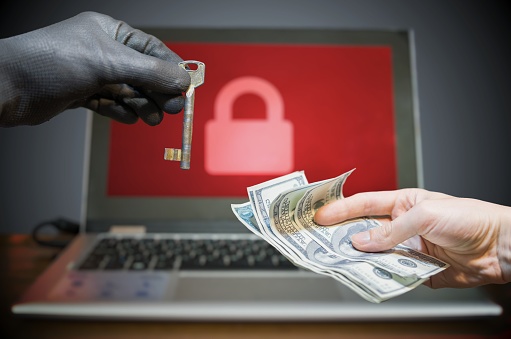
Ransomware is a crippling, vicious attack with devastating consequences for corporations and small business owners alike. What steps should you take if your company is being held hostage by ransomware?
Ransomware has become a global threat, attacking some of the world’s largest companies, including Merck, Federal Express and much more. Businesses of all sizes are at risk of ransomware like Wannacry, Petya and now the recently named ExPetr. With ransomware, digital files are virtually “stolen,” and a monetary ransom is demanded before the files are restored or returned. Ransomware is a crippling, vicious attack with devastating consequences for corporations and small business owners alike. What steps should you take if your company is being held hostage by ransomware?
Report It
Being hit by ransomware isn’t shameful. Some of the most powerful corporations have been victims of attacks like these. The hackers behind these malicious viruses have a predatory and sophisticated methodology that even savvy business owners can fall prey to. If your company is being held by ransomware, you should report it to the proper authorities without delay. In the case of ransomware, the FBI wants to hear about it first. From the FBI’s website, the FBI wants you to “contact your local FBI field office and report the incident to the Bureau’s Internet Crime Complaint Center.”
Reporting your incidence of a ransomware attack helps authorities and other companies deal with this growing threat. First, when you duly report the incident, authorities may be able to spot a pattern or a means by which the hacker was able to commit the crime. Information about your case will be compounded with other reports to formulate possible causes, means, and solutions. Your honest and timely report may help solve a cyber crime.
Second, when you say what happened, other companies can be forewarned. The more cases like yours can get talked about, the more likely it is that future attacks will be unsuccessful. Think of it as if a predator were lurking on your street. You’d want to let your neighbors know about it so they can take precautionary steps, right? It’s the same with ransomware attacks. The more people you can let know and warn, the fewer victims there will be.
Alert Your Service Provider
If your company has been the victim of a cyber attack of ransomware, the perpetrators had to at one point go through the door of your service provider. While it can’t be surmised that the breach occurred at the service provider’s level, they do need to be alerted as to the breach.
Your service provider has an obligation to take precautionary steps against cyber attacks. If their steps aren’t sufficient, and your company is being held hostage by ransomware, your service provider will want to know about. They don’t want their other customers to become victims as well. The sooner you can alert them, the faster they can take swift action to protect current and future customers from similar breaches.
Contain the Malware
When malicious code is detected by your local virus software, the system is quarantined to minimize the damage. When your company is being held ransom with ransomware, get your IT company on board right away so they can contain the malware. It’s possible that total damage hasn’t yet been done. Don’t take any steps like shutting down computers until you consult with your IT company in [city]. They’ll be able to instruct you with immediate action, as well as take measures to contain the malware as much as possible. When the malware is safely contained, you may be able to have your business up and running sooner rather than later.
Restore Backup Data
Hopefully, you’ve got backup data files that you can restore in case your company is being held hostage by ransomware. If so, work with {company} in {city} to restore the backup data in such as way that it, too, won’t fall into the hands of the “kidnappers.” Restoring the backup data should enable your company to continue operating while the ransomware situation is being handled. If you don’t have backup data, you can at least begin working with a cloud services firm to implement a backup routine for the future.
Get as Much Information as Possible
Ransomware and all malicious code are a serious threat that you don’t have to deal with alone. When this happens to you, get as much information as possible to keep yourself informed with news updates. One reliable source is BleepingComputer.com, a site where you can get up to date news on the latest cyber threats facing individuals and businesses today.
Stay in touch with your local authorities, service provider, and FBI to makes sure that you are fully informed, and to make sure your company complies with their instructions. Never try to handle an incidence of ransomware attack by yourself.
Let Customers and Investors Know
For safety and liability reasons, let clients and investors know as soon as possible if the company’s data has been attacked by ransomware. While you have an ethical duty to do so, you also open yourself up to potential liability if you don’t disclose this relevant information as soon as you can safely do so. If your customers’ data is stolen and misused in any way, you and/or your company could be held liable for damages incurred. This is a scenario that’s easily avoidable as long as you let all affected parties know what happened.
It is disheartening to disclose to investors that the company data has been breached by ransomware. In a public company, stock prices may fall, at least temporarily. In the end, though, your business will look better and be able to rebound faster, the sooner you let interested parties know what happened. At that time, you can also tell them that you’ve taken steps to work with a reliable IT company such as {company} in {city}. You can contact us at {phone} for swift attention and service.
Ransomware is becoming increasingly common, and small and large companies are equally at risk. For advice and assistance in ensuring that your business is as protected as possible against cyber threats like ransomware, please call {phone} or email {company} at {email} today.

by Felicien | Jul 3, 2017 | Education
Flexibility, change, action — defining the value of SaaS in today’s economy is impossible to overstate. Organizations need to be able to turn on a dime to meet shifting customer requirements.
Business leaders have noted that XaaS (Anything-as-a-Service) is more than just a technology shift, it’s truly a mindset for today’s individuals who expect everything to be available whenever and wherever they want it. From photo sharing to ride sharing, delivery services to software, people appreciate the ability to be able to shift directions quickly and keep their options open. The lightning-quick shifts required for digital transformation make SaaS the ideal model for data and services delivery in today’s always-on organizations. Creating new models can be highly disruptive to business, and when transitions start in one area they tend to waterfall into other functional business units as well. The speed that SaaS (Software-as-a-Service) promises offers the chance to fail fast and create true digital transformation within even the most steadfast of organizations.
Looking Toward the Future
If your industry is not already feeling the effects of digital change, there’s a good possibility that shifts are coming your way in the near future. Transportation industries have been revolutionized even in the past five years with the introduction of Uber — which spelled the end for many taxi service operations. The same goes for bookstores: look at the number of bookstore closings in the past ten years. With the majority of individuals moving towards eBooks for the instant gratification that they provide, brick and mortar bookstores are going the way of the dinosaurs. The recent trend towards fast delivery with services such as Amazon Prime offering 2-hour delivery windows to many parts of the country, and regional food delivery options such as GrubHub.com, DeliveryDudes.com, and others cropping up on a daily basis. The way we communicate has also changed radically in the past ten years. Instead of picking up a phone to contact someone, you’re much more likely to text them, send them a message on social media or even Skype. The leaders in these industries must be nimble and able to change with customer demand, which is what makes SaaS so appealing.
Benefits of SaaS for Digital Transformation
Customer needs aren’t the only thing that’s changing almost faster than the eye can see. Technology innovations are coming at rapid speed as well, and SaaS provides organizations with the mobile-first, cloud-focused mindset that allows business leaders to dream big and technology teams to create solutions that scale. Workers are pushing tech teams to offer the ability to work in a variety of locations — including wherever they can find a computer with internet access — which means security is of critical importance. IT teams are having a tough time justifying legacy systems that take years to build and perfect, and are instead being pushed to accelerate updates to bring on the hottest new functionality to serve customers more effectively. Here are some of the many benefits that SaaS brings to digital transformation:
Cost structure: Many organizations find themselves in a situation where they can support a structure ongoing cost but may have difficulty with a huge upfront payment — the hallmark of digital change in the past. SaaS allows organizations the flexibility to pay for advanced technology out of their operating budget, improving the chances to get transformative projects approved.
Levels the playing field: Enterprise-scale applications were often reserved for the enterprise-scale budgets required to fund them. Cloud-based software delivery allows even smaller organizations to become players. As the cost of data storage continues to decrease, SaaS may be the biggest democratizer in business today by providing massive opportunities for growth to all sizes of organizations.
Nimble Change: The flexibility of making a quick shift in strategy is something that isn’t easy with traditional software models, and could include upwards of 12-18 months of scoping, contract negotiation, and then finally buildout. With SaaS, new out-of-the-box features can be turned on quickly and configured, promising a reduced time to ROI.
Scalable: Again, SaaS provides organizations with the ability to start small with smaller budgets, and quickly scale with the click. Since the majority of SaaS projects are hosted offsite, server capacity becomes almost a non-issue for most projects — allowing technology teams and business users to focus on the functionality and value of the platform instead of the cost of hosting and care and feeding of the server. This also allows seasonal organizations to scale back during a certain time of year and quickly ramp up as needed when business picks up, which would be nearly impossible to structure with traditional software builds.
New Business Models
Digital transformation is more than simply employing SaaS and waiting for the “next big thing” to come down the pike. Organizations who successfully invest in and drive digital transformation are those who are addicted to growth, and who are willing to put in the time and effort to make shifts internally that mirror this focus. This could mean a variety of things, from changing job descriptions to outsourcing some basic functionality such as accounting or more operational IT tasks to working with contractors instead of full-time employees to provide as-needed coverage based on business trends. Small, cross-functional teams are much more likely to be successful than a traditional model of IT-heavy implementation teams. This change can allow organizations to fundamentally improve overall operations by expanding the pace of innovation and future-proofing IT investments overall.
While implementing SaaS isn’t going to guarantee your organization’s success, not exploring this model can make growth more challenging. When you’re ready to learn more about how to drive digital transformation in your {city} business, contact the professionals at {company} via email to {email}. Let us help walk you through how SaaS can help your company keep pace with the speed of change through shifting your IT models to support modern business needs. Call us today at {phone} to get started.
