
by Felicien | May 25, 2017 | Education
Gated content represents a challenge for B2B businesses – here’s what to know about hiding online content.
When setting up a website, online forms, CTAs and viewer access, B2B companies must also make some key choices about gated content. It’s important to note that gated content is not just about making extra revenue or putting content to work – it’s about managing your brand and what clients think of you. To help cover the issue, here’s a handy FAQ on gating your online B2B content, and what that means.
What Exactly is Gated Content? Is it Just Content People Have to Pay For?
Some gated content is hidden behind a paywall, especially when it comes to whitepapers, reports, research, and so on. However, gated content can be anything that viewers have to take another significant step to see. That could be filling out an online form, or joining an email list, or even buying a product. It could be an ongoing subscription or a single bit of new content – but it will always require that extra step first.
What are the Advantages to This Approach?
There are a couple obvious benefits to gated content. If you charge a couple bucks for people to download a whitepaper, it could pay for the content and then some, reducing overall expenses. By setting a price point or other gate, you may also be able to show your content in a better light – as something special and elite that only the best get to view. Some also say that gated content is a way to filter anyone who is too “casual” and not really interested in making a purchase.
Does Gated Content Work?
Here we come to the problem: Gated content is unpopular. Immensely unpopular, from a customer standpoint. When content is put behind a paywall, businesses lose 93% of potential visitors who simply say “No way.” Overall gated content doesn’t fair much better.
That means that when a B2C company puts content behind a gate, they aren’t so much making it special as ensuring that no one will ever see it. Not exactly what you want to do in an online world where content visibility is your most powerful tool.
On the B2B side, the situation is slightly better. While click-through rates are still reduced by more than half, there are also signs that lead quality and ROI improve with appropriate gated content in the right places. It may not be something you should spread around, but it could also have a purpose in certain cases. This is especially true if you have had trouble in the past wasting too much time going through clients who just weren’t serious about buying.
What Does Appropriate Gated Content Look Like?
All right, if you do want to filter out some less desirable queries from B2B clients who are cutting down your lead quality – what do you do? There are two things that can make gated content work in specific situations.
Keep the requirements ultra-simple. Don’t do a paywall. Don’t make a complex CTA. At the most, have a simple online form to provide contact information and add the visitor to your email/social media list. Remember how precious time is on the internet – if people have to spend more than a few seconds doing something, they are likely to leave.
Make sure the content is data-rich. In the B2B world especially, gated content needs to be of the highest quality. We’re talking about in-depth research, surveys and studies that haven’t been done anywhere else, filled with valuable strategic information. If all you have behind the gate is a bunch of general advice or news available with a quick Google search, visitors will surf away thinking less of your company.
I’ve Been Using a Lot of Gated Content. Can I “Ungate” It Successfully?
Yes! In fact, this can be a very effective strategy for companies that have been gating content for years and now realize that it may have been a mistake. After all, you now have a whole lot of content that most people have never seen, so content creation isn’t nearly so time-consuming or difficult. What you need is a plan to slowly, thoroughly ungate content and share it with the appropriate social circles (LinkedIn is probably a better place than Facebook, and so on).
For more information about controlling access to content and managing online forms, contact {company}. We provide data services for {city} companies like yours and can help you find the best services to meet your unique goals. Contact us at {phone} or {email}.
by Felicien | May 25, 2017 | Education
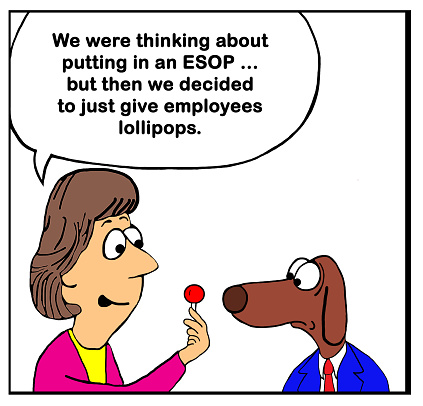
ESOPs aren’t just a way to encourage employees to invest – they can also prove very useful for long-term business goals.
News recently came in that a new Colorado bill was just signed into law to make it a lot easier for small business owners to start up ESOPs, or employee stock ownership plans, thanks to a new focus on talking about ESOPs with owners and more funds available to start an ESOP via a small loan.
Now, when people start talking about ESOPs a lot of the focus is traditionally on the benefits for employees – how they can save on taxes, get rewarded by the company, and so on. But we wanted to take some time to talk about why ESOPs are useful for growing companies, and why they are becoming increasingly popular ways of meeting very specific goals that business owners may have in mind. Here’s a more detailed look.
Slow Value Building in Preparation for Bigger Things
Traditional entrepreneurship uses funding rounds to both raise additional funds for expansion and help increase the expected market value of the company. However, there are far fewer options further down the ladder, if you aren’t nearly ready for a funding round or going public, but still want to help increase the value of the company in a much safer, more stable way. An ESOP does exactly this: By allowing employees to slowly and comfortably invest back in the company, the ESOP can help increase value in more controlled ways than a funding round.
Of course, that comes with consequences too: an ESOP can complicate any plans to go public, and it tends to work best with successful companies rather than those struggling. But for smaller businesses that have been looking for their own value-building solution, it remains an ideal choice.
Borrowing Options
Thanks to the increased interest in ESOPs, it’s now a lot easier to borrow money to help start them. The new CO rule, for example, allows the state to loan business owners up to $10,000 for the process, and if state agencies are more willing to lend, you know that average banks and credit unions are also going to be more lenient. This is great news because one thing keeping smaller companies from creating ESOPs was a lack of funds. It can be surprisingly expensive to switch to an ESOP model for your business, especially if that requires updating financial practices and meeting a bunch of new requirements. Money available for the initial costs is an increasingly common advantage (of course, you still shouldn’t take out a loan you can’t afford).
Retirement Plans
“Well, of course, an ESOP is a retirement plan,” you may be thinking. But that’s not really what we mean. You see, the goal of many ESOPs is to gradually move ownership from the company founder to the employees. In other words, it can be a valuable exit strategy for business owners that want to gradually back from personal responsibilities and eventually leave the business entirely – without the stress of making a sale or arrangement a more immediate replacement option.
Ideal for Growth Industries
In Colorado, the new ESOP law is particular encouraging for small companies in growth industries – which in CO would be craft beer and cannabis, of course. ESOPs, in general, are a good deal for young businesses that are riding a wave of growth and want to expand – but aren’t ready to go public for another decade or two. If you are part of a growth industry and are looking for ways to maintain growth and tap into the excitement surrounding your business, then consider creating an ESOP model during your expansion efforts.
General Buy-In and Productivity
“Retention” is a word that gets frequently mentioned when talking about ESOPs. Yes, employees are more likely to stay around if they have a real investment in the company. But in a broader sense, an ESOP is perfect for employee buy-in and productivity, even if the employee chooses to not invest directly. The fact that the company cares enough to allow employees “first dibs” and a chance to profit from company efforts is a winning combination for a successful business. It tends to increase positivity, fuel greater productivity, and attract new interest from talented individuals.

by Felicien | May 25, 2017 | Education
Devices as a Service? It makes more sense than you might think: Here’s why.
The “as-a-Service” trend is nowhere near dying out yet: Companies are determined to try everything as a service until they find out what ultimately works and what doesn’t. That can lead to a little uncertainty when adopting new services because no company wants to be caught in a temporary fad, especially when making big systems decisions.
But we want to talk about a particular Service trend, DaaS, or Devices as a Service. No, that doesn’t mean moving all your devices onto the web – it means leasing company mobile devices from a particular IT vendor for monthly fees instead of using BYOD or a company purchasing plan. It may sound odd, but here’s why more businesses are buying into the practice.
It’s More Familiar Than You Might Think
DaaS isn’t exactly new. In fact, companies have been using it for decades with very familiar devices like copy machines. For many smaller companies that once relied greatly on copiers, it wasn’t really feasible to invest in their own model, so copier manufacturers and vendors began to offer leasing opportunities to smaller companies. It worked out perfect for smaller businesses because the leases typically included room for repairs and maintenance and generally avoided a lot of the hassle of buying.
The new wave of DaaS is much the same, except instead of applying to larger devices like copiers it applies to small mobile devices like phones and tablets. Companies create a leasing contract with a vendor that supplies these items. Once again, it can be a smart move for smaller enterprises that don’t really have the resources to invest in so much hardware all at once.
It Concentrates Device Decisions into the Hands of Experts
With DaaS, IT and security experts at the company are typically the ones making all the decisions (or at least providing the most input) about the type of devices to lease, the models that are needed, the capabilities they need to come with, and what a good plan looks like. You don’t have untrained managers making these top-down decisions alone, and you aren’t leaving it up to the individual whims of each employee. The result is a device strategy that is much easier to work with, and tailored to exactly what the business needs – again, assuming strong IT communication, which is an important first step.
Security Issues are Much Easier to Deal With
For most quality DaaS plans, the vendor offers to provide necessary security management services. That includes any necessary updates or patches. If companies excelled at managing their own updates and immediately patching any vulnerability that is found, this wouldn’t be an issue. But let’s be honest, companies aren’t great at managing device security themselves – the constant series of data attacks around the world is proof enough of that. Handing security over to a vendor that specializes in keeping devices safe, data security is now improved.
There is a Variety of Service Setups
While costs do tend to be monthly, there’s a lot of variety in just what devices and services you can choose from. Many leases allow for some inherent flexibility too, if you suddenly have to scale up or down. Basically, you’ve got options here.
Long-Term Costs Tend to Be Low
Two things: First, the basic, “Buy hardware, fix hardware, pay for apps” costs are difficult to predict but may be higher than just paying the monthly fee for a lease that manages all of that for you (as long as the terms of the lease are favorable). Second, buying hardware directly is a high initial cost, usually a capital expenditure. The lease is a lower operating cost, which looks better on the books and frees up cash for other investments.
New Technology is Far Easier to Access
If you or your employees really need access to the latest technology, DaaS is a great solution to avoid being trapped with the same devices for years while new generations keep coming out. Just update the devices when you renew the lease – problem solved!
Of course, DaaS does come with its own complications regarding employee perspectives and finding the right vendor. For help on deciding whether DaaS is right for your {city} company, contact {company}! Let us know how we can help at {phone} or {email}.

by Felicien | May 25, 2017 | Education
Lack of compliance with HIPAA policies is a major problem among cloud service providers. Take the time to carefully evaluate companies to ensure patient data stays secure.
The healthcare industry was one of the first to recognize the substantial benefits of cloud computing. Cloud services pave the way for better collaboration between doctors and medical facilities, present more available data to treat patients, and permit remote patient care. The important thing to remember is healthcare cloud services have vulnerabilities. Weigh the pros and cons of each service provider to make an informed buying decision.
Features of the Cloud Service Provider
Your software needs will help narrow down your choice of healthcare cloud service providers. For instance, does your organization require an online CRM (customer relationship management) system? Do you need back office functions hosted on the cloud along with clinical data? Does your facility need on-demand access to virtual servers? You may not wish to rely on cloud servers alone and may want a provider who enables a hybrid cloud model. Another requirement you may have is hosting on a private cloud versus a public cloud. A private cloud is developed for large-scale organizations that need customizable features for their healthcare company. Public clouds are shared by some organizations that can use the same types of tools. Public clouds are more cost-effective than private clouds. Scalable service offerings may be considered too if your business needs may change in the future.
Cloud Security and HIPAA Compliancy
Healthcare organizations must follow stringent rules to guarantee the security of patient data. The cloud must align with industry standards and prove that you’re following all compliance regulations. Health cloud service providers need more than basic security features in place. There must be routine security audits done to ensure compliance. Health clouds require a high level of access control. You must be able to tell who is accessing data and when. Standard security measures should be included in your package such as firewall installation, antivirus detection tools, two-factor user authentication, and data encryption. Your selected cloud service provider needs to be completely transparent about who on their end will be able to access data on your network.
Value Reputation Above Price
Although you may wish to reduce overhead costs, choosing a reputable provider is a must. If your provider puts your organization at risk, the cost to repair your company reputation is unimaginable. Many well-known vendors like Microsoft have the resources to help you stay HIPAA compliant by securing data at all endpoints. The organization you choose should let you know the location of their data centers and the type of security in place at the centers. The provider should also talk to you about what kind of backup and data recovery systems are in place.
Good customer support is essential when choosing a health cloud service provider. Your company will likely need support available 24/7 and 365 days a year. The provider should give you an average response time for customer tickets. You want to avoid any service providers who have a reputation for disappearing once you’re set up with their software.
With the right security and features in place, a health cloud can streamline operations within your facility and save your business time and precious resources.

by Felicien | May 25, 2017 | Education
Cloud computing makes big news in the races – and gives us a chance to talk about the benefits of data solutions!
There’s an old saying we just made up that says, “When a trend finally wins a horse race, you know it’s here for the long haul.” We’re specifically talking about the big news that, after a break that involved skipping the Kentucky Derby, the racehorse by the name of Cloud Computing racked up a big in the Preakness race. Maybe not so exciting to those who don’t follow the races, but hey, 1) there’s a racehorse named after a data solution, and that’s pretty fun, plus 2) this gives us an excuse to talk about the advantages of cloud computing to businesses that are still considering adopting cloud solutions.
Scalability
One advantage that smaller businesses sometimes miss when reviewing the benefits of cloud computing is the innate scalability. It may not seem like much in your current business model, but when the time comes to expand, open new branches, increase your customer base, or fulfill a greater number of orders, cloud computing makes growth far easier than it used to be. By pushing customer, order and inventory data into the cloud, it becomes effortless to upgrade many of your business functions to deal with suddenly larger (or, in some cases, suddenly smaller) numbers. Without cloud computing, the process requires replacing hardware and generally spending far more time and resources on meeting new demand.
Automated Data Entry
Data entry has become revolutionized by a combination of cloud computing and artificial intelligence, allowing software to become much more open-ended and smarter about filling out forms. You’ve probably experienced a little of this when Google, Apple or another brand offers to autofill address and contact forms for you based on information stored in the cloud. Data entry solutions do much the same thing, except they are more complex systems that access a larger variety of information about the company and (within chosen limits) the customers. This reduces human error, reduces the need for data entry positions, and helps the workflow process speed up, making it an easy option for the average company.
Collaboration
A lot of people talk about collaboration in business, but in cloud computing, this has a very direct definition: The ability for multiple people to work on the same document, at the same time, from remote locations. Google Drive, for example, is one of the more common (and freed) collaboration tools used by small businesses and students where teams need to work on the same document together, but are kept from physical meetings by complex schedules. Editing, commenting, and chat features allow people to collaborate on a document in an online setting instead, which again speeds up workflow. Even common doc software like Microsoft Word is beginning to embrace this cloud-fueled collaboration.
Efficient Management
All right, let’s take the above example: If you have everyone working on the same document, how does a manager tell who is responsible for any particular action? Through in-depth tracking, of course, and cloud computing also provides that. Microsoft Teams, for example, allows managers to see at a glance who is teamed up on any particular file and then look closer to find out the precise history of changes to the file, and who made each change. If check-ins or confirmations are required, the cloud can send them to manage systems immediately to save even more time.
Client Connections
All this internal communication is also bolstered by external connections. Cloud storage and cloud data, in general, are much easier to share with clients and customers as needed. This is an excellent way to share large files with prospects and exchange information quickly to answer important questions.
Automatic Updating and Syncing
When a cloud-compatible system needs an update, there’s no reason to mess around with physical discs or data sticks – it can simply download what it needs right off the Internet. The same goes for syncing. Via the cloud, when you update data on a program using one device (say a smartphone), that program will be updated on all devices (your desktop and laptop too) when you log back in. Data backups are handled in a similar way. Basically, all improvements and changes to the system are easier and faster to arrange.
We’ve covered plenty of the general benefits of cloud computing here, but there’s a whole world of more specific advantages for your {city} company, ready to be customized from available services. Learn more about the latest IT services by contacting {company} today! We’re available at {phone} or {email}.
