
by Felicien | Jul 20, 2017 | Education
Outlook has been redesigned to take advantage of the capabilities of mobile platforms, with new features introduced for iOS and Android smartphones and devices.
Depending on audience and demographic, 20% to 75% of emails will be opened by mobile users. It’s understandable that Microsoft is now focusing on iOS and Android platforms for Outlook upgrades — which may substantially change the user experience for those who are frequently out of the office or using their email while on the go. Outlook’s current redesign is intended to bolster the ability to easily share and communicate, while also taking advantage of the unique format that mobile devices may offer.
Switching Between Accounts Easily
Outlook now makes it easier to manage multiple accounts. The average user today has at least two email accounts, both for personal use and business use — and they may even have more if they separate their accounts for different platforms, entertainment, school, or hobbies. With easy motion controls, users are able to navigate between accounts or even consolidate accounts into a single inbox, so they can look through their emails faster and sort them based on current relevancy.
Sorting and Searching through Directories
In addition to being able to easily sort through accounts, users are going to be able to quickly sort through folders — moving emails based on their priority and their category, and looking through different categories as desired for the emails that they need. Microsoft has made it easier to navigate through the system as a whole with the use of context-sensitive gestures, which are designed to be intuitive and easy. Altogether, this will make the experience of utilizing the platform both simpler and faster.
Replying to Emails Faster With Predictive Text
Emails are now using context-sensitive clues to determine what you may mean to say, reference, attach, and discuss. As you write your email, predictive text will insert other Outlook-using user names, and include them in tags so that you can quickly finish your thought. By tapping on the predictive text, it is automatically included. Outlook’s predictive text has been steadily improving with new machine learning technologies, and is now able to easily correct and predict many casual conversations. The ability to tag other Microsoft users is important, especially for business users.
Searching through Emails Quickly and Easily
Historically, searching through emails could be incredibly difficult — and take a long time. Outlook now puts its search function at the very front of the toolbar, making it easier to quickly search for the documents that you need. That means you have to spend less time sorting through your inbox and can instead spend more time reading and replying to the emails that are important to you. New relevancy algorithms are also designed to promote the most relevant search results to the top, so that it’s more likely that you can find what you’re looking for the first time.
Making Contacts Easier to Update
Microsoft has made it easy for users to update their Office 365 contacts through their mobile Outlook accounts, which can be especially helpful for those who frequently network or need to keep track of large numbers of contacts in either their business or their social lives. An “at a glance” feature also makes it easier for users to view their contacts and see all of their details quickly — and the Outlook directory will sync to the iOS and Android directory, consolidating all of your contacts into a single easy-to-access space.
More Details through a Visible Design Format
Overall, Microsoft has improved its user experience by adding more information into its UI. Where there used to be only a few details visible on emails, there are now far more — such as who the email has been forwarded to, short cuts to share emails, and more. More of the actual conversation is shown when conversation threads are viewed, which makes it easier to catch up on conversations quickly — and conversations will automatically open to the first unread message so that you can catch up where the conversation left off.
Improved Performance on Mobile Devices
Finally, Microsoft has also added some improvements, such as data caching, to its overall Outlook experience. This is particularly intended to improve performance on mobile devices, where resources may be at a premium. With Android devices specifically, there can be a very wide array of system capabilities, ranging from the low end to high end of the spectrum. Better usage of resources means that it’s easier to read and respond to emails quickly, and that the system itself will run faster and smoother — especially during processor-intensive tasks, such as searching.
As mobile usage continues for services such as email, it’s likely that Outlook will continue improving. Web applications are becoming the way of the future, especially cloud-driven applications that can improve accessibility and collaboration. Additional features are currently in the works for Outlook, including intelligent search abilities, powered by Microsoft Graph. To keep up to date on further information about Microsoft’s collaborative technologies and other similar business-focused IT news, contact {company} in {city} at {phone} or {email}.
by Felicien | Jul 20, 2017 | Education
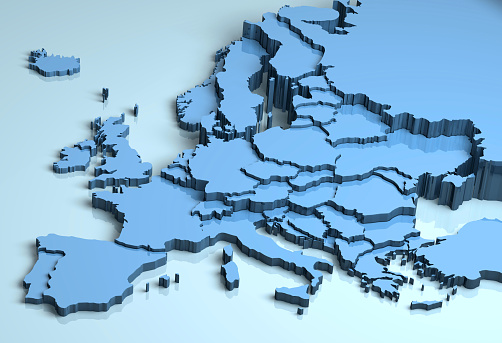
The GDPR brings a new set of data regulations: Here’s what to know and if you need to do anything.
Over the past several months, conversations have arisen concerning the new GDPR, or General Data Protection Regulation created by the EU. It’s quickly moving from a casual bit of IT news to an important issue for companies creating long-term data strategies: In other words, it’s time to make some decisions about this new regulation. To help out, here’s what you need to know about the GDPR and why you should consider a response.
1. The GDPR Is More Far-Reaching Than You May Expect
Yes, the GDPR is an official EU standard, and it does not apply outside of the EU. However, this gives it a lot more reach than you might expect. Yes, it’s a European “regulation” (which is somewhat behind a “directive” but still very important), but it’s one that applies to the data of all EU citizens – including pre-Brexit Britain). That means if you have any customers, partners, or supply chain links in the EU (or want some in the future), you need to be aware of what the GDPR requires and of whom.
That’s part of the intent of the legislation: It’s designed to encourage data privacy and security practices among businesses across the world that want to deal with EU customers. And unless your company is highly separated into divisions, it’s also a good opportunity to update your data systems for all customers. On the downside, this may mean that it is no longer feasible to use data in the same ways that you did in the past. On the upside, the GDPR is broadly considered a win for customer privacy.
2. Controllers and Processors Are Targeted
The language of the GDPR makes it clear that “controllers” and “processors” are required to follow the new regulation. So what does that mean? Well, a controller is any entity that’s making decisions about what data is collected and how that data is used. A processor is any organization directly involved in collecting, storing, and transferring that data. Sometimes the controller and processor are the same organization, and sometimes one is just using the services of the other. Both must follow the GDPR
3. “Personal Data” Is a Key Phrase
Most of the GDPR is focused on protecting what it calls personal data – so naturally, everyone is curious about exactly what personal data means. The definition can change over time, and in fact one purpose of the GDPR was to expand that definition so that more types of data are protected. Under this regulation, personal data includes basic identification and contact information, but also IP addresses, economic data, health data, and cultural data – basically, anything that’s been collected about a specific person.
There are different ways of making personal data more or less anonymous by collecting it in aggregate or limiting how it is collected. The GDPR has more specific regulations for these cases, but basically, if the data can be traced back to an individual, there’s a good chance that the rules will apply.
4. The Heart of the GDPR Is Lawful Use and Consent
All right, so now we have covered personal data: What are companies supposed to do with it to meet the GDPR? There are several restrictions that businesses must follow:
Data collected must be for a specific purpose.
Data must be processed with consent, which is an affirmative action by the subject regarding specific data. That means limited autofill and no auto-acceptance for web forms. If consent isn’t really possible for the subject (for a variety of reasons), then the data processing must comply with any legal obligations or meet other standards (preventing fraud, etc.).
Individuals can ask to see what data a controller holds on them.
Individuals must be able to withdraw consent and have their data deleted at any time. They can also demand that their data be moved somewhere else, which means holding data in a compatible format.
Once the specific purpose of the data processing is finished, the held data must be deleted. It cannot be held onto or passed onto any other organization not connected with the original purpose.
5. The Regulation Also Pertains to Data Attacks
If a data breach occurs, the organization must inform the proper authority (what body governs data security in the countries of the individuals whose data is held) within 72 hours, or face steep fines (fines greatly increased in the GDPR). This poses a bit of a challenge: As noted above, data must be kept in formats that are relatively easy to transfer to other organizations, but that data must also be protected against data threats.
6. IT Professionals Aren’t Prepared
A study by Imperva indicates that, for example, less than half of cyber security workers in the UK are even evaluating the requirements of the GDPR thus far. The number no doubt drops much further for the United States and other countries outside of the EU, which means organizations may be caught off guard. It’s important to find out if you need to conform to any part of the GDPR and what changes may need to be made in your systems to make sure that they are compliant.
Fortunately, not everyone is taken by surprise. Companies like Microsoft are working to make sure that their systems are GDPR compliant: It’s important to know if your vendor or software provider is doing the same.
7. The Deadline Is Currently in 2018
Specifically, the GDPR requires that companies be ready for the new regulations by May 25th, 2018. This isn’t much time, but remember that the EU has been working on their regulations for several years, so it seems reasonable to them.
It’s also important to note that when it comes to compliance, dates are rarely entirely in stone: They tend to get pushed back or allow organizations to file for more time. However, that doesn’t mean you should get lazy!
Not sure if the services you use will be compliant? Find out! We can help {city} companies learn more about the services they need and the latest solutions to data dilemmas. Contact {company} to learn more, either at {phone} or by sending us a message at {email}.

by Felicien | Jul 19, 2017 | Education
Living in rural American often means lack of Internet access. Is it possible to get broadband in the country? What’s happening to fix the rural-urban digital divide?
Currently, 34 million Americans don’t have access to broadband. If you’re used to lightning-fast speeds and quick downloads, it may be impossible to even imagine living without broadband or fiber optics, but for more than 10 percent of Americans, it’s their daily reality.
The majority of people without broadband live in rural areas. There, the lack of access directly hampers their ability to take advantage of the educational and entrepreneurial opportunities available online. Fortunately, there is hope for change, and many entities are working together to increase access in these areas.
In the meantime, however, there are effective ways to live, work and prosper in these areas, even without broadband access.
The Rural-Urban Digital Divide
In rural areas, 39 percent of residents can’t get broadband, but in urban areas, that issue only affects 4 percent of people. The digital divide doesn’t just mean that you can’t watch funny goat videos in the country, and if that was the only issue, who would care? It’s easy to get your own goat and watch his antics in person if you live out in the country.
The problem goes far beyond that. It’s not just entertainment that suffers. Education and business suffer as well. Even businesses not located in rural areas suffer—the lack of access means fewer online shoppers. Remember, these shoppers don’t have a lot of stores nearby, and as a result, they may need e-commerce even more than people in urban areas.
Problems With Lack of Access
Rural schools tend to have low-speed Internet connections and very high Internet costs. This means these students can’t tap into all the learning that happens online. From free online college classes to online college prep testing, these students are being left in the cold, and their schools (often already struggling with reduced funding due to comparatively low property taxes) are cutting into their budgets to afford the cost of a weak connection.
The problem affects businesses as well. New businesses are less likely to set up shop in these areas, even if all the other logistical factors are in place. Also, when entrepreneurs try to run a business in an area without Internet, they have to deal with a range of issues. Even something like increased downtime makes it challenging to have meetings online, download documents, use collaborative project-management software or do something as simple as run credit cards for payments.
The Internet in Rural America
Without access to broadband, rural users rely on slower, less reliable Internet options. Many areas have DSL, but when running over phone lines that are generations old, top speeds tend to be slower than 10 Mbps, and actual speeds tend to be a lot lower. Satellite Internet is an option in many rural areas, but access varies widely from place to place, and storms and clouds can reduce service.
Barriers to Entry
With millions of people, businesses, schools, nonprofits and others eager for rural Internet, it seems like Internet service providers would be rushing in to fill the gap. Why is that not happening? To put it simply, the cost is the main reason ISPs aren’t jumping into these areas.
To get started in rural areas, ISPs have to lay down cables. That creates huge upfront costs. In a densely populated area, those costs are defrayed by huge numbers of people signing up for service. Rural areas simply don’t have the numbers. Even if every single person and business in these areas signed up for service, there would not be enough subscribers to offset the cost of laying cable and entering the market.
Solutions to Lack of Broadband Access in Rural Areas
To improve access, private and public sectors are joining together to expand broadband into rural areas. Microsoft has pledged its support for the project, and in particular, the company’s Rural Airband Initiative seeks to work with telecom companies to bring access to 2 million rural residents by 2022. Microsoft also plans to stimulate investment through licensing, and spearhead digital training so rural residents know how to make the most of the Internet.
The Federal Communications Commission (FCC) also has plans to help expand access. The FCC has long been a critical driver for communication reform in rural areas, with the Universal Service Fund (USF) at the heart of those activities. Now, the FCC wants to expand the objectives of the USF to include broadband as part of the focus. The FCC wants to offset the costs of setting up cable and infrastructure for ISPs with the new Connect America Fund.
Thriving in Areas Without Broadband
If you run a nonprofit, work as a school administrator, oversee a library or engage with rural Internet as a consumer, the options can feel bleak, but there are things you can do. This advice also applies to freelancers and small businesses in these areas. First, for the sake of your organization, it’s critical to find out what’s available.
Provided you can hook up a landline, you can almost certainly get Internet over a digital subscriber line (DSL). Satellite may be faster, but that can vary from property to property based on trees and other obstructions. Expect to spend time investigating and trying out available options before you hone in on what works.
Once you’ve found an ISP, even if it’s not broadband, you need to take all possible steps to boost your speed. That can mean hard-wiring devices to your modem rather than using wifi, positioning the modem in an advantageous spot, or placing your satellite in the most optimal spot.
On top of that, consider getting involved. Find out about programs and grants that can help bring broadband access to your area. Advocate for those programs to take place in your area.
If you’re thinking about relocating to a rural area or if you’re currently dealing with the challenges of rural Internet, {company} can help. We serve residents throughout the {city} area and beyond. Call {phone} or contact us at {email} for more information today.

by Felicien | Jul 19, 2017 | Education
Data solutions can bring needed change to NPOs: Here’s why a managed services provider is the answer.
One of the most annoying things for nonprofit organizations is finding that their real goals – their mission statements – keep getting obstructed by the small mountains of day-to-day work. For the NPOs that were particularly anxious to make a difference, this is continually frustrating, and anything that can reduce time spent on shuffling data is a godsend. Good news! Using managed services (partnering with an external company for application and data management) is just such a solution. It can save time, get you back to the basics, and – well, just take a look at the all the advantages an NPO can realize when partnering with a data services provider.
Expertise in Solutions and Security
Strong IT and data security require experts. There’s no alternative here. Either you take advantage of available expertise, or you have a weak system. Today’s complex data systems don’t allow for much middle ground. The great thing about managed service providers is that they are filled with experts: It is their job to offer expertise that other organizations, like non-profits, don’t have direct access to. So if your IT departments don’t exactly match your ambitions, fill in the gap with managed services.
This is particularly useful when it comes to security: Even non-profits have their share of sensitive data (payment information, customer contacts, etc.) that must be protected using the latest data organization, encryption, and threat detection methods. It’s bad enough when a for profit company gets hacked and loses the trust of its customers. Few nonprofits can survive that loss of trust following hacked data, making security a priority.
True Scalability
Scalability technically refers to the ability of a company to scale operations up or down depending on the orders they receive. But when most organization leaders talk about scalability, what they mean is overall ability regarding not only orders but responses to all kinds of changes. This quality is particularly important for NPOs that may deal with very cyclical work or a variety of different projects throughout the year. Managed service providers can offer this type of true scalability – the ability to shift data to meet new demands no matter what the cause, and recommend new services that properly scale with the current workload.
Making the Jump to New Flexibility
Organizations that have been around for some years often prove hesitant to adopt new cloud services, data sharing features, or security precautions – not because they don’t want to, but because it would be a significant change. Hardware needs to be switched out for software; decisions need to be made about new mobile devices, the right services and vendors have to be chosen…it’s asking a lot of an NPO already swamped with demands on the front end. But this is actually why managed services have gained support – they offer a bridge to make all the big changes in an easier, more effective way. By removing the uncertainty behind a workplace transformation, providers help NPOs pick the organizational structure they want, then choose the right nonprofit managed services to support it.
Reliable Patching and Support
Don’t worry about creating a patching schedule and finding answers all on your own: With managed services, patches for critical applications are applied as necessary, and you always have someone to ask when you need software support for new apps or unforeseen problems. This may seem like a minor advantage compared to some of our other points, but remember that patches are often essential in preventing hacking attempts on older software. Even traditional support can be more valuable than it seems at first glance if it includes additional training and education.
Budget Planning
How much should you be spending on IT? What software packages offer a good deal, and which ask too much? Will your next project require a software upgrade, or are your current tools enough? It’s no surprise that nonprofits sometimes struggle to answer all these questions promptly, especially when budgets are tight (which is typically always). IT services for nonprofits include consultations and planning sessions to help create budgets that meet organizational goals while also providing the necessary data solutions and security. It’s not a balancing act that NPOs have to do alone, so why not get some help from the experts?
Specific Compliance Solutions for Your Unique Situation
Nonprofits tend to have specific compliance requirements that have to meet when running operating and managing data. A provider with experience helping NPOs can offer valuable advice on how to respond to these regulations. This is particularly important if a nonprofit deal with any health information (typically protected by HIPAA) or wants to accept payment cards (governed by PCI compliance). Other NPOs may have even more unique issues if they work with overseas data or currency. These aren’t areas where there’s any room for a misstep, so it’s important to get the right help with technology services for nonprofits.
Cost Control
A common claim about managed services is that they will save you money: This may be true, especially if that’s one of your goals, but it’s more accurate to say that managed services allow for better cost control. Prices move from hardware and internal data management to carefully constructed fees that are easier to rely on. Adding or removing services will change these fees in clear, immediate ways. Organizations that switch to a trusted provider find that they have a better handle on their data spending, and less chance of spending money on something that they don’t need.
Do you have any specific questions about services for your {city} NPO that didn’t make our list (there are a lot of them)? Ask us about it! You can contact {company} at {phone} or {email} to learn more and arrange a meeting.

by Felicien | Jul 19, 2017 | Education
Boutique corporate outsourcing is on the rise: Here’s why that’s great news for small local companies.
There’s an important, growing trend in the outsourcing industry: A move toward outsourcing locally by partnering with local firms that are specifically looking to support small and expanding businesses in the same community. This tends to make people feel better about outsourcing (since it’s still local in nature and helping two businesses in the same economic pool), while also giving small and mid-sized businesses access to managed services that they wouldn’t have otherwise been able to use. Here’s why that matters.
The Rise of “Boutique Collective.”
Back in 2016 studies began to note that outsourcing was, increasingly, divorced from “offshoring” when before the two words were frequently treated as synonyms. Instead, smaller service companies were growing by focusing on their own cities and marketing to businesses in their backyard. In the UK, this new wave of outsourcing was labeled the boutique collective.
The growth of the boutique collective was due to new demand created from growing availability of sophisticated data services. Startups and small companies were interested in using these data services – and in many cases needed these services to succeed in their competitive industries – but they lacked the knowledge of which services to pick, the contacts to help provide the services, and the pricing packages designed for businesses their size. Local outsource-focused providers rose up as an answer.
Ease of Contact and Communication
Obviously, there are several immediate benefits to hiring a local company for outsourcing, especially compared to offshoring. There’s no need to worry about language differences or different hours of operating when communicating. In-person meetings are much easier to arrange, especially on a more casual basis. Even culturally and economically, problems are easier to explain and understand when both partners are local. These benefits encourage companies to consider managed services when they previously wouldn’t have thought about outsourcing at all.
Allowing Startups to Play to their Strengths
This has always been a traditional benefit to outsourcing – removing a division that business had no efficiencies so that it could concentrate on its core operations and value offering. But it was an advantage startup found difficult to adopt due to the costs of outsourcing and uncertainty about growth. Boutique service firms are solving this issue by offering consultations aimed at small companies and targeting the specific services that new businesses need but rarely specialize in. This comes at a useful time for growing businesses that are beginning to make a major decision and hires for their expanding structures and departments.
Knowledge and Fulfillment of Compliance
In more complex industries, compliance is a serious concern for young companies, especially those that don’t have the best resources to draw on or the resources for a strong audit. Boutique outsourcing offers a deeper knowledge of regulations because of their local presence: This allows them to provide services tailored to meet specific compliance rules in healthcare, government contracts, and much more – not just on a national level, but on a city and state level as well. The market has plenty to offer when it comes to automated compliance services, but many smaller companies need someone to manage or host these services for them.
Tackling the Deeper Issues Behind the Cloud and Security
Companies are well aware of cloud storage and cloud sharing these days: What they are unsure about is exactly how those services will impact their operations, and that’s a smart attitude. Jumping into a cloud service without proper planning or research is a risky movie, especially if there are security concerns. So more startups are starting to ask, “Wait, do we need this particular capability? Is this compatible with our other tools? What sort of results do companies see from using this service?” Boutique service providers are well-placed to answer these questions and offer the right cloud services with data to show their real value.
Finding the Right Budget Early On
Smaller, local managed services can provide clear pricing guidelines and fee information on demand to interested clients. That may not seem like a big deal, but it can be very advantageous to young companies trying to make tricky budget decisions regarding subjects they don’t know much about. There’s a danger here that costs may spiral out of control as companies invest in hardware they won’t need in a couple years, or devote too much of the budget to new technology and not enough to keep that technology secure.
Boutique IT services help in two different ways. First, they allow smaller companies to switch early on (or at inception) to cloud services and outsourced tasks rather than buying expensive hardware with a shorter shelf life. Second, they can help companies form a budget that makes room for the necessary expenses, or at least provide opportunities to shift resources around to meet new targets by choosing what services should be outsourced. Both encourage greater budgetary flexibility.
Convergence of Services
Take a look around and you will notice that few of these local providers focus on only one department or type of service. Instead, they offer a variety of different options in a true “boutique” fashion, allowing clients to pick the services they need to form a customized package. These services include consultations, IT, security, cloud data management, and even specific services for different organizations such as NPOs. It’s a flexible approach that provides small companies with the choices they need without constraining them too much. Now small businesses don’t need to worry about what they are missing, and don’t need to fear to take too big a bite when first outsourcing.
Of course, this is just the tip of the iceberg. Local outsourcing can also revolutionize customer support, CRM, inventory management, insurance and much more. To find out how your {city} area business can benefit, take a look at the services offered by {company}. If you see something that could help your business, you can contact us at {phone} or {email} to learn more.
