by Felicien | Oct 11, 2017 | Education
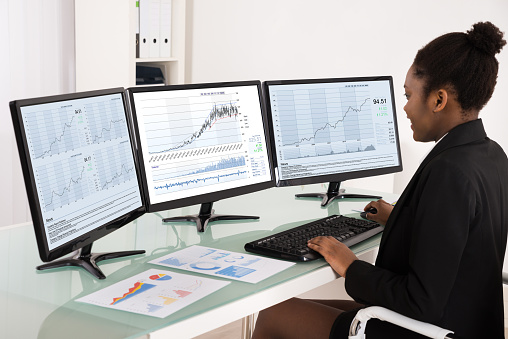
Whether you believe that more screen space equals higher productivity or simply more room for distraction, the dual monitor discussion isn’t going away anytime soon.
Walking into an IT department in most offices may make you feel as though you’re in some futuristic movie: with multiple screens shifted at all angles, all with variations of code scrolling across them. While this isn’t unexpected from a technology team, how can you evaluate whether or not multiple monitors are helpful for your business users? When trying to determine whether they’re a productivity booster or simply offering your business users more virtual real estate to play on social media, you’ll want to consider a variety of factors such as available desk space, job requirements and yes — the cost.
Potential Distractions
Humans do many things well, but not necessarily many things at the same time. The potential distractions available when you have multiple monitors is exponential, as you’re offering workers that much more space to open additional windows into their tasks. Multitasking has been shown to reduce job satisfaction, impair cognitive function and distracts us, as well as dividing our attention and sabotaging our performance. Multitasking is actually a misnomer, as essentially what’s happening is that your brain is hopping back and forth from task to task very rapidly, which can damage our ability to think deeply and creatively in the long term. What has been considered a boon on a resume in the past (“excellent multi-tasker”) might well become a detriment as businesses look for individuals who can dig deep, focus and solve tough business challenges.
Space Requirements
When you’re considering adding a second monitor to any desktop setup, there are two space requirements you have to keep in mind. The physical space required on the desk and whether the user will still have enough room to balance a coffee cup, notepad and pen and the digital requirements of having enough system resources to keep things running efficiently and latency-free. The physical desk space may not seem like much of a challenge until you attempt to fit two large monitors on a desk and see how far away from your user will need to sit to view them effectively and without eye strain. Creating a physical setup that helps maximize efficiency is particularly important in call center environments or when there are significant requirements for contract review or other paperwork, for instance. Ensuring that you have covered any additional video card requirements and ensuring that you have a swift enough processor will keep programs opening, closing and moving swiftly as well.
Cost Implications
While monitors have come down a great deal in cost in recent years, adding a second or even a third monitor can cause some unexpected expenses. For instance, while many computers will support up to two monitors, adding a third monitor often requires a special video card in order to get everything properly connected. The cost of two monitors is generally higher than a single widescreen monitor, but this setup can be more effective than a single widescreen monitor simply because the separation between the monitors often allows the mind to separate work functions more effectively. If you’re using a laptop, having an additional monitor may be a bit confusing as you’re often looking at two differently-sized monitors, which can be incredibly distracting. When you purchase dual monitors, it’s best to get exactly the same brand and style so the screens line up effectively. A large organization can be facing a massive cost impact to add second monitors at every workstation, and even small businesses will feel the pinch of the additional cost — which may or may not be offset by the productivity gains.
Big Boost in Productivity
Anyone who has used a setup with multiple monitors can tell you that having the additional space available is highly beneficial, especially for jobs such as programmers, designers, social media gurus and anyone working with video. Using a single monitor setup would be difficult if not impossible, due to the requirement of switching back and forth between various tasks, software, and workspaces on a regular basis. Some experts believe that productivity is increased by more than 40% when using two monitors, while other studies have shown that errors are reduced as well as improvements found in the level of employee stress. This isn’t difficult to believe when you consider the challenges associated with flipping back and forth between programs in order to transfer information between software packages. Fewer clicks can equal a faster workflow, especially important in today’s world of rapid-fire communication. Many organizations have implemented a hybrid model, where some teams utilize two or more monitors based on business needs, while other employees work with a single monitor.
If you’re considering dual monitors to boost productivity or you are too concerned about distractions to take the plunge, our technology professionals can help you work through the various scenarios to determine what will work most effectively for your organization.

by Felicien | Oct 11, 2017 | Education
As if the threat of a data breach isn’t bad enough, Australian business owners now need to be aware of enhanced legislation around notifications in the event of a data breach.
Data breaches are a serious threat to businesses throughout the world, but Australia has lagged behind states in the U.S. and other parts of the world when it comes to data breach notification laws. However, that time is coming to an end, as the Australian Senate passed February’s Privacy Amendment Bill. This Notifiable Data Breaches Bill will go into effect 22 February 2018 and has the potential to dramatically change what a business is required to do in the event of a data breach. This bill has been quite a while in the making, as several false starts in 2013 and 2014 ultimately ended without bringing an updated legislation to fruition. See the impact on your organisation and how you can prepare for this new regulation before it takes full effect.
Damages from a Data Breach
The damages caused by a significant data breach can be far-ranging: both for the organization that suffered the breach as well as for the individuals whose personal data was impacted. Cybercriminals are always looking for new and creative ways to make money by leveraging the PII, or Personally Identifiable Information, of individuals. However, the largest damage done is often to the business from which the data was stolen, as the business can be impacted by negative press, massive drops in consumer confidence and additional remediation costs such as attorney fees and notification fees. These serious damages include public scrutiny, especially from vendor partners or investors, as well as the need to spend considerable time, effort and energy reviewing current security procedures and looking for changes that can be made that will add to the overall security of the business in the future. On top of all of the upheaval, it’s not unusual for a business who suffered a data breach to lose up to 20 percent of their overall client base in the near term as a byproduct of reduced consumer confidence.
Barriers to Security
Chief Security Officers are quick to note that there are significant challenges associated with maintaining adequate security postures. Increasingly complex systems with a great deal of interoperability can cause integration teams to take shortcuts with security, such as not applying patches quickly due to the concern about potential system outages. Another oft-cited difficulty is keeping the number of security protocols under control. More is not always better, especially when it comes to the number of security products in play. When there are a dozen or more unique platforms, you’re leaving significant room within the infrastructure for gaps and mistakes. The speed that business leaders require may allow systems to be launched without adequate hardening, or abandoned without being fully depreciated and disconnected from all other systems.
Malware and Ransomware
With the extensive complexities in systems that are all targeted towards preventing cyber attacks, hackers are going back to the classic attacks that have worked for years, such as malware and spammy email links. These simple yet highly-effective attacks are dependent upon convincing a well-meaning employee to click a link, open a file or take another action that provides either damage to the account or access to the network for hackers. There is not always a need for cybercriminals to craft a sophisticated attack when a basic click-ad that launches malware will do the job of getting them into the system just fine! Security protocols on the technology side can be supplemented by extensive training on the business side of the house, as knowledge and awareness are shown to be the most effective ways of combating these types of attacks.
What Constitutes a Data Breach
The updated legislation defines a data breach as a situation where:
Unauthorized access to the personal information of one or more individuals has been obtained by cybercriminals
There is a strong likelihood that the information obtained can be used in a detrimental way
Individuals who are affected by the breached information are likely to incur serious physical, psychological, financial or other harm as a result of the disclosure
Information that is considered personal includes such items as tax file numbers, personal health data, and credit information.
Actions to Take in the Event of a Breach
Should your organization be the target of a data breach, there are actions that you should be prepared to take immediately, such as the new compulsory regulatory notification. The Office of the Australian Information Commissioner (OAIC) requires that notification is made “as soon as practicable after the entity is aware that there are reasonable grounds to believe that there has been an eligible data breach” — an important change from previous notification requirements. Previously, organizations were encouraged, but not required, to take this step, but failed to notify the proper authorities now carries a stiff penalty. This is particularly onerous as the legislation requires that notification is completed if even a single record is compromised. With fines starting at $360,000 for individuals and $1.8 million for organizations, this isn’t a requirement that can be taken lightly.
The cost of data breaches and the high potential for loss, it’s more important than ever that businesses look for ways to enhance cybersecurity. Want to learn more about how your organisation can improve security measures?
Want to learn more about how your organisation can improve security measures?
Contact us and speak to a security professional today and determine if there are remediation measures that you can take immediately to support your current security posture.

by Felicien | Oct 11, 2017 | Education
If you’ve purchased a Mac expecting to never have to be concerned with malware or hacking, think again! A recent exploit is targeting Mac users. The good news? It’s preventable.
Mac users have long touted the fact that Apple computers are much less likely than computers running Microsoft Windows to be hacked, but that era may be coming to an end. With four times as many Windows 10 computers currently in the marketplace than Macs, it’s not surprising that hackers choose to attack the system that is much more prevalent in the marketplace overall. A recent ransomware attack may be cause for Mac users to stop their taunts of the platform being hacker-proof, however. The good news is that by taking a few simple precautionary steps, you may be able to stop cybercriminals from locking you out of your expensive Mac.
Are Apple Products ‘Hacker Proof’?
For more than a decade, there’s been a rumor that Apple products are hacker proof, but the reality is that no operating system or data structure is completely airtight. Historically speaking, there are fewer viruses and malware that are targeted to Macs than to PCs, but that doesn’t mean that any Apple OS is immune from threats. There have been more attacks in recent years as ransomware has leaked to the dark web. While Android and Windows will likely always receive a higher percentage of malware than Apple devices, the threats continue to multiply as Apple becomes ever more popular in the marketplace. It’s only a matter of time until specific devices are targeted with browser-specific hacks that bypass some of the security that is baked into OS X.
Mac Attacks
Phishing emails and third-party exploits of software such as Java or Adobe are also some of the current crops of attacks against Macs, but they’re not the only ones. Macs have been plagued by adware and bloatware — whether malicious or just annoying — that can float pop-up ads on your system to tempt users to download non-essential software tools. These problem spots can slow down the system overall or spawn additional pop-ups, and generally aren’t dangerous. Malicious iOS apps are another form of malware that is likely to be found on a Mac. It’s important to stick with only downloading apps from the official App Store, as others could potentially include subsets of code that can steal user information or infect the device in a much more widespread fashion. While buying from within the App Store helps combat nearly all malicious software, the ever-diligent app reviewers don’t catch everything. In the last 24 months, XcodeGhost was able to introduce a framework into legitimate apps that hijacked back-end servers and ultimately infecting the third-party advertising network.
Rise of Ransomware
Hackers are always looking for new ways to hold your device hostage, essentially locking you out of your device until you pay a ransom which is generally requested in nearly-untraceable Bitcoin currency. With ransomware up nearly 250 percent in 2017, cybercriminals have discovered that there is significant money to be made in locking down computers both for individuals and for businesses. Ransomware has often targeted PCs in the past, but mobile devices and Macs are a growing part of the threat landscape. The U.S. has been hit particularly hard, most likely due to the high number of available computers and relatively high per capita income — which translates into funds available to pay for ransom demands. Ransomware often completely disables the boot-up process for your computer, a crippling effect on any system.
Find My Mac
This recent risk is related to the Find My Mac application, or FMM, which is being targeted by hackers who then request Bitcoin payments in order to provide renewed access to the system. This particular app makes it simple to pinpoint the current location of your device and is helpful in the case of a lost phone or stolen Mac computer. Apparently, hackers have illegally obtained a large quantity of iCloud passwords and usernames, and are leveraging these assets to lock people out of their Macs and mobile devices. The good news is that there’s a relatively easy fix that doesn’t involve paying the ransom, but only if you’re willing to lose all of the data on your device by doing a hard reset. This can also be accomplished by bringing your Mac to an Apple store and verifying your identity.
Reducing the Risk of Loss
Fortunately, there are a few ways that you can reduce the risk of being hit by these cyber criminals. Creating a password that is highly secure is the first step, as is turning off the Find My Mac or Find My iPhone in your device’s Settings. Turn on two-factor authentication on your Apple account to ensure your password cannot be reset without your knowledge, and consider utilizing a password vault app that provides additional levels of security. There’s a further step that you should take before selling or loaning your computer that may help keep your Apple ID information safe, as iCloud information is stored on the nvram of your computer. Disabling FMM at the command line can be accomplished by entering:
$ nvram -d fmm-computer-name
$ nvram -d fmm-mobileme-token-FMM
If your IT admins are struggling to keep security under control, let the professionals at {company} support your {city} organization. We work to ensure that all risks are addressed in a timely manner throughout your fleet of devices and computers.
Contact us today at {phone} or via email to {email} for more information or to take advantage of your free initial consultation.
by Felicien | Oct 10, 2017 | Education
While some feel more isn’t always better, it actually is when it comes to monitors. Some feel that paying for multiple monitors for employees is just a waste of space and money. That’s a myth. According to the report in the NY Times by a Jon Peddie Research survey, multiple monitors can increase productivity by 20 to 30 percent.
A Closer Look at the How
So, how do multiple monitors actually increase productivity? The answer is quite simple. It takes less time to complete tasks with multiple monitors. Typically, computer tasks entail, drafting emails, data entry, leaving a chat box open while working, comparing products side-by-side, comparing images and spreading spreadsheets across monitors to view a report. This all takes time. Just with drafting weekly reports and data entry, you have to open the report template, open all related documents, switch back to the report template, double-check accurate information and repeat the process again until the report is finished.
It takes a lot of time to switch between documents. With multiple monitors, employees can leave the first source document open, pull up the report template and switch between documents in less time, even when there are only three documents to compare. It’s just less clicks.
What It Adds Up To
“According to the University of Utah, multiple monitors can save each employee 2.5 hours each day if they use it for all of their tasks. If you have 30 employees, a second monitor saves you 75 hours a day, 375 hours a week, 1650 hours a month, and 18,825 hours a year. Even if you’re paying these employees a minimum wage of $7.25 an hour, which you’re most likely not, you’re still saving at least $136,481.25 a year. Investing in multiple monitors can significantly increase your employees’ productivity, increase their value and decrease your costs. When you can cut costs, you increase your profit margin.” If you can save money, why wouldn’t you?
More Studies on Multiple Monitors
A Utah study discovered that employees had a 44 percent increase in productivity for text tasks and a whopping 29 percent rise for spreadsheet tasks when using multiple monitors. It also showed a $1.5 million in cost saving in one year with a business of 250 employees. And in a Georgia study, employees were able to complete tasks 2 ½ minutes faster using a multiple monitor setup.
“According to University of California Irvine professor Gloria Mark, switching attention between different tasks is where a huge amount of time is lost at work. The more people switch their attention, the higher the frequency or the less duration percent on any computer screen, the less productive they are at the end of the day, Mark told Mic. We know from many years of work there is a cost to re-orienting to a new task.”
Ideal Candidates for Multiple Monitors
Multiple monitors work best for employees who multitask. Workers who read financial reports, manage inventory levels, respond to email, review time sheets, check the Internet for the latest news and prepare summary information for executives are ideal candidates for multiple monitors. If you’re considering multiple monitors, it’s wise to ensure that your computer system has an adequate system to support it. Things like RAM, power supply, motherboards and other computer system resources also need to be in check. Simply put, you need to make sure that your system can handle it. Here’s a tip. Make sure that all of your monitors are the same size and positioned at the same height, or else your eyes will have to work harder to adjust from one monitor to the next as you go back and forth.
Just as a farmer needs a tractor, most businesses need technology tools, and the main tool is a computer. The computer has emerged as a needed tool for businesses. Adding multiple monitors to your computer is a bit complicated, and a managed service provider can assist with the addition. Today, multiple monitors are no longer just the norm with Silicon Valley companies and trading desks on Wall Street. It’s common for all businesses. Three or more screens have taken over due to its affordability and decreasing bulkiness of displays. It enhances the computer experience for employees and adds to efficiency. And instead of toggling between second screens in their laps and palms, employees prefer to toggle with just a glance using a third or fourth screen sitting side by side on their desks.
{company} in {city} can help your company realize the benefits of display technology with multiple monitor configuration. {company} provides complete solutions and world-class support. Set up quickly and efficiently. Give a call at {phone}or email them at {email}. The IT experts at {company} are always happy to answer any questions. Make {company} your technology partner today.

by Felicien | Oct 10, 2017 | Education
Video collaboration, online training, and productivity are some big gains to be had with two monitors, while disadvantages include the cost, additional resources required and the potential for distractions. Here’s how to determine if dual monitors will be effective for your business needs.
Business leaders are always looking for ways for their staff to be more productive, but at what cost? The technology time required to install and operate dual monitors, plus the cost of the monitors themselves and the hardware required to run them, may not add up to the productivity savings that businesses expect. However, there may be some benefits that are more difficult to measure, such as employee satisfaction, reduced error rates, and significantly improved overall process efficiency. If you’re on the fence, here’s a quick rundown of the advantages and disadvantages of utilizing more than one monitor in a business setting.
ADVANTAGES
Smoother Data Sharing
Switching back and forth between windows on your computer can be a big pain, as well as a pretty massive productivity drain. This is especially true if you’re working on a complex financial analysis or taking a deep dive into some code — or even simply attempting to correlate customer data and provide a quick answer to a question while you’re on the phone. Having multiple monitors allows you to open several projects or aspects of a single project essentially side-by-side for comparison, making it much easier to keep an eagle eye on emails on one screen while updating your financial reports on another, for instance. The ability to use programs simultaneously allows for much smoother data sharing when you’re adding images from a separate window or viewing the live updates to a website you’re updating.
Superior Online Training
Online training has become increasingly popular in recent years. Having a second screen allows you to view training videos or tutorials on one side of your workspace, while the other side is available for completing training exercises or testing out your new skills. Flipping between instructions and project from a single screen would lead to increases in error rate and a much longer timeline for completing the course.
Un-Dock and Go
Laptops are utilized in a wide variety of business settings. While they are fantastic for portability between meetings, home, and the office, laptops have notoriously small monitors. When you add a dock with two monitors to your laptop setup, you truly get the best of both worlds: the portability of a laptop when you need it and the value-add of additional workspace when you need to hunker down and crunch some numbers or code. The quick one-button docking and un-docking procedure makes this setup convenient for users and easy for technology teams to maintain.
Video Collaboration
Similar to online training, video collaboration has continued to grow in importance and usage throughout the business world. Many organizations are looking for ways to cut costs by scheduling video meetings instead of traveling for face-to-face conversations, but Skype and other video programs provide a high level of interaction without time-consuming and expensive travel. Having a second monitor available allows you to share one of your screens while continuing to work in the other screen — an invaluable option for anyone who is invited to a large number of meetings.
DISADVANTAGES
The Time Sink
We all know that person who seems to spend more time on social media than on their daily tasks. How can dual monitors improve this problem? Honestly, it will probably make the issue worse. Having a second monitor may provide some individuals with the digital space that they need to keep social media accounts or email open at all times instead of having to flip back and forth between personal accounts and a business focus. While many organizations have blocked instant messaging, this is another potential time sink to keep in mind as you’re considering going with more than one monitor for your staff.
Empty Pixels
There are some advocates who believe that a single widescreen monitor is more effective than dual screens, simply because the “dead air” between the monitors’ visible zones can be distracting to the eye. If the monitors are not implemented correctly, there’s a potential mismatch in resolution and colors that can be troubling to view, especially if you need to stretch a particular program across both displays, such as a large and complex spreadsheet. Some individuals prefer a primary and secondary screen of different sizes, as a distinct mismatch may be less distracting than a subtle one.
Too Much Space
Believe it or not, too much space can be every bit as much of a problem as not enough space! With two monitors, especially if you have two widescreen monitors, you may find that you’re spending a lot of time resizing the viewing windows to optimize your display. Oddly enough, users with a smaller screen may find that everything fits well within the windows in a much more natural and usable way.
Making the decision to move your business from single monitor configurations to a dual-monitor environment can be daunting — especially due to the financial implications involved with the shift. Keep in mind the potential productivity gains and whether or not your teams are likely to take full advantage of the additional space when you’re making your final decision. Ready to learn more about the possibilities for docked laptops, additional monitors or other technology questions? Contact {company} today at {phone} or via email to {email}. We will work with your {city} organization to determine the right fit for your office.
