by Felicien | Nov 6, 2017 | Education
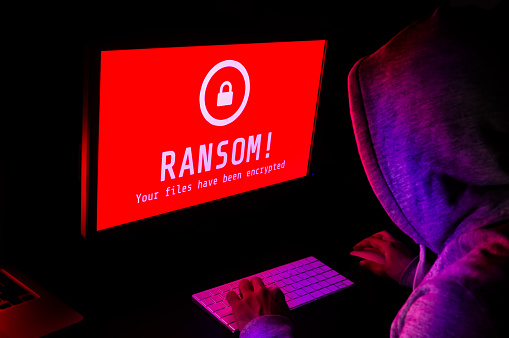
The latest strain of ransomware — GIBON — is making the rounds; make sure your business knows how to protect against it.
Ransomware is now a household name, and there’s no going back. Even though cybercriminals have been using ransomware for years now, it wasn’t until the global Wanna Cry attack earlier this year that awareness reached critical mass – but that was just the beginning.
A new ransomware strain known as “GIBON” was discovered last week as a part of otherwise conventional phishing campaigns. Hidden in emails, GIBON is distributed via macros that are downloaded and executed on the victim’s computer. Named for a particular user string that it uses when connecting to the target’s command-and-control server, GIBON targets and encrypts every file on the computer regardless of extension. Once complete, all files are left encrypted unless the victim pays the ransom.
Even more worrying, some suspect that this strain of ransomware may be Russian-made, given that its logo is based on that of a Russian television company, and that Russian email addresses are to be used to make the ransom payment. At the moment, it is not known how much the ransom is.
However, as with any strain of ransomware, there are a few key steps you and your employees can take to protect your business:
Be suspicious of emails and attachments from people or companies that you don’t do business with, as most ransomware infections arrive via infected word/xls/zip/exe files.
Backup your data on-site and off-site, and test your backups regularly.
Create a plan for getting infected, and regularly test your plan.
Consult with trusted cybersecurity and IT professionals.
Remember – you don’t have to do this alone. {company} will help you set up robust backup solutions, develop cybersecurity response strategies, and help you protect against threats like GIBON.
For more information about GIBON and how to protect against it, contact the {company} team at {phone} or {email}.
by Felicien | Nov 6, 2017 | Education
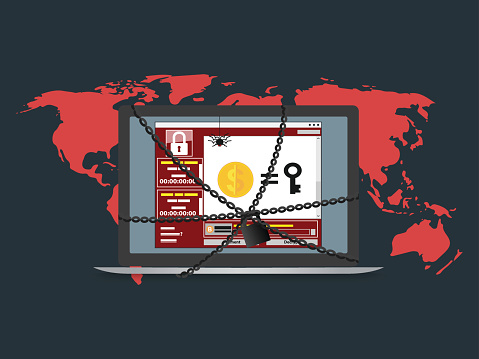
GIBON is a new type of ransomware that first emerged on the scene last week and has since been utilized in a wide range of cyber-attacks. The main way this GIBON-variant is spread is by malspam with an attached malicious document, which contain macros that will download and install the ransomware on a computer. This means that through phishing emails, users are tricked or induced into opening a file containing the ransomware, called GIBON after a phrase that appears several times in the code. If the user follows through and opens the attached file, the ransomware then takes over.
We are still working to discover all the details on how GIBON is distributed, we do know that when it is first started, it will connect to the Command and Control Server for the ransomware register a new victim by sending a base64 encoding string with the timestamp, the register string, the version of Windows. Basically, this means it is telling Command Central that your computer is a new victim and has not been infected before.
Once it has locked into your system, it begins to encrypt all your files, regardless of extension. Only the Windows folder is safe. For each file that is encrypted, it will make a READ_ME_NOW.txt file, providing instructions for what you should do and how to get your files back. It instructs the victim to send emails to bomboms123@mail.ru or subsidiary: yourfood20@mail.ru for instructions on payment.
The good news is that there is a decryptor available from BleepingComputer.com to counter this version of ransomware. You still want to be vigilant in protecting yourself and your data on a daily basis. Some things to remember are:
Backup that data. You can never backup too often.
If you don’t who is sending an attachment, don’t open it.
If it appears to be from someone you know, verify that they sent you one before opening.
Install Windows updates as soon as you see them available. They are there for a reason.
Make sure you are using passwords and don’t use the same password on multiple sites or more than once.
Unfortunately, no matter how strong the security solutions, attacks will continue to slip through the cracks. Therefore, MSPs and MSSPs who are looking to fully-protect their clients must implement a proper, reliable backup and disaster recovery (BDR) solution with online and offline backup solutions as the ultimate failsafe against successful attacks. Your data is important, don’t let some hacker take it away.
by Felicien | Nov 6, 2017 | Education
Becoming an A+ compliance manager may not be the most intuitive prospect, but with careful attention to what the role entails and the right IT help, you’ll get there.
While most people assign compliance to the same snooze-worthy category as watching paint dry, it’s actually a very important topic – and to you, the compliance manager, probably a very interesting one. (Much more so than paint drying, which isn’t even a real career.)
Becoming a stellar compliance manager – or compliance officer, depending on organization terminology – isn’t as simple as getting the job and striking off boldly into the sunset, though. Helping an organization remain in compliance requires ongoing, conscientious efforts to understand the compliance requirements of finance, operations, human resources, data security and more. It’s no small task.
The road to becoming an A+ compliance manager is paved with potential pitfalls, starting with misunderstandings about what compliance is or what the role entails, as well as how to carry it out without making enemies and continue to build skills over time. Even seasoned compliance officers may stumble here, so it’s good to take a periodic inventory of what the role entails and whether you’re on track for success.
What Is Compliance?
Compliance is the act of following federal, state and local rules and regulations governing financial institutions, healthcare organizations, insurance firms, and businesses in other industries. Breaking the law, even without intent, can have very serious consequences for a business, including lawsuits, bankruptcy or catastrophic failure. It is a compliance manager’s role to ensure this doesn’t happen, by keeping careful tabs on what goes on across the organization, assessing risks and responding to them appropriately.
Sad to say, compliance officers may also face the unpleasant duty of responding to intentional breaches. Money laundering and tax evasion happen all too frequently at the highest levels of corporations and aren’t uncommon even in small businesses. Ditto insider trading, conflicts of interest and Just Plain Ol’ Shenanigans. While whistle-blower isn’t the most appealing role, it is a necessary one for the health of the organization as a whole.
Given the potential for fines, sanctions, PR nightmares and shuttered businesses, compliance is crucial – and therefore, so are compliance managers.
The Compliance Manager’s Role
A compliance officer’s role is to work with other managers and department heads to identify and manage the risk associated with laws and regulations – more specifically, associated with breaking them, whether by accident or design. The rules are often very specific, allowing for no loopholes or creative explanations (“I didn’t inhale” is very unlikely to fly here, people).
However, this isn’t the only aspect of the role. Compliance managers are also responsible for making sure everyone else in the organization understands the possible risks and can spot potential issues as they crop up – and before they become firestorms of epic proportion. Because around here, we only like firestorms of medium proportion.
Just kidding. All firestorms = very not good. And as a compliance officer, you have a huge role in preventing them entirely. Your role may comprise many different responsibilities, which will differ depending on the type of organization you work for, but as a general rule, you will be expected to:
Identify risks and advise on courses to reduce or eliminate them
Design and implement controls that will manage these risks
Monitor the controls
Draw up regular reports on how well those controls are working, and present them to the C-Suite, shareholders and other stakeholders
Resolve compliance issues as they crop up
Help perform internal audits and hire outside help in performing periodic audits
Update your compliance and auditing procedures routinely
Teach others
Oversee the compliance department, which will vary in size in accordance with the size of your organization
Dual Levels of Responsibility
Before we go further, it’s crucial to understand the two levels compliance managers will have to address:
Level 1: This is compliance with external rules, and may include auditing, paperwork, licensing and so on for the organization
Level 2: This is a system of internal compliance systems that ensure the organization is always within compliance with external requirements
It’s possible that a compliance manager may only be responsible for one of these levels, but whether or not it is officially in the job description, an A+ compliance manager will always have a bead on both levels. That way, if any potential violations crop up anywhere in the organization, you can react immediately.
Transmitting Necessary Information … Without Making Enemies
Let’s call a spade a spade: Compliance managers aren’t likely to be voted Most Popular Employee anytime soon. That’s because they spend a lot of the day saying things such as “This isn’t safe enough,” “This violates XYZ and needs to be updated immediately” and “Oh, you know that system we just spent thousands on? It no longer works according to the new laws. Change it.”
Compliance officers are the messengers that everyone else wants to kill. Or at least, to deny donuts. And let’s be honest, that might be worse.
A good compliance officer’s role is to detect risks, then transmit the information about fixing them to the relevant departments, without causing a lot of friction. Unfortunately, oversight often does just that: cause friction. When you’re responsible for monitoring communication, checking that disclosures are present in all documentation, photocopying or scanning and retaining documentation for the future, reviewing transactions and other managerial tasks, it’s easy to ruffle feathers.
As compliance manager, it’s important you develop routines to automate these tasks so you aren’t always breathing down everyone’s neck. It’s also important to point out failures in compliance in a polite, respectful and gentle manner.
Building the Skills of an A+ Compliance Manager
As the above section should indicate, considerate communication is one of the most important skills in a compliance officer’s toolkit. Others include:
The ability to decipher confusing laws and regulations, and communicate them cogently
Maintaining high ethics
Maintaining impartiality and distance; keeping communication impersonal
The ability to learn constantly
The ability to act without a lot of direction from above
Leadership
Simplifying Compliance in the Short and Long Term
One of the most common slip-ups organizations make is to amass a large number of different services on a range of different platforms. Sure, it makes sense that over time you build up numerous relationships and that those different vendors use different infrastructures to provide their products and services.
The downside for you? That’s dozens of platforms to monitor, hoping no data leaks through the cracks. Dozens of platforms to ensure are in compliance at all times. Dozens of platforms on which something could go terribly wrong before you can stop it – and bring down the entire organization in a minute.
We’ve taken great pains to create a one-stop-shop infrastructure that meets all your IT needs without sacrificing security. Now you can do away with the vendor-du-jour model, and start taking compliance seriously by running all your products and services through a single platform. Say goodbye to compliance nightmares, and hello to A+ compliance manager-hood.
Sure, “Most Popular” might still elude you, but when you work with us, you’ll get the peace of mind that you’re fulfilling your role the best way you can. And that’s worth as much as any popularity contest.
… almost, anyway.

by Felicien | Nov 3, 2017 | Education
The Windows 10 Creators update is in full swing and business owners have been soaking in the benefits. The update has been available since April and so far, it is living up to the hype. The update carries on the Window’s 10 mission to make IT more secure and productive for businesses. As professionals become more connected and continue to take advantage of powerful new devices, the Windows 10 Creators update helps business owners keep up pace with digital transformation.
Heightened Security: Windows 10 Creators Update Offers Enterprise-Grade Security Intelligence Across Devices, Networks, and the Cloud
It’s no secret that the modern cybercrime landscape requires an ongoing and relentless focus on security – especially for business owners. The Windows 10 Creators Update continues to bring new security capabilities to IT administrators to better protect, defend and respond to threats on their networks and devices.
First, there’s the new Windows Security Center that serves as a centralized portal for monitoring, tracking and responding to cybersecurity issues. The Windows Security center allows for one view of all Windows 10 security events making it easier than ever for businesses to keep an eye on network happenings. The Windows Security Center was first released in the Anniversary Update, and links to Office 365 Advanced Threat Protection, via the Microsoft Intelligent Security Graph. This allows IT administrators to easily follow an attack across endpoints and email in a seamless and integrated way.
Next, the Creators Update also adds a variety of new actions and insights in Windows Defender Advanced Threat Protection (ATP). These enhancements help administrators to investigate and respond to network attacks, including sensors in memory, enriched intelligence, and new remediation actions.
Here are some the key improvements to the Windows Defender Advanced Protection system:
Enriched Detection
In the modern cybercrime climate, it’s no secret that the methods and means attackers use are increasingly varied, complex and well-funded. Having reliable and powerful threat sensors to monitor network traffic is critical.
Because cyber threats won’t stop, Microsoft isn’t stopping either. The Creators Update introduces enhanced Windows Defender ATP sensors to detect threats that persist only in memory or kernel level exploits. This will enable IT administrators to better monitor networks and detect threats before they become disastrous.
Enriched Intelligence
Recent Windows developments have already enhanced Microsoft Threat Intelligence (TI), including a recent partnership with FireEye iSIGHT Threat Intelligence. In the Creators Update, IT administrators are given the ability to feed their own intelligence into the Windows Security Center for alerts on activities based on their own indicators of compromise. This added level of insight will enrich machine learning and memory to identify and block malware more quickly and better protect the unique environment of each business.
Enhanced Remediation
The Creators Update also brings new remediation actions in Windows Defender ATP that will give IT administrators the tools to isolate machines, collect forensics, kill and clean running processes and quarantine or block files with a single click in the Windows Security Center, which further reduces response time.
Mobile Application Management: Windows 10 Creators Update Makes On-the-Go and Remote Business Easier
Modern business is defined by anytime, anywhere access. Some businesses have remote employees who work at home or outside the main office. Other businesses have employees who are constantly on the road and still need access to critical network data. Regardless, making sure all team members have access to all the company resources they need is crucial in today’s fast-paced business environment.
One of the most important features of the Windows 10 Creators update is the capacity for dynamic mobile application management. The new feature will help professionals protect data on personal devices without requiring the device to be enrolled in an external Mobile Device Management solution.
Furthermore, in our device-obsessed world, employees use their own devices at work more and more. The Creators Update provides IT administrators with oversight to apply productivity policies to the applications employees use. This helps keep corporate data more secure and keeps employees focused without taking on the added responsibility of managing each employee’s personal devices.
Streamlining Powerhouse: How the Creators Update Allows Businesses to Work Smarter Not Harder
The Windows 10 Creators update implements best-in-class, modern IT tools to streamline business operations and management. While it may be a very exciting time to be in IT, for many business organizations the digital transformation can be overwhelming. For that reason, the Windows 10 Creators Update harnesses the power of the Cloud to bring the very best streamlining tech tools to everyday businesses.
Windows 10 alone has already resulted in a 15% improvement in IT management time for IT administrators. The Creators Update further organizes and optimizes resources and moves tasks to the cloud, allowing users to acquire, provision, support, and secure devices more easily than ever.
Some of the key productivity powerhouses in the Creators Update include:
Cloud-based insights with Windows Analytics.
Recently released Windows Upgrade Analytics were introduced to help users move to Windows 10 more quickly by analyzing their environment to identify app compatibility, device and driver readiness. With the Creators Update, Microsoft delivers additional resources to the Windows Analytics dashboard that will help IT administrators better manage and support Windows 10 devices. The additions to the dashboard will enable organizations to use their own telemetry to provide new insights and ensure compliance on the upgrade, update and device health processes within their organizations.
In-place UEFI conversion
For some time, Windows Users have expressed the concern that they want to take advantage of new Windows 10 security investments like Device Guard on their existing modern hardware, but many of these new features require UEFI-enabled devices. With the Creators Update, Microsoft has introduced a simple conversion tool that automates previously manual conversion and connection methods. Even better? This conversion tool can be integrated with management tools such as the System Center Configuration Manager.
Continued improvements for Windows as a Service
Finally, though consistent Windows updates are beneficial, many enterprise customers have complained about managing the sheer size of the update download. Big updates on an entire network of devices can take up valuable business minutes or hours.
Since the Creators Update, Windows 10 updates will now be differentiated for both mobile and PC devices. Additionally, any updates after the Creators Update will only include the changes that have been made since the last update, decreasing the download size by approximately 35%. Microsoft is also working to improve the System Center Configuration Manager express updates to help reduce the monthly update size by up to 90%.
No matter the shape, size or industry of your business, the Windows 10 Creators Update offers tools for optimizing digital transformation for professionals. Whether you’re looking to tighten security, better manage your employee devices or streamline operations, the Windows 10 Creators Update has features to make your life easier.
Whatever you do, don’t get in the habit of avoiding updates or hitting the “Remind Me Later” button. Staying on top of tech transformations and software updates is critical to maintaining a productive and competitive professional edge.
If you’re wondering how to best implement the benefits from the Windows 10 Creators Update, get in touch with a local technology firm for consultation and guidance. Taking control of your company’s technology is easier than you think.

by Felicien | Nov 3, 2017 | Education
Latest Update Includes KRACK Patch but Comes Alongside News of iOS Zero-day Vulnerability
On November 1st, 2017, Apple released its latest stream of updates for a variety of devices and programs across its product line. First and foremost, the update has a number of security fixes for device programs like Siri and Messenger as well as browser vulnerabilities. Furthermore, there is a full OS update with the unveiling of iOS 11.1.
However, perhaps the most important element of the update is the included patch for the KRACK Wi-Fi vulnerability. Unfortunately though, as the door slammed on one cyber threat, the door for a new one swung open. An iOS Wi-Fi Zero-day vulnerability, also emerged November 1st, from the annual Mobile Pwn2Own hacking competition. The details aren’t entirely clear, but recent reports state that:
“Tencent Keen Security Lab gets code execution through a Wi-Fi bug and escalates privileges to persist through a reboot.” – Zero Day Initiative
So, needless to say, it’s been a rollercoaster in the Apple security camp this week. To better understand both the good news and the bad, let’s break down exactly what they’ve fixed with the KRACK patch and what’s left to be addressed in light of the iOS Zero-day news.
What They Fixed: Understanding The KRACK Vulnerability
Recently, conversations in the technology and business communities have been dominated by reports of a new cyber threat dubbed KRACK or Key Reinstallation Attack. KRACK has been described as a security flaw in the WPA2 protocol, which could allow criminals to break the encryption between a router and a given device. Once encryption is broken, criminals are able to intercept and interfere with network traffic.
Security vulnerabilities like KRACK can be hard to wrap your head around so here’s a quick breakdown of how KRACK happens:
Hackers find WPA2-PSK networks that they want to infiltrate and wait for a user to connect. In a modern business world, users connect to Wi-Fi hotspots everywhere – maybe in the office, but often in remote locations like a public park, coffee shop or their parked vehicle.
As the device works to legitimize the Wi-Fi connection, hackers can quickly interfere and decrypt any traffic being exchanged over Wi-Fi. This means hackers have the power to cause a lot of trouble without being on the network itself. Without an actual connection to the network, hackers take advantage of this vulnerability to intercept, modify or forge data as well as install malicious malware.
What makes KRACK especially scary is the fact that the security flaw isn’t contained to a specific software program, rather it targets WPA2 Wi-Fi – a widely used protocol that countless business and individuals rely on daily.
Apple’s Next Security Obstacle: What Is a Zero-day Vulnerability?
Zero-day may sound like some kind of apocalyptic blockbuster, but in the tech world, Zero-day is sort of like a hyped-up way of saying “we didn’t know before, but we know now and we’re working on it.” In short, Zero-day signifies the initial day that companies, like Apple, are made aware of security glitches that, up until that point, had been unknown. That means, if something is described as a 30-day vulnerability, Apple has known about it for 30 days, and so on.
The closer a security glitch is the Zero-day mark, the more successful hackers are at exploiting the threat. Developing patches and fixes to bugs take time, and when cybercriminals and scammers are in the know about Zero-day vulnerabilities, they become serious threats to an organization’s network security.
Apple Security Response: Latest Update Patches KRACK Vulnerabilities and Puts Timeline on Zero-Day
So, for Apple this week has meant some problems solved and others just were begun. Luckily, included in this iOS 11.1 update is a fix for the Wi-Fi-related vulnerability known as KRACK which is available for some – but not all – iOS devices. According to Apple’s official support documentation, the KRACK fix only applies for new iDevices, launched in early 2016 and later.
It’s unclear why the KRACK patch is only being made available for newer iDevices only, but it’s possible a fix for earlier devices is still in the works, or perhaps Apple has determined older versions aren’t vulnerable to KRACK at all. Either way, if any of your team members use a pre-7 iPhone, have them on alert an additional update from Apple just in case. Additionally, any users with an iPhone 5s, iPad Air or later can apply this update. In short, if your Wi-Fi-enabled iDevice can update, you’re strongly encouraged to update asap.
As for the newly identified zero-day vulnerability, Apple is now on a strict timeline to get the bug addressed and have patches released. Tencent Keen Security Lab, a competitive hacking team, earned a cool $110,000 thanks to their discovery of the vulnerability at the Mobile Pwn2Own competition. Apple now has just 90 days to fix the problem lurking on iDevices before details are made public.
As you can see, today’s cybersecurity developments move at lightning speed. Just as one problem is fixed, another presents itself. Companies like Apple are in a constant battle against increasingly sophisticated hackers, looking for OS vulnerabilities. Staying up-to-date on these issues is critical for any business that relies on technology to operate.
Knowing what’s out there and what’s being done to address it is critical to protecting your company’s devices, data and continuity. If the technical talk leaves your head spinning, you’re not alone! Reach out to local IT experts to help get a better grip on what’s putting you and your company at risk.
