
by Felicien | Dec 12, 2017 | Education
Exploring the ongoing impacts and remedies for the KRACK Wi-Fi vulnerability
It’s been nearly two months since the KRACK Wi-Fi bug was broadcast to the world. The news hit headlines across the globe in October of this year when tech researchers discovered the wide-spread vulnerability that impacted IoT devices of all kinds.
Two months down the road, we’ve decided to check in and ensure that businesses have replaced or patched affected systems and devices. So often, we forget about dangerous vulnerabilities once the headlines fade. But since the KRACK vulnerability was so widespread and impacted internet connections through a variety of IoT devices, it’s critical that businesses stay on their toes and ensure no holes remain.
The Basics: Recapping the KRACK Wi-Fi Vulnerability
As noted, in October 2017, a widespread Wi-Fi flaw was discovered and was dubbed KRACK or Key Reinstallation Attack. KRACK has been described as a security flaw in the WPA2 protocol, which could allow criminals to break the encryption between a router and a given device. Once encryption is broken, criminals are able to intercept and interfere with network traffic.
Security vulnerabilities like KRACK can be hard to wrap your head around so here’s a quick breakdown of how KRACK happens:
Hackers find WPA2-PSK networks that they want to infiltrate and wait for a user to connect. In a modern business world, users connect to Wi-Fi hotspots everywhere – maybe in the office, but often in remote locations like a public park, coffee shop or their parked vehicle.
As the device works to legitimize the Wi-Fi connection, hackers can quickly interfere and decrypt any traffic being exchanged over Wi-Fi. This means hackers have the power to cause a lot of trouble without being on the network itself. Without an actual connection to the network, hackers take advantage of this vulnerability to intercept, modify or forge data as well as install malicious malware.
What makes KRACK especially scary is the fact that the security flaw isn’t contained to a specific software program, rather it targets WPA2 Wi-Fi – a widely used protocol that countless business and individuals rely on daily.
Basically, because the vulnerability affects Wi-Fi encryption, it sent the entire tech industry scrambling. The reason is, the so-called KRACK attack affects nearly every wireless device to some extent, leaving them vulnerable to hijacked internet connections. That’s a pretty massive scope – especially in the age of the Internet of Things.
Long Road Ahead: Why Experts Believe Devices Will Be Vulnerable to KRACK for Years
To be honest the full extent of the KRACK fallout remains to be seen. While all the major platforms like iOS, MacOS, and Windows have already been patched, there are millions of routers and other IoT devices that will likely never see a fix. This means the risk factor could linger for years.
This kind of wide-reaching, long-lasting attack exposes just how challenging it is to protect IoT networks – and how much work the industry has to do in terms of expanding security protocols. While your office computer, iPhone, and laptop may be patched, IoT devices are hiding everywhere. Have you patched your router? What about your security cameras? Even automated thermostats and garage doors could be impacted. With so many devices made vulnerable, the challenge to contain the threat efficiently is very difficult.
The reason containment is so hard is because some IoT devices just don’t get the regular software updates they need to correct security issues. Thermostats and security cameras are rarely in mind when a business schedules software updates. In fact, because KRACK is very complex and requires an industry-wide, coordinated effort to fix, many security experts recommend buying new equipment once options with built-in patches are on the market.
It’s not that manufacturers aren’t trying. Netgear – a leading provider of routers – released numerous patches for its router models the very day that KRACK went public. The problem is that manufacturers like Netgear produce thousands of different product models – all of which need to be independently tested for KRACK impact. This is a huge job and one that makes it difficult to say the problem is totally taken care of.
Double Check: Even if You Think Your Patched, Give Every Device a Second Thought
While it may seem like an insurmountable problem, there is one key thing that business owners can do to ensure they’ve done all they can. Whatever advice you may have heard for dealing with KRACK, only one solution has a tangible benefit: get your devices patched. If you’re not sure whether a certain device is patched or not, take a look at this running list of companies that have released patches.
If you have an iPhone, Mac, or Android device, and haven’t patched it yet – patch it right now! If you have a variety of IoT devices in your office, create an inventory and research the patching options for each. If there are certain devices with no available fix, it might be worth considering a replacement.
However, before you go throwing out devices, it’s a good idea to reach out to a team of IT professionals. Consulting with a team of experts can help you determine which devices are fixable and which need to be axed to maintain security. Since KRACK made headlines, we’ve been working alongside concerned clients to make sure every last business device is patched. However, we can only help those who reach out with concerns about potentially vulnerable devices.
Has your IT provider helped you patch or replace impacted devices so you’re no longer vulnerable? If you think there are unpatched, vulnerable IoT devices lurking in your office don’t hesitate to give our team of experts a call. As long as you have a rough idea of the devices that might be vulnerable, our team of professionals can work with you to mediate any lingering risk.

by Felicien | Dec 12, 2017 | Education
Cybercrime causes over $1 trillion in damages every year. Understanding the statistic is the first step to avoid becoming one. There are so many scams out there today designed to dupe you and trick you into making yourself vulnerable and giving up your information. It is more important than ever to be cautious on the internet as cybercrime increases at an exponential rate. Cybercriminals have become more creative and conniving in the ways that they gain access to your information.
Types of Scams
Currently, there has been a scam occurring where cybercriminals deposit malware onto your computer, then the criminal pretends to be tech support from a reputable company such as Microsoft and attempts to “help” you fix your computer. Of course, when they are “helping” you they are also mining your sensitive data or stealing your personal information. This is extremely dangerous because you are talking directly with the criminal either via instant messaging or over the phone. They can gain more information from talking directly to you than they can be mining your computer.
Another extremely common scam is email phishing. This involves criminals sending out emails it tries to trick you into giving them your information such as your Facebook login, phone number, or address. These could look like free promotional from companies, like coupons or raffle gifts as well. Always be wary of emails from unknown companies that you haven’t heard of or didn’t specifically request emails from. Also, if you see that an email is part of a chain that is a sure sign that it is a scam.
A scam to beware of especially during the holidays is the eCard scam. This is when you will receive an email offering a free eCard service. Usually, it will say something along the lines of “send your first ecard for free! Click this link”. Never click the link unless you specifically requested an eCard service and are expecting it.
During the summer months the number of travel scams increases. These scams often involve some type of last-minute free travel to an exotic destination that has a time limit on the offer. These kinds of offers appeal to a person’s sense of adventure, however, these are very rarely real offers and just a quick way for scammers to get your information.
After natural disasters, scammers will take advantage of people who seek to help victims and will set up fake websites to accept donations, or send emails asking for monetary donations.
Another common scam is the “overpayment” type. This scam occurs when a scammer finds an ad for something you have posted trying to sell such as a car or computer. They pretend to be a buyer and offer you a larger sum of money than what you are asking for. They do this supposedly to cover costs of extra shipping fees for international shipping. They will often send you a fraudulent cashier’s check or money order and then have you send a check for the difference with the goods they purchased from you. A similar case can occur when you post your resume online. You may get a job offer from an overseas company. In this case, they will ask for your banking information to “pay” you. Then, of course, you will never get paid but will probably experience identity theft, or money stolen from your account.
As a rule of thumb, beware of any messages, pop-ups, or emails that either request money from you or are offering to send you money. Scammers get very creative in the ways they will try to trick you into giving up your information. Sometimes they will claim to be a lawyer representing a deceased family member who has given you an inheritance. Another common play is they will pretend to be a representative of a government agency requesting urgent payments. A less common play is the criminal will send threatening messages until you pay them a sum of money, this is called “the hitman” scam. Other common plays are the “lottery” scam and the “credit card or loan” scam which are offering you money in exchange for your information. The two common themes of all these scams are that they always come off as urgent, insistent, or pushy. Furthermore, they always are either urgently requesting money to solve an issue or offering you money in exchange for some type of information.
What Can You Do to Protect Yourself?
There are certain precautions that you can take to protect yourself from these types of scams. Here are some of the basic guidelines you should know.
Use common sense. If your computer stops working properly right after visiting a website or clicking on a pop-up, you can be certain it’s a virus. Especially if you notice the difference and then a “tech support representative” contacts you right after. Or if an email offer seems a little too good to be true, it probably is.
Don’t ever click on pop-ups or links in sketchy emails
Be wary of tech support that initiations contact. Generally, tech support won’t contact you first. You must call them with the problem first, and they may call you back or get back to you via email, but that’s about all.
Uninstall and delete any remote managing tools or applications you have may download. If you close the criminal’s doorway into your device they can do no more harm.
Install a legitimate antivirus software and update your computer as soon as possible.
Change your passwords
Contact your bank or credit card provider to make sure there was no unusual activity on your account.
If your computer still isn’t working right contact your real tech support to see if they can solve the issues.
If the problems persist then consider restoring it to factory settings and restoring from backups.
If you follow these guidelines this will greatly reduce your risk of exposure to criminals. It is especially important to keep a level head and use logic and reasoning today when surfing the internet. Many scammers will appeal to your emotions using anger, fear, love, or sympathy to take advantage of you. Stay one step ahead and be vigilant about guarding your information.

by Felicien | Dec 11, 2017 | Education
We like tech, it’s what we do. As the holiday shopping season kicks into overdrive, we are bringing you 12 of the most requested, most wanted tech gifts for 2017. Check back each business day between now and December 19th for another must-have tech item and why you should check it out.
Nintendo knows how to get people excited, and excited they are to get the newest Nintendo console, the Nintendo Switch. The biggest draw might be the ability to play on your TV at home then remove it from its docking station and continue playing on the go as a handheld system. The console seamlessly transitions from one mode to the other, allowing you to take the game with you.
Attached to your TV, the Switch docking station connects via HDMI and gives you true HD gameplay. The controller, the Joy-Con, separates into two controllers for multiplayer or the two can be attached to the sides of the console for gaming on the go. The Switch comes with a tiny 32GB of internal storage, but that can be easily upgraded to 2TB with a micro SD card.
Unlike previous Nintendo consoles, or even the Xbox and PlayStation, the Switch doesn’t use discs. Instead, it uses small cartridges, like the games on the 3DS handheld system. At only $399.99 it’s an affordable piece of hardware with a unique array of software already available for it. It doesn’t play DVDs or Blu-rays, but it makes up for it with fun and exciting games such as The Legend of Zelda: Breath of the Wild and Super Mario Odyssey.
Nintendo has said that they are doubling their production on the Switch, so it should be in ample supply this holiday.
Happy Holidays and good luck on the tech hunt from all of us here at {company}!
by Felicien | Dec 11, 2017 | Education
Examining the limitations and benefits of Microsoft’s Office 365 and Google’s G Suite
There’s a lot of talks lately about the comparison between Microsoft’s Office 365 and Google’s G Suite as software platforms for business. Both platforms allow businesses to be more productive and centralize company data for easy and customizable access.
However, our clients ask us all the time – what’s the real difference? Is one platform more valuable than the other? While both platforms have similar features, they were built from completely different backgrounds. So, we’ve created a fool-proof guide to help you decided which platform is best for your business.
The Big Picture: An Overview of Each Platform
When we say that these platforms come from different backgrounds, we’re not kidding. Office 365 is the latest in a long legacy of Microsoft products. The Microsoft Office apps have been around for a long time, in various fashions. They’re very familiar to business users because they’ve been around since nearly the beginning of personal computing.
Google, on the other hand, maybe a household name, but their foray into software platforms for business has only just begun. They started years ago by creating the infamous Google search engine, and over time they’ve increased user capability adding apps like Google Docs and Gmail. They eventually combined their growing group of applications into one bundle – first titled Google Apps, then Google for Work and now, the latest version has been dubbed G Suite.
Before we get into the specifics, here’s a brief rundown on each platform:
Office 365
Built for power.
Offered for web and desktop (although, the web version has limited features compared to desktop version).
Accessible via Window’s Mac OS and all mobile platforms.
G Suite
Built for collaboration.
Offered for web only. Offline use via a Chrome browser is possible when file syncing is enabled, but there are no native desktop versions for G Suite apps.
Accessible via Windows, MacOS, iOS, and Android.
It should be noted that there are pros and cons to the web vs. server options. Web versions are focused on speed, stability, and access, which is great. However, the real meat and potatoes – namely, the more dynamic and rich feature sets are more powerful on desktop versions, like that offered through Office 365.
The Big Three: Business Documents, Spreadsheets & Presentations
Alright, let’s start getting down to the specifics. First and foremost, it’s important to break down how each platform allows businesses to create and share documents, spreadsheets, and presentations. While G Suite has a collection of apps that mirror Microsoft’s Word, Excel, and PowerPoint, let’s take a look at how the G Suite versions measure up to the familiar versions in Office 365.
Word Vs. Docs
Microsoft Word is fully featured, familiar, designed for power and has had years on the market to iron out bugs and optimize features. Even better? The most recent versions of Word have added collaborative capacities that keep up with G Suite. And, with native, server versions of the app, there are additional layers of security to protect data.
Google Docs is more minimalist, designed with collaboration in mind. While it’s similar to Word, the interface isn’t as familiar and doesn’t operate as seamlessly. Also, since Docs has no native version, there’s the increased risk to lose data integrity when moving between the on-server versions of Word and the web-based Docs app.
Excel vs. Sheets
When it comes to creating intelligent business spreadsheets, Excel is the most robust and complete option. Excel has advanced formatting and scripting features are great for analyzing macros and has the ability to run programs that are more complex directly from the Excel platform. This dynamic feature set, built for business intelligence, just isn’t available in Google Sheets.
Sheets is a barebones spreadsheet application. It’s great for keeping track of contacts and doing basic math equations. The app also has a built-in chat window to discuss spreadsheet changes and collaborate in real time. But when it comes to investigative data, pivot tables, and business intelligence, Sheets offers much less functionality.
PowerPoint vs. Slides
PowerPoint is the dynamic and familiar presentation software widely used in the business community. PowerPoint offers formatting and style features that are varied and dynamic, with many attractive and built-in templates. PowerPoint also offers robust media integration with YouTube, Facebook, and Twitter. Once video files are added to the presentation, you can take and use them in offline presentations.
Slides are similar to PowerPoint but don’t offer the same variety of templates and features. The app is easy to use and format, but limited features don’t allow the same creative capacity as PowerPoint. Slides do have native YouTube integration, however, a network connection is required to create and show presentations with embedded web videos.
The Email Showdown: Weighing the Pros and Cons of Outlook and Gmail
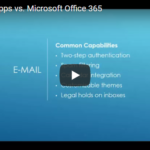
Alright, this is a question we get from our clients all the time – how does Gmail measure up to Outlook and what sets the two apart? The fact of the matter is, both email platforms have a lot of similar capabilities. However, there are some key differences between the Google and Microsoft approach to email optimization. Let’s explore the similarities and differences below.
Similar Capabilities:
Deployment of company branded email addresses.
Two-step authentication functions.
Dynamic spam filtering.
Advanced malware detection that allows for real-time link scanning and notifications about potentially unsafe links.
Calendar integration
Customizable themes to change the color, font or format of user inboxes.
Ability to put legal holds on inboxes to prevent disgruntled employees from misusing sensitive client data.
Outlook
Outlook is fully integrated with the web but also includes a native version bundled with Office 365 on the enterprise pricing level. This offers business users the full product suite, both on and offline. This means users can access all of their email account data offline, so long as it has been saved locally.
Outlook has a built-in, highly intuitive folder organization system with a familiar look and strategic routing options. Additionally, the Outlook platform can be highly customized based on user preferences. If users want to reduce visual clutter they can close sidebars and choose a single or double pane view.
Outlook also offers provides user-experience customization tools, specifically the ability to set rules and quick steps. These features are very robust and thorough which maximizes productivity for business users.
Increased security capacity – Outlook used to lack two-step verification, but the feature was introduced this year for all Office 365 apps. This means business users can feel safe in the modern online climate, where email security is a huge concern.
Finally, Outlook offers seamless native email-calendar integration and the ability to cross-integrate calendars as well. Additionally, Outlook calendars have a lot of resource management options, tying in different types of remote meeting options as well as integration with a variety of meeting apps including Skype for Business, Hangouts, Go-to-Meeting, and others.
G Mail
Gmail can be used and accessed online only unless using a third-party software. Gmail can be deployed using native versions of Outlook among other offline third-party platforms.
Gmail users are able to use Chrome and Safari to access Gmail offline – however, it needs to be set up individually in each browser via a Gmail extension. However, the interface is clunky and only features the most recent month of email data.
Gmail comes equipped with built-in default smart sorting categories – when a user first opens a Gmail account, priority levels will be assigned to different emails as they begin filtering in. This filtering is automatic, but limited to the Google’s default categories – users can’t customize at all. You can remove categories and add tags for searching and organization, but it’s not as robust and customizable as Outlook.
Finally, Gmail offers no features for setting rules or routing preferences and the view customizations are also limited. While users can change the look and feel of their inbox, there’s no ability to change the number of panes to reduce visual clutter.
Communication & Collaboration: How Each Platform Keeps Business Teams Connected
Alright, so email is one thing – but in a modern world, business users need more instant and dynamic ways to connect with clients and colleagues across the globe. So, let’s take a look at the communication and collaboration tools that both Office 365 and G Suite offer.
OFFICE 365
Skype for Business
Big user base available – 250 maximum participants.
New, and fantastic user experience. The user interface is very clean and easy to navigate – capable of integrated enterprise-class telephone replacement – so if businesses wanted to set up Skype for Business to be your enterprise phone system that is an option with the full Office 365 product suite.
Fully-functional integration features. Scheduling meetings and sharing files right from the platform is incredibly easy. User customization is endless to provide for highly optimized communication.
G SUITE
Google Hangouts
More limited user base – maximum participants is 25. This means the platform isn’t a great solution for big business meetings or hosting webinars.
Ability to sync Hangouts conversations across all devices.
Hangouts are built into G Suite applications – however, the solution is very much a standalone platform. The integration features simply don’t measure up to Microsoft.
Using Office 365 and G Suite for Content Management: SharePoint vs. Sites
Another important feature for business users is the ability to manage company content and streamline the organization and access of resources and data. Both Office 365 and G Suite have specific applications for content management – let’s outline the 411 for each solution below.
Office 365 SharePoint
Dynamic, built-in, metadata tagging which offers the ability to link to references within SharePoint sites but also links to files across enterprise servers.
Huge collaboration capacity with built-in check-in and check-out features to prevent simultaneous changes.
Dynamic records management tools and version histories that allow users to notice changes and easily compare related documents.
Allows for access to anything within the enterprise server. For example, an excel spreadsheet that is uploaded to the Office 365 Cloud platform, can be accessed through SharePoint. This streamlines processes and saves time – no additional uploading is required, users just have to search for what they’re looking for.
Automated workflow processes and high quality, built-in business intelligence tools.
G Suite Sites
Quick and simple deployment with a basic and clean interface.
More user-friendly than SharePoint, but much smaller feature base.
Very much resembles the Wikipedia site design – it references other pages within Google Sites via links much like a wiki page does.
Limited customization – users cannot alter the HTML in the site itself so users are limited to Google defaults and branding capabilities aren’t available.
Search capabilities are limited to individual sites – so if you have data uploaded to a site, you can access it within Sites. However, if you want to reference a spreadsheet that has not been linked to the site – you won’t see it.
Random Extras: The Leftover Nuts and Bolts to Compare
So far, we’ve covered documents, email, collaboration and content management. Now let’s take a peek at the leftover platform features to compare. First, we’ll explain the difference between each platform’s note-keeping apps. Then, we’ll touch on a few extra features that are offered in Office 365 only.
NOTE-KEEPING
Office 365 OneNote:
Robust, indexed notes and notebooks.
Functions like a three-ring-binder – collect all the notes users take and offer features for indexing, sharing, and organization.
Dynamic calendar integration that allows for the syncing of notes to specific calendar areas.
G Suite Keep:
Simple, individual standalone notes.
Function very much like onscreen Post-It notes.
Can be shared and edited collaboratively.
FEATURES UNIQUE TO OFFICE 365
Delve
Delve looks at Office 365 user trends and shows users what’s most important. Recent files are brought to the forefront and email use is optimized based on user trends and preferences. A very intuitive application that serves as a great place for an ‘at a glance’ view of all the most important ongoing projects from apps across the Office 365 suite.
Flow
Flow is a built-in workflow organizer for Office 365. The application creates dynamic and intelligent flowcharts that can be fully integrated with all Office 365 apps.
Bookings
Bookings act as a built-in Office 365 receptionist. The app keeps track of meetings and offers dynamic external integration. Users can link to websites and allow clients to schedule meetings and appointments via web.
Pricing and Value: When it Comes Down to it, Which Platform Offers the Most Value?
Now that we’ve nailed down all the features, let’s get to the important stuff – pricing and value. When it comes down to it, businesses want to know they’re making a smart investment, that is catered to their specific business needs.
While both Microsoft and Google offer a variety of tiered pricing options for the business, we’re going to compare the two most widely used pricing models for each platform. These two pricing models are the ones that meet the variety of needs that most businesses have and are the most comparable models between the two platforms.
Office 365 Enterprise 3 – $20 per user, per month.
Web and desktop apps included.
Unlimited cloud storage.
50GB of email storage.
Unlimited user base.
24/7 web and phone support.
G Suite Business – $10 per user, per month.
The product suite is online only.
Unlimited Cloud storage – which includes Gmail. However, if a company has less than five users, they’ll be limited to 1 TB of storage.
24/7 web and phone support.
Unlimited user base
FINAL VERDICT: Office 365 Takes the Crown Based on Power Alone
After that exhaustive review of features and capabilities – you’re probably wondering, what’s the final verdict? Is Office 365 or G Suite the better option for your business. When it comes down to it, it depends on the unique needs of each company – but if we’re being honest, Office 365 is the undisputed champion.
G Suite is a nicely designed, clean and serviceable platform. It’s easy to use and has similar features to those offered in Office 365. However, it’s very basic. For companies looking for the most robust, feature-rich, professional and customizable software suite on the market, Office 365 is the hands-down winner.
Very simply, it can’t be beaten. It’s the most familiar and most popular platform on the market – and it’s the market leader for a reason. Microsoft holds up its legacy with continual Office 365 optimization and the bottom line is the customization and integration capacities can’t be beat.
If you’re looking to invest in a software platform for business and have questions about choices or strategies for deployment, reach out to our team of IT experts anytime. Your company’s software platform serves as the digital headquarters for business operations. Taking the time to consult with professionals will help ensure your software deployment is optimized to meet your unique business demands.