
by Felicien | Mar 5, 2018 | Education
I wish I knew all of this a few months ago. I’m writing to tell everyone who will read this that the email you think is from a trusted source may really be from a hacker.
Last fall, a new, sophisticated spear-phishing campaign was sent to employees that handle company finances. One of those companies was mine. (I’m writing this anonymously because I don’t want my clients to find out what happened.)
Hackers are now masquerading as trusted business contacts. They’re pretending to be employees from vendors’ accounts payable departments, or other financial entities in an attempt to steal money.
If you don’t know, the term for this is spear phishing. Spear-phishing emails look like they’re from a trusted source but in reality, they’re sent from hackers to obtain classified financial or other private information. One of my employees got fooled.
Today’s hackers can easily find out who your trusted contacts are and will impersonate them in order to trick your employees into either sending them money or providing them the means to gain access to your accounts.
How did the hackers succeed in robbing my business, you ask? Well, they simply spoofed the name in the “From” field in an email. It appeared to be one of our vendor’s emails, but in reality, the email came from a thief. I’ve learned that core SMTP doesn’t provide authentication, so it’s easy to forge and impersonate emails. I didn’t know that then, but I do now.
Since then I’ve done some research. What I’ve learned is that there were two different spear-phishing emails that went out. One message said that an invoice was due and read, “I tried to reach you by phone today, but I couldn’t get through. Please get back to me promptly with the payment status of this invoice below”. In the context of the message was a fake link for the employee to click to view and pay the invoice. This is the one that fooled my worker.
The other message read, “I’m providing you with my new address and invoice details below”. This one had a link for the recipient to view the new address to send payments to. Be sure to watch out for these emails; I’m sure they’re still circulating.
The majority of account takeovers today come from spear-phishing attacks like this where someone gets tricked into releasing private credentials and information. Plus, spoofed emails can also contain additional cyber threats like Trojans or other viruses. These can cause significant damage to your computers and even delete your files. Luckily, this didn’t happen to us.
I’ve also learned that cybercriminals are increasingly using spear-phishing attacks because they succeed. Ten targeted messages have a better than 90% chance of getting a click. Even CEOs get spoofed and share usernames and passwords.
The problem is that these attacks are becoming more sophisticated all the time. While we’re busy working trying to grow our businesses, the cybercriminals are working to find ways to trick us out of our money. These are no longer lone attackers, but professional, global organizations working to find better ways to hack into our bank accounts.
Now I know better. I know how to protect my business from these spear-phishing attacks and other types of cybercrime. Here’s what we’ve done, and you should do as well:
Stay Vigilant
By far, the number-one thing that you can do to is to be as aware as you can about the types of threats you’re facing. Contact your IT provider and ask them to conduct Security Awareness Training for you and your employees on a regular basis. They are apprised of the latest cyber threats and how to protect you from them.
Plus, always view email messages with a high degree of skepticism. Hackers are clever — you and your employees must be even more so. Hover over the email address in any message that asks you to do something. Never click on a link in an email. Always go to the website you know is correct. Remember, secure websites always start with “https” and not “http”.
Your employees are your first line of defense to keep your information and computers safe. By properly teaching them how to deal with cybersecurity attacks, you can lower the chance that your business will be affected by a security breach.
Unfortunately, many organizations train employees on security awareness only once or twice. Cybercriminals are constantly developing new techniques to trick people into giving away confidential information or downloading malware. It’s critical to conduct recurring security training to ensure your employees stay up to date on the latest security threats and how to avoid them. Regular reminders, such as changing network passwords or recognizing the latest spear-phishing scheme will save you a lot of trouble in the long run.
Make Cybersecurity a Priority
Always back up your files to an external hard drive or secure cloud storage. My Managed Services Provider says that it’s best to use a comprehensive solution with remote, offsite backup and data recovery services to ensure our business information is safeguarded and files are recoverable. Your Managed Services Provider should do this for you as well. They can also keep your security solutions up to date.
In ours and other cases, the spear-phishing attacks could have been blocked with the latest Email and Spam Protection solutions. These provide:
Anti-Spam, Anti-Virus and Anti-Malware solutions that scan your incoming mail, and block spam, malware, and phishing attempts.
Firewall Management that determines if an address that’s trying to connect to your computer is one that can be trusted. If not, it denies access.
Outbound Mail Scanning so that if one of your computers is infected with a virus, your outgoing mail services aren’t compromised. This is important because it will keep your company off spam lists and blacklist
Remember this: Although you probably use firewalls, unless you take precautions to protect your emails, your overall security could be compromised.
Change Your Thinking
Acknowledging that this can happen to your business is important. Don’t think that because you run a small business that you won’t be attacked – this is what I thought, but it’s just the opposite. Small and midsize businesses are a prime target for today’s cybercriminals because they typically don’t have the protections in place that larger enterprises do.
Get ready for a cyberattack. Hire expert cybersecurity consultants to go over your digital assets and identify any potential vulnerabilities they find. Educate yourself on the latest cyber threats and let the experts help you protect against them.
Unfortunately, there’s no way to avoid being the target of spear phishing or other forms of cyberattacks – if you think otherwise, you need to change your thinking right this second. If you don’t, you’re setting your business up for theft. If you haven’t done so already, you must lay out an actionable plan of defense to prevent your employees and business from becoming victimized.
My company does all of this now – I don’t want to be robbed again. Furthermore, I’ve contracted a really great Managed Services Provider to ensure I’m not at risk.
Will you do the same now? Or wait until it’s too late?

by Felicien | Mar 5, 2018 | Education
Amazon’s Alexa Has Some Answers to Questions You Probably Don’t Even Know to Ask.
Alexa is a top-selling gadget for Amazon, and the list of things it can do is ever increasing. Most people who use Amazon Alexa ask the same things over and over -but this virtual assistant can answer a lot of questions you’d never think of. Plus, with new “Skills” (commands) being added all the time, you’ll wonder how you ever got along without it.
But first, a little about Alexa for those of you who aren’t familiar with its capabilities.
Alexa is the cloud-based brain behind the Echo speaker. It’s a “virtual assistant” capable of voice interaction. You can ask Alexa to make to-do lists, set alarms, stream podcasts, play audiobooks and music, and provide other real-time info like weather, traffic, and news. Alexa can also control smart devices in your home if you install the Skills for them. However, unlike mobile-based virtual assistants like Apple’s Siri, Alexa is a dedicated, in-home device.
Here’s a basic list of what Alexa can do.
Answer questions: Alexa can find facts for you, calculate mathematics, look up terms, make conversions or even tell a joke.
Report the latest headlines and sports news: It can give you a brief about what’s in the news with audio clips that go along with it.
Let you know about the current traffic or what the weather will be: Alexa can read the latest weather forecast in your area, or in other locations, plus it can inform you about the most recent traffic accidents or incidents that may slow down your commute.
Stream music: Just ask Alexa to play your favorite album in your Amazon Prime Music Library. Alexa can also access music services like Pandora and Spotify, iHeartRadio and TuneIn.
Set an alarm: You can ask Alexa to set a recurring alarm to wake you up in the morning or let you know when the chicken in the oven is done based on your commands.
Control your smart home devices: Alexa is compatible with devices like Philips Hue and Lifx smart bulbs, Belkin WeMo smart switches, Internet-connected thermostats like the Ecobee3 and the Emerson Sensi, and home platforms like Wink, Insteon, and SmartThings.
Order products from Amazon: Order anything you would via your computer online such as household items you typically reorder. Alexa can even track your orders.
Now that you’ve got the basics covered, here are some fun questions you can ask Alexa.
(Remember to say “Alexa” before you ask the question.)
Education and Trivia
Whether you’re curious about when Napoleon was born, how to translate a term from Spanish to English or if you want a trivia fact, Alexa can inform you. Here are some fun questions to ask:
How do you say where’s the bathroom in [language]?
How long is the Appalachian Trail?
What’s the closest airport to [location]?
What time is it in [city]?
What is the capital of [state or country]?
How high is Mt. Everest?
How old is the oldest person alive today?
What’s the meaning of life?
What day will the 4th of July be on in the year 2025?
What is the mass of Pluto in grams?
Travel
What’s the weather going to be in New York City this weekend?
What time is Delta flight 162 landing in Atlanta?
What time is it in Paris?
Conversions
How many liters are in a gallon?
How many ounces in a pound?
What is the conversion rate between the US dollar and Canadian dollar?
Sports
What is the latest medal count from the Winter Olympics?
Who had the best batting average last season?
What are last season’s standings for the NFL?
Who’s winning the [team’s] baseball game today?
When does [team] play next?
Cooking
What temperature should I cook the turkey at?
Start a timer for 30 minutes for the biscuits.
How many calories are in a Golden Delicious apple?
How many minutes are left on my timer?
How many ounces are in 3 cups?
How many tablespoons are in 1 cup?
Everyday Needs
Is the [store] pharmacy in [city] open right now?
What are the hours for [business]?
How far away is the Walmart in [city]?
What time does [restaurant] open?
Find my phone. Call [number].
Buy paper towels on Amazon.
Add milk to my shopping list.
Weather Details
Will it snow today?
How many inches of snow will we get today?
What will the weather be like on Friday?
What is the weather in Boulder, Colorado today?
How many inches of rain did we get in [city] yesterday?
Party Time
Play Happy Birthday.
Play light rock.
Play [album].
Play country music.
Silly Stuff
Alexa’s easter-egg commands will make you laugh.
Sneeze
Beam me up
High five
Play rock scissors, paper.
Tell me a Star Trek joke.
These are just some of the things Alexa can do with its built-in commands. You can enable so much more by adding Skills to Alexa. For example, you can download a Skill from Domino’s Pizza, so Alexa can order a pizza with your favorite toppings. Or, download an Uber Skill, so you can ask Alexa to schedule a pick up for you. Download an app from Capital One, and Alexa can help you with financial management. You can also use the Alexa app on your smartphone to download additional Skills. Alexa can handle over 15,000 Skills, and the list is growing all the time.
Most are free to enable. Just go to Amazon and look under Alexa Skills to find them. Here are some that may interest you:
Cooking, Food and Drink: All Recipes, Save the Food, Bartender, Ingredient Sub, Anova Precision Cooker, Beer Calculator, Meat Thermometer, Best Recipes, Meal Idea
Fitness: 7-Minute Workout, 5-Minute Plant Workout, Fitbit, Track by Nutritionix, Guided Meditation
Entertainment: Radio Mystery, Short Bedtime Story, This Day in History, Valossa Movie Finder, Jeopardy
Finance: Capital One, Opening Bell, TD Ameritrade, Cryptocurrency Flash Briefing
Productivity: Giant Spoon (marketing), Quick Events (calendar)
Weather: Big Sky, Feels Like, Fast Weather
Travel: Kayak, Uber, Lyft, Airport Security Line Wait Times
Skills for Kids: Sesame Street, The SpongeBob Challenge, Amazon Storytime, NASA Mars, 1-2-3 Math, Word of the Day, This Day in History
Skills for Seniors: Senior Portal, VoiceFriend, EngAGE Workout, AARP Now News
It’s a good idea to check regularly to see what’s new with Amazon’s Alexa because she’s getting smarter all the time!
by Felicien | Mar 2, 2018 | Education
GAM Tech has recently joined the Canadian Federation of Independent Business (CFIB), Canada’s largest non-profit organization dedicated to business advocacy. With more than 11,000 members, this group has been working since 1971 to advocate for small business with politicians and decision-makers, influencing public policy based on members’ views and ensuring that members like us have a chance to make our voices heard regarding the laws and policies that affect our businesses. This means taking on challenges such as negotiating better rates for services and lobbying the government on the business’ behalf with regards to taxes.
CFIB works with businesses across Canada, providing resources like on-call counsellors and offering partnerships with carefully selected service providers to deliver group-exclusive savings. Their goal is to see small businesses thrive, and by connecting businesses to an extensive peer network and specialized resources, they’re accomplishing just that.
We could not be more excited to be a member of this group, and the entire GAM Tech team is looking forward to what working with CFIB will bring to our business.
Want to learn more about the industry-leading IT support services GAM Tech provides to area businesses? Give us a call at (403) 768-0900 or email us at info@gamtech.ca today.

by Felicien | Mar 2, 2018 | Education
Tim Hortons Hit By Ransomware
The value and reputation of a popular Canadian restaurant chain have been negatively affected by a ransomware attack.
One of Canada’s most popular coffee shop chains, Tim Hortons, was recently hit with a ransomware attack. Although they say that their customer data wasn’t breached, the cyber attack caused many of Tim Hortons’ locations to suffer computer outages. As a result, 1,000 of their shops were affected, and many had to close their doors.
Tim Hortons’ members of the Great White North Franchisee Association asked the head office to compensate them for their losses. A letter from their law firm reports, “The business interruption includes inability to use some or all of the issued cash registers and [point-of-sale] terminals, causing partial and complete store closures, paying employees not to work, lost sales and product spoilage… [the hack] is causing tremendous downward pressure on the value the Tim Hortons brand”.
According to IT experts, small businesses are even more vulnerable to the devastating effects of ransomware than their larger counterparts.
Last year, Datto published a report about ransomware and its devastating effects on small businesses. It revealed that they are extremely vulnerable to ransomware attacks. Ransomware is a malicious computer virus, the threat of which has grown to epidemic proportions. It holds your data hostage until you pay a ransom. As you can see with Tim Hortons’ restaurants, it caused significant downtime, data loss, and financial costs. Plus, it damages the reputation of every business it hits.
Downtime from ransomware costs small businesses an average of around $8,500 an hour.
Security Awareness Training Is the First Step Towards Protection
Hackers work 24/7 to obtain access to your confidential information, and using ransomware is one of the easiest ways for them to do this. It’s easier for them to trick your employees than it is to break into a well-secured IT system.
Ransomware succeeds via phishing attacks, in which employees are convinced to click a malicious link. Once they do, the virus enters their computer and locks down all the data. Good employees make mistakes – if they aren’t properly trained to recognize a cyber threat, your network and business are vulnerable.
Today’s
security solutions are no match for ransomware. This is because the criminals get into your system via your employees’ negligence. Malicious emails coupled with a lack of employee cybersecurity training
is the leading cause of successful ransomware attacks.
The best way to protect your business from cybercrime is by instituting enterprise-wide Security Awareness Training.
Ask your IT Managed Services Provider (MSP) to conduct regular Security Awareness Training for you and your employees.
Security Awareness Training is a formalized training conducted by IT professionals who are up to date on the latest threats and how to mitigate them. When conducted properly, Security Awareness Training for your employees will reduce the risk to your organization’s information and IT systems and limit the chance of a data breach.
It’s essential to train your employees to recognize phishing emails and know what to do if they receive one. Make sure they know how to avoid common dangers like opening attachments from unknown senders. Every employee should participate in this training. Make sure that your IT provider holds refresher courses, as threats are constantly changing.
1 in 4 of those who pay a ransom never recover their data.
This is why many security organizations urge victims not to pay.
Backup Your Data to a Reliable Source.
A ransomware attack can hold your data hostage and paralyze your business just like it did for Tim Hortons. That’s why having a reliable backup solution both onsite and via the cloud is crucial. Ask your MSP to provide regular onsite backups of your servers and IT assets, and an offsite backup of the same to a secure cloud facility.
Work with your MSP and answer the following questions so they can provide the best backup solution for you:
How critical is the data you store?
This will help your MSP determine when and how it should be backed up.
For critical data that includes databases, you’ll require a backup plan that extends over a number of time periods.
For confidential information, your backup data should be physically secure and encrypted.
For less critical data, an extensive backup plan isn’t required. However, you should still regularly back up your data and ensure it is easily recoverable.
Do you need to back up your backup?
If you use large servers, your MSP should create an image of them so your data can be retrieved immediately. Remember, backups can fail, so it’s important to back up your backup.
Do you test your backups to ensure they are readily recoverable?
No matter how comprehensive your backup plan is, you’ll never know if it actually works unless you test it. Avoid potential backup failures by asking your MSP to regularly test the recoverability of your data backups.
How long can your business survive if your data isn’t available?
It’s important to consider this possibility. It could be a while before your data can be retrieved if it isn’t stored properly. For some, this means weeks without their data. However, your MSP can provide a proper extensive backup solution so that you can retrieve your data within minutes. Time is an extremely important factor.
Every minute of lost productivity will cost you. Not only in terms of money, but in regard to your credible reputation with clients or customers. This is what happened to Tim Hortons.
You should regularly back up your information to the cloud to protect against data or financial loss if you’re hit with ransomware. Just like you need this protection in the event of a power loss, accidental deletion of data, or a disaster that destroys your servers, you need it to protect your business from ransomware attacks.
100% of the MSPs surveyed by Datto believe that if their small-business clients had a backup and disaster recovery (BDR) solution in place, they would have been able to recover their data.
Don’t wait until a ransomware attack locks up your data. Get in touch with a reliable cybersecurity expert today that will equip your business with an effective backup solution.
by Felicien | Mar 2, 2018 | Education
Today, 90% of all data breaches are the result of a phishing attack. A recent study by Google revealed that phishing attacks are the main cause of compromised online accounts. The study was conducted over a one-year period from March 2016 to March 2017. During this time, 1.9 billion user accounts were exposed due to phishing and data breaches.
What is phishing?
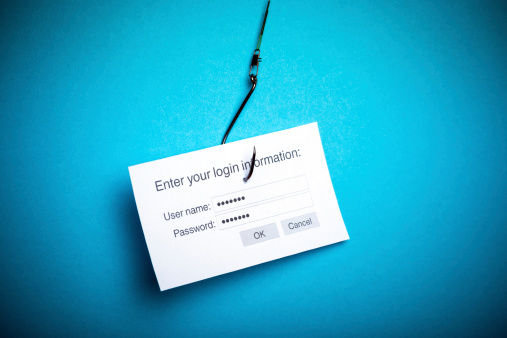
Phishing is a fraudulent act in which a scammer steals private and sensitive information such as credit card numbers, account usernames, and passwords. The criminal uses a complex set of social engineering and computer programming strategies to lure email recipients and Web visitors into believing that a spoofed website is legitimate. The phishing victim later realizes that their personal identity and other confidential data was stolen.
How does the scammer succeed?
Phishing succeeds when a cybercriminal uses fraudulent emails or texts, and counterfeit websites to get you to share your personal or business information like your login passwords, Social Security Number or account numbers. They do this to rob you of your identity and steal your money.
Phishing emails are typically crafted to deliver a sense of urgency and importance. The message within these emails often appears to be from the government, a bank or a major corporation and can include realistic-looking logos and branding.
The scammer will typically insist that you click on a link in an email or reply with confidential information to verify an account. They may also attempt to install ransomware on your computer that will lock you out of your files until you pay a fee.
Why do people follow their instructions?
Scammers present themselves as trusted individuals by pretending to be an authority figure in your business, the government, or even friends or family members. They may try to trick you into believing they’re from the IRS and urge that your bank account will be frozen unless you provide confidential information.
How do you protect your business from phishing?
The best way to defend your business is to train your employees to recognize phishing emails so that they don’t click on them. You should do this with ongoing Security Awareness Training conducted by a professional IT Managed Services Provider (MSP).
Ensure that all new employees receive this training as a part of their orientation and that everyone receives further training twice a year, so they’re informed about the latest phishing threats
So you plan to schedule Security Awareness Training for your employees – but what can you do in the meantime?
Be sure that your employees scrutinize all emails and text messages by doing the following:
Be wary of malicious attachments in email messages. They may contain malware that can infect their computer.
Check to see who the real sender of the message is. The company name in the “From” field should match the address. Also, watch for addresses that contain typographical errors like “jsmith@wellsfarg0.com.”
Look closely at the salutation in the message. If they spell their name wrong or use an impersonal greeting like, “Dear Ma’am” this could be a phishing attempt.
Hover over the URL in the email to view the full address. If you don’t recognize it, or if all the URLs in the email are the same, this is probably a phishing threat. Also, make sure that you and your employees know that all reputable URLs now start with https rather than http.
Check the footer in the message. It should include both the physical address of the sender and an unsubscribe button.
If a user isn’t sure if the company in the email is legitimate, they should call the number that they know is correct (not the one in the email) and ask a customer representative about the request in the email.
Make sure your employees are using Two-Factor Authentication whenever possible. This requires an additional piece of information (a code or token) that’s generated and sent to their phone or email address. They must use the code or token to log in to the account, which will protect the account even if their password was stolen.
Tell them not to click on any links, attachments or phone numbers in emails or text messages. These may contain a virus or be redirected to a fake website where a virus is downloaded. If they want to visit a site, they should key in the web address or phone number that they know is legitimate.
If there’s any doubt, they should just delete the message. If the message was from a genuine source, they will try to contact them another way.
What else can you do to protect your confidential business information?
Always back up your files to an external hard drive or cloud storage. It’s best to use a comprehensive solution with remote, offsite backup and data recovery services to ensure your business information is safe no matter what. Your MSP can provide this for you.
Also be sure to keep your security solutions up to date. Ask your IT MSP about Email and Spam Protection, which offers:
Anti-Spam, Anti-Virus and Anti-Malware solutions that scan incoming mail, and block spam, malware, and phishing attempts.
Firewall Management that determines if an address that’s trying to connect to your computer is one you can trust. If not, it denies access.
Outbound Mail Scanning so if one of your computers is infected with a virus, your outgoing mail services aren’t compromised. This is important because it will keep your company off spam lists and blacklist
How Can You Be Sure Your Employees Know About Phishing?
The best way to ensure your employees know how to deal with a phishing threat is to test them. Allow us to help. We’ve prepared an example phishing email template that you can fill out and send to employees in just minutes to test their knowledge of phishing threats.
How do you report phishing scams?
Should your employees believe an email may be a phishing email, please them forward the email to phishing@compnetsys.com and we can help validate the email. If we suspect its phishing we will let you know right away and also report eh email to spam@uce.gov. We will also file a complaint with the Federal Trade Commission (FTC).
Be sure to check for the most recent scam alerts at The Federal Trade Commission’s SCAM ALERT page at https://www.consumer.ftc.gov/scam-alerts.
