Your cybersecurity practices shouldn’t be treated like a game of chance unless you are 300% certain you’re going to win. What can you do to make sure your business isn’t the ultimate loser?
Is technology today the endless cycle of cat-and-mouse, with the bad guys always one step ahead? A quick search for “cybersecurity best practices” will yield millions of results, all with their ideas of what you can do – but does any of it make sense? Someone busy running a company faces a complex dichotomy: Being too busy running their company to worry about something that won’t directly generate revenue, but not giving enough time and attention to something that could directly impact revenue. Those are two very distinct and different thoughts, but still closely related.
Not only is cybersecurity a critical focus of business today, but it’s also the easiest way to fail. Cybercriminals – hackers – are usually one step ahead of us good guys, but that’s the “cat and mouse” game to them. We respond to cybersecurity breaches that make the news with preventive measures to avoid the same fate and do our best to have enough safeguards in place to protect every element we can.
Hackers seek a cybersecurity vulnerability to exploit to their advantage. Their reasons don’t matter – it’s the result that affects their victims. Why do we still have vulnerabilities when we know better?
Myth: Half of small businesses think they’re “too small” for a hacker to target.
Truth: Small businesses make easier targets for many reasons. They often don’t have the tech budgets that the Fortune 500 companies do in order to take every precautionary measure to avoid being hacked.
Smartphones are major targets of hackers now, given more than half of all web traffic is reported to take place via mobile devices. Smartphones don’t have the same level of protection, making them easy targets, and therefore easy points of entry to a cybersecurity vulnerability. Imagine pressing a thumbtack into a hairline fracture on a porcelain plate – this one weak spot has the potential for this singular action to shatter the plate into thousands of pieces. Now, imagine this plate is your proprietary data, and this thumbtack is a hacker. Can you see the potential damage?
Myth: Employees of small businesses know more about the company and are more invested in its success, therefore take the time to safeguard their actions.
Truth: The dedication of staff to their employer has nothing to do with cybersecurity.
Modern cybercriminals are targeting critical data: consumer information, accounts with intellectual property, financial information about both the company and consumers. Three out of every four small businesses have no formal cybersecurity policies or protocols in place for staff, nor training to discuss the latest threats and how to thwart them. Hackers know this – oh, yes, they know – and they also know the small business is less protected than those Fortune 500 companies. This is a lethal combination.
Nearly two-thirds of small businesses have yet to address security regarding mobile devices or enact formal policies for mobile device use as it pertains to professional operations.
Myth: Small businesses can bounce back faster after a breach.
Truth: Half of all small businesses don’t have a disaster preparedness plan in place for recovery should they be impacted by a cybersecurity threat, a “data breach”.
It’s reported that less than half of all small businesses back up their data weekly. Let that sink in. The data loss in the event of a hack could have catastrophic results for as many as half of all small businesses. In the event of a breach, companies of any size consider the data loss and downtime to have the greatest impact, followed by the revenue loss – but most of the time, the impact to a company’s reputation isn’t considered until already in clean-up mode.
If you’re ready to win at “Tech Truth or Dare”, here are the new rules of the game:
Do you know what needs to be protected?
What data do you store? How is your data stored? What protective measures and security protocols are in place? Where are the “holes”? This last question is the most important, and it’s a smart decision to hire an expert to help you with this one.
What formal policies need to be updated – or put in place?
Every business needs an official cybersecurity policy. This policy should also be updated annually, at the minimum. Formalizing a policy can make sure everyone that has access to your data follows the same procedures and the strongest safeguards are in place.
This should include:
Password protocols
Passwords should be unique, complex, and changed regularly
System updates
Check for the latest updates to all applications and security releases
Privacy settings
Verify that users have the most secure privacy settings on their desktop and laptop computers, and smartphones and mobile devices
What is your plan for how to handle a disaster?
Perhaps an extension of the previous question, but no less important is how to handle a hack or breach should one occur. You’ve taken all the necessary steps and precautions, but you still had a disaster – now what? Best practices include daily back-up of your critical resources – which you’ll need to identify – and then test the process to ensure it’s sufficient, just in case.
Talk to experts.
You are an authority in what you do, and your sales pitch to your customers focuses on your expertise. Why wouldn’t you hire experts to protect your business?
Is your training sufficient?
Make sure your staff is aware of the steps needed for Internet safety, email security, network threats, and how to detect and protect in the event of each. Equally important is what need to be done if something happens and they suspect a threat.
Prevent your business from becoming a victim of a hacker this year and win the game!
Make 2018 the year you have an ironclad cybersecurity program, for your home and your office!
With the 2016 version of Excel, Microsoft has really upped its game for people who aren’t great with numbers. You can now easily use one-click access that can be customized to provide the functionality you need.
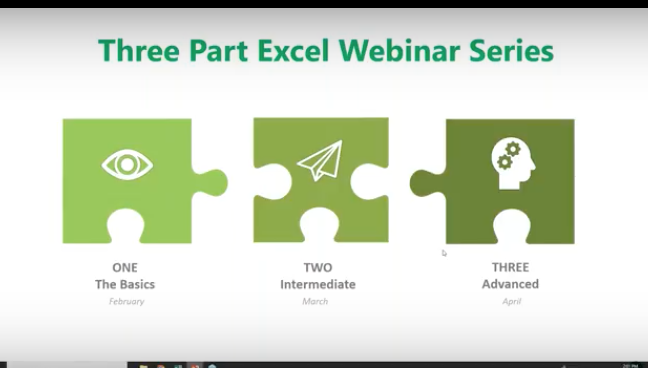
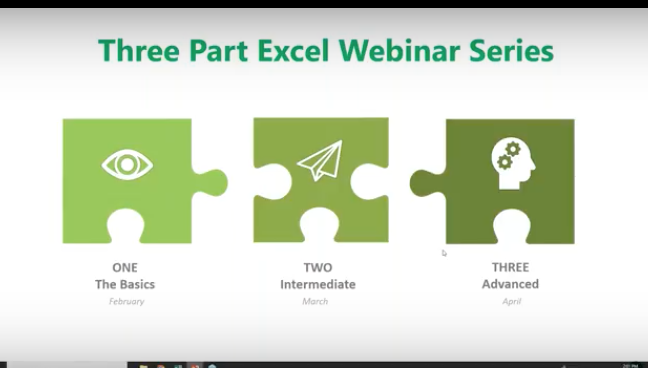
This is the second of our three-part series about using Microsoft Excel 2016 to help you identify trends, construct helpful charts, and organize information to maximize the value of your data.
Did you know that you can use Excel Worksheets and Workbooks in conjunction with programs like Microsoft Access and PowerPoint? Excel 2016 possesses many capabilities that aren’t readily apparent. That’s why we’re providing this three-part series for you.
If you missed Part 1 of our series, you can find it on YouTube at: https://www.youtube.com/watch?v=zA8X9wqrn1I
In this, Part 2 of our series we’ll be discussing:
Working with Multiple Worksheets and Workbooks
Managing Lists
Working with Dates
Formatting and Conditional Formulas
The IF, AND and OR Functions
Why would you want to use Excel?
If you or your employees work with financial data, it’s a great tool to use for:
Basic mathematical operations like adding, dividing, and multiplying.
Finding values like profits or losses.
Calculations like averages, percentages and number counts.
Performing calculations in Excel is only the tip of the iceberg. There’s much more you can do like creating charts and graphical layouts to make it easier to recognize trends and more easily analyze data.
What is Excel and how is it organized?
Excel is an electronic spreadsheet program that’s used to store, organize and manipulate data. You enter data into Workbooks that are made up of individual Worksheets. In the Worksheets, you enter data into cells that are organized into rows and columns. Excel data can consist of text, numbers, dates, times and formulas.
Working with Multiple Worksheets and Workbooks
Before you build your worksheets and workbooks think through the process and ask yourself:
“How do you want to see and analyze the results?”
“How much detail is needed to draw a conclusion?”
“What is the most important data for decision makers?”
To access or create a Worksheet, go to the tabs at the bottom left of the screen and click the one you want to activate. Or use Control Page Up or Control Page Down to move among your Worksheets using the keyboard.
You can move or copy a worksheet by going to the tab, right-clicking, and you’ll be presented with a dialog box where you can select your function. You can move your worksheet to a different Workbook by entering its name in the space above.
Use the scrollbars on the right to make other selections like making a copy. Simply click the checkbox for the action you wish to take.
Working with Formulas Across Worksheets
You can calculate different formulas across a worksheet with what Microsoft Excel calls 3D formulas. 3D formulas allow you to calculate data throughout a workbook using multiple worksheets. It refers to the same cell (or range of cells) on multiple worksheets.
Think of a 3D formula as a cross-reference to data in a different Worksheet.
It’s a great way to build summaries and Master Worksheets to bring them together in one place. And it’s a must if your labels and data types vary between worksheets.
Here we want to bring in the formula from another worksheet to this one. We have three worksheets for our inventory costs. We have a breakdown for our Fruits Dept. But we want to bring in the costs for our Bakery and Meats. So, we go to the cell we’ve created, select =sum, hit the left parenthesis ( then navigate to the Bakery Worksheet tab at the bottom, click on the cell where we want the formula to appear and hit Enter. Then the inventory cost automatically appears.
All 3D formulas are based on this syntax: Sheet1:Sheet4!A2:B5.
If you copy or insert a new worksheet after Sheet1 the reference will automatically include it.
Similarly, if you delete a worksheet it will be excluded.
Consolidate Data
You can consolidate data from separate worksheets into one Master Worksheet. They can be in the same workbook or from other Workbooks. Let’s say you have a sales team and a worksheet with their weekly report data, and you want to consolidate this data into a monthly report. There are two ways to consolidate this data:
1. Consolidate by Position: This is when the data in the source areas is arranged in the same order and uses the same labels. You use this method to consolidate data from a series of worksheets that have been created from the same template.
2. Consolidate by Category: Use this method when the data in the source areas is not in the same order but uses the same labels. Here you consolidate data from a series of worksheets that have different layouts but have the same data labels.
We are only going to demonstrate Consolidate by Position because it’s an organizational best practice.
Here’s our example Workbook. Data is in the same order and uses the same labels.
Creating a clean master worksheet for this is best. But if you use a worksheet with pre-existing data make sure you have a blank area where the consolidated data can appear.
To start, click in the upper left-hand corner and click Consolidate. A window will open. By default, SUM will be your option, although there are others to choose from. Average is the next most common function people use.
Now we want to choose our ranges from each of the worksheets. We’ll collapse the Consolidate box and click on Week 1. Select the entire range.
Bring back the dialog box and add this week to the references.
Now, when you click on week 2 to do the same, it’s already pre-selected. Just click Add. And do the same for the next two weeks. Now you’ve told Excel what data you want to consolidate.
Creating Links
You must choose between automated and manual updates. If you want Excel to consolidate your worksheets automatically when you change data, you must tell it to do so by checking this box: “Create links to source data.”
Press OK and Excel will generate the consolidation. It’s up to you to format it the way you want. But you’ll only have to do this once if you used “create links.” If so, Excel automatically updates any changes.
Notes:
You can’t create links if the source and the data are on the same worksheets. This means it’s smart to group data into worksheets in smaller periods. In this case, we did it by weeks.
If the information you want to consolidate is in a different Workbook, you want to browse for that Workbook before you begin the consolidation process. Then you can select the reference in the same way we did above. Excel will create the path for you.
Linking Workbooks
Up to this point, we’ve been working in one Workbook with several worksheets. Just like we pulled data in from multiple worksheets, we can do the same with multiple Workbooks.
Remember our 3D formula? When this same type of linking crosses over to a different Workbook it’s called an “External Reference.” Sticking to our Sales worksheet example, you may have a Workbook for each month or each year.
We now want to compare how our Sales Team did month to month instead of week to week. We are going to add a link to last month’s total. Just like before: select =sum, hit the left parenthesis ( and navigate to the Workbook you want. (Here’s it’s the Monthly Sales Workbook.)
You’ll see that single quote marks have been added to the syntax. This is because there is a non alpha-numeric character in the name (space). You’ll need these when links are broken as well.
Here’s how to do it in the opposite way. Start in your first file, go to copy or Control C.
Go back up to Conditional Formatting and grab your Workbook and do a “Paste Special.”
And down at the bottom left click “Paste Link.”
And here it is.
Managing Lists
Excel lists don’t typically use formulas. They use filtering and sorting instead. So, it’s important that lists have column headings and that there are no empty rows in your lists.
First, we’ll do a simple sort: From the list below, we’re going to organize who had the most wins.
We click the column header for Wins.
Go up to Sort & Filter in the top right and sort from highest to lowest.
Next, we’ll sort by multiple columns:
Select your columns.
Go to Sort & Filter > Custom Sort
And we’re going to sort by Earned Run Average (ERA).
You can see below that it worked. (ERA sorts smallest to largest because a smaller number is better.)
Auto Filtering
This is how you can include or exclude any row data.
Select any column or header and under Sort & Filter choose Filter.
To the right of any column header there’s a drop-down menu.
We’re going to see who was selected for the HOF (Hall of Fame.)
Click the drop-down and deselect everything.
Then choose Y (for yes).
Click OK and now you’ll see just the players who were selected for the Hall of Fame.
The Filter Icon is an easy way to see that a column is filtered.
Now we’ll customize the filter by Strike Outs.
Click the drop-down next to Strike Outs.
Choose Largest to Smallest.
And now the list is ordered by Strike Outs.
We want to see how many Wins they had. Go to the Wins and click the drop-down menu. Under Number Filters.
Choose Less Than and enter 20 > OK
Now we see the pitchers who won less than 20 games.
Sum Up Totals
Click in the cell where you want the Sum to appear and choose AutoSum>Enter.
And if you decide to take off all the filters, the Sum will recalculate automatically.
Working with Dates
Dates and times are the most common functions people work within Excel, but they can be frustrating because Excel uses a serial number to represent a date instead of the typical 01/02/18 format and hours, minutes and seconds that we’re used to. It’s further complicated because dates are days of the week.
For example, In this system, the serial number 1 represents 1/1/1900 12:00:00 a.m. Times are stored as decimal numbers between .0 and .99999, where .0 is 00:00:00 and .99999 is 23:59:59. The date integers and time decimal fractions can be combined to create numbers that have a decimal and an integer portion. For example, the number 32331.06 represents the date and time 7/7/1988 1:26:24 a.m.
The Date Function will help. It’s on the Formula part of the Ribbon under Date & Time.
The TODAY() Function and the NOW() Function
The TODAY function returns the serial number of today’s date based on your system clock and does not include the time. The NOW function returns the serial number of today’s date and includes the time.
Here we are using the Today function. Excel will always use the exact date. The Today function is useful for calculating intervals. You might use this function to calculate someone’s age.
For example, we entered =YEAR(TODAY())-1965
And the age Excel came up with is 53.
TODAY always had the () following it.
The NOW () function is useful when you need to display the current date and time on a worksheet or calculate a value based on the current date and time, and want that value updated each time you open the worksheet.
Formatting Dates
This is found on the Home Ribbon.
Under DATE you can see many ways you can display your information.
Formatting and Conditional Formulas
Conditional formatting highlights important information in a spreadsheet. But sometimes the built-in formatting rules aren’t enough. Adding your own formula to a conditional formatting rule helps you do things the built-in rules can’t do.
Here we want any ERA lower than 2 to be highlighted in red.
Highlight the column and click on Conditional Formatting.
We selected Cells Less Than 2.00
The IF, AND, and OR Functions
IF
The IF function helps you make logical comparisons between a value and what you expect. For example: IF(Something is True, then do something, otherwise do something else)In this sense an IF statement can have two results. The first result is if your comparison is True, the second is if your comparison is False.
Below we’re going to determine our WINNER based on a calculation of IF:
Based on our IF formula, Chester is our WINNER!
OR
Use the OR function, to determine if any conditions are TRUE.
Here we use a formula that tells us if someone is SAFE or FIRED.
That’s it until next time! To View this Demo on YouTube visit:
To View Part One of this Series, visit: https://www.youtube.com/watch?v=zA8X9wqrn1I
With the 2016 version of Excel, Microsoft has really upped the game for people who aren’t great with numbers. You can now easily use one-click access that can be customized to provide the functionality you need.
This is the first of a three-part series about using Microsoft Excel 2016 to help you identify trends, construct helpful charts, and organize information to maximize the value of your data.
You can use Excel Worksheets and Workbooks in conjunction with programs like Microsoft Access and PowerPoint. Excel 2016 possesses many capabilities that aren’t readily apparent. That’s why we’re providing this three-part series for you.
What is Excel and how is it organized?
Excel is an electronic spreadsheet program that’s used to store, organize and manipulate data. You enter data into Workbooks that are made up of individual Worksheets. In the Worksheets, you enter data into cells that are organized into rows and columns. Excel data can consist of text, numbers, dates, times and formulas.
Why would you want to use Excel?
If you or your employees work with financial data, it’s a great tool to use for:
Basic mathematical operations like adding, dividing, and multiplying.
Finding values like profits or losses.
Calculations like averages, percentages and number counts.
Performing calculations in Excel is only the tip of the iceberg. There’s much more you can do like creating charts and graphical layouts to make it easier to recognize trends and more easily analyze data.
Navigation
What’s great about Excel is that it has the same set up as other Microsoft products you’re familiar with. You have tabs across the top, where each tab has a corresponding ribbon with many functionalities to choose from.
The Quick Access Toolbar
The Quick Access Toolbar is a drop-down menu where you’ll find functions that you commonly use like Print and Save. You can also customize the Quick Access menu with other functions you use on a regular basis.
The Formula Bar
This is located underneath the ribbon next to the Name Box that shows you where your cursor is located on your Worksheet. The Formula Bar is important because it’s what calculates the math for you. Excel does the calculation and displays the answer in the cell you choose. The Formula Bar also shows you the contents of the particular cell you’re in.
Adding Data
There are three ways you can add data to your Excel Worksheet. You can:
Type in the data,
Copy and Paste data, or
Import data from other sources.
This is great if you have a large amount of data. For example, if you have customer lists in a database, you can even pull this into Excel.
You can enter data into only one cell, into several cells at the same time, or even on more than one Worksheet at once. And, as mentioned, the data can be numbers text, formulas, dates, or times.
On your Worksheet, simply click a cell and type in the information that you want to enter. Then hit ENTER or TAB. If you typed in a date, Excel will recognize this and format it the way you’ve specified in your default settings.
Formulas
Excel computes the correct answer when you enter a formula into a cell. Once you’ve done this, it recalculates whenever you change any of the values. The way Excel knows that you’re entering a formula is by starting with an equal sign. Then you follow the equal sign with a SUM or AVERAGE.
For example, C2: =A2+B2 means that the number in C2 is what occurs when you add the numbers in A2 and B2.
You can type this in manually, but now Excel has great functionalities to help you do this. The simple way is to put your cursor in cell C2, hit = and type in A2+B2. The numbers in A2 and B2 will be added, and the SUM will be entered in cell C2.
Note: You always want to calculate using the actual cells rather than typing in numbers like 1 + 2, etc. The reason for this is so you can go back at any time and change the values in cells and the formula will calculate with the new numbers.
Let’s say you want to add a bunch of numbers together in your Worksheet. You can type = sum (a1:a5) in the cell where you want the answer to appear. Or you can do this and drag your mouse across the cells you want to add. Type =sum ( and drag your mouse across the cells and hit ENTER. The sum will appear in the cell without you having to typing in all the numbers! When you put your cursor on the cell, you will see the actual formula you just created.
There are many ways to do the same thing in Excel. It’s like this across all Microsoft products. You can go to the Ribbon at the top to “Auto Sum” to do the same calculation. Select a cell next to the numbers you want to add, click AutoSum on the Home tab and press Enter. Do what works best for you.
Once you create a formula, you can copy and paste it into another cell. You can also copy and paste formulas into different Worksheets as well. This can save you a lot of time.
Formatting Worksheets
With Excel 2016, you can format your Worksheets much more easily than you could before. You can use document themes throughout the Worksheets in your Workbook to present a professional and consistent appearance. You can also apply predesigned formats as well.
Let’s say you have a Worksheet with many rows that are hard to read. You can go in and create fill colors and more to differentiate the rows, columns, and headers to make reading much easier.
You have options to create borders around cells, rows or columns from the drop-down menu. You can also shade cells with a solid background. Don’t forget that you can change the style and types of fonts. Right-click the text, and a drop-down menu will appear where you can make these and other selections easily.
Creating Charts
If the data isn’t complex, you can easily read it, but if you have a lot of data, creating a chart will help you better analyze it. You can select specific cells, rows, and columns for your chart. One way to do this is to highlight the data and go to the top ribbon to select the type of chart you want to create.
With Excel 2016, you have a “recommended charts” option. Excel will help you choose the chart that best suits your data.
You can then go in and further customize your chart in the “Chart Tools”. You can change the color scheme, 3D effects, shading and more. If you change the data in the cells in your Worksheet, your chart will reflect the changes.
Some of the new charts in 2016 include:
Waterfall
Tree Map
Box and Whiskers
Sunburst
Creating Tables
You may be used to creating tables in Word or PowerPoint. Some people think the format in Excel is already in a table, but it’s not; at least until you tell it to do so. If you want to do this, select your data, go to “Insert” and select “Table.”
Similar to other Microsoft products, tabs will appear to help you format your table.
Viewing Worksheets
When dealing with lots of information, it can get unruly trying to work around various rows and columns. This is where Viewing Worksheets can be helpful. You can freeze a portion of your worksheet with “Freeze Panes” to more easily view it.
You also have the ability to “split” the data to view different parts of your Worksheet. You can compare two Worksheets in the same Workbook or even in different Workbooks by viewing them side by side.
Saving and Printing
If you have Worksheets that are so large they won’t fit on one page, go to “Save As” and decide on the name, where it gets saved, and go to “Print” where you can save the file to a pdf that you can send.
You can select options for printing the entire sheet, part of it, resizing it, and more to suit your needs. Going to “Page Setup” will allow you to shrink the entire Worksheet down to a size that’s more manageable for printing.
Sharing & Security
In Excel 2016 you can share Workbooks and Worksheets with others and password-protect them. The people you send them to need to know your password to open them, whether you send them via email, share them on your network, or via the cloud. From within Excel, you can designate who can access your Worksheets and Workbooks, and also whether they can edit them or not. There are a variety of parameters you can set within a Worksheet.
For example, if you want to hide employees’ salaries, you can hide this section when you share it. Or, you can let people see your data but lock it down, so they can’t change it. You can also protect your Worksheets and Workbooks to keep them secure from non-authorized users.
The Quick Analysis Tool
When highlighting data, click on the Quick Analysis button to create a chart, highlight specific cells, and much more. It doesn’t give you the functionality you’ll find in the Ribbon, but you can get things done quickly and easily with this tool.
3D Power Maps
This is another new tool in Excel 2016 that lets you look at information in ways you might not have seen in the two-dimensional format. This helps you strategically create your data on a 3D map. You need latitude and longitude data to do this. You can also import your own maps into 3D Power Maps.
PivotTables
PivotTables help you analyze your Worksheet data. You can summarize, analyze, explore and present your data in just a few clicks. They are very flexible and can be adjusted to your unique needs. Note: Your data should be organized without blank rows or columns for this to work properly.
The good news is that Excel 2016 will also help you pick the best format for your PivotTables!
PivotCharts
PivotCharts are another great way to add visualizations to your data. You will first need a PivotTable to create a chart. Now, your PivotTable will behave like a PivotChart. When you change the information in your PivotTable, the PivotChart will also reflect this change. The PivotTable is connected to the PivotChart.
That’s it for now! For more information on using Excel 2016 like a Pro, feel free to contact us.
Today’s app market offers the full range of apps for personal use and for work. Everyone seems to be trying to complete household chores and tasks at work with the highest level of efficiency.
Time has become a valuable commodity that we never have enough of. In response to these needs, developers are coming up with all-new and really cool apps that have the features you’re looking for. You can get to-do list apps, reminder apps, and apps for file storage or note-taking. With the right apps on your phone or computer, you can improve your daily performance and get everything completed much faster. This leaves you plenty of time for relaxing and watching a great movie on Netflix. Below, we reveal our top 12 time management apps.
One: Focus booster
Feeling overwhelmed by all the tasks you have to get done today? There’s an app for that. It’s called Focus Booster and it was designed based on the Pomodoro Technique. Using this technique, you can complete more chores each day and it also helps relieve the stress you may feel due to your busy schedule. Helps eliminate procrastination.
Two: Remember the Milk
With so much information coming at us each day, it’s easy to forget the small things like stopping by the dry cleaners. Remember the Milk is compatible with your computer, Outlook, Gmail and mobile devices. Whether you just need to remember a grocery list or you want to share tasks with your team, this is an easy-to-use app that will help you avoid forgetting something important. It’s pretty straightforward to use. Simply enter a task, due date, priority and other pertinent information, then you’re all set. You can even break tasks down into sub-tasks and assign them to other people. It syncs with all your devices.
Three: Rescue Time
Are you using your time well each day or running around in circles? Rescue Time runs in the background, tracking how much time you spend on certain tasks each day. You’ll get a detailed report on all your daily activities. This lets you see where you could be wasting precious time each day. It’s available for smartphones and computers.
Four: Toggl
This unique timer app is advertised as so easy to use that you’ll actually use it. It works with individuals and teams. This time tracker is often more accurate than time sheets and other software of this type. It enables employees across many different industries to become more productive. Get accurate records of time spent on any project.
Five: Evernote
Evernote is a popular productivity app that has been around for a few years. It was originally used by college students for note-taking in class. The developers have continued to add unique features so that today you can capture, organize and share notes. It allows you to clip pages from the web and everything can be stored in one place. Evernote has added other products to its line including Evernote Business with Spaces. This program works about the same but allows a team to collect, store and share ideas. Create notes, add tables and attachments, use handwritten notes, and even add audio recordings.
Six: Dropbox
An old favorite but still the most reliable program for saving, editing and sending large files. This app is free and most people already know how it works so there’s less of a learning curve. Dropbox is available for laptops, mobile devices, iPad and other devices, so you can access and share files whenever and wherever you need to.
Seven: Mind42
This mind mapping tool has become a favorite of users and is considered one of the best on the market. It is browser-based so there’s nothing to download. This is a great productivity app that helps you get organized by showing you a diagram of what you need to be focused on. You can brainstorm, create a to-do list, organize things and share your map with others.
Eight: SyncBackFree
From 2BrightSparks, SyncBackFree is a great little tool for backing up and copying files in Windows. The app is truly free, plus it’s ad-free. There’s no registration or payment required. The app also claims that they do not collect demographic info about its users. You can schedule backups to occur at regular intervals. They also offer a SyncBackPro and SyncBankSE for enterprise clients. Files can be copied in both directions. Unicode is enabled for non-English file names.
Nine: Pocket
We all get side-tracked while surfing the web. You might be searching for information about a new project and find photos or news stories you’d like to read. Pocket gives you a place to store these items until you have time to go back and check them out. The app is available for iOS, Android and for computers and mobile devices. You can store any type of content and the app works with or without an internet connection.
Ten: MyLifeOrganized
This task management app helps users target the most important tasks. It automatically creates your to-do list and highlights those items that require immediate attention. Track your progress, focus on specific goals and achieve your objectives with MyLifeOrganized. The drag-and-drop interface makes it easy to rearrange tasks in list form or as a tree. This app can be used at work, at home or for special events like a wedding, business trip, or party. Simply enter tasks and due dates, along with a few other pieces of information and MLO automatically generates a smart list of all the actions you need to complete.
Eleven: Launchy
Launch all your files, folders and documents with this simple app. You don’t need to go to the start menu, desktop or file manager to open your favorite programs. Launchy has been named the best application launcher by major publications.
Twelve: Focus@Will
Developers of Focus@Will claim that users can increase their productivity by up to 400 percent. This is the perfect solution for those who get distracted easily while studying or working. The app combines music with neuroscience to boost productivity. Those with a touch of ADHD will find this app very helpful.
Google is the number-one search engine. It’s the one people go to when they have a question they need to be answered or are looking for a business to serve their particular needs. Google, like the terms Kleenex and Clorox, has become part of our daily vernacular. When you search for something online, you’re “Googling” it.
What is SEO (Search Engine Optimization)?
It’s the multi-discipline process of optimizing a website to rank high in organic search results.
Organic search results are those you don’t pay for.
Typically, when people search for companies or information on Google, the first few results they get are those that a business has paid for. If they say “Sponsored” or “Ad” that means someone has paid for them to be ranked at the top.
If you don’t pay for an ad, you must practice good SEO to be listed near the top of a Google search.
What constitutes good SEO?
This is difficult to pin down because It’s often-changing and always updating. Google updates their algorithms and the way that they rate and rank content hundreds of times a year. It’s impossible to keep track of every single change. However, practicing good SEO strategies, in general, will result in better search rankings.
Although it’s easy to understand, SEO is challenging to execute effectively. Here’s some information that should help.
On-Page Optimization
Optimize your entire website as a whole:
Increase the page speed and load times. Google will penalize your website if it loads slowly. Keep this in mind when purchasing web hosting. Make sure they have plenty of uptime, and you have enough bandwidth. If you don’t, Google will penalize you.
Ensure your site can be found using mobile devices. More people browse via mobile today than they do with desktop computers. Take this into account with every element of your website’s design. From your home page to your landing pages, to your contact page–Everything must be optimized for mobile searches. If your website looks great for desktop but isn’t accessible for mobile use, Google will penalize you in your search rankings.
Use HTTPS in your URL even if you’re not selling anything. Just having a secure website immediately gives you a boost in Google search rankings.
Include Social Sharing Links. Pick the social networks that are most relevant to your audience, like LinkedIn, Facebook and Twitter. Use the icons for the links on your webpage so people can find you easily and share your content. The more people share your content, the more Google finds you relevant, and the higher they will rank your business in their search results.
Use tools like Woorank, Yoast to test your overall website performance. These and other tools like them will scrub your page much like Google will, and tell you what your results are based on your current level of search optimization. If there are things you need to improve, these tools will let you know what they are, so you can up your search ranking.
Know your keywords and how to use them:
Make a list of topics relevant to your business and your intended audience. These are called Head Terms–words that are used in your industry or line of business.
Get specific and use Long-Tail Keywords. Think of this as the problem you want your customers to bring to you that you can solve. If you’re an attorney, this might be, “How can I save money on a divorce?” or “How do I fight a traffic ticket?” etc.
Do your own search for other keywords and observe user intent. See what problems people are having and which ones you can solve. The more you can solve, the better chances you’ll be a credible authority in their eyes and Google’s.
Scope out the competitor’s keywords. There are some paid tools you can use to do this. Or, do this on your own by visiting your competition’s website and looking at what they’re promoting, what media they use, the headlines they use, and the phrasing they publish. By doing a search for your competition, you can also see where they rank.
Use your keywords within the first 100 words of any of your web pages, including blog posts and videos. The first 100 words are used most heavily when Google scrubs information from your webpage. This is where you want to include your specific long-tail keywords.
Don’t keyword-stuff. You want to use your Long-Tail Keywords throughout the rest of your web pages, but don’t overdo it. Keep your language natural-sounding. If you keyword-stuff, Google will penalize you.
Use headers correctly:
H1 headers are for article or page titles. These are most important for SEO because this tells Google what your page is about. This is where you want to use those well-constructed Long-Tail Keywords.
H2 headers are for your sections. You should use Long-Tail Keywords here as well but be creative with your phrasing. Don’t repeat phrases over and over.
Include your keywords here but be creative with phrasing
Label your images correctly:
Include your keywords in your image file names. These will be your shorter keywords and Head Terms–terms that are broad in scope.
Include your keywords in your image alt text. Include your specific Long-Tail terms here as well.
Test it out.
You can get an optimization check at seo-browser.com.
The Right Content
Write for your audience:
Think of questions that your target audience would ask. Think of what people will be searching for. Think of the problems that they are looking to you to resolve.
Let your keywords be your guide. Phrase them as a question, then write the authoritative answer.
Go the distance whenever you can:
Word count matters. Aim for at least 1,000 words as often as possible. This may not always be possible for things like video descriptions or info-graphics. Don’t worry. Do the best you can.
Don’t sacrifice quality for word count. If you don’t have anything worthwhile to say, don’t just write a bunch of needless content. Google will pick this up and penalize you. Google wants quality content.
Some industries will need more quality content to compete online. If there’s a lot of competition for your service or product, you’ll need to step up your game to differentiate yourself from the others. You’ll need to come up with content that is better and more creative than what your competitors are posting.
Mix it up and keep it fresh:
Share more than just written articles. The broader your library, the more people you will appeal to. Blog posts are great but don’t neglect other options.
Repurpose your best old content:
Rework your old content that performed well into a new format like an infographic, video, e-book, and or blog. Take an e-book that was popular and write an article about it. Take an article and make a video from it, etc.
Don’t forget your Meta Descriptions:
Meta descriptions are the “flavor text” that shows beneath the link in a search result.
Google says that meta descriptions aren’t a ranking factor. However, the text that shows in SERPs can compel people to select your search result. If it gives you an edge, why not use it.
Write conversationally and aim to catch the viewer’s attention. Use 300 words max for your meta descriptions.
Use them on every page of your website.
Try plugins like Yoast if you are using WordPress for assistance writing great meta descriptions. It will rank the meta description and tell you whether or not it will be a positive influence.
Links and How to Use Them
Internal Linking:
Link to other pages, articles, or media within your own site. If you are the authority in your area of expertise, one article you write will surely have relevance to others on your site.
Try to get 2-3 internal links per page. This gives people a reason to stay on your site. It will give them a reason to stay on your page and click thru to other pages. This is important for good ranking results.
External Linking:
Link to authoritative, quality pages outside your website that have relevant information. Use links to news articles, Wikipedia, or other well-known websites. Be selective. Don’t link to blogs. Remember, anything you link to reflects the quality of your website. If you link to reputable sources, Google will consider your site reputable as well.
Be selective as the links you choose as this will reflect on the quality of your site.
Backlinks
These are the “Holy Grail” of links, and the most difficult to obtain. Backlinks are where you link to an outside page, and they link back to you. Here are some of the things you can try to get quality backlinks:
Write case studies on the products or services you use, especially if you’ve had spectacular results. Share these with your vendors and partners.
Write reviews for the companies and products you would recommend to others.
Build genuine relationships online and off.
Become a resource for the media.
Volunteer to speak to groups in your area.
How to Gain an Edge
Reviews, Reviews, Reviews:
Positive user reviews influence SEO ranking. Google Business and Yelp are the most popular and widely used.
Search for your business type in your location to see what other review sites are used by your target audience. Some of these might include Nextdoor, Angie’s List or TripAdvisor.
It’s okay to ask happy customers to leave a positive review, but don’t overdo it.
Location, Location, Location Reviews (and other ways to be relevant):
Don’t forget to include your location in your keywords if you serve local clients. If people are searching for businesses like yours in your location, Google will be able to find you and post your information in their search. Even if the person doesn’t include your city in their search, Google knows where they are and can find you to answer their query.
Consider other ways to signify that your information is relevant and current. Include the year in your title when relevant. If you’re talking about products, consider using a title like “The 20 Best Products in 2018.” People will see your post as relevant, and Google will see that your posts are current and give you a better ranking.
Be the Expert in One Area:
If you find a keyword that gets lots of search action without a lot of competition go deep with your strategy. Be the authority on it and use your internal links to your advantage. When doing your research on your keywords, if you find one that gets a lot of search activity, but there’s not much competition, use those keywords and write in-depth on the subject. You’ll rise the top of Google searches very quickly.
Optimize for Mobile:
This is worth repeating because the percentage of non-desktop searching is going to continue to increase. If your site isn’t easy to navigate on mobile devices, you’ll lose business.
Optimize for Voice Search:
The #1 thing that will set websites apart in the future is the ability to have your web properties appear in voice searches. We are using more Artificial Intelligence functions on our computer devices like Siri and Cortana.
Think of the questions people will ask via voice search and answer them. Again, if you serve local customers or businesses, make sure that you list your location in your keywords.
Use These Great SEO Tools:
The Google Search Console provides great insight into how your site is performing in Google searches. You do have to take some steps to enable access, but it’s very user-friendly. You can see which keyword searches on Google were used most often that lead to your site, and what your click-thru rate was of these listings. It will tell you what people are searching for, when your site came up in their search and how often they are clicking on your link as opposed to others. (It’s free)
SpyFu spies on your competitors. Use this to see what keywords they are using and how well their site performs.
SEMrush provides valuable insight into the world of search. It will show your competitors’ best keywords, help you find competitors you didn’t know about, and reveal how much money your competitors are spending on search advertising. It’s one of the best resources for this.
Utilize Great Resources:
Neil Patel (neilpatel.com) provides great daily information on SEO and search in general.
MOZ (moz.com) has a wealth of great information for businesses that want more from their SEO.
Search Engine Journal (searchenginejournal.com) is loaded with great free SEO resources.
Advanced SEO
Schema.org:
Schema –The semantic web, is the next frontier for SEO. Schema.org defines the best-used terms to use for keywords. This is a definite list of codes that should be used for best practices. If Google sees you using old codes, this will hurt your ranking.
Rankings reviews, ratings, product descriptions, and schedules are now starting to influence rankings.
Speak with your website developer or SEO company to ensure schema.org elements are part of your website.
Rich Snippets:
Rich Snippets are search results that include ratings, reviews, images, video content, and more.
They stand out from all other search results because the search engine has more data about the site. It uses images, ratings, and reviews that can be pulled into the search results.
Setup using structured data found in the Google Search Console.
People Also Ask:
This is often featured with popular search terms. If Google gets the same requests over and over again, they post additional sites with information. The more expert advice you provide for frequently asked questions, and your content answers these very specifically, Google will consider adding your site you to their “People Also Ask” prompt. So, again, think of the questions most people will ask about your product or service and answer these in your website content.
Searches can get immediate answers here and may never visit your site.
It reinforces the need to ensure your website and content solves people’s problems, answers, questions, and offers advice.
Social Media:
Social media does play a role in SEO, and social content will affect your ranking.
The more shares or “social indicators” found, the more relevant Google will consider your content. When someone shares an article from your website, this is called a social indicator. This tells Google where the poster found this information and how many times it’s been shared. The more you get shares, the more Google will find your website valid and increase your rankings.
Reviews from social sites matter.
Social media channels are their own search engines.
Extended reading: “Social is the New SEO” by Neil Patel. This will tell you more about SEO and how important it is in Google rankings.
In Conclusion
The Most Important “Take Aways”
The days of a long list of your services are over. Optimize your page and your content for today’s audience.
Solve people’s challenges
Answer their questions. Use keywords intelligently and accurately, so you’re answering people’s question.
Become a valuable resource online and off.
Become more social.
Find a great web marketer who can help.