
by Felicien | May 4, 2018 | Education
What DoD Contractors Need to Know About Controlled Unclassified Information (CUI) & Using a Technology Solutions Provider to Ensure Compliance with the DFARS and NIST.
Today, more than ever, the Department of Defense (DoD) relies on external contractors and suppliers to carry out a wide range of missions. Sensitive data is shared with these companies and must be protected. Inadequate safeguards for this sensitive data may threaten America’s National Security and put our military members at risk.
In response to this threat, the DoD has implemented a basic set of cybersecurity controls through DoD policies and the Defense Federal Acquisition Regulation Supplement (DFARS). The DFARS rules and clauses apply to the safeguarding of contractor/supplier information systems that process, store or transmit Controlled Unclassified Information (CUI). These security controls must be implemented at both the contractor and subcontractor levels based on information security guidelines developed by the National Institute of Standards and Technology (NIST) Special Publication 800-171 “Protecting Controlled Unclassified Information in Non-federal Information Systems and Organizations.”
As a U.S. DoD contractor who collects, stores, or transmits Covered Defense Information (CDI) or Controlled Unclassified Information (CUI) you must comply with NIST (The National Institute of Standards and Technology) regulations 800-171 and DFARS (Defense Federal Acquisition Regulation Supplement) 252.204-7012. Your subcontractors must comply as well and be able to maintain compliance. If you don’t, you can’t bid on DoD contracts, and you may lose the ones you have.
The Department of Defense enforces a specifically defined set of cybersecurity controls through the DFARS. The DFARS rules and clauses apply to the safeguarding of contractor/supplier information systems that process, store or transmit Controlled Unclassified Information (CUI). These security controls must be implemented by both you, the contractor, and your subcontractors according to levels based on information security guidance developed by the National Institute of Standards and Technology (NIST).
Finding everything you need to know about DFARS regulations and NIST cybersecurity guidance to ensure that your technology is compliant can be a daunting task. Using the services from a Technology Solutions Provider who has expertise in DFARS and NIST requirements is essential if you want to attain compliance and remain compliant.
Complying with DFARS and NIST requirements isn’t easy. You and your subcontractors must meet DFARS cybersecurity standards and NIST Guidelines, or you can’t apply for DoD contracts. To do this requires a complete scoping and readiness assessment to measure your compliance. You must then remediate any identified gaps in security.
To do this requires the support from a Technology Solutions Provider who specializes in providing compliance solutions. The right IT Provider will help you understand the risks of storing Controlled Unclassified Information in your IT system, and what you must do to comply. Your Provider should also be adept at conducting gap analyses services, vulnerability scans, and penetration testing to ensure your IT security.
Your Requirements as a DoD Contractor
Cyber attacks have reached epidemic proportions in the U.S. Even government agencies are at risk of breaches. This poses a real risk to National Security. It’s imperative that you, your personnel and your subcontractors safeguard classified information and Controlled Unclassified Information. The security of the U.S. Government depends upon the measures you take as a contractor, as well as those in your supply chain. Unfortunately, many businesses don’t have the right cybersecurity controls in places like firewalls, anti-virus and anti-malware, and identity-authentication processes. They also lack detection and response controls for IT exploits.
Until now, strict security processes, controls, and standards that applied to federal information systems weren’t required for CUI. The DFARS 225.204-7012 and NIST SP 800-171 regulations were developed to cover unclassified federal information for nonfederal organizations. You must implement the security controls outlined in the NIST SP 800-171 to be compliant with DFARS.
The U.S. Government provided a disciplined and structured process for contractors to follow. If you want to comply and be accepted for DoD projects, you must leverage the following IT solutions.
Security Information and Event Management
Intrusion Prevention System
Vulnerability and Threat Management
Database Security Controls
Log Management
File Integrity Checking
A Tested Incident Response Plan
The Right Technology Solutions Provider Will:
Identify Information Security Gaps in your system design, architecture policies, and planning exercises.
Utilize Advanced Security Engineering for remediation and enhancements so there are no interruptions in IT service.
Deploy Cyber Operations Support with proven methods to maximize your operational security.
Conduct Continuous Risk Management with a proactive rather than reactive approach.
Use Advanced Cyber Security Testing to identify vulnerabilities in your IT assets that are at risk for cyber attacks.
What Specifically is Covered by the DFARS/NIST Regulations?
The DFARS 252.204-7012 | NIST SP 800-171 requirement for CUI includes any information related to a DoD performance contract, as well as anything that supports the contract. This is a very broad requirement and could have a dramatic impact on the number of systems that must be covered.
These systems are broken down into four categories:
Controlled Technical Information: Any and all technical information as defined by DoD, including those with space or military applications.
Operations Security Information: Any intentions, capabilities or activities that an attacker could use to guarantee failure or unacceptable consequences.
Export-Controlled Information, like biochemical or nuclear data.
Any additional information specified in the contract.
The new rule also applies to your subcontractors. They must meet the same applicability definitions described above.
As a DoD Contractor, you must know what CUI you store, process, or transmit in the course of performing your duties. You and your subcontractors must be prepared to apply NIST SP 800-171 security controls to your information systems. You must create and sustain an environment for the proper storing, processing, or transmitting of CUI. This includes ensuring your employees or any individuals involved in the contract practice security and privacy when it comes to information systems.
As you can see, this broad scope of requirements demands the expertise of a Technology Solutions Provider who can develop, deploy and enhance a secure and compliant environment for your CUI processing needs. You need one who can engage with stakeholders to identify the key security objectives and critical requirements to develop a prioritized IT roadmap, information security architecture, security controls and operations that comply with the DFARS 225.204-7012 and NIST SP 800-171 Guidelines.
Minimum cybersecurity standards are described in NIST Special Publication 800-171 and broken down into fourteen areas:
Access Control– You must limit system access to authorized users.
Awareness & Training– You are required to promote awareness of the security risks associated with users’ activities, train them on applicable policies, standards and procedures, and ensure they are trained to carry out their duties.
Audit & Accountability- You must create, protect, retain and review all system logs.
Configuration Management– You are required to create baseline configurations and utilize change management processes.
Identification & Authentication-You must authenticate information systems, users, and devices.
Incident Response– You’re required to develop operations to prepare for, detect, analyze, contain, recover from, and respond to incidents.
Maintenance-You must perform timely maintenance on your information systems.
Media Protection– You must protect, sanitize and destroy media containing CUI.
Personnel Security– You’re required to screen individuals before authorizing their access to information systems, and ensure these systems remain secure upon the termination or transfer of individuals.
Physical Protection-You must limit physical access to and protect and monitor your physical facility and support infrastructure that houses your information systems.
Risk Assessment– You are required to assess the operational risk associated with processing, storage, and transmission of CUI.
Security Assessment– You must periodically assess, monitor and correct deficiencies and reduce or eliminate vulnerabilities in your organizational information systems.
System & Communications Protections– You must monitor, control and protect data at the boundaries of your system, employ architectural designs, software development techniques and system engineering principles that promote effective information security.
Protection System & Information Integrity– You’re required to identify, report and correct information and any flaws in your information in a timely manner. You must also protect your information systems from malicious code at appropriate locations, and monitor information security alerts and advisories so you can take appropriate actions.
Plus, there are specific security requirements comprising 110 individual controls that you and your subcontractors must implement in each of these areas.
Large enterprises probably have these security systems in place. Smaller businesses probably don’t–And this is a big undertaking. With the right experience in CUI requirements, your TSP can help by handling these responsibilities for you. They can:
Periodically assess the security controls in your company’s systems to determine if the controls are effective in their application.
Develop and implement plans of action designed to correct deficiencies and reduce or eliminate vulnerabilities in systems.
Monitor security controls on an ongoing basis to ensure the continued effectiveness of the controls.
Develop, document, and periodically update system security plans that describe system boundaries, system environments of operation, how security requirements are implemented, and the relationships with or connections to other systems.
As a DoD contractor, you and your authorized employees must fully understand what Covered Defense Information you store, process, or transmit in the course of doing business with the Department of Defense. You must also be ready to provide adequate security using controls outlined in the NIST SP 800-171, Security and Privacy Controls for Non-Federal Information Systems.
Your Technology Solutions Provider must be adept at integrating methodologies for incorporating security and privacy into business solutions. They should leverage the following services:
Compliance Services that include security awareness training, information technology security training, computer-based training classes, IT oversight, system registration and categorization, and continuous monitoring planning.
Risk Management Services via successful risk management programs and concise, actionable risk assessments.
A 24/7 Virtual Network and Security Operations Center (VNSOC) with a team of highly trained, certified and experienced network and security analysts that monitor your network and systems around the clock with log management.
Security Assessments that utilize the latest trends in data protection, technology advancements, and legislative changes, and that test the security posture of your information systems.
Security Controls that determine how to implement NIST SP 800-171 R1 security requirements.
Identity, Credential & Access Management (ICAM) to simplify the identification, credentialing and assessment of your IT infrastructures to ensure privacy, security, privacy, compliance, and efficiencies.
Cyber Incident Reporting to plan, develop and execute testing of a cyber-incident plan.
Response and Recovery Service if a cyber event is confirmed. Your TSP should support and advise you during the Incident Response lifecycle. Your TSP should immediately preserve and protect all evidence and capture as much information about the incident as possible. They should review your networks to identify compromised computers, services, data, and user accounts and identify specific covered defense information that may have been lost or compromised. You must always be helpful and transparent with the DoD and cooperate with them to respond to any security incidents.
Meeting the SP 800-171 is not a one-time fix–Rather it’s a continuous assessment, monitoring and improvement process. Your TSP should periodically assess the security controls in your company’s systems to determine if the controls are effective in their application. They should develop and implement plans of action designed to correct deficiencies and reduce or eliminate vulnerabilities in systems. They must monitor security controls on an ongoing basis to ensure the continued effectiveness of the controls that are in place. And, they should develop, document, and periodically update system security plans that describe system boundaries, system environments of operation, how security requirements are implemented, and the relationships with connections to other systems.
If the Department of Defense determines that other measures are required to provide adequate protections and security, you and your subcontractors may also be required to implement additional precautions. It’s essential that you stay up to date on these requirements if you want to keep your standing with the DoD or to bid on future contracts. Again, your Technology Solutions Provider is your best friend where this is concerned.

by Felicien | May 4, 2018 | Education
In spite of the move toward living digitally, Americans still use over 90 million tons of paper each year. Everyone nowadays seems to be reading everything online, and yet more than 2 billion books are printed each year. In addition, over 24 billion newspapers are printed annually, along with 350 million magazines. Only about half the available waste paper is recycled each year, leaving the other half to end up in local dumps and waterways.
Of course, much of this wasted paper originates from commercial enterprises, such as offices, publishers, schools, colleges, and manufacturing. The average consumer has cut way back on their personal paper usage.
Saving Trees
You may have learned this stuff in grade school but forgotten it. Trees make oxygen, the air we breathe. They filter out harmful pollutants. They also produce foods like maple syrup, walnuts, pecans, and almost all fruits. A tree has its own self-replicating technology: it drops seeds each year so that new trees can be born. Many birds and small animals call a tree their home.
When we slash and burn a rainforest, we do irreparable harm to our planet. Rainforests are precious and delicate eco-systems that are simply remarkable on every level. There’s no way for humans to cheaply create, build or invent the machine that does what one common oak tree does. These are just a few of the reasons why it’s so important to save every tree possible. By taking strong actions now, we can ensure that our grandchildren will be able to walk through a lovely forest of aspens or look out on a field of evergreen trees and smell that unmistakable essence of evergreen.
Saving Other Resources
Each time someone prints something, there is other waste involved. You can’t print out a letter without using ink. You also need electricity. In the end, there are numerous direct and indirect costs associated with printing anything. And there are always harmful effects to the environment, such as the pollution caused by a single paper mill. When you add it all up, the cost to print a book includes damage to the eco-system, waste of natural resources, and it adds to the landfills. Instead, let’s all look for ways to reduce our paper usage so we can save as many trees as possible. We begin with these seven timely suggestions.
One: Recycle Phone Books
In this day and age, very few people use a phone book, yet most cities still print them. They are rarely recycled, but it’s possible to save approximately 30 trees simply by recycling 500 phone books of average size. Each year, when the new phone books arrive, be sure to throw the old ones in your recycling bin. These items can be recycled just like any other paper product. There’s nothing hard or complicated about the process. Most of us simply forget.
Two: Opt Out of Junk Mail
Many of us can fill a trash can with the junk mail we get in just one week. It’s time-consuming to open all those letters, plus it’s wasteful. Simply opt out. You can stop receiving certain emails, but many people are not aware that you can also do this with printed junk mail. It’s dangerous in this day and time to allow companies to send you pre-approved credit card applications through the mail. These can be stolen and used by thieves to obtain credit cards in your name.
The consumer reporting companies maintain a website and a toll-free number that consumers can call to opt out of receiving these offers. Simply by calling the toll-free number, you can opt out for five years. If you’d like to stop receiving junk mail permanently, then you must go to the website. The process is a bit more complicated but still worth it.
Three: Go Paperless
Many people have already done this, but it’s simple to go paperless at your bank and all creditors. Since it’s much cheaper for businesses to send your statements and bills by email, most companies make it very simple to choose “go paperless”. Go to their website and look for information about this on the homepage. Usually, you need to log into your account and then set up the paperless option there. It’s normally just a matter of a few clicks and you’re all done.
Four: Stop Printing So Much
The average consumer has a much better handle on this concept than the average business. Most homeowners barely use their printer these days. At the office, it’s a totally different story. The average office still prints out reports, surveys, journals, meeting notes and many other items. When you do need to print something out, you can easily adjust margins to .75 inch and thereby get more writing on each page. This reduces the number of pages on every document.
Five: Sign Up for Online Magazines
Who among us has a dusty pile of old magazines somewhere in our home? This is quite a common problem. You can eliminate this problem by signing up for online magazines. When you think about it, online publications make more sense. Once a document is digitized, you can quickly search through it for information. We’ve all read something interesting that we wanted to go back and look at again, but just can’t find the correct book or magazine. It’s easy to search through digital documents of any length using a single keyword and find exactly what you’re looking for. If you’re one of those people who hate to throw away old magazines, this is the perfect solution. Just choose digital publications from now on.
Six: Use Electronic Storage
Occasionally, we all get receipts, instructions, forms, and other important documents that we need to save. It’s very easy now to snap a photo of these types of items and then store them on your hard drive. You can create files specifically for warranties, receipts, or whatever it is. There are a number of handy apps now available that can make this even more convenient to use. Once you get these copies on your computer or phone, they can be saved by the date or type of item. This is much better than having a shoebox full of old receipts lying around gathering dust.
Seven: Buy Recycled Stuff
Recycled items are good for the environment. Because of the lower costs involved, you can now purchase countless recycled items that you use every day. These products include paper plates, envelopes, greeting cards, books, notebooks, household paper products and others.
The average person simply doesn’t think to look for this on the packaging. These recycled items are for sale on the shelf, right alongside products of the same type. It’s just a matter of looking for the phrase, “Made from Recycled Materials”.
Tips for Success
Sometimes we all receive important papers and worry that we’ll lose or misplace them. This happens with printed documents as well as digital items. To keep track of your important papers at home or at the office, purchase a small filing cabinet. For each topic or item, create a single file folder. You can include the date and any other important information like PIN numbers or due dates.
Saving digital documents is simple too. If you have a word processing program like Microsoft Word, be sure to save these items to your hard drive. If you already have too much on your hard drive, programs like Google Docs allow you to store everything in the cloud. A number of companies have created apps and software for saving important documents. It’s just a matter of finding the program that works best for you.
Of course, it goes without saying that we should all back up our phones and computers on a regular basis. It can be helpful to have a few blank thumb drives lying around for this purpose. Blank DVDs are cheap and you can store from 4.7 GB to 9.4 GB. These disks can last for years but be sure to stick them in a paper sleeve so they aren’t accidentally scratched. No paper sleeves available? Plastic lunch bags work perfectly.
Electronic document collaboration is superior to paper document collaboration. Here at Vision of Earth, we use Google Docs for all of our writing. It is a simple system that allows us to cooperatively edit documents, as well as track the changes made by each person. For more information on how we at collaborate, see our post on software tools that we use to collaborate across the world.
It is possible to do effective editing and collaboration even using standard word processors. For instance, you can learn to use “track changes” in Microsoft Word, or Edit->Changes in OpenOffice Writer. This lets you put editing marks in documents, and also view the editing changes that have been made by other people.
Use email (electronic mail) rather than paper mail when you can. Most businesses and even governments are in the process of transferring over to electronically available services. This will drastically reduce the costs of postal service as well.
Use a USB stick, also known as a ‘thumb drive’, to move around or share electronic documents rather than printing them. Encourage people coming to meetings to bring their reports in electronic format, and for attendees to bring electronic storage of their own (or share via an Internet-based document storage). Many companies are utilizing an ‘intranet’ now, allowing them to securely distribute documents to company employees only.
Use electronic fax services. There are a number of them available, some of which are even free for one-page faxes such as fax zero. The quality can sometimes be a bit low with the free services, so it is recommended that you phone the fax receiver to make sure that they can read the sent document.
Don’t place paper contacts on business cards (such as a postal mailing address). Only put email, and phone. This forces people to contact you through these electronic mediums.
Home
Use cloth napkins.
Use rags instead of paper towels.
Try to not use paper plates. Use durable washable ones if you need something for a BBQ. In terms of environmental impact, the trend usually goes like this: Reusable plates are better than paper plates which are better than plastic plates.
Use a handkerchief instead of kleenex.
Use a whiteboard for lists/notes/announcements.
Buy bulk foods using your own reusable containers rather than buying supermarket boxed
How Much Paper Does Your Office Use Each Year? Tips For Reducing Paper Use
Are you an average worker? If so, statisticians say you use around 10,000 sheets of paper every year.
If that sounds like a lot, that’s because it is. The bottom line is that the average American worker uses way too much paper. To put it in perspective, here are some facts to consider:
4 billion trees are cut down each year to make paper
16% of landfill solid waste is comprised of paper
In one year, the average American citizen will consume 800 million pounds of paper
If you’re having a hard time visualizing how much paper that really is, imagine 5.5 million printed copies of the Hunger Games Trilogy. In terms of trees, you would have to cut down every tree in New York City’s Central Park, or enough trees to build a city with 25,000 houses.
No Office Is Alike
The real issue is how that paper is being used or, in this case, not used. According to a recent survey, 70% of the total waste in offices is made up of paper and as much as 30% of print jobs are never even picked up from the printer. Even worse, 45% of printed paper ends up in the trash by the end of the day. When you consider that the total amount spent annually by U.S. companies on printed documents is $120 million, it’s clear that there is a lot of pointless printing in modern offices (and a lot of wasted money).
Of course, no one is an average worker and there is no such thing as an average office.
I recently visited a small startup that operated out of two different offices. In one office, the company’s engineering team does the coding and support for a Cloud-based software system. These workers are coding all day and hardly ever speak to one another — that’s done on chat — and they almost never print anything. The lead programmer could barely understand why he needed a printer at all and was satisfied with an inexpensive multifunction machine.
Meanwhile, in the same company’s main office, marketing, sales and support staff had multiple printers running all day to publish reports, marketing materials, and more, and stacks of unread documents ended up being piled in bins next to the machines. These are two very different offices within the same company with very different needs: one office barely needed a printer while the other was in desperate need of a Managed Print solution.
It might surprise you to know that even though we sell and service printers, we want you to print less.
Reducing paper usage isn’t just good for business; it’s good for the planet. Take a look around the office. What do you see?
Reams of wasted paper in the recycling bin?
No strategic supply management process?
Underutilized or inefficient printers?
Color copies that should be printed in black and white?
If that sounds familiar, then you need to manage your printers more effectively. We recommend a three-step approach to designing a print strategy that eliminates wasteful printing and matches your business needs.
Evaluate your device use, output, supplies, and viability to align them with a purchasing process
Integrate best-of-class software and printer hardware into your current system
Continuously assess your consumption based on actual usage — because it will always be in flux
Managed Print is ideal for controlling costs and can help ensure that your machines are helping you better serve your clients. To see how such a print partnership can benefit your company, download the Major Signs You Need Managed Print infographic below.
How much paper can be made from one tree?
It is impossible to specify how much paper can be made from one tree, due to its complicated process and multiple factors which impact production. However, if we assume that the following paper products have been produced using 100 percent hardwood. A cord of wood is approximately 8 feet wide, 4 feet deep, and 4 feet high. A cord of air-dried, dense hardwood (oak, hickory, etc.) weighs roughly 2 tons, about 15-20 percent of which is water.
It has been estimated that one cord of this wood will yield one of these approximate quantities of products:
1,000-2,000 pounds of paper (depending on the process)
942 100-page, hard-cover books
61,370 No. 10 business envelopes
4,384,000 commemorative-sized postage stamps
460,000 personal checks
1,200 copies of National Geographic
2,700 copies of an average daily newspaper

by Felicien | May 4, 2018 | Education
Over the years there have been many versions of Windows such as Windows 8, Windows Vista, and Windows XP. Windows 10, the latest update from Microsoft, has many unique features that distinguish it from its predecessors. While the previous versions ran mainly on laptops and desktops, Windows 10 is designed to run on tablets equally as well. One of the best features of this update, which is also known as Spring Creators Update, is that takes very little time to install – just under thirty minutes. While the previous updates used to take a lot of time, this new version is very time effective.
Windows 10 has many other distinctive features that are very useful for many small businesses.
Cortana on Desktop
Windows 10 brings voice-controlled digital assistance in the form of Cortana to computers. Now you can interact with or give commands to your computer without lifting a finger. You don’t need to type – just tell your computer if you want to launch a PowerPoint presentation, need a specific file, or want to look at specific photos. Your PC can do all this while you work on, say, an interdepartmental email.
Timeline
Timeline has replaced the Task Viewer icon beside the Windows taskbar. This new feature allows the user to view the activity history of their desktop. If you are looking for a file that you were working on last week, Timeline will help you find it quickly. Just click on the Task View button on the taskbar, and you will be able to see all your open files and applications. It is a convenient way to see what applications are running. Windows will display photos, folders, and documents according to the date that they were last used.
Privacy
Another security feature of Windows 10 is the new Windows Diagnostic Data Viewer. This feature allows you to view the amount of information that Microsoft can access from your computer. You can keep your data safe by fine-tuning privacy settings which concern application usage, browser history, web permissions, and connected devices.
The Start Menu is back!
In the previous update the Start Menu was eliminated, but in Windows 10 we can see its revival. The bottom left shows the Start Button, and when you click on it, two panels appear side by side with the left side showing the most used applications. The right side displays a list of live tiles that you can resize, reorganize, and customize. There is a power button at the top similar to Windows 8 for features such as Standby, Hibernate, and Shut down.
Nearby Sharing
Another simple feature that makes office work so much easier is Nearby Sharing, which you can enable from the Control Panel. Select the computer you want to send the file to and then click on the Share button in the Photos app or the Edge browser. The computer will receive a notification asking it to accept or decline the file. This ensures that file transfers can happen without unreliable network folders, beat-up USB devices, or empty email messages.
Snap Assist
In this update, the Snap View feature has also been updated which allows users to open multiple windows side-by-side without being limited by your screen’s resolution. This feature also suggests different apps that you can open to fill the available space.
Swift Pair
This feature allows you to connect to a Bluetooth device within the desktop’s range. You will automatically receive notifications whenever there is a connection opportunity. With Windows 10 you can use wireless headphones to make a call or try out a wireless keyboard by just clicking connect.
Microsoft Edge
The new browser called Microsoft Edge has replaced the old Internet Explorer. This browser has many impressive features such as Cortana integration, which allows you to pull up contextual information without having to search through emails. It has an annotation tool which lets you write anything and share it with your friends on social networks without leaving the browser, and PDF support which makes reading easier by improving the layout of long articles.
Tablet Mode
Windows 10, unlike Windows 8, makes a clear differentiation between tablets and desktops. In Windows 8, if you happen to be using a mouse and keyboard, by default, you will be in desktop mode.
Action Center
The Action Center in Windows 10 has been expanded to allow easy access to frequently used settings such as tablet mode and Wi-Fi connectivity. It also shows all essential notifications as soon as your computer receives an update.
Windows 10 has many impressive features which were missing in the previous update. It is faster, provides invaluable security protection and makes multitasking much easier. Update your computer today to enjoy all the benefits of this new operating system.

by Felicien | May 4, 2018 | Education
Is a backup enough to support your business?
Absolutely not.
What causes data loss?
45% is due to human error
45% is due to server failures
50% is due to network outages
Can you risk time, security and peace of mind?
No. If your technology comes to a halt, so does your business.
Can you afford to wait for the slow wait times of traditional backups?
No. Time is money. Plus, traditional backups may not be secure.
Can you risk using an untested backup?
No. Because over 50% of tape backups fail.
Can you risk using only one backup location?
No. Your data will be in jeopardy.
Can you afford to wait hours, days or weeks to recover?
No. Your customers will leave and go to your competitors.
What Exactly is Intelligent Business Continuity?
Intelligent Business Continuity is more than a backup. It’s an image-based backup that’s saved as a VMDK (Virtual Machine Disk) that can be instantly virtualized.
Intelligent Business Continuity tests each backup and sends a screenshot to report success.
Intelligent Business Continuity is a Hybrid Cloud Solution that guarantees complete uptime. It utilizes end-to-end encryption protections for your data in transit and in the Cloud.
How does Intelligent Business Continuity with VMDK work?
It preserves your disk file system and system memory of your virtual machine and lets you revert to the snapshot in case of a disaster, deletion or other error that could otherwise erase your data.
Intelligent Business Continuity is thinking about your business on a higher level.
Top security officials advise that businesses like yours in Dallas/Fort Worth strengthen your IT defense structure with Intelligent Business Continuity. Your data will be preserved, protected and easily recoverable 24/7 no matter what.
For more information, contact the Business Continuity Experts at VersaTrust.
by Felicien | May 4, 2018 | Education
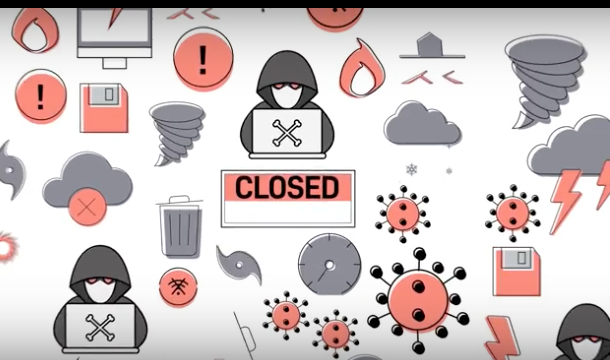
Your business is at risk every day.
Simple daily backups are no longer enough to ensure your business can keep running in the event of IT equipment failure– equipment fails due to:
Human Error
Fire
Flood
Cybersecurity Threats
If a disaster strikes, how will you ensure that your IT environment has enough flexibility, redundancy, and resilience to protect your data, while remaining simple to set up, use and recover?
You can with Datto Siris–the first fully featured, Total Data Protection platform in one integrated solution.
With Siris, you can choose from a family of physical, virtual and software appliances, as well as a variety of storage options to craft a unique data protection solution tailored to your business.
Siris supports a wide array of operating systems, including Windows, Mac, and Linux.
It protects and restores both physical machines and virtual environments. You have the option to restore no matter where your business data lives.
Your backups are scheduled every 5 minutes.
They’re tested, stored locally and replicated to the secure Datto Cloud.
And, this isn’t just any cloud. It’s stored within Datto’s Globally Distributed Data Centers.
With Datto Infinite Cloud Retention, you can store your data for as long as your business requires.
You can’t risk losing any piece of data to corruption.
Outdated data backup methods force you to restore an entire system from a single restore point. This results in data loss for any files created after the restore.
Siris uses Inverse Chain Technology and ZFS Snapshots to make each file interdependent. Each snapshot saves the changes between each data point, ensuring that any individual piece of data can be recovered from any previous backup without losing the most recent data.
When disaster strikes your business, there’s no time to waste waiting on outdated technology to restore backups–even 15 minutes old.
With instant virtualization, your business can restore within seconds from your local device or by using Datto’s powerful cloud.
While a complete image of your system runs through a virtual machine, regular backups continue.
And, if you lose the entire source machine, Siris also provides the option for Bare Metal Restore, into new hardware or a virtual destination.
Detect ransomware threats before they happen.
Siris monitors and targets specific patterns of ransomware within a single backup.
Plus, it notifies you and helps you get back to business without paying a ransom.
Imagine the power to backup, restore and secure your business data integrated into one solution.
And supported by a world-class, 24/7/365 tech support group.
With Datto Siris, your business can run anywhere, protect anything and restore any time.
Find out more by contacting the Datto Experts at VersaTrust.
