
by Felicien | Jul 23, 2018 | Education
Password-Stealing Malware
The acquisition of user IDs has become much easier for cybercriminals in the globalization era. A variety of methods can be used to steal passwords, including spyware, keyloggers, and phishing attacks. This can lead to the total loss of essential data held in company or private databases. Most of the methods used by these cyber criminals involve the use of malware that has been designed to steal user credentials. Based on the objectives of a particular cybercriminal, a variety of malware methods are applied to fulfill those goals.
A significant proportion of methods used to steal user credentials consider the use of malware. Additionally, phishing attacks use malicious attacks through communication channels such as emails where malware-loaded websites are disguised as genuine ones to trap unsuspecting users. Other types of attacks include spyware and keylogging which, for a variety of incidences, has been observed to continually grow in both complexity and frequency of attacks.
Signs of a Malware Infected PC
One of the diagnosis methods of identifying whether a computer is infected with a virus is through the observation of random pop-ups and significantly increased booting time. Instances like these are associated with spyware configured to steal essential data from users without them noticing.
The objective of using spyware on user PCs is to ensure that information stored in browsers and other sensitive areas is well camouflaged. This includes communication channels such as email. Cyber crooks will attempt to acquire your passwords without you noticing that anything is wrong. Though this seems like a flawed technique that wouldn’t work all the time, the truth is that it works exceptionally well. For instance, 158 million social security numbers were stolen in 2017. That doesn’t include all the other types of records and data stolen from individuals and companies.
Malware Injection Technique
For reliable security dodging methods, process injection is a method of integrating malware and lifeless adversary strategy in trade-crafting accounting for the integration of custom codes within the address bars of other processes. The variety of injection techniques includes the following methods.
Portable Executable Injection
Shellcodes and Create Remote Threads are among strategies used in malware injection where malicious codes are copied into accessible active processes commanding them to execute as the originals. Through this strategy of attack, the malware does not require writing malicious code on a disk. Instead, it does so by calling Write Process Memory on the host procedure. The impact of this procedure is that the injected code copies its PE to another process with an unidentifiable base address commanding it to re-compute the original addresses of its PE.
Process Hollowing
Process hollowing is a technique that malware applies to take into account the mapping or hollowing out of the primary code from within the memory of the target’s procedure while overwriting the memory target process with an executable malicious code. The function of the malware is to create a new process designed to host the malicious code presenting it in a hanging form awaiting for the Resume Thread Function to be called in order to execute.
This process leads to the switching of the original file contents with the malicious payload. Processes used for mapping the memory include two API examples, the ZwUnmap and the NtUnmap Views of Section. In order to succeed in assigning new memory for the malware, this procedure takes advantage of the malware’s unmapping of the memory and proceeds to execute the loader, VirtualAllocEx that facilitates the application of the malware to the Write Process Memory on the identified vulnerable target.
Classic DLL Injection Through Create Remote Thread And Load Library
This technique is among the most popular method used in malware injection into other processes. By commanding the implicit address space to process the malware code using the dynamic-bond library, the approach facilitates the creation of Remote Threads in the target process through process loading.
The primary objective of the malware is to target a process for injection. This procedure is generally performed through a search of the processes to call a trio of APIs that include CreateToolHelp32Snapshot, Process32 1st, and 2nd. The specific functions of each of these APIs include the cataloging of heaps and returning a snapshot, retrieval of the first process, and the iteration through the previous two processes respectively. After successfully allocating the target process, the malware is able to execute through Open Process calling.
Conclusion
This article reported on a number of techniques used by malware attackers in concealing unauthenticated activities in other processes. Two procedures are observed to facilitate the functionality of malware and include open injection of a shellcode on another processor or the command of other processes to load malicious libraries on behalf of the malware. Cyber thieves are constantly updating their attack procedures to stay one step ahead of IT professionals. That makes locating and eliminating malware threats a full-time job.

by Felicien | Jul 23, 2018 | Education
If there is a product that has proven itself worthy of Microsoft’s pride, then it is Dynamics 365, the company’s cloud-based combination ERP (enterprise resource planning) and CRM (customer relationship management) enterprise system.
It turns out that Dynamics 365 recorded a growth of 65 percent during the first three quarters of Microsoft’s 2018 financial year. This growth momentum makes the cloud-based product one of Microsoft’s fastest-growing businesses, outpacing even the celebrated Office 365.
Microsoft announced this development at the Inspire 2018 partner conference, where its channel leadership outlined the key opportunities for partners and the tech giant’s investment plans for the coming fiscal year.
Microsoft boasts a vast network of partners comprised of hundreds of thousands of innovators who drive positive and global impact. The Microsoft partner ecosystem builds everything Microsoft – from gaming experiences to business line applications to industry-specific solutions on the company’s cloud environment, Dynamics 365.
Through a series of announcements at the Inspire 2018, Microsoft made it clear that the coming months are going to be a time for acceleration, hinting that there’s no time like the present for partners to seize the opportunities occasioned by Dynamics 365.
Here’s a rundown of the key takeaways from the Microsoft Inspire 2018 partner conference.
Microsoft to provide partners with free training
In the coming year, Microsoft is seeking to provide members of its vast partner network with free training opportunities to assist them with getting involved in the cloud-based Dynamics 365 and multiple other business apps such as Power BI business analytics service.
Microsoft partners will now be able to access the company’s Dynamics online learning environment free of charge. Partners previously had to pay a fee to access this service.
Dynamics learning is a mammoth suite of self-service sales and technical resources, which are extremely essential to the partners’ innovation processes. Microsoft is also launching a four-day boot camp training for its partners involved in a FastTrack engagement solution architecture – to be attended in person.
The best opportunity for launching a new practice with Microsoft: Dynamics 365
At Inspire 2018, the executive vice president of Microsoft’s Worldwide Commercial Business organization, Judson Althoff, was not slow to pinpoint Dynamics 365 as the ideal product area for any partner or innovator who wishes to launch a new practice with the company.
According to him, Dynamics 365 presents a surging opportunity that would suit anyone who wishes to start a new line of products and services from Microsoft. He was keen to encourage partners to invest in the Dynamics 365 business, noting that it is currently unmatched by any business in the multinational tech company’s portfolio. That automatically makes it great for entrepreneurs who wish to build a thriving business in the near future.
Partner capability indicator – for data-driven business decisions
This is a new offering available to partners within the Partner Contribution page. It is designed to empower partners to be able to make more informed business decisions based on actual data. The offering is replete with metrics that show the users (partners) their successes, their customers’ accomplishments, as well as areas that could use some more attention.
Through the partner capability indicator, people can also see how they’re doing compared to other partners and use this information to inform the planning of new, richer business goals.
Overall, the offering is designed to ultimately help partners with tracking their success and improving their business decision-making. They will be able to see the overall health of their system following the implementation of the offering, across all Microsoft business lines.
More incentives for every new customer acquisition and cloud usage
Microsoft partners have always enjoyed alluring incentives from the company. Following the Inspire 2018, these incentives are either doubling in figures or multiplying with significant margins.
In the coming business year, new customer acquisition for business applications will now allow partners to earn incentives in the range of 10 to 50 percent more than what they’ve been earning in the past.
Additionally, users will now earn double the incentive package for cloud usage and adoption of business app seats. This, according to Microsoft, will likely place it above its competitors’ rates. This incentive is intended to ensure that the company not only promotes the buying of new seats, but also the rewarding process of turning those seats into active ones. The incentives are also meant to encourage the expansion of seats beyond the initial seat count.
Incentives for co-selling solutions
Microsoft has been offering special incentives for its salespeople involved in co-selling solutions from Azure partners for a year now. Going forward, the company is rolling out the co-selling incentives to Dynamics 365 as well.
Through these co-selling incentives, the company’s salespeople that co-sell with an ISV partner will receive a 2-times multiplier in quota retirement.
Wrap up
Whether Dynamics 365 is going to maintain the pace or accelerate further remains to be seen. However, it’s clear that Microsoft partners are the biggest winners from the Inspire 2018 announcements.

by Felicien | Jul 19, 2018 | Education
Are You Prepared for Windows 2008 Server End of Life?
Windows Server 2008 has been a sensation and many people have had a positive experience utilizing it, but what does its end of life mean?
There’s a lot to it. First, Windows Server 2008 end of life infers that the manufacturer, Microsoft, will no longer update this product unless a warranty compels them to do so.
However, Microsoft mainstream support will still be under obligation to provide bug fixes and vital improvements through extended support. This implies that you can still enjoy using Windows Server 2008 as long as you don’t need any further updates currently offered by the mainstream support.
How much time do you have to change out your equipment?
You need to change over from the Windows 2008 Server to a supported server by January 14, 2020. To keep your data safe, experts recommend making the switch six months earlier than the set date. That’s how much time users have till Microsoft stops offering bug fixes and security updates through the extended security support.
Will 2020 be the real “End” of Windows Server 2008?
An end to bug fixes and those all-important security updates may be the ultimate deal breaker for users. Data managers will tell you that not having these fixes makes your data vulnerable to access by unauthorized parties and nobody wants to take chances with sensitive data.
After January 14, 2020, Microsoft will no longer offer security updates and bug fixes for this server and that will create loopholes in data security which prying hackers would be interested in exploiting. These security breaches can be avoided by installing a newer generation server with supported security updates. So, yes, 2020 will be the real end of life for Windows Server 2008, especially for data management centers.
What you need to do before Windows Server 2008 End of Life
The most logical action would be to update all equipment. There are many Microsoft products available on the market with more convenience, efficiency, and better virtualization attributes than Windows Server 2008. Do some research to ensure that you get a proper replacement that will address all the functions needed for your organization.
These servers come at a high cost (especially for large data centers) and installing them can be challenging, so the sooner you start the better. Upgrading a server system will definitely take some planning and precious time. Ample time should be devoted to installing the system. Unexpected delays are common; things don’t always go as planned with today’s sophisticated hardware and software. Don’t take chances with such important technology. With six months leeway, you can ensure that your new server is fully functional and your data is safe before the end of the Windows Server 2008.
Is it the end of life for all Windows Server 2008 versions?
No, it’s not. There are 16 Windows Server 2008 versions and this is not the end of life for all sixteen. However, mainstream security support for all Windows Server 2008 products ended on January, 13th 2015. But newer products like the Windows Server 2012 still have many years ahead.
More recent products like the Windows Server 2016/R2 offer users immense improvements in performance and may make it worth your time and money to switch.
Will I still be able to use Windows Server 2008 after End of Life?
While Microsoft will terminate the extended support service after the end of life, these servers will still run smoothly. The obvious drawback is that your data will be vulnerable and you will be missing out on many newer virtualization features. Even if it wasn’t the End of Life for these servers, newer features alone would warrant a server upgrade.
It’s not the End of Life for mainstream support
There are many data centers that will find themselves in a situation where they need help with a few issues after Windows Server 2008 End of Life. If you find yourself in this situation, Microsoft’s mainstream support may come in handy.
Get ready for the move
To plan for an infrastructure upgrade, rewrite and migrate all applications based on SQL Server 2008 to a safe storage place. The new server may need extensive troubleshooting, which can affect your timeline and efforts. SQL databases can be hosted on the Windows Server 2008 hardware as you install the new system.
During the transition, put a data protection infrastructure in place that will eliminate the risks of data vulnerability during a server upgrade. This will protect the data from the fragility of the old server and risks associated with the new system. While this may be costly, the fines associated with a data breach are often far more expensive.
To undergo this transition smoothly, work closely with organizations tasked with planning for Windows Server 2008 End of Life. These IT professionals can offer a great deal of assistance. They know what types of issues to look for and how to make the switch successful.

by Felicien | Jul 19, 2018 | Education
New Scam Exploits Visitors to Canada’s Wonderland Theme Park
Canada’s Wonderland theme park in Toronto has issued a warning about a social media scam appearing on Facebook and other sites. This new scheme targets people who enjoy the park’s many thrilling rides, including radical roller coasters, but can’t afford the high price of a ticket. Ticket prices for one day start at $41.99 with season passes starting at $89.99.
How the Scam Works
An ad is displayed that says you can win 5 free tickets to Wonderland Park simply by completing a survey, then sharing the link to get free tickets with friends. A link in the ad sends people to a landing page that contains the survey. The additional instructions say that the link must be shared online with friends before the tickets will be released.
A spokeswoman for Wonderland, Grace Peacock, confirmed that the Facebook scheme is fraudulent. Ms. Peacock advised consumers to purchase tickets only from the authentic Wonderland website or other authorized ticket sellers.
“Canada’s Wonderland takes ticket fraud very seriously. If anyone has any concerns about the validity of their ticket or a dealer, please call guest services,” said Ms. Peacock. “We caution people to be wary of discounted ticket deals from individuals, third-party websites, apps or social media,” she added.
She reminded people that these offers are not sponsored by Canada’s Wonderland Park, confirming that a similar scheme was spreading on WhatsApp. She also said that York regional police have been notified about the ticket scam and cautioned consumers to be wary about responding to ads that seem too good to be true.
Park officials are advising everyone to purchase tickets from Wonderland’s official website or at the front gate. Tickets can also be purchased from authorized ticket dealers including Perkopolis, Costco, and Venngo.
Contents of the Ad:
The ad reads: “Canada’s Wonderland providing 5 Free tickets Per family to celebrate its 51st year of quality service!”
Next, consumers are taken to a landing page that says:
“You have been selected to take part in our short survey to get 5 Free Canada’s Wonderland Tickets! We only have 212 tickets remaining so hurry up!”
Once the survey has been completed, consumers are instructed to share the page and click on the like button. Afterwards, they’re told they will receive five tickets valued at over $100. Wonderland Park officials advised people to call guest services at 905-832-8131 if they believe they’ve been sold fraudulent tickets.
by Felicien | Jul 19, 2018 | Education
How Can You Keep Your Laptop Running Longer?
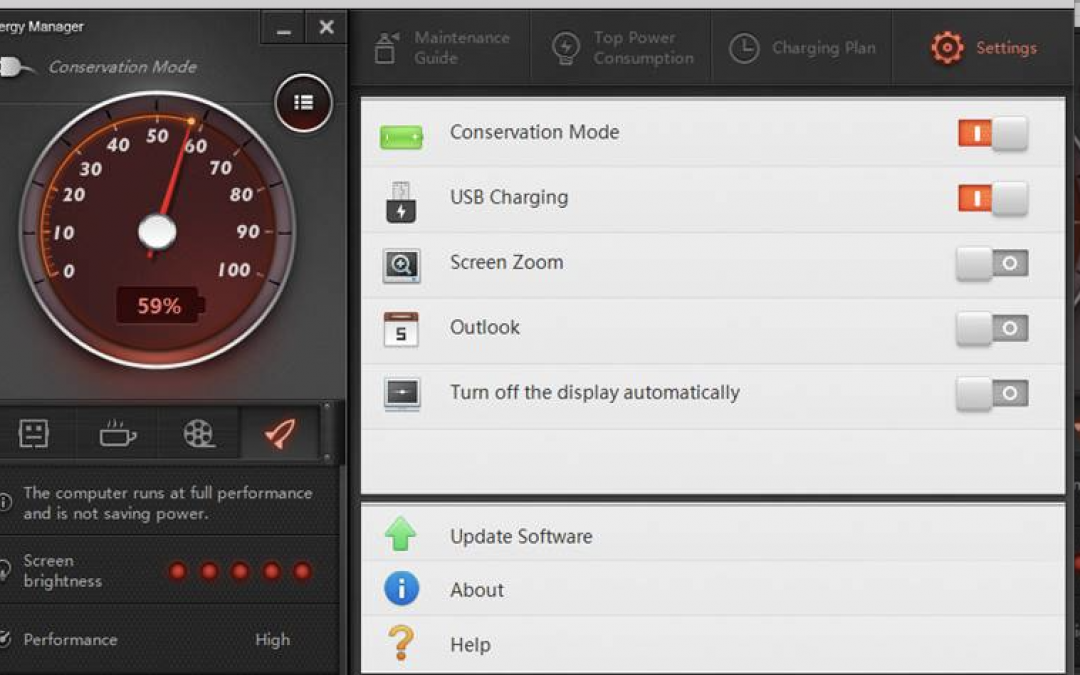
Getting work done in the airport or other remote location where you can’t find a spare plug to recharge your “dying” laptop can be tricky. Battery power only lasts so long on any device, and once it’s used up, you’re stuck hunting down a spare outlet (along with other travelers in the airport lounge).
Luckily, there are some fast and simple solutions to help you gain a bit more battery life. Here are 8 handy tips to try:
1. Turn On The Battery Saver In Your Laptop
Your PC or Mac laptop comes equipped with a way to lengthen your battery life. Adjusting a few settings can gain you some extra juice when you need it. Your laptop can automatically lower the power state for a number of components so you can ration your battery power more effectively. You can change settings to turn off applications you don’t need, shut down processes that aren’t required and adjust specific activities so your laptop consumes less power.
2. Turn Off The Keyboard Light
Do you really need to have the keyboard backlit? This is a power drain you can quickly fix.
On your PC, go to the Control Center. Next, click the Keyboard and Mouse, then Backlit Keyboard to adjust the lighting. Turn off the Backlit Keyboard.
Unfortunately, there’s no built-in setting in Windows 10 to adjust the backlit keyboard settings. However, some original equipment manufacturers like Dell offer their own software for this. They have settings to turn the backlit keyboard on or off, adjust the keyboard brightness, and automatically turn off the backlight after a number of seconds of inactivity. Do some research for your device to learn what options you have. While you’re at it, why not assign a hotkey for this? You may need to do this again in a pinch, and you’ll save some time.
3. Lower Your Screen Brightness
You certainly can’t turn this off, but you can adjust the brightness setting and resolution. Reducing the level of brightness to 50 percent will save you quite a bit of power when you’re running low.
4. Turn Down The Volume
Doing this will save you a bit more power. If you’re desperate for more time, this is worth doing. Lower the sound as much as you can. You can also switch from listening via the laptop’s speakers to a set of earbuds. If you don’t need the sound, turn it off altogether.
5. Disable Ports And Devices
This is an easy way to reduce your laptop’s power consumption. Close down anything you don’t need. Disconnect peripherals you aren’t using like external hard drives or a USB mouse. Some other things that hog power are your Bluetooth, graphics processors, optical drives, and Wi-Fi. Turn these off if you don’t need them.
For Mac users, disable your Wi-Fi and Bluetooth in the Menu Bar. If you use a PC, go to the Device Manager in your desktop and disable ports you don’t need. This won’t provide a lot of extra juice, but if you’re really lacking power, this is something to try. Also turn off any USB ports that aren’t being used.
To turn off devices on your PC in Windows, go to your Control Panel and look for the Device Manager. All of the devices will be organized according to their category. All you have to do is right-click what you want to disable and choose “Disable” from the drop-down. If you want to turn off your Wi-Fi, you’ll find this in the Network Adapters category. The graphics card will be under Display Adapters, and the optical drive under the DVD/CD-ROM Drives category.
6. Can You Spare Some Apps?
When the power is running low, it’s best to use just one application at a time. If you keep multiple applications and processes running on your laptop, you can say “bye-bye” to your juice. They can really eat up battery life. Turn off anything you aren’t using. On your Windows-based laptop in the System Tray, click the icon that displays hidden icons. Here, you can see what apps might be running in the background. Then go to the Task Manager in the menu, and you can see apps that are open. Turn off what you don’t need.
7. What About Turning Off Certain Computing Processes?
Just like you don’t need all those apps running, you should turn off processes that you don’t require. Anything that’s used to run video players or music can probably be disabled and won’t be missed. Also, turn off your cloud storage services, for now, to get back some precious battery life. You can turn them back on when you can find a plug.
For MacBook users, go to Login Items in System Preferences and Users & Groups. Disable anything you don’t need right now. If you want to see what’s running, hold down the Option key and click on the battery indicator in the Menu or open the Activity Monitor in settings to see what’s running. Select and turn off anything you don t need. Apple OS X has a Power Nap feature that you can turn on. This will switch off email and Twitter feeds so you can maximize your remaining battery power.
8. Finally – Always Keep A Plug Splitter Handy
If you can find someone who’ll share a plug, this is when you need that handy plug splitter. It converts one grounded outlet into three. A 3-outlet splitter is usually rated at 15 amps. You can plug three different devices into it. Just make sure their combined load is less than 15 amps or 1,875 watts. If the people using the plug aren’t so sure they want to share, maybe a free cup of coffee will change their minds. They can recharge from their coffee while you recharge your laptop battery!
No matter how great your remote setup, getting work done in the airport where you can’t find a spare plug to recharge your laptop is a little tricky. I hope these tips helped.
