by Felicien | Jun 21, 2021 | Education
Google Mulling Mandatory Two-Factor Authentication For All Users
Google plans to bolster the security of user accounts by making two-factor authentication (2FA) mandatory. This approach ensures that all user accounts require two-factor authentication by default. 2FA enhances cybersecurity by providing an additional defense barrier.
The tech giant kickstarted the process of introducing 2FA by testing the system with the help of users who already activated the feature. During the tests, Google will check the interaction between its apps and users’ smartphone prompts. Once the tests are complete, the company will automatically enroll all users into 2FA.
The implementation of mandatory two-factor will depend on insights from the testing phase. For this reason, Google plans to request users’ input to make the entire login process seamless, easier, and secure. It seeks to understand how users feel about the impending changes and consider users’ suggestions.
Google’s Mark Risher noted that the testing phase involves users who are less likely to find the change disruptive. The company intends to expand the two-factor authentication based on its findings from the test phase.
Risher, the director of product management for identity and user security, confirmed that many people previously viewed 2FA as challenging and tedious.
Many tech companies were apprehensive about implementing multifactor authentication, fearing the measure would discourage new signups. Thankfully, the situation has changed significantly, allowing most users to adopt the new security measure.
Improved Security
Google is pushing towards a future without passwords as it views them as a weak link in the cyber defense ecosystem. The tech giant recently announced that up to 66 percent of US citizens still rely on the same password to access multiple websites and apps.
In doing so, users undermine account security. Cybercriminals buy and sell stolen login credentials on the dark web, allowing bad actors to gain illegitimate access to user accounts across multiple sites, including Google services like Gmail.
Google urges users to configure account security according to the recommended standards. Adhering to the minimum security requirements is a surefire way to mitigate risks posed by cyber-attacks.
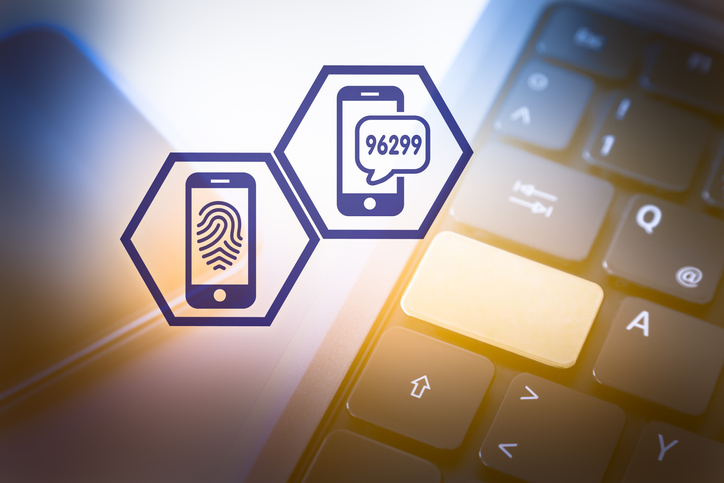
With mandatory two-factor authentication, the system verifies the identity of users by dispatching codes via smartphones. These prompts become standard for all attempted logins into Google accounts. 2FA drastically reduces illegitimate access to user accounts. Identity verification via mobile device is undoubtedly a more convenient and safer authentication method.
Experts recommend using on-phone alerts than SMS messages because bad actors can intercept text messages.
Expanding Two-Step Verification Options
By making 2FA mandatory, Google demonstrates its commitment to implement the best security measures for all users. On the other hand, the company realizes the need to provide a wide selection of two-step authentication options. Doing so helps meet different users’ needs based on the accessibility of specific technologies.
According to Risher, Google is working tirelessly to ensure an equitable authentication experience. The company aims to achieve equal access by developing suitable authentication technologies. In the end, Google aims to eliminate the reliance on passwords.
Increased Adoption
Once Google makes 2FA mandatory, it hopes to influence the wider adoption of two-factor as a baseline standard for login authentication. The wider tech industry usually follows in Google’s footsteps. The tech giant continues to play a prominent role in web security transitions.
In the past, Google steered the tech industry towards sandboxing, auto-updates, and ubiquitous HTTPS encryption. When it comes to multifactor authentication, Google joins notable tech companies like Apple in introducing the security solution. In recent years, Apple started actively promoting the feature to its users.
Industry experts have praised recent efforts by leading companies to eliminate the reliance on simple credentials. These changes are highly beneficial to all account users. Financial institutions and healthcare organizations are increasingly adopting security measures that make two-factor authentication compulsory.
Increased cyber-attacks necessitate a radical shift in account security. The entire tech industry needs to complement each other’s efforts to maximize adoption levels.
Cybercriminals find it easier to compromise account security by stealing users’ passwords. Using the same password for several platforms allows bad actors to gain illegitimate access to more than one site. It is no surprise that Google considers the continued use of simple credentials like passwords as the biggest threat to cybersecurity.
by Felicien | Jun 15, 2021 | Education
Cyber Criminals Are Actively Exploiting a WordPress Plugin Zero-Day
The Fancy Product Designer plugin — commonly used to configure visual products on WordPress, Shopify, and WooCommerce — has been compromised. Cybercriminals are actively looking for sites that use this plugin so as to exploit a recently-discovered vulnerability.
What Is a Zero-Day Exploit?
The term zero-day exploit, or just “zero-day” or “0-day”, refers to a type of vulnerability in computer software that the software vendor is aware of but that doesn’t yet have a patch or fix. During the space of time between when the exploit becomes known and when there is a patch or fix for it, the flaw makes the affected software extremely vulnerable to sinister activity.
Naturally, zero-day vulnerabilities are never intended. They are usually found where the software company least expected to find a problem. At the same time, it is up to the software company to alert affected users and to find a patch for the flaw as soon as possible. Keeping the public and/or private software users in the loop is the best thing a software company can do to help stave off complications such as leaked or corrupted data or other compromised resources.
What Is Fancy Product Designer?
Fancy Product Designer is a plugin. In other words, it’s a type of software that complements an already-existing software program with a unique feature.
In the case of Fancy Product Designer, the website explains that the plugin enables “you and your customers to design and customize any kind of product. Limited only by your imagination it gives you absolute freedom in deciding which products and which parts of the product can be customized.” As of early June, Fancy Product Designer had been installed on over 17,000 websites worldwide. These sites include WordPress sites, Shopify sites, and WooCommerce sites.
What Are Hackers Doing With the Exploit?
The bug in the Fancy Product Designer has made it possible for hackers to take advantage of Fancy Product Designer websites by deploying executable PHP files. This, in turn, allows them to entirely take over a website in any way they please.
As the majority of websites being exploited are selling something online — either a good or a service or both — most hackers will use this newfound power to obtain order information. The affected e-commerce sites will, of course, possess information such as personal names and addresses, credit card information, and in some cases, social security numbers and other personal data.
Zero-day exploits should be announced to the affected parties as soon as possible so that actions can be taken on the company level to deter hackers and possibly disable the vulnerable plugin entirely. Security preventions vary from company to company, so some affected businesses will already have security measures in place. However, others will not.
As for the Fancy Product Designer zero-day, the product designers announced that active exploitation had been going on since January 30th, 2021. A new, patched version of the plugin has been available since June 2nd, 2021, but it must be manually downloaded.
How Can I Avoid Running Into a Zero-Day Exploit That Affects My Company?
If you are a business owner or manager, chances are, you use at least one type of software to operate your company. Unfortunately, this means you’re at risk of being exploited by zero-day vulnerabilities.
These vulnerabilities crop up from time to time and are becoming relatively normal. As software and technology, in general, becomes an increasingly large part of daily life and business affairs, and as threat actors disappointingly become more adept at their craft, zero-day vulnerabilities will continue to be a problem.
The best way to combat these vulnerabilities is to start with prevention. Choose to work only with software vendors who prioritize cybersecurity. When software is as airtight as possible, zero-days are far less likely to be a problem.
Still, they do happen. To handle them well when they occur, choose your own top team of managed service providers. Again, you want professionals who prioritize cybersecurity and those who stay abreast of zero-days that may affect your company. Cutting off connections with infected software right away can prevent major problems down the line.
If you don’t currently have a reliable managed service provider you’re working with, start speaking with companies in your area today. The sooner you ensure your business’s cybersecurity, the sooner you can rest easy when it comes to zero-day vulnerabilities.

by Felicien | Jun 8, 2021 | Education
Could A Colonial Pipeline-Style Cyberattack Disrupt Your Business?
The Colonial Pipeline ransomware attack garnered national headlines after hackers caused widespread gasoline shortages along the Eastern U.S. seaboard. Among the hardest hit, North Carolina saw more than two-thirds of local pumps closed, and 80 percent of fueling stations in the nation’s capital ran dry.
Images of long gas lines and the reported $4.4 million ransom paid to the criminal organization known as DarkSide highlight the fact determined cybersecurity has never been more essential to corporate survival. The question business leaders may want to consider right now is whether sophisticated cybercriminals could penetrate your defenses and disrupt operations.
How Devastating Are Ransomware Attacks on Businesses?
The internet provides digital thieves a global reach, and penetrating outfits such as Colonial Pipeline represent just the tip of the spear. DarkSide reportedly forced 47 business decision-makers to hand over upwards of $90 million in Bitcoin payments on the dark web alone, according to reports. If that figure raises concern that your organization could be hit in the near future, cybercrime statistics offer no solace.
A recorded 304 million ransomware attacks were orchestrated in 2020, representing a 62 percent increase from the previous year. The average ransomware demand topped $233,000, with hackers routinely negotiating higher payoffs from more lucrative corporations. Approximately 1 out of every 5 small businesses are the focus of an attack and 80 percent of mid-sized outfits are targeted by cybercriminals in this fashion. While hacks that create widespread disruption such as the Colonial Pipeline make national news, companies often close for two weeks even if they pay the ransom. It’s also not unusual for digital business hijackers to take the cryptocurrency money and not provide the decryption code necessary to restore operations.
Although media outlets reported that DarkSide was shuttering its underworld activities after accumulating substantial wealth, business professionals have every reason to be even more afraid of what comes next. What non-cyber security experts may not be aware of is that DarkSide does not typically lead to ransomware attacks. Its group of online miscreants operates what technology experts call “ransomware as a service.”
That means they craft malicious software for others inclined to target an organization. If your business has international rivals or appears like low-hanging fruit to anyone online, they could task DarkSide or another digital mafia outfit with creating a ransomware file to upend your company.
How To Protect Your Company From Cyberattack Disruption
The Colonial Pipeline hack illustrates the fact that companies with substantial resources can fall prey to a nefarious individual if they let their guard down for a second. Ransomware attacks, like other incursions, typically stem from some type of human error. In many cases, cybercriminals target wide-reaching organizations by sending out thousands of emails laced with malware. Sophisticated hackers such as DarkSide may employ social engineering to gain the trust of someone with access to the network. Once an employee falls for the trickery, they may divulge network access information and a hack ensues. The critical point is that people too often make innocent mistakes and that’s why the following measures remain mission-critical.
Require employees to use strong passwords.
Mandate password updates on a regular basis.
Have a cybersecurity firm integrate multi-factor authentication technology.
Ensure all devices possess commercial-grade firewalls and antivirus software.
Implement “zero trust” network policies that limit employee access.
Deploy virtual private networks for remote workers.
Provide ongoing cybersecurity awareness training to all personnel.
Create a system of cyber-threat alerts for imminent dangers.
Back-up all digital assets to the Cloud and redundant hard drives out of hackers’ reach.
Conduct cybersecurity audits that include penetration testing.
Despite the splashy Colonial Pipeline headlines, many industry leaders continue to lag in cybersecurity vigilance. According to research, only 57 percent of decision-makers had a cybersecurity risk assessment conducted in 2020. That may be why nearly 80 percent reportedly lack confidence their operation could withstand a cyber assault.
Business leaders have a rare opportunity to learn from the Colonial Pipeline and avoid disruption. By enlisting the support of an experienced cybersecurity firm, the necessary defenses and employee awareness training can be implemented promptly. In a world in which an Eastern Bloc hacker can attack any company on the planet, hardened cybersecurity defenses are job one.

by Felicien | May 23, 2021 | Education
How to Reinstall macOS on Your Computer
If your Mac has been having problems or behaving erratically as of late, it might be time for a fresh install of macOS using Recovery mode and Disk Utility. A new install may also be useful if you have plans to give away or sell your Mac. In this case, you’ll want to remove your personal data and conduct a factory reset before your Mac leaves your possession.
Here’s how to go about reinstalling macOS on your computer using Recovery mode and macOS Utilities.
How Do I Reinstall macOS?
Important: Should You Back Up Your Data Before Reinstalling macOS?
Even if you’ll be keeping your computer in your possession and won’t be wiping data, it’s always a good idea to back up your Mac before reinstalling macOS. That way, in the event of an error, you can be sure your private documents, pictures, and more will remain safe. Backups can be performed using either a separate hard drive or the cloud.
Before Your Begin: Which macOS Version Do You Want Reinstalled?
The following instructions will help you reinstall the latest macOS version that’s been installed on your Mac. Please note that if you prefer to install the latest compatible version of macOS or alternatively, the first version of macOS that originally came with your Mac, you should search for those specific instructions.
Follow These Steps
Step 1: Start by entering Recovery mode on your Mac. To do this, navigate to the Apple icon in the top left corner of your screen, and click “Restart…”. This will shut down your computer and immediately start it back up again. As soon as you hear your computer start to come back on, press and hold down one of the following key combinations:
On Intel Macs: Command + R
On M1 Macs: Power button*
*Hold the power button until you see a startup window appear with options available, and click “Options” and then “Continue”.
Step 2: You’ll see the macOS Utilities window open. For those wiping their disk, navigate to “Disk Utility” and then click “Continue”. If you do not plan to wipe your disk, pause here and move on to Step 8.
Step 3: Erase the desired volume. For Macs with any operating system older than Catalina, simply delete the volume titled Macintosh HD. For Macs that have Catalina or any operating system that came after Catalina, you’ll be required to delete the following two volumes:
Macintosh HD
Macintosh HD-Data
First, delete Macintosh HD-Data. Next, delete Macintosh HD.
Step 4: If your current macOS version is Catalina, Mojave, Big Sur, or (in most cases) High Sierra, select the format APFS. If your current macOS version is older than these, select the macOS Extended (Journaled) format.
Step 5: For the Scheme, choose GUID Partition Table. Keep in mind that if you only have the volume selected, the Scheme won’t be something you have to worry choose.
Step 6: Select “Erase and wait”.
Step 7: Press Command + Q to quit. Alternatively, select “Disk Utility” and then click “Quit Disk Utility”.
Step 8: Looking at the Utilities window before you (note: if you’ve just wiped your computer following the above steps 2-7, the Utilities window will be appearing for the second time). In either case, select “Reinstall macOS” and wait until the process has completed.
Use the steps above to reinstall macOS on any Mac. Keep in mind that this process should be completed during a time in which you can devote your full attention to it. While you won’t have to stare at your screen throughout the actual reinstallation process, you should be nearby in the event that any troubleshooting is needed.
by Felicien | May 14, 2021 | Education
Understanding the Role of Non-Fungible Tokens (NFTs)
Non-fungible tokens or NFTs are rising in popularity as more people discover their importance. These tokens come with unique metadata and identification codes, making it easier to distinguish individual tokens. Unlike digital currencies, such as Bitcoin and Ethereum, you cannot trade or exchange NFTs. They are cryptographic assets representing the value of physical items, such as artwork and real estate, on a blockchain platform.
Another significant difference between non-fungible tokens with cryptocurrencies is that the latter are identical and can be replicated. These characteristics are useful for trading and exchanging currencies. On the other hand, NFTs help enhance trading efficiency for tangible assets like artwork. By adopting tokens, blockchain platforms mitigate fraud risk.
It is possible to use non-fungible tokens to represent property rights, people’s identities, and other items. The characteristics of each token expands the possible use cases. With NFTs, users can conveniently eliminate intermediaries, and it becomes easier to connect the target audience with tangible assets.
An added benefit of using non-fungible tokens is simplifying transactions and introducing new markets.
NFT mania
The Covid-19 health crisis played a significant role in boosting the popularity of non-fungible tokens. However, many experts attribute NFT mania to the need for asset diversification and experimentation. Artists have embraced the tokens, thanks to the ability to trace ownership and authenticity of tangible assets like artwork. Likewise, artists can boost income by monetizing their artwork.
Musicians and other digital products can combat duplication and piracy of their new releases using NFTs. They will find it more practical to achieve this objective by authenticating ownership. The empowerment of artists is essential to revolutionizing the digital art market. It is no surprise that a recent Christie’s online auction featured several NFT art pieces. This high-profile NFT auction helped propel the tokens into the limelight.
Other notable NFT transactions include The Kings Leon’s famous offer to fans. They offered vinyl records and tickets to future tours. Meanwhile, project NBA TopShots sold a wide selection of digital collectibles in a highly publicized non-fungible token transaction.
Characteristics of NFTs
The digital representation of tangible assets comes in the form of a digital footprint known as a hash. Depending on size, the representation can consist of the digital asset itself. Alternatively, it can appear as metadata, which describes the object stored in a physical location (off-chain).
Experts are exploring ways to develop technical standards that enable the interoperability of tokens across various blockchain platforms. Many non-fungible tokens use the ERC721 standard associated with the Ethereum blockchain. On the other hand, the ERC20 standard is common among Ethereum-based NFTs.
The non-fungibility of NFTs makes them non-divisible and distinguishable. They also have a characteristic uniqueness that prevents replication and interchanging or selling the tokens.
NFTs cannot serve their intended purpose outside of a blockchain system. They require this environment for transactions to take place securely. When you create or mint a non-fungible token, the blockchain system records the event. Once created, you can transact with the token via digital marketplaces and auction houses.
The records of subsequent transactions for a particular NFT appear on the same blockchain or distributed ledger. These records help link the token to an owner. Payments for the transactions come in the form of an Ethereum-based unit known as gas.
Individual platforms (digital marketplaces and auction houses) select the currency used to pay for NFT transactions. Some platforms allow payments in fiat money, stable coins, and digital currencies. Transactions using cryptos necessitate the involvement of exchanges, such as Coinbase.
Network congestion and computational power required to handle the transaction determine the amount of gas paid by users. Thus, you can expect to pay higher fees if the network is busy or the computational power requirements are higher.
Summary
Since non-fungible tokens have no clear regulatory or legal framework guiding their use, a lot depends on individual NFTs’ characteristics. Some tokens fall under the Markets in Financial Instruments Directive (MiFID). NFTs falling outside of this regulatory framework may still have links to other frameworks.
The tokens are capable of reinvesting modern finance ecosystems by representing physical assets in the digital space. Blockchain plays an integral role in boosting the importance of NFTs in today’s world. Smart contracts’ tamper resistance is vital to the integrity of NFT transactions.
