
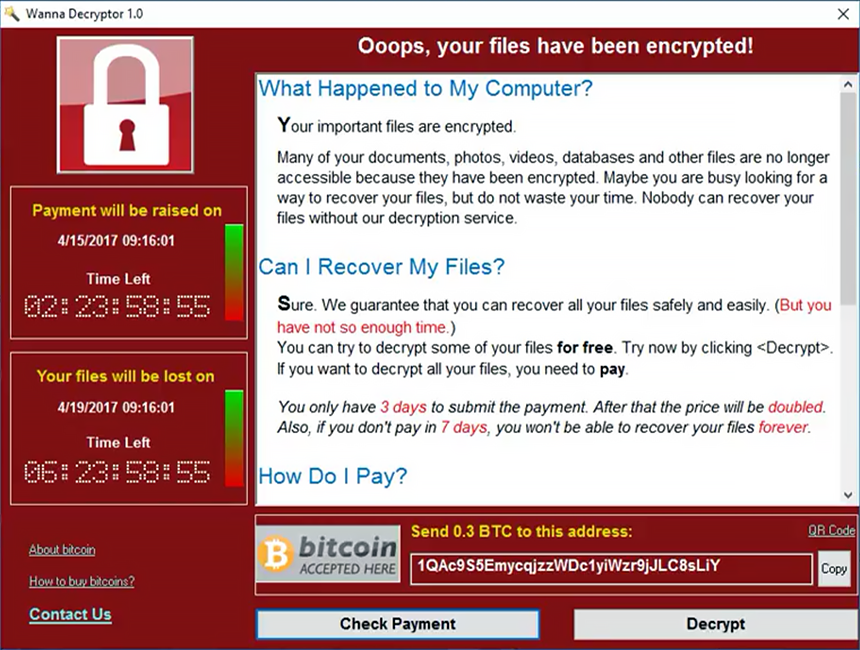
On May 12, 2017 a new strain of the Ransom.CryptXXX (WannaCry) strain of ransomware began spreading widely impacting a large number of organizations, particularly in Europe. This virus specifically targets Microsoft Windows computers.
A hacking tool known as Eternal Blue, developed by US CIA has been enhanced by the hackers to super-charge an existing form of ransomware known as WannaCry, three senior cyber security analysts said.
Wcry is demanding a ransom of $300 to $600 in Bitcoin to be paid by May 15, or, in the event that deadline is missed, a higher fee by May 19. The messages left on the screen say files will remain encrypted. It’s not yet clear if there are flaws in the encryption scheme that might allow the victims to restore the files without paying the ransom.
If you have yet to install the Microsoft fix—MS17-010— you should do so immediately. You should also be extremely suspicious of all e-mails you receive, particularly those that ask the recipient to open attached documents or click on Web links.
If you are an existing client of ours on our Managed Services Platform, you would have already received the fix through your weekly patching cycle, If not please check with your IT and or Security provider to ensure you are covered
Read Reuters Article : http://www.reuters.com/article/us-britain-security-hospitals-idUSKBN18820S
How to Leverage iOS12 Enhancements to Boost Productivity
How to Use iOS12 to Instantly Share Information With Colleagues Want an easier way to communicate with your colleagues? Save time and reduce errors by learning how to instantly exchange information using iOS12’s share feature. Beginning with Apple’s...

Get More Out Of The Clipboard In Windows 10
Get More Out Of The Clipboard In Windows 10 You may have been using Windows 10 for some time now, but it’s likely that you haven’t mastered all of its features just yet. Copy/Paste was a revolutionary feature when it came out years ago. However, operating systems have...

How to Use Your Computer to Install Apps on Your Android Device
Downloading Apps on Your Android Device: How to Use Your Computer Installing apps to your Android phone via your desktop computer (or other “unofficial sources”) is fast and easy. Learn the simple process right here. One of the best things about Android devices is...