
by Felicien | Mar 14, 2019 | Education
Financial service firms: beware. Your data is a target. A new report out of the United Kingdom (UK) cannot underscore enough the severity of the issue. But it is nothing new. The FBI has put the alarms on since 2011, from threats of account takeovers to third-party payment processor breaches to securities and market trading exploitation to mobile banking exploitation and even supply chain infiltration, among other ways. Hackers are more advanced and more prevalent than ever. What is shocking about the new statistics from the Financial Conduct Authority (FCA) is the sheer increase of breaches after the implementation of the General Data Protection Regulation (GDPR). Here’s what to know and what to do.
Alarming Statistics from the FCA
The numbers are alarming and demonstrate a real concern among financial institutions and the protection of their assets and data. The total number of breaches reported by UK financial services firms to the FCA was 145 in 2018, which was up from 25 in 2017. That makes it an increase of 480%.
The breakdown of the 145 reported breaches is shown in the below chart (as provided by the FCA) with the last three years also included — this demonstrates the stark increase in reported breaches over the course of four years.
Sector
2018
2017
2016
2015
General Insurance & Protection
33
7
1
3
Pension Savings & Retirement Income
9
Retail Banking & Payments
25
1
1
1
Retail Investments
11
1
Retail Lending
21
4
1
Wholesale Financial Markets
34
3
Investment Management
12
10
3
Why was there a dramatic increase in breaches in 2018?
There are a number of theories why financial services firms in the UK reported 480% more data breaches in 2018 than the previous year. The percentage alone is enough to send warning alarms throughout the work, but do the reasons justify the urgency?
First, the financial services sector offers a lot of what hackers want: data and money.
Second, much of the financial services sector has not been using the most advanced technology and artificial intelligence (AI) to protect their information and data, according to a report conducted by Accenture and released in 2018, Cost of Cybercrime: Financial Services. In fact, “only 26% have deployed AI-based security technologies and 31% advanced analytics.”
Third, hackers themselves are becoming more numerous, bolder, and more sophisticated — alongside the advancement of technology.
Fourth, the GDPR came into effect in 2018, which requires reporting breaches within 72 hours of discovery — so the increase in the statistics may be — in part — due to a legal requirement to report the breaches.
Thus, the combination of all these things: the financial services’ data, the desire of hackers to obtain that data, the limited protections financial services firms have had in place until recently, and the new requirement to report all play a role in the dramatic increase in reported breaches. So, not all is as bad as it seems. The increase can be in part attributed to the new requirement to report the breaches as opposed to earlier years when such a requirement was not present, and such reporting could be damaging to the reputation of the financial institution — thus, an incentive not to report until it became required.
What can financial services firms do to protect themselves better from hackers and data breaches?
Whether you are in the UK or the United States or elsewhere, financial services firms can protect themselves. It all involves a well-crafted IT plan-of-action that can include any of the below options according to the firm’s needs, wants, and specifications.
Implement and Education & Training Strategy
First thing’s first, you need to educate yourself and your firm on cybersecurity and cyber attacks. You need to know how hackers are hacking into your systems. You need to know what the latest technology is to counter hackers, including AI. You need to be informed on data management and data destruction and disposal. And you need to inform all staff and employees. The problem in data breaches is not only related to hackers hiding in a dark space using malware and other devices and software to obtain access to confidential information, but they use tricks via email and other means to gain access from, for example, unsuspecting and uninformed employees who open emails without thinking twice and who use poor passwords without consideration for how easy they are to be hacked.
An informed company and an informed staff are your first line of business. An internal team can conduct education awareness and training or else a third-party vendor can be hired to do so. It comes down to how large your firm is and what your resources are to manage it.
Assess Your Current Technology & Identify What You Need
You need to assess the current status of your technology, challenges, and vulnerabilities so that you can recognize what you need and where you need it. There are different ways or approaches a firm can take to assess its technology needs, but in general, it should include:
Gathering information on company and employee needs, considering functional needs, software requirements, technical requirements, and security needs (i.e., natural threats from environmental conditions, intentional human threats (e.g., hackers and disgruntled employees), and unintentional threats (e.g., poor password creation or unintentional leaks).
Reviewing the information gathered and prioritizing identified needs.
Document the results from your findings so that you have the information in one accessible location from which you can build a plan.
Acquire the Technology You Need & Implement It
Once you have the information you need, design a multi-layered system that is:
Adaptive;
Responsive; and
Preventative.
Financial services firms can no longer stand to be reactive; too much is at stake. Once you know and prioritize what you need, acquire it and implement it. Research to ensure you purchase the best in technology and/or hire the best third-party vendor (e.g., a managed services firm). The goal here is to bring those statistics back down, or in the least, maintain them.

by Felicien | Mar 14, 2019 | Education
Microsoft Office 365 has rolled out an impressive array of new features that business owners will appreciate. These range from handy mobile-to-PC interactions to intuitive, behind-the-scenes IT integrations to keep a business running smoothly. Here are some of the standout new additions to Office 365 that were specifically created with business managers in mind.
1. New Digital Pen Features
The Microsoft digital pen has some new tricks up its sleeve that make it easier than ever to edit your important documents. It’s like having an entire editing suite rolled into a single device, and it all but eliminates the need to type or use the mouse while editing. The digital pen lets you insert words or line breaks, split or change words, cross out paragraphs, circle text and leave detailed comments.
2. Embedded 3D Animations
3D animations can now be embedded directly into Word documents and PowerPoint slides with no coding required. Microsoft made this extremely easy to use: Insert a 3D model into the slide, select from a list of pre-built animations, click ‘Apply’ and the animation does its thing.
3. Blurred Background on Video Calls
Business managers who use a remote workforce will appreciate this feature. Video callers can now automatically blur out their backgrounds to minimize distractions and increase meeting productivity. No more worrying about video calls from the home office or a busy workplace — just blur it out.
4. Powerful PowerPoint Upgrades
This is a really cool feature for managers. Need a PowerPoint slide in a hurry? Office 365 now lets you draw your slides by hand on a tablet and convert your “chicken scratches” into a professionally-designed PowerPoint presentation in just a few minutes. PowerPoint now has digital design recommendations that it will make to recreate your sketches. This includes layouts, text suggestions and icons. The end result will look like you had the graphic design department laboring over it for hours.
5. Publish-to-Web Upgrades
Microsoft Office has allowed users to publish documents as web pages for years, but this feature just keeps getting better. Office 365 now allows users to publish docs as Sway websites by clicking ‘File’ and ‘Transform.’ It’s a big time-saving feature. It can also be used for publishing training documents, newsletters, pitch decks and product pages.
6. Compatibility Checks
This Office 365 addition allows you to make system upgrades without suffering any downtime from incompatibility issues. Microsoft’s most recent desktop application lets you check compatibility of apps before you run a system upgrade. Managers can save time and money, and keep things running smoothly by using this upgrade.
7. Robust Data Compliance
Office 365 has a long list of compliance certifications that are now directly integrated with the software. This is an incredibly helpful feature for public-private businesses, government organizations and non-profits that deal with a lot of regulatory compliance issues. For example, Office 365 now offers HIPAA and HITRUST CSF Certification for medical organizations, which allows them to remain security- and privacy-compliant in their documentation. Other certifications include AICPA Service Organization Control Reports, FedRAMP authorizations, FIPS 140-2 Cryptography, and much more. Microsoft also maintains a dedicated compliance team that monitors regulatory changes and quickly recommends changes to keep data compliance up-to-date.
8. Increased IT Management and Resolutions
Microsoft’s SharePoint Admin Center has some upgrades that IT departments will truly appreciate. The system now allows easier management of Office 365 group-connected sites and hubs. IT admins can now restrict access from non-compliant devices, automatically kick idle users out, and restrict or allow access from known IP addresses. The latest iteration also has a number of security upgrades and compliance upgrades.
These Office 365 upgrades were clearly designed from a business manager’s perspective. Microsoft has made the latest additions intuitive and simple to integrate in order to keep your business running as smoothly and efficiently as possible.

by Felicien | Mar 14, 2019 | Education
Not even Georgia county governments are safe from ransomware attacks.
Jackson County just paid a $400,000 ransom after hackers used a ransomware attack to deactivate their computer systems. It’s still not known how the hackers managed to breach their county IT defenses and breach the computer network.
You can read about it here.
Concerned about ransomware? Don’t want to get stuck paying a $400,000 ransom?
Call me at {phone} or drop me an email at {email}.
by Felicien | Mar 13, 2019 | Education
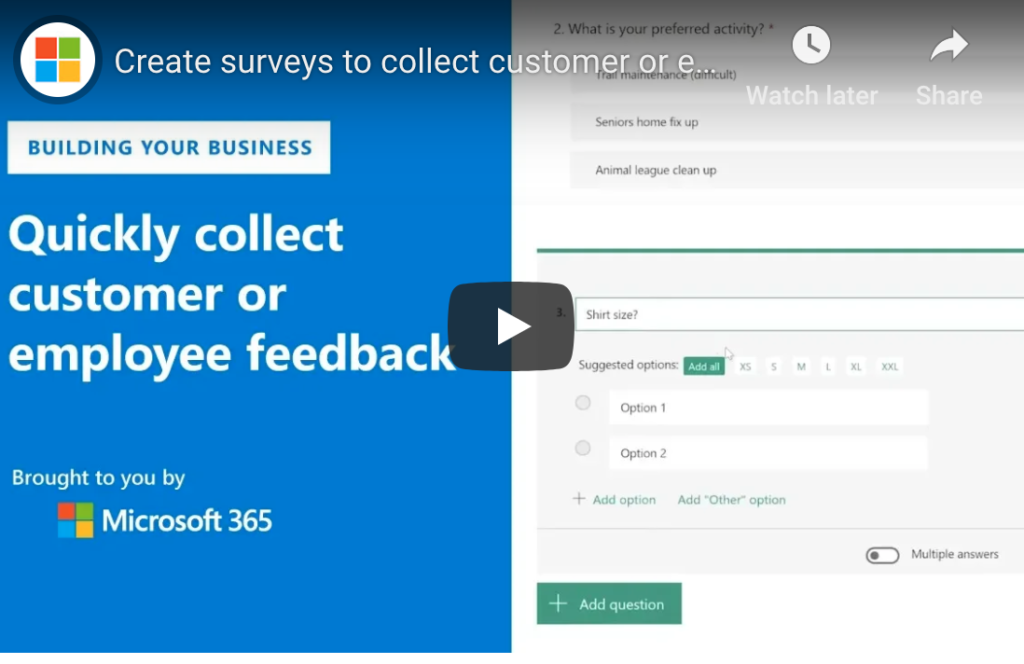
It may surprise you, but Microsoft Office 365 has a fantastic solution for creating simple quizzes, polls and surveys — and you already have access to this functionality! Microsoft Forms is relatively new, as it was only launched in June 2016, but this lightweight web app is an excellent way to gather feedback or plan activities. You can even use the information offline, which makes it handy for reviewing information that was submitted even if you’re not physically at your desk.
How Can I Create Forms and Surveys with Office 365?
The steps required to create surveys are straightforward and don’t require a great deal of technical knowledge. You can find the full instructions on Microsoft’s support website, but this quick snapshot should be enough to get most people started. Since the forms use Microsoft Office 365, each cloud-based form or quiz saves automatically as you move through the questions.
Log into your Office 365 account by going to forms.office.com.
Select the option to create a new form or quiz.
Enter a title for your new form and the optional subtitle — be specific enough that the name will make sense out of context for others!
From here, you can add questions and include a variety of options for answers such as Choice, Text, Rating, Ranking or Date questions. You can even create Net Promoter Score questions when you click the “More ***“ option.
Complete your form or quiz by adding as many questions and types of answers as you would like.
You can even add “Other“ options that allow users to input additional text
As you’re moving through your questions, be sure to select “Required“ on any questions that you want to force users to answer before stepping to the next question. If you do not select “Required“, users will be able to advance through the survey without making a selection.
The user interface is very simple, but quite intuitive for most users. There are several thoughtful additions to the form setup that will help you stay productive and quickly create your forms. For instance, when you create a question such as “Which day of the week should we go?“ the artificial intelligence in the form will automatically suggest all seven days. You can then select which days you’d like to add as answers.
User-Friendly Options to Automate Your Form
Creating a form is pretty easy, but what about organizing the various questions? The Office 365 Form module allows you to shift the order of the questions once you’ve created the quiz or survey, smoothing the process for form creators and for users. You can also copy questions to reduce the amount of typing required during the form creation process. Need to have someone enter an answer only in numbers? No problem! You can restrict responses to only accept numbers, and even limit the range of numbers that you will accept in the form. That means less time on the back end as you’re interpreting survey or form results. You can even select a theme for your form or add some graphics to make it more fun and engaging for users.
How Can I Send My Form or Survey to Users?
Once you have finalized your form, the only thing left to do is send it out to your users! Fortunately, this is just as intuitive as the form creation process since everything is fully integrated into Microsoft Office 365′s cloud-based platform. You’ll simply choose whether to share the survey to others in your organization or if you want to open the form for those outside your Office 365 ecosystem. Once you’ve determined your sharing options, copy the link to the survey and include it an email, SMS text or instant message to your selected audience. You can even create and download QR codes or embed the form on a landing page.
How Do I get Responses to Microsoft Office 365 Forms or Surveys?
The Microsoft team has made it extremely easy to gain access to the form or survey responses. Each survey has a “Responses“ tab, where you will find everything that you need to know, including;
Number of responses
Average time it took respondents to complete the survey
The current status of the survey (Active or Inactive)
You can also download the results of the survey to Microsoft Excel or even flow the data to Microsoft’s analytics platform: Power BI.
While the Microsoft Office 365 Forms option doesn’t have quite as many options for branching as you would find in a dedicated survey tool such as SurveyMonkey or Typeform, it is a fast and intuitive way to quickly get responses from your audience. What makes it even more attractive is that it’s included for free in your Office 365 license.

by Felicien | Mar 13, 2019 | Education
Are your company processes aligned with the technology you have? Have you purchased different software for different things when one software could have been used for multiple things? Do you feel there are technological gaps or challenges not being appropriately addressed? Is your company providing its services or products in the most optimal way? Do you want systems streamlined to meet company goals?
If you have any one of these questions or any others like them, then you may be in need of a vCIO. But is a vCIO just another expense for your company or is it essential to obtaining optimal performance and achieving goals? Here’s what you need to know and should consider.
What is a vCIO?
A vCIO, short for virtual Chief Information Officer, provides all the functions of a CIO that large firms employ to develop strategies designed to leverage technology for optimal business performance. The CIO looks to technology for solutions, aligns it with business needs and goals, and measures its success by establishing metrics. In addition, the CIO keeps informed of all new opportunities and technological developments to ensure the company is up-to-date and on course for success.
Thus, a CIO is vital to an organization’s development, growth, and continued success. The one difference between a CIO and a vCIO, however, is this: resources. A full-time CIO is expensive and requires a lot of resources. You have to provide an office, a workstation, a good salary, and benefits. Those are costs that medium to smaller sized organizations would like to avoid. A vCIO allows these companies to benefit from the skills and knowledge of a CIO without having to put forth the full expense of one. A vCIO can be retained on an as-needed basis, so you pay only for the times you benefit from his or her services. In sum, your smaller company outsources a vCIO and receives larger company executive-level expertise at an affordable basis.
What benefits can a vCIO bring to your company?
To know the benefits a vCIO would bring to your company, a good starting point is understanding better what a vCIO actually does.
A vCIO is equipped with pretty much the same duties and responsibilities that a CIO is, and these include:
Analyzing IT. A vCIO assesses the hardware and software you use as well as your overall IT infrastructure and aligns it with your business processes and business goals. This analysis allows the vCIO to understand your work processes as well as to identify any challenges, gaps, and tech solutions. Based on this analysis, a vCIO will recommend hardware, software, and IT infrastructure expenditures.
Strategizing. A vCIO’s primary goal is using technology strategically. The vCIO will develop a plan to create and manage an IT system that helps the company achieve goals. The vCIO has a deep knowledge of technology and business and is able to incorporate both to benefit companies. To incorporate the strategy, the vCIO will work with other stakeholders and direct the IT roadmap.
Adding Value. A vCIO makes sure that the technology used brings value to the company by helping employees do their jobs better and by providing services and information, among other things, to clients more efficiently. A vCIO makes sure employees and clients get what they need.
Providing information. They are not called chief information officers for no reason. vCIOs must stay current on all things related to technology, including things that pose as risks to the company, technologically speaking. The vCIO will know all the industry trends and will analyze what the future holds so that the company invests in the right technology now and does not lose out later because of it.
These are the broad responsibilities of a vCIO, and through these responsibilities — if executed well — the company benefits. By leveraging technology strategically and successfully, a vCIO helps the company increase its employee and customer/client satisfaction while also increasing revenue and decreasing expenses.
In this way, the ultimate benefit of a vCIO is this: competitive edge. A vCIO can be that competitive advantage your company has over the competition.
Does your company need a vCIO?
In today’s market, no matter what industry you are in, technology plays a role. And technology is changing and evolving all the time, and with the latter come new opportunities as well and new challenges. No company today should be without an information officer, but so many are, and that’s why so many companies fail to achieve their goals. An information officer brings together technology advancements with company goals, and through this strategic alignment, magic happens.
So the question should really be: do you need a full-time CIO or a vCIO? The answer is dependent on several factors.
Number of employees. How many employees does your company have? Generally speaking, a company employing 250 people or fewer may benefit from a vCIO, but larger companies typically require full-time CIOs.
Technology. How much is your company reliant on technology? What are your security needs? How many employees are dependent on technology for their day-to-day tasks? How is data stored and managed?
Company Growth. Do you intend to grow your company? If so, when and how?
Business Goals. What are your business goals? How do you intend to reach those goals?
Resources. What resources, especially in terms of financial resources, does your company have? A vCIO saves you money and helps you increase profits, but the initial costs must be considered.
There are no straightforward means to determine if your company needs a vCIO or not. You must consider the above factors and weigh your answers. Technology today is complex. Its application for strategic purposes is complex. Its benefits, however, are many. Can a vCIO take your company where you want it to go, and can it do so faster, more efficiently, and more effectively?
Is a vCIO essential to your company?
Now for the real question: is the vCIO essential to your business? The short answer: yes. But if you are still unsure, ask yourself these questions:
Does your company have a go-to IT person who knows all things technology?
Is the technology your company has being used fully and strategically?
Are you creating value through your technology?
Is your data safe and secure?
Are your employees satisfied?
Are your clients/customers satisfied?
Do you see growth in the future?
Do your IT infrastructure and your business procedures lead to outcomes that achieve business goals?
Do you have a competitive advantage over your competitors?
If you answered no to any of these questions, then that can be problematic. A vCIO can ensure that all the above questions are answered affirmatively, and when that’s the case, you can rest assured your company is performing optimally. So, ask yourself now: is a vCIO essential to your company? Then act; do your research and find a vCIO that will fit well with your company.

by Felicien | Mar 13, 2019 | Education
No matter how good technology gets, technical issues are still and will continue to be a major cause of lost productivity for individuals and companies. Problems with slow or crashed computers, loss of internet service, printers not working, dropped telephone calls, and other annoying little gremlins are costing companies millions of dollars a year, including yours. Whenever your tech isn’t working the way it should, you’re losing revenue and it quickly adds up.
A Sobering Statistic
To get an idea of just how costly all those little glitches are, consider the results of a recent survey by Robert Half Technology. The study found that, on average, workers spend about 22 minutes each day dealing with some type of IT issue. That adds up to an eye-opening 91 hours annually or two weeks of downtime for each employee in your organization.
So think about what that equals in loss of revenue. Some people generate more than others of course. But if you have a professional who’s billing by the hour, for example, or a salesperson who is bringing in say $10,000 per week, and they’re out of commission for two weeks each year, that soon starts to add up to some serious money.
IT issues will always be a fact of life for modern companies to one degree or the other but there is a proven way to keep them to a minimum and reduce their impact on your business operations. It all depends on how well your managed services provider, or your in-house team, addresses your needs and resources.
A Matter Of Strategy And Priorities
A good provider will devote time and resources to two key priorities:
Optimizing your technology resources, regularly monitoring and testing your system to make sure it’s functioning at its optimal performance, and preventing problems from occurring in the first place, not just reacting when an emergency happens.
Devising a strategy that implements the type of technology that will best serve your company’s unique and specific needs.
If you have systems and equipment in place that you don’t necessarily need, that’s a drain on your resources and budget and creates more complexity, and thus more opportunities for things to go wrong. If, on the other hand, you don’t have the capabilities you need, efficiency and productivity will be hampered.
An experienced and professional managed services provider will ensure that your organization has the right balance, providing you with the optimum in performance. They will also monitor your system in real time to spot potential problem areas, and to be able to react quickly when they do happen.
Your technology partner should be willing to work with you on a personal basis to devise a plan that will best fit your needs, and they should always be available. If you have a question or an issue, you don’t want to reach an answering machine or service.
It’s easy for a business to get used to minor tech issues and become complacent about them. But the fact is that they’re costing you more money than you know. Finding a good IT partner could be one of the best business decisions you’ll make.
