
by Felicien | Apr 16, 2019 | Education
Podcasts are huge these days. Popular podcast Serial has been downloaded millions of times and has become a pop culture phenomenon right alongside other “did they really do it” series like Netflix’s Making a Murderer. Podcasts are also used for informational and educational purposes. NPR offers its programs in podcast form so users can listen at their own pace. They’ve even developed programming that doesn’t broadcast on the radio. It only exists in podcast form.
The podcast has arrived, and it doesn’t appear to be going anywhere anytime soon. The question for law firms, as with any new tech innovation, is whether developing a podcast for the firm makes sense. We believe creating a podcast can be a powerful, memorable branding tool. Here are a few reasons why your firm should consider starting one.
A Branded Podcast Builds Credibility and Engagement
The problem most law firms face isn’t competence. The process of becoming a lawyer usually takes care of this. The problem firms face is getting their name out into the community effectively. You want to communicate that you’re competent and successful but at the same time approachable. Much of law firm advertising veers far in one direction or the other. You see “prestige” billboards that may communicate “you can’t afford me” to a good portion of the community, and you see cheesy TV commercials that communicate “we’re not a serious firm” to another portion of the community.
Creating a podcast is a low-cost, low-effort way to engage with your community. You can communicate in a down-to-earth fashion by just being yourself. You can use a podcast to indirectly convince community members of your ability and skill, and you can disarm the negative notions that can come from prestige advertising.
It’s an Inexpensive Advertising Tool
Another advantage of podcasting is cost. It’s very inexpensive to produce a podcast, and it costs nothing to host it. All you need to produce it is some simple audio recording equipment and a topic that you can discuss. Hosting a podcast is a simple affair using a hosting tool like Libsyn. Hosting tools like this one will automatically publish your podcast to iTunes and all the other major podcast services. Once your content is published, you can promote your podcast using your existing social media channels through both regular and paid posts.
Compare this to the costs of producing video for social and the costs of traditional advertising. To produce social video, you’ll have to invest in video recording equipment. If you want a quality product, you’ll probably end up having to hire a video production group to produce them. Then, consider traditional print and TV advertising. The costs are astronomical compared to the costs of producing a podcast.
It’s an Attractive Alternative to Video
Let’s be honest: we don’t all look like the beautiful pretend lawyers on Suits. Even if you are blessed with great looks, you may not be comfortable in front of the camera. If video makes you look shifty, insecure, or nervous, you’re not helping your firm’s advertising efforts. Focusing your efforts on a podcast avoids the difficulties and aesthetic concerns that come with video.
The other issue with video is that they need to be short. Videos, especially in advertising, need to be fairly “snackable.” Podcasts, on the other hand, can take a deeper dive. People often listen on their commute or at the gym, so they are looking for content of a certain length. Going deeper on a given topic is one way to reaffirm your credibility, too.
Getting Started
If you’re ready to start a podcast for your firm here’s a brief guide to the steps you need to take.
Equipment
You can record audio using the internal microphone on your laptop, but it won’t sound very good. Invest in a midrange USB microphone, like the Snowball or Yeti from Blue. The difference in sound quality will astound you. You can easily record one or two people around a microphone like those. If you plan to invite more than one guest onto your podcast, you may need an additional microphone.
Software
If you’re recording only one microphone, your software needs are simple. Free recording and editing programs like Audacity for PC and GarageBand for Mac will do just about everything you need. Call Recorder for Skype is an inexpensive Mac app that will simplify things for you, too. We recommend starting with this simple setup before exploring multi-mic (multi-track) recording. Once you’re familiar with the basic principles, you’ll have an easier time scaling up.
Topics and Launch
All that’s left is to come up with some topics and get going. Choose topics community members are likely wondering about and answer whatever questions they may have. This is a tool for getting clients in the door. Choose topics that offer as much value as possible, topics people will want to listen to.
All that’s left is to launch. Hit record, start talking, and publish!
by Felicien | Apr 15, 2019 | Education
Microsoft Excel is a staple program in Microsoft’s Office suite. It’s a powerful spreadsheet program that allows users to organize data and calculate results using a wide range of formulas. Let’s look at one basic element to this program: how to copy cells in Microsoft Excel.
Basic Cell Copying Technique
Before we move on to some advanced techniques, let’s cover the basics.
1. Select the Cell or Cells You Want to Copy
If you want to copy just one cell, simply click once on that cell. IF you want to copy multiple cells, click and drag until all the cells you intend to copy are selected.
2. Copy the Cell or Cells
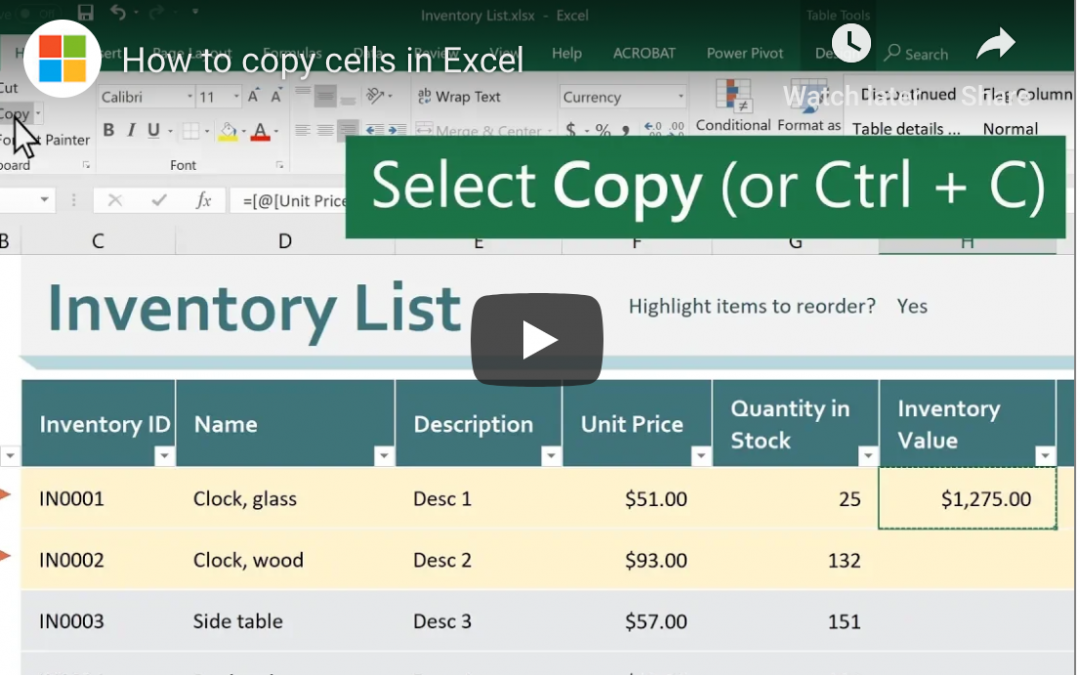
The next step is to actually copy the cells. You can do this by pressing control+C on a PC (command+C on a Mac), or by clicking the Copy button in the ribbon at the top of the Excel window. You’ll know you’ve copied a cell or cells when you see a spinning dotted line surrounding the copied area.
3. Choose Where You Want the Copied Cells to Go
Next, click once on the cell where you want the copied cells to go. If you’ve copied multiple cells, click the cell where you want the top left cell in your selection to go.
4. Paste the Copied Content into the New Location
Now that you’ve selected the cell where you want your copied content to appear, use the paste function to place the copied content in the new location. To do this, click on the Paste button in the ribbon (near the Copy button), or press control+V (command+V on a Mac). The material you had copied will now appear in the new location. If the copied material was in a cell that contained a formula, the formula will be copied, too.
Please note that if you’ve selected a location that already has content in it, the old content will be overwritten by the new content. Usually, that’s exactly what people are intending to do, but it’s important to note how this works.
Advanced Techniques
Now that you understand the basics, check out these two advanced techniques.
Paste Options
If your copy and pasting doesn’t work as planned, try this. Click on the clipboard next to the cell you just pasted into. Hover over the buttons and choose the one that sounds like what you’re trying to do.
Smart Fill
Select some data. See the green square at the bottom right? Try dragging that square down or sideways. With some data, Excel can intelligently populate either data or formulas to help you work more quickly.
This quick tech tip will help you get started using Microsoft Excel. For more help, give us a call!

by Felicien | Apr 15, 2019 | Education
Businesses spend a significant amount on their software solutions, but 94 percent of them don’t get the expected value out of them. Many roadblocks stand in the way of bringing new solutions into the office, from a lack of consideration for the end user to choosing platforms that can’t scale with the company’s growth.
Problems During Procurement
The issues start during the procurement process. End-user feedback is essential for choosing software that will boost productivity and provide an adequate return on investment. If you lack end-user buy-in, then they’re not going to be enthusiastic about a system that’s not making their work life better. Make it easy for employees to send in feedback about the new software options throughout the procurement process. Emphasize the benefits of the new platform to workers.
Insufficient Training
Once the software is in place, workers may have a hard time with its functionality if they lack sufficient training. A change management plan should include multiple training resources and sufficient time for the end users to learn about the new solution and what they can do with it. The training should begin once you make a decision on the solution you’re deploying.
Clashes With Current Workflows
The software may require people to deviate too far from well-established workflows. Consider the current workflows and manual processes that are in place. The solution should replace time-consuming manual tasks and those that are prone to human error. Streamline current workflows without completely doing away with their structure. Employees will appreciate the familiar workflows and improvements in speed and efficiency.
Using Off the Shelf Software for Complex Problems
Off the shelf software is attractive for the speed of deployment and lower cost than custom development. However, specialized industries may require functionality that is not available with a standard solution. Workarounds may take too much time and effort. The opportunity cost can be far greater than the custom development price.
Lack of Centralized Data
Siloed data can lead to many problems, including repeated work, time wasted trying to find files, and lost data. Bringing data together in a central database is an important feature for any system that you’re deploying in your organization.
Difficulty with Content Sharing and Collaboration
Documents get shared and teams work together on a regular basis. The solution that you choose should support these activities. If you use the centralized data suggestion above, then streamlining content sharing is not difficult. Many modern solutions also include collaboration features to allow teams to easily work together.
Grow with Company
You might not know what your growth rate will look like in five years, but you do need software that can adapt to your changing needs over the years. If you purchase a solution that is built for your current capacity and nothing more, then it’s going to fail as your organization grows. It’s common for cloud-based solutions to allow you to scale up and down seamlessly as demand changes.
It’s important to diagnose why employees refuse to use the software offered to them. Once you understand why they aren’t enthusiastic, you can address the underlying issues and present new options.

by Felicien | Apr 15, 2019 | Education
Medical appointments and doctors’ visits are not enough. Patients want more contact with their healthcare providers, without necessarily needing to schedule more appointments and spend more time in the waiting room. 74% of patients polled in a recent West survey expressed a desire for more communication beyond the medical office visit.
This hunger for more communication parallels the growing role of digital communication in daily life. These same patients note that they are 21% less likely to call their medical providers than they were merely seven years ago. Rather than pick up the phone, patients want to use digital channels—the same ones that they’re already using for other communication—to maintain communication with their healthcare team.
How communications preferences have recently shifted
A recent study by Duke University addresses digital communication in the clinical setting beyond just personal preferences. Their studies found that over 95% of the American population has a cell phone, making it a tool for healthcare providers to leverage. But the standout piece of data, in a world that wonders about deliverability and whether messaging is actually getting through to intended audiences, is that over 90% of text messages are read—and within three minutes of transmittal. This data carries over across all age groups and socioeconomic demographics.
University of Toronto researchers supported this data with their research on the different impacts that text and email have on conveying a particular message. They found that text messaging conferred a higher level of urgency, and therefore function better around task-oriented reminders. Emails are better received than phone calls—19% of millennials don’t even listen to their voicemails—but are better for lengthier context-setting or other more detailed information transmittals.
What provider communications patients currently want between appointments
Patients want contact that aligns with the digital channels that they are using. Social media engagement can be useful for general knowledge-sharing around trends, treatments, and even regulation, but social media is not where the public is hungry for provider engagement. They want personal contact along the two channels they engage with the most each day: texting and email.
Texting
Minimal-to-no onboarding is needed for patients via texting since they are already using this to communicate with everyone from loved ones through coworkers. Consistently greater than five out of every ten patients polled preferred text communication about all logistical aspects of their medical visits, including setting-up and confirming appointments, post-operative instructions, payment issues, and even the transmission of lab results.
The good news is that from 2017 to 2018, the number of patients texting with their providers increased from 5% to 17%. This indicates increased adoption of digital communication channels on the part of healthcare providers. However, this 17% figure is still low, particularly compared to the 69% of patients who explicitly noted the desire to communicate more with their providers.
While HIPAA compliance has been a big obstacle to personalized text message transmission—which might accidentally bleed PHI if providers are not careful—there are simple ways to structure this message to avoid sending over PHI, while still delivering what patients need.
Email
Email can help resolve some longer-term or more complicated issues faced by patients. For starters, email can help add transparency to billing and insurance coverage. Even in advance of visits—and surely after—estimates of treatment costs can be sent, broken down into highly itemized detail. This allows patients to make informed treatment decisions based on what they can afford, or even contest charges with ther insurance companies. Cost visibility and transparency is another way to build trust and rapport with patients, which will reinforce a positive clinical relationship.
Email correspondence is less urgent than text messaging, but still timely and pressing. Because of this, it can be a powerful tool for reminders as well as education. Some patients have chronic diseases, but ongoing education and community-building can be helpful in managing their conditions; this can be achieved through regular emails. Healthy and ill individuals alike can benefit from education regarding disease prevention and wellness, which is easily transmitted via emails.
There’s an additional layer of education inherent to this information sharing, relevant to expectation management. By owning the sharing of reliable medication, a provider helps guide their patients to quality information and thus reduces the likelihood of misinformation. Pointing patients in the direction of useful resources has further benefits by structuring their vocabulary, and conveying the sorts of topics and conditions around which the provider is an expert to be consulted. Rather than bombarding patients with this information during the time of an office visit, this allows patients to absorb information at their own time and pace; office visits, in turn, become more focused around acute conditions as well as examinations and other activities that require face-to-face interaction.
Surveys
This one might come as a surprise, but 53% of patients are open to completing surveys for their healthcare. Surveys help standardize responses and reliably collect answers. While this can also provide statistics that could be useful for research and professional discussions, this can directly and positively impact patients by ensuring they get the appropriate medical response—and quickly, because specific replies can automatically trigger particular pathways and flag providers to take action.
Some health situations work better than others for survey follow-ups. Chronic conditions, new medication, recent procedures, and hospitalizations are some of the common patient experiences where surveys could help track outcomes and make sure providers intervene when necessary.
How healthcare can use automation on these channels to strengthen connections with patients
Patients don’t need to see the details behind the digital solutions put into place; they need to feel the effects of these solutions through the perception that they can reach their providers when needed. And if providers—with schedules already jampacked—are effectively increasing their availability to patients by opening up new lines of communication, something’s gotta give. This is where automation comes into play.
Implementing digital solutions in the health space comes with some upfront set-up and ongoing maintenance, but it also opens the door for the use of tools to automate parts of patient correspondence. These changes create a more positive patient experience, and drive patients to experience partnership with their providers in ways that could encourage their compliance and hence generate better outcomes.
What does this look like? Automate reminders and follow-up surveys to keep patients on track, and use chatbots strategically to help field the easiest and most common questions that pop up. Automation allows for easier, consistent follow-ups with patients after procedures and hospitalization, allowing for earlier interception of any issues. Treatment adherence can be reinforced with automated reminders, without utilizing support team and administrative time.
Using automation frees up provider time for cases that require one-on-one attention, or even generally allows more time for patient consults. Without compromising bedside manner—if anything, enhancing it—providers can increase the amount of support they give to their patients, while freeing up more time of their own.
The healthcare industry has been slow to adopt these new digital communications channels. As a result, providers are missing out on opportunities to connect with their patients and give them the modernized healthcare experience that they seek. Above, we have broken down the key trends in digital communication. We’ve addressed the key directions in which healthcare providers can move in order to stay up-to-date and well-connected with their patients. Even if a comprehensive overhaul of digital communications is not possible, just implementing one of the strategies listed above could go a long way in reinforcing positivity in the provider-patient relationship. Progress is being made constantly to improve security in ways that help ensure HIPAA compliance, and so there really is no reason to abstain from pursuing these trends and giving patients the digital communications experience they’re seeking.
by Felicien | Apr 15, 2019 | Education
One of the most challenging parts of owning your own business is having to continually prove yourself as an expert in your field to each new client. No matter how many times it happens, having someone look at you skeptically as you introduce your products or services can be a blow — not to mention a time drain that could better be spent digging into the needs of your prospect and how you can help solve them. Fortunately, there’s a quick productivity hack that will not only grow your business, but it will ensure that your clients already view you as an expert in your field . . . before you ever meet.
Personal Marketing is Key to Sales
Regardless of which line of business you’re in, you know that building relationships is the key to getting things done. Whether that means working hard to maintain good relationships with your vendors or finding ways to help clients be more successful, this personal marketing is a required part of any growing business. When you are the business owner, this can mean that you spend a significant portion of your time speaking to people and learning the landscape of their business before you are able to promote your own needs. Anytime you’re able to produce content online that educates others, you are one step closer to building that personal relationship before the first time you speak with your prospects.
Don’t I Know You?
You don’t go into a sales call with a bland, boring persona that lacks personal details, so why should your marketing be blah? You have to find ways to incorporate your unique flashes of brilliance into your online marketing, which will help people feel as though you are old friends before the conversation starts. Don’t be afraid to discuss your business challenges or share personal tidbits that might be of interest as part of videos. While prospects are always doing some form of research online, finding someone who engages their interest and feels personable and relatable means prospects are much more likely to turn into customers in the future.
Creating an ongoing library of searchable content helps to present you as an expert in your particular field, a crucial differentiation when there’s a crowded marketplace full of competitors waiting to steal your thunder. These educational pieces are often the first introduction between yourself and your customer and allow you to start the conversation on a positive note. Your prospects will appreciate that you were generous with your time in creating the content and you’re honing your presentation skills and messaging at each turn: win, win!

by Felicien | Apr 12, 2019 | Education
Upgrading software can be a real pain — literally. Users are likely to be reluctant to learn something new, causing additional requests to help desk personnel as users get acquainted with a new operating system. The time required to install upgrades and get up to speed with any changes is rarely trivial, and there’s always a risk that legacy software and hardware will balk when new functionality is introduced. With all these negatives, it’s a wonder that we ever upgrade software! Fortunately, the Windows 10 upgrade has many more pros than cons and will help your teams be more productive while providing additional security for your organization’s digital assets.
Recognize Productivity Gains for Business Users
Previous Windows OS upgrades have come with some dramatic changes to the interface, but Windows 10 feels very familiar to users. Sure, there are a few little tweaks such as an expanded Start button functionality, but the platform overall is quite consistent with prior versions. Transitioning from tablet to laptop isn’t jarring, and the interface is pleasant to view and convenient to use. Users are likely to find that their most-used applications are easier to find than ever, and saving a few clicks here and there can add up to significant productivity gains. Plus, Windows 10 offers a reduction in boot time of 75% versus previous Windows platforms, reducing user frustration and allowing them to get moving quickly. Messaging tools such as Skype are included in the platform, making it simple for users to connect at the speed of business.
Your IT Department Will Appreciate Easy Upgrades and Maintenance
From self-service options within the operating system to lighter maintenance requirements than previous versions, Windows 10 has been shown to reduce IT management time by 15%, as measured by Forrester Consulting. Boot times are improved, deployments are more rapid, security and application access control is easier. These gains not only reduce the overall IT cost for the organization but allow businesses to innovate more rapidly because there is less time spent on administration — and more focus on strategy and new technology. You may even be able to reduce your reliance on third-party applications, saving subscription fees and reducing overhead.
Windows 10 Has an Improved Security Posture
Cybersecurity is a hot topic for business leaders, and there are definite advantages to reducing your security concerns. Windows 10 includes the latest functionality to support your robust cybersecurity posture, including Credential Guard and Device Guard, BitLocker and more. Forrester estimates that businesses could save nearly three-quarters of a million dollars simply by activating the security features that are already inherent in Windows 10. The updated operating system separates data at both the file level and the application level, making it more difficult for employees to accidentally or purposefully share information with the wrong people.
Prepping your business for an upgrade has never been easier — and Windows 10 provides a wealth of benefits without the frustrations that you might be dreading. Improved security, reduced boot times, a familiar interface and more, your Windows 10 upgrade will help your team provide exceptional support for users now and in the future.
