
by Felicien | May 30, 2017 | Education
Legacy systems are a pain – but they can also be dangerous for your business. Here’s why.
Let’s be honest: No one really likes legacy systems. Most legacy setups at companies happen because something else goes wrong – there’s a compliance issue, or a rollout is too difficult to do all at once, or ongoing projects require older software/hardware…or decision makers who just don’t like change. But while we all know legacy systems are annoying, they’re actually a lot worse than that: They can do real damage to a company. Here’s why.
1. Legacy IT Strategies Aren’t Prepared for Change
This is a big one, so let’s unpack it. A strategy that includes legacy systems is a “stop and start” strategy. It deals with change in big chunks, followed by long periods of static, unchanging business. That was the mainstream way to run a business throughout the industrial age, and companies have incorporated it into their DNA: Have a short period of adaptation to make any necessary changes, then stop until another wave of necessary changes come along.
But that’s not how the world works anymore. Intermittent changes leave us with legacy systems that last until the next phase of change, weighing the company down in a nonsensical model. Fortunately, there is another option, which people are currently calling “lean IT.” Like other lean models, the goal is to make continuous improvements and positive changes to IT systems instead of getting stuck in waiting mode. It’s particularly well-suited to digital and data-oriented changes. Even better, it discourages the myopic views that lead to legacy systems being necessary in the first place.
2. Legacy Systems Make Security Worse, Not Better
If you’ve worked in data security or software updating before, this should make a lot of sense. Security is based largely on that lean IT concept we mentioned above: Continous changes made to meet the latest threats. Legacy systems by their nature struggle with this because of their age. Certain vulnerabilities may not be as easy to fix due to the large, inflexible nature of older systems. Even if there is a fix, the patch is typically greatly delayed (we saw this with Windows XP and WannaCry) because it is much more difficult for developers to create a legacy fix – and far lower on the priority list. As a result, after a period of safety legacy systems quickly enter a phase where they are a danger to the company.
3. Meeting Customers on Their Terms Becomes Impossible
You know who doesn’t have legacy systems? Every single B2C customer out there. They don’t even understand the concept: When technology moves on, they move with it. When a new generation comes out, they use it. When a new app becomes popular, they download it and start using it.
That poses a problem for businesses that have a lot of customer interaction. How do you communicate if you are stuck using a legacy system and restricted from using newer apps, while your customers are racing with the newest Instagram features and Windows 10 updates with chatting options that you can’t enable? It’s even worse when a competitor doesn’t have this legacy problem and can jump ahead.
4. Legacy Systems Are Not Cost Effective to Manage
On one hand, it may seem like legacy systems should be less expensive. But over time that becomes less true. Support and updates for older systems (if available) is usually much more expensive than support for the current model because it takes a lot more work for developers to offer continued maintenance and updates.
5. Compatibility Issues Threaten Business Interactions
We already discussed customers, but what about everyone else? Legacy systems typically support file and data formats up to a point – and then those formats evolve beyond what the legacy system can handle, which often only takes a couple years or so. That means business are stuck using older formats that their clients, partners, or suppliers may not be able (or willing) to use.
6. It’s Unhealthy for Employee Training
Let’s go psychological for a second: What does the embrace of legacy systems say to a workforce? In part, it tells them that it’s okay to not change. That it’s fine to put off today’s concerns and leave them for a distant tomorrow because yesterday’s habits and solutions are still working. Is that really the view any business wants to encourage in their employees – especially when training them in new skills?
7. Proprietary Tools Aren’t Fun
At this point, older systems tend to be large, clunky, and very proprietary, which makes them difficult to change and customize. New systems, meanwhile, are far more flexible and made of smaller parts that are easier to adopt on an as-needed basis. IT workers really appreciate the latter and are really tired of the former. Take note.
Have more questions about updating your {city} business systems, or managing legacy systems in an appropriate way? {company} specializes in helping companies in your position. Contact us to ask for more information at {phone} or {email}.

by Felicien | May 30, 2017 | Education
The new Surface Pro tries harder than ever to be a laptop – is it worth your time?
Microsoft has announced a new Surface Pro hybrid tablet model: Once again the tablet is aimed at busy professionals, but this time Microsoft is doing a soft reboot, dropping the number systems (it’s just Surface Pro now) and tweaking multiple aspects of the hybrid to bring it up to speed compared to the Surface Book, Studio, and other newer offerings from the company. Here’s what we know about it so far!
Design
If you saw the design for the older Surface Pro hybrids, then you definitely know what to expect here: A large Windows 10 tablet with a 12.3-inch screen and attachable keyboard to turn it into a mini-laptop on demand. However, updates have given the touchscreen Ultra HD capabilities, and much more powerful front and back cameras. The Surface Pen or stylus also comes with the hybrid model and has been re-done with better traction and magnetics. In general, the computer also has a slightly more friendly, rounded appearance that makes it more similar to something like the iPad Pro than before.
Connections
Wi-Fi and Bluetooth 4.1 will be supported right off the bat, but you will also have the opportunity to upgrade to 4G/LTE if you need a data connection for more remote work. It is confirmed that the laptop will come with a MicroSD slot, one USB 3.0 port, and one mini DisplayPort – which may not seem like much in the way of connections but is actually very competitive when looking at the ports on other tablet hybrid models. Microsoft is really pushing the idea that the Surface Pro can act as a big boy laptop when it needs to (this isn’t true of any tablet, although they are improving), and more advanced connections are a part of that.
Processing Power
The Surface Pro will offer a choice between several different Intel Cores ranging from m3 to i7. RAM also spans a similar gamut between 4GB and 16GB. These specs are largely comparable with the Surface Book full-sized laptop, plus some extra options for less power and a lower price. We’ve officially reached the days where a well-made tablet can adopt the power of a comparable, larger laptop. This works particularly well for Windows 10, which doesn’t have a slimmed down mobile version, which means that you get both the necessary power to run Windows software and all the functionality of Windows 10 – albeit in a smaller form.
This raises an important question: Should you consider the Surface Book or new Surface Pro for a business laptop? Obviously, the tablet is a bit smaller, a lot thinner, and doesn’t weigh as much, so it’s more useful for very compact spaces, or for a position where you find yourself walking around with your computer a lot. The Surface Book is also very mobile and even has a detachable screen, but its larger size makes it more appropriate for jobs where you have more time to sit down.
Storage
The new Pro has four different storage options, ranging from 128GB to 1TB. That’s right, 1TB in a tablet hybrid! We live in exciting times. But the important takeaway here is that these storage options are definitely more on the laptop side, which is going to add some extra weight to the Pro. None of the 16-32GB range that you might find in a common iPad or a Chromebook. Microsoft knows that many businesses need larger storage drives for files and projects. Granted, the evolution of OneDrive and the upcoming Windows 10 Cloud are changing that, but for now, you don’t need to worry if you use less Cloud and more direct downloads for your business. Of course, this does make your data more vulnerable, so it’s important to adopt proper security measures so that your computers will always be protected.
Pricing
The Surface Pro will be widely available in mid-June. The three primary price points with be $799, $999, and $1599 for an increase in storage and speed with each price bump. This is fairly unsurprising and compares with the Surface Book, and somewhat more favorably with highly expensive MacBooks. The comparisons are less favorable when it comes to lower-end Chromebooks and Ultrabooks, but as we mentioned, you’re also giving up a lot of storage space and power in these models.
If you have more questions about the Pro, other Surface models, and how your data systems would work with new hardware, let {company} know! We offer help and services for your {city} company: Contact us at {phone} or {email} today.

by Felicien | May 30, 2017 | Education
Need to approach a manager or board about data security? Here’s how to make sure it goes smoothly.
Do you need to sell a data security or IT plan to company leaders? Whether it’s a full presentation or just a short but urgent talk with a manager about strategy, it’s important to make your point well…even if company leaders don’t know much about data systems. Ideally, all business decision makers should have some understanding of data policies these days…but we’re still working on that. For now, here are the top tips for approaching bosses.
1. Plan for a Short Amount of Time
We’re not saying your bosses have short attention spans…but the further up the company ladder you go, the less time you will have to explain your side. That’s just how it works. Presentations at the highest levels are kept to around 15 minutes even for urgent issues. A conversation in the office may be informal, but managers won’t want to spend much more than that on a topic before getting back to their work. Sometimes you might get even less of a chance. So treat your data security strategy like an elevator speech: Short and sweet, nailed down to a few points that you can explain in just a couple minutes.
2. Learn What Your Leaders Know
It’s a superb idea to find out how much tech experience that your business leaders have. If they tend to be more actively involved in data decisions, you can dive a little deeper into complex subjects and throw in some mainstream acronyms to help save time and respect their current knowledge level. If the leaders definitely do not have any experience in tech or data subjects, then forget about using acronyms or industry terms – instead, make your descriptions far more universal. Note that this isn’t always an age issue, but rather connected to leadership specialties and the past projects they have overseen.
3. Bring a Graph
One graph. That’s it. A graph that can fit on a single page. PowerPoint presentations are rarely your friend what trying to talk about data security. If you have information to support your point, then put it on a single graph that represents the issue and succinctly as possible. Busy managers rarely have time or patience to try to understand a whole slideshow or report, but they can look at one graph. Anyone can do that. The type of graph that you choose can vary, but pick a format that allows you to show data very clearly. An alternative is a single spreadsheet where you tweak a number or two to show overall impact – a slightly more sophisticated option that could be useful.
4. Brainstorm Your Communication
This is an excellent idea, especially for longer meetings with leaders. It’s likely they will struggle to understand things from your highly technical perspective. So before you start, have a brainstorming session and think about the communication options you can use to reach everyone. Settle on one or two really strong metaphors that accurately explain your ideas.
5. Skip ROI for Cost-Benefit Analysis
ROI is a tricky issue to tackle when explaining systems and security. It’s better to focus more on a basic cost-benefit analysis, which allows you to note the fines and losses that arise from data attacks, leaks or theft. Saying, “Here’s what we stand to lose if these measures aren’t implemented” can be a very powerful motivator.
6. Review Compliance and Benchmark Data
Be prepared to show your bosses what your competitors are doing here, and what current or upcoming regulations require. These are common questions, and it’s a great topic to bring up if they prove your point about much-needed change. It’s also a good idea to track down your sources and double-check the latest data: You may “know” the right answers to these questions, but find out the current news and details, so it doesn’t sound like you’re saying it off the top of your head.
7. Repeat Yourself
Find your bottom line, and say it two to three times. Many business leaders want this bottom line more than anything, but they may have trouble recognizing what it is if you only mention it once. So say it early, and say it as you wrap up, and maybe throw it in the middle too. In fact, if every sentence is some form of, “Once again, this is what we need to do,” that’s probably a good idea.
For more information on data security solutions for {city}, contact {company} today! We’re available at {phone} or you can send us a message at {email} to find out more about how services and how we can work with your company.
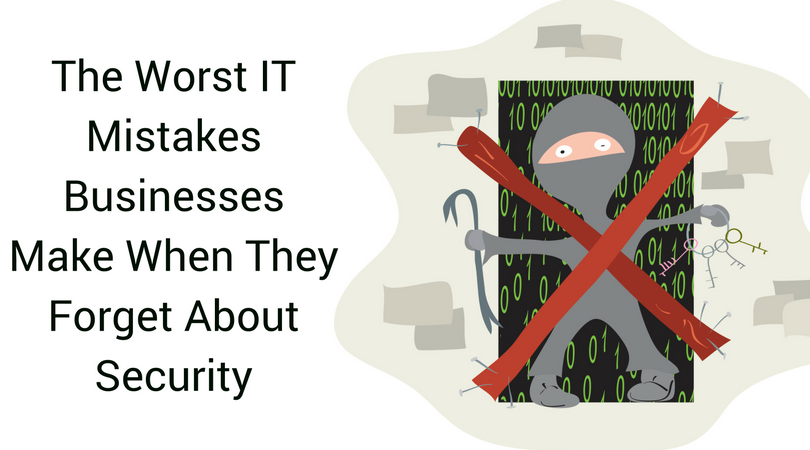
by Felicien | May 29, 2017 | Education
IT without security is a mess waiting to happen: Don’t make these mistakes!
No business should make an IT decision without considering data security. When the two get separated, IT decisions start to develop serious problems. Too many companies have focused on adopting a particular solution without exploring how safe it is…which leads to problems like these. Don’t do these things. Hackers love these things.
1. Not Using Any Extra Security Software
Never assume that the security that comes with your computer is good enough. Don’t fall into the trap of thinking that, “Macs never get viruses” or “The new Windows security software will take care of any attacks.” Security doesn’t work that way – especially for companies that handle sensitive data. Remember the WannaCry ransomware? It and many other types of malware were only created because of a flaw that existed in Windows security software. To avoid the danger of these attacks, you should be using an additional security service at your business. There are a lot of options out there, and you can certainly find a package and price that’s right for you. The extra security is certainly worth it.
2. Creating a BYOD Policy Without Security Requirements
This frequently happens with smaller businesses that are very employee-friendly and jump into a Bring Your Own Device policy headfirst, all smiles and “flexible workplace.” That’s great – but mobile devices are particularly vulnerable to attack. The wrong apps are even worse. Never implement a BYOD policy without clear guidelines for what apps can be used for work purposes, how work data should be handled, and what security or partitioning software should be uploaded onto phones. In fact, many successful strategies focus on ways to prevent business data from ever being stored on phones, which requires more complex virtualization apps. Yes, a good BYOD strategy is sort of a pain for employees. It has to be. It’s much more about compromise than a gift to your employees.
3. Using Good Software That Isn’t Updated
You can have a great, flexible software package that has everything you need and is easy for all employees to understand – and it will be a disaster if you don’t update it for security purposes. Updating schedules are an IT specialty, and should never be skipped or ignored no matter how trivial they seem. This is exasperatingly difficult for many businesses to grasp, and patches go ignored until vulnerabilities appear and data attacks start happening. Here’s the bottom line: Just because your software works fine right now doesn’t mean that it’s safe. And just because you updated your software doesn’t mean all of your employees did. Set an ironclad update policy and stick to it.
4. Relying Poor or Nonexistent Password Policies
This is an infamous problem best summarized by the “sticky note with the password written down, stuck to the computer” problem. Passwords are more than just a way to log into your own account: They are an important part of office security. Fortunately, it’s fairly easy for an administrator to create and assign passwords (a lot of apps can help with this, too) to employees. Don’t let employees come up with their own passwords, and don’t let them write passwords down where everyone can find them!
5. Never Training Employees About New Threats
Extra employee training is a lot to ask for businesses that are already short on time and resources, but it’s especially important when it comes to security vulnerabilities. Employees will not protect their devices and desktop computers unless they are trained and regularly reminded: This has been thoroughly proven. So make some time for security education
6. Setting Up Lazy Wi-Fi Networks
If you have a business Wi-Fi network, it needs to be secured with the latest encryption and administration controls, including robust passwords and device identification. It’s frighteningly easy to steal information from an unsecured wireless network, and too many businesses don’t know the requirements!
7. Choosing Servers or Hosting Services At Random
Ask some of the experts, and many will mention that hosting data and/or managing servers is an area ripe for serious business mistakes. Some companies don’t even know what data is hosted, or how their data is used in cloud services. It’s important to understand exactly what happens to your data, where it is stored, and how it is being protected, either by your own employees or by vendors with hosting services.
Did one of these mistakes hit a little too close to home? We can help your {city} business find new data security solutions! Contact {company} today to learn more: Call us at {phone} or send us a message at {email}.

by Felicien | May 26, 2017 | Education
Memorial Day has been observed on the final Monday in May each year since 1971, but this occasion traces its roots back much farther in our country’s history. Originally known as Decoration Day, this day was first established during the Civil War in 1862 and was marked by loved ones decorating the graves of those who gave their lives serving in the Confederate Army. After the war, in 1868, the veterans of the Union Army soon added their own traditions to the mix, eventually leading to the creation of the ceremonies and customs we know today.
Today, Memorial Day is the more somber counterpart of Veterans Day. It is a day set aside to honor and remember those who have given their lives while serving in the military. It’s appropriate to mark this occasion by visiting cemeteries and war memorials, honoring their sacrifice.
This day holds special meaning for us at {company}. We will be closed Memorial Day to honor the memory of all those who have gone before, and have given their lives for us. If you have to work, please take a moment to honor their memory.

by Felicien | May 25, 2017 | Education
Gated content represents a challenge for B2B businesses – here’s what to know about hiding online content.
When setting up a website, online forms, CTAs and viewer access, B2B companies must also make some key choices about gated content. It’s important to note that gated content is not just about making extra revenue or putting content to work – it’s about managing your brand and what clients think of you. To help cover the issue, here’s a handy FAQ on gating your online B2B content, and what that means.
What Exactly is Gated Content? Is it Just Content People Have to Pay For?
Some gated content is hidden behind a paywall, especially when it comes to whitepapers, reports, research, and so on. However, gated content can be anything that viewers have to take another significant step to see. That could be filling out an online form, or joining an email list, or even buying a product. It could be an ongoing subscription or a single bit of new content – but it will always require that extra step first.
What are the Advantages to This Approach?
There are a couple obvious benefits to gated content. If you charge a couple bucks for people to download a whitepaper, it could pay for the content and then some, reducing overall expenses. By setting a price point or other gate, you may also be able to show your content in a better light – as something special and elite that only the best get to view. Some also say that gated content is a way to filter anyone who is too “casual” and not really interested in making a purchase.
Does Gated Content Work?
Here we come to the problem: Gated content is unpopular. Immensely unpopular, from a customer standpoint. When content is put behind a paywall, businesses lose 93% of potential visitors who simply say “No way.” Overall gated content doesn’t fair much better.
That means that when a B2C company puts content behind a gate, they aren’t so much making it special as ensuring that no one will ever see it. Not exactly what you want to do in an online world where content visibility is your most powerful tool.
On the B2B side, the situation is slightly better. While click-through rates are still reduced by more than half, there are also signs that lead quality and ROI improve with appropriate gated content in the right places. It may not be something you should spread around, but it could also have a purpose in certain cases. This is especially true if you have had trouble in the past wasting too much time going through clients who just weren’t serious about buying.
What Does Appropriate Gated Content Look Like?
All right, if you do want to filter out some less desirable queries from B2B clients who are cutting down your lead quality – what do you do? There are two things that can make gated content work in specific situations.
Keep the requirements ultra-simple. Don’t do a paywall. Don’t make a complex CTA. At the most, have a simple online form to provide contact information and add the visitor to your email/social media list. Remember how precious time is on the internet – if people have to spend more than a few seconds doing something, they are likely to leave.
Make sure the content is data-rich. In the B2B world especially, gated content needs to be of the highest quality. We’re talking about in-depth research, surveys and studies that haven’t been done anywhere else, filled with valuable strategic information. If all you have behind the gate is a bunch of general advice or news available with a quick Google search, visitors will surf away thinking less of your company.
I’ve Been Using a Lot of Gated Content. Can I “Ungate” It Successfully?
Yes! In fact, this can be a very effective strategy for companies that have been gating content for years and now realize that it may have been a mistake. After all, you now have a whole lot of content that most people have never seen, so content creation isn’t nearly so time-consuming or difficult. What you need is a plan to slowly, thoroughly ungate content and share it with the appropriate social circles (LinkedIn is probably a better place than Facebook, and so on).
For more information about controlling access to content and managing online forms, contact {company}. We provide data services for {city} companies like yours and can help you find the best services to meet your unique goals. Contact us at {phone} or {email}.
