by Felicien | Jul 3, 2017 | Education
Incorrectly hardening servers are one of the biggest challenges in cyber security. Watch from the driver’s seat to see what (ethical!) hackers are looking for so you can protect against vulnerabilities.
Security experts on both sides of the house recognize that bringing up a new server improperly can create a wide open door for cybercriminals, but how can you know for sure that you’re closing every nook and cranny and completely hardening your server? Small- to medium-sized organizations are particularly vulnerable, as they may not have the full complement of IT staff required to specialize in cyber security and are likely following a set of directions instead of fully understanding the challenges they’re facing. With the rapid pace of change and the complexity of technology today, it can be difficult to keep up with the myriad options available for your network. {company} agrees, so we’ve put together a first-hand view of how an ethical hacker quickly takes down a business Avaya server in a very short period of time. This cautionary tale may offer you some ideas for keeping your organization’s data such as your customer and employee personal information safe from cybercriminals.
Types of Attacks
There are some standard types of attacks that we see on a regular basis, many of which are perpetrated when an unethical individual gains access to a key internal server:
DoS: Denial of Service attacks can cause a web server to come to a halt, making your website(s) completely unavailable to users.
Phishing: Perhaps the most well-known type of attack, phishing occurs when individuals within your organization click on a link or navigate to a website that is fake. Individuals are then tempted to enter personal information or passwords so the hacker can gain entrance to your company.
Defacement: A scare tactic that is often used towards politicians or large corporations, defacement occurs when a hacker gains access to a web server and replaces the company’s website with a different page that includes a message, music or even the hacker’s name.
DNS Hijacking: Hijacking your domain name server (DNS) redirects all web traffic from your site to another location on the web.
Sniffing: Hackers attempt to “sniff out” sensitive information that is being passed internally and externally to your organization through an intercept, in an effort to gain unauthorized server access.
Cybersecurity Risks
Let’s say your organization’s servers have been hacked. What does this really mean in terms of data loss and security? Not only can your organization’s reputation be ruined by a DNS hijacking that sends your customers to a nefarious website, but cybercriminals can also install malicious viruses that can utilize your systems as a replication tool, sending viruses out to all your clients and contacts. Additionally, a true data breach could be incredibly expensive in terms of lost business and even lawsuits against your organization if the personal financial information is breached and then utilized by hackers. However, perhaps the most troubling and damaging effect of an attack is the loss of trust from your customers, which can have a long-term negative impact on your organization.
Let the Hacking Begin
The penetration testing was done against three different Avaya servers, exploiting different vulnerabilities each time. In all three instances, the white-hat security tester was able to gain access to all three servers.
LDAP Scenario
The first activity was to run a Nessus vulnerability scan, which showed that anonymous LDAP queries were a possibility: a hacker’s goldmine of data. Once this was determined, the hacker determined it was an easy step to scan for an Avaya phone tree by using JXplorer and looking for an LDAP tree with root “vsp” with a branch labeled “People”. After that, it was simple enough to scan for the two important entries: “cust” and “admin”. After determining that the passwords within the entries were hashed, it took only a moment to break the encryptions using a software tool called John the Ripper, even with the default settings. Turns out, the passwords were still the default passwords for the system “admin01” and “cust01”. After trying a few different tactics to get a full shell, the hacker eventually was able to utilize a combo of a Meterpreter reverse tcp payload via a Linux binary executable file delivered by msfvenom to essentially backdoor into the system. Next, the hacker was able to gain access to a second box that was tied into the first one, simply by following root SSH keys — which can indicate a way for users to log into the system remotely without a password. An additional find was user passwords on the second server, none of which were difficult for the hacker to guess using easy counter-encryption methods.
Two Down . . .
On the final server on the same subnet, the security expert quickly got a bonus find: easy logins with a full shell using the default “cust” and “admin” passwords. While they did receive a full shell from the system, the passwords and usernames uncovered in the first two servers also worked on the third. However, the shell would not allow access to the root directory and this third server was proving a difficult nut to crack. After utilizing linuxprivchecker.py script to identify any potential locations to run a binary, the hacker uncovered that the majority of locations on the box were covered with noexec commands — effectively halting binaries from executing to protect the server. Eventually, however, the white hat hacker noticed that there was a diag program setuid binary that was only available to a few users within the group, and not the users whose accounts were already compromised.
Getting to the Root
After several circuitous attempts, the security expert managed to gain access to a shall as a secondary user, by running through voice-only setup binaries and leveraging the diag command, which runs as root regardless of where the command is executed. The meterpreter reverse payload was used again in this instance, to gain access to the /msg/database/vm/tmp directory, which eventually led to full root access by the hacker.
There are several vulnerabilities in this scenario that could have been prevented with successfully-hardened servers. If all security patches were in place, no default user passwords and configurations were successfully updated, penetration would have been much more difficult if not impossible. Our cybersecurity experts are standing by in {city} to help support and protect you from attacks such as this one. Contact {company} today at {phone} or via email to {email}, and we’ll work with you to ensure that hackers will not have such an easy time gaining access to your protected information.

by Felicien | Jul 3, 2017 | Education
In the rapidly changing digital world, cyber security has become a major issue. Even tax preparers working for the IRS are no longer safe. Here is an in-depth look at the lessons that everyone can learn from the latest phishing attempt on tax preparers.
On June 23, 2017, the IRS released information showing that it had been the target of hackers and cyber criminals. The attack was similar to past ones that targeted tax professionals with phishing emails. However, these emails were different since they seemed to have come from tax software that is authentic. The emails would request for preparer information that in the wrong hands could be used for filing fraudulent tax returns.
What the IRS Recommends.
In a Bulletin, the IRS said the real organizations should not ask for passwords, usernames, or other sensitive information via an email. Although hackers were phishing for particular data such as Centralized Authorization File (CAF), Preparer Tax Identification Number (PTIN), and Electronic Filing information Numbers (EFIN), various organizations can apply the lessons from this attack.
Why are Tax Preparers So Valuable?
Cyber criminals target tax preparers for the most basic of reasons. If the accountant is working on 500 sets of data a year, those are 500 opportunities to steal identities. However, whether you are an accountant, a doctor, a lawyer, or anyone in any industry, you will need to take precautions. It is essential if you have house sensitive customer data in your system. Criminals will do anything to get it.
Monitoring solutions that maintain a 24/7 watch on your system are necessary. Besides that, you will need to comply with industry and government standards to stay safe. Simply having off-the-shelf firewalls and a basic anti-virus program will not be enough to keep you safe. In the rapidly evolving world of malware, you will need to do much more. For instance, you need properly deployed backups, multi-layered security, physical safety measures, and dedicated servers if you hope to stay safe.
No matter your industry, here are a few proven strategies on how to stay safe:
1. Never share sensitive information via an email.
It may seem self-explanatory. However, we all know a person who has sent or received their Social Security number or driver’s license via the internet. If the IRS needs your information, they will first send you an email. They do not use phone calls or emails to try to reach out to people. You need to treat anything else such as your bank account number, any username/password combination and other sensitive data delicately.
2. Learn to Identify Attempts to Steal Your Data.
There are major hallmarks of a scam that you can use to tell when you are about to get robbed. For one, it will have misspelled words, strange phrasing, and some awkward grammar. Besides that, you can check the address and the domain name. Besides that, avoid clicking on any unknown links in the email. Although it may seem time-consuming, any time you get an email request for your data, you should be alert and scrutinize it carefully. That way, you can avoid losing your data to hackers.
3. Avoid Using the Same Password for All Your Accounts.
All that cybercriminal need is a single login credential to access sensitive data. If you are using a single password for all your online accounts, you may have made yourself a simple target for the hacker. Thus, you should always create complex variations of your passwords with a mix of letters, special characters, and numbers. There are some great password managers available today that change your password often. Thus, they leave you with only the task of remembering a single master password. If the account you use offers two-factor authentication, you must make use of it. However, no matter what solutions you use, never utilize a simple password such as “password1234. “
4. Be cautious on the Internet.
Anyone who deals with sensitive information needs to have a multi-layered security solution in place. If you use Wi-Fi, ensure that it has password protection and that it is not public. Whenever you access a website, ensure that it has the “https” designation or a lock sign next to its web address. Besides that, avoid clicking on the adverts that are usually too good to be true.
5. Make employees Part of any Security Plans You Have.
In the IT world, the human factor is one of the first lines of defense against any cyber-attack on your system. If employees have the right information, support, and training, they could help to keep your systems secure. Ensure that you have a written set of plans that all employees must follow. Besides that, ensure that the organization works with a trusted IT company to generate thorough policies and procedures to keep the business safe. It takes just one click to one link or a piece of sensitive data in the wrong email to expose the business. Thus, addressing these threats early is an excellent way to mitigate any preventable hacks.
6. Provide Your Data with enough Protection.
No matter the industry in which you work, it is more than likely that you value your clients. Thus, you should ensure that you treat their data with respect. To do this, you will have to come up with strict protocols to which everyone must adhere. Another important way to secure customer data is to have regular backups made on a remote server. Thus, even when a data breach occurs, you will still have a way to continue operations.
Talk to a Security Expert.
If information security is an important topic to you in this rapidly evolving world, you should talk to an IT expert. These people understand that importance of securing data. They also have years of dealing with cyber threats. No matter how big or how small your organization is, hackers do not care. They will make use of any means possible to get access to your data. Only a professional can help you get the high level of security that your organization needs.
by Felicien | Jun 30, 2017 | Education
Here is a breakdown of the new video service called Microsoft Stream. It has a lot of potential as a video streaming service for businesses.
The role of video in the modern world of business cannot be ignored. In most modern workplaces, video allows for the efficient sharing of information and the training and educating employees. It is also useful in building a culture and increasing engagement in the workplace.
The History of Microsoft Stream.
In 2016, Microsoft released the beta version of Microsoft Stream. The video service is intended to make it easy for people inside an organization to upload, manage, and share videos in a secure environment.
A year later, Microsoft has rolled out the service to 181 markets all around the world. The service will be provided in 44 languages. Microsoft will provide it to all users of the Office 365 service. Additionally, the company announced that it would come up with new and interesting features for the service.
The One-Stop Shop for Video.
The Microsoft Stream service is intended to be a single stop destination for managing videos. It will be integrated into Office 365 and with the IT management and security needs that all businesses require. All individuals within the organization will have a destination where they can contribute videos and discover videos generated within the company.
Additionally, it is integrated with all apps in Office 365 suite. Thus, people on any app in Office 365 will be able to share videos with each other. The service is also integrated with Office 365 Groups. Each group has a designated channel, which makes it quite easy to share content across teams.
A Service Built for Collaboration.
If you already use Office 365, Microsoft Stream gives you an extra tool for more collaboration. You will be able to seamlessly integrate it into other apps that you use daily within Office 365. People collaborate using multiple tools in an organization and this service now allows you to add video. Those on Office 365 can begin to enjoy this integration right away.
Intelligence in Microsoft Stream.
The Microsoft Stream boasts of having some advanced intelligent features. Here is a breakdown of these features:
Speech to Text.
In Microsoft Stream, transcribed audio will be searchable. You simply need to type in a few descriptive words to get to any point in the video where you want. This feature is quite important. In most cases, business videos can be as long as 60 minutes long. However, employees may only need to watch a small 3-minute section that is relevant to their department. This will allow employees to fast forward to sections that matter to them.
Face Detection.
Face detection allows users to view when each person in a video is shown. Through a clickable timeline, a user can jump to instances when someone’s face is shown.
Time Codes.
Time codes are displayed in the comment section, and they link to text transcripts or table of contents. Thus, users can jump to a specific point in the video where they think they should be.
Security is a Priority.
Microsoft has used its industry-leading encryption for all video to ensure that customers who use Microsoft Stream share their videos with only the intended audience. Security management has been made quite simple with the Azure Active Directory.
Besides that, system administrators can tweak guidelines so that employees have to accept terms before uploading any video. The videos can be viewed seamlessly across devices, which allows employees to work at home or at the office. Some of the features you get include screen readers, closed captioning, high contrast, and keyboard navigation.
There is Increased Permission Management.
Microsoft Stream Groups, which are based on Office 365 Groups, allows users to better manage video permission. That simply means that videos can be made available to only select groups.
Office 365 Video Will Be Phased Out.
Office 365 Video will be phased out over time. However, it will not happen overnight. It is going to be done in stages, to ensure a smooth transition. Besides that, Microsoft will be careful to ensure that they get to retain all their content.
It is built on Experience.
The Microsoft Stream service is based on lessons learned from Office 365 Video. The result is that Microsoft has been able to achieve deeper integration and intelligence into Office 365.
Where is it?
For Office 365 customers, Microsoft Stream is found in the Office app launcher. Alternatively, people can visit the Microsoft Stream site and sign up. Those without Office 365 will get to enjoy a Microsoft Stream standalone service that begins with a free trial.
Areas that Could Use Improvement.
In essence, Stream is a password-protected version of YouTube. It is a bit rudimentary, although that may change with time. Some of the areas that could do with improvements are:
1. External Delivery.
Besides serving videos to internal audiences, businesses need to be able to stream to other partners, customers, and to the public. However, that is not currently possible with this service. Only an internal audience can view the videos.
2. Limited Deployment Model.
Today, the service is limited to the cloud. However, it may be nice if on-premises and private cloud hosting could be supported.
3. Video Creation Tools.
The line between content management and video creation has been blurred in recent years. The Stream service has no video creation tools. Besides that, Office Mix has no support for Stream publishing.
4. Video Editing.
Web-based video editing has become the norm in enterprise video platforms. The ability to cut videos, trim, split, and even splice videos together has become quite common. However, Stream has not yet upgraded to a video editor tool.
5. Video Analytics.
The ability to track the performance of videos shared within the organization is important. However, Stream only has a simple count of the number of views per video. Some of the features that could be added later are drop off rates, views by user, and completion rates.
6. Live Stream.
Although its name hints at it, Microsoft Stream does not have live stream support. However, that may be provided in coming months. It is quite clear that the company has invested a lot of effort into this service and major improvements can be expected in coming months.

by Felicien | Jun 29, 2017 | Education
Microsoft recently unveiled a mobile version of their Planner app. Here is a breakdown of what is contained in the app and what could be expected in future.
Microsoft recently announced their Microsoft Planner app would be available for the Android and the iPhone. People who already have the web Planner app can use it to view and make tweaks to their plans on the move. This mobile app was developed after Microsoft analyzed the feedback they have been getting from users of their Planner web app.
For those who are new to Planner, they can still use the web version and then view their plans on their mobile phones. The Planner is made available to all users that have the Business Essentials, Office 365 Enterprise E1-E5, Education, and Business Premium subscriptions. Users of the planner can seamlessly download the new app to their device.
What to Expect in Coming months.
Microsoft will add push notifications and the ability to create plans directly on the app with time. Additionally, they plan to integrate it with Intune. The company is still open to requests from users of the app. They have provided a link where users can upload their suggestions.
Understanding Planner.
The planner was launched in June 2016 as part of the apps suite for Office 365 Business and for school users. It provides a simple and visual means to organize team activities. The app enables you to assign or organize tasks, share information on projects, and receive updates on the progress of a project. In short, the app is aimed at improving collaboration among team members. It works in a similar manner to apps like Asana and Trello. The app comes as part of the Office 365 Suite free.
What to Expect for the Mobile app.
The mobile app is available for download. However, it does not have as much usability as the web version. For instance, the plans can only be created in the Web version and viewed on the mobile apps.
The Planner is quite easy to use and will allow you to view your tasks in one place. When your plans change, you are able to update the board with a simple drag and drop motion. Additionally, you will be able to chat with task members on the go. For now, you need to be subscribed to Office 365 work or school for the app to work. If you meet this qualification, the app is free to download on the App Store and Google Play store.
You Can Receive email Notifications.
One of the cool features of Planner is the fact that it has email notifications. That way, even if you forget to open the app, you will always be notified via an email. It is a great way to ensure that everyone gets to complete his or her tasks in good time.
What the Future Holds.
As of now, Microsoft has admitted that there is still a huge functionality gap between the web and mobile versions of the app. In future, Microsoft will add the ability to create plans to the mobile app. They also plan to integrate the app with Intune, which is the mobile app management platform.
However, their competitors are not just sitting back as Planner takes over the market. One of the competitors added two Power-Ups to their mobile app. That simply means they have increased integration and added more features.
On Trello, the upgrades will allow users to view items with the due date in the calendar view. Thus, users will be able to better anticipate and plan activities as project milestones approach. When it comes to deciding on issues, the app also has a voting feature, which ensures that all team members can agree on the direction they will take. Through voting, users can prioritize issues in an easy manner. The result is that it ends the need for lengthy meetings, which could eat into the productivity of the entire team.
Another competitor, Zenkit also has big plans. A while back, they announced a feature that will allow users to connect more than 750 apps to a project management platform. It will help to eliminate many of the repetitive tasks that are part of managing any multi-app environment.
For instance, the feature will eliminate the need to copy and paste customer data manually. The feature will also allow you to update data from your email marketing platforms, help desk services, and online forms.
Interestingly, the new integration feature from Zenkit will allow it to connect with its competition Trello. Other third party integrations possible on Zenkit’s Zapier are GitHub, Evernote, and Google Sheets.
How Planner makes work Easier.
Planner has four main functionalities that make it a must-have app for any business environment.
1. Information Hub.
Once you have Planner, you will never need to open multiple tabs of the same thing. You get to see everything in one place. Even when more than one person has to work on a task, the Planner can assign it to multiple people effortlessly.
2. Flexible Categorization.
The Microsoft Planner has a lot of flexibility in how tasks can be categorized. You can create as many buckets as you wish and add tasks via a simple drag and drop motion. The Buckets are awesome since they can add or remove with ease. Besides that, the buckets have many features that you will find useful while using Planner.
3. Communication.
Communicating with others about a task can be at times quite tricky. For instance, team members may not have viewed the original email thread. Additionally, they may not have been at the meeting when you assigned the tasks.
This is where Planner proves useful. On each task card, there is the comment section. You can leave comments. Additionally, when you begin a conversion in the Group mailbox, it is broadcast to all member of the Group. It is a great way to develop transparency around Group tasks.
4. Insights.
Another interesting feature of Planner is the soft analytical insight it offers users. It helps you to see if any of your team members have been overloaded with too much work. Besides that, you are able to track team productivity.
With the Chart overview, you can quickly get a sense of what is happening with the team. You can quickly tell which projects are late and when some prioritization is required.

by Felicien | Jun 29, 2017 | Education
Non-compliance with Canada’s anti-spam legislation could cost businesses $10 million. Now legislators are seeking a balance between communication and spam.
Canada is known by marketers to have some of the most comprehensive anti-spam laws in the world, making it challenging to safely navigate communication that is sent in connection with “commercial activity”. However, those regulations recently came under fire when the government under Prime Minister Justin Trudeau decided to relax some of the rules that currently allow Canadian citizens to sue organizations who send them communication that is classified as spam. While some individuals are lambasting the decision stating that it is a “major victory for the business lobby groups”, business owners and marketers appreciate the relief from what many perceive would have led to frivolous lawsuits.
Current Canadian Anti-Spam Legislation
Canada’s current anti-spam legislation, known as CASL, is quite vigorous and requires that all electronic communication receive full consent from individuals before the message is sent — and that applies to messages that originate within and outside Canada as well as those that travel within the country’s borders. CEM, or Commercial Electronic Messages, are any message that encourages individuals to take commercial activities such as utilizing a coupon or taking advantage of a sale. Organizations are required to receive express consent from individuals before the message is lawful, but consent can be challenging to obtain and retain. Canada’s laws consider that consent has been gained when you have documentation of the following, either orally or in writing (electronic copy is acceptable):
Name of organization or individual
Physical mailing address
Contact information such as a voice messaging system, phone number, or email address
Statement of identification from the individual
Contact information and identity of any third-party affiliates
The good news is that organizations are able to wiggle through a few little loopholes because consent can be implied instead of expressly stated, and published electronic information is also fair game even without consent.
CASL Exemptions
There are extensive exemptions for Canadian and other organizations under the CASL regulations. For example, individuals who are related by marriage or friendship are exempted, organizations with an existing business relationship will not be penalized and contacts that originated as part of a request, inquiry or complaint are also exempt from the strict CASL standards.
CASL Non-Compliance
Just as the requirements for CASL are among the strictest in the world, the penalties for non-compliance are also quite rigorous. As of July 1, 2017, the regulations were set to take full effect, but the government has paused full implementation for the time being for a parliamentary committee review. There are three Federal agencies in Canada tasked with jointly enforcing the stringent requirements: the Office of the Privacy Commissioner of Canada, the Competition Bureau and the Canadian Radio-television and Communications Commission (CRTC). The fines that these organizations can levy against offending organizations can go into the millions of dollars, with organizations facing fines of up to $10 million. While the laws haven’t yet gone into full effect, the CRTC executed its first warrant under the Privacy policies against a computer service based in Canada that was delivering spam software.
Preparing for CASL
While the legislation is currently on hold, there’s no guarantee that the hold will stick — so it’s important to ensure that your business is fully compliant with the updated standards when they take full effect. There are a variety of steps that you should take to become compliant, including:
Define any CEMs that you may be sending
Outline whether CEMs are going via email, SMS text messaging or other direct digital communication methods
Determine whether the level of consent is express or implied and that all the required contact information is being properly captured
Post-compliance audit, define next steps to gather required information before additional CEMs are sent
Ensure that any CEMs that would be subject to CASL rules contain the legally required information
Determine impact of CASL on your customer relationship management software, marketing automation tools and other digital mechanisms for content dissemination
Update procedures and policies to capture audit trail and all required information
As Canada’s government seeks to determine the right balance between allowing organizations access to Canadians and protecting the rights of those living in the country, the rules around CASL are likely to shift. However, the compliance requirements have already been through a full three-year holding period, and have been public knowledge since July 1, 2014. For the time being, businesses and non-profits are still able to send digital communications without limits to Canadians, but that could change at a moment’s notice with the reversal of this temporary hold on CASL.
While these general standards are good to keep in mind, it’s important to note that each organization will have slightly different requirements for capturing and maintaining a database that easily allows you to filter out individuals who have not indicated full compliance with CASL. If you have questions, or need assistance in {city} determining if your business practices are fully compliant, contact {company} today at {phone} or via email to {email}. Our security and communication professionals will work with you to determine any steps necessary to avoid the massive fines imposed by Canada’s Anti-Spam Legislation.
by Felicien | Jun 29, 2017 | Education
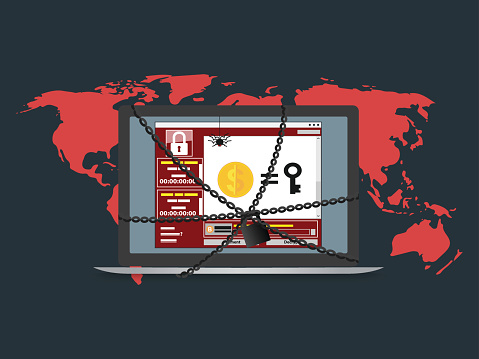
This a simple breakdown of the new ransomware attacks spreading globally. The attack is quite different to anything that has been spread in the past. The intention may not even be money.
Recently, a new and viral malware has been spreading throughout Europe. News organizations such as the Washington Post and The New York Times have been talking about it quite a lot. However, no one seems to have much information about it.
The stories began on the morning of June 27, 2017. While its method of infection has not been discovered, it is known that this malware in behaving like a worm. That means when one node is infected, it tries to spread to other nodes. When the virus infects a computer, it shows a “Chkdisk” screen that is meant to entice the user not to power off. This attack has been touted to be even worse than the Wannacry attack.
Kaspersky Discovered in First.
Kaspersky actually discovered this Ransomware a while back. Since then, they have noted that it has been spreading for weeks. The reason why it has become such a big issue in recent days is that it has started to affect huge organizations, especially government organizations.
What is Known About it.
Some researchers have christened it PetyaWrap. It uses a potent mix of techniques to enter a network and from there spread to all computers in that network. As with other attacks from ransomware such as WCry, it made use of EternalBlue. This advanced exploit was developed by the NSA to snoop on unwitting users of the Windows OS.
The new attack used a new exploit called the EternalRomance, which was developed by the NSA. Microsoft developed a patch for the vulnerabilities. However, many computers remain quite vulnerable. People with basic technical skills now have a powerful method to deliver any kind of digital warhead that they wish to install in a computer. It is especially so for those who had not installed the updates from Microsoft.
However, EternalRomance was not the only exploit that it used. The recent attack showed that it was a major improvement over past attacks. The new attack also used Mimikatz, which is a tool used to extract passwords from computers on a network. With that ability, they could use PSExec, which is a legitimate component of Windows.
That means even computers that had updated their OS and were immune to EternalRomance and EternalBlue could be hacked. Some of the Ransomware is also using a vulnerability of Ukrainian software called MeDoc. The result is that MeDoc is being used to send updates to the end users.
MeDoc Could be Patient Zero.
Kaspersky just fell short of saying MeDoc was the reason this ransomware attack spread so fast. Others are also fingering MeDoc as being the source of the weakness. MeDoc only indicated that their server made a virus attack in an update on their site. Most analysts have interpreted the post as MeDoc admitting guilt.
How it Works.
When the malware creeps into a computer, it waits for about 10 minutes before it reboots the computer. After that, the hard disk is encrypted, and a $300 ransom is demanded when the computer restarts. If someone switches off the computer before it reboots, he or she could save their computer if they allow a professional to restart their computer.
Ukraine Was Hit Hard.
Many news organizations globally report that Ukraine was hit hard. The malware hit metro networks, power companies, government sites, banks, airports, media organizations, and state corporations. Even the radiation monitors at Chernobyl were not spared.
One of the reasons WCry was killed off was that its developers hard-coded a kill switch into it. However, researchers are concerned that there may be no simple solution to stopping the spread this time.
Reports of Windows 10 Attacks.
Some reports indicate that it was able to attack an updated Windows 10 computer. Besides that, it is said that the computer had a working anti-virus installed and had the SMBv1 protocol switched off.
It is also Stealing Credential.
This new strain is targeting the master boot record of computers. It is an important file, which allows the computer to locate the OS and other important components. However, it also delivers a payload that steals usernames and passwords and sends it to a server under the control of the attackers. That means the attackers could be in possession of high-value data.
The attack was initially limited to Ukraine and Russia. However, it soon spread to Poland and then to Italy, Spain, France, US, and India. Major law firms and other companies in the UK said that their systems were under attack.
Peculiar Attack.
Victims of the attack were told that they had to email payment details. Within a few hours, the email went down. That made it impossible for those who had paid the money to recover data. The result was that it led to speculation the aim of the attack was destruction, not money.
What Can You Do to Stay Safe.
There are a few Steps, which computer users can take to stay safe. They are actually quite effective.
· Question All Attachments.
In a world where digital spoofing is so easy, do not trust anything. Do not open an attachment unless you were expecting it to arrive. If you feel you must open it, use your phone to call the person so that you can verify they sent an email to you.
· Do not click Links in an Email.
Before opening a link, position the cursor over it. If the URL is different from the text over it, avoid opening it. Besides that, use your phone to confirm any link sent to you.
· Be Attentive.
If an email uses language that suggests urgency, you should be quite cautious about clicking on it. If an email offers something to you for clicking the email, avoid it. Additionally, any email that seeks to generate some emotional response from you needs to be watched carefully.
· Stay Focused on Your Work.
Avoid receiving funny cat videos from your friends all the time. It is possible to receive a video that has bugs encoded into it. Unless your job involves studying cats, avoid unnecessary downloads at all times.
Most importantly, never pay any ransom. There is no guarantee you will receive the decryption key.
