by Felicien | Aug 4, 2017 | Education
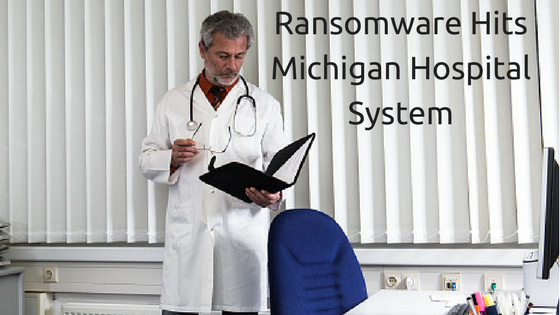
On July 5th, 2017, disaster struck a series of hospital networks in Michigan. Caro Community Hospital, Caro Medical Clinic and Caro Quick Care all lost access to not only their desktop and laptop computers, but also phones, email services and even patient records. A message on a computer screen confirmed administrators’ worst fears—They were a victim of ransomware.
According to Caro CEO, Marc Augsburger, the ransom note provided a single email address to use to determine the payment required to recover the locked data. The hacker specified a payment of $120,000 should be made in Bitcoin!
Instead of paying the hacker, hospital administrators decided to quickly shut down all electronics following the attack. This caused a great deal of disruption, but the damage was mitigated due to IT policies and procedures that were already in place. Hospital staff were well trained on keeping paper-based records in the event that such an incident occurred. All computers and other devices were also backed up remotely on a regular basis, so it was only a matter of time before Caro could get its systems back up and running.
What made this ransomware attack so unique was the extent of the machines affected.
Traditional ransomware strategies seem to be one of quantity over quality. The files on a single infected machine are quickly encrypted, and the ransom is typically a few hundred dollars. This particular strain didn’t just affect servers, computers and other devices, everything connected to the Caro network was affected, including the VoIP phone systems that were operated by those computers.
Make no mistake—The disruption was absolutely a bad thing, but the situation could have been far worse were it not for these policies. They also helped guarantee that no personal information of employees or patients was compromised during the attack.
It took nearly two weeks to get all hospital operations back up and running. Caro administrators contacted both the FBI and the local police in the immediate aftermath, both of which are still searching for the person or people responsible. The FBI indicated that this was a brand-new strain of ransomware, and one that they would continue to watch out for in the future.
The State of Malware
As the Caro hospital staff discovered, ransomware is the “latest trend” in terms of cyberattacks. To say that the digital world is getting more dangerous is something of an understatement:
There were 22 million new malware samples in the first quarter of 2017 alone.
A new malware specimen is emerging every 4.2 seconds, a pace that’s getting faster all the time. To put this into perspective, there were only about 6.8 new malware samples discovered in the entirety of 2016.
In 2015, attacks occurred at a rate of about 1,000 per day. Fast-forward just a year later, and that number climbed to about 4,000 per day – an increase of 300%!
The number of phishing emails is also on the rise. In the first quarter of 2016, 92% of phishing emails contained some form of ransomware. Just a few months later, that number grew to 97.25%.
Learning as much about ransomware and other forms of malware is the key to ensure your organization doesn’t suffer the same fate.
If you had to make a list of the worst cybersecurity threats facing businesses today, it’s this particular strain of malware that can encrypt all of the files on a computer and network. This means that every kilobyte of data on a machine is lost forever, unless you’re willing to pay a hefty fee to the criminal holding your data hostage.
According to a study conducted by Friedrich-Alexander University, most of these attacks are successful because of overconfident users. 78% of people claim to be aware of the risks associated with clicking on unknown links in emails, and of phishing in general—Yet they go on to click on these links anyway.
Because ransomware infections are most often the result of accidentally downloading a malicious file, many assume it’s a situation where a little common sense goes a long way. Recent events have proven this isn’t enough.
As a business leader, it’s important for you to understand that ransomware is just one of the many types of digital threats that should concern you. Hackers are getting more sophisticated all the time, and the key to staying protected involves making an effort to stay one step ahead of them. Cybersecurity training for your employees is essential.
If you’re in {city} and would like to find out more about cybersecurity issues, OR if you’re interested in cybersecurity training for your staff, please don’t delay—Contact {company} at {email} or {phone}.
by Felicien | Aug 4, 2017 | Education
Do you know how to customize Windows 10 to fit your needs?
If your job requires work on a PC every day, even the smallest details can make a huge difference. Flexibility has never been a selling point for Windows. But, with the release of Windows 10, Microsoft has changed this perception by providing ways customize it.
I love that Microsoft is trying to be more customer-oriented. I’ve never been a fan of previous versions that straight-jacketed users into doing things the Microsoft way. With this release, Microsoft has finally released some power to us. It’s worth spending an afternoon optimizing your Windows 10 OS to make it work for you.
Take Control of Windows 10 OS
Create your own themes. While Windows 10 gives us a number of nice themes, it’s unlikely any of these will be your ideal one. That’s okay. Windows 10 now lets you create your own desktop themes to match your needs and personality. You can find the Theme folder under Personalization in the Settings file. Click on it and change your theme’s background, color scheme, alert sounds, and more.
Declutter your Start Menu. Windows 10 OS comes with a lot of free applications. Let’s face it—You probably won’t ever use them. You can regain some space on your Start Menu by right-clicking on these unwanted apps and selecting “Uninstall” from the pop-up menu. Unfortunately, there are some apps Windows 10 won’t let you uninstall. Fortunately, you can remove most of them with Windows PowerShell. Learn how to use Windows PowerShell to uninstall apps in this tutorial.
Make folders for your Start Menu. Another new feature is the ability to create folders for the Start Menu. By combining similar apps into one folder, it’s much easier to find the software you need. To do this, make sure all the apps you want to add are already in the Start Menu. Then, all you need to do is left-click, hold down the button on the app you want, and drag it on top of another app you want in the same folder. You can repeat this process to add more apps. After you’ve added all the apps you want in the folder, you can access them by clicking on the folder and clicking on the app you wish to use.
Manage Cortana. Cortana is Microsoft’s answer to Siri and Alexa. However, this digital assistant is not to everyone’s liking. Unfortunately, Windows 10 no longer allows you to turn off Cortana. If you want to get rid of it completely, it can be complicated. Nevertheless, it’s a “snap” to change the settings to have a better relationship with Cortana.
The constant search bar at the bottom of the page is distracting. I suggest that everyone gets rid of it by right-clicking the bar, selecting Cortana and then deselecting the Show Cortana and Show Search Box options. You can access even more settings for Cortana by clicking on the notebook icon under Settings. There are a number of options, but the most useful setting is the “Hey Cortana” option. This lets you use your voice to interact with your computer by first saying, “Hey Cortana” and then asking a question in the same way you access other types of virtual assistants.
I suggest my clients turn this feature off, especially if they’re worried about draining their laptop’s battery. However, if you’re using a desktop computer, or you want to have the ability to use “Hey Cortana,” this is the place to adjust the settings. I recommend those who do should enable “Active Listening,” even when the computer is locked, and choose the option to prevent the computer from going to sleep.
Heavy users of the “Hey Cortana” feature may want to train Cortana to recognize their voice by reading six short phrases. To access this option, click on the Learn my voice button you’ll find with the other Cortana options.
Protect your privacy. Privacy is a huge issue these days, and many Windows 10 users are wary of Cortana. Cortana collects and stores a wide range of personal information, like your web browsing, and passes it on to Microsoft. However, in addition to Cortana, Windows 10 includes other features that may present privacy concerns, like WiFi Sense and an Ad ID for tracking you across multiple apps. I suggest business users adhere to the strictest settings for any device that connects with a company’s network.
I also suggest every business user turns off the following features:
Cortana’s “Getting to know you.” You can find the option to turn off speech services and typing suggestions under Setting> Privacy > Speech, inking & typing.
Sync your settings. Turn this off under Settings > Accounts > Sync your settings.
Notifications on your lock screen. Block notifications on your lock screen by turning it off under Settings > System > Notifications & action.
Ad-tracking ID. DeselectLet apps use my advertising ID for experience across apps at Settings > Privacy > General.
Windows 10 is a great operating system if you know how to use it. For more tips and information about Windows 10, contact {company} in {city} at {phone} or {email}.

by Felicien | Aug 3, 2017 | Education
Do you need to incorporate updated technology into your existing network?
Is your small or medium-sized business taking full advantage of today’s technological capabilities? If you answered, “Yes,” then you deserve a hearty congratulation. However, if your answer is, “No,” don’t worry. You’re not alone.
Results from a recent 2017 survey conducted by the Deloitte-MIT Sloan Management Review reveal that only 25 percent of businesses that responded believe they are taking advantage of all the technology benefits available today. As shocking as these results may be, the results were no surprise to those who conducted the study. The researchers found similar results over the past three years.
Let’s take a moment to discuss what this report actually reveals. Since the information in this study is based on self-reported surveys, it means those responding knew they weren’t getting the most they could from their technology. Additionally, many felt this way for years, yet they never tried to correct the problem. Why?
As somebody who is constantly on the lookout for new business-friendly technologies to share with my clients, I know how difficult it can be to adopt them. However, in this increasingly competitive marketplace, your business needs every advantage you can provide. That’s why I want to share some ways to help your business technology “grow up.”
Three Ways to Help Your Company’s Tech Mature
Develop a roadmap to better technology. Just like with any other journey in life, it can be difficult to know where to turn to get to your destination if you don’t even have the right directions to follow. Many of the business people I speak to on a daily basis understand that their companies aren’t making the most of technology—And, they don’t know what steps to take to get where they want to go. What I find even more troubling is when an owner of a business admits to me that he doesn’t have a clue where he wants his company to be technology-wise.
That’s why I always recommend to my clients that they have a clear goal in mind before incorporating any new technology into their business’s strategy. I suggest that they set a realistic technology goal based on their current and future business needs, and then develop a long-term plan to reach it. Those businesses that don’t employ in-house staff to create a technology roadmap, should always consider working with an outside IT expert who can guide them.
Use technology to make meaningful changes in the way your company does business. Any new technology you introduce needs to be worth the disruption it will cause. Never expect your employees to adopt new technology without issues. Even the smallest changes are difficult to adapt to. And when your employees have been doing something in the same way for years, they don’t want things to change unless they offer a major benefit.
On the other hand, while employees may respond positively to technology that makes their lives easier, don’t constantly add new technology for the sake of convenience. For example, if you’re currently using an email service that works well for your company, don’t be tempted to upgrade to a new email service that offers slightly faster access. Instead, focus on how to make changes to your business with more impactful technology, (like swapping out a clunky traditional PBX system for a cloud-based PBX/VoIP service).
Invest in your employees. Don’t forget that technology is worthless without employees who both understand it, and are able to use it effectively. If you want to transform your business from one that’s technologically immature, you must be willing to devote time and money into training your employees.
This training must focus on two things — Explaining the how and why of the new technology. First, you need to train staff members on how to operate the new technology. However, don’t forget the most important part of the training—Explaining to your staff why the new technology is better than the old for helping your company reach its goals.
Adopt or Disappear
You have two choices when it comes to technology for your business—To adopt to changing technology, or let your business slowly lag behind as more tech-savvy companies overtake you in the marketplace. No one can expect an established business to transform the way it uses technology overnight, and it’s foolish to believe the road to incorporating new technology won’t be long and rocky. However, no matter how rough the path, you need to start taking the first steps before you get left behind “in the road dust stirred by others in front of you.”
For information on up-to-date IT strategies and solutions for your business in {city}, {company} can help! We help businesses use a variety of technology services designed for their unique needs. Contact us at {phone} or {email} to learn more.

by Felicien | Aug 3, 2017 | Education
Are you tired of the high cost of using a traditional business phone system?
You can save money while still getting the same quality with a VoIP System for your business.
Over half of the homes in the U.S. depend solely on cellphones for phone service. The remaining residences use traditional landlines or the newer VoIP (Voice over Internet Protocol). It’s predicted that by the end of 2018 only 6 percent of Americans will still be using landlines.
This begs the question as to whether it makes sense for a small or medium-sized business to abandon its current telephone system and make the jump to an alternative. I believe the answer is a resounding “yes!” So, why hasn’t your business already made the switch?
I’ve been telling all of my clients for years that they can streamline their businesses and save money each month by simply changing the way they make and receive phone calls. Now that the prices for VoIP business systems have come down while the quality of their connections and other services continue to improve, it’s definitely the right time for your business to make the switch.
The Benefits of Using a VoIP System for Your Business
Your complete office phone system is always with you no matter where you go. Whether you’re on vacation or just stuck in a traffic jam, with VoIP you always have access to your business phone system. You can make and receive phone calls, check messages and even host a conference call using the same system you use when you use in the office. A third of all workers spent at least some time working remotely during the past year, and a VoIP business system is perfect for keeping these off-site workers as productive as in-house employees.
Keep your initial and ongoing costs low. You won’t get hit with a huge setup cost if your company switches from a traditional PBX system to a cloud-based one. The cost of hardware for VoIP systems is more affordable than traditional phone systems. Plus, there’s a good chance you can continue to use your current telephones, or that your VoIP provider will include the cost of hardware with your monthly fee. And, these monthly fees are low and fixed, so you’ll never have to deal with unexpected telephone service bills.
A VoIP phone system is easily scalable. Is your business growing, or do you have seasonal surges and lulls? When you use a traditional PBX, it’s difficult and expensive to add hardware during those busy times of the year. And when business slows down, you can forget about returning the hardware you no longer need. A business VoIP phone service lets your business pay for only what you need, when you need it.
Give your IT guys a break with a VoIP phone system and cloud-based PBX. Setting up and maintaining a VoIP business system and a PBX in the cloud is much more manageable than with your current telephone system. Everything is handled online, and it’s simple enough for even a non-technical person to figure out. If business owners do run into trouble, a simple call to the VoIP provider usually gets everything working again in minutes.
Access all the features you love about your current telephone system, and alternatives for those you hate. You can find the same features on a VoIP phone system that are on your current PBX. VoIP has features like caller ID, call forwarding, a hold function with music, call logs and three-way calling. However, there’s so much more you can choose from. How about adding an auto-receptionist who can greet callers and forward them to the appropriate personnel? Or, opt for multilevel IVR to give callers the ability to find information without speaking directly with an employee. When it comes to options on a cloud-based PBX system, the sky truly is the limit.
What Are You Waiting For?
Don’t sit on the sidelines. There’s no need to spend any more time weighing whether or not it makes sense to upgrade your business phone system. A VoIP system is simply the best option available today. Remember, a VoIP business system or cloud-based PBX provides:
Convenience: When you use a VoIP system for your business, you can always get work done whenever and wherever you roam.
Cost:You can save money and better track ongoing expenses when you switch to a VoIP business phone service.
Scalable:A VoIP phone service is just right, no matter how many people your company employees.
Simplicity: It doesn’t take a degree in IT to set up and administer a VoIP system.
Features: Get the exact features your business demands when you select a VoIP business system.
For advice, or information on up-to-date IT strategies and solutions to manage your business, {company} can help! We serve businesses in {city} with a variety of services designed for their unique needs. Contact us at {phone} or {email} to learn more.

by Felicien | Aug 3, 2017 | Education
Are you wondering if your business can benefit from using Office 365 Business? Stop wondering. It will.
I work with a wide range of clients who run various types of businesses. Whether a client is a solopreneur who’s just starting out, or someone who’s been at the helm of a 50+-person company for decades, I find most business owners tend to share the same concerns about their companies.
One of the most common concerns my clients have is whether they’re doing enough to create a lean company that doesn’t sacrifice productivity to save a few dollars. When one of my clients comes to me and expresses this doubt, I always ask which business-application package he or she is running.
I firmly believe that using the best software makes the best companies. That’s the reason I always recommend, without hesitation, Microsoft Office 365 Business to every one of my clients. Office 365 Business offers a company of any size the tools it needs to succeed.
Six Reasons Why Office 365 Business Is the Perfect Fit for Any Company
Although I think Office 365 Business is the best business application suite out there, let me take a few minutes to explain what makes it so special, and why you should use it for your business.
There’s no need for your staff to learn new applications. It takes the average employee 20 hours to learn how to operate a new application. That’s about half of a work week. Office 365 Business comes with the business applications your employees already know how to use, like Word, Excel, and PowerPoint. When businesses use Office 365 Business, they can ensure that even new hires can get straight to work without extensive training.
Documents are available from any computer anywhere there’s an Internet connection. It’s time to retire your server. Employees now have the ability to access work documents without being tied to a desk in the office. This allows your staff to work remotely from home, or on the road, and gives your sales force in the field the ability to have complete access to your critical product materials, customer information, and forms on the fly. With Office 365 Business, your team will have all the up-to-the-minute, mission-critical information they need at their fingertips to make the correct decisions instantly.
Your team will have an unprecedented ability to communicate and collaborate. Multiple employees can collaborate in real time with Office 365 Business. They can use Yammer on their computers or any other device to keep up to date on the company’s latest news and current activities. Try One Drive for Business or SharePoint, and let your employees easily share documents with each other while still preventing unauthorized access or changes. OneNote makes it convenient for staff members to leave notes and feedback for group projects, and Skype for Business makes one-to-one video chats, and even large meetings possible at the click of a button.
Your cyber-security fears are reduced. Hacking is always on the minds of business owners. It should be. In 2015, Duke University conducted research that revealed over 80% of all online U.S. companies have been hacked— That’s 4 out of 5 businesses. Office 365 Business takes the security needs of every business seriously. Every subscription comes with high-level, built-in security and constant monitoring, 24/7, to provide one of the safest options available for your business. You can forget about waiting for security patches when you use Office 365 Business. Microsoft applies new security patches and updates as soon as they’re available.
Lose your IT department. Keeping up with technology can take a lot of time and resources. Businesses that subscribe to Office 365 Business no longer need to worry about purchasing, installing, or updating multiple applications for each employee. Then there’s the option of scalability. Since Office 365 Business is a per-user, per-month subscription service, it’s easy to scale up or down whenever you need to. You can stop wasting time ordering and keeping track of hundreds, or even thousands of different licensing agreements. Stop worrying about buying and maintaining an office server; you just don’t need it when your company works in the cloud.
It won’t break your budget. It doesn’t matter if you run your business out of your apartment or rent an entire floor of a Class-A building—You can afford Office 365 Business. The per-user cost is ridiculously low—From just $5 a month for a bare-bones package, to $12.50 for EVERYTHING. You can’t find a better deal on such a wide range of incredibly useful business applications anywhere.
Isn’t Your Business Worth Office 365 Business?
There’s only one thing you should be thinking about, and it’s this: Why didn’t I switch to Office 365 Business years ago?
I can’t answer this question for you, but I can encourage you not to wait any longer.
Remember, Office 365 Business is the best business application for every business because:
It’s easy to use.
It allows employees to work from anywhere.
It promotes collaboration and communication.
It’s probably safer than your current solution.
It is so simple you don’t need an IT department.
And it’s one darned good deal.
For more information about Microsoft Office 365 Business, or for anything IT, contact {company} in {city} at: {email} {phone}
by Felicien | Aug 3, 2017 | Education
Do you use a wired or wireless connection to access and transmit data? You may not think that it matters which you use, but it does.
When businesses set up, upgrade or relocate their data systems, they have a significant decision to make—What data can be accessed via a wireless connection, and what needs to be relegated to an Ethernet connection? To make an informed decision, it’s important to understand the advantages and disadvantages of both.
Ethernet Connections
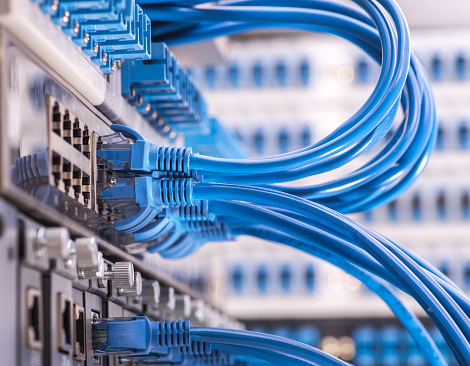
An Ethernet connection is your basic Internet cable hookup. You run an Ethernet cable from a compatible device to the Ethernet port on your router or gateway to get Internet access. This option is attractive in its simplicity, but there are some important points to consider first.
Security: A wired connection isn’t absolutely secure. You can still download malware, open phishing emails, and leave computers exposed to vulnerabilities with a wired connection. Nevertheless, it does protect against certain security troubles as opposed to wireless networks. Hackers can’t eavesdrop on data exchanges the way they can over unprotected wireless networks, and it’s one vector less to consider when creating a strategy to protect your most confidential data. Additionally, mobile devices tend to contain more vulnerabilities overall than desktops, so using a wired connection lowers the number of potential security mistakes that employees can make.
Speed: Let’s give wireless connections their due here—When backed up by fiber optics and a powerful router, WiFi can be extremely fast—fast enough for most common tasks. However, Ethernet cables will always have a bit of an edge here. Data doesn’t need to be switched between as many formats, and doesn’t require a radio frequency to move data. This can make Ethernet anywhere from “a little bit faster” to “a whole lot faster” than a WiFi alternative. That’s important when your business needs to run important, data-intensive services.
Reliability: An Ethernet connection poses relatively few problems when accessing an Internet connection. As long as your provider doesn’t go down, and no one trips over the cord, then you can pretty much depend on that cable providing you Internet access. This is useful if you need to keep services up and running for customers, or deploy processes that could last for hours.
Physical Safety: Speaking of tripping over cords, Ethernet connections do have some downsides. They are physical lines that have to be strung throughout your work environment so that all your devices have Internet access. That’s not such a big deal in the server room. However, once you start planning for cable connections around the office, it can be quite complicated. It’s no surprise that many small businesses need to pay extra installation expenses to run cables everywhere. Find a place that’s pre-wired, or be prepared to pay some extra costs.
WiFi – Wireless Connections
You know what these are. You’ve doubtless set up a router and WiFi network for your home or business. These networks allow computers to connect to the Internet wirelessly, which is a particularly important option for using today’s mobile devices that don’t come with Ethernet ports. WiFi connections have come a long way in recent years, and can offer high-quality Internet access. However, they still have their limitations.
Flexibility: This is why you have a wireless connection, right? It’s a mobile world out there, and you need mobile devices to survive in your industry. A WiFi connection allows you and your team to work where you want and how you want. It allows you to set up a broad variety of computers and smart devices exactly where you need them without worrying about running cables. It allows employees to continue using their mobile devices seamlessly when moving in and out of your office. It’s just handy to have, and we all know it.
Facilitate Modern Features: There are some things you can only do with WiFi. You need it to provide customers free Internet connections. You can only manage a reasonable BYOD policy if you have WiFi. If you use an application for timesheets or check-ins, you’ll need WiFi. WiFi enables many important customer and employee solutions that can’t be obtained any other way.
Time-Saving: Wireless networks don’t always save time (Setup procedures can take a while, as we all know.). However, once they’re up and running they do tend to be advantageous in the active workplace. When you no longer have to rush to a workstation to get an important task done, things tend to move more quickly. For example, we’ve seen plenty of increases in efficiency in factories, construction companies, and in inventory management when supervisors can make decisions and authorizations from their mobile devices.
Variable Quality: Remember that wireless connections aren’t always dependable. They can experience interference and only cover so much territory. You can’t count on wireless quite as much as you can a wired connection, especially for important tasks.
Security-Intensive: When you use a wireless network in place, you must invest in security. This means not only ensuring the right authentication and encryption are in place, but also that you maintain careful management over what applications employees use to access business data and where it can be accessed. It’s a whole new dimension of cybersecurity that requires plenty of additional regulations and controls.
What’s the Right Choice for Your Business?
From a broad perspective, you should keep sensitive data and more intensive processes to wired connections, and use wireless connections for sharing data and completing everyday work tasks that don’t require stringent security requirements. In practice, however, this quickly becomes a difficult guideline to follow.
For advice, or information on up-to-date strategies and solutions to manage your data, {company} can help! We serve businesses in {city} with a variety of services designed for their unique needs. Contact us at {phone} or {email} to learn more.
