by Felicien | Aug 17, 2017 | Education
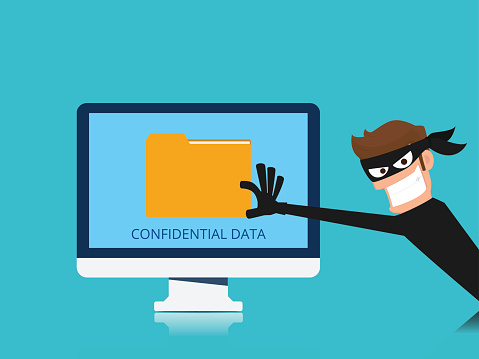
Criminals are no longer just after your physical business assets, they’re ready to steal your confidential data as well. Keep your business safe with these top cybersecurity tips.
Keeping your business safe is critical. While you can install all kinds of physical security devices at your location, you know that you can’t completely prevent break-ins. However, that doesn’t mean you should leave your doors unlocked – And the same goes for your digital assets.
Even though there’s always the possibility that a hacker will get past your defenses, it’s important to maintain the highest level of security for your data.
The Rise of Cybercrime
Organizations are reporting data losses in excess of 20 million dollars, and the trend shows no sign of slowing. Depending on which report you read, cybercrime is up as much as 48 percent and rising every year. This includes everything from malware to hacking, phishing expeditions and other types of data breaches.
The cost of preventing and combating these attacks is also soaring, and IT security professionals can be difficult to find and expensive to hire. While large organizations are more likely to get a massive hit, it’s important to note that small to mid-size businesses (SMBs) aren’t immune. Even relatively small organizations make a great target, especially if they have digital interaction with larger organizations. Numerous reports confirm that it’s SMBs, not larger firms, that are disproportionately targeted by cybercriminals.
Unknowing Helpers
While it may feel like all you hear is about is nation-state actors engaging in hacking activity, one of the largest causes of cybercrime can be found within your business itself: your employees. Whether disgruntled employees decide to “borrow” some data on the way out the door, or ignore security procedures, it’s a known fact that many data breaches start on the inside.
In order to track down the parties, IT security professionals must remain vigilant. In a smaller organization, this can be particularly challenging as there are limited extra hands for backup and security procedures. Senior leadership must be involved and fully understand the negative impact a case of a cybercrime can cause.
Staying Safe
There are specific steps you can take to limit the chance you’ll be hit by ransomware, hackers or phishing. While nothing is foolproof, having upfront defenses in place, and keeping a tight watch out for unlawful activity, gives you the best chance to halt cybercriminals in their tracks before they make off with crucial data.
Here are the top tips from IT security professionals to keep cybercriminals out of your business.
Use Strong Passwords. Perhaps the most important thing that an individual can do to ensure their safety online is to choose a strong password. However, even the strongest password isn’t good enough if you email it to yourself in a file named “Passwords,” and write it down where others can find it. Change passwords regularly, and consider using password managers.
Keep it Private. Privacy settings on your phone, devices and on social media sites are there for a reason: Use them! There’s so much information shared on social media, and without even realizing it you may be providing hackers with the details they need to make a move against your personal or work accounts. Keep in mind that once something has been put on the Internet, it’s there forever (even if you think you’ve deleted it!).
Protect Your Data. Strong passwords are great, but they’re not enough. Important personal information such as tax returns and financial records should be stored separately from your main system, and backed up often. Critical identity information should be protected, too. Criminals can open up lines of credit online with less personal information than you realize.
Secure Your Computer. Spyware, malware, ransomware –There are any number of ways that a cybercriminal can gain access to your data. From social media phishing attempts, to email attachments and even pop-ups on sites that are infected with malware. Stay alert, and if an offer in a pop-up looks too good to be true, avoid it!
Install Updates and Patches. Hackers are always looking for an “easy in” into your system—And one of the simplest is through un-patched hardware or software. When you don’t complete your software updates in a timely fashion, you’re opening up your business to potential basic and automated attacks. The “auto-update” feature in Windows is great, but it won’t catch everything.
Add Security Software. There are several options to consider for online security, including firewalls and anti-virus programs. These are the first lines of defense against cybercriminals. It’s important that you keep them up to date to prevent infection by Trojan-horse programs, spyware that can log your activity, and much worse.
Cybersecurity is no joke, and if you want to ensure that your organization is fully protected, contact {company} at {phone} or via email {email}. We work with all sizes companies in of {city} and offer the latest security solutions, recommendations and active monitoring options.

by Felicien | Aug 17, 2017 | Education
Yours Can Too.
When business owners regale the virtues of Office 365, others listen and say, “Well, maybe one day we’ll look into it.” The problem with this kind of thinking is that it puts O365 in a box only reserved for larger companies, and that’s not how the platform is designed to work. Many of the features Microsoft has recently added are beneficial for small businesses that want to grow.
An Upgrade from Traditional Licensing
New, small businesses tend to take a casual approach to licensing, buying individual licenses for their personal/work computers as needed. That’s fine, but only for a while. Eventually purchasing one-at-a-time licenses for the Office Suite or other important software becomes expensive and complex to manage from an administrator’s perspective.
O365 is designed for businesses that have grown beyond a few people, into a staff of employees with multiple desktop computers and mobile devices. When you purchase a package, you’re purchasing services based on the number of users, instead of trying to manage individual licenses, or one-time purchases. This makes it easy to plan for upcoming hires while creating a system that you can manage easily. It also helps you close the door on significant security vulnerabilities.
Collaboration Through the Cloud
Cloud tools are everyway these days, and O365 does a particularly good job of encouraging cloud collaboration. No matter what documents you’re working on, they are connected across Office 365 via platforms like SharePoint, so that you team can see them, share and work on them at the same time. Cloud collaboration is built in from the ground level for Word, Excel, Outlook, PowerPoint, and other core Microsoft apps.
Additionally, Office 365 adds powerful collaboration tools that help teams communicate.
The “Teams” app allows people to connect with each other and share information in a more casual IM/email combo.
Planner lets you to schedule events across the office, or assign tasks to specific teams.
Yammer is a social space where you can share docs, videos, updates and questions with your groups.
Office 365 comes with plenty of collaboration tools for the modern business—All you have to do is take advantage of them.
Syncing Data Across Everything
O365 is fully synced, another advantage of using cloud computing to share data. In other words, it doesn’t matter which device you switch to, your O365 apps will all be updated with the latest changes so that you won’t miss out on anything. This widespread syncing is a boon to young companies that need flexibility for their busy employees who hop from one device/location to another. Everything stays up to date, and no one gets confused because a meeting or document got changed.
Plus, syncing with Office 365 doesn’t require a VPN (virtual private network) or other complex setup on your part—Everything syncs right “out of the box” for the services you use, without any extra effort.
Cost Considerations
Startups may see higher fees when they first switch to O365, since the subscription-pay structure is more expensive than a one-time software purchase. However, Microsoft designed it this way to provide more value by including additional services and tiers for different types of businesses.
The good news about this subscription model is that fees are very predictable. They become a set item on the budget so you don’t need to worry about sudden expenses when adopting new technology or creating a new position.
Excellent Threat Intelligence
When you’re ready to upgrade your security, Office 365 is right there waiting for you to make the move. Part of the O365 package (including in the E5 Enterprise tier) is a new Threat Intelligence that includes tailored administrator reports about ongoing security efforts, new threats, and steps to take to secure data. These reports also access systems operations look for suspicious activity, and report it in alerts.
Remember, hackers love to target smaller companies because they often don’t have the strong security that larger corporations do. Prove them wrong by advancing your security efforts.
Reliability and Recovery
Microsoft aims for 99% uptime on its O365 services. If they do go down, you can bet that they’ll be available again in short order. This reliability is important to meet key deadlines – It’s also better than many smaller vendors can offer. Additionally, the cloud-based nature of O365, and the extended use of OneNote and backup services means that data is generally easy to recover if the worst happens and you lose information.
New Lead Management Services
One of O365’s newest benefits for smaller companies is Connections, an email marketing service that allows you to manage and automate leads from Outlook. Set appointments, keep track of contact information, reply to discussions, and much more. It’s very useful for a business that’s still building a customer base but isn’t quite ready for a full marketing platform.
Simplified Invoicing and Listing
Finally, Office 365 provides Listings and Invoicing, two vital services for small businesses. Listings helps you manage your online business profiles to make sure your contact/location information shows up where it should. Invoicing helps you quickly create, send and monitor invoices for clients, plus it’s customizable for a variety of industries.
Interested in Microsoft Office 365 for your business? Let’s talk about it! {company} in {city} provides a variety of data services and IT consultations for companies like yours. Contact us at {phone} or {email) to learn more.

by Felicien | Aug 17, 2017 | Education
Just because you know that an email is a phishing attempt, doesn’t make it safe for you to play along. Discover the dangers of engaging scammers online.
Most of us find phishing emails in our inbox each month—Some of them are so outrageous that they make us laugh out loud.
How many times have you read emails from scammers trying to entice you to hand over cash and personal information? Some use stories about foreign princes who’ve chosen you to help them move millions of dollars to offshore. Or, emails saying that you’ve won a lottery that you never entered? There are many different scams out there. The only thing they have in common is a preposterous back story, and poor English that’s riddled with spelling and grammar mistakes.
These phishing emails are so outrageous that people typically recognize them. But, cybercriminals are getting smart. Their scams are becoming more difficult to identify. However, there are always clues if you look hard enough. You can stay safe if you follow some basic rules:
Don’t download attachments you aren’t expecting.
Call a company or individual who requests information so you can verify the email came from them and not a criminal.
Policies and Training
Make sure your company has procedures and professional security training in place to help your staff recognize and properly handle potential phishing scams. Bring in an IT security professional to:
Train new employees on email security polices as soon as they come onboard.
Conduct refresher training for current employees each year.
Give phishing tests to see how your team scores.
Fighting Back Against Scammers
Some people want to fight back against the scammers. There’s even a name for this online vigilantism—It’s called “scambaiting.”Websites like Vice run humorous articles about tricking scammers. And, spambaiting videos are very popular on YouTube.
Entire websites such as 419Eater and Mac’s Bait Store are dedicated to providing tips on how to scambait successfully. Most of these stories portray spambaiting as a fun and exciting intellectual challenge.
Is it Spambaiting Worth It?
Honestly, I realize how the idea of spamming a scammer can seem like a mildly amusing diversion. Yet, if any of my clients asked me if it’s worth engaging with a scammer, I would tell them, “No.”
There’s never a reason to respond to someone that you believe may be trying to take advantage of you. While it’s amusing to read the stories about how others have retaliated, and what they did to turn the tables on scammers, it doesn’t mean that you, or anyone in your company, should try to do the same. After all, these scammers are criminals, and nothing good can come from communicating with people who make a living by conning people.
Don’t Respond to a Scammer’s Email. Here’s What Can Happen If You Do.
Although you have little to gain from responding to someone who sends you a phishing email (except a fleeting feeling of moral justice), there is a lot you can lose. When you respond to a phishing email, you’re telling the scammer a lot more about yourself than you can imagine.
First, when you respond to an email, you acknowledge that the email address is still in use. It can prompt the scammer to place your email on a list of active addresses that can trigger more email scams. This is just the beginning of the information you’re unintentionally providing to the scammer.
As you probably already know, every email has a header. It’s easy to see some of the information that’s included in the header, like the time the message was sent, the email address of the person who sent it, and the recipient’s email. But what you may not know is that there’s a lot more hidden information in the header. One of the most valuable pieces of hidden information that scammers can use against you is the pathway to your inbox. When a scammer knows the name of your server he can easily find out the general area from where you’re connecting to the Internet.
Once a scammer finds out your general location, it’s simple for him to look up the kind of information you really don’t want a criminal to know, like your social media accounts, your phone number, and even your home address.
So, What You Do?
My best advice to avoid becoming the victim of an email scam is to delete any suspicious emails from unknown persons without opening them. If you ever receive an email from a legitimate contact asking for personal information, don’t reply. Instead, call the person directly on the telephone and confirm that he’s the person who emailed you. If possible, provide the required information over the phone.
Three of the Most Advanced Phishing Scams to Avoid
Unfortunately, not every phishing attempt is so blatantly obvious. There are a few email scams out there that can fool even the most attentive person. Learn more about these three advanced phishing scams and ways to avoid them:
The Google Doc Scam
The Gmail Scam
The Amazon Scam
Remember that you can report phishing and other email scams by forwarding suspicious email messages with their complete header to: spam@UCE.gov
For more information about phishing scams and how you can protect your business with employee IT Security Training, contact the experts at {company}. {phone} {email}
by Felicien | Aug 16, 2017 | Education
That Are Costing Your Business Money.
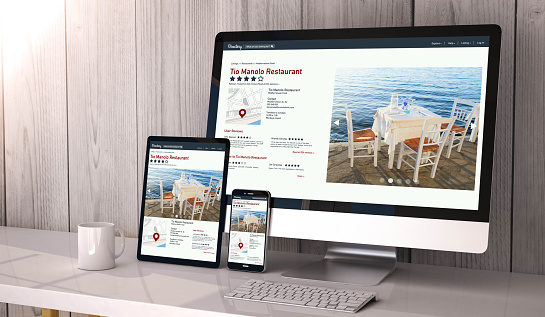
Have you fallen prey to these common website mistakes— Ones that will alienate your customers and deplete your revenue?
If you tried to save money by constructing your own website, or had it built by someone without the latest knowledge in digital marketing, you’re wasting money, and probably losing business. Check out these common mistakes, and find out how you can overcome them.
Lack of Credibility
The first thing prospects look for when visiting your website is a professional image that inspires confidence in your brand. When the information on your home page is weak, outdated or inaccurate, the trust you’re trying to develop will never happen.
Here’s a tip: If you’re part of a larger consortium, or have recommendations from organizations like the Better Business Bureau, list these prominently throughout your site. Readers will find these brandings comforting, as they represent a known entity. This is especially important if your brand is new, or you’re reaching beyond your market to bring in new customers.
Inconsistent Branding
Branding your business consistently with professional logos, images, and language is just as important online as it is in print materials. If your website is slick and stunning, but looks completely off-brand, you run the risk of confusing potential customers.
The template that your site is built upon is another issue. If you use stock images, it’s a good possibility that viewers will recognize this. Visuals are important. Pay for professional images, or better yet, use photographs that truly represent who you are and what you’ve accomplished. This will elicit honesty and promote trust.
Long Page-Load Times
People are busy. If it takes upwards of 4 to 5 seconds to load a web page, viewers will give up and Google your competitor. Free websites that offer low-cost hosting may seem attractive. However, as you know, you get what you pay for in this regard.
Shared hosting accounts run thousands of websites on the same server, causing latency issues along with significant security concerns. Successful businesses work with local IT Managed Services Providers to create secure, highly-structured websites that provide consistent experiences with quick load times. This encourages visitors to dig deep into a site, increasing the possibility of sales.
Missing a Call to Action
You’ve got a gorgeous website design. You’ve nailed the mobile experience. Your branding is on point. However, you’re still not making any sales! What’s wrong? You’re probably missing an obvious call to action.
After you lead customers down the path to learn about your business and brand, it’s crucial that you ask for them to take an action. This can be as simple as having them sign up for a newsletter, download a PDF document, or create an account and purchase an item.
Inadequate Mobile Experience
More than 50 percent of website views are using a mobile device. It’s critical that your website is mobile-optimized. Google, Bing and other large search engines provide preferential treatment to websites with a great mobile experience. This will raise your search-result rankings without much effort.
If you’re not sure whether your website is mobile-friendly, grab your phone or tablet and start clicking. If you see images that flow off the page, forms that require you to scroll before you can submit them, and you’re constantly frustrated with the whole thing—chances are you need to work with a professional to create a mobile-first website that uses responsive design.
Sub-Standard SEO
One of the best ways you can differentiate your business on the web is to have stellar SEO (search engine optimization) rankings. This means your business shows up in the first page of search engine results for your product or service.
Online discoverability is of critical importance to growing your business. It will increase traffic to your website. Work with a partner who can create a website structure that’s consistent with SEO best practices.
{company} in {city} has digital marketing professionals who can work with you to beat your competitors online. They can quickly and easily walk through your site and identify places where you can effectively gather information, encourage people to sign up for services or make a purchase.
Contact us at {phone} or email {email} to get started. We’ll help you open your digital front door.

by Felicien | Aug 16, 2017 | Education
Apple has long been known as a high-end brand that caters to the younger, wealthier consumer. However, market shifts and changes in the industry have them rethinking their business model. They are now focusing on mid-market consumers to maintain market share.
Apple’s marketing efforts have long been legendary throughout the world. In the past, their target demographic was young, hip urbanites who had plenty of discretionary income. Owning an Apple brand was a self-expression of belonging and achievement.
Apple’s drive for efficiency, expedited access to information and advanced capabilities goes as far back as the iPod release and continues today. As a result, Apple has grabbed over 14 percent of the global smartphone market share.
However, fast-moving Chinese companies, along with market leader Samsung, are now taking command of global smartphone sales with their lower-cost products. This new fierce competition has Apple considering a jump into the fray of mid-market offerings.
Global Market Shifts
U.S. consumers may believe that they’re the most technologically advanced in the world—However, they are sorely mistaken. More than 44 percent of global users will own smartphones in 2017— And that number is even greater in countries like South Korea, which leads the world in smartphone ownership, with a whopping 88 percent of the population owning a smart device.
In fact, the U.S. is barely in the top five when you consider usage, with Australia, the UAE and Israel ranking higher, and Spain, the U.K, Canada, Chile and Malaysia following a few percentage points behind. This, in part, is fueled by the prevalence of lower-cost Android phones that offer much of the same functionality and design points as an Apple phone, but at a more affordable price.
Apple’s Marketing Prowess
Part of the reason that Apple has maintained their market dominance, even with their expensive price points, is due to their exceptional marketing prowess. Apple product releases are major events that the media and consumers flock to in mass. Their usability testing focus helps Apple understand their customers at a deep level, fulfilling not only their physical needs (a smartphone), but their aspirational needs (acceptance and a chance to be the “cool kids”). Apple’s strict focus on customer needs, combined with the highest quality in product design and packaging has created an attractive, premium brand.
The Shift in Cellular Provider Models
Another factor that is increasing Apple’s focus on the mid-market is the monumental shift in the cellular industry. Providers such as Verizon and Sprint no longer subsidize the cost of handsets. What this means is that consumers who may have paid on a monthly basis for phones without realizing it was part of a 2-year contract, are now being forced to shell out upwards of $650 for a new Apple phone every year or so. This will limit the range of consumers who can make this type of purchase, further narrowing Apple’s target market range.
Shifting to Mid-Market
Apple has already expanded into the mid-market with their various levels of Macs, such as the less-expensive MacBook Air at around $999 versus the MacBook Pro at several thousand dollars. They also continue to offer older model phones when new models are introduced, to provide customers with an entry-level option. The recent introduction of the iPhone SE seems to be taking off, and the iPad Mini offers a lower-cost option for the tablet crowd without sacrificing much in functionality.
Services Income
Apple’s services business is the size of a Fortune 100 company, with a 30 percent revenue from each sale on the iTunes and App stores, plus Apple Pay, storage payments for iCloud, and their new Apple Music offering. Services continue to outpace product sales by a significant margin, and this may be one reason Apple is looking to broaden their scope of offerings to appeal to a larger market.
Currently, Apple targets younger consumers to lock them into the services infrastructure early on. They know that as this population ages, and moves upwards in their careers, making a change to a new service will be hurdle.
While targeting the budget market is not likely for Apple, other smartphone and tablet manufacturers should continue to watch their back as Apple extends their reach into the mid-market with offerings that appeal to a broader base of consumers.
Want to learn how to leverage Apple or other technologies for your business in {city}? Contact {company} at {phone} or via email {email} to speak with one of our IT experts.

by Felicien | Aug 16, 2017 | Education
4 Problems with Remote Working and 4 Ways to Overcome Them
I love the idea of working remotely. It’s a convenient solution for a variety of personal issues, ranging from lack of transportation to reduced physical mobility. And hiring remote workers is good for business. Studies show that remote workers are more productive, and it allows companies to hire the best talent available from a broad geographical region.
Plus, companies save an average of $11,000 a year on each remote employee. That’s a lot of money, but it’s only a drop in the bucket when comparing the costs of replacing an employee who quits because of a move or the need for a more flexible work schedule. That price averages 20 percent of the person’s annual salary!
However, before you start scouring the Internet sites looking for new remote hires, there are things you need to consider. Relying on off-site workers presents a unique set of problems. For example, when remote workers don’t have the proper software to work effectively, it can lead to misunderstandings and delays. Luckily, one of my favorite business suites, Office 365 Business Premium offers some applications you can use to solve most of these issues.
Problem #1: Your workers are spread out across the country. One of the greatest strengths of hiring remote workers is also one of the biggest problems – different time zones. If the time difference is only one or two hours, there’s not much of a problem. But, when your company is employing workers from the other side of the world, how do you overcome such a large time difference? One option is to arrange meetings for the time when the workday overlaps. If that’s impossible, then record meetings using Skype For Business. Co-workers who can’t attend a meeting can download reports from SharePoint or OneDrive.
Problem #2: Keeping in touch with supervisors, colleagues, and adapting to sudden changes. Goals and priorities are fluid. You can keep all of your employees up to date on new developments instantly with Office 365 Business Premium programs like Microsoft Teams and Yammer. Microsoft Teams brings everyone together in a customizable virtual workspace to chat, share ideas and collaborate on projects. Yammer lets you create groups to help your employees learn, share and socialize. Plus, it keeps everyone on the same page, even when they’re miles away from one another.
Problem #3: Accessing software and shared documents. It can be difficult to provide your remote workers with current word processing, spreadsheet and presentation software. However, with Office 365 Business Premium, the most popular productivity applications like Word, Excel and PowerPoint are already included and available anywhere your staff has an Internet connection. When employees use the same software, coworkers will never have to deal with frustrating compatibility issues. One of my favorite features is the capability to view and edit in real time with my colleagues. OneDrive makes it easy to upload and download any type of digital media quickly, easily and securely.
Problem #4: Remote workers feel isolated and separated from the company culture. Today a “workplace” is no longer tied to a physical location, but a digital space as well. Of course, this is a quite a change for older workers who are accustomed to going to work at a physical location with a high level of interactions each day. But for younger workers who grew up interacting with people thousands of miles away online, a remote work lifestyle is much more acceptable. These workers already have the experience creating meaningful collaborations and relationships online. Applications like Skype For Business and Yammer can help remote workers feel more like a part of a team by allowing them to interact and develop stronger bonds and trust.
I recommend to my clients that they consider hiring remote workers only once they’ve developed the proper framework for collaboration. With Office 365 Business Premium, you’ll get a complete system, ready from day one.
Want to learn about Microsoft Office 365 or other technologies for your business in {city}? Contact {company} at {phone} or via email {email} to speak with one of our IT experts.
