by Felicien | Sep 27, 2017 | Education
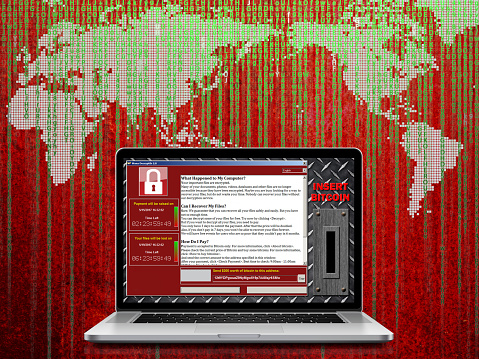
Although ransomware threats are real and dangerous, there is actually some good news to be had. By knowing what the good and the bad news is, in fact, people will place themselves in the best possible position to deal with these threats. Of course, these so-called “threats” often transform into cases of blatant theft and fraud.
The people behind these heinous crimes, furthermore, are counting on the fact that most of the people who will get hit with ransomware threats have either never heard of “ransomware” or they have assumed that this type of crime only targeted big companies and rich folks. Needless to say, both assumptions are false.
The Good News
These threats generally require action on the part of potential victims; if we can keep those victims from doing what the criminals want them to do (i.e., click on a given link, pay money to supposedly get their kidnapped data back, etc), they can fare much better, in most cases. Ransomware is all about creating a domino effect, which, when it does what they expect, leaves total mayhem behind. Well, the trick is to take one or more of those dominoes out of the equation before the malicious attack takes place and, if necessary, while it is taking place.
Many of the people conducting these raids are sloppy and, one might even say, amateurish hackers. In fact, it’s obvious sometimes that these people work with a single program they either bought or clumsily put together themselves.
It’s possible to block many of these attacks—as a matter of fact, prevention is probably our best weapon and hope against ransomware hackers. Ransomware attacks often take advantage of security protocol/systems weaknesses. They discover those weaknesses by constantly poking the firewalls and anti-virus programs–the scary part is that these people seem to have unlimited amounts of time to be destructive and malicious. By thinking the way they do, we can start to develop stronger defense systems and protocols.
Since we know a lot (and are learning more day-by-day) about this type of threat, we are in an excellent position to design defenses, something which is happening as we speak.
Deploy more (and better) anti-malware and anti-ransomware technology, including the strengthened enforcement of PCI DSS standards, Transport Layer Security (TLS), Secure Sockets Layer (SSL), and chip-based POS systems.
Amazingly, point-of-sale malware attacks, another closely-related form of cyberspace terrorism, went down by approximately 93% from the year 2014 to the year 2016; this proves that cyber terrorism can be defeated or at least substantially decreased with the right kind of response.
The Bad News
These botnets or viruses (whatever form they come in) can do significant damage to people’s personal data files or even whole computer systems.
These backyard hackers are mostly in far away countries where it would be difficult to “touch” them.
The technology they’re using is self-evolving (actually, not really) but almost self-evolving.
Unfortunately, the average person out there is too ill-equipped and poorly- prepared (and probably hasn’t even heard about “ransomware”) to deal with these threats adequately.
This type of scam has proven to be very profitable so far for the perpetrators.
There are people in the world who can devote their whole day to working on destructive technology like this; the people fighting them off, on the other hand, have to punch out at 5 pm.
ANTI-RANSOMWARE THREATS BEST PRACTICES
The following ideas and options have been used in the past and can be used in the future to help deal with these cybersecurity attacks. It must be noted, however, that it’s foolish to set up as a goal to not ever succumb to a ransomware or malware attack–indeed, there is no such thing as a perfectly secure system. The best that we can do is remove or adequately address weaknesses, make sure that we have the most updated programs and systems in place, and see to it that staff is well prepared for potential cyberspace terrorism events. We need to be clear, though, that ransomware threats are only the tip of the iceberg when it comes to cyberspace terrorism
What makes it so relevant today, though, is the fact that it has as much to do with making money (by the malicious hackers) as it does with disrupting and destroying systems–in other words, it involves an additional incentive missing from most other cyber attack tools. Secondly, ransomware threat attacks target the public, not just organizations. For your part, make sure that whatever solutions you strive to implement protect your clients as much as your system, your staff, and your equipment.
Backup all your files regularly. Cyberspace terrorism is all about inflicting fear, taking away power and disrupting the peaceful flow of things—by securing your data, you hold on to your power.
Regularly update your operating system and all programs.
Proactively identify and address security flaws (such as by patching).
Work to better secure administration tools and system components.
Disable outdated and unnecessary protocols for end-user accessibility.
Find ways to better protect your servers and the network.
Keep servers updated and patched.
Defend against brute force attacks by strengthening remote desktop credentials.
Consider network segmentation strategies.
Employ elaborate, customized data categorization strategies.
Consider deploying behavior monitoring and application control.
Enable sandboxes.
Better secure gateways.
Require all staff to submit to on-going, regularly updated ransomware threat management training.
Just as companies conduct fire drills, conduct mock ransomware threat drills to get staff ready for the real thing.
CONCLUSION
Ransomware threats can be managed successfully but it’s going to take time, money and much better involvement and cooperation by law enforcement, private industry, and government authorities.
Secondly, we need to be doing a much better job of educating the public about this dilemma. Articles like this, as a matter of fact, in conjunction with PSAs, advertisements, e-mail campaigns, etc., may become critically important in order to greatly decrease the number of people that yearly succumb to what is, in essence, cyberspace terrorism.

by Felicien | Sep 27, 2017 | Education
As cybercrime tactics continue to adapt and overcome conventional IT security, it’s more important than ever to have powerful cybersecurity support in {city}.
Cybercrime is a common part of business these days. Even if you haven’t encountered a hacking or malware issue at your {city} business in recent years, the fact is that cybercriminals are coming up with new methods of stealing and compromising sensitive business data every single day. However, trying to handle this on your own, without cybersecurity support in {city}, can be difficult given how effective cybercriminals are.
Case in point – a new cybercrime tactic detected and studied by Armis Labs known as “BlueBorne”, which is endangering major mobile, desktop, and the Internet of Things devices. This new cybercrime attack vector accesses target devices via Bluetooth to penetrate and take complete control over targeted devices.
BlueBorne has a wide range of targets, potentially affecting ordinary computers, mobile phones, and more. What’s worse, this method of attack doesn’t require the targeted device to be paired to the attacker’s device or even to be set on discoverable mode. Once they’ve gained access using the BlueBorne method, cybercriminals can then proceed with remote code execution as well as Man-in-The-Middle attacks.
The worst part is how ubiquitous Bluetooth technology is – currently estimated at more than 8.2 billion devices in use around the world. Unlike the majority of attacks today, which rely on the internet, a BlueBorne attack spreads through the air. Even worse, Bluetooth offers a wider attacker surface than Wi-Fi, almost entirely unexplored by the research community and hence contains far more vulnerabilities.
Fortunately, since discovering the vulnerability, Armis has reached out to the major suppliers of potential target devices, most of which have released specific security updates to ensure that their users won’t fall victim to BlueBorne attacks.
However, whether the incident harms any users in the end or not, the precedent set by this attack is clear: there is a cybercrime epidemic going on in the world today – but just how bad is it? Or in other words, just how necessary is the right cybersecurity support in {city}?
For an accurate diagnosis, turn to the researchers at Malwarebytes, who spent six months collecting detailed statistics on a wide range of threats. Their findings covered more than 200 countries, with data from over 100 million Windows and Android devices and nearly 1 billion malware detections.
The focus of the study was on six major threat categories – ransomware, ad fraud malware, android malware, botnets, banking Trojans, and adware. The results make a convincing case for investing in cybersecurity support in {city}.
Unsurprisingly, ransomware topped the threat list as the favorite method of attack against businesses, with just under 400 different variants cataloged in the fourth quarter of 2016 alone. Between June and November of that year, the rate of ransomware incidents went up a staggering 267%. Worldwide, 12.3% of all businesses targeted by cyber threats were hit with ransomware.
Across the pond, Asia and Europe saw a spike in botnet activity. The rate of Kelihos botnet attacks went up by 960% in October 2016 alone. The IRCBot went up 667% in August 2016, and the Qbot went up 261% in November 2016. Germany seems to be the most affected by this trend, with overall botnet activity in the country going up 550% between 2015 and 2016. Europe as a whole is the most malware-riddled continent, averaging 20% more infections than North America, and 49% of all ransomware infections globally happened in Europe.
So what do these statistics mean for your business? For starters, they paint a very clear picture of just how dangerous ransomware is. It’s all but inevitable that your business will be targeted by some form of malware if it hasn’t been already.
This doesn’t mean your business has to become a victim. There are many security precautions you can put in place to reduce or even eliminate the chances of malware finding its way inside your systems successfully, and steps you can take to minimize the damage done if you do become infected.
Next-gen firewalls, antivirus, and antimalware software are getting better and better at keeping up with the latest malware variants and can create a layered security that can stop an infection dead in its tracks. This kind of robust cybersecurity defense is even easier to equip at your business when you have comprehensive cybersecurity support in {city}.
A solid Business Continuity plan that involves thorough data backups stored in a secure, offsite location can act as your last line of defense against threats like ransomware, giving you the option to wipe your systems clean of the infection, and restore vital data and applications in less time than it would take to rebuild your systems from scratch.
The good news is that you don’t have to handle any of this on your own – {company} is proud to provide tried and tested cybersecurity support in {city} that will ensure your business is more than prepared to deal with the ongoing threat of malware, no matter what shape it takes.
Without the necessary protections and precautions in place, a business hit by cybercrime — whether it’s malware, BlueBorne, WannaCry, or something worse — will likely never fully recover. Lost productivity, lost profits, and the damage to your business’ reputation are huge hurdles to overcome. Preparing today in anticipation of tomorrow’s disaster might be the only thing that makes it possible to keep your doors open – but only if you keep up with the ever-evolving threat of malware.
Want to learn more about the steps you can take to protect your business against threats like BlueBorne? Contact us {company} at {email} or {phone} right away to connect with the best cybersecurity support in {city}.
by Felicien | Sep 26, 2017 | Education
LinkedIn has a few new problems with the recent hack of their paid InMail service. Users beware: links within the popular networking site may be malicious. Learn more and protect yourself from this recent threat.
LinkedIn is known as one of the most popular social networking sites in the world, but right now it’s getting press for something much more dangerous: a new phishing attack coming through LinkedIn’s in-network email platform called InMail. The paid service purportedly allows organizations or individuals to connect with others in a secure way without violating privacy laws and giving out personal or work email addresses, as all communication is completed within the LinkedIn platform. Few LinkedIn users would expect a virus-infested InMail message, simply because many know that the service costs the sender a fee. This makes it that much worse to discover that hackers have infiltrated paid versions of the prominent platform to spread malware.
Phishing for Personal Information
Phishing attacks are one of the most common forms of hacking and have been scamming users out of personal information such as credit card details, login information and personal details for many years now. Phishing works generally by spoofing information to make their links and websites appear legitimate at a glance or too unsophisticated users, or by fraudulently utilizing major brand names in their messaging. For instance, Amazon.com buyers may receive an email that appears to be from Amazon asking users to log in and update their personal information or reset their password, the link actually goes to a different site controlled by the hackers. Security researchers estimate that there are over 100 million phishing attacks carried out every day, making it difficult for busy users to analyze each message that appears in their inbox. Unwary consumers are often attracted to offers that are better than expected, such as a bank or eCommerce site sending an email stating that there has been an overpayment and requesting that users log in to claim their funds.
Corporate Phishing
Phishing attacks on businesses can be even more subtle and include attachments from a trusted vendor whose information happens to be in your email address book. These attachments can launch malware that harvests personal or corporate data, which is then dispatched to the hackers via the internet. Microsoft Office documents are a literal playground for hackers, with the ability to pump macros into a seemingly-safe document that launches malware as soon as macros are enabled by the recipient. Corporate phishing has been occurring since the mid-1990s and continues to grow and expand as business users grow more distracted and hackers grow in sophistication.
Staying Safe from Phishing
There are a variety of giveaways with phishing, and one of the easiest in the past has been to look for obvious spelling and grammar mistakes. This is not to say that legitimate emails are perfect — many are far from it — but hacking emails do tend to have obvious misspellings or what appears to be errors in translation with transposed words or letters. This may be because the vast quantity of phishing attacks originate outside the United States. Another key way to spot a phishing attack is when you receive an email or push notification message from an organization that you don’t currently do business with, such as a different credit card or banking system than you use. If you have any question whatsoever about the security of a message, navigate to that organization’s homepage instead of clicking a link. Even a Google search may lead you down a dangerous path if you’re not careful to watch the actual URL that you are visiting. Finally, it’s a dead giveaway when you hover over a link and see that the visible link and the “hidden” link that you will actually visit do not match or have different domains. These spoofed URLs may look accurate at first glance but look closely to ensure the key domain is accurate before clicking. A good rule of thumb is that if something sounds too good to be true — it probably is!
Cleaning Up After an Attack
If you find that you or someone in your organization has clicked through and been the victim of a phishing attack, there are several steps that you can take to attempt to secure your accounts and information. First, change any passwords that you feel may have been affected. This is particularly important if you clicked through to what you thought was a financial services site and entered any personal financial account information. Run a credit report and check your bank account regularly for several weeks to several months, looking for unusual activity. Sometimes, hackers will test your accounts by putting through small transactions — even canceling the transactions before money is removed from your account — before going for a larger purchase. Scan all computers attached to the affected computer for viruses, and ensure that all anti-malware software is up-to-date.
The recent attack through LinkedIn shows that even the most secure-seeming platforms can be infiltrated by cybercriminals, and the only way to stay safe online is through continuous vigilance and a concerted effort to maintain strict anti-virus and anti-malware software. Ongoing communication with business users as well as training on how to avoid being the target of a phishing expedition can also help businesses keep their customer data and systems safe. Contact {company} today at {phone} or via email to {email} to learn more about best practices to avoid malware and phishing attacks. Our active monitoring provides you with the peace of mind knowing that your sensitive systems are always under review and that any potential attacks are caught quickly and remediation applied as soon as possible.

by Felicien | Sep 26, 2017 | Education
Good advice from IT pros can reduce chances of a data breach
With the latest cyber hack of Equifax in the news, consumers and businesses alike are scrambling to check on their data’s security, and taking steps, such as freezing accounts, to mitigate any possible financial damage. However, the best strategy is to be pro-active in protecting data before breaches have a chance to occur in the first place. Equifax’s failure to do so is a cautionary tale for businesses and other organizations of what not to do about handling sensitive data.
The back story
The Equifax attack occurred back in May of 2017 and was discovered in July, but not revealed publicly until earlier in September of 2017. The attackers exploited a known vulnerability in the Apache Struts’ web-application software, an enterprise platform used by numerous organizations. The attack turned out to have been entirely preventable, according to Rene Gielen, vice-president of the software firm, citing a patch with installation instructions available to users two months before the attacks ever began.
The breach left over 143 million people’s credit histories vulnerable, with lawsuits pouring in by the dozens. Names, social security numbers, bank accounts, credit card information – all were left bare for the hackers who had plenty of time to access sensitive information.
Could this happen again?
According to credit expert and former FICO employee John Ulzheimer quoted in Business Insider, the short answer is yes. There is no perfect way to keep out determined hackers, who have become more sophisticated in their hacking methods as well as taking advantage of obvious flaws, like the one which occurred in the Apache Struts’ software. That said, there are ways to make data storage and related systems less attractive to potential hackers.
What can be done to safeguard data for now?
There are two primary options that consumers, including businesses, can take to reduce damage from a hack:
Fraud alert notice– this free service allows consumers to call one of the three credit bureaus to notify that possible fraud has or could occur, requiring that anyone pulling a report must verbally verify the applicant’s identity for a future loan or other credit transactions.
Credit freeze– this removes a credit report from circulation and prevents anyone with whom there is not already a credit relationship from accessing the report. There is a fee (usually between $5-10) to set up well as another to remove it if applying for a new mortgage or car loan. Each credit bureau must also be notified individually:
Equifax – 1-800-349-9960
Experian – 1-888-397-3742
TransUnion – 1-888-909-8872
A credit freeze can’t prevent thieves from changing existing accounts, continued, close monitoring will still be necessary.
What steps can businesses take for the long term to protect their data?
Security software giant Symantec offers a number of common-sense precautions and actions that businesses can use to sharply reduce the chances of a hack by making their data harder and more time-consuming for a would-be hacker to breach by implementing the following suggestions:
Hire a trusted IT professional to perform a security audit of your entire system and IT infrastructure, from computers to networks and mobile devices. If vulnerabilities are found, be sure to have them immediately resolved.
Raise awareness among staffers about the critical role they play in maintaining security. Human error and carelessness are a major factor in cyber attacks and security breaches, so educate employees and others with access to data to be vigilant and mindful of where and how they use business data. Speaking of users, the smaller the group with data access, the better.
Use multiple, strong passwords and change them on a regular basis, making it harder for hackers to figure out and steal.
Encrypt data so that if a hard disk or thumb USB is lost or stolen, whoever accesses the data will be unable to read it.
Backup data frequently and regularly, to ensure that critical data will be available if a hack occurs or from a sudden power loss or other system damage.
Develop and enforce security policies among all users with access, including mandates such as no security information to be given over the phone, or that all devices connected to the business’s network have approved security software installed.
Use caution in allowing employees to use their own (BYOD) devices; a recent survey showed that a fifth of employees had corporate data on their smartphones, which could create a serious breach if the phone were to be lost or stolen. All devices connected to the business’s network should use virtual private network (VPN) access for additional protection.
Pay attention to the mobile workforce’s security, using extra caution when in open wi-fi areas, such as coffee shops or lobbies, where potential hackers often hang out on the prowl for careless users.
Create multiple layers of security for each device utilized – from desktops, mobile devices, file server, network endpoint and email server. Begin with protective firewalls, with additional security layers such as contact forms and login boxes, allowing a company to be immediately alerted if an intrusion occurs.
Consider using a monitoring service, such as HackAlert, to protect site visitors by detecting malware codes that may have infected the system.
Avoid storing sensitive data for extended periods – purge passwords and similar records on a periodic basis, even if it makes for a bit of customer inconvenience having to re-enter passwords and other identifying information.
Summary
As more hackers and others with malicious intent gain experience and sophistication in their methods, the cost of cyber breaches is estimated to surpass the $2 trillion mark by 2019 according to a model published by the RAND Corporation and Juniper Networks. With the increasing chances of being hacked and the possibility of subsequent lawsuits, fines and investigations, a company who ignores the handwriting on the wall, as well as IT experts’ advice for prevention and intervention, will do so at their peril.
by Felicien | Sep 26, 2017 | Education
What’s wrong with your Sales presentation?
If you’re a salesperson, you work hard to make calls, research the company, attend events and send millions of emails just to get in the same room with a potential buyer. It’s painful when they don’t respond positively to your presentation after all that work.
Are you going into a meeting with an unsuccessful sales deck? The most persuasive of people can’t overcome a buyer’s natural psychological barriers. But if you understand them, you can help them commit. Meanwhile, others sabotage themselves with bad presentation habits, turning away leads.
It’s hard to watch another one slip away, but not hitting your numbers is worse. But if you can perfect your pitch, you can roll in that juicy commission and finally fund that dream vacation you have been planning.
That’s why we made a list of mistakes you can avoid to pitch your best pitch and close more sales.
Your Presentation Wasn’t Professional
As a salesperson, you can be friendly and appropriate and still unknowingly make your audience question the professionalism of you and your company.
Consistency is Key
Any inattention to detail can make you come across as careless so make sure your background and font, font size, and font color are all the same on each slide. Align each photo with text the same way throughout.
The easiest way to ensure consistency is to pick a PowerPoint template, but you can’t always count on them to capture the essence of your company brand. When you make changes, speed up the process by using the paintbrush tool to copy the style and apply it to each slide.
Lose the Transitions
The animations between slides can be fun to play with. But more often than not, they come across as tacky and distracting, and unprofessional. Instead, impress them with the substance of your pitch. Focus on your exciting, life-changing product or service.
You Wasted Their Time
You’re a salesperson. You know firsthand how busy people are and how tight their schedules are. That’s how small your window of opportunity is.
The fact that someone agreed to meet with you is encouraging. Don’t make them regret it! Even small hold-ups can make them feel like you don’t respect their time.
Be prepared by setting up in advance so you can avoid any hassle of connecting your laptop to the screen. Run through it at least once to identify any problems that could come up. When it comes down to it, there really is no excuse to say, “Stay with me. Technical difficulties.”
Finally, don’t let the presentation drag on by overloading it. Successful salespeople usually have a 5-15 minute version and a 30-45 minute version depending on the length of the meeting.
You Don’t Know Your “Stuff”
The worst feeling during a presentation is when a potential buyer puts you on the spot with a question you don’t know the answer too. The better you know your product and industry, the more you can respond with those snappy definitive answers.
But even salespeople who really do know their stuff can come across like they don’t when they read off their presentation. You should be able to speak about it as if you were having a conversation.
Your Presentation Was Missing Elements
You can put together a perfectly professional, seamless and competent presentation. If it doesn’t have these agreed-upon elements, it probably won’t close.
Visual and Interesting Stat or Thought
This is the hook that draws them in like the opening of a page-turner. Use a visual to grab their attention and some kernel of an idea that will interest your audience. Maybe it’s a little-known significant fact. Or maybe you’ve framed a problem in a way they’ve never thought of before.
Value Proposition
Cut right to the chase. Tell them in concrete terms how your company helps them do something in a way that benefits them. The most common formulation of a value proposition goes like this: [Your Company] helps [Your Audience] with [Service] so you can [Benefits].
Tell a Story
Show them how you do it. The most compelling way to do this is a story with a previous customer. It will also help them understand how you do what you say you do.
Solution
All happy endings have a solution to the problem. Don’t forget to tie in the benefits from the value proposition so they can see how you deliver what you claimed to up front.
Proof and Credibility
This is the most often overlooked element of presentations, but one of the most important. Basically, you are answering the critic in your buyer’s mind that asks, “Why should I listen to anything you have to say?” Silence their doubts by providing proof with testimonials and compelling case study statistics.
You can take this time to anticipate other doubts that can be barriers in committing. Show them how the price is low in comparison to the large return on investment. Mention any guarantees you have that will assuage any worries and get them to come around.
Call to Action
At the end of your presentation, give them a clear call to action. For some, that could be “buy now.” But for most, you aren’t going to pitch and close in one sitting.
In that case, agree on a future task. You can promise to research their specific problem. This positions you as their resource and builds a relationship.
You Didn’t Connect
You could give a great pitch to the wrong audience and it will fall on deaf ears. Avoid this by asking questions along the way and seeing if they have any questions for you.
You can better understand their problems through their answers and questions, and personalize the solution to them.
What are your keys to a winning presentation?
If you live in {city}, contact {company} at {phone} or {email} to learn more.
by Felicien | Sep 26, 2017 | Education
Is your business affected by the most recent malware attack on a popular Windows software? Get the details on how to protect yourself.
It may be an IT professional’s worst nightmare: an app or piece of software that is meant to clean malware off of your computer system that actually is the delivery mechanism for a clever cyber attack. Unfortunately, this scenario is playing out in real time with the popular Windows app CCleaner, a utility installed on millions of systems to provide optimization and easy maintenance. Hackers have hijacked the software, adding malware to the base install — even versions that were installed from the official download site. Worse yet, the software was recently acquired by Avast, the prominent anti-virus software maker, leading experts to believe that this may not be the last attack that comes in the guise of a Trojan horse stored within legitimate tools.
What is Malware?
“Malware” is a term that is short for “malicious software”, or programs that are designed to damage and infiltrate computers without the consent of users. There are a variety of different threats that are grouped under the term malware, including:
Viruses and Worms: These threats are considered contagious because they not only penetrate a user’s computer but also utilize system resources to spread their venom to others. Both versions contain malicious code that is designed to damage a user’s system, called a payload.
Rootkits and Trojans: Concealed attacks, or masked threats such as the Trojan, hide in your system by pretending to be benign applications. Unfortunately, users download the “safe” software and end up with a computer that’s been infected with harmful malware. Rootkit techniques are a way of hiding malware from anti-virus or detection and removal programs.
Keystroke Loggers and Spyware: Identity theft, phishing, and social engineering are all versions of spyware that are utilized to gather your personal information for financial gain. Whether that gain comes in the guise of selling your credit card number for immediate use in purchasing or creating a long-term stream of income by applying for multiple credit cards with your identity information, hackers are always looking for ways to exploit stolen information.
Dangers of Malware
The dangers of malware are very different for personal users versus those on a corporate network. While individual users may find that malware only affects their personal computer, malware can spread through a corporate network quickly — quite literally like a cold or flu virus through a crowded hospital waiting room, only much faster. Some malware simply slows down your system without having an appreciable impact on operations, while other types may completely shut down your digital operations or allow hackers backdoor access to your most sensitive customer data and trade secrets.
Why the CCleaner Hack is Unique
While hackers often target social media, email and other methods of encouraging unsuspecting users to install their malware, the CCleaner situation is relatively unique in the cybersecurity world. Why? Because of where the hacking occurred — much further up the supply chain than most users would expect. The hack was done before a truly legitimate piece of software was distributed, free software that millions of users trust to help maintain system optimization. Worse still, the software is distributed by a well-known security manufacturer, Avast, who specializes in anti-virus and anti-malware software. Together, these facts are likely to erode consumer confidence in security software as a whole. Perhaps the most frightening aspect of this particular attack is that Avast is particularly careful with creating an unforgettable digital signature that is attached to all of their downloads, yet the hackers were able to inject their malware code before the signature was even applied. This lack of security within the Avast supply chain and the lack of quality control before distribution occurred are causing a stain on the security manufacturer’s reputation through the cybersecurity community.
Effects of the Malware
Once the corrupted CCleaner or CCleaner Cloud software was installed on your computer, it would immediately begin sending information about your system back to the hackers’ server. These details included everything from the names of software installed on your system, which processes are running in the foreground and background and even the name of your computer — all of which would be in the hackers’ hands to allow further penetration of your computers and networks.
Protecting Your Business
Fortunately, while the problem is widespread and includes millions of downloads of the tainted software, the fix is relatively simple. If you’ve installed CCleaner or CCleaner Cloud version, you should upgrade immediately to the latest release. Both the online version as well as the downloadable version have been tested, cleaned and updated. Additionally, the rogue server that was receiving information from the malware has been removed from the hacker’s control, effectively disarming the threat before it could take hold. Any version of CCleaner 5.34 or greater will eliminate the threat from your systems. Users of CCleaner Cloud received an automatic pushed update as soon as the infiltration was discovered, while users of CCleaner download version will need to take the action of completing a download and installing the program.
Avast shared publicly that the attack, while widespread, shouldn’t be cause for panic since the details that hackers were receiving from the tainted software was relatively benign. However, that same information could have been gathered for a phase two attack that never materialized. This particular malware incident has a relatively happy ending, but this is rarely the case. Protecting your critical systems and staying up-to-date on all new versions of software and patches can be a challenging and time-consuming job for smaller IT teams.
Let {company} work with your {city} business to determine best practices and timing that will keep you protected. Contact us today at {phone} or via email to {email} for your free initial security consultation.
