
by Felicien | Oct 4, 2017 | Education
Cybersecurity is evolving. This is more than just a technology issue or an added clause in the retainer agreement—it’s the biggest risk that law firms face in 2017. Cravath, Swaine & Moore and Weil Gotshal & Manges, two of the largest firms in the United States, got caught in a major cybersecurity breach later linked to a $4 million-plus insider-trading scheme. Other law firms that were hacked in the past five years include Panama-based law firm Mossack Fonseca, NYC law firm Cravath, Swaine & Moore and Weil Gotshal & Manges and Wiley Rein, one of the largest law firms in Washington, D.C. Today, cyber risk is just a part of doing business for law firms – big ones and large ones.
What The Bad Guys Are Doing To Law Firms
Law firms are an easy target for hackers, and hackers seek ways to monetize their break-ins. They use ransomware to steal data and use blackmail blocking access to the firm’s computer system until the ransom is paid. Another strategy is to threaten the publication of embarrassing information. And if law firms don’t comply with the demand, they risk losing confidential data permanently. Here are three top reasons why cybercriminals target law firms.
Hackers seek to take advantage of large amounts of quality and valuable documents. By focusing on law firms, they can gain quick access to confidential information like financial data for clients, technical secrets and business strategies.
It’s a quick detour for information. Instead of targeting large corporations, they can quickly garner and select more valuable information from the company’s outside counsel.
It’s well-known that law firms have low levels of security. Some large companies even have just a few techs in their IT department. Plus, a busy law office doesn’t have the time to upgrade security measures, and hackers know that.
The threat to law firms is real. “In the spring of 2016, more than 40 of America’s top law firms were targeted for information on global mergers and acquisitions in one single hacking event. As reported by DataBreaches.net, the American Bar Association confirmed that approximately 25% of all U.S. law firms with 100 or more lawyers had experienced a data breach in 2015. These incidents occurred in the form of website attacks and break-ins. Lost or stolen items, like computers or cell phones, also contributed to these statistics. During the same year, 15% of all law firms reported an unauthorized intrusion into the computer files of their practices. “
Ways Law Firms Can Fight Back
Law firms can make it difficult for hackers. All the technology in the world cannot protect a law firm. People are the weakest link in the cybersecurity chain, and employees need to be better trained at spotting things like a phishing email. Law firms can fight back by keeping backups disconnected from the internet and network. This way, they can’t be hit by malware. Patches need to be installed to fix holes in security and updates to the software should be done on a regular basis. This will prevent leaving the door open and letting cybercriminals in. Archives, unidentifiable users, and executable files should be blocked. And if using cloud storage, the law firm should control the encryption key itself. The cybersecurity program should always meet the needs of all clients. There should be effective restrictions on all mobile devices. If a breach should occur, systems need to be set to capture log data. Law firms should also share threat information about vulnerabilities with others.
Awareness is key.
The Most Common Attacks Law Firms Face
Law firms face the same most common attacks as other types of companies and organizations. Here’s a list of the most common five:
Socially engineered malware
Password phishing attacks
Unpatched software
Social media threats
Advanced persistent threats
Both strong end-user education and updated anti-malware are very effective to fight socially engineered malware. Anti-spam vendors should be used to have clean inboxes. Up to 70 percent of email is spam. Unpatched programs like Adobe Reader should be perfectly patched to decrease the risk of an attack. Rogue friends and bad applications are often seen on social media sites like Twitter, Facebook, and LinkedIn. Many of the worst hacks actually start on social media. Law firms need to make sure that employees do not share corporate passwords and use sophisticated logins to ward off hackers who disguise themselves as friends. The most common method for an advanced persistent thread is to send a specific phishing campaign. It’s easy to trick employees with this strategy. Preventing this type of attack is tough, but law firms need to understand their own network traffic patterns to catch it.
It’s important that law firms ensure its defenses are aligned with the most common attacks. If you’d like to learn more about how to protect your law firms against cyber attack, contact {company} in {city} at {phone} or email at {email}.
by Felicien | Oct 4, 2017 | Education
A recently discovered vulnerability within Mac’s Keychain has left Mac users at risk. Find out how you can take steps to protect your personal information and yourself from becoming exposed.
Technology is supposed to make our lives easier, and Apple engineers designed the Mac Keychain to do just that. Designed to store, encrypt, and only discerningly release login credentials, credit card numbers, and other sensitive information to user-authorized applications, Keychain is supposed to be a safe way to free yourself from the headache of remembering hundreds of different passwords and login names, sort of like a high-tech vault.
Keychain Vulnerability
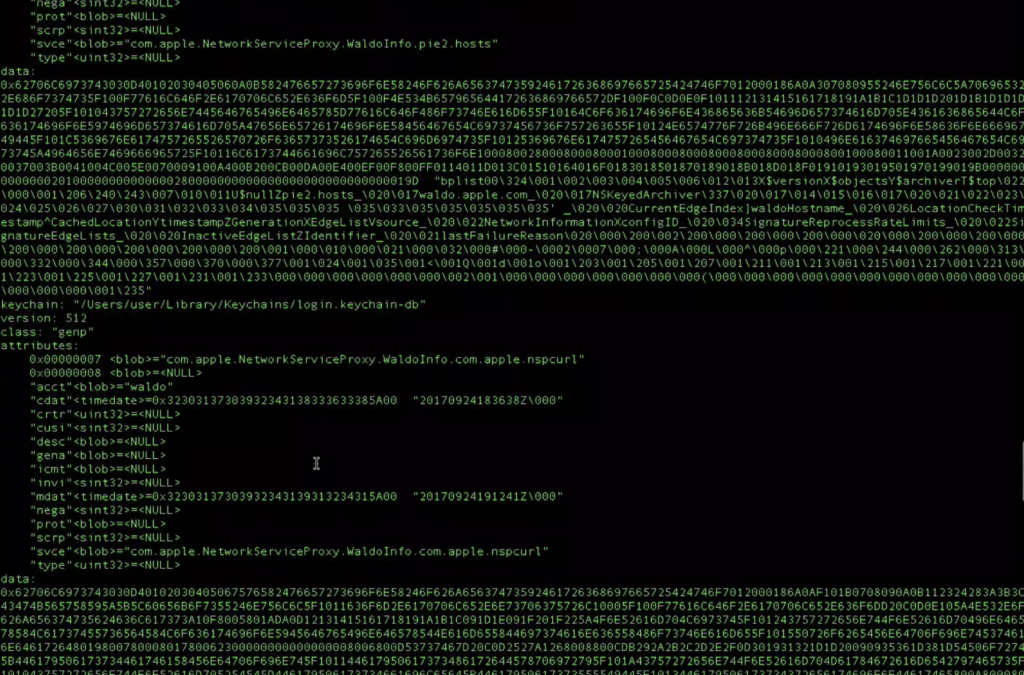
On September 25, 2017, however, former National Security Agency (NSA) staff member Patrick Wardle Tweeted a video in which he demonstrated his discovery of a major vulnerability in Keychain. This vulnerability puts all Mac users at risk. In this video, Wardle shows how a malicious application downloaded onto a computer can infiltrate Keychain, dump its encrypted passwords, and translate them into plain text. With this information, a criminal could simply sign into not only your social media accounts but your bank accounts, too.
In this video, Wardle uses an unsigned application, meaning the application is not signed with code from a trusted source, to remove the personal information from Keychain. Apple software is designed to prevent users from downloading unsigned applications, but almost anyone can create a signed application by paying a small annual fee to sell through Apple’s App Store. Wardle later posted a list of clarifications and further information on Patreon which specifically states that either a signed or an unsigned malicious application could pilfer anyone’s information. He clarified his use of an unsigned application was intended to emphasize the degree of the weakness within Keychain.
Although they surely will, Apple has yet to release a software update to fix the issue. In the meantime, here is what you need to know about this vulnerability in order to protect your passwords and any other personal information you have stored in Keychain (bank account PINs, credit card numbers, super secret family recipes, etc.).
Sierra, High Sierra, and Probably El Capitan Affected
Although Wardle has only tested the Keychain vulnerability on the Sierra and High Sierra operating systems, he is confident that El Capitan and any other older Mac operating systems currently running Keychain would also be at risk. Contrary to what some sources have reported, the vulnerability is not solely with High Sierra. Mac users who have not yet updated their operating systems to High Sierra should not delay doing so due to the recent discovery of this vulnerability in Keychain.
Older operating systems quickly become outdated with the release of new software and likely expose users to a plethora of additional risks. Keeping your software and operating systems up to date by always downloading the latest patches and update releases is the best way to protect yourself and the private information on your computer from becoming public.
Not All Keychain Users Have Been Exposed
Mac Keychain users do not need to panic just yet. Wardle has not disclosed specifically how the vulnerability works – except to the software engineers at Apple – and the vulnerability does not automatically expose all Mac Keychain users. In order for Keychain to release passwords and other personal information stored within its confines, the Mac user must first download a malicious application designed to pilfer information out of Keychain onto his or her computer.
In other words, in order for criminals to leverage this vulnerability, they have to be able to convince computer owners to download their malicious applications. These downloads could come in the form of phishing email scams with dangerous links or attachments, pop-ups encouraging you to download fake software updates, or through downloads from un-trusted or unknown sources.
Mac Users: How to Protect Your Personal Information Prior to a Software Update
Engineers at Apple are already working to provide Mac users a security patch update to fix the Keychain vulnerability. A solution, however, likely will not happen overnight. In the meantime, Mac users can take steps to protect their personal information from becoming exposed by continuing to follow the cybersecurity safety precautions they likely already know, such as:
Not opening attachments or clicking on links sent from unknown sources
Not opening unexpected attachments or links sent from known sources
Only downloading software from trusted websites
Regularly updating your software and operating system
Only updating software from within the applications themselves or through the App Store
Following this advice will prevent you from falling prey to phishing scams which could lead you to unintentionally downloading malicious, password-pilfering software onto your computer.
Additional Security Support from {company}
If you are ever uncertain about whether an update or download is legitimate or if you suspect your electronically stored personal information might have been compromised through the Mac Keychain vulnerability or through another channel, we encourage you to seek advice from an IT expert. At {company}, we can help you establish a solid set of security credentials and ensure your software is always up to date. For more information regarding Mac Keychain, its vulnerability, and how to safeguard your passwords, contact a {company} IT professional in {city} by calling {phone} or emailing {email}.
We look forward to helping you keep your private information from going public.
by Felicien | Oct 4, 2017 | Education
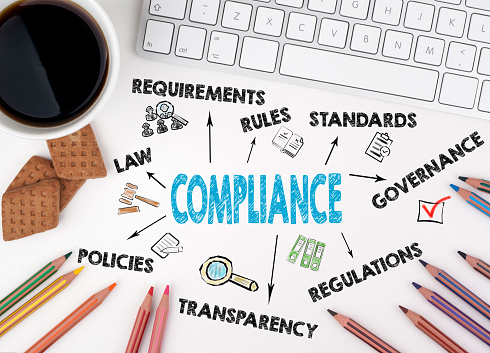
New guidelines governing the transmission, storage and use of protected data create compliance challenges for companies and contractors looking to do business with federal and state agencies.
Companies wanting to continue to do business with certain federal departments and agencies have just a few months to ensure that their cybersecurity protocols are up to par.
That’s because of the December 31st deadline for companies to demonstrate compliance with new guidelines prepared by the National Institute of Standards and Technology (NIST). The NIST is a non-regulatory federal agency that focuses on driving innovation and economic competitiveness for U.S.-based companies in science and technology industries.
The NIST establishes technologies, standards, and metrics that allow federal agencies to comply with guidelines that protect information systems and data. It establishes the standards that federal agencies need to follow for security controls for information systems.
Specifically, the NIST guidelines require contractors, businesses or individuals that work with or for federal or state agencies to have documented system controls in place for dealing with controlled unclassified information (CUI). Federal agencies often share this type of information with business partners and collaborators and the new guidelines are intended to keep that data safeguarded.
14 Categories of Controls
The guidelines require those working with federal agencies to demonstrate compliance with 14 different categories of process and control.
Access Control. This guideline ensures partners limit system access to authorized users only.
Awareness and Training. Companies must ensure that employees are aware of risks to information security and provide adequate training to minimize risk.
Audit and Accountability. System logs, which track access to critical information and processes, are essential. These guidelines ensure the proper creation, protection, retention, and review of those logs.
Configuration Management. Baseline system configurations need to be recorded, as do change management protocols that are robust and focus on protection.
Identification and Authentication. Identification is a critical component of system security and prevents unauthorized access. These requirements govern how central and multi-factor authentication and access to system resources is managed.
Incident Response. In the case of an issue with access, theft or corruption of data, companies need operational procedures that guide detection, analysis, containment, recovery, and response, as well as preparational procedures.
These requirements ensure that there are standard maintenance protocols to ensure upgrades and corrective actions do not compromise data.
Media Protection. Any media containing CUI needs to be sanitized and destroyed properly.
Personnel Security. Companies need to have systems and procedures in place that screen individuals before they are granted access to systems containing CUI.
Physical Protection. In addition to controlling digital access, companies also must ensure that physical access to system hardware and storage is limited and security measures are in place.
Risk Assessment. Doing work with federal agencies requires organizations to conduct an assessment of the operational risks that exist to the transmission, processing, and storage of CUI.
Security Assessment. Companies need to assess the security controls in place and have plans to address deficiencies to limit
System and Communication Protection. Organizations must demonstrate using secure design principles for system architecture and software development life cycles.
System and Information Security. Monitoring tools must be in place to alert companies of system vulnerabilities and flaws.
Within those 14 broad categories are more than 100 specific controls that must be documented and in place by the end of 2017.
Risk of Non-Compliance
For any company that processes, stores or transmits the potentially sensitive information governed by the NIST guidelines, the risks of non-compliance are significant. Federal and state agencies can sever contracts with non-compliant partners. Companies wanting to establish compliance need to act quickly to meet the federal deadline.
Companies need to ask more questions, including:
What vulnerabilities exist within our systems and processes?
How will we address those vulnerabilities?
What training is necessary for our staff, vendors, and clients?
How will we maintain compliance on an ongoing basis?
While all the NIST compliance elements are critical, there are some that are more challenging for many companies. Here’s a closer look at three of the most complicated aspects of the guidelines.
Encryption. Encryption comes to play in two of the 14 categories: Access Control and Identification and Authentication.
Under Access Control, the guidelines state that wireless access to systems needs to be protected using encryption methods. In addition, any data used or stored on mobile devices must also be encrypted. An Identification and Authentication guideline calls for the storage and transmission of passwords must also be encrypted.
Companies will need to use validated cryptography tools. Their system designs may be flawed, requiring third-party assistance to ensure proper encryption procedures.
Incident Response and Reporting. In addition to the operational procedures detailed above, the NIST guidelines require companies to track, document and report incidents to the proper authorities or authorized personnel both within and external to the organization. Testing must also be done regularly to ensure compliance with the defined guidelines.
For example, Department of Defense guidelines covers even a potential compromise. Within 72 hours of a potential issue being identified, a contractor must review evidence and report on the findings of that review to the agency. These mandates mean that companies need to have a well-defined plan and response team ready to activate and execute promptly.
Continuous Monitoring. While continuous monitoring is not one of the 14 broad categories, there are 10 different controls that require ongoing monitoring and investigation. This area shows up in remote access sessions, user-installed software, physical location and infrastructure, visitor activity, use of mobile code, voice over internet protocol (VoIP) tools, and inbound and outbound communication traffic.
The volume of required monitoring can trip up companies seeking compliance, driving some organizations to outsource the monitoring required by the NIST guidelines.
Companies that want to maintain good working relationships with agencies will need some assistance to ensure compliance prior to the December 31st deadline and on an ongoing basis. Without documentation and procedures in place, companies that rely on work with key agencies will find themselves on the outside looking in.
by Felicien | Oct 3, 2017 | Education
The Six Lessons Your Small Business Should Learn After the Equifax Data Breach
The most stunning business news in the last month has to come from articles about the Equifax data breach. The company estimated that this cybercrime impacted at least 143 million individuals. This news may also seem worse than other high-profile security problems because victims did not choose to have a relationship with Equifax. Just about everybody who has ever borrowed money, had a credit card or even rented an apartment gets reported to credit bureaus. Consumers can’t just decide to use another credit bureau if they don’t like the service or security that one provides.
Six Lessons for Small Businesses From the Equifax Data Theft
Your small business probably doesn’t have the luxury of having customers or clients who are forced to do business with you. People choose to patronize your company, so you know the value of maintaining their trust. Even if you have a different business model than a credit bureau, you can use Equifax’s security problems to learn six lessons that should help you protect your company and customers:
You can’t assume hackers won’t bother with your small business: Naturally, small companies have fewer resources to deal with cybercrimes than large organizations do, but they are just as vulnerable to attacks. CNBC reported that about half of all small businesses have been victims of some kind of digital attack. Because small companies may not invest much in cybersecurity, some experts say that hackers even tend to prefer them as targets. While digital attacks against larger companies often make the news, small businesses are less prepared to deal with the fallout.
Apply security patches and upgrades promptly: Equifax later admitted that they believed they left themselves vulnerable because they neglected to correctly install a security update. You should make sure that your employees know to apply software updates on all devices that they use to access your system. If employees have trouble, they should report the problem for an investigation. Some malware blocks updates, so that could be a red flag.
Create and enforce company-wide security policies: When small businesses get hacked, it’s usually because an employee clicked the wrong link in a phishing email or made some other simple mistake. You can invest in fairly simple and inexpensive employee education programs to prevent most of these costly mistakes. You should also let employees know that your company will consider adhering to security policies as an important part of job performance.
Know what devices your employees use for work: These days, employees enjoy using mobile devices to work remotely. Some employees may prefer to use their own tablets and cell phones to perform tasks within your computer systems. You may face some resistance if you try to police personal devices to make sure they have adequate security. Business owners have to balance employee preferences against security concerns, and this can be tough. If mobile phones and tablets do enhance productivity and morale, you may end up buying secured devices for your employees to use for work and asking workers to save their own devices for personal use.
Don’t ignore the possibility of inside jobs: It’s true that most criminals are able to infiltrate small business networks and computers because of employee mistakes. A recent Ponemon Institute study looked at almost 900 security incidents. Out of these, employees accidentally contributed to about 500; however, intentional acts by employees caused about 200. Inside jobs don’t always take sophisticated computer skills because employees already have access, so these are tougher to police. It’s a good idea to audit employee security privileges routinely and ensure there is a way to monitor all actions.
Find out if you or your businesses were impacted by the Equifax breach: Certainly, you will want to know if you have had your private information stolen and what you can do to protect yourself or your business. You can start here on the official Equifax site to learn if you have been affected and what the credit bureau will do to help.
Hire the Help You Need to Protect Your Company’s Computers
If you don’t feel confident about your small company’s security, it’s likely that you need help. Many small businesses operate without an IT department or even any IT people at all. You don’t necessarily need to hire your own security experts to keep your computer systems safe.
These are a few suggestions for small businesses to improve cybersecurity:
You might consider investing in outside consultants to help audit your current security policies, make suggestions, and train employees. You can benefit from the experience of others if you can find consultants who have worked with similar businesses.
Also, you can find vendors who offer security, monitoring, and authentication products that were designed with small companies in mind. Let these experts keep up with updates and threats, so you can focus on your business.
You might consider using reliable hosted software instead of running software and storing data on your own computers. You can find cloud and SaaS providers with good track records for keeping data safe and backed up.
Any of these suggestions can help you benefit from big-company security with a small-business budget. These days, your worst possible choice is probably to do nothing and just hope that your networks, computers, and data are secure.
Are you concerned about your small business’ cybersecurity? If so, don’t hesitate to get in touch with us here at {company} in {city}. You can start to protect your business, your employees, and your customers by calling {phone} or emailing {email} today.

by Felicien | Oct 3, 2017 | Education
Discover how to streamline business operations with software and IT managed services.
Today, businesses can easily streamline operations with software and IT managed services. IT services offer a full range of high-tech solutions that are full-hosted and delivered on-demand. Plus, there are packages that can be configured to support and streamline your unique business processes.
End-to-End IT Service Management Software
Managed IT service providers offer end-to-end IT management software so businesses can take control of operations and functions, such as:
Tracking new customer setup
Keeping projects and new installations on track and within budget
Processing customer requests with automated notification and streamlined workflow
Tracking and monitoring field service technicians
Capturing and converting service alerts into service tickets
Invoicing projects for time, contracts, and service work
Optimizing service tech utilization with producing business reports and metrics
Managing Customer Information
IT service management software programs are robust. They offer better management of customer information, improve sales reporting, streamline business workflow, integrate Microsoft Outlook and track products and subscriptions. With a software program, businesses can get an integrated view of sales prospects and customers, check on project status, view history and monitor service tickets with just one application. Using a web browser or mobile device, businesses can gain information anywhere and anytime. When it comes to sales and reporting, everything can be easily tracked, including sales metrics, territory management, and sales quota performance. It lessens the chance of missing important data. Real-time integration with Microsoft Outlook eliminates the need to create separate contact databases. Managing this data efficiently creates new sales opportunities.
Software That Processes Customer Service Requests
Deliver faster service, improve response times and get a complete audit trail whether customer requests arrive via a web portal, fax, phone or email. This type of software gives businesses the tools to manage outsourced IT services, track billable service work, capture service alerts, deploy a branded client access portal and monitor everything with service dashboards. Businesses can rely on IT services management software to streamline troubleshooting, help desk, support, configurations, upgrades, and maintenance. Track billable service work in the background. It’s useful when using contractors. And with service alerts being captured automatically, businesses get a speedy resolution for monitoring security alerts and viruses. Create, submit and check status reports through a client access portal. This feature streamlines response and resolution times. With service dashboards, key metrics can be monitored. All around:
Callbacks are reduced
Response times are faster
Customer issues don’t fall through the cracks
Business intelligence is enhanced by tracking trends and performance metrics
Revenue is increased
Efficiency is resolved with fewer resources
Managed Service Options That Streamline Business Operations
An entire IT department is in the palm of your hands with managed service options. And there are many elements. Whether equipment is at the provider’s facilities or in-house, businesses can opt for 24/7/365 remote monitoring and management. Opt for cloud servers. Get cloud-hosted applications to keep a business running with backup servers and backup power. Streamline operations and keep a business running with disaster recovery and backup. Duplicates of memory, application software and local data maintained by the IT provider ensures quick recovery if there is a hardware crash.
And with managed security, network vulnerabilities are minimized. Plus, an IT managed service provider can custom tailor the system for an individualized security application that meets unique needs. Some IT providers even offer third-party applications that ramp up productivity and security in the mobile corporate culture. With IT service options, companies can save money, augment in-house IT staff or replace it.
Choose mobility services and jump in on the mobile revolution to improve customer relations, reduce costs, increase sales, streamline processes and open new avenues of revenue. Mobile technologies have the capability to change the way companies operate. An IT service provider can provide a strong mobile plan and closely monitor the network. By opting for this service, businesses can free up this time-consuming task for IT departments.
Opt for collaboration services and connect with partners around the world or have a meeting with the sales team. This type of platform brings voice, video, and data to the same arena. These types of applications streamline the business process, improve efficiency and enhance productivity. And through hosted collaboration, there is also a customizable menu of options for businesses. Collaboration services include:
Assessment and design
Customer engagement solutions
Cloud collaboration
Operational support
Infrastructure diagnostics and monitoring
Help desk
Today, there are many factors fueling businesses to streamline operations with software and IT management services. Almost half of businesses stand to lose up to $10,000 an hour due to downtime. It’s also projected that up to 60 percent of businesses will go out of business within six months of a data disaster. Every week, over 120,000 businesses suffer a hardware crash. The risks are just too great for companies today. If you’re seeking more information on how you can streamline operations with software and IT managed services, contact the IT experts at {company} in {city} by calling {phone} or email at {email}.

by Felicien | Oct 3, 2017 | Education
Discover the many benefits of partnering up with an IT Managed Service Provider.
Today, many businesses are partnering up with IT managed service providers. Sixty percent of businesses use IT managed services, and that figure is expected to continue to grow. And that’s due to the many benefits from the services these professionals provide. Here’s a list of benefits to take a look at.
Control the Cost of IT
Paying an in-house IT staff is a costly venture. With IT managed service providers, you get fixed IT costs into variable costs, which allows you to budget efficiently. Companies only wind up paying for what they use and can opt to use it when they need it. Outsourcing IT task just saves companies money.
Reduce Labor Costs
Not only does it cost money to have an IT in-house staff, it costs money to hire and train. And temporary employees don’t always fulfill expectations. With outsourcing, businesses can focus on human resources in other places needed most.
Certified, Trained, Qualified and Experienced
How can you be sure that the IT employee is truly qualified for the position? With an IT managed service provider, you get a professional who is certified, trained, qualified and experienced. And if you’re planning to train an IT employee, keep in mind that certifications like Microsoft Certified Systems Engineer (MCSE) are very expensive.
Qualified Doesn’t Mean Experienced
No matter how much you train an IT employee, that training is isolated, and the employee may not have the right experience. An IT managed service provider sends an IT professional who is highly experienced. When you see a physician, you want one with experience right? The same holds true for IT.
Ramp Up Efficiency and Competitiveness
When companies try to do all the IT themselves in-house, it winds up being inefficient and costly in the long run. There much more time invested in implementation, research and development. And all of these costs just pass down to customers. Save on operational costs and keep your costs for services and products more affordable for customers and more competitive for your competition.
Implement the Latest Technology Fast
Technology changes as fast as lightening today. Few companies have the resources and capability of using the latest technology and implementing it fast. Handling a project in-house with the latest technology may take months to train an IT employee. IT pros from a managed provider have the skill and knowledge to implement the latest technology fast. It saves time and money.
Focus on Taking Care of Business
It’s important for companies to take care of business on a daily basis and not get distracted by complex IT decisions or problems. Trying to take care of a security breach or hardware crash takes managers away from focusing on the core business. Again, it’s a loss of valuable time and money.
Lower Business Risk
No matter what the business is, there’s always an amount of risk. Government regulations, technologies, market conditions and competition change quickly. Outsourcing IT providers lowers and manages risk by having specific industry knowledge, including compliance problems and security. Fixing these types of problems can cost a lot of money, not just in fines but in downtime. IT managed providers can help avoid risk using their base of expertise.
Level the Playing Field of Business
Many small businesses just don’t have the monies to match the in-house IT services that bigger organizations have. Outsourcing IT services helps smaller companies level the playing field with Mr. Big. The economy of scale and affordable cost structure of IT managed service providers gives smaller businesses that needed the competitive edge.
Security and Compliance
Companies can get the security needed with wire transfers, e-checks, credit cards and gift certificates. Fraud is rampant today, and companies can lose big money and their reputation with fraud. IT managed service providers are very knowledgeable with PCI compliance regulations. Businesses can minimize the risk with maintaining sensitive information along with credit card information and client data. In addition, they make sure that your firewall is up to date and a DMZ is installed. “The Health Insurance Portability and Accountability Act, Family Educational Rights and Privacy Act, Gramm–Leach–Bliley Act, Payment Card Industry Data Security Standard and Sarbanes–Oxley Act have strict rules when it comes to the retail, healthcare and financial industries.”
24/7/365 Support
Today, many companies work around the clock. And so do their networks. With managed service providers, help is always available, whether it’s day, weekends or holidays. Companies are privy to support all the time. All around, there are just too many benefits of partnering up with an IT managed service provider for businesses today to ignore. While new technologies present strong opportunities for businesses, they also introduce daily challenges. Professional IT service managed companies can help your business meet those challenges. If you’d like to learn more, contact {company} in {city} by calling {phone} or email at {email}.
If you’d like to learn more, contact {company} in {city} by calling {phone} or email at {email}.
