
by Felicien | Oct 12, 2017 | Education
Explore 7 Ways That macOS High Sierra Helps You Protect Your Privacy and Security
If you’re an Apple user, you have a lot of things to look forward to in the 13th release of the macOS operating system. Some highlights include new features, improvements to existing features, and a few updates that will pave the way for future releases. At the same time, device and internet security have become a growing concern with all internet and device users. It’s a good idea to learn more about High Sierra security and privacy features, so you know what to expect and what to be careful of.
What Privacy and Security Features Does High Sierra Include?
The October 5 Password Patch
It’s worth mentioning that two security vulnerabilities with High Sierra made the news by the first day of its release on September 25. These had to do with password hints and actual passwords stored in the keychain. You can now upload a patch to fix these issues from Apple. Apple released the patch on October 5.
Security analysts who had a chance to test the new operating system before it was released said they had notified the company about issues before release, so it is somewhat surprising that the company took several days to release this patch. Prior to that, the company said that users who only downloaded apps from the Apple Store could protect themselves from these issues, but some security analysts weren’t so sure. In any case, if you have already updated, you should certainly consider installing the patch.
High Sierra’s Built-In Privacy and Security
Besides the patches for these zero-day vulnerabilities, High Sierra also came bundled with plenty of new and updated privacy and security features on its own.
File System
Apple’s update to their new file system deserves the first mention. Called APFS, or the Apple File System, it now relies on flash technology. You should enjoy both better performance and improved security.
Improved security and protection features include:
Improved encryption capabilities
Crash protection
Easier backups
Since the upgrade may totally change the way that your device stores all of its data, it’s a good idea to ensure that you have backed up your system before you start installing High Sierra.
Browser Tracking Protection
You probably already know that advertisers try to track your actions as you use your internet browser. They usually don’t have malicious intentions. They simply want to gather data that helps them target advertising better. At the same time, lots of Apple users would prefer to protect their privacy from this type of tracking software. The Safari web browser now includes intelligent anti-tracking features that are supposed to be as smart as the advertiser’s trackers.
Advanced Secure Internet Connections
When you visited secure sites, like your bank, you probably noticed that you had an https:// connection and not a http:// connection. Besides financial institutions, you might have also noticed this on many emails, downloads, or membership sites. This is an example of improved security through a TLS connection. This is important, but this kind of security relied upon SHA-1 certificates in the past. These old-style certificates are no longer secure enough to perform as intended.
Currently, Apple wants all developers to move to SHA-256. certification, which uses much more advanced encryption to protect privacy and security. This latest update actually applies quite a bit of pressure to get developers to change. Before High Sierra, your Apple device would offer you a warning that the connection wasn’t truly private and secure. Now, High Sierra will simply block your connection. Before you upgrade, you may want to check any secure connections that you rely upon to make sure they will still work.
Weekly Firmware Validation
Once a week, High Sierra will automatically run a firmware check to validate your hardware against any installed firmware on your device. According to Intego, most users should never see a warning from this check. A warning could mean that your device has been maliciously tampered with, but it might just mean that you purposefully installed a hack to allow you to run this new operating system upon an unsupported computer. If the weekly firmware validation does trip a warning, you will have the option to ignore it or to send a report to Apple for further investigation.
Kernel Extension Approvals
Some software will add kernel extensions that add certain functions to the operating system. For instance, antivirus programs may do this legitimately in order to work. Still, developers of malicious software may also add kernel extensions in order to cause mischief, so you should always know when it happens.
In any case, High Sierra will offer you a warning the very first time that any software tries to install a kernel extension. If the extension was already loaded before you installed High Sierra or you have previously approved the extension with High Sierra, you won’t get a warning. Some hackers have become clever at masking their work to look like legitimate software, so this system isn’t foolproof.
Mostly, High Sierra Offers Better Security and Privacy
This overview of new privacy and security features nitpicked a bit. It’s important to understand how your device protects you and how that protection may be limited. Mostly, you should enjoy better security and privacy with High Sierra than you have with your past macOS operating system versions.
by Felicien | Oct 12, 2017 | Education
Jazz Up Boring Convention Photos with Snapchat-Style Filters from LinkedIn
LinkedIn has long been the bastion of boring, in a way — with professional networking being the main order of business. Will the new geofilters add a spicy layer to the social media giant?
There just may be a better reason to download the LinkedIn app: now you can find Snapchat-style geofilters that can be added to photos and videos within the app. While the LinkedIn app is thought by many to be more of a necessary evil than a true destination, the professional networking social giant has finally gotten creative and added a functionality that is likely to gain wide adoption with convention and conference attendees. While the rollout was limited to the Grace Hopper Celebration conference, additional events will be included in the future. Is it possible that this little tweak to the concept of filters could replace the need for badges in the future? Only time will tell.
Growth of Geofilters
Snapchat has been leveraging geofilters as a growth strategy for quite some time, with relatively-inexpensive advertising fueling the desire for brands to see themselves captured across the internet. Families create filters for birthdays and other local events, sure — but the real growth of geofilters has been by brands hungry for new and innovative ways to spread their message. By drawing a virtual fence around the geographic area where you want to promote your goods or services, Snapchat filter creators are able to overlay an image or video that can be overlaid on any snap. This is particularly exciting for anyone marketing to millennials, as they make-up the vast majority of the 150 million daily Snapchat users. The possibilities for targeting this juicy audience segment is difficult for marketers to ignore, so they’re flocking to Snapchat geofilters. The creative applications are essentially limitless, and the costs are exceptionally low. Geofilters for popular locations can be under $100, often garnering thousands of high-quality impressions from users.
Bye-Bye Boring Photos and Videos
The updated filters are meant to form a professional frame for an individual’s interactions at a specific event. While the idea of people wearing floppy bunny ears, a halo of flowers or crazy-rimmed glasses during conference photos may seem alarming, fortunately, LinkedIn geofilters seem a bit more sedate — at least for now. LinkedIn business leaders are hoping that this engaging new feature will help LinkedIn get its mojo back, and regain users who have fled to other platforms for less advertising-laden browsing. Users are finding that these updated video filters provide a way to identify users with a particular group as well as add some needed interest and life to images that can admittedly be a bit bland. Unfortunately, LinkedIn currently appears to be keeping tight control of which events are allowed to launch geofilters, and the functionality overall has not yet been turned over to users for full participation. Additionally, speakers at the event are able to manually enable a feature that provides a speaker tag in your filter, a nicety that will be appreciated by professional users.
LinkedIn Needs a Win
The professional networking site has been plagued with challenges over the last several years, as it has widely been called a spam engine while analysts debate the expected deceleration of the platform overall. In the midst of this mostly-negative outlook throughout the business world, LinkedIn has attempted to introduce several paid models that could lead to revenue with the acquisition of Lynda.com training platform and the Sales Navigator model. However, users continue to resist heavy adoption as a very small percentage of super-users dominate the platform while the majority of people use it only as a last resort or living resume as they’re planning their next organizational shift. With the scattered focus of the last few years, it’s possible that LinkedIn is finally recognizing that its niche exists in creating a positive space for networking between professionals.
While the geofilters are not yet available to the general public, there is some thought that they will be in the “coming soon” category — probably once LinkedIn’s leaders determine the best way to monetize the new functionality. Want to learn more about this and other upcoming technology options that will impact your business?
by Felicien | Oct 12, 2017 | Education
The Internet has the potential to cause harm to your children and teens, but there aren’t rules and restrictions governing it like we have with other things in our society. The Internet is like the Wild West—There are very few controls, and it’s not private. So how do you keep your kids safe online?
The best way to keep kids out of trouble online is to educate them.
The following is some information for you to share with your kids.
Some staggering statistics
20% of social media accounts have been hacked or taken over by someone without the user’s permission.
11% of Internet users have had their personal information stolen (like their SSN, credit card number or banking information.
41% of children aged 8 – 17 who had a visible profile, had their profiles set so that anyone could see it.
1 in 5 people has had their social networks or email compromised by hackers.
What are the potential online threats to watch for?
Viruses, Malware & Ransomware
Malware is a broad term that covers all sorts of unwanted malicious code including viruses, spyware, Trojans, and ransomware. These viruses can duplicate themselves in your files and emails and can be sent to others.
16 million households have experienced a serious computer virus problem in the past two years.
8 million households have suffered from spyware in the past 6 months.
1 million households lost money or had their accounts compromised from phishing.
What are the biggest risks?
Viruses—57%
Trojans –21%
Trojan Downloaders—7%
Unwanted Software–$4
Adware—3%
Exploits—3%
Worms—2%
Password Stealers and Monitoring Tools—2%
Backdoors—1%
Spyware—0.01%
Online Scams
These try to take advantage of your children to obtain their personal information or even money. Many target younger kids and try to get their Social Security Numbers because they have clean records. Tell your kids to let you know if they see any of these:
Phishing email scams that try to get your child to click a dangerous link
The Nigerian scam where the scammer says a large amount of money is waiting for you if you contact them and send a small fee.
Greeting card scams where you get a notice saying you have a card waiting and instead, it’s a malicious link.
A guaranteed bank loan or credit card scam. Banks never send you this kind of information online. (Always make sure any bank or financial websites are secure with https in the address and a little lock icon.)
Lottery scam saying you’ve won money if you send a small fee to receive it.
Hitman scam that claims someone you love will be killed if you don’t send money.
Romance scams where people try to seduce you online. This takes weeks to develop a relationship where they then ask for money.
Fake antivirus software where a popup from a website appears saying your antivirus isn’t working, and to click here.
Facebook impersonation scam (where someone else’s profile has been high jacked)
Make-money-fast scams
Travel scams
Fake shopping-site scams
Hackers
These are criminals who try to get into your computer and steal information or money. Unfortunately, your information could be stolen and you won’t even know it. (Like with the Equifax hack.)
47% of American have had their personal information exposed by hackers.
How to protect your child from these threats.
Tell them not to open emails like the ones above. They should let you know if they receive them.
Don’t open emails in the spam or junk folder.
Be careful on gaming and social media sites. Don’t click on the banners.
Be cautious about logging into free WIFI or other websites. Sometimes criminals can get into them and view your information.
Keep a login passcode enabled on all your kids’ devices.
Add 2-step verification wherever you can. When you enable this, you add an extra layer of security to your accounts.
Use different passwords for different accounts.
Beware of suspicious and phishing emails.
Be careful about what information you share on social media sites. (selfies, photos of their home or room)
Privacy is important.
40% of Internet users between the ages of 18-35 have regretted posting personal information about themselves.
35% of 18-35-year-olds think people share too much about their personal thoughts and experiences.
Remember, whatever you post online has the possibility of existing forever. (Colleges and HR executives will scan your child’s social media account to see what kind of person you are.)
Tell your child to think carefully before they post anything.
Delete messages from your social network that may impact you later.
Cut back your social-media contact lists. Only share personal info and events with family and close friends.
Get educated on cyberbullying and don’t take their “bait.” Don’t respond to them.
Be clear about privacy boundaries. Don’t post where you are and that you’re not at home.
Ask friends and family not to post photos or info about you unless they clear it with you.
Cyberbullying
43% of teens aged 13 to 17 report they have experienced some sort of cyberbullying in the past year.
Tell kids to talk to you if this happens to them.
Use software to block Bullies’ IDs.
Save the evidence—Take screenshots. To protect your child, you may need to contact school officials or even the police.
How do you protect your device from these threats?
Use Complex Passwords.
Use passwords that are easy to remember but hard for others to guess. Have your child think of a phrase like: “Mydogiscuteand8yearsold” and use the first letter of each word—Mdica8yo.
Change your child’s passwords often. Do this at least every three months.
Don’t let browsers save passwords. While most websites don’t store actual passwords, they do store a password hash for each username.
Check online accounts regularly. If you don’t, someone else could be using them. Do this for all your accounts, even the ones that you don’t use anymore.
Use a password manager. Like LastPass or Dashlane. They will generate strong passwords and remember them for your child.
Use Firewalls. There are two types: a software firewall and a hardware firewall. They are like a security gate between your computer and any unauthorized attempts to access your computer.
Have an up-to-date Antivirus on all your devices. Make sure it stays current or you won’t be protected. There are free ones, but the ones you pay for will be better. Put antivirus software on your phones and tablets too.
Install Spyware software on your computer devices. This will keep criminals from loading spyware on your devices that can track everything you do. Make sure there’s no spyware on your computer devices to make sure your child is safe.
Set your Web browsers at a high-security setting. This might be a little aggravating as things could load more slowly, but it’s worth it. At least you’ll have a choice when you go to a website whether you want to share your information.
Protect Your Child from Online Predators
Don’t’ let them post personal or location-related information online.
They should think carefully before posting pictures or videos.
Don’t accept friend requests from people you don’t know.
Always tell parents about strange friend requests or emails.
Online Safety Software
NetNanny
Norton Family Parental Control
KidLogger
mobicip
Qustodio
Helpful Resources Connect Safely
Internet Safety 101
Get Cybersafe
com
Common Sense
In summary—A few more tips to remember:
Create addresses and usernames that are gender neutral
Don’t use photos of yourself as part of online profiles.
Look into the setting of any apps with messaging or file-sharing features to see if it can be disabled.
Don’t accept friend requests from people you don’t know.
Always tell your parents about strange friend requests or email.
Our children are at risk, even when at home and when you’re there. Teach your children about online risks and protect your devices from viruses and malware. For more information about helping your children stay safe online, contact {company} in [city} at {phone} or {email}.
by Felicien | Oct 11, 2017 | Education
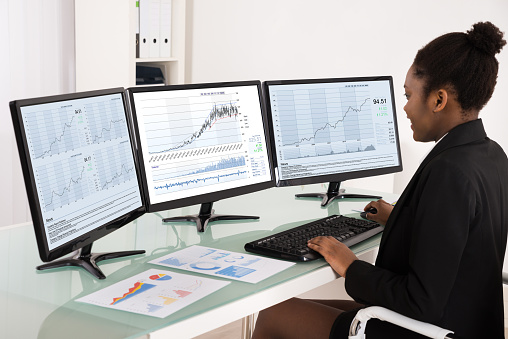
Whether you believe that more screen space equals higher productivity or simply more room for distraction, the dual monitor discussion isn’t going away anytime soon.
Walking into an IT department in most offices may make you feel as though you’re in some futuristic movie: with multiple screens shifted at all angles, all with variations of code scrolling across them. While this isn’t unexpected from a technology team, how can you evaluate whether or not multiple monitors are helpful for your business users? When trying to determine whether they’re a productivity booster or simply offering your business users more virtual real estate to play on social media, you’ll want to consider a variety of factors such as available desk space, job requirements and yes — the cost.
Potential Distractions
Humans do many things well, but not necessarily many things at the same time. The potential distractions available when you have multiple monitors is exponential, as you’re offering workers that much more space to open additional windows into their tasks. Multitasking has been shown to reduce job satisfaction, impair cognitive function and distracts us, as well as dividing our attention and sabotaging our performance. Multitasking is actually a misnomer, as essentially what’s happening is that your brain is hopping back and forth from task to task very rapidly, which can damage our ability to think deeply and creatively in the long term. What has been considered a boon on a resume in the past (“excellent multi-tasker”) might well become a detriment as businesses look for individuals who can dig deep, focus and solve tough business challenges.
Space Requirements
When you’re considering adding a second monitor to any desktop setup, there are two space requirements you have to keep in mind. The physical space required on the desk and whether the user will still have enough room to balance a coffee cup, notepad and pen and the digital requirements of having enough system resources to keep things running efficiently and latency-free. The physical desk space may not seem like much of a challenge until you attempt to fit two large monitors on a desk and see how far away from your user will need to sit to view them effectively and without eye strain. Creating a physical setup that helps maximize efficiency is particularly important in call center environments or when there are significant requirements for contract review or other paperwork, for instance. Ensuring that you have covered any additional video card requirements and ensuring that you have a swift enough processor will keep programs opening, closing and moving swiftly as well.
Cost Implications
While monitors have come down a great deal in cost in recent years, adding a second or even a third monitor can cause some unexpected expenses. For instance, while many computers will support up to two monitors, adding a third monitor often requires a special video card in order to get everything properly connected. The cost of two monitors is generally higher than a single widescreen monitor, but this setup can be more effective than a single widescreen monitor simply because the separation between the monitors often allows the mind to separate work functions more effectively. If you’re using a laptop, having an additional monitor may be a bit confusing as you’re often looking at two differently-sized monitors, which can be incredibly distracting. When you purchase dual monitors, it’s best to get exactly the same brand and style so the screens line up effectively. A large organization can be facing a massive cost impact to add second monitors at every workstation, and even small businesses will feel the pinch of the additional cost — which may or may not be offset by the productivity gains.
Big Boost in Productivity
Anyone who has used a setup with multiple monitors can tell you that having the additional space available is highly beneficial, especially for jobs such as programmers, designers, social media gurus and anyone working with video. Using a single monitor setup would be difficult if not impossible, due to the requirement of switching back and forth between various tasks, software, and workspaces on a regular basis. Some experts believe that productivity is increased by more than 40% when using two monitors, while other studies have shown that errors are reduced as well as improvements found in the level of employee stress. This isn’t difficult to believe when you consider the challenges associated with flipping back and forth between programs in order to transfer information between software packages. Fewer clicks can equal a faster workflow, especially important in today’s world of rapid-fire communication. Many organizations have implemented a hybrid model, where some teams utilize two or more monitors based on business needs, while other employees work with a single monitor.
If you’re considering dual monitors to boost productivity or you are too concerned about distractions to take the plunge, our technology professionals can help you work through the various scenarios to determine what will work most effectively for your organization.
by Felicien | Oct 11, 2017 | Education
As if the threat of a data breach isn’t bad enough, Australian business owners now need to be aware of enhanced legislation around notifications in the event of a data breach.
Data breaches are a serious threat to businesses throughout the world, but Australia has lagged behind states in the U.S. and other parts of the world when it comes to data breach notification laws. However, that time is coming to an end, as the Australian Senate passed February’s Privacy Amendment Bill. This Notifiable Data Breaches Bill will go into effect 22 February 2018 and has the potential to dramatically change what a business is required to do in the event of a data breach. This bill has been quite a while in the making, as several false starts in 2013 and 2014 ultimately ended without bringing an updated legislation to fruition. See the impact on your organisation and how you can prepare for this new regulation before it takes full effect.
Damages from a Data Breach
The damages caused by a significant data breach can be far-ranging: both for the organization that suffered the breach as well as for the individuals whose personal data was impacted. Cybercriminals are always looking for new and creative ways to make money by leveraging the PII, or Personally Identifiable Information, of individuals. However, the largest damage done is often to the business from which the data was stolen, as the business can be impacted by negative press, massive drops in consumer confidence and additional remediation costs such as attorney fees and notification fees. These serious damages include public scrutiny, especially from vendor partners or investors, as well as the need to spend considerable time, effort and energy reviewing current security procedures and looking for changes that can be made that will add to the overall security of the business in the future. On top of all of the upheaval, it’s not unusual for a business who suffered a data breach to lose up to 20 percent of their overall client base in the near term as a byproduct of reduced consumer confidence.
Barriers to Security
Chief Security Officers are quick to note that there are significant challenges associated with maintaining adequate security postures. Increasingly complex systems with a great deal of interoperability can cause integration teams to take shortcuts with security, such as not applying patches quickly due to the concern about potential system outages. Another oft-cited difficulty is keeping the number of security protocols under control. More is not always better, especially when it comes to the number of security products in play. When there are a dozen or more unique platforms, you’re leaving significant room within the infrastructure for gaps and mistakes. The speed that business leaders require may allow systems to be launched without adequate hardening, or abandoned without being fully depreciated and disconnected from all other systems.
Malware and Ransomware
With the extensive complexities in systems that are all targeted towards preventing cyber attacks, hackers are going back to the classic attacks that have worked for years, such as malware and spammy email links. These simple yet highly-effective attacks are dependent upon convincing a well-meaning employee to click a link, open a file or take another action that provides either damage to the account or access to the network for hackers. There is not always a need for cybercriminals to craft a sophisticated attack when a basic click-ad that launches malware will do the job of getting them into the system just fine! Security protocols on the technology side can be supplemented by extensive training on the business side of the house, as knowledge and awareness are shown to be the most effective ways of combating these types of attacks.
What Constitutes a Data Breach
The updated legislation defines a data breach as a situation where:
Unauthorized access to the personal information of one or more individuals has been obtained by cybercriminals
There is a strong likelihood that the information obtained can be used in a detrimental way
Individuals who are affected by the breached information are likely to incur serious physical, psychological, financial or other harm as a result of the disclosure
Information that is considered personal includes such items as tax file numbers, personal health data, and credit information.
Actions to Take in the Event of a Breach
Should your organization be the target of a data breach, there are actions that you should be prepared to take immediately, such as the new compulsory regulatory notification. The Office of the Australian Information Commissioner (OAIC) requires that notification is made “as soon as practicable after the entity is aware that there are reasonable grounds to believe that there has been an eligible data breach” — an important change from previous notification requirements. Previously, organizations were encouraged, but not required, to take this step, but failed to notify the proper authorities now carries a stiff penalty. This is particularly onerous as the legislation requires that notification is completed if even a single record is compromised. With fines starting at $360,000 for individuals and $1.8 million for organizations, this isn’t a requirement that can be taken lightly.
The cost of data breaches and the high potential for loss, it’s more important than ever that businesses look for ways to enhance cybersecurity. Want to learn more about how your organisation can improve security measures?
Want to learn more about how your organisation can improve security measures?
Contact us and speak to a security professional today and determine if there are remediation measures that you can take immediately to support your current security posture.

by Felicien | Oct 11, 2017 | Education
If you’ve purchased a Mac expecting to never have to be concerned with malware or hacking, think again! A recent exploit is targeting Mac users. The good news? It’s preventable.
Mac users have long touted the fact that Apple computers are much less likely than computers running Microsoft Windows to be hacked, but that era may be coming to an end. With four times as many Windows 10 computers currently in the marketplace than Macs, it’s not surprising that hackers choose to attack the system that is much more prevalent in the marketplace overall. A recent ransomware attack may be cause for Mac users to stop their taunts of the platform being hacker-proof, however. The good news is that by taking a few simple precautionary steps, you may be able to stop cybercriminals from locking you out of your expensive Mac.
Are Apple Products ‘Hacker Proof’?
For more than a decade, there’s been a rumor that Apple products are hacker proof, but the reality is that no operating system or data structure is completely airtight. Historically speaking, there are fewer viruses and malware that are targeted to Macs than to PCs, but that doesn’t mean that any Apple OS is immune from threats. There have been more attacks in recent years as ransomware has leaked to the dark web. While Android and Windows will likely always receive a higher percentage of malware than Apple devices, the threats continue to multiply as Apple becomes ever more popular in the marketplace. It’s only a matter of time until specific devices are targeted with browser-specific hacks that bypass some of the security that is baked into OS X.
Mac Attacks
Phishing emails and third-party exploits of software such as Java or Adobe are also some of the current crops of attacks against Macs, but they’re not the only ones. Macs have been plagued by adware and bloatware — whether malicious or just annoying — that can float pop-up ads on your system to tempt users to download non-essential software tools. These problem spots can slow down the system overall or spawn additional pop-ups, and generally aren’t dangerous. Malicious iOS apps are another form of malware that is likely to be found on a Mac. It’s important to stick with only downloading apps from the official App Store, as others could potentially include subsets of code that can steal user information or infect the device in a much more widespread fashion. While buying from within the App Store helps combat nearly all malicious software, the ever-diligent app reviewers don’t catch everything. In the last 24 months, XcodeGhost was able to introduce a framework into legitimate apps that hijacked back-end servers and ultimately infecting the third-party advertising network.
Rise of Ransomware
Hackers are always looking for new ways to hold your device hostage, essentially locking you out of your device until you pay a ransom which is generally requested in nearly-untraceable Bitcoin currency. With ransomware up nearly 250 percent in 2017, cybercriminals have discovered that there is significant money to be made in locking down computers both for individuals and for businesses. Ransomware has often targeted PCs in the past, but mobile devices and Macs are a growing part of the threat landscape. The U.S. has been hit particularly hard, most likely due to the high number of available computers and relatively high per capita income — which translates into funds available to pay for ransom demands. Ransomware often completely disables the boot-up process for your computer, a crippling effect on any system.
Find My Mac
This recent risk is related to the Find My Mac application, or FMM, which is being targeted by hackers who then request Bitcoin payments in order to provide renewed access to the system. This particular app makes it simple to pinpoint the current location of your device and is helpful in the case of a lost phone or stolen Mac computer. Apparently, hackers have illegally obtained a large quantity of iCloud passwords and usernames, and are leveraging these assets to lock people out of their Macs and mobile devices. The good news is that there’s a relatively easy fix that doesn’t involve paying the ransom, but only if you’re willing to lose all of the data on your device by doing a hard reset. This can also be accomplished by bringing your Mac to an Apple store and verifying your identity.
Reducing the Risk of Loss
Fortunately, there are a few ways that you can reduce the risk of being hit by these cyber criminals. Creating a password that is highly secure is the first step, as is turning off the Find My Mac or Find My iPhone in your device’s Settings. Turn on two-factor authentication on your Apple account to ensure your password cannot be reset without your knowledge, and consider utilizing a password vault app that provides additional levels of security. There’s a further step that you should take before selling or loaning your computer that may help keep your Apple ID information safe, as iCloud information is stored on the nvram of your computer. Disabling FMM at the command line can be accomplished by entering:
$ nvram -d fmm-computer-name
$ nvram -d fmm-mobileme-token-FMM
If your IT admins are struggling to keep security under control, let the professionals at {company} support your {city} organization. We work to ensure that all risks are addressed in a timely manner throughout your fleet of devices and computers.
Contact us today at {phone} or via email to {email} for more information or to take advantage of your free initial consultation.
