
by Felicien | Jan 5, 2018 | Education
Potentially every Intel processor sold in the last 10 years could have a critical security vulnerability that puts users at severe risk.
It’s often these days that poor IT security comes down to something like human error, and lack of awareness on the users’ part. It’s less often that there’s a widespread design flaw discovered in the technology itself, which is exactly what happened with Intel this week.
The Register published an article this week detailing how every Intel processor produced over the course of the last decade is affected by a design flaw that would allow malicious programs to access and read what should otherwise be protected areas of a device’s kernel memory. Kernel memory is dedicated to essential core components of an operating system and how they interact with the hardware.
What does this mean for Intel users? This flaw could allow cybercriminals to access valuable and sensitive information like passwords. It’s possible that something as simple as JavaScript on a webpage, or cloud-hosted malware could penetrate the most interior levels of an Intel-based device.
Even worse, a foundational flaw like this can’t be patched with a simple, everyday update – the problem is in the hardware, which means it needs an OS-level overwrite for every single operating system (Windows, Linux, and macOS).
In a statement released January 3rd, Intel claimed that this flaw isn’t necessarily unique to their processers.
“Recent reports that these exploits are caused by a “bug” or a “flaw” and are unique to Intel products are incorrect. Based on the analysis to date, many types of computing devices — with many different vendors’ processors and operating systems — are susceptible to these exploits.”
According to Intel CEO Brian Krzanich, Intel was informed about the security flaw by Google a few months ago. Although the extent of this flaw isn’t fully known to the public right now, it appears that developers are working hard to patch systems over the course of the next few weeks.
That said, the patching process won’t be easy, given that it will involve severing kernel memory from user processes. In a nutshell, that means users will face major performance lags, anywhere from 5 – 30%, depending on the specifics of the device.
The fix works by moving the kernel to a totally separate address space, making it nonexistent — and therefore, inaccessible — to a running process. Unfortunately, this separation process takes a lot of time to perform, as it forces the processor to dump cached data and reload from memory every time it switches between two separate addresses. The end result is an increase in the kernel’s overhead and a slower computer.
While it may not be noticeable for the average user on their home PC, this kind of lag will likely affect businesses using enterprise-grade cloud configurations the most. Be sure to keep an eye on this developing issue in order to ensure your Intel-based devices are properly patched.
As always, the best way to stay aware of threats like this, as well as protect against them, is to work with an expert partner. Our team of cybersecurity professionals will help you stay ahead of exposed vulnerabilities like these so that you can remain safe and focus on the work your business does.
by Felicien | Jan 5, 2018 | Education
This often-overlooked security gap can create a surprising number of serious security risks.
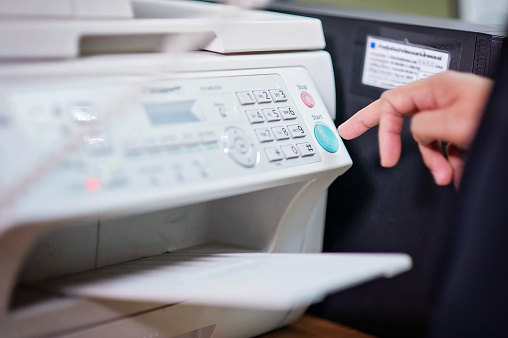
Multifunction printers are great tools, offering your team the ability to do just about anything their duties would require them to do from a single piece of hardware. Unfortunately, much of what makes multifunction printers (MFPs) so useful also makes them a major flaw in your network’s security.
The need to effectively safeguard protected health information (PHI) is a huge part of HIPAA compliance, and if your multifunction printer or printers are properly configured and secured, it’s very easy for a hacker to help themselves to the data being transmitted to and from those printers. In fact, they can even use an unsecured printer to gain access to your network, plant malware, steal PHI and other valuable data, or they may even destroy the printer itself.
Cybercriminals using an MFP to wreak havoc on an organization happens more often than you might think, with seriously unpleasant consequences. Despite that fact, a lot of healthcare practices – and their IT support providers – still overlook this potentially giant flaw in their otherwise highly-secure network.
The main reason an MFP is such an area of concern is that unlike single-function printer that connects directly to a computer, MFPs have sophisticated internal hard drives and CPUs that process and store data, and run on their own software. This “brain power” gives hackers something to play with, and without the right endpoint protections in place, security breaches are almost inevitable.
There are five main considerations to make when looking at your MFPs and the security around them. These are the things our team pays very close attention to not only when we work with healthcare organizations, but with any business that uses MFPs.
Hacking and Malware
Getting hacked is a surefire way to find yourself facing HIPAA fines and a whole lot of bad publicity, but that’s far from the only worry here. Once someone gets inside your network, they can block access to information and disrupt workflows that are essential to patient care, which is both inconvenient and potentially dangerous. Especially if a hacker uses the opportunity to plant malware or ransomware inside your network.
The biggest risk where MFPs are concerned is a hacker rerouting or intercepting information being sent to the printer they’ve gotten control of. If that information isn’t encrypted, there’s nothing stopping them from helping themselves to whatever they can find. Giving your MFPs private IP addresses or creating VLANs to keep them from connecting directly to the Internet can keep hackers and their nasty tricks out.
Encryption
Data encryption should already be part of your data security protocols, but a lot of times those protocols only apply to data stored on your network, not data that’s being transmitted – despite HIPAA strongly suggesting you do so. Data that’s been encrypted is all but useless to cybercriminals since without the key that data is unreadable. That being said, a hacker who can get a hold of a staff member’s credentials can sometimes get a hold of that key, so it’s still important to have a strong firewall and antivirus software in place to limit unauthorized access as much as possible.
Authentication and Access Controls
Authentication and Access Controls are also a big part of HIPAA compliance that once again doesn’t always extend as far as it should. Newer MFPs with more advanced settings can use the same type of authentication protocols you should have on your workstations and other devices, such as a smart card, magnetic swipe card, PIN code, or fingerprint. This is great for a few reasons since it lets you place strict access controls both as an overall security measure and as a means of managing access for your staff. You can control who is allowed to transmit documents or scan them into your EHR, fulfilling your role-based access control obligations to HIPAA.
Plus, this type of Two-Factor Authentication, when combined with MFP features like “hold job” keeps sensitive documents from printing automatically and sitting in the printer tray for anyone to walk up and grab. Having to physically go over to the printer and prove your identity before documents will print protects PHI, and can cut down on wasted paper and toner by eliminating unnecessary print jobs.
A central printer server that monitors and control information traveling to and from all of your organizations MFPs is the best solution as far as thorough security goes. When all printer traffic is moving through a single hub, suspicious activity is easier to catch. This setup works best when all of your MFPs are purchased from the same vendor, ensuring smooth communication between all of your devices and making it much easier for all of your MFPs to be configured correctly. This setup also gives you better control over “hold job” and similar features, letting you limit certain functions to only specific offices or work areas.
Faxing and Scanning
Faxing is something we as IT professionals are not fond of. By far the least secure way to transmit documents, faxing creates a lot of concerns we don’t have as good of an answer to as we’d like. Aside from the obvious problems of not knowing for sure who is receiving your fax transmissions, faxes can easily be sent to a mistyped number, MFPs save sent faxes to their internal memory and make that information vulnerable to hackers, and faxes can’t be encrypted. However, since faxes are not about to vanish from clinical settings for a lot of reasons, so the best you can do is use the same authentication and access controls applied to print jobs to secure inbound transmissions.
Scanning presents a lot of the same challenges as faxing, and brings some of its own problems to the table. Scanned documents can be added to the wrong EHR chart, or saved to a random, potentially unsecured folder and vanish. Both of these scenarios are HIPAA issues but can be handled by having scanned documents sent to a secure central folder to be sorted and filed. Controlling who can create scans and where they go once they’ve been created lets you keep a tight hold on PHI.
Physical Security
Even with all of the safeguards we’ve discussed in place, the printers themselves are still vulnerable to anyone who can lay hands on the hardware itself. Just because your network is locked up tight, it doesn’t mean someone can’t plug a USB with a malicious payload stored on it into the printer in order to infect or compromise your network. MFPs should be set up in areas not accessible to the public, in a room that can be locked to keep unauthorized personnel out.
When it comes time to retire your MFP, you need to make sure that the internal memory has been wiped clean before it leaves your building. This is where working with the right vendor is critical since a good vendor will let you keep the hard drive in order to fully protect your PHI and any other information stored in your old MFPs memory.
Finally, training your employees on all of your policies and procedures and making sure they understand exactly what the rules are and why they need to be followed to the letter will cut down on your risks significantly. Your staff needs to be your first line of defense, and that means making sure they’re not taking shortcuts that will jeopardize your security.
Working with an IT provider who can help you choose the right vendor, implement the right safeguards, and help you and your staff maintain security and HIPAA compliance can make all the difference. Knowing your IT provider hasn’t missed a single important detail means you can focus on your patients instead of worrying about your cybersecurity.
Want to learn more about the solutions available to help your healthcare practice take care of every potential vulnerability within your systems and network? Give us a call today and speak with one of our healthcare IT specialists.

by Felicien | Jan 5, 2018 | Education
Text is an umbrella term that covers any electronically transmitted written message between two devices—And it’s is a widely used form of communication today. Texts are showing up in both our personal and work lives on a daily basis. In fact, even medical practices have been using instant messaging more frequently to communicate to coworkers and patients.
But, when sending instant messages, there are some important things to know. There’s a very real potential for loss of information and HIPAA compliance issues. This is because:
Standard SMS texts aren’t encrypted, leaving your information vulnerable to hacker’s attempts.
You don’t have control over what happens to a message after sending it.
Documentation must be present in the patient’s medical record, which Is difficult to do with texts.
But what do the HIPAA laws say about texting private information? Shockingly, both HIPAA laws and the Office for Civil Rights (OCR) don’t have standard rules for dealing with sensitive data communicated via text. Instead, they maintain that it’s the responsibility of the healthcare provider to ensure text security. This is surprising, considering the growing number of medical providers who use texts to communicate personal information.
Although texting is fast and efficient, the most common form of texting, short message service (SMS), isn’t secure for use in a healthcare environment. SMS text messages can be intercepted during transit.
Any form of communication presents a risk. There’s always the potential that data transmitted over text could be stored in an unsafe way, or deleted when it should be saved for medical records. This is a concern as documentation is extremely important when dealing with medical records.
In a survey conducted by the Institution of Safe Medication Practices medical professionals were asked how they felt about the practice of texting medical orders. They said that
More than 50% of patient safety officers don’t believe medical orders should be texted.
40% believe texting medical information is acceptable while using encryption.
26% do not think this practice should be allowed at all.
Some medical providers believe that texting is convenient, increases workflow and that it’s no riskier than other forms of communication for personal data. However, this is disputed as in person or over-the-phone information is more secure because you can also tell who you’re delivering the information to.
It’s important for medical providers to be in line with HIPAA privacy and security policies when they choose to share information via text. These policies specify the manner in which personal medical information is allowed to be shared.
HIPAA Privacy Policy- Medical providers can only release information to authorized personnel.
HIPAA Security Policy- Providers must protect patients’ information and should include a plan of action if a breach occurs.
It’s also a good idea to understand and follow these policies when dealing with sensitive data. Patients don’t want their private data exposed, and medical providers don’t want to put their practices in jeopardy due to a data breach. All parties must be aware of how and to whom information is communicated. Plus, texting private information must only be done with the patient’s approval.
Be aware of how your staff and patients are communicating, as well as what kind of information they’re sharing. Texts are proven to be risky. This is due to the instability of the messages, and inability to control what happens to the information after sending it—There’s a great potential for something to go wrong.
It’s unlikely that communication through text will stop anytime soon. In fact, it will probably increase—We’ll be seeing it in all facets of our lives. In the meantime, there are steps you can take to make texting more secure:
Use encryption- By using encryption, you ensure the privacy and protection of any information that’s transmitted.
Security Risk Analysis- A risk assessment will reveal areas where your organization’s protected health information (PHI) could be at risk.
Limit sharing of personal information- Don’t send personal information. Instead, schedule a call or meet in person.
Outline policies- Make sure you outline texting policies in administrative and technical policies.
Update waivers and release forms- This will tell you what forms of communication the patient is comfortable with.
When dealing with highly personal information such as medical records or financial information, it’s essential that standard requirements are met. However, this is difficult when those who set the standards don’t have an outlined policy in place. Since HIPAA and the OCR have yet to specify what is or is not allowed, there are many dangers when sending sensitive data through text. The bottom line? —If you don’t feel comfortable texting information, don’t text.

by Felicien | Jan 4, 2018 | Education
This is a question that comes up all the time—Is Microsoft Office 365 considered a cloud solution or Software As A Service?
I guess it all comes down to interpretation. Cloud technologies are all the rage these days. Businesses now have many options when it comes to their computing environment. They can elect to go 100% and put all of their technical resources in a cloud environment, either shared or dedicated. Or, they can store protected data on a private cloud while retaining the ability to use resources from the public cloud. We call this a “hybrid cloud” in our techy circles. Or, they can elect use shared resources like Microsoft Office 365.
So, is Microsoft Office 365 a cloud solution or a Software as a Service solution? Maybe it’s a bit of both.
Many companies are making the move to Office 365. More are now benefitting from its benefits. Microsoft Office 365 provides any-sized organization the ability to use email, work on projects, share information with coworkers in the office, or with partners outside the organization. It’s now mainstream and used by businesses of all types.
However, sometimes there’s a bit confusion about where Office 365 fits in. Is it the same thing as the Cloud, or is it something else?
To understand where Microsoft Office 365 stands, it’s important to know the difference between the Cloud and Software as a Service (SaaS). The Cloud is part of the larger titled Cloud Computing. Cloud Computing is an information technology (IT) paradigm that provides users access to shared pools of system resources and higher-level services that can be rapidly provisioned with minimal management. Cloud Computing involves the sharing of resources, similar to Microsoft Office 365. For this reason, many think Office 365 is the same thing as the Cloud.
Microsoft Office 365 does allow you to access files and information in an easy-to-use, shared pool. It makes emailing and working with others easy, much like the Cloud. However, the Cloud is more than just sharing files and information. Cloud technologies can be confusing. But to keep it simple, when using the Cloud, businesses shift their onsite technologies to the Internet (either private or shared).
The Cloud frees businesses from the maintaining of servers, telephone equipment, and other IT solutions. With the Cloud, computing resources are housed online so they can be accessed from anywhere with an internet connection. With a private cloud, resources can only be used by your authorized users.
In contrast, SaaS is a licensing and delivery model where the software is provided on a subscription basis and is centrally hosted. SaaS is typically accessed by users via a web browser. When looking at Office 365, this seems like a much better fit as far as categorization goes. In other words, SaaS is an application that’s not housed on premise.
Microsoft Office 365 is a subscription-based service that’s accessed through the Internet on a web browser. It’s not stored on your computer—You must launch it through a web browser each time you use it. SaaS applications can be run in the Cloud, but this doesn’t make them a Cloud.
The confusion surrounding Microsoft Office 365 stems from the fact that it’s accessed via a web-based system -similar to the way cloud computing allows you to share and work on various projects regardless of your physical location. It’s important to remember that it’s not stored on your computer. You can access Office 365 from wherever you are, on any computing device, as long as you have a subscription and an internet connection. It’s the same with any SaaS solution.
There’s a huge difference between cloud computing and SaaS. The Cloud’s focus revolves around virtual computers/servers, data storage capacity, communications, messaging, networks, and development environments. This isn’t the case with SaaS. SaaS is an application. SaaS is better suited for our purposes, than is the Cloud is.
When comparing the two systems, look at services they offer and how they can benefit your business. This will help you understand how Office 365 can work for your business purposes. The Cloud is better suited to large enterprises, that are involved in software development or other complicated computing processes. SaaS is for those who depend on software applications, which include all of us. Office 365 is simple to use, as exemplified by its widespread use ranging from company executives to college students. For these reasons, it would be considered a Software as a Service.
Does this mean that you can only use one or the other?—That you must decide between the Cloud or various SaaS applications such as Microsoft Office 365? No, it does not. The great thing about Microsoft Office 365 is that, because it’s more like an application, it can be run on both cloud servers and physical servers.
Microsoft Office 365 is a versatile tool that offers a multitude of functions that will make your work life much easier. To understand Microsoft Office 365 just remember, it’s a web- based system that allows you to access pools of files and information, not a server focused on data storage and capacity.
by Felicien | Jan 4, 2018 | Education
It’s no secret that the healthcare system has been wracked with ransomware attempts. In fact, it was one of the main concerns for 2017. This is due to the large amount of personal information that’s in the hands of the healthcare providers. All this private data is an attractive target for hackers who want to make a quick, albeit illegal, buck.
According to McAfee research, the healthcare sector has suffered more than most when it comes to ransomware.
Part of the reason for this is the surprising lack of focus on cybersecurity amongst many hospital administrators and healthcare providers—They are more worried about HIPAA compliance regarding data protection, rather than overall IT security
This must change. It’s predicted that ransomware attacks are going to be more numerous and disastrous than ever before. They have a hidden purpose–to severely harm your IT network, business and potentially your patients.
Hospitals, healthcare systems, and providers must take cybersecurity seriously and make it a priority.
Raj Samani, Chief Scientist at McAfee, predicts that not only will ransomware attacks continue as they have traditionally, but hackers will also introduce pseudo-ransomware attacks:
“The healthcare sector has probably suffered more than most, in terms of ransomware,” said Samani. “What we’re seeing today is the broken proliferation of ransomware–which really started in healthcare.”
According to Samani, pseudo-ransomware is a major challenge. It looks like a virus, but its purpose is something entirely different. These viruses will take hold of your data and hold it for ransom. However, no longer will hackers simply lock down your computer screen or workstation, they’ll take your data. And if you refuse to pay them, they’ll expose your private information.
In 2017, multiple medical facilities in the U.S. were targeted in different attacks. Some ended up paying thousands of dollars to retrieve their files. The hackers used ransomware to encrypt data, lock computers and hold the information for ransom payments. This should be a huge concern for healthcare administrators and providers who store a large amount of private information.
According to the FBI, we’re seeing an increase in these types of cyber attacks, particularly against organizations because the payoffs are high.
The FBI doesn’t support paying a ransom in response to a ransomware attack. “Paying a ransom doesn’t guarantee an organization that it will get its data back, said FBI Cyber Division Assistant Director James Trainor—We’ve seen cases where organizations never got a decryption key after having paid the ransom. Paying a ransom not only emboldens current cybercriminals to target more organizations, it also offers an incentive for other criminals to get involved in this type of illegal activity. And finally, by paying a ransom, an organization might inadvertently be funding other illicit activities associated with criminals.”
Ransomware attacks are not only proliferating, they’re becoming more sophisticated.
One reason for the increase in ransomware is because, ironically, we’re better at defending against it. Increasing IT security, decreases the likelihood that you’ll be attacked, right? Wrong – hackers only increase their efforts with new forms of ransomware. When they succeed, they’ll steal your information and make you pay obscene amounts of money for it.
Hackers have proven that no information off limits to them. They will take whatever information will get a reaction from the owner of the data, no matter how personal or sensitive. For this reason, it’s important to have a good cybersecurity defense in place to protect your organization and confidential data.
The FBI advises that you take a multi-pronged approach to battling hackers. This includes implementing software restriction policies, backing up data regularly, patching operating systems and restricting access to certain key files or directories.
The best way to prevent ransomware attacks is to use these best-of-breed solutions to keep the attackers out of your network. An architectural approach to IT security is the most effective way to prevent a ransomware attack from succeeding in the first place. With these protections in place, the criminal will move on to another, easier IT system to attack.
To safeguard your protected health information from ransomware and other malicious threats, your Managed Service Provider (MSP) can leverage a new best-of-breed security architecture with a layered protection that extends from the DNS layer to email, network, and endpoints.
There are numerous phases to a ransomware attack. The criminal must first design an Internet infrastructure to support the execution of command-and-control (C2) phases. Your MSP can implement an umbrella-like protection that blocks this before a connection is established—One that can block the C2 callbacks and stop your system from releasing data.
To prevent you or your staff from unknowingly being targets of ransomware you should do the following:
Ask your Managed Service Provider (MSP) to conduct security-awareness training sessions on a regular basis. They should provide information on the latest threats and tactics, and train your staff on incident-reporting procedures, so they feel comfortable relaying that they’ve been targeted.
Reinforce your security policies, such as not revealing or sharing user credentials (usernames/passwords). Plus, your staff should only use company-sanctioned software and applications.
Sign up for Software-as-a-Service (SaaS) applications to share files, exchange documents, and collaborate on projects, rather than relying on an email that might contain malicious attachments.
Make sure your staff never enables macros in Microsoft documents. Macro-based malware is on the rise and is very difficult to detect.
Use non-native document rendering for pdf and files in the cloud. Applications for desktops aren’t patched regularly, where cloud applications are.
Don’t forget about physical security. Shred paper documents, keep track of who is in your office, and prevent practices like shoulder surfing, piggybacking, and dumpster diving.
Have your MSP conduct ongoing risk assessments to find any vulnerabilities in your IT system:
Conduct periodic port and vulnerability scans.
Centralize your data logging and event-management platforms (SIEM).
Practice timely patch management.
Stop using unnecessary services and follow system-hardening
Practice strong password requirements, and use two-factor authentication whenever possible.
“There’s no one method or tool that will completely protect you or your organization from a ransomware attack,” said FBI Cyber Division Assistant Director James Trainor. “But contingency and remediation planning is crucial to business recovery and continuity — and these plans should be tested regularly.”

by Felicien | Jan 4, 2018 | Education
You may have been using your server for years, and haven’t noticed any decline in performance. But what if I were to tell you that servers lose efficiency the longer you use them?
It’s important to use devices that are up to date and function at peak performance—Which is why you should think about replacing your server if you haven’t done so the last few years.
You should replace your server if:
You’ve been using it for more than three years.
Your warranty has expired.
Your server is unstable.
Replacing hardware as it gets old is a necessity, and your server is no exception. You must be able to rely on your server for both critical and everyday functions.
It’s especially important to monitor the performance of business servers. Most servers fail around their fourth year of use. This means that if you want to have a reliable server, you should replace it before then.
Most servers come with a three-year warranty, and you should take advantage of this service.
You should also be able to find replacement parts in the event a piece needs to be replaced. However, this can be difficult in the ever-changing tech market. You could try replacing some of the elements or install a new drive, but it’s not likely that this will correct all of your problems. So, if you have issues with your server, you should just replace it.
There are other reasons why you should replace your out-of-date or non-functioning server hardware, including:
Avoiding unplanned downtime.
Preventing unplanned expenses.
Being equipped with modern features.
Planning future updates with ease.
When you continue to use an out-of-date server that’s past its prime, you run the risk of system failures and downtime. When a server goes down it can bring your entire business to a standstill, and it will feel like an eternity before you’re fully up and running again.
Server failures increase unplanned downtime by about 20% each year.
Not only will the resulting downtime mean reduced productivity for your company, but it also results in increased costs to resolve the issue. There’s no reason to spend money maintaining an aging system, especially when these costs could have been avoided if you replaced your system at the first sign of trouble.
Don’t wait until something forces you to replace your aging server hardware—Take action before then.
You should also upgrade your server with new software as required. Doing this ensures that you’ll have the newest and most secure features. This is especially important for businesses. However, just because you updated a server that’s five years old, doesn’t mean that the update will be a cure-all.
Newer servers will be more secure, and function better as a whole compared to older servers:
New servers meet government and industry regulations,
They come with firmware and patching updates, and
Many have the ability to warn you if problems arise. This way you can rest assured knowing that your device will function as it should.
Sometimes change is necessary, especially when you want to keep your business up and running. Spending money on a new server hardware probably isn’t something you want to do, but it will save you money and headaches in the long run.
