by Felicien | Jan 19, 2018 | Education
LinkedIn is the largest professional marketing site with 500 million users, and 40% of them use the platform daily. LinkedIn is still growing in popularity and remains one of the best online platforms to market your business. Here we’ll discuss some ways to optimize your LinkedIn use.
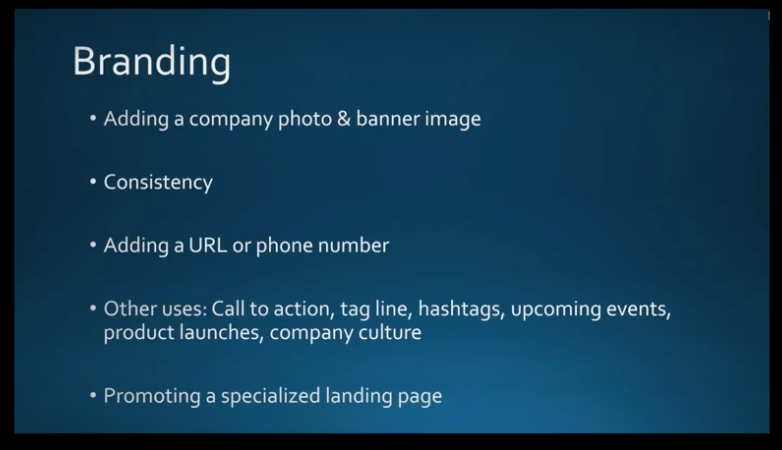
Branding
Your banner image, logo, photos and messages on LinkedIn should be consistent with those you use on other social media channels and marketing materials. Consistency is important for people to readily recognize your business. Make sure you use the same colors, fonts and messaging across all your branding for LinkedIn pages as well as other online platforms like Facebook. Consider including your phone number and URL in your banner image to make them readily available. Include a call to action, taglines, and hashtags to make reading your page, gleaning content, and reaching you easy for viewers. Promote a specialized landing page with images based on your brand to incrementally promote special events, product launches, showcase something new, or to share your company culture using photos of your team.
Your Company Description
Make sure this speaks directly to your prospects. You can always include a copy of the “About” page on your website, but, also take this opportunity to speak directly to your audience and tell your story. This might include some pain points you experienced and how you overcame them. Promote your expertise and industry focus, and how your company is different from others. Be aware that Google previews up to 156 characters of your page text, so it’s important that your description includes some keywords that best describe who you are and what you do.
Content
To get the viewership you need, it’s also important that you post updates to your page at least once a week. (Although, two or three times a week is better.) Make sure it’s content that will draw people to your page. Always be helpful and informative in your posts, and not salesy. (80% of your content should be informative with no more than 20% selling) Remember that LinkedIn is about sharing expertise, advice, and networking.
Post things that will keep people coming back to your page, like a series of 5 to 10 tips, countdowns to “top tens,” or any other topics that fit your brand. Posting a series will encourage people to come back to your next post. Plus, these posts are great ways to link back to your website to increase traffic.
Build a Following
A lot of people have difficulty with this. Try doing some cross-promotion using your other social-media pages like LinkedIn and Twitter. Add icons for these pages on your LinkedIn profile so people can find them.
Try sending out an email blast to directly invite people to follow your LinkedIn page. Also, encourage your employees to share and engage appropriate content on your page so people in their circles can find your posts as well. Even family and friends should be invited to see your content so they can share it with others.
You have the option to use sponsored content to build a following on LinkedIn. Otherwise, the best way to do this is to be consistent and invest time in building an organic following.
Engage with Your Community
Make sure that when someone comments on your page, you reply right away. Also, keep tabs on your analytics to see if what you’re posting is resonating with your audience. If not, you might need to make some changes. Invite people to respond to your content and provide their opinions and feedback. Post a question on your LinkedIn company page and see who responds. Ask what they struggle with most in your industry, and how they overcame it. People love to talk about their own experiences. Build a rapport and continue to invite others to comment. (Be sure to always answer and address their comments!) This not only increases your engagement but gives you some tips on what you need to do to better your posts. Those who engage with others tend to get better readership numbers.
Showcase Pages
These are separate and different from your company pages. They are an extension of your LinkedIn company page but allow you to promote certain products and/ or events to a specific audience. For example, a company like Adobe may create a showcase page to advertise their cloud services, or Apple their newest iPhone. Think of this as a “mini-LinkedIn page” for your company product. LinkedIn allows you to create up to 10 of them. (If you’d like to include more, contact LinkedIn Customer Support and they’ll help you with this.) They will appear on your company page under the “About Us” section.
Your showcase pages should have unique names to differentiate them from your company page. However, be sure to continue your branding throughout the different pages for consistency and brand recognition. Add a link to your product page so readers can learn more specifics. Just like anything else worthwhile, creating showcase pages takes time and commitment. You shouldn’t set them and forget them. You must follow up just like you do with your LinkedIn company page to ensure success.
To get started, go to your company page and open up the admin tools on the top right corner and this will bring up a drop-down menu you can use.
These images indicate the showcase pages you can go to.
When you click on one of the images, you’ll be taken to the showcase page.
Optimize Your Personal LinkedIn Profile
What some people forget to do is to make sure their LinkedIn profile is visible to everyone and posts are public. If not, people can’t share them and they won’t show up in Google searches. Go to “Edit Public Profile in URL” > “Edit visibility” and customize this according to your needs.
You should develop a headline that relays more than just your job title. Get creative and write a headline that really describes who you are. You can edit this in your profile section. What do you want to be known for? What’s your industry focus? Add samples of your work to promote your experience and skills. Use a professional headshot. Posting a “selfie” will tarnish your image as a professional. Finally, link your profile to your company page. This helps people find both you and your company.
The summary is where you can really impress your viewers with your experience and know-how. Be sure to use keywords you want Google to pick up so your profile will reach as many interested parties as possible. Also, link to your company website’s main page, or a page you want to highlight. Include an invitation for the types of people you want to contact you, or other calls to action such as connecting to your company website.
Make sure you keep the content of your profile up to date, including what your duties are and how you contribute to your organization. Archive information from places you’ve previously worked so people there can find you. If you get a promotion, be sure to include this as well.
If you need more content, add publications, certifications, languages you speak, honors, awards, and anything else that you think will appeal to your followers, that will set you apart from your competitors, and position you as an expert in your field. Similar to items in a professional resume that will draw the right people’s attention.
Endorsements & Recommendations
There’s a lot of confusion about the differences between these two features on LinkedIn. We’ll clarify this for you:
Endorsements provide an opportunity for you to network either online or in person. Endorsements help you affirm your experience and skills with recruiters and others. When a viewer endorses you on LinkedIn, they are confirming that you have the experience you say you do. When you showcase your “Skills” on LinkedIn, others who know you can endorse them to confirm what you’ve posted is true. Ask reliable people to endorse your skills. You can ask them via a direct message, or you can endorse their skills on LinkedIn so they’ll return the favor. Add your skills to the “Edit Profile” section.
Recommendations are different, although they fall into the same category as Endorsements because they provide social proof that you are who you say you are. This is when another LinkedIn member, such as a business partner, colleague or customer, writes a statement recognizing the good work you’ve done. You can solicit a recommendation from someone by navigating to their profile, select the “More” icon and the “Request a recommendation.” Add a note if you like. You can even request a revision of a recommendation when they come back to you. You also have the option to approve the recommendation before it’s posted to your profile.
The LinkedIn Mobile Application
The faster you respond to messages, the more opportunities and potential connections you’ll gain. This is why you should consider using LinkedIn’s mobile app on your smartphone. You can do most of what you can do on the desktop site with just a few exceptions. What’s missing are the analytics and the LinkedIn Publisher feature. You will have to download the separate applications for groups, sales navigator, and LinkedIn Learning Recruiter. It’s best to make a folder on your phone and store them here. The good news is that the LinkedIn Mobile App now allows you to upload and post videos to your profile.
Why Use LinkedIn Videos?
LinkedIn exclusively favors content that doesn’t take you outside of their application. For this reason, you should use native LinkedIn Videos rather than ones stored on other platforms. To access this feature, you’ll need to use the mobile app and follow the directions below.
If you have problems, you may need to update your LinkedIn Mobile app. Tag people, use hashtags if relevant, add posts, include talking points in your description, along with a brief overview of the video. Three minutes is an ideal for a video.
How to Use LinkedIn Videos
You can pre-record a professional video and edit it to your liking. Use videos for client testimonials or to showcase a product. Try to use videos that include closed captioning, as the videos in LinkedIn are muted by default.
Upload real-time coverage like a segment from an event you’re attending. You can post a video to share more about yourself and what you do. Upload a video biography or walk around your office and feature some of your co-workers (and be sure to tag them in your video).
Post a video with tips that you believe your viewers would be interested in. This will keep them coming back for more.
It’s best to have a plan for your video in advance so you’re sure to focus on what you want to cover. Above all, be personable but professional with your content, appearance, and demeanor.
LinkedIn Groups
Use LinkedIn Groups to find like-minded professionals, share your experiences, and learn from theirs. It’s like a virtual “coffee group” with other experts in your industry. You can post your comments, ask questions and even add photos to your group pages. Try not to sell in these groups. This will turn people off. If you can’t find a group that works for you, start your own! This is a good way to build some valuable relationships, possibly get some referrals, or turn them into prospects. Again, this an opportunity to position yourself as an expert in your field. Participating in Groups isn’t something you can set and forget. The more you invest in Groups, the more you’ll gain.
LinkedIn Analytics
You should always monitor the data you receive from Analytics and adjust your posting schedule and content accordingly. Perhaps your posts with images are getting more feedback than others, or content you post in the morning gets more attention than those in the afternoon. Taking note of these details can help you get the most from your time and investment in LinkedIn. Check in weekly to see how your posts are performing. Another way to determine if you’re getting the results you want is to “Pin” a post to the top of your page and check the analytics to see if it’s being viewed by the audience you want to target. Use Analytics to set a baseline for target performance, and set some short- and long-term goals for engagement and getting people to share your posts.
Impressions, Clicks, Interactions & Engagement
These are the main measures you’ll want to review in Analytics:
Impressions are the number of times your LinkedIn updates are viewed by members. It doesn’t mean people read them or clicked anything on them; just that they were viewed.
Clicks are the number of times people clicked on your content.
Interactions are the number of times viewers liked, shared or commented on your update.
Engagement is the number of interactions, plus the number of clicks and followers you have, divided by the number of impressions. (The percentage of people who engaged vs. the number posts they viewed.)
The Benefits of Using LinkedIn Analytics for Your Business
The key to engaging your LinkedIn audience is to know as much as you can about them. Analytics provides this detail. You can determine the age, gender, location and more about your viewers. This will help you make the adjustments you need to get the most viewership. You can view analytics from individual posts as well, so you can see how they stand up against others, and determine what made some more successful than others. Was it a Call to Action that drew followers, or a special offer for an e-Book? Or was the success due to the type of content you included? You can adjust your future posts based on the success of previous ones.
LinkedIn Analytics provides various charts and graphs so you can easily view and interpret your data and demographics.
This example page hasn’t been updated but should give you an idea of what a company analytics page might look like.
This next page highlights how you can choose what you want your graph to display.
Again, this graph is empty now but will prove very useful when it’s populated. It will show your most recent posts and how people responded to them. This will be useful for developing your future content. You can sort by which post did the best and more.
That’s it. But there’s still more. We’ll be featuring another Webinar about LinkedIn Analytics, Paid Ads and Premium Features soon. In the meantime, if you need more information about anything presented here, please contact your friendly IT services team immediately.
by Felicien | Jan 18, 2018 | Education
Occasionally, we all set up duplicate accounts on sites without realizing it. A spouse, friend or employee may have set up an account for you on LinkedIn trying to be helpful. Though it can be a bit inconvenient, it’s fairly easy to fix. At this time, LinkedIn only offers this account merging service from your desktop. Below are the step-by-step instructions for merging two LinkedIn accounts.
Please note that merging two accounts will transfer the connections of the account you are closing to the primary account.
How to begin
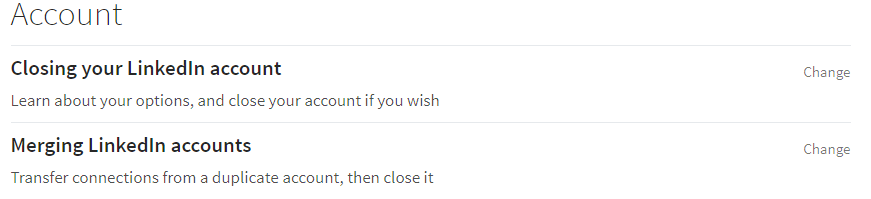
Log into the LinkedIn account you want to make your primary account. Click on the picture of yourself. For future reference, this is called the “Me Icon.” Now scroll down to “Settings and Privacy” and click on this. Scroll down to the bottom of the page and click on “Merging LinkedIn Accounts.”
Another way to get there
You can also click on your photo and scroll down to “Help Center.” Once you arrive on this page, there’s a list of popular actions at the top of the page. One of these is “Merge Connections from Two LinkedIn Accounts.” Click on this link.
Whichever way you go, you’ll end up on a page that asks you to enter the email address and password of the account you’re trying to merge and close. LinkedIn requires this to ensure that you own the account. Type in the email address and password; then you will be taken to a confirmation page.
Second Option
This option accomplishes the same thing, but you may find it easier. Log into the LinkedIn account you wish to close. Now click on the photo of yourself (Me Icon) and scroll down to “Privacy and Settings.” Once on this page, scroll down to “Account,” which is on the left panel of the page.
Click on “Account.” This page offers you a number of different things you can do to your account. The last option on the bottom left is “Close your Account.”
Click on “Close your Account.” The next page asks you for the reason WHY you are closing the account. Click on the radio button that says, “I have a duplicate account,” then click “Continue.” Click on the “Verify Account” button, then click on “Close Account.”
Next, you will get a confirmation page confirming that you have closed the account. You’ll also receive an email confirming that the account was closed.
How to search for duplicate profiles
If you’re not sure whether you have more than one LinkedIn account, you can search for your name on LinkedIn. This will show any accounts that were registered using your name or company name.
Simply log into your account, then type the name you want to search for in the “Search Bar” located at the left top portion of the page. All accounts using your name are displayed with the most likely profiles at the top of the search results.
How to edit your LinkedIn profile’s visibility
Search engines like Yahoo and Google periodically review the LinkedIn member directory. This enables all updates, changes and new profiles to be indexed on a regular basis.
To make sure your profile is showing up publicly, log into your profile. Click on the Me Icon, then “View Profile.” Next click on “Edit Public Profile and URL.” This is located on the right-hand side of the page. Once you arrive on this page, there are several options located in the right panel. These options include making your profile private so that no one can view it. Click on the appropriate radio button.
You can also change your URL so that it’s more searchable. Though all unique URL’s won’t be available, you can often tinker around with ideas for a unique URL that will have better search results. Search engines can take several weeks to update once changes are made to your website or LinkedIn profile. There’s no way to control how quickly these updates take place, so check back weekly.
About merging and deleting company pages
LinkedIn has a general policy of not deleting or merging company accounts. This is because all past and present employees of the company would be affected. For instance, if someone worked for ABC Plumbing in 1998, they might have them listed as a past employer on their LinkedIn profile. If LinkedIn deletes all the company information, then it would affect that profile and any other past or present employees who listed ABC Plumbing as a reference.
You can deactivate a company page if the company has fewer than 100 employees. Please visit the LinkedIn website to learn more.

by Felicien | Jan 18, 2018 | Education
The world is evolving incredibly fast with the help of various technological advancements. Both our homes and our offices are becoming more efficient than ever before. Previously, screens of all shapes and sizes were dominating the marketplace, but now, we’re seeing voice start to take over with many companies building and/or enhancing their own voice interfaces.
Over the past couple of years, we’ve seen the following:
Google’s Assistant
Microsoft’s Cortana
Apple’s Siri
However, nothing’s been quite as dominant and groundbreaking as Amazon’s Alexa, an intelligent personal assistant built into the company’s hardware on tens of millions of devices. Alexa is rapidly growing in popularity – finding its way into the living rooms and kitchens of many users around the world. Why? Alexa is the most convenient way to stay organized.
Whether you’re looking to add an item to your to-do list, check the weather, set an alarm or listen to a podcast, the intelligent personal assistant can do it all with a simple voice command. Alexa can currently be found waiting to be voice activated for your convenience within these devices:
Amazon Echo
Amazon Tap
Echo Dot
Echo Show
Fire TV
Fire Tablets
Alexa has seen a ton of success in living rooms and kitchens. In fact, it’s seen enough success that they’re bringing it into the world of business! Imagine operating your office with simple voice commands – from starting your conference call to scheduling and booking the boardroom to turning off the lights in the office after hours – it’s all happening sooner than you’d think.
Alexa for Business: Giving You Back the Precious Time You Spend Handling Tedious Tasks During the Workday…
We all know how much time is spent handling tedious tasks at work. You’re bogged down with managing your calendar, ordering office supplies, dialing into various meetings, and searching for important information to get projects done. It all adds up quickly. Alexa has partnered with various companies to bring you the ultimate playbook for the workplace, including:
Polycom
WeWork
Capital One
Concur
Splunk
Cisco
Salesforce
And more
These partnerships make Alexa for Business possible. How does it work? Alexa for Business gathers information about the devices, user accounts, and employees within your company. When asked a question, this information is used to formulate the appropriate response or perform the requested action.
Alexa for Business is extremely innovative and helpful for anyone looking to streamline their workday while:
Simplifying conference calls and/or meetings: You can rest assured knowing your conference calls and/or meetings will be smooth sailing! Alexa will get your meeting started, act as an audio conferencing device, or even control equipment for you.
Staying focused on important tasks: You no longer have to worry about time-consuming day-to-day things like managing your schedule, creating to-do lists or setting reminders. Alexa handles all of this for you.
Keeping the office running smoothly: You will be able to order new supplies, notify your IT department of issues, find an open meeting room, and more with a simple voice command. Alexa keeps your entire office operating at peak performance.
Providing a more personalized experience for customers: You can provide a more personalized experience for your customers by allowing them to play music, ask questions about products, and even receive support as needed.
Maintaining security through proper provisioning: You don’t need to worry about security threats as it’s simple to properly provision and manage devices. You can specify device locations, enabling skills that can be used, and more.
Alexa for Business makes it easy to manage enabled devices, enroll users, and assign skills whenever necessary. You can even use the skills kit and associated APIs to build your own custom voice skills for your company. For example, you can build a skill that lets users notify the right person when the printer stops working or ink needs to be restocked.
What Does Alexa for Business Cost?
The great news: Alexa for Business is available as a pay-as-you-go service with no up-front fees or long-term commitments! You pay based on the number of shared devices registered and the number of users enrolled in your account. What’s the difference? Shared devices are enabled devices within shared spaces, such as lobbies or conference rooms.
Users enrolled, on the other hand, refers to personal devices registered to user’s personal accounts. Both shared devices and users enrolled are quite affordable, too! You’ll pay $7 per month, per shared device and $3 per month, per user enrolled. If you’re ready to get started, all you need is an enabled device and an AWS account.
Already have an enabled device and an AWS account? Perfect! Sign into the console, go to “Alexa for Business” and click “Business Productivity” to get yourself and your device setup on the platform.
Alexa for Business is going to quickly change the way businesses around the world function – allowing for greater efficiency, streamlined workflow, and a ton of time saved throughout the day. Call {phone} or email us at {email} to find out more.
{company} is your trusted source for all things information technology related. We are the preferred IT support company in {city}.

by Felicien | Jan 17, 2018 | Education
Social is here to stay.
That’s the unanimous sentiment regarding social media as a communication tool – and as a marketing channel. LinkedIn launched publicly before Facebook (2003 and 2006, respectively), and in these past 15 years we’ve seen an evolution, and some might say a revolution. Social media has redefined how society interacts, even at the most basic level. Social interaction has been transformed by the 6-second soundbite and the meme. More and more families keep Instagram accounts instead of family photo albums. Newspaper subscriptions are vastly reduced, and more and more news outlets are required to become more creative in delivering stories digitally. What does this mean for brands? That’s a challenging question with a multi-faceted answer.
Where do we start?
Too often, social platforms like Instagram, Facebook, LinkedIn, and Twitter are daily buzzwords, and while these independently offer a great voice for your brand, a brand’s social footprint needs thoughtful and customized messaging to effectively reach a target audience.
Careful crafting takes time, and each platform should have a message catered to its unique audience.
It’s not personal, it’s business.
To avoid confusion, ask yourself if you understand the fundamental difference between LinkedIn and channels like Facebook. LinkedIn, at its most basic level, is a professional matchmaker, linking individuals who wish to connect on a professional level. That statement conveys the critical nature of LinkedIn’s purpose – connecting professionals.
How can we use LinkedIn to help our brand?
The question should be, how can we not use LinkedIn to help our brand? Like most of the social platforms out there, LinkedIn has become a very popular channel for brands to effectively spread their message – either via paid advertising or through organic reach.
How can I maximize my reach?
LinkedIn offers brands the perfect platform to do what they do best – talk about themselves! LinkedIn users often visit simply to absorb information: what colleagues have made job changes lately, are various companies hiring, what is the latest technology employed by Fortune 500 companies that users need to keep their skills updated, or just to find the hiring manager for a position for which a user is applying.
This unique position translates into an audience that is actively seeking news from a brand. How a brand can use this to their advantage is simple: post content.
Content is King
Regular content posts make a brand appear active and engaged, and improve top-of-mind recall for their audience. The primary factor in considering a LinkedIn content post is the perceived value to the LinkedIn reader. Readers want content that will inform, educate, and offer support.
Tailored messages, not templates
Don’t generalize LinkedIn as a numbers game – use each content post as an opportunity to show interest in aiding your readers, creating the opportunity for readers to want more from your brand. Remember above, when we told you careful crafting takes time? In this case, time is money – and you’re trying to find the most cost-effective way to deliver a message to the widest audience possible but in the most efficient manner. Personalizing content creates an engaged connection between your brand and your reader. Don’t waste your reader’s time and they’ll feel valued, generating a connection – and, more importantly, a brand follower.
Be Mindful of Networking No-No’s
Duplicating social status updates
While you can certainly use programs like Hootsuite to organize your social content, don’t fall into the trap of oversimplifying and avoid the habit of duplicating content using a “copy-and-paste” process; heed the advice above regarding carefully catering a post message to your audience within a channel.
Polished, not punny
Comedy has a place – in a nightclub, on a stage, and delivered via microphone. LinkedIn content should be polished above all else, given the professional audience. Cleverly delivered content that reaches your audience can invoke wit – and even the occasional joke or pun – so long as you reinforce the position above, to inform, educate, and offer support for your readers.
Connection abuse
The greatest of all sins on LinkedIn is the abuse of connections. Building relationships and nurturing connections on LinkedIn is the basic goal of the social medium. Is there value in an individual having 500+ connections? Yes, and it’s this same value that leads brands to want a larger follower base. There are individuals and brands that will try to expand their connection base to include their mother’s brother’s colleague’s sister’s best friend’s supervisor. Clearly, this connection isn’t a meaningful one – and LinkedIn knows this. Did you know that if too many attempted connections click “I do not know this person”, LinkedIn will restrict your account? Value is lost, credibility is damaged, and relationships are forever severed by careless actions like this.
Also, another no-no is collecting email addresses from your connection list to use in any way. Deliver content that informs, educates, and offers support to readers in content posts, and cultivate these connections organically to achieve your goals, and you’ll build a better brand reputation.
What does all this mean for my brand?
This is a great question! The good news is, there is no singular answer, giving you and your brand seemingly endless options to use LinkedIn as a viable social medium. Here are tips to help your brand find its footing on LinkedIn, build solid connections, and engage with your audience.
Publish Content
You already know that publishing content on LinkedIn to be shared in the content feed is an amazing resource – but did you know that this tool was once only available to a pool of “super influencers”? Organizations like Microsoft led this groundbreaking feature, and now brands have the opportunity to post content – positioned to inform, educate, and offer support – that reinforces engagement, as well as a brand’s value proposition.
Don’t stop at JUST content!
People love to be heard! Engaging with your audience doesn’t end at achieving a like, a share, or a follow. When readers leave comments, respond! Did you know that when a LinkedIn user comments on a content post, that content is then visible to their entire 1st network? Imagine the power of your response when your brand is seen giving readers the respect of a direct response.
Don’t stop at JUST content and comments!
Including rich content in your delivery increases the value of the user experience. Offering a 2-minute (or less) video delivering content instead of in paragraphs of text offers much more than just information. Video offers far more flexibility as a marketing tool, and its versatility is limitless. Video is humanizing and is capable of conveying emotion and nuance in ways text literally cannot.
Every brand must absolutely represent itself throughout social media, but take great care. LinkedIn users surpassed the 500 million count in 2017. Thus, mistakes on LinkedIn can be costly, but if a brand follows LinkedIn’s protocol for use and guidelines detailed above for etiquette, the potential for brand growth is immeasurable.

by Felicien | Jan 17, 2018 | Education
The latest updates from the Payment Card Industry Data Security Standard, known as PCI DSS 3.2, will become mandatory on February 1, 2018. This will affect all merchants and service providers who accept credit card payments from Visa, MasterCard, Discover, and American Express. The creators of this iteration believe that PCI DSS 3.2 will provide stronger security measures for consumers against the attacks of cyber-thieves and hackers.
PCI DSS 3.2 affects all merchants who store, process or transmit the sensitive data of cardholders. This highly detailed document contains 12 requirements for safeguarding the data of cardholders. In 2015, PCI DSS v3.0 was used to provide guidelines for merchants regarding compliance. Then, in 2016, PCI DSS v3.1 was released, which clarified many of the requirements of its earlier predecessor PCI DSS v3.0.
Preventing security breaches
This annual application- and network-level assessment determines whether devices and systems connected to the Internet possess weaknesses, loopholes, or vulnerabilities that hackers might use to obtain important cardholder information.
The new standards provide comprehensive information designed to reduce risks from cyber intruders. If properly implemented, they will better safeguard the personal banking and account data of customers.
With cyber attacks and digital threats on the rise, the Payment Card Industry works continuously to strengthen their best practices and mandatory requirements. A vital part of this process is the self-assessment process that ensures a company’s full compliance with all rules and regulations.
Though this process can be tedious, it is important to carry it out well, correctly and on a regular basis. In fact, penetration testing and vulnerability assessment scans are required every three months. Independent audits may also be required, along with periodic scans. Some of these requirements only pertain to businesses that do a larger volume of cardholder transactions. Scans must be completed by an “approved” scanning company.
The PCI DSS Self-Assessment Questionnaire evaluates a service provider or merchant’s compliance with those items listed in the PCI Self-Assessment Questionnaire. If weaknesses are identified, the Questionnaire also includes recommendations for bringing the security controls up to full compliance level.
Special compliance regulations
Some organizations focus on specific mandates in regards to compliance. For instance, all hospitals, clinics and doctor’s offices must comply with current HIPAA standards. For those businesses in one of the many financial industries, the Sarbanes-Oxley Act of 2002 (SOX) provides compliance requirements. With each of these, the goal is to protect consumers against fraud, while also protecting everyone from hackers and cyber thieves.
Below are a few of the updated controls, including new changes to regulations:
Control 3.3 – Changes in wording
This control will be used by merchants and service providers. Changes in wording to control 3.3 provide greater detail as to how a Credit Card Number or Primary Account Number (PAN) is displayed. Typically, only the first six and last four digits of a credit card number should be displayed. If personnel have a legitimate need to see the entire credit card number, then they are allowed to view it.
Control 3.5.1 – Encryption architecture documentation
This control pertains to service providers, and it regulates the use of protocols, algorithms, and keys used in protecting card data. It includes card expiration dates and key strengths. Documentation must include a description of any hardware security modules (HSMs), all protocols, and a description of the cryptographic keys used.
Control 6.4.6 – Verifying PCI DSS requirements on new and modified networks
This control will be used by merchants and service providers. It mandates that all requirements of PCI DSS be implemented in new or modified networks and that these changes be verified. Though this normally is completed by personnel anyway, the new control requires employees to examine records, observe affected systems and interview staff to make sure the applicable PCI DSS requirements were correctly implemented.
Control 8.3.1 Multiple authentication factors for CDEs
In the previous version of PCI DSS, a two-factor authentication process was required. These new standards require “multiple” authentication factors. Though the control does not stipulate how many are required, by changing the terminology from “two-factor” to “multiple”, it is clear that at least three types of authentication should be utilized in the cardholder data environment (CDE).
Control 10.8 – Periodic reporting and detection of system failures
This control applies to service providers. It spells out the application process for fault detection, as well as the creation of regular periodic reports. Reports should cover all critical security control systems. These include anti-virus programs, firewalls, FIM, IDS/IPS, logical access controls, physical access controls, segmentation controls, audit logging mechanisms, and others.
Control 10.8.1 – Response to security incidents
This control applies to service providers. It mandates that companies have an efficient plan for responding to any breaches or failures. The exact failure and cause (if possible) will be determined and documented. Remedial actions should be taken at once. Managers and directors should determine if any further actions in response to the breach are necessary. New deterrents should be put in place to prevent this type of breach from occurring again.
Control 11.3.4.1 – Tests of constant intrusions
This control applies to service providers. It requires that intrusion tests be carried out every six months whenever segmentation of environments are used.
Control 12.11 – Security policy reviews
This control applies to service providers only. It requires that all security policies be reviewed every three months to ascertain whether personnel are following the rules and procedures. These reviews should include firewall rules, daily logs, responses to security events, changes to management procedures and any other items regarding system security.
Control 12.11.1 – Maintain quarterly review documentation
This control applies to service providers only, and it stipulates that the regular quarterly review is effectively documented. The person in charge of implementing the PCI DSS compliance program at your company must sign off on these reviews.
Maintaining public trust
These are just a few of the new PCI DSS changes that will be mandatory by February 1, 2018. All changes were the result of an ongoing effort by the Payment Card Industry Data Security Standard to reduce data breaches and ensure the public’s trust. The 3.2 version contains eight evolving requirements, 47 clarifications, and three additional guidance points.
For a full listing of all the new PCI DSS 3.2 requirements, please visit: PCISecurityStandards.org.

by Felicien | Jan 17, 2018 | Education
The Canadian Internet Registration Authority (CIRA), incorporated in 1998, is a member-driven not-for-profit organization with approximately 15,000 members and growing. The not-for-profit organization manages the.CA Internet domain, as well as the entire country’s involvement in international Internet governance. CIRA’s top priority is the safe and secure management of our top-level domain. After all, there are more than 2.6 billion .CA domains registered so far!
How Do I Become a Member?
CIRA offers membership to anyone who holds a .CA domain as the cost of membership is included in the cost you’re already paying for your domain. It’s simple, just click here to get started. Why should you become a member? There are tons of great benefits that come along with membership, including the ability to:
Take part in membership surveys regarding Internet issues
Attend local networking events for the purpose of business development
Contribute to the development of the Internet worldwide
Receive newsletters on the latest Internet initiatives, trends, and issues
And more
CIRA also offers the Community Investment Program wherein they help fund community projects for the purpose of achieving the safest, strongest and most accessible Internet possible throughout the country. The program has already funded over 102 projects with $4.2 million distributed to help:
Build new infrastructure
Deliver innovative online services
Research and address emerging digital issues
And more
How Can I Apply for a Grant?
The application period to apply for a CIRA grant is open until February 28th, 2018. Click here to get started! CIRA is contributing roughly $1 million to not-for-profit organizations, researchers, and charities who qualify by showcasing the good things they’re doing for and through the Internet.
If you have an initiative or program that helps build a better online throughout the country, don’t hesitate to apply for a CIRA grant! The typical grant will be between $25,000 and $50,000 with a maximum amount of $100,000. That’s a lot of money to help you make a lot of progress with your project!
Still not convinced applying for a CIRA grant is an awesome idea? Here are a few good reasons to apply:
You’ll be making a positive difference: Over the years, those taking advantage of the program for their projects have made a huge positive difference throughout the country – from providing reliable Internet in remote communities to helping children develop coding skills.
You’ll be contributing to the benefits of the Internet: We know the Internet offers a multitude of benefits – helping us shop, bank, learn, and stay in touch with friends and family. Your project will contribute to the benefits of the Internet and how it keeps us connected to the world around us.
You’ll be helping give back to something you enjoy: If you enjoy the Internet, which let’s be honest, we all do – you’ll get the unique opportunity to give back and act as an advocate for safe, secure, accessible Internet for everyone! What could be better than helping to further improve something you already enjoy?
CIRA prioritizes investing in projects that contribute to the Internet’s development, growth, and security, such as:
Online services for disadvantaged individuals
Access to the Internet and/or devices for rural or remote communities
Secure and reliable infrastructure for rural or remote communities
Activities that promote knowledge-sharing for enhanced Internet governance
Research into the technological side of the Internet
Initiatives that improve policy-making participation from the public
However, there are some restrictions. CIRA will not fund any projects that take place outside of the country, focus on website development and design, or provide generic information technology training. CIRA will also not fund marketing, retrospective costs, core operations like staff salaries, and more.
For more information on funding restrictions, click here. CIRA only accepts one application at a time from each organization, and if you’ve already received a grant in the past, you’re still able to re-apply, but you must submit your final report from your last project. Once you’ve submitted your application, CIRA staff will review to ensure completeness.
After CIRA staff has reviewed your application, it will be sent to the investment committee for their consideration. Based on established criteria and funding available, CIRA’s board of directors will then make final decisions on which organizations will receive grants for their projects. In May 2019, approval letters and contracts will be sent!
What If I Don’t Get an Approval Letter and Contract?
If you don’t get an approval letter and contract, CIRA staff will communicate with you that your application was not successful and you will not be receiving a grant. You can always re-apply in the future. CIRA states that applicants have been unsuccessful in the past due to a lack of clarity regarding their project outcomes, concerns surrounding their project’s budget, and a general lack of innovation.
It’s absolutely worth applying for a CIRA grant as you’re able to contribute to the Internet’s development, growth, and security – and who wouldn’t want to be a part of something as huge as our country’s online world?
Call {phone} or email us at {email} if you have any questions about applying for a CIRA grant. As your IT support experts, we’re here to help your company thrive in today’s technologically advanced business environment.
