
by Felicien | Jan 26, 2018 | Education
With Mardi Gras fast approaching, there will be a million people in New Orleans all looking for fun times, and good Internet connections. (Okay, maybe not all one million of them — but enough to keep you on your toes.) Using public WiFi safely during Mardi Gras will require using your common sense and following some basic rules.
Here are the top 5 ways to use public Wi-Fi safely during Mardi Gras festivities in New Orleans:
1. Turn Off Wi-Fi When Not in Use
This is a must. Don’t stay connected to a network if you don’t need to. Turn off your Wi-Fi after completing your online activities. This is especially important when accessing public Wi-Fi. This includes your smartphone as well. Another plus? It will save your battery life.
2. Install Privacy-Protecting Browser Extensions
Secure your browser with tools designed to safeguard your privacy. Using antimalware only protects you from the items you download and execute. An adblocker like uBlock Origin can be customized to give you control over what you block, and when. Disconnect is another option to consider. This will protect you from same-network attacks like session hijacking and clickjacking. These have the potential to give cybercriminals access to things like your Facebook or Amazon accounts, even when you’re using a secure browser.
3. Use HTTPS Whenever Possible
You should only access sites that begin with HTTPS. This is a secure version of HTTP.
When you connect to secure sites, you can prevent people from looking at your communications and retrieving your confidential information.
4. Use a VPN (Virtual Private Network)
The best way to bypass untrusted networks is to only access encrypted ones. This means using a VPN when you’re out and about. Using one makes sure that all your data is encrypted between you and the service provider, locking out anyone using the same network as you who might be snooping around.
5. Bring Your Own Wi-Fi Instead
The “best” protection? – Never use an untrusted network. Access your private mobile hotspot, tethering to your smartphone via your wireless carrier’s data. These options ensure your browsing remains private.
So, there you have it. These are the top 5 ways to safely use public Wi-Fi during Mardi Gras we came up with. Stay safe out there, and have fun!
by Felicien | Jan 26, 2018 | Education
With the rising number of cyber thefts in the US, numerous lawsuits have been filed against businesses and organizations. In general, the public expects that their bank will take sufficient action to stop data theft. We expect this of the federal government, credit card companies and retail stores as well. Citizens believe that most of the large companies we all do business with will take every precaution to protect our personal and financial data.
It’s only natural that the many serious data breaches at places like Experian and JP Morgan Chase have rattled the public’s trust. Even law firms haven’t been completely exempted from these attacks. In 2015, Law360 reported that one in four law firms had experienced some type of security breach. Though this represents a serious threat in terms of the legal and financial implications, almost half of all law firms surveyed that same year said they didn’t have a data breach response plan in place.
The High Cost of Breaches
In the last few years, data breaches have become so prevalent that it’s almost commonplace to hear that a favorite department store has been breached. In the healthcare industry, it’s estimated that a data breach in America costs more than 2 1/2 times the global average. At $380 per record, healthcare data breaches threaten us all in more ways than we know. The same is true in the legal industry.
A lawyer has a great deal of personal and private information about each client. This might even include information that could lead to the client’s arrest. In America, whatever you say to your doctor, lawyer or priest is still protected under the law. But what if those confidential documents end up being placed online by cyber thieves? Information like this can ruin someone’s life, their business, or their marriage—And it can be painfully embarrassing to the law firm that allowed the breach to occur.
An annual report sponsored by IBM and completed by the Ponemon Institute measures the impact of data breaches. Their report concludes that having a sound data-breach response plan in place can reduce the overall cost by as much as 28 percent. Though this is good news, the legal industry must measure costs other than financial. Their reputation is compromised once a data breach occurs. People need to trust their lawyer. If you hear that a law firm you’ve done business with has recently experienced a cyber breach, how likely are you to continue doing business with this firm?
Other Effects of Cyber Breaches
Learning that all your personal information is in the hands of thieves on the other side of the world causes a significant change in the behavior of consumers. One study found that consumers who learned of a data breach at their favorite retail store cut back on purchases from that retailer. With over 1,500 data breaches taking place in 2017, consumers responded in this way:
84 percent said they might not consider doing business with a retailer who had experienced a data breach.
57 percent of holiday shoppers felt that identity theft and data breaches would be a significant threat during the holiday season.
Four in 10 consumers said they believe businesses aren’t doing the best they can to protect us.
38 percent said they weren’t sure all companies were doing everything possible to stop data breaches.
These numbers show the true belief of consumers. Most simply don’t believe that businesses are doing all they can and that if they continue to shop at certain stores, there’s a higher probability of having their private information stolen by thieves. This is a strong reason for a consumer to stop shopping at a store, and many have.
Law Suits Against Lawyers
Due to the growing number of cyber thefts, consumers are taking their favorite stores, law firms, hospitals, banks and others to court. They believe these entities were negligent and didn’t provide strong enough security measures to prevent the breach. In some cases, they are right. These lawsuits prove that Americans are tired of waking up and finding that their personal information was stolen again by cyber thieves. They’re ready to take action. So how do you make things right again with customers who have had their personal info stolen from your database?
Cybersecurity experts can put together a full security plan for your law firm or business that will outline the issues you need to address and offer several different solutions. They begin by investigating whether you have indeed lost documents to thieves. Next, they find out how the breach took place. Then, they begin to collect evidence surrounding the breach. The more they can learn about what happened, the easier they can prevent a breach like this from occurring again. Every vulnerability is explored, and determinations are made about the best ways to shut these vulnerabilities down so they cannot be exploited again.
Once the experts have all this information about what happened, they will recommend specific security measures that you should take at once. They will also recommend enhancements to all your IT systems and networks. Lastly, security experts will put in place much stronger measures to stop cyber thieves from breaking back in.
Why Do Breaches Keep Happening?
A growing number of cybersecurity experts are finding that breaches occur because employees aren’t properly trained in how to spot a suspicious email. One lawyer said he gets emails almost daily from hackers who are trying to break into his system. All they need him to do is click on a link. Companies are spending more money now to have security experts come to their business and teach their employees what to look for and how to spot suspicious emails. Every employee must be trained, and training should include annual refresher courses.
John Hutchins of LeClairRyan’s Technology and Innovations recently commented about this: “There’s evidence to suggest that users are getting suckered by fake messages more and more every year. In fact, 30% of phishing messages were opened by their intended targets, and about 12% of recipients then went on to click malicious attachments or links.”
Jennifer Stueckler at LegalShield states that the average cost of a data breach is $3.5 million. Below, is the breakdown of the spend:
Restoring brand reputation: 29%
Lost productivity: 21%
Revenue losses: 19%
Digital forensics: 12%
Technical support: 10%
Compliance & Regulatory: 8%
Her company did its own survey about cyber breaches, and this is what they found:
39% of those surveyed said they would stop shopping at the store until the problem was resolved. 10% said they would never shop at the store again. Attitudes like this can have a significant impact on a store’s revenue. Future sales might not be as strong simply due to consumer mistrust.
New Regulations
Today, regulatory and compliance requirements are being changed. The requirement to maintain and secure your network database will include large financial penalties for those who don’t follow the guidelines. For organizations like law firms, financial institutions, and the government, these guidelines will be even tougher. The public expects this. And they expect that someone will oversee these new programs to make sure that everything possible is being done to protect the confidential data of patients, clients, and shoppers.
by Felicien | Jan 26, 2018 | Education
When we consider the security of our business technology, we often think of scams or phishing e-mails. These get easily shrugged off, as we assume no one would fall for e-mails that simply ask for money or state other falsities such as your having won a lottery in which you never participated. If we were to list the actual security threats of the companies, you would be surprised. The #1 data security incident reported in 2017 was misaddressed e-mails. Something as simple as typing too fast, or misspelling a person’s name can have huge repercussions for your business. The scary thing is any employee, at any moment in the workday, could make this terrifying mistake.
Two major issues result from misaddressed e-mails. One is the result of your e-mail being accidentally sent to the wrong person. Now, some person has information that wasn’t meant for them. This could be as small as a secret joke about the boss, or as treacherous as spreadsheets with a department’s payroll information. Either way, this simple mistake could have enormous consequences.
The second major security issue results from a more sinister adversary where something you send is accidentally delivered into their eagerly awaiting hands. This is known as “doppelganger domains,” where websites are similar to legitimate ones. These similar websites are bought for the entire purpose of capturing your misaddressed e-mails. How many misaddressed e-mails could there be that could do damage to the integrity of your business? Research shows in one case using only two researchers, in six months time, they managed to capture 20 gigabytes of information from various Fortune 500 companies.
The e-mails they captured contained various levels of confidentiality that ranged from employee username and passwords, to even legal documents such as contracts or affidavits. The scary thing is that while a company could catch an e-mail and be working on improving their security, it could be all too late. After a hacker has confidential information such as passwords and usernames, or payroll accounts, the business has all but already handed over the reins. Anyone of these items could be dangerous enough to seriously endanger the business, but all together? The outcome could be catastrophic.
If you were on the receiving end of an e-mail that was not meant for you, what should you or your employee do? The New York Times recently answered this question with the following recommendation, ”If the message appears life-threatening or otherwise very important, then you have a moral responsibility to reply back and try to get the e-mail where it was originally headed. If the message is not life-or-death, you can safely ignore it. That approach means you don’t punish people in need, but otherwise, you let Natural Selection do its thing on people who can’t be bothered to check e-mail addresses.”
Knowing the dangers of misaddressed e-mails is only half the battle. What can we do to prevent it and protect the integrity of our business? Basic e-mail policies are key to improve the security of your business. To do this, you should encourage the use of strong passwords, so they can’t be easily guessed or forged. Secondly, you should ask employees to memorize their passwords (rather than write them down, as this poses another security risk). Thirdly, remember to change their e-mail passwords frequently–it is recommended to do so every two months.
Training, in regards to e-mail and internet etiquette, go hand in hand with your business’s e-mail policy. Training should show employees the importance of always remaining vigilant in attempts to catch e-mails that carry malware or phishing attempts. To achieve this objective, employees should avoid opening attachments or click on suspicious links. Secondly, employees should be suspicious of clickbait titles and check their e-mails for names of unknown senders to ensure they are legitimate. Lastly, train employees to look for inconsistencies or style red flags, simple grammar mistakes or excessive or unusual punctuation.
Businesses do have other options in dealing with doppelganger domains. A study done by the University of Cape Coast shows that companies can buy their own doppelganger domains, thereby maintaining the integrity of their business. The research goes on to state that the business should “set it up so that when a message is received, it will automatically send out a failure notification. Awareness of the issue should be raised among employees.” This could capture any e-mails accidentally sent to the wrong address, and thereby maintain the business’s integrity.
After establishing good work policies for e-mails, there are further steps that you can take to ensure the safety of your business’s confidential information. Similar to how Grammarly checks for spelling and grammar issues, you can check for doppelganger domains. CheckRecipient is a next-generation e-mail security technology to prevent highly sensitive information from being sent to the wrong people. CheckRecipient uses artificial intelligence and machine learning to analyze historical e-mail data and automatically identify anomalies and mistakes in outgoing e-mails which may result in inadvertent data loss. Some of the world’s largest organizations rely on CheckRecipient’s technology across the financial, legal, professional services and biotech sectors.
by Felicien | Jan 26, 2018 | Education
Cybercriminals are everywhere. Both domestically and around the world, countless hackers work day in and day out to penetrate the digital defenses of businesses just like yours, using a variety of proven, effective, and ever-evolving methods. Whether they infect your system with malware hidden in a seemingly innocuous email attachment or con an unsuspecting employee out of vital information through social engineering, the end results are the same: data loss, financial damages, lawsuits, reputational damage, bankruptcy, and worse.
Our team of certified system professionals understand how serious the modern threat of cybercrime is to businesses in your industry, which is why we’ve developed this whitepaper as a vital resource to show you how hackers think, what methods they use, and how you can stop them from victimizing your business. Without the right knowledge, tools, and technology to prevent hackers from stealing your information, your business is left prone to a major data breach.
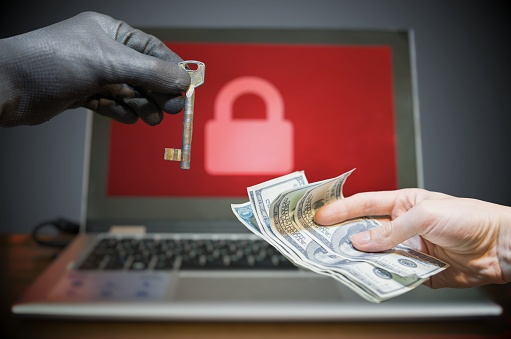
A recently popular type of malware is the “ransomware” variety, which encrypts a victim’s files (making them unreadable) and only offers the key to recover them after a ransom has been paid. The unfortunate reality is that when it comes to your business’ vulnerability to ransomware and other types of malware, it’s not a matter of IF, it’s a matter of WHEN. There are simply too many varieties of ransomware to guarantee total safety for your business.
IT security can be a complicated and scary subject when it comes to modern cybercrime tactics such as ransomware. Most business owners cannot confidently claim that their business’ network is secure. Can you?
When it comes to ransomware, the most important consideration is email security, and often, it can be as simple as ensuring that you and your staff know what to look for.
What makes a victim a victim?
The short answer is lack of awareness. Almost no hacking attempt can be a success without the victim playing at least some role in the process, such as:
Visiting a malware-infected, unsecured website, either via an email, inappropriate browsing habits, or otherwise.
Opening an untrustworthy attachment in an email from a hacker that’s disguised as coming from a sender such as a business contact, employee, client, government agency, etc.
Downloading files that include a stow-away malware program or virus.
Conducting any of the above while logged in with administrator rights provides even greater access to the hacker that’s infecting the system.
The bottom line is that digital security begins and ends with the user. Regardless of how modern, expensive or well-recommended your security software is, one wrong move by a single employee can be all it takes to infect your system. But that’s not the only threat to your security…
Is your technology making you an easy mark?
Outdated, unsecured, and just plain faulty technology is just as likely to make you an ideal target for hackers as an unsuspecting employee is. A major part of the investment in new technology is that it comes prepared to handle all previously identified hacking threats and security loopholes. The older your technology is, the more vulnerable it is to new hacking techniques.
Here are three vital considerations you should keep in mind when evaluating your current technology:
Patch regularly, and patch often: Did you know that the most common way cybercriminals get into a network is through loopholes in popular third-party programs? That means the computer programs you rely on to get work done every day could be leaving you vulnerable to security breaches if you fall behind on updates. That’s why patch management is such a crucial part of proper IT security, in order to help you stay ahead of the non-stop tide of oncoming digital threats.
End of Life (EOL) is FINAL: As good as it is to run a frugal business, it’s important to keep in mind that you’re not a college student trying to make an old, beaten up laptop last until you can afford a new one. You’re running a business, with much more to invest in and much more to lose. When your software reaches EOL, it will no longer receive the vital security patches it needs to keep you safe. At that point, as much as you may like the current operating system, you have to let it go and replace it with the new, secure version.
Legacy technology isn’t worth the risk: Legacy software is often the gap in an otherwise capable suite of digital armor. Your business may have a brand new infrastructure, top-of-the-line security technology, and fresh-out-of-the-box desktops, but in the end, your unpatched, out of date legacy web browser will be what does you in. Just as with EOL, don’t let your favorite bit of technology put you at risk.
What is malware, exactly?
It’s a word you’ve probably heard a lot. You know it’s bad, and that you have software (anti-malware) designed to help you stop it. But in the end, if you don’t really understand how the enemy operates, how can you expect to defeat it?
Malware comes in many different forms and is used by hackers in a number of different ways. It can be used to steal information, locate vulnerabilities in your IT systems for a secondary attack, or simply to cause damage. While cybercriminals continue to innovate new forms of malware and the ways they use it, there are currently three main types that you should be familiar with:
Malicious Scripts: This type attacks when you or a member of your staff visit the wrong web page. With the right conditions (user with admin rights, an outdated browser, lack of anti-malware software), simply loading the wrong web page is enough to infect your system.
Embedded Media: While this form also attacks from a web page, it is through an infected media that is embedded in the site, such as a video or audio file. If your browser media player isn’t up to date (which is extremely common among today’s users), simply playing the media file can lead to a malware infection.
Infected Files: The oldest form of the three is also the simplest. By downloading and running files (media codecs, screensavers, desktop images, etc.) that they haven’t properly inspected ahead of time, or that contain a hidden malicious file, the user openly invites malware into the system.
Types of Ransomware
While there are currently three basic forms of ransomware, cybercrime methodology is constantly evolving. In order to stay effective, hackers work non-stop to find new ways to deploy ransomware; keep in mind that best practices can quickly become outdated.
Locker ransomware: This type works by denying access to the infected device. Generally, the scheme involves posing as a member of law enforcement and claiming that the victim has been a party to illegal activity (copyright infringement, illicit photography or media, etc.).
CryptoLocker ransomware: This type employs powerful encryption to lock down the victim’s files and data, even if the malware is removed It usually makes its way to the user’s device through an email attachment that they are tricked into opening.
Crypjoker: This form emerged as recently as January 2016, specifically targeting Windows operating systems to encrypt and lock down the user’s data. As opposed to CryptoLocker, Crypjoker gets to the victim as a PDF file attached to an email.
How Can You Keep Your Business Safe From Ransomware?
When developing your ransomware defense, keep these recommendations in mind:
Make a considerable investment in a comprehensive backup data recovery solution so that you can restore your data at a moment’s notice when necessary.
Test your backup and cybersecurity measures thoroughly and regularly; create dummy files and then delete them to see how fast they can be restored, or schedule a day to literally unplug your critical systems to find out how long it takes to get online again.
Be sure to make the most of the available resources (both provided online and through expert IT consultants) to ensure that you’re not overlooking vulnerabilities in your IT security methodology.
Employ email filtering, encryption, and continuity solutions to ensure that your lines of communication are secured.
Equip your business with industry-tested security solutions like firewalls, antivirus, antimalware, and network monitors to keep your systems safe from external threats.
Make sure your software and browsers are updated and patched on a regular basis.
Train your employees in best practices for safe browsing and email conduct so that they don’t click the wrong link or download the wrong file.
Seems like a lot, right?
That can be a lot to handle for a business owner like yourself. You have clients to see to, employees to manage, and more on your plate every single day; should you really be expected to also oversee regular maintenance of your cybersecurity all on your own?
Of course not!
The best way to ensure that your business is kept safe is by outsourcing your cybersecurity management to a reliable and experienced Managed Services Provider like our Information Systems experts. For an easily budgeted monthly flat rate, you can enjoy the peace of mind that comes with knowing your business is safe from the whatever modern cybercriminals may throw at it.

by Felicien | Jan 25, 2018 | Education
Law firms once considered themselves to be immune from cyber attacks. However, this is no longer true. In fact, last year alone, cyber attacks against law firms increased. One report estimated that one in four law firms in America had suffered a significant data breach. In the UK, a recent PwC report states that 62 percent of the UK’s law firms were breached by cyber thieves.
In an industry where confidentiality is of utmost importance, many consumers believe that these numbers are unacceptable. Surely there must be a way to stop the increasing number of attacks against law firms. Though many firms are scrambling to get in front of any new attacks, others believe they are not in any real danger.
Attacks against two well-known law firms in New York have resulted in class action lawsuits. Those affected have sued the firms for not providing better protection to their highly confidential information. When you consider how important a law firm’s reputation is, it’s hard to visualize why so many law firms haven’t implemented stronger security measures to date.
Jay Edelson, the founder of Edelson LLC in Chicago, is handling one of these big class action suits. He states: “We’ve been saying for a long time that law firms are major targets.” He believes that “In certain instances, a breach in and of itself can mean the firm violated ethics or acted negligently.”
All experts agree that the threat of cyber breaches won’t just go away. This is something that every business in America must be prepared to deal with. Just last year, data breaches occurred in a long list of retail establishments, medical offices and hospitals, restaurant chains, cellphone carriers and many others. Though the public expects a certain level of protection from places like Verifone and Saks Fifth Avenue, consumers demand greater protection from their attorneys.
As we move forward, will the past repeat itself? Or will businesses across America finally take the necessary precautions to prevent any further data breaches? For those involved in the legal field, greater protection is essential for their business to survive.
Below, we discuss the three most surprising mistakes that law firms make that increase their chances of a data breach.
Mistake Number One
Smaller law firms almost without exception, believe that they won’t become a target of cyber thieves. After all, if a firm only has one or two lawyers, why would anyone want to spend the time and money breaking into their files? The answer is simple: Your attorney has a great deal more personal information about you than a retailer might. Not only do they possess all the standard information such as name, address, phone number and social security number, they also possess confidential data.
Your lawyer probably has personal and business financial information. A law firm often has confidential info about your spouse, children and business partners. They most likely have the contents of private emails that you wouldn’t want to be disclosed to anyone. Cyber thieves can use this information in any number of ways.
One major online threat that has recently increased is Ransomware. In this scam, cyber thieves lock your data records and refuse to release control until you pay the ransom. Even a small law firm would have a difficult time explaining how all their records and files were just published online for the whole world to view. A cyber breach like this might mean the end of your law firm. Your reputation would be ruined. You might have a hard time even getting hired by other law firms.
No matter the size of your law firm, protecting your client’s confidential information is of paramount importance.
Mistake Number Two
The second mistake many law firms make is believing that the standard methods of preventing a cybersecurity attack will be sufficient. In some cases, the firm doesn’t want to spend the money to increase its security. In other cases, attorneys believe that firewalls and antivirus programs are good enough to stop thieves. Standard perimeter security technology such as antivirus software and firewalls are only the first step in preventing attacks. Don’t stop there!
Often, cyber attacks come as a result of an uninformed employee clicking on a link in a bogus email. Just one employee who doesn’t understand what’s at stake can open the door for a full cyber breach. Disgruntled employees have been known to purposely steal documents from the firm before leaving. These are just a few of the growing number of ways cyber thieves can get at your confidential documents and ruin your reputation in the legal world.
All law firms large and small should employ some type of governance technology. This technology allows certain types of information to be viewed only by those in managerial positions. This one step alone could prevent the leakage of critical data. Lower paid employees doing menial tasks have no business with open access to the law firm’s confidential records. All sensitive client information should be partitioned off so that only those with an authentic “need-to-know” have access.
Mistake Number Three
Many companies including law firms, forget about third-party vendors. All those companies you do business with are a potential gateway that cyber thieves can enter through. In one breach, the resumes of people with top security clearances were left unsecured on an Amazon server for months. This can happen if your law firm (or any business) uses a staffing agency. These agencies often have a substantial amount of personal information about past and present employees. How good is their security? In the future, we will all have to ask ourselves these tough questions.
From the company that performs janitorial services to the one you buy office supplies from, you must consider whether they have sufficient cybersecurity programs to protect their files from intrusion.
The Future of Law Firms and Cyber Theft
These cautionary tales remind us of how costly any data breach can be. Consumers expect banks, government agencies, and law firms to be better protected than say, a restaurant chain or a retailer. The customer files a law firm handles might include information about a divorce or a paternity issue. They might have information about adulterous affairs. It’s important to think about the damage that could occur if data like this is made public.
It wasn’t that long ago that we learned about the Sony breach of 2014. This breach revealed a massive amount of information including the salaries of Sony executives, private emails from actors, photos of Sony employees and their families, and much more. This breach was not only extremely embarrassing for Sony, but it was also expensive, and it caused distrust between actors, Sony executives, and other employees. It’s still considered one of the worst corporate data breaches in history. Though it should have been a wake-up call for everyone, many companies, including law firms are still not prepared to deal with cyber breaches.
How to Protect Confidential Data
Remember that firewalls and antivirus programs are only the first steps. Even a small law firm needs the help of security professionals these days. Though it can be expensive, it’s a necessary expense for those who understand what’s at stake. Experts recommend doing your research to make sure you’re dealing with a reputable security company using today’s best technology.
It’s also important to remove older files that no longer need to be online. This should be done on an annual basis. Reduce the data you share with third-party vendors. Share only what is absolutely necessary to them. Never assume that just because you’re spending lots of money on cybersecurity, your measures are effective. It’s a good idea to ask for regular reports from those responsible for providing your law firm’s security. If you don’t have a background in this area, hire someone who does understand the jargon.
Institute a program that effectively monitors the information that employees have on their phones and laptops. In one Texas lawsuit against a law firm, client records were discovered on a laptop in a pawn shop. In another incident, thieves broke into the law firm and stole laptops over the weekend. There is an endless number of ways that cyber thieves can wreak havoc. We must all begin to think about the many ways data can be lost or stolen. We must be more diligent in protecting sensitive documents.

by Felicien | Jan 25, 2018 | Education
With TV shows like Black Mirror captivating audiences around the world, it’s no wonder this addiction to technology is also reflected in the marketplace. This theatrical fiction became true when it revealed the vulnerabilities in technology. The press named them Meltdown and Spectre.
Both Spectre and Meltdown allow attackers to access data. The difference between the two is that Meltdown gives an attacker access to data in programs that only administrators should have access to, and Spectre makes a program reveal data that should have been kept confidential. While both are worrisome, numerous patches for Meltdown have been deployed. Spectre, on the other hand, is a bit more complicated to contain.
Spectre affects modern processors and operating systems, including chipsets from Intel, AMD, and ARM. It also affects other systems such as Android, Chrome, iOS, and MacOS. Therefore, Microsoft advises customers to seek guidance from these respective vendors. News of this broke on January 6th when Google released this comment:
“Variants of this issue are known to affect many modern processors, including certain processors by Intel, AMD, and ARM. For a few Intel and AMD CPU models, we have exploits that work against real software. We reported this issue to Intel, AMD, and ARM on 2017-06-01 [1]. So far, there are three known variants of the issue: Variant 1: bounds check bypass (CVE-2017-5753), Variant 2: branch target injection (CVE-2017-5715), and Variant 3: rogue data cache load (CVE-2017-5754).”
Spectre is responsible for variants 1 and 2 and Meltdown for variant 3.
What devices can Meltdown and Spectre affect? –Workstations, laptops, in-house servers, smartphones, and tablets. While this can be overwhelming, there is good news. Microsoft and other systems like Android, Chrome, iOS, and MacOS have already put updates in place that can effectively protect and secure your devices. The key to keeping your devices safe, after updating, is to continue to monitor and detect for any first-warning signs such as phishing emails or browser-based exploits. Spectre and Meltdown use these as vehicles to obtain your confidential data. If you limit their transport capabilities, you can effectively protect your data.
It’s terrifying enough that this could affect personal devices, but now they are far more dangerous and could possibly enter your home or business via smart-home devices. This year at CES, tech companies, such as LG and Samsung, doubled down on connected platforms built on user data. In one year, we witnessed a jump from 29% to 35.9% in smart-home device use like Alexa and Google Assistant. With this latest threat and deep infiltration of technology, it’s more important than ever for companies to ensure their smart-home platforms and servers are secure. On this note, Google, Amazon, and Microsoft all say they’ve patched their servers against known exploits.
So how do we protect ourselves from these threats? The first step is to the make sure your systems are up to date. Microsoft released several updates to help mitigate these vulnerabilities. They also took action to secure their cloud services. Microsoft says these vulnerabilities haven’t been used to attack customers at this time. They continue to work closely with industry partners including chip makers, hardware OEMs and app vendors to protect customers. It’s recommended that you use available protections, including hardware/firmware and software updates. This includes microcodes from device OEMs, and in some cases updates to antivirus software. In addition to these operating systems updates, look for firmware updates that eliminate the vulnerabilities introduced via Meltdown and Spectre.
Microsoft goes on to say that antivirus updates should be installed first. Then make sure your Windows automatic updates are turned on. (If automatic update is turned on, the updates will be automatically installed.) Also, install hardware (firmware) updates from your PC manufacturer. You may need to proactively check with the device manufacturer for updates. This could require going to a device driver update page on the manufacturer’s website.
While updating helps to secure and protect your data, it has a downside. It’s important to note that you will see a difference in your device’s performance by installing this update. This can be as high as 42 percent but is dependent on the device and its use. For example, an article in PC World states:
“Here’s how much the Meltdown and Spectre fix hurt my Surface Book performance… the sequential read and write performance doesn’t change much…But…4K performance ain’t pretty. While 4K read performance was similar, the write performance dropped by 26 percent. Far worse, though, 4K read and write with high queue depth take a performance hit of 42 percent and 39 percent, respectively. Ouch.”
The age of an Intel chip can impact the effectiveness of the patch. Navin Shenoy from Intel, explains:
“On 8th generation platforms with SSDs it’s small…the expected impact is less than 6 percent.”
Some users have experienced a much more noticeable impact with web applications that rely on JavaScript operations. The good news in all of this is that companies have banded together to fight these common adversaries, e.g., Meltdown, and Spectre. This united front against these bugs has resulted in shared patches. Similar to the U.S. military’s war on terror, companies like Netflix and Amazon have developed a united plan of attack. This collaboration gives researchers the upper hand on Spectre and Meltdown for the first time since this technological chaos began.
