
by Felicien | Jan 31, 2018 | Education
If communication is the key to personal and career success, then we should be doing everything in our power to ensure our communication lines are well established, extremely efficient, and thoroughly secure. Migrating to Office 365 might be what your business needs to get the most out of your email server.
Why migrate to Office 365?
Office 365 provides you with some new, much-needed features like:
Microsoft Lync Online with real-time collaboration and communication.
SharePoint Online that offers world-class collaboration and an easy-to-use information sharing platform.
Microsoft Office Professional Plus with the most popular client tools on the planet such as Microsoft Word, Excel, PowerPoint, Outlook and OneNote. This ensures that you always have the latest versions of these apps at your fingertips, whether it be while working on your desktop, or on a tablet at home.
Microsoft Exchange Online and an improved experience with mainstream e-mail and messaging.
What are my migration options?
Microsoft offers three main bulk migration options for Office 365: Cutover, Staged, and Hybrid:
Cutover Migration works best for businesses with 2,000 mailboxes and under. With this option, you can’t keep mailboxes on-premises, only in the cloud.
Staged Migration works best for Exchange 2007 and 2003 but requires a directory. Staged Migration can keep mailboxes on-premises as well as in the cloud, and there’s no limit to the number of mailboxes that you can move.
Hybrid Migration works best with Exchange 2010, 2013, and 2016, and like Staged Migration, it also requires a directory. Not only can Hybrid keep mailboxes on-premises as well as in the cloud, it also provides seamless functionality across environments.
What if these options don’t quite fit my needs?
If these options don’t fit your needs, there are also three less common options. The IMAP option works best with Exchange 2000, but it won’t move calendar items or tasks. If you prefer a more hands-off approach, or if your business is simply too large for the other options, you can have Microsoft Office import items for you. This is an excellent option if you have more than 10TB of data. Or, if you prefer, you can use third-party applications like Lotus Notes, or Novell GroupWise to migrate your mail and data, but this option doesn’t allow mailboxes to be stored on-premises, only in the cloud.
How to Prepare for Migration
After you’ve selected the option that meets your migration needs, you should begin preparing for your migration to Office 365. Microsoft recommends that you use the email migration service Outlook Anywhere (also known as RPC over HTTP), to connect to your on-premises Exchange Server. This allows you and your staff to use Outlook as you normally do without the need for special connections such as hardware, smart cards, or security tokens. Once you enable Outlook Anywhere, verify that you can connect to it outside your corporate network. Then configure Outlook Anywhere on your on-premise Exchange Server. This allows you and your staff to use Outlook as you normally would, without the need for special connections such as hardware, smart cards, or security tokens. Once you have it configured or enabled, you will want to verify that you can connect to it outside your corporate network.
Next, you should set permissions on your account so that after migration you can connect it to your new Office 365 email system. Remember that the admin must be assigned “Full Access permission” or “Receive As” permission to modify the Target Address. Also, be sure to turn off the unified messaging until after the migration is complete.
To begin the migration, you will want to verify your domain address in Office 365. Use directory synchronization to create users in your new Office 365. Next, create a list of mailboxes that you want to migrate and create a migration endpoint that’s connected to the on-premises server. These Migration Endpoints capture the remote server’s information and provide the credentials for migrating your data.
Now You’re Ready to Migrate Your Mailboxes.
If you are performing a stage migration, select the users to include in the first batch of the migration. Now you can begin the migration. Once you receive notification that the sync is complete, verify that the migration worked to ensure there are no errors and that you have included the appropriate users in the Office 365 Admin Center.
After Migration
After your migration to Office 365, you should complete a few post-migration steps to ensure the new system is running smoothly and effectively:
Route emails directly to your new Office 365. It can take up to 72 hours for some email systems to recognize the change from on-premises to cloud email.
Activate your Office 365 user accounts by assigning the appropriate licenses.
Create an auto-discover record so users can quickly access their new mailboxes.
Lastly, you should retire your on-premises email servers and celebrate as the migration is now officially complete!
At this point, you should feel a sense of accomplishment (and well-deserved at that). But your work isn’t done yet. Through Office 365 Support you can easily try out all the new features and maybe even gain a level up on the old features. Office 365 walks you through signing in, creating and saving projects, sharing and collaborating with staff, and setting up your mobile apps. Then, it introduces you to a few new things that will increase your productivity at work, such as Flash Fill in Excel or morphing your slides in PowerPoint.
Finally, schedule regular training for your staff to make the most out of your new Office 365. Then you can “pat yourself on the back!”
As you can see, migrating to Office 365 isn’t easy. That’s why businesses count on the experts at CompNetSys to handle the migration for them. For more information contact us at: 1.866.205.8123 or support@compnetsys.com

by Felicien | Jan 31, 2018 | Education
Data is the foundation of any business. Building a business without protecting your data is like building a home on wet sand, leaving the tide to sweep it away. With all the ways data is being stolen today, there are a few steps you should take to build a secure foundation for it.
Use strong passwords.
If you or your employees use simple, and easy-to-guess passwords, you could be leaving your business more vulnerable than you know. Develop strong passwords that use capital and lowercase letters, as well as numbers and symbols. And, change your passwords every two months.
In December 2017, SplashData created the list using over 5 million hijacked passwords in just one year’s time. Passwords such as “123123,” “Password,” “admin,” “monkey,” and “whatever” were the most popular among the infiltrated accounts. Ensure that you and your employees don’t use common passwords. Additionally, it’s important not to write down passwords but rather encourage your staff to memorize them. Lastly, don’t use the same password across multiple programs. If someone can figure out your e-mail password, they may try to get access to other programs with it.
Put up a strong firewall.
Firewalls control the internet traffic going to and from the computers on your network. They provide an important barrier between your business and the outside world. This is especially important if you have multiple computers connected to the same network. This same firewall protects the spread of a virus from one computer to another. In the off chance that a computer wasn’t protected and got infected, this would keep it from spreading the virus throughout your network.
Install antivirus protection.
While firewalls are an excellent source of protection from viruses, they can’t do everything. This is where antivirus protection comes in. An antivirus program constantly scans your computer to prevent viruses by detecting suspicious files. If it finds a suspicious file, the antivirus will work to isolate it and keep it from spreading until deleting the file and neutralizing the threat.
Update your programs regularly.
Updates always seem to come when we are at our busiest. You no sooner begin your workday, when a notification pops up reporting that there’s a new update ready to install. While it may be tempting to put off the update until your task is done, this isn’t recommended. Whenever there’s an opportunity to update, it’s important to do so. Updating is like having a secret security group constantly working to keep your business safe. Updates provide protective patches that safeguard your data from the latest cyber attacks, such as Meltdown or Spectre. Plus, they keep your computers and systems running at optimal performance.
Secure your laptops.
Laptops offer the portability to take work home with you. This comes with an entirely new risk to your company. Laptops can easily be lost or stolen, so you must secure them. A recent study, by Dell Company, shows that a laptop is stolen every 53 seconds.
Securing a laptop can be done in a few ways.
If you must leave your laptop in your car, lock it in your trunk to better protect it from thieves.
Set your laptop to require a strong password at startup.
Use encryption software to secure your laptop. Encryption software makes the data on your computer unreadable until the right password is entered.
Secure your mobile phones.
Phones can be used to complete many of the same tasks that employees perform on their computers but without the same level of protection. It’s important to treat these like you do your laptops. Ensure all employees’ phones use encryption software, password protection, and remote wiping capabilities. For example, you can easily trace where your iPhone is by using the “Find My iPhone” app on a different device. If you can’t find your phone, you can protect your data by remotely locking and/or erasing the information on your phone.
Backup regularly.
With all the ways that your data can be compromised, it’s incredibly important to backup data regularly. This protects data that could be wiped out due to a virus or a lost or stolen laptop. Without regular backups, you run the risk of not only losing your data but having to spend valuable time and money to replace it.
Educate your employees about e-mail, IM and surfing the Web.
The 2017 Internet Security Threat Report (ISTR) reports that: “Business Email Compromise (BEC) scams, relying on spear-phishing emails, targeted over 400 businesses every day, draining $3 billion over the last three years.” This report shows the importance of training employees on e-mail and internet safety to secure your business’s data. The #1 reported security risk in 2017 was misaddressed e-mails. This can occur when an employee mistypes another employee’s name in the “To” line of an email. Criminals purposely create websites and e-mails that are similar to those for your business. They look legitimate and can easily trick an untrained employee. For example, your employee can get an e-mail that looks like it came from a person in HR asking for a copy of their contract. If the employee didn’t recognize the e-mail address as being incorrect, they could inadvertently release confidential information. Employees should be trained to remain vigilant and constantly look for e-mails that are phishing attempts or have red flags such as simple grammatical mistakes or excessive punctuation. Implement a policy to flag suspicious e-mails. And, train all your employees on the importance of not opening or clicking on any suspicious e-mails or links.
No one understands the importance of your business’s data more than you. These eight simple steps can ensure that the foundation of your business’s data is strong and secure, allowing you to focus on your success rather than threats.
by Felicien | Jan 31, 2018 | Education
It is becoming commonplace to hear of big security breaches. Consumers wonder how this keeps happening. It would seem like every company should be taking their data security very seriously. After all, a data breach typically costs millions of dollars and tarnishes the company’s reputation.
After the Target data breach of 2013, shoppers were wary about returning to the retail giant to shop. To date, the breach has cost Target over $90 million, and there’s no way to measure the damage to their reputation. Target stores, like many other brick and mortar stores, are already suffering from the consumer trend to buy everything online. Numerous surveys confirm that patrons are reluctant to shop online at smaller stores. The overall belief is that larger stores have better cybersecurity.
This theory was certainly questioned when the nation’s largest banker, JP Morgan Chase, lost the names, addresses and personal information of 76 million of its customers. Breaches like this erode the public trust and cause consumers to back away from doing business online altogether.
So how can you stop this from happening to your company? Is anyone really safe nowadays? Below, we discuss six solidly proven ways to prevent cyber security breaches from occurring at your company.
1. Limit access to your most valuable data.
In the old days, every employee had access to all the files on their computer. These days, companies are learning the hard way, to limit access to their more critical data. After all, there’s no reason for a mailroom employee to view customer financial information. When you limit who is allowed to view certain documents, you narrow the pool of employees who might accidentally click on a harmful link. As corporations move into the future, expect to see all records partitioned off so that only those who specifically need access will have it. This is one of those common-sense solutions that companies probably should have been doing all along.
2. Third-party vendors must comply.
Every company does business with a wide array of third-party vendors. It’s more important than ever to know who these people are. Companies can even open themselves up to lawsuits by allowing strangers to enter their premises. What if the guy who delivers office supplies just got out of prison? It’s something to think about. In addition, be sure to limit the types of documents these vendors can view.
Though precautions like this can be a hassle for the IT department, the alternative could be a multi-million-dollar data breach. For those companies that are allowed to view your important data, demand transparency. Make sure they are complying with privacy laws; don’t just assume. Ask for background checks for third-party vendors who must enter your company on a regular basis. CEO’s need to get tougher on security if they really want to instigate change.
3. Conduct employee security awareness training.
According to recent surveys, employees are the weakest link in the data security chain. In spite of training, employees open suspicious emails every day that have the potential to download viruses. One mistake that employers make is thinking that one training class about cybersecurity is enough. If you’re serious about safeguarding your important data, schedule regular classes each quarter or even monthly.
Believe it or not, employees have been known to leave those classes, return to their desks and open suspicious emails without even thinking twice. Marketing studies show that most people need to hear the same message at least seven times before it begins to change their behavior.
4. Update software regularly.
Professionals recommend keeping all application software and operating systems updated regularly. Install patches whenever available. Your network is vulnerable when programs aren’t patched and updated regularly. Microsoft now has a product called Baseline Security Analyzer that can regularly check to ensure all programs are patched and up to date. This is a fairly easy and cost-effective way to strengthen your network and stop attacks before they happen.
5. Develop a cyber breach response plan.
What would you do if you went to work tomorrow and learned that a data breach had occurred? Surprisingly few companies have a sound breach response plan in place. It either hasn’t occurred to them that they may need one someday soon, or they feel they can handle the response as necessary. There’s a significant fallacy in this thinking. In the past, large companies that had cybercriminals break in and steal records were slow to make this public. They were also reluctant to share the truth about how much data and what type of data was stolen.
The government’s OPM break-in was handled very poorly. It was months after the breach before FEMA made a public announcement. When they did announce that a data breach had occurred, they downplayed how serious it was, issuing incorrect information about exactly how many records had been compromised. It was several years before the true nature of the breach was exposed.
For consumers, this is unacceptable. People feel they have a right to know exactly when the breach occurred and what was lost. Though it took several years to learn this, government employees were finally told the truth: over 21 million records were stolen. Most of them contained names, addresses, social security numbers, and fingerprints.
Developing a comprehensive breach preparedness plan enables both the employees and the employer to understand the potential damages that could occur. An employer should be very transparent concerning the scope of the breach; employees want to know the truth. A good response plan can limit lost productivity and prevent negative publicity. Employees feel angry when they find out that the company they work for had a data breach six months ago and told no one told them about it.
Your response plan should begin with an evaluation of exactly what was lost and when. Find out who is responsible whenever possible. By taking swift, decisive action, you can limit damages and restore public and employee trust.
6. Difficult to decipher passwords
In the past, businesses rarely got involved with how often employees had to change their passwords. Recent cyber breaches have changed all that. When security experts come to your company to educate your employees, one thing they will stress is the need to regularly change all passwords. Most of the public has discovered the importance of making passwords difficult to decipher. Even on our home computers, we’ve learned to use upper case letters, numbers and special characters when formulating passwords. Make it as difficult as possible for thieves to break in and steal your stuff.
Reassure your customers.
Online shopping now represents over $80 billion in sales for American businesses. People seem to love to shop online. It’s so easy and convenient. The future looked bright for online sales until data breaches at stores like eBay and Amazon occurred. Recent surveys of consumers across America show that 56% have cut back on their internet purchases due to fear of their personal info being stolen. This equates to lost sales in the millions of dollars.
This has now become such a prevalent problem that companies create marketing campaigns to reassure shoppers that it’s safe to shop online again. But, it can take years to restore the public’s trust once it’s lost. If customers see that your company is doing its best to prevent cyber theft, they may feel better about buying from you.
by Felicien | Jan 30, 2018 | Education
Once again a hospital has been hit with ransomware, causing staff to rely on pens and paper to keep records and maintain patient care.
On January 11th, Indiana’s Hancock Regional Hospital was infected with ransomware by an “unknown party” that has requested an unspecified monetary amount in bitcoins in exchange for the key to unlocking the systems. The ransomware has compromised the hospital’s email system, electronic health records, and more.
So far, hospital staff maintains that no patient records were stolen and that quality of patient care has not been affected by the attack. Once they had realized what was going on, they shut down their systems to prevent the ransomware from spreading, then informed the FBI and contacted their IT support provider. According to Hancock Health Hospital CEO Steve Long, the financial demand has not yet been met.
“We, like other hospitals, do disaster drills all the time, so this aligns perfectly well with drills that we’ve had throughout the years on how to continue to deliver world-class care when you have system failures or system breaches,” said hospital strategy officer Rob Matt to The Indianapolis Star.
The Ransomware Epidemic
It’s been a little more than eight months since the WannaCry ransomware strain struck on the evening of May 11th, encrypting the data of thousands of businesses in the UK (including the entirety of the National Health Service) and holding them to ransom. By the end of the weekend, WannaCry had infected thousands of networks in over 150 countries around the world.
Despite the extent of that attack, the world still doesn’t seem prepared to defend itself against ransomware – so what can you do about it?
Be sure to follow these tips to keep dangerous ransomware out of your systems:
Ensure that you have a good backup, a respected antivirus, and up to date security patches in place.
These are the fundamentals of a strong cybersecurity defense. Without them, your IT will be vulnerable to a range of threats – it’ll only be a matter of time before you’re hit by ransomware or worse.
Both industry leaders and cybercrime law enforcement members agree that the best defense against ransomware, other types of malware and similar cybersecurity threats is a robust data backup contingency. Have you invested in one for your firm?
When developing your ransomware defense, keep these recommendations in mind:
Make a considerable investment in a comprehensive backup data recovery solution so that you can restore your data at a moment’s notice when necessary.
Test your backup and cybersecurity measures thoroughly and regularly; create dummy files and then delete them to see how fast they can be restored, or schedule a day to literally unplug your critical systems to find out how long it takes to get online again.
Be sure to make the most of the available resources (both provided online and through expert IT consultants) to ensure that you’re not overlooking vulnerabilities in your IT security methodology.
Understand How Ransomware Works
Beyond simple security updates, it’s worth noting that ransomware often penetrates many systems through conventional phishing schemes, in which a fraudulent email requests that the recipient downloads an attachment, or clicks a link.
Ensure Your Staff Is Aware
Send out a company-wide memo. Make sure it comes from someone who won’t/can’t be ignored. It should say something like…
Attention All:
This ransomware is dangerous to your job and our company… (talk about ransomware’s impact).
It is imperative that you follow these guidelines on ALL work computers and ANY personal devices used for work.
If you get emails with suspicious attachments; even if it is from people you know do not click on the attachment.
No harm in opening the email for reading. Forward any suspicious emails to IT department.
Be very cautious of what you click on while browsing. Do not click on random pop-ups!
If you accidentally click on a suspicious email or web link, immediately unplug the computer from the network and turn off the WIFI – even before calling IT support.
Work With A Cybersecurity Expert
If you’re not sure how to ensure your protection against ransomware and other cybercrime threats, don’t try to “fake it ’till you make it”. Be sure to consult an expert if you’re unsure as to the state of your business’ cybersecurity defenses.
After all, isn’t this a lot to consider? Yes. Do you have to handle it all on your own? No! If you have any concerns about your cybersecurity whatsoever, be sure to get in touch with an expert support provider like {company} right away. Always be careful, and ensure your systems are up to date.
For more information about protecting your business from ransomware like the type that hit Hancock Regional Hospital, get in touch with {company} at {phone} or {email} right away.
by Felicien | Jan 30, 2018 | Education
We recently came across some chilling news. A white hat hacker developed a working “Ransomcloud” strain, that encrypts cloud e-mail accounts like those in Office 365, and it does this in real time. This strain uses a smart social engineering tactic to trick you into giving the bad guys access to your cloud e-mail account. This means that if you open your e-mail in a browser, it can encrypt the whole lot right in front of your eyes. Thankfully, Ransomcloud hasn’t hit the wild yet. With that said, there’s no reason why it wouldn’t, especially because it’s not all that hard to do.
Ransomware is a term that you should be aware of. There are 3 types of ransomware: File- Scareware, Screen Locker, and File-Encrypting Ransomware.
Scareware is malware that works for both security software and tech support. It can be recognized by its notification telling you that your computer is plagued with a specific bug or virus. In order to remove it, you need to pay a fee to the hacker.
Screen Locker uses an official-looking seal from government programs such as the FBI or Department of Defense. It locks your computer screen and requests that you pay a fine to unlock it and retrieve your data.
File-Encrypting Ransomware is a type of malware that tricks you into clicking on a suspicious link or opening a phishing e-mail. Ransomcloud is the newest variant of file-encrypting ransomware and is incredibly dangerous. In the Ransomcloud Demo Video, Kevin Mitnick, KnowBe4’s Chief Hacking Officer, shows us the dangers of this new variant and what it means for our cloud-based emails. Once the Ransomcloud is initiated, either by clicking on the link or opening the e-mail, it immediately begins encrypting or scrambling e-mails. This is especially dangerous if you are connected to a corporate network that shares access to files, such as a shared cloud. Any files you have access to can be encrypted.
Often the malware is represented as something else. For example, the e-mail can come through as an update or program that is beneficial to you. For example in the demo video, the e-mail looks like it was from Microsoft. The e-mail may appear to come from a large company such as Microsoft–even using authentic logos–It’s important to look for anything suspicious before opening it or clicking on it. If you see that the e-mail says that Microsoft is launching a new anti-spam pro product, without taking a deeper look, you could easily shrug it off as authentic. (Keep in mind, that while this specific example uses the ruse of a “new Microsoft anti-spam service” it could be anything from any company as long as it helps the hacker reach their goal.) Since the e-mail stated that this new program will keep spam from your Outlook 365 inbox it wouldn’t be suspicious if it asked you to stay logged in and provide access to your data.
As soon as you accept these terms, the fatal mistake is made. You are essentially providing an “OAuth token,” which gives the hacker complete control. Once that OAuth Token is given up, all of your e-mails and attachments are encrypted real-time! The horrifying thought is that a Ransomcloud attack will work for any cloud e-mail provider that allows an application to give control through e-mail. It will also work for Google. After the link is clicked, and you go back to your e-mail, at first, it looks perfectly fine; then you’ll see changes moving swiftly throughout each and every e-mail in your inbox. All of your e-mails are quickly encrypted, leaving only the header readable.
Ransomware earns its name for what it does next.
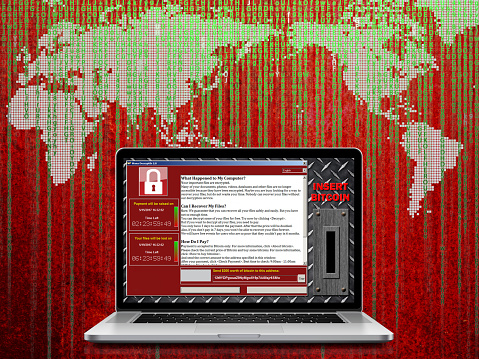
Next, you’ll be notified that to decrypt your data you must pay a ransom. The hacker will explain how to do this.
The ransom is typically requested in the form of bitcoins. Bitcoins were created in 2009, as a new form of currency. When using this currency, there’s no need for banks or other middlemen, to intervene. The transaction is just between you, your bitcoins and your supplier. So why would bitcoins be a common currency for ransomware attacks? Because Bitcoins can be used without the name and paper trails (which can be limiting to criminals). Additionally, Bitcoins don’t use credit reports, or fees, and can work internationally without the regulations that other currencies are subjected to.
Using bitcoins gives this crime another shade of elusiveness. In the KnowBe4 Ransomcloud Demo video the hacker’s ransom e-mail states that the cloud e-mails have been encrypted and if the user wants the decryption code, they must pay a fee of $300 bitcoins to be sent to a specific bitcoin address. The video ends with the user paying the hypothetical $300 bitcoins and receiving the decryption code. Just as quickly as it started, it’s over, and the e-mails all return to their readable status.
The dangers of this are especially pertinent if you and your employees are working in a cloud-based environment. This is why it’s especially important to train your employees to be vigilant to secure your business data. They should carefully look at each e-mail prior to opening it or clicking on links. One small click of the mouse can turn into a world of trouble for your business.
The Take-Home Message
Simple training can help secure your company and your data. Training staff to spend a little more time when sorting through e-mails could save your business from a ransomware attack. This is where the importance of the training comes in. Employees should be trained to recognize ransomware emails and constantly look for ones that are suspicious, such as those containing simple grammatical mistakes or excessive punctuation. You should have a policy in place that tells them how to flag suspicious e-mail. Additionally, employees should all be trained on the importance of not opening or clicking on suspicious e-mails or links.

by Felicien | Jan 30, 2018 | Education
The problem with email
Email has been around for decades, and yet it hasn’t changed much. We must sort through dozens of messages to find the ones that matter. Only a small percentage of the emails we receive are important to view; the rests are advertisements and junk mail.
This outdated system may work for you as long as you have plenty of time to sort through the “junk,” or if you don’t receive many emails. But what if you get hundreds of emails every day? And what if one pertained to a multi-million-dollar lawsuit, or contained the confession of a client accused of murder? It would be a shame if they accidentally got sent to SPAM and you never saw them. One email could potentially make or break a case you’re working on.
Another troubling issue with email is that there’s no system for prioritization. An email about a new night cream arrives with the same level of importance as one from a client. These are a few of the many issues you must deal with when it comes to email.
Advancing technology
Email lags behind when other forms of technology are moving forward at a rapid pace. Why is it that we now have self-driving cars but the only way to find important emails is to manually sift through them? It’s a problem that countless professionals, not just attorneys, must deal with. Though other areas of technology have made great strides in the last few years, email architecture still can’t support the unique needs of attorneys.
But this is finally changing. You can now use Artificial Intelligence (AI) to interpret and classify the emails in your inbox, assign importance to your priority emails, and differentiate between an advertisement and an important email from a client.
Have you ever sent an email to the wrong person? This can be embarrassing, but in the legal world, it can result in expensive repercussions. The new AI system notifies you if you’re about to erroneously send a confidential email. It gives you a moment to double check and make sure you’re sending it to the right party. And, as with any AI solution, the email program learns and improves. The more you use it, the more useful it will be.
Email and DMS
The new email systems for law firms provide a secure connection to your document management system (DMS). This is especially important in the legal world due to the massive number of documents that are generated. From research to trial notes, law firms generate thousands of pages of documents each year. Imagine having an email program that can readily access any piece of information you need.
Document management systems are the perfect solution for sorting through and organizing emails. As the technology improves, these programs will also have the ability to connect emails with the right documents. AI will recognize specific words in an email and find the documents that pertain to it.
Increase your billable hours
Managing hundreds of emails each day is challenging for anyone, but for attorneys, it means lost revenue. Until now, all the time spent using your smartphone to handle emails wasn’t billable. With AI, you can now charge for this because your smartphone can recognize what case you’re working on and create a timesheet for it.
When you use a DMS system on your mobile device, the intelligent email system can identify a client’s email and find the correct folder for it. This prevents you from accidentally deleting or losing important emails. As an attorney, you’re expected to generate revenue, and with the new AI email programs, you can. This is good for your firm and frees you up to spend time on more important tasks.
Automated replies
Other industries are also benefitting from this technology. Employees spend a great deal of time on their mobile devices to conduct business. Software developers are working to create automatic responses based on the type of email received and sent. Google is a frontrunner in this technology with its new service called “Smart Reply.” Users can choose from three different responses based on the contents in an email. So far, this is widely accepted, and people say that it saves them time. No more typing repetitive responses like, “Thanks” or “Will talk to you soon.” Just choose from the list, select a response and within a few moments, you’ve dealt with it.
Other industries using AI with Email
Who knows? Someday Artificial Intelligence (AI) may be able to read and answer all of our emails. A new communication platform for Air Traffic Controllers uses learning algorithms to speed up computer, mobile, and SMS communications. Big companies like Facebook, Google, and LinkedIn are experimenting with ways to decipher the contents of an email and reply with an appropriate response.
Inboxes that utilize machine learning are able to recognize what the email is about and generate natural-language responses. Because of the special nature of legal work, these responses will be more complex–this has been a major challenge. Crafting an intelligent response that in no way offends the client or breaks the law is a huge concern. However, it’s important to realize that machine learning adapts and evolves. It learns from its mistakes. This means we can expect a future where most lawyers can handle emails on their mobile devices with just a few clicks.
Moving forward with AI and Email
Some companies have experienced firsthand how employees waste too much time each day on redundant email tasks. This time represents millions of dollars each year in lost revenue. For attorneys and law firms who charge hundreds of dollars per hour, this figure escalates to the billions of dollars.
The challenge for software developers is to build Artificial Intelligence for apps that accurately replicate human behavior. Since AI is all about the machine learning as it evolves, developers believe this is entirely possible.
