by Felicien | May 4, 2018 | Education
In spite of the move toward living digitally, Americans still use over 90 million tons of paper each year. Everyone nowadays seems to be reading everything online, and yet more than 2 billion books are printed each year. In addition, over 24 billion newspapers are printed annually, along with 350 million magazines. Only about half the available waste paper is recycled each year, leaving the other half to end up in local dumps and waterways.
Of course, much of this wasted paper originates from commercial enterprises, such as offices, publishers, schools, colleges, and manufacturing. The average consumer has cut way back on their personal paper usage.
Saving Trees
You may have learned this stuff in grade school but forgotten it. Trees make oxygen, the air we breathe. They filter out harmful pollutants. They also produce foods like maple syrup, walnuts, pecans, and almost all fruits. A tree has its own self-replicating technology: it drops seeds each year so that new trees can be born. Many birds and small animals call a tree their home.
When we slash and burn a rainforest, we do irreparable harm to our planet. Rainforests are precious and delicate eco-systems that are simply remarkable on every level. There’s no way for humans to cheaply create, build or invent the machine that does what one common oak tree does. These are just a few of the reasons why it’s so important to save every tree possible. By taking strong actions now, we can ensure that our grandchildren will be able to walk through a lovely forest of aspens or look out on a field of evergreen trees and smell that unmistakable essence of evergreen.
Saving Other Resources
Each time someone prints something, there is other waste involved. You can’t print out a letter without using ink. You also need electricity. In the end, there are numerous direct and indirect costs associated with printing anything. And there are always harmful effects to the environment, such as the pollution caused by a single paper mill. When you add it all up, the cost to print a book includes damage to the eco-system, waste of natural resources, and it adds to the landfills. Instead, let’s all look for ways to reduce our paper usage so we can save as many trees as possible. We begin with these seven timely suggestions.
One: Recycle Phone Books
In this day and age, very few people use a phone book, yet most cities still print them. They are rarely recycled, but it’s possible to save approximately 30 trees simply by recycling 500 phone books of average size. Each year, when the new phone books arrive, be sure to throw the old ones in your recycling bin. These items can be recycled just like any other paper product. There’s nothing hard or complicated about the process. Most of us simply forget.
Two: Opt Out of Junk Mail
Many of us can fill a trash can with the junk mail we get in just one week. It’s time-consuming to open all those letters, plus it’s wasteful. Simply opt out. You can stop receiving certain emails, but many people are not aware that you can also do this with printed junk mail. It’s dangerous in this day and time to allow companies to send you pre-approved credit card applications through the mail. These can be stolen and used by thieves to obtain credit cards in your name.
The consumer reporting companies maintain a website and a toll-free number that consumers can call to opt out of receiving these offers. Simply by calling the toll-free number, you can opt out for five years. If you’d like to stop receiving junk mail permanently, then you must go to the website. The process is a bit more complicated but still worth it.
Three: Go Paperless
Many people have already done this, but it’s simple to go paperless at your bank and all creditors. Since it’s much cheaper for businesses to send your statements and bills by email, most companies make it very simple to choose “go paperless”. Go to their website and look for information about this on the homepage. Usually, you need to log into your account and then set up the paperless option there. It’s normally just a matter of a few clicks and you’re all done.
Four: Stop Printing So Much
The average consumer has a much better handle on this concept than the average business. Most homeowners barely use their printer these days. At the office, it’s a totally different story. The average office still prints out reports, surveys, journals, meeting notes and many other items. When you do need to print something out, you can easily adjust margins to .75 inch and thereby get more writing on each page. This reduces the number of pages on every document.
Five: Sign Up for Online Magazines
Who among us has a dusty pile of old magazines somewhere in our home? This is quite a common problem. You can eliminate this problem by signing up for online magazines. When you think about it, online publications make more sense. Once a document is digitized, you can quickly search through it for information. We’ve all read something interesting that we wanted to go back and look at again, but just can’t find the correct book or magazine. It’s easy to search through digital documents of any length using a single keyword and find exactly what you’re looking for. If you’re one of those people who hate to throw away old magazines, this is the perfect solution. Just choose digital publications from now on.
Six: Use Electronic Storage
Occasionally, we all get receipts, instructions, forms, and other important documents that we need to save. It’s very easy now to snap a photo of these types of items and then store them on your hard drive. You can create files specifically for warranties, receipts, or whatever it is. There are a number of handy apps now available that can make this even more convenient to use. Once you get these copies on your computer or phone, they can be saved by the date or type of item. This is much better than having a shoebox full of old receipts lying around gathering dust.
Seven: Buy Recycled Stuff
Recycled items are good for the environment. Because of the lower costs involved, you can now purchase countless recycled items that you use every day. These products include paper plates, envelopes, greeting cards, books, notebooks, household paper products and others.
The average person simply doesn’t think to look for this on the packaging. These recycled items are for sale on the shelf, right alongside products of the same type. It’s just a matter of looking for the phrase, “Made from Recycled Materials”.
Tips for Success
Sometimes we all receive important papers and worry that we’ll lose or misplace them. This happens with printed documents as well as digital items. To keep track of your important papers at home or at the office, purchase a small filing cabinet. For each topic or item, create a single file folder. You can include the date and any other important information like PIN numbers or due dates.
Saving digital documents is simple too. If you have a word processing program like Microsoft Word, be sure to save these items to your hard drive. If you already have too much on your hard drive, programs like Google Docs allow you to store everything in the cloud. A number of companies have created apps and software for saving important documents. It’s just a matter of finding the program that works best for you.
Of course, it goes without saying that we should all back up our phones and computers on a regular basis. It can be helpful to have a few blank thumb drives lying around for this purpose. Blank DVDs are cheap and you can store from 4.7 GB to 9.4 GB. These disks can last for years but be sure to stick them in a paper sleeve so they aren’t accidentally scratched. No paper sleeves available? Plastic lunch bags work perfectly.
Electronic document collaboration is superior to paper document collaboration. Here at Vision of Earth, we use Google Docs for all of our writing. It is a simple system that allows us to cooperatively edit documents, as well as track the changes made by each person. For more information on how we at collaborate, see our post on software tools that we use to collaborate across the world.
It is possible to do effective editing and collaboration even using standard word processors. For instance, you can learn to use “track changes” in Microsoft Word, or Edit->Changes in OpenOffice Writer. This lets you put editing marks in documents, and also view the editing changes that have been made by other people.
Use email (electronic mail) rather than paper mail when you can. Most businesses and even governments are in the process of transferring over to electronically available services. This will drastically reduce the costs of postal service as well.
Use a USB stick, also known as a ‘thumb drive’, to move around or share electronic documents rather than printing them. Encourage people coming to meetings to bring their reports in electronic format, and for attendees to bring electronic storage of their own (or share via an Internet-based document storage). Many companies are utilizing an ‘intranet’ now, allowing them to securely distribute documents to company employees only.
Use electronic fax services. There are a number of them available, some of which are even free for one-page faxes such as fax zero. The quality can sometimes be a bit low with the free services, so it is recommended that you phone the fax receiver to make sure that they can read the sent document.
Don’t place paper contacts on business cards (such as a postal mailing address). Only put email, and phone. This forces people to contact you through these electronic mediums.
Home
Use cloth napkins.
Use rags instead of paper towels.
Try to not use paper plates. Use durable washable ones if you need something for a BBQ. In terms of environmental impact, the trend usually goes like this: Reusable plates are better than paper plates which are better than plastic plates.
Use a handkerchief instead of kleenex.
Use a whiteboard for lists/notes/announcements.
Buy bulk foods using your own reusable containers rather than buying supermarket boxed
How Much Paper Does Your Office Use Each Year? Tips For Reducing Paper Use
Are you an average worker? If so, statisticians say you use around 10,000 sheets of paper every year.
If that sounds like a lot, that’s because it is. The bottom line is that the average American worker uses way too much paper. To put it in perspective, here are some facts to consider:
4 billion trees are cut down each year to make paper
16% of landfill solid waste is comprised of paper
In one year, the average American citizen will consume 800 million pounds of paper
If you’re having a hard time visualizing how much paper that really is, imagine 5.5 million printed copies of the Hunger Games Trilogy. In terms of trees, you would have to cut down every tree in New York City’s Central Park, or enough trees to build a city with 25,000 houses.
No Office Is Alike
The real issue is how that paper is being used or, in this case, not used. According to a recent survey, 70% of the total waste in offices is made up of paper and as much as 30% of print jobs are never even picked up from the printer. Even worse, 45% of printed paper ends up in the trash by the end of the day. When you consider that the total amount spent annually by U.S. companies on printed documents is $120 million, it’s clear that there is a lot of pointless printing in modern offices (and a lot of wasted money).
Of course, no one is an average worker and there is no such thing as an average office.
I recently visited a small startup that operated out of two different offices. In one office, the company’s engineering team does the coding and support for a Cloud-based software system. These workers are coding all day and hardly ever speak to one another — that’s done on chat — and they almost never print anything. The lead programmer could barely understand why he needed a printer at all and was satisfied with an inexpensive multifunction machine.
Meanwhile, in the same company’s main office, marketing, sales and support staff had multiple printers running all day to publish reports, marketing materials, and more, and stacks of unread documents ended up being piled in bins next to the machines. These are two very different offices within the same company with very different needs: one office barely needed a printer while the other was in desperate need of a Managed Print solution.
It might surprise you to know that even though we sell and service printers, we want you to print less.
Reducing paper usage isn’t just good for business; it’s good for the planet. Take a look around the office. What do you see?
Reams of wasted paper in the recycling bin?
No strategic supply management process?
Underutilized or inefficient printers?
Color copies that should be printed in black and white?
If that sounds familiar, then you need to manage your printers more effectively. We recommend a three-step approach to designing a print strategy that eliminates wasteful printing and matches your business needs.
Evaluate your device use, output, supplies, and viability to align them with a purchasing process
Integrate best-of-class software and printer hardware into your current system
Continuously assess your consumption based on actual usage — because it will always be in flux
Managed Print is ideal for controlling costs and can help ensure that your machines are helping you better serve your clients. To see how such a print partnership can benefit your company, download the Major Signs You Need Managed Print infographic below.
How much paper can be made from one tree?
It is impossible to specify how much paper can be made from one tree, due to its complicated process and multiple factors which impact production. However, if we assume that the following paper products have been produced using 100 percent hardwood. A cord of wood is approximately 8 feet wide, 4 feet deep, and 4 feet high. A cord of air-dried, dense hardwood (oak, hickory, etc.) weighs roughly 2 tons, about 15-20 percent of which is water.
It has been estimated that one cord of this wood will yield one of these approximate quantities of products:
1,000-2,000 pounds of paper (depending on the process)
942 100-page, hard-cover books
61,370 No. 10 business envelopes
4,384,000 commemorative-sized postage stamps
460,000 personal checks
1,200 copies of National Geographic
2,700 copies of an average daily newspaper

by Felicien | May 4, 2018 | Education
Over the years there have been many versions of Windows such as Windows 8, Windows Vista, and Windows XP. Windows 10, the latest update from Microsoft, has many unique features that distinguish it from its predecessors. While the previous versions ran mainly on laptops and desktops, Windows 10 is designed to run on tablets equally as well. One of the best features of this update, which is also known as Spring Creators Update, is that takes very little time to install – just under thirty minutes. While the previous updates used to take a lot of time, this new version is very time effective.
Windows 10 has many other distinctive features that are very useful for many small businesses.
Cortana on Desktop
Windows 10 brings voice-controlled digital assistance in the form of Cortana to computers. Now you can interact with or give commands to your computer without lifting a finger. You don’t need to type – just tell your computer if you want to launch a PowerPoint presentation, need a specific file, or want to look at specific photos. Your PC can do all this while you work on, say, an interdepartmental email.
Timeline
Timeline has replaced the Task Viewer icon beside the Windows taskbar. This new feature allows the user to view the activity history of their desktop. If you are looking for a file that you were working on last week, Timeline will help you find it quickly. Just click on the Task View button on the taskbar, and you will be able to see all your open files and applications. It is a convenient way to see what applications are running. Windows will display photos, folders, and documents according to the date that they were last used.
Privacy
Another security feature of Windows 10 is the new Windows Diagnostic Data Viewer. This feature allows you to view the amount of information that Microsoft can access from your computer. You can keep your data safe by fine-tuning privacy settings which concern application usage, browser history, web permissions, and connected devices.
The Start Menu is back!
In the previous update the Start Menu was eliminated, but in Windows 10 we can see its revival. The bottom left shows the Start Button, and when you click on it, two panels appear side by side with the left side showing the most used applications. The right side displays a list of live tiles that you can resize, reorganize, and customize. There is a power button at the top similar to Windows 8 for features such as Standby, Hibernate, and Shut down.
Nearby Sharing
Another simple feature that makes office work so much easier is Nearby Sharing, which you can enable from the Control Panel. Select the computer you want to send the file to and then click on the Share button in the Photos app or the Edge browser. The computer will receive a notification asking it to accept or decline the file. This ensures that file transfers can happen without unreliable network folders, beat-up USB devices, or empty email messages.
Snap Assist
In this update, the Snap View feature has also been updated which allows users to open multiple windows side-by-side without being limited by your screen’s resolution. This feature also suggests different apps that you can open to fill the available space.
Swift Pair
This feature allows you to connect to a Bluetooth device within the desktop’s range. You will automatically receive notifications whenever there is a connection opportunity. With Windows 10 you can use wireless headphones to make a call or try out a wireless keyboard by just clicking connect.
Microsoft Edge
The new browser called Microsoft Edge has replaced the old Internet Explorer. This browser has many impressive features such as Cortana integration, which allows you to pull up contextual information without having to search through emails. It has an annotation tool which lets you write anything and share it with your friends on social networks without leaving the browser, and PDF support which makes reading easier by improving the layout of long articles.
Tablet Mode
Windows 10, unlike Windows 8, makes a clear differentiation between tablets and desktops. In Windows 8, if you happen to be using a mouse and keyboard, by default, you will be in desktop mode.
Action Center
The Action Center in Windows 10 has been expanded to allow easy access to frequently used settings such as tablet mode and Wi-Fi connectivity. It also shows all essential notifications as soon as your computer receives an update.
Windows 10 has many impressive features which were missing in the previous update. It is faster, provides invaluable security protection and makes multitasking much easier. Update your computer today to enjoy all the benefits of this new operating system.
by Felicien | May 4, 2018 | Education
Is a backup enough to support your business?
Absolutely not.
What causes data loss?
45% is due to human error
45% is due to server failures
50% is due to network outages
Can you risk time, security and peace of mind?
No. If your technology comes to a halt, so does your business.
Can you afford to wait for the slow wait times of traditional backups?
No. Time is money. Plus, traditional backups may not be secure.
Can you risk using an untested backup?
No. Because over 50% of tape backups fail.
Can you risk using only one backup location?
No. Your data will be in jeopardy.
Can you afford to wait hours, days or weeks to recover?
No. Your customers will leave and go to your competitors.
What Exactly is Intelligent Business Continuity?
Intelligent Business Continuity is more than a backup. It’s an image-based backup that’s saved as a VMDK (Virtual Machine Disk) that can be instantly virtualized.
Intelligent Business Continuity tests each backup and sends a screenshot to report success.
Intelligent Business Continuity is a Hybrid Cloud Solution that guarantees complete uptime. It utilizes end-to-end encryption protections for your data in transit and in the Cloud.
How does Intelligent Business Continuity with VMDK work?
It preserves your disk file system and system memory of your virtual machine and lets you revert to the snapshot in case of a disaster, deletion or other error that could otherwise erase your data.
Intelligent Business Continuity is thinking about your business on a higher level.
Top security officials advise that businesses like yours in Dallas/Fort Worth strengthen your IT defense structure with Intelligent Business Continuity. Your data will be preserved, protected and easily recoverable 24/7 no matter what.
For more information, contact the Business Continuity Experts at VersaTrust.
by Felicien | May 4, 2018 | Education
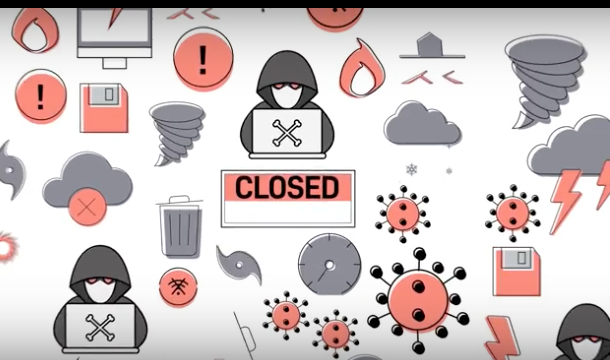
Your business is at risk every day.
Simple daily backups are no longer enough to ensure your business can keep running in the event of IT equipment failure– equipment fails due to:
Human Error
Fire
Flood
Cybersecurity Threats
If a disaster strikes, how will you ensure that your IT environment has enough flexibility, redundancy, and resilience to protect your data, while remaining simple to set up, use and recover?
You can with Datto Siris–the first fully featured, Total Data Protection platform in one integrated solution.
With Siris, you can choose from a family of physical, virtual and software appliances, as well as a variety of storage options to craft a unique data protection solution tailored to your business.
Siris supports a wide array of operating systems, including Windows, Mac, and Linux.
It protects and restores both physical machines and virtual environments. You have the option to restore no matter where your business data lives.
Your backups are scheduled every 5 minutes.
They’re tested, stored locally and replicated to the secure Datto Cloud.
And, this isn’t just any cloud. It’s stored within Datto’s Globally Distributed Data Centers.
With Datto Infinite Cloud Retention, you can store your data for as long as your business requires.
You can’t risk losing any piece of data to corruption.
Outdated data backup methods force you to restore an entire system from a single restore point. This results in data loss for any files created after the restore.
Siris uses Inverse Chain Technology and ZFS Snapshots to make each file interdependent. Each snapshot saves the changes between each data point, ensuring that any individual piece of data can be recovered from any previous backup without losing the most recent data.
When disaster strikes your business, there’s no time to waste waiting on outdated technology to restore backups–even 15 minutes old.
With instant virtualization, your business can restore within seconds from your local device or by using Datto’s powerful cloud.
While a complete image of your system runs through a virtual machine, regular backups continue.
And, if you lose the entire source machine, Siris also provides the option for Bare Metal Restore, into new hardware or a virtual destination.
Detect ransomware threats before they happen.
Siris monitors and targets specific patterns of ransomware within a single backup.
Plus, it notifies you and helps you get back to business without paying a ransom.
Imagine the power to backup, restore and secure your business data integrated into one solution.
And supported by a world-class, 24/7/365 tech support group.
With Datto Siris, your business can run anywhere, protect anything and restore any time.
Find out more by contacting the Datto Experts at VersaTrust.
by Felicien | May 3, 2018 | Education
On May 7th, all smartphones on an LTE network will receive a test notification for the new Public Emergency Alert System.
Don’t let it catch you off guard – coming up on May 7th, 2018, if you live in Ontario or Quebec, your smartphone will receive a test alert for Canada’s Public Emergency Alert System. The same test will run in the rest of the country on May 9th.
Be aware that this first notification will simply be a test by all major broadcast and telecom companies that offer LTE service. In some cases, you may be required to acknowledge receipt of the alert. Depending on your service provider, the alert may also make a notification sound that circumvents the settings on your phone (i.e., even if you have your phone set to silent, in some cases it may still notify with a noise).
These notifications will be sent out as a part of the Alert Ready Emergency Alert System. According to their website, Alert Ready is “designed to deliver critical and potentially life-saving alerts to Canadians through television and radio. The Alert Ready system is developed in partnership with federal, provincial, and territorial emergency management officials, Environment and Climate Change Canada, The Weather Network, and the broadcasting industry and wireless service providers, to ensure you receive alerts immediately and know when to take action to keep yourself and your family safe”.
Once tested and verified, these types of alerts will be sent to Canadians to inform them about a range of types of emergencies and imminent threats, including:
Natural Disasters
Tornado: a vortex of violently rotating winds, often forming a funnel-shaped cloud that is capable of damaging property and injuring people.
Flash Flood: Usually caused by river ice jams and excessive unpredicted rainfall, a flash flood is a sudden onset of water causing immediate flooding of the local area. The danger is in the little to no warning to local residential areas.
Earthquake: A sudden release of violent seismic waves due to energy generated by the movement of plates in the Earth’s crust, which can cause extensive damage in urban environments.
Hurricane: A violent storm made up of intense winds and heavy rain that can lead to storm surge, floods, coastal erosion, and landslides.
Fires
Urban Fire: Any urban fire that presents a threat to multiple residential and/or commercial properties.
Industrial Fire: A large fire in an industrial building or complex that poses a threat to human health.
Wildfire: A large natural fire involving combustibles such as grass, brush, and trees.
Forest Fire: As opposed to a wildfire, a forest fire burns in a forested area, grass or alpine/tundra vegetation and poses a threat to human safety.
Biological
Biological: A potentially dangerous or poisonous substance that is both unstable and easily transferred between living organisms.
Chemical: The misuse or release (unintentional or otherwise) of a chemical substance that could result in serious injury or death.
Radiological: A radiological (radioactive) substance with sufficient concentration to do serious or lethal harm to exposed populations.
Drinking Water Contamination: In the event that drinking water is negatively affected and as such, a boil-water advisory is raised, cautioning use by the public.
Hazardous
Explosive: A potentially dangerous substance or device that may explode within an affecting radius of an urban environment or concentrated population.
Terrorist
Terrorist Threat: The use of violence or threat of violence by individuals or groups against civilians or infrastructure.
Environmental
Air Quality: Caused by an elevated particulate count in the atmosphere that could negatively affect visibility or the health of individuals.
Falling Objects: Natural or human-made materials at risk of falling, which may threaten people or property.
Civil
Civil Emergency: Occurring when humans cause a disruption of services or require varying levels of support, law enforcement, or attention.
Animal Danger: Occurring when a wild or domesticated animal poses a threat to human life or property.
Amber Alert: Issued when a child has been abducted and police services believe that the child’s life is in grave danger. This type of alert gives the public immediate and up-to-date information about the abduction in order to gain their assistance in ensuring a fast and safe return of the child.
911 Service: This type of alert occurs when there is a disruption or outage of telecommunication services between public and emergency responders.
Check out the Alert Ready website to hear an example of the specific alert tone that will play through television, radio, and wireless broadcasts to notify Canadians of an impending emergency.
Be sure to take note of how the test occurs – it is the public’s responsibility to ensure that they understand what the alert is informing them of, to consider it carefully, and to respond appropriately and as directed.
For more information about Alert Ready, check out their website here.

by Felicien | May 3, 2018 | Education
Do you use 800 million pounds of paper each year? That’s the latest estimate for the average professional – and nearly 20% ends up in landfills. Would your habits change if you were taxed on paper consumption?
The use of paper to record thoughts, plans, transactions, agreements, or anything at all, is nothing new. Ancient Egyptians invented the earliest known type of “paper”, named papyrus from the plant which the material was created. The more modern forms of paper are likely created from a process similar to that invented by the Chinese, who remain the leading paper manufacturers today.
The ability to document everything from knowledge and information to financial transactions and taxes brought the foundation of the technological era – though not quite as we see it today. For the first time in history, accountability no longer relied on memory or spoken word, but the origin of the “paper trail” concept.
One of the earliest modern ways we’ve found to scale back paper use is the predecessor to the smartphone, the personal digital assistant (PDA), like the Palm Pilot. Migrating from paper planners to a handheld organizer enabled professionals to have easy calendar access, along with a variety of other resources like the Internet and telephone.
Would it surprise you to know that the first person to coin the phrase “PDA” was a former Apple CEO, John Sculley?
The intended purpose of technology is to improve our lives and simplify our tasks. For example, email was designed, in part, to expedite communication in a cost-efficient manner. Written communication that previously took more than a week to deliver via U.S. mail with the added cost of a postage stamp and envelope – also relying on the correct mailing address of the recipient – was now nearly free and instantaneous. The fax machine was intended to serve this same purpose of timely delivery, but still involved paper waste. In fact, fax machines created a unique problem: the sender had to have a print copy to scan and fax, and the recipient thus received a paper copy of the message. In the case of email, technology should decrease the use of paper, and successfully has.
The average professional has indeed cut back on paper use. Statistics vary, but no matter how you look at it, we consume far too much paper for the amount of technology we have at our disposal. Notice the word “consume”? The sad reality is that not all consumed paper is used. Have you ever visited a print station only to have to dig through sheets to find the printed document(s) you’re looking for? How many times do you see the same sheets that never get picked up?
Every year, organizations look to trim costs from their budget in unique ways, but rarely are paper costs fully considered. It’s estimated that U.S. companies spend $120 million annually on printed documents – a number that can, and should, easily be reduced.
Companies like Microsoft are trying to facilitate less paper consumption, and therefore, less waste. From online storage with Microsoft OneDrive or SharePoint, where users can store, share, and access files from anywhere without needing to produce paper copies, to collaborative software solutions like Microsoft Teams or Microsoft Project which help groups jointly communicate in real time, modern solutions are geared toward less paper consumption.
One industry where paper consumption has significantly decreased in recent years is the medical field. Patient charts used to be entirely paper, including test results, office visit notes, and full patient history. For large medical practices, this involves a lot of expensive real estate for a physical item that isn’t often used. The movement toward electronic health records is more efficient in every way: cost savings for less paper and less space taken, easy to share and access from anywhere, and less chance of a test result or document getting lost or damaged.
Banking is another industry to vie for the record of worst offender in terms of paper consumption. Between lending for auto purchases or mortgages and account statements, banks recognize the high-consumption of paper and have (slowly) been moving toward online signatures, email statements, and digital records.
Even major metropolitan areas are jumping on the “green” bandwagon. Bike lanes are being rolled out in cities across the country. Mass transit light rail systems are being installed and adopted for easy navigation and decreasing carbon footprints and toxic emissions. On the smaller scale, but no less important, it’s becoming more common for consumers to be emailed a receipt at a point of purchase, rather than have a paper receipt printed at the time of transaction. Most cities have designated locations to return printer ink cartridges for recycling to help cut down on waste.
Commonly purchased with large print workstations are service agreements to maintain the printer. Rather than a set cost, these agreements are based on use and consumption, with fees for black-and-white documents ranging from 5¢ to 12¢ on average, and color documents ranging from triple to more than five times the cost of black-and-white fees. By comparison, cloud storage costs are far more economical!
So, what can you do to help cut down on paper waste, thereby cutting costs for your company?
Evaluate who uses a printer at your organization and for what purposes.
Determine if your printer(s) are the most efficient available, and if they are maintained for efficiency.
Monitor overall usage, and then assess how usage can be decreased.
There are so many ways technology can help decrease print usage and costs, and here are a few to get started:
Cloud storage
This cannot be stated enough. Moving file storage to the cloud is a big leap, but can save you time and money.
No more file cabinets taking up real estate.
Documents are easier to find, access, and share from anywhere.
Reusable notebooks
Do you or your team still prefer to take handwritten notes? Using a smart notebook like the Rocketbook Wave propels your note-taking into the next century. Once captured, notes can be shared to the cloud using your smartphone. Once the notebook is full, a quick run in the microwave and it’s empty to use again!
Collaborative platforms
We mentioned Microsoft Teams already, but there are countless options available. From Slack to Basecamp, most offer users a similar feature base intended to encourage digital collaboration and eliminate paper waste.
It’s not unheard of to offer incentives to decrease waste, but the greatest incentive is decreasing costs for the organization resulting in increased revenue – and hopefully increased salaries! Decreased paper waste shouldn’t have to rely on staff incentives – and hopefully, it won’t come to taxation, but you never know…so let’s get ahead of the game and help ourselves while helping the planet. Saving two kinds of green – money and Mother Earth – with one effort!
