by Felicien | Jul 24, 2018 | Education
Why the big hubbub over HTTPS?…
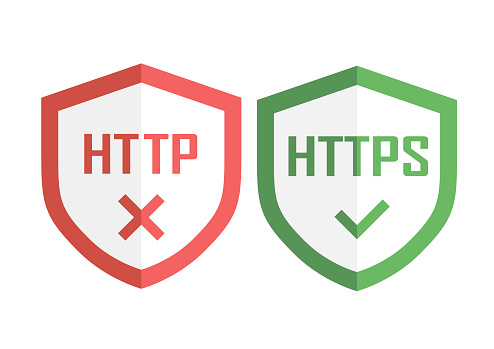
Because from now on, users who visit HTTP sites will be hit with a BIG WARNING from Google. This will happen to anyone using Google Chrome version 68.
Google warns that you should have been protecting your websites with HTTPS for a while now. And this isn’t just for confidential communications. You need HTTPS on all your sites.
Why?…
HTTPS Prevents Intruders And Security Vulnerabilities
You certainly don’t want people (criminals or otherwise) tampering with the communications between your site and your users’ browsers. These intruders can be hackers or legitimate companies like Internet Service Providers (ISPs) that inject ads into your web pages. Did you know that some of these advertisements can block the user and create security vulnerabilities on your site?
HTTPS Protects Your Users’ Privacy
Every unprotected HTTP request to your website can potentially reveal your visitors’ private information, such as their browsing behaviors and even their identities. Some intruders gather bits of information and compile it into user “profiles” to steal their identities.
HTTPS also keeps intruders from listening to communications between your website and your visitors. This means if you don’t use HTTPS and you have an online help desk service with VoIP, someone else other than your rep and your client may be listening.
Intruders can trick your visitors into providing their confidential information or installing malware into your website. They can access and exploit unprotected images, cookies, scripts, HTML … and they can do this at any point along the network.
This means that your users’ machines, a clients’ Wi-Fi hotspot, etc., could be exploited and you’ll be to blame.
HTTPS Is Required For Progressive Web Applications (PWAs)
What are PWAs? They use modern website capabilities to deliver app-like experiences to your users.
Google likes PWAs because they:
Load instantly, even when your visitors use uncertain network conditions. This is because they “live” on the user’s home screen. They don’t need to go to an app store for them. PWAs can also re-engage your users with push notifications. You can control how the app is launched and appear on your site.
Respond fast and smoothly. Did you know that 53% of users leave a site if it takes longer than 3 seconds to load?
Are engaging and provide an immersive user experience. You can pre-cache resources so you’re not so dependent upon the network. It gives your users a more reliable experience when browsing your site.
Google Says That HTTPS Is The Future
In addition to the security benefits of using HTTPS, there are commercial benefits as well. Browsers and search bots prefer HTTPS sites. Your site will be easier for visitors to find.
Today’s new web platform features allow things like taking pictures, recording audio and new geolocation APIs (Application Program Interfaces). They essentially provide offline app experiences. HTTPS is a key component to the permission workflows for both new features and updating APIs.
And take note! Watch for HTTPS warnings from Microsoft, Apple and Mozilla. They’ll be coming soon.
Keep Google happy and your users safe. It’s not expensive to switch to HTTPS and it’s certainly worth doing!

by Felicien | Jul 23, 2018 | Education
Microsoft is always looking for great ways to make your workflow easier. That’s why they continuously update their products. The July 2018 updates to Office 365 are especially unique and should prove to be very helpful to users.
Upgrades To The Ribbon
Microsoft introduced the ribbon in its Office 2007 software. It replaced those traditional menus and toolbars that users were so familiar with. Though the changes did cause somewhat of a stir in the community of users, soon everyone came to appreciate the ribbon. It went over so well that Microsoft continued to update the ribbon each year to include greater functionalities.
Today, no one can imagine Office 365 without the ribbon. With that said, the new updates for Office 365 July 2018 include larger graphical controls on the ribbon that are more visible and grouped in a logical manner. Ribbon functions are more accessible and easier to use. Microsoft’s goal with this update was to make it easier for users to collaborate and connect with others.
The ribbon is also more intuitive now. It puts those commands you’re currently using front and center so they’re available when you need them.
Now there’s only one row of buttons instead of two, which helps to keep the commands you use at the forefront of what you’re working on. This allows more space for your document content. If you’re a big fan of the old ribbon that had two rows of commands, you can easily restore that look with the toggle of a button. Restoring the classic view has been made simple.
The new simplified ribbon is scheduled to be released first in the web version of Word. It will be rolled out to a special group of Office insiders in July. Microsoft will take the feedback from these users, then adjust their updates before rolling out the new Office applications to all users.
Sharepoint Integration
Integration has always been a big thing for Office 365 applications. The Office team has gone one step further with new ways to embed Planner into SharePoint sites. Now the Office 365 productivity solutions that everyone loves are even easier to access. For instance, the SharePoint navigation bar gives all team members the ability to manage tasks directly from SharePoint. Outlook, Calendars, and Microsoft Teams are still available from most applications.
A new button on the SharePoint page allows users to add a plan from Planner. Designing a SharePoint page that has plan details is a breeze. Simply head over to the SharePoint page with the plan details, then click on the Edit button. Locate the area where you want your plan displayed, then click the Plus sign, and select the new Planner web part.
Microsoft Teams Updates
SharePoint integration for Microsoft Teams has been greatly simplified as well. Users can add files directly into the Teams interface right from SharePoint. They can also link an entire SharePoint document library in Microsoft Teams.
Teams have become a favorite meeting application with all the Microsoft apps accessible from the Teams interface. This app took a huge leap forward when Teams was recently updated to allow for links to an entire SharePoint document library. This offers fast, convenient ways to share the SharePoint document library with your whole team. Expect to see more exclusive updates to Microsoft Teams in the future, as it has now become an indispensable part of everyone’s workday. It’s revolutionizing the way people communicate.
New Chat Functions
The Team’s chat experience has been improved to add more flexibility to participants. For instance, if you are involved in a chat that is no longer relevant, you can easily duck out of the meeting. You can also hide a chat if you need to do so or mute a chat if you need to focus on some other task at the moment.
Sway for iOS
Microsoft announced its most extensive update in history on May 30th to Sway for iOS. Now users will find it easier than ever to create a Sway from beginning to end on their iPhone or iPad. Users can quickly toggle between Edit and Preview modes. Add and reorganize text and media in the Edit mode.
Preview lets you see your Sway as others will see it. You can also make easy and fast changes to your Design with the toggle of a button. Edit mode has been simplified to an all-white canvas where users can add photos and videos from the camera or take a new photo. Tap on an image to resize it or add a caption. Photo grouping has been simplified as well. Drag and drop one image onto another to create a new image group.
Sway on iOS allows for the addition of lists, bullets, links, blockquotes, and more with the single tap of a button. Once you have your Sway completed, it’s easy to share or you can invite friends to collaborate. The Sway app for iOS is available from the Apple Store and it’s more fun than ever to use.
Wrap Up
The Office 365 Updates for July 2018 all about ease and convenience. You can do more in less time. It’s well worth it to learn these easy new ways to use Office 365 so you can shave time off your workday and get more done each day.

by Felicien | Jul 23, 2018 | Education
Are you using an iPhone or iPad? It may be worth it to hold off a few days before hitting that update button.
Why?
Reports are surfacing that after updating to #IOS 11.4.1 there are issues with app updates. The App store shows many apps that need to be updated, but when you press ‘update‘ or ‘update all’ the apps updates are failing.
Click Here To Learn More
We recommended holding off until Apple fixes these update issues.
Have any questions regarding the recent iPhone/iPad update? We welcome you to reach out to us at {phone} or {email}.

by Felicien | Jul 23, 2018 | Education
Password-Stealing Malware
The acquisition of user IDs has become much easier for cybercriminals in the globalization era. A variety of methods can be used to steal passwords, including spyware, keyloggers, and phishing attacks. This can lead to the total loss of essential data held in company or private databases. Most of the methods used by these cyber criminals involve the use of malware that has been designed to steal user credentials. Based on the objectives of a particular cybercriminal, a variety of malware methods are applied to fulfill those goals.
A significant proportion of methods used to steal user credentials consider the use of malware. Additionally, phishing attacks use malicious attacks through communication channels such as emails where malware-loaded websites are disguised as genuine ones to trap unsuspecting users. Other types of attacks include spyware and keylogging which, for a variety of incidences, has been observed to continually grow in both complexity and frequency of attacks.
Signs of a Malware Infected PC
One of the diagnosis methods of identifying whether a computer is infected with a virus is through the observation of random pop-ups and significantly increased booting time. Instances like these are associated with spyware configured to steal essential data from users without them noticing.
The objective of using spyware on user PCs is to ensure that information stored in browsers and other sensitive areas is well camouflaged. This includes communication channels such as email. Cyber crooks will attempt to acquire your passwords without you noticing that anything is wrong. Though this seems like a flawed technique that wouldn’t work all the time, the truth is that it works exceptionally well. For instance, 158 million social security numbers were stolen in 2017. That doesn’t include all the other types of records and data stolen from individuals and companies.
Malware Injection Technique
For reliable security dodging methods, process injection is a method of integrating malware and lifeless adversary strategy in trade-crafting accounting for the integration of custom codes within the address bars of other processes. The variety of injection techniques includes the following methods.
Portable Executable Injection
Shellcodes and Create Remote Threads are among strategies used in malware injection where malicious codes are copied into accessible active processes commanding them to execute as the originals. Through this strategy of attack, the malware does not require writing malicious code on a disk. Instead, it does so by calling Write Process Memory on the host procedure. The impact of this procedure is that the injected code copies its PE to another process with an unidentifiable base address commanding it to re-compute the original addresses of its PE.
Process Hollowing
Process hollowing is a technique that malware applies to take into account the mapping or hollowing out of the primary code from within the memory of the target’s procedure while overwriting the memory target process with an executable malicious code. The function of the malware is to create a new process designed to host the malicious code presenting it in a hanging form awaiting for the Resume Thread Function to be called in order to execute.
This process leads to the switching of the original file contents with the malicious payload. Processes used for mapping the memory include two API examples, the ZwUnmap and the NtUnmap Views of Section. In order to succeed in assigning new memory for the malware, this procedure takes advantage of the malware’s unmapping of the memory and proceeds to execute the loader, VirtualAllocEx that facilitates the application of the malware to the Write Process Memory on the identified vulnerable target.
Classic DLL Injection Through Create Remote Thread And Load Library
This technique is among the most popular method used in malware injection into other processes. By commanding the implicit address space to process the malware code using the dynamic-bond library, the approach facilitates the creation of Remote Threads in the target process through process loading.
The primary objective of the malware is to target a process for injection. This procedure is generally performed through a search of the processes to call a trio of APIs that include CreateToolHelp32Snapshot, Process32 1st, and 2nd. The specific functions of each of these APIs include the cataloging of heaps and returning a snapshot, retrieval of the first process, and the iteration through the previous two processes respectively. After successfully allocating the target process, the malware is able to execute through Open Process calling.
Conclusion
This article reported on a number of techniques used by malware attackers in concealing unauthenticated activities in other processes. Two procedures are observed to facilitate the functionality of malware and include open injection of a shellcode on another processor or the command of other processes to load malicious libraries on behalf of the malware. Cyber thieves are constantly updating their attack procedures to stay one step ahead of IT professionals. That makes locating and eliminating malware threats a full-time job.

by Felicien | Jul 23, 2018 | Education
If there is a product that has proven itself worthy of Microsoft’s pride, then it is Dynamics 365, the company’s cloud-based combination ERP (enterprise resource planning) and CRM (customer relationship management) enterprise system.
It turns out that Dynamics 365 recorded a growth of 65 percent during the first three quarters of Microsoft’s 2018 financial year. This growth momentum makes the cloud-based product one of Microsoft’s fastest-growing businesses, outpacing even the celebrated Office 365.
Microsoft announced this development at the Inspire 2018 partner conference, where its channel leadership outlined the key opportunities for partners and the tech giant’s investment plans for the coming fiscal year.
Microsoft boasts a vast network of partners comprised of hundreds of thousands of innovators who drive positive and global impact. The Microsoft partner ecosystem builds everything Microsoft – from gaming experiences to business line applications to industry-specific solutions on the company’s cloud environment, Dynamics 365.
Through a series of announcements at the Inspire 2018, Microsoft made it clear that the coming months are going to be a time for acceleration, hinting that there’s no time like the present for partners to seize the opportunities occasioned by Dynamics 365.
Here’s a rundown of the key takeaways from the Microsoft Inspire 2018 partner conference.
Microsoft to provide partners with free training
In the coming year, Microsoft is seeking to provide members of its vast partner network with free training opportunities to assist them with getting involved in the cloud-based Dynamics 365 and multiple other business apps such as Power BI business analytics service.
Microsoft partners will now be able to access the company’s Dynamics online learning environment free of charge. Partners previously had to pay a fee to access this service.
Dynamics learning is a mammoth suite of self-service sales and technical resources, which are extremely essential to the partners’ innovation processes. Microsoft is also launching a four-day boot camp training for its partners involved in a FastTrack engagement solution architecture – to be attended in person.
The best opportunity for launching a new practice with Microsoft: Dynamics 365
At Inspire 2018, the executive vice president of Microsoft’s Worldwide Commercial Business organization, Judson Althoff, was not slow to pinpoint Dynamics 365 as the ideal product area for any partner or innovator who wishes to launch a new practice with the company.
According to him, Dynamics 365 presents a surging opportunity that would suit anyone who wishes to start a new line of products and services from Microsoft. He was keen to encourage partners to invest in the Dynamics 365 business, noting that it is currently unmatched by any business in the multinational tech company’s portfolio. That automatically makes it great for entrepreneurs who wish to build a thriving business in the near future.
Partner capability indicator – for data-driven business decisions
This is a new offering available to partners within the Partner Contribution page. It is designed to empower partners to be able to make more informed business decisions based on actual data. The offering is replete with metrics that show the users (partners) their successes, their customers’ accomplishments, as well as areas that could use some more attention.
Through the partner capability indicator, people can also see how they’re doing compared to other partners and use this information to inform the planning of new, richer business goals.
Overall, the offering is designed to ultimately help partners with tracking their success and improving their business decision-making. They will be able to see the overall health of their system following the implementation of the offering, across all Microsoft business lines.
More incentives for every new customer acquisition and cloud usage
Microsoft partners have always enjoyed alluring incentives from the company. Following the Inspire 2018, these incentives are either doubling in figures or multiplying with significant margins.
In the coming business year, new customer acquisition for business applications will now allow partners to earn incentives in the range of 10 to 50 percent more than what they’ve been earning in the past.
Additionally, users will now earn double the incentive package for cloud usage and adoption of business app seats. This, according to Microsoft, will likely place it above its competitors’ rates. This incentive is intended to ensure that the company not only promotes the buying of new seats, but also the rewarding process of turning those seats into active ones. The incentives are also meant to encourage the expansion of seats beyond the initial seat count.
Incentives for co-selling solutions
Microsoft has been offering special incentives for its salespeople involved in co-selling solutions from Azure partners for a year now. Going forward, the company is rolling out the co-selling incentives to Dynamics 365 as well.
Through these co-selling incentives, the company’s salespeople that co-sell with an ISV partner will receive a 2-times multiplier in quota retirement.
Wrap up
Whether Dynamics 365 is going to maintain the pace or accelerate further remains to be seen. However, it’s clear that Microsoft partners are the biggest winners from the Inspire 2018 announcements.

by Felicien | Jul 19, 2018 | Education
Are You Prepared for Windows 2008 Server End of Life?
Windows Server 2008 has been a sensation and many people have had a positive experience utilizing it, but what does its end of life mean?
There’s a lot to it. First, Windows Server 2008 end of life infers that the manufacturer, Microsoft, will no longer update this product unless a warranty compels them to do so.
However, Microsoft mainstream support will still be under obligation to provide bug fixes and vital improvements through extended support. This implies that you can still enjoy using Windows Server 2008 as long as you don’t need any further updates currently offered by the mainstream support.
How much time do you have to change out your equipment?
You need to change over from the Windows 2008 Server to a supported server by January 14, 2020. To keep your data safe, experts recommend making the switch six months earlier than the set date. That’s how much time users have till Microsoft stops offering bug fixes and security updates through the extended security support.
Will 2020 be the real “End” of Windows Server 2008?
An end to bug fixes and those all-important security updates may be the ultimate deal breaker for users. Data managers will tell you that not having these fixes makes your data vulnerable to access by unauthorized parties and nobody wants to take chances with sensitive data.
After January 14, 2020, Microsoft will no longer offer security updates and bug fixes for this server and that will create loopholes in data security which prying hackers would be interested in exploiting. These security breaches can be avoided by installing a newer generation server with supported security updates. So, yes, 2020 will be the real end of life for Windows Server 2008, especially for data management centers.
What you need to do before Windows Server 2008 End of Life
The most logical action would be to update all equipment. There are many Microsoft products available on the market with more convenience, efficiency, and better virtualization attributes than Windows Server 2008. Do some research to ensure that you get a proper replacement that will address all the functions needed for your organization.
These servers come at a high cost (especially for large data centers) and installing them can be challenging, so the sooner you start the better. Upgrading a server system will definitely take some planning and precious time. Ample time should be devoted to installing the system. Unexpected delays are common; things don’t always go as planned with today’s sophisticated hardware and software. Don’t take chances with such important technology. With six months leeway, you can ensure that your new server is fully functional and your data is safe before the end of the Windows Server 2008.
Is it the end of life for all Windows Server 2008 versions?
No, it’s not. There are 16 Windows Server 2008 versions and this is not the end of life for all sixteen. However, mainstream security support for all Windows Server 2008 products ended on January, 13th 2015. But newer products like the Windows Server 2012 still have many years ahead.
More recent products like the Windows Server 2016/R2 offer users immense improvements in performance and may make it worth your time and money to switch.
Will I still be able to use Windows Server 2008 after End of Life?
While Microsoft will terminate the extended support service after the end of life, these servers will still run smoothly. The obvious drawback is that your data will be vulnerable and you will be missing out on many newer virtualization features. Even if it wasn’t the End of Life for these servers, newer features alone would warrant a server upgrade.
It’s not the End of Life for mainstream support
There are many data centers that will find themselves in a situation where they need help with a few issues after Windows Server 2008 End of Life. If you find yourself in this situation, Microsoft’s mainstream support may come in handy.
Get ready for the move
To plan for an infrastructure upgrade, rewrite and migrate all applications based on SQL Server 2008 to a safe storage place. The new server may need extensive troubleshooting, which can affect your timeline and efforts. SQL databases can be hosted on the Windows Server 2008 hardware as you install the new system.
During the transition, put a data protection infrastructure in place that will eliminate the risks of data vulnerability during a server upgrade. This will protect the data from the fragility of the old server and risks associated with the new system. While this may be costly, the fines associated with a data breach are often far more expensive.
To undergo this transition smoothly, work closely with organizations tasked with planning for Windows Server 2008 End of Life. These IT professionals can offer a great deal of assistance. They know what types of issues to look for and how to make the switch successful.
