
by Felicien | Nov 19, 2018 | Education
Did you know that the new iPad Pro sports more powerful features than most entry-level laptops in stores today?
Yes, the iPad is powerful but can it replace a computer?
Is the iPad a tablet or a computer?
This is a question that has been asked repeatedly since the iPad Pro was first released in 2015. With the debut of the latest iPad Pro in 2017 with the more robust iOS 11, improved multitasking and better file management, choosing between a MacBook and an iPad has been made more difficult for mobile users.
Apple advertises the iPad Pro as a replacement for laptops. Looking at some of the videos posted by Apple on YouTube, mobile users are convinced that the device can (almost) do everything a laptop can. So, is it time to ditch your laptop for an iPad? Read on to learn more.
What can the iPad do?
The Apple iPad Pro works like a computer. The device comes with either a 10.5-inch or 12.9-inch display with the smaller version being bigger than the standard iPad’s 9.7-inch display. With this larger display, the iPad renders colors better than most mid-level laptops, and it has a faster chip to power heavy graphics, paint and video apps. By all accounts, the iPad Pro is better than all other iPad models especially considering the add-ons it comes with.
Coupled with the best keyboard, iPad Pro gives you the best experience drawing, writing, editing videos and much more.
When can the iPad replace a computer for small businesses?
The most common tasks small businesses carry out on laptops and desktop PCs are the same that the iPad Pro is designed to excel in. These tasks include surfing the web, taking notes, reading and replying emails, balancing the checkbook, writing, editing and publishing online, engaging leads on social media and keeping records.
With the new iPad Pro, productivity has been made easier with the virtual touchpad letting you manipulate text with ease. The iPad has been engineered to support Microsoft Office and comes with a free version of Apple iWork letting you create documents straight out of the box. If your office work involves a lot of typing, you can connect a Bluetooth keyboard and type a lot faster.
Not only can the iPad perform almost all tasks a laptop can but it can do some even better. The iPad comes with a back camera allowing you to film a movie with ease. After filming, you can edit the video right on the iPad. Connecting to the internet while on the go, you do not necessarily need Wi-Fi since you can connect it with your smartphone with ease.
The iPad is a portable gaming device thanks to its high resolution and high-end graphics. While it cannot match X-BOX One or PlayStation 4, the device is in the same ranks as XBOX 360 and PlayStation 3. The iPad also works with different illustration apps giving artists an easy time creating.
What can’t the iPad do?
Even with all its great features, the iPad still has some limitations. One of the reasons iPad Pro might not replace your laptop is of your business uses a proprietary software not found on iPad. While most businesses today are using cloud-based solutions, which means most of the software are build on the web, there are still many of them that rely on software that needs Microsoft Windows.
Any application that you require on your laptop or desktop PC will require a replacement on your iPad. While this is easy for web browsing, writing, and email, it is difficult for other software. The iPad has been updated making it better at video editing, which means you will not miss iMovie. However, businesses that deal with professional video editing might still need more powerful video editing software not available on iPad.
Storage is another issue for the iPad. The iPad Pro can have storage of up to 256, but this still does not compete with the storage offered by most laptops. While the iPad can run a lot of apps, you can only store the limited number of videos in it.
For some users, a 12.9-inch display is still small for the tasks they carry. This is especially true for artists who love multitasking and working on different screens.
Figure out whether you need to replace your computer
Apple’s iPad Pro can replace your computer. If you are not sure whether you should replace your laptop with iPad Pro, you are ready to test it for a week or two. In most cases, the iPad will suffice whether a laptop would be needed. However, you might need to have your laptop in case there is software you need once or twice a month on it.
With more improvements, the iPad Pro will mirror a laptop in all aspects.

by Felicien | Nov 19, 2018 | Education
As a business that relies on or drives technology, the best equipment is key to success in any industry. How do you know which hardware is the best for your business? Let’s take a look at one of the basics of computer hardware, the two different types of drives. We’ll look at each drive, then compare the two so you can make the best decision for your business or IT department now and in the future.
The first things to know about computer drives is that they store your precious information in very different ways. That said, each drive has its own positives and negatives, and deciding on the best drive for your business depends on what your computers or devices are being used for.
What is a Hard Disk Drive?
Hard disk drives (HDDs) are the original drives; solid state drives didn’t show up on the scene until much later. HDD are made up of one or more magnetically sensitive platters that look like DVDs. Each platter has an actuator arm with a read/write head and a motor to spin the platters and move the arms when necessary. The I/O controller and firmware lets the hardware know how to function and also communicates with the rest of the computer or device.
How Do HDDs Work?
Just like DVDs and CDs, the platters have tracks or concentric circles. The tracks consist of sectors that each have unique addresses used to locate and organize the data you put on the computer or device. Firmware efficiently detects and corrects data errors before writing it on the platters utilizing an algorithm. Preset speeds for home use HDD platters are 4200-7200 rpms, although they will be higher for businesses who need higher read/write rates to process data faster.
What are the Drawbacks & Benefits of HDDs?
HDDs have several drawbacks due to the mechanical pieces that find data, as they can break. Additionally, finding data this way is more time-consuming than electronic methods, like those the solid-state drives use. Just like a record player, HDDs can skip or refuse to work at all if they are dropped suddenly or not taken care of. Laptops are particularly susceptible to this issue. HDDs are generally less expensive that SDDs and have the same amount of storage space or more.
What is a Solid State Drive?
A solid state drive (SDD) is newer than HDDs and rely on non-volatile memory to store data electronically. Non-volatile means the data remains on the device or computer when it’s turned off. SDDs resemble USB drives but are more substantial. Both pieces of tech use the same technology to function, known as NAND. NAND is flash memory that stores data in gates organized in a grid pattern. Blocks are composed of grids, and grids are composed of pages. Instead of a read/write arm, the SSD controller keeps track of data locations.
SSDs use a more complicated process to update data, and all data in a block must be refreshed at once if any is updated. Old data is erased after being moved to a different block, and new information is rewritten with changes in a new block. Whenever an SSD drive is idle, “garbage collection” completes this process of throwing out the old while bringing in the new. TRIM prevents premature wear and tear on an SSD by noting when rewriting can be skipped with some data.
What are the Drawbacks & Benefits of SDDs?
SSDs have their own set of drawbacks and benefits. SSDs are more expensive than HDDs due to new technology, and it can be challenging to find enough storage on SSDs if you need a significant amount. In general, HDDs may hold about 2.5 times more data. SSDs are fantastic for games, apps, movies, and videos because they load much faster, weigh less, and can withstand more abuse. SSDs are much cooler because they use much less energy than HDDs.
Should You Choose and HDD or an SDD?
If you need large amounts of storage and are not concerned about portability or video or gaming capability, HDDs are best for your line of business. If you’re more video or gaming focused, then SDDs may be right for you. Ultimately, the individual demands of your particular business will help you decide which type of drive to use, or whether you need to migrate to a different kind of drive to accommodate your business.

by Felicien | Nov 19, 2018 | Education
American companies are making a play for Australia’s digital attention by offering innovative services. The dominance being imposed by foreign organisations should be viewed as significant forays into the country’s IT infrastructure and serve as a wake-up call.
The examples of international interest in Australia’s eCommerce business is as follows:
Amazon has established access for Australian small businesses to utilize the eCommerce giant’s logistical support and fulfilment platform for shipping their products. Amazon, which launched its marketplace platform in the country in December of 2017, has seen more than 5,000 local businesses access the service. This is at the cost of $69.09 (AUD) per business utilising the platform plus a commission on sales of between one and 15 percent.
Mobile payment company PayPal recently inked a deal with NSW state government to allow for over 1,000 transactions from 40 different agencies to be paid for through the company’s payment system. This arrangement further solidifies PayPal’s presence in the country as the leading electronic payment.
Tesla (which is owned by PayPal’s co-founder Elon Musk) launched a community battery storage project in Western Australia, through a partnership involving the company Synergy and the government-owned Western Power. The project came online three months ahead of its projected timeline. Coincidentally, the Tesla recently announced the appointment of Australian telecom executive Robyn Denham as the company’s new chairwoman, taking over the role from Musk as part of a settlement arrangement with the U.S. Securities and Exchange Commission.
What are some of the things that businesses need to consider to rise to the challenge and stake their own claim on the country’s $2.69 billion (AUD) eCommerce market? It is clear that the American companies are here to stay and the challenge now falls on the shoulders of Australian companies to dramatically and decisively get in the IT game.
The growing eCommerce marketplace is indeed one strong consideration for organisations to begin the process of bridging the digital and innovation divide. Another strong argument is that as the business continues to grow more global in nature, greater interdependency is needed between different countries to develop new products, solve common issues, and create and build the next great thing.
Crossing the divide is going to require several things of Australian companies. First and foremost, businesses must state a commitment to building their digital infrastructure and dedicate the necessary resources toward innovation. This sounds like a small thing, but in fact, it is one of the foundational steps that must be taken to guarantee success. A KPMG report from December 2017 cites a survey it conducted of Australian IT leaders across a spectrum of businesses. The study found that though many companies agreed with the premise behind the need to devote resources toward innovation and building an information technology core, the resources necessary to move forward often did not match the lip-service given to the problem.
The need to innovate and build a capable, world-class digital system must come from the top of the organisation. Leadership by chief executives, boards of directors, and senior management working together with the same sense of purpose and urgency is critical. An IT systems manager or director or anyone who lacks the proper decision-making authority will do little to combat the growing influence of foreign entities like Amazon, PayPal, and Tesla, whose growing influence and financial power will soon dwarf any efforts Australian IT concerns may consider.
Learning to take risks and fail is another requirement business in Australia must be willing to take on to succeed in building digital prowess. This is a difficult ask of companies where risk-taking and failure are not rewarded. Fear of failure becomes a fear to try, which stunts attempts by change-agents within an organisation to suggest innovative approaches.
Adopting an entrepreneurial mindset, similar to the one used to start the company, is required to advance innovative ideas and build the required inertia toward IT success. The KPMG report also cited a need for Australian companies to adequately fund and establish a dedicated area within their facilities that lends itself to experimentation. These so-called “think labs” are an idea space for creative teams to meet, work, and fail to succeed toward new IT solutions that have a regional, national and international/global scope.
Another consideration for Australian businesses in their desire to overcome the country’s digital and innovation divide is that for the use of big data. What companies like Amazon, Tesla, PayPal, and others have learned is that the bits and bytes of data that customers leave behind when making inquiries, filling out forms and answering surveys are marketing gold. Understanding and managing the habits and expectations of customers using predictive analytics is the difference between mastering the digital marketplace and settling for the crumbs left behind by those companies with a better vision and plan.
Speaking of planning, undoubtedly any approach must begin with a plan. This plan must be driven by a company’s leadership but must also involve every stakeholder whose input is vital toward driving the proper results. This not only includes CEOs, CFOs, CIOs, board members, and other members of a company’s senior management team but must also include project leaders, line employees with hands-on knowledge and experience and, of course, customers.
Global companies with a large footprint have set their sights on Australia as the new frontier in the war for digital dominance. Australian IT may have received the wake-up call it needs to not only respond to this intrusion but through committed action, may be able to establish its own proper foothold.

by Felicien | Nov 16, 2018 | Education
If your business uses Microsoft 365, you know how difficult it can be to locate information amongst many different programs and applications on your computer network, your devices, and any other place you may be working from. But what if there was a way to access the information you need as quickly as you needed it? What if there was a way to search across all your different, integrated apps in Microsoft Office 365 and find everything relating to one employee or one project so you could comprehensively view the progress of a project or an employee?
Sounds fantastic, right? It is, it’s new — and it’s called Microsoft Personalized search. Let’s take a look at what Microsoft Personalize search is, how it works, and how it can help your Canadian business reach its goals with less time spent searching.
What is Microsoft Personalized Search?
Microsoft Personalized Search is a cohesive way of searching across different apps in Office 365. Microsoft Search can help you and your employees find, discover, command, and navigate all your business software and cloudware to make business easier and more simplified — saving you time and dollars. Personalized search allows you to search for any application or project in Office 365.
How Does Microsoft Search Work?
Microsoft Personalized Search uses artificial intelligence (AI) technology from Bing, a search engine whose name you may recognize. This IA and Microsoft Graph’s deep insights into personal search usage make searching more effective for organizations. The purpose of the new Personalized Search is to connect your projects and your employees across your business’ data network to make projects easier, more collaborative, and above all, help you find the information you need when you need it.
Hyperlinked pages of results from searches are not what Microsoft or your business is after with its new search algorithm. Here are the differences you may notice right away:
That oft-used “search” box will be visible and available across the apps your business and employees work with every day — it will stay in one place in Outlook, PowerPoint, Word, Excel, Sway, OneNote, Microsoft Teams, and Sharepoint.
As soon as your employees click in the search box, personalized results will begin popping up (names of people you share with most or recent documents); no query is required for suggestions
The search box will command the application you’re working in. Want a quick example? If they begin typing “acc” in Word, employees will get a list of suggested actions they perform often — no more hunting through toolbars and wasting precious business time.
Search results will include results from across your business organization, including a Word document you’ve been working on, the PowerPoint that goes with it, and the Excel spreadsheet that demonstrates the budget for that project. The employees working on the project will also pop up in the search results.
Organizational search will work wherever your employees are working: Bing, Edge, or Windows, as long as employees are signed into Office 365 accounts.
How Can Microsoft Search Help My Business?
The main benefit for your business of Microsoft Personalized Search is saving time. No more precious minutes spent looking through toolbars or trying to hunt down the document or presentation employees were working on. Another intangible benefit that will definitely increase your business bottom line is your oversight ability. With a word and one click on the search icon, you can locate all the information about a particular project and who’s working on it in a millisecond. You can reach out immediately to start a conversation, get an update, or suggest changes. The time and convenience Personalized Search provides is priceless.

by Felicien | Nov 16, 2018 | Education
What is PIPEDA?
PIPEDA, which is short for Personal Information Protection and Electronic Documents Act, is a Canadian law protecting the rights and privacy of consumers in Canada. The law specifies how private organizations are supposed to collect, use and distribute data from consumers. Organizations covered by PIPEDA must obtain the consent of consumers when collecting, using and disseminating personal data.
Consumers, on the other hand, have the right to access any information held by a private organization and even challenge its accuracy. PIPEDA stipulates that data collected from consumers must only be used for the purpose for which it was collected. If an organization wishes to use the data for any other purpose, they need to obtain consent from the consumer once more.
Individuals are also assured that their information will be protected by the organizations that hold their data.
Where and How Does PIPEDA Apply?
PIPEDA directs organizations on the collection, use and disclosure of information collected from consumers in the course of commercial undertakings. As per PIPEDA Act, commercial activities refer to any transaction of a commercial character which may include selling, bartering and leasing of membership, donor or fundraising lists.
In provinces with privacy legislation similar to PIPEDA, some organizations/activities are exempt to this law. Quebec, Alberta and British Columbia have adopted privacy laws that are considered substantially similar to PIPEDA. Other provinces with similar legislation, although it is regarding personal health details, are New Brunswick, Ontario, Nova Scotia, Newfoundland and Labrador.
Even in provinces with privacy legislation similar to PIPEDA, the federal law which is PIPEDA still applies to all international and interprovincial transactions and all federally regulated businesses such as banks, transport and telecommunication companies.
Rights of an Individual According to PIPEDA
According to PIPEDA, personal information refers to details on an identifiable person without the inclusion of name, title, telephone number and business address of an employee of a business/organization.
PIPEDA grants individuals the right to:
know the reasons why an organization collects, uses and distributes personal information;
expect organizations to collect, use or disclose information responsibly and not for any other purpose other than which the consumers consented;
expect the collected data to be accurate, complete and be updated at all times;
access personal information held by an organization without limitations and make corrections when necessary;
complain how an organization uses their personal information if they feel that an organization does not respect their privacy.
With the above rights, PIPEDA Canada can ensure that personal information is not distributed or disclosed to individuals who might put consumers at risk. By so doing, an individual is protected from identity theft and misuse of personal data.
PIPEDA has also stipulated the roles of organizations in safeguarding personal information. An organization is required to;
obtain consent from consumers before collecting, using or disclosing their data;
ensure that consumers have access to products or services even when they fail to disclose their personal information unless the information not needed in the transaction;
only collect information through lawful means;
create privacy policies with clarity, easy to understand and readily available.
Consumers Can Get Their Complaints Heard
PIPEDA Act does not give consumers a right to sue for any violations from organizations. PIPEDA stipulates that complaints are taken to Office of the Privacy Commissioner of Canada from where the allegations will be investigated and a report produced after the investigation.
The report from the commissioner is not binding to any of the parties; it is more like a recommendation. Besides creating a report, the commissioner has no power to order compliance, levy penalties or award damages. The organization under investigation does not have to take the recommendations from the commissioner.
After the complainant gets the report, they can then take it to the Federal Court of Canada. The organization complained about is not allowed by PIPEDA to take the matter to court seeing that the report is not a decision.
Under section 14, PIPEDA provides that a complainant have the right to apply for a hearing at the Federal Court of Canada. After the hearing, the court has the power to award damages and order the organization to change its practices.
PIPEDA Importance
All organizations have privacy policies, but it is only through PIPEDA that organizations ensure that these privacy policies work. Without PIPEDA, organizations will just have privacy policies to ensure they get the personal information they need for business.
Organizations have adopted different options for data protection and encryption to ensure that personal information stays safe. Personal information includes name, age, ID numbers, income, ethnic origin, social status, blood type, credit records, loan records, medical records and employee files among others.
by Felicien | Nov 15, 2018 | Education
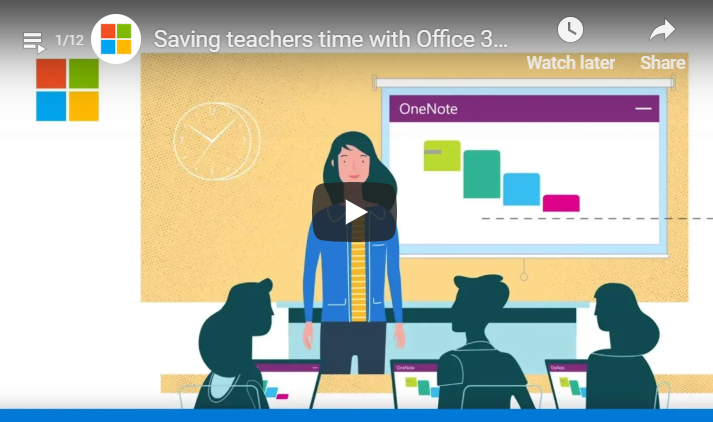
Teachers are always striving to provide the best education possible for their students while often operating within strict budget constraints. Office 365 provides an abundance of technology that is often free for educators. There are several reasons why teachers should use Office 365 in their classrooms.
1. Provides a Variety of Apps
Office 365 offers several different types of apps to help teachers provide their students with a variety of online educational experiences. Whether it’s teaching interactive lessons or individualized learning, the apps can meet several educational needs. Applications are downloaded using Click-to-Run technology that allows users to install apps quickly. A few of the apps that are available include the following:
Microsoft PowerPoint – Students not only learn how to use PowerPoint, but how to put together professional presentations that are informational and engaging.
Microsoft Word – Students will learn to use Microsoft Word more effectively by using the many projects and lesson plans that are offered.
Microsoft Excel – Teachers can learn to make spreadsheets and data analysis fun and engaging for their students. The apps include lessons for everything from analyzing inventory from a store they like to creating a recipe.
Microsoft Publisher – Educators can use Microsoft Publisher to create posters and cards using clip art. There are a variety of color schemes, text choices, and backgrounds to choose from.
Skype – Students can connect with students from other classrooms around the world to collaborate on projects. These types of collaboration will enable students to learn about different countries and cultures.
2. Offers Cloud-based Access and Storage
As a cloud-hosted app, Office 365 is stored and supported by Microsoft. This means teachers and schools don’t own it but subscribe to it. Storage is another excellent reason to start using Office 365. All the data that is used by both staff and students is stored safely in the cloud. Since there is unlimited storage, there is no need to worry about having enough space for data. Teachers and students will no longer have to worry about losing a thumb drive containing hours of hard work.
3. It’s Always Updated
Updating computers and programs can be technically difficult and time-consuming. Since Office 365 is stored in the cloud and supported by Microsoft, it’s always being updated. This means schools can rely on the latest technology and security always being in place. There’s no need for continual maintenance or dependence on an internal IT team.
4. Provides School-to-Work Transition Skills
One of the top priorities of education is preparing students to make a smooth transition from the classroom to the workforce. Students are now expected to possess baseline technology skills. Office 365 can provide students with several types of training tools including learning how to Skype, put together PowerPoint presentations, and learn how to create graphs and spreadsheets.
5. Supports Global Collaboration
Office 365 provides opportunities for both teachers and students to collaborate with others around the world. Teachers can share information with PowerPoint, Excel, or Word and still rely on formatting remaining consistent. Collaboration is done in real time whether it’s with a school across town or across the globe. Teachers can also use collaboration tools to offer tutoring and online classes.
6. Predictable Costs
One of the most attractive aspects of this service is that the Office 365 for Education is offered free for students and teachers that are currently attending an educational institution. There are basic services and applications that come with this particular offer. Teachers can expect to receive Word, Excel, OneNote, PowerPoint, SharePoint, and Yammer. There is also unlimited storage when five or more users have subscribed. A school may decide to pay for extra services, depending on each teacher’s individuals needs for the classroom.
7. Data Control and Security
Office 365 provides a high level of built-in security that can keep student and teacher data secure. There is both 24-hour monitoring and threat management security. Teachers can rely on consistent anti-spam and anti-malware protection. With a strong level of safety, schools won’t have to worry about student data being compromised.
Office 365 can help teachers easily organize their materials, put together interactive lessons plans, and create individualized learning plans for each of their students. Teachers and students can easily access all the great training and tools that are available at any time.
